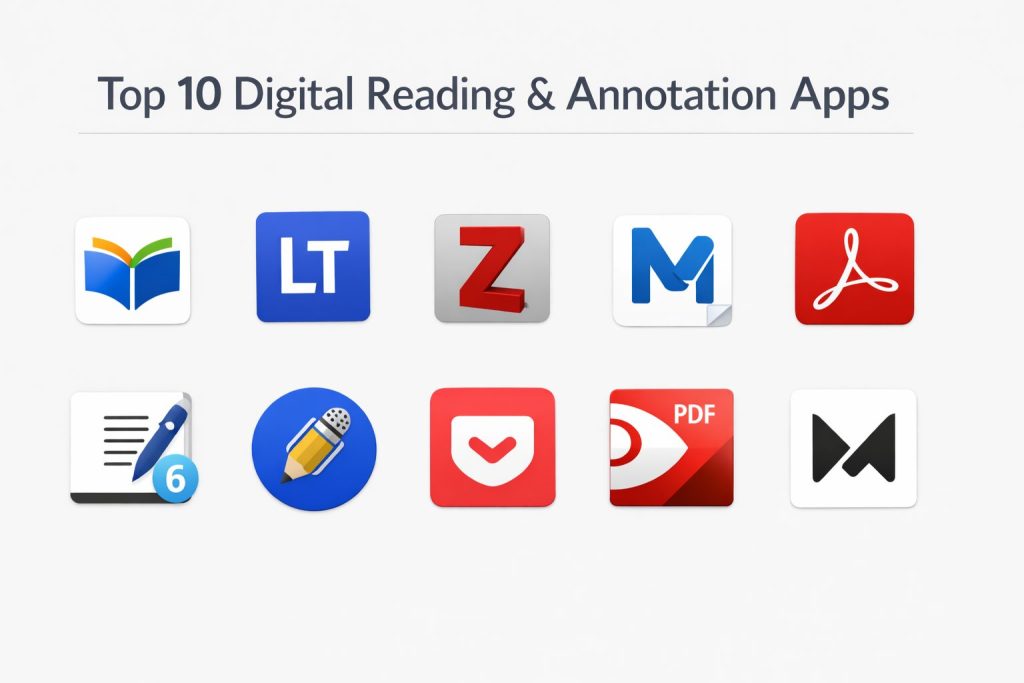
Introduction
Digital reading and annotation platforms have evolved from simple e-book viewers into sophisticated high-performance ecosystems designed for deep cognitive work. These tools function as a digital extension of the mind, allowing professionals and researchers to interact with vast quantities of information through structured highlighting, semantic linking, and cross-platform synchronization. In an era of information density, the ability to transform passive consumption into active knowledge production is a critical competitive advantage. Whether managing technical white papers, legal briefs, or academic journals, the right platform provides the infrastructure to capture, organize, and resurface insights precisely when they are needed.
For an organization or an individual, these applications serve as the primary gateway to a personal knowledge management system. The modern reading workflow is no longer linear; it involves jumping between web articles, PDFs, and encrypted documents while maintaining a unified thread of thought. Selecting the appropriate tool requires a deep understanding of one’s specific data requirements—whether that is the need for rigorous citation management, the flexibility of infinite canvases for visual brainstorming, or the robustness of enterprise-grade security for sensitive corporate intellectual property. The goal is to eliminate friction between the act of reading and the act of synthesis.
Best for: Academic researchers, legal professionals, technical architects, and knowledge workers who require a centralized environment for multi-format document analysis and long-term data retention.
Not ideal for: Users seeking a purely recreational, one-time reading experience without the need for notes, or those who prefer physical media and do not utilize digital synchronization for professional development.
Key Trends in Digital Reading & Annotation Apps
The integration of artificial intelligence has moved beyond simple summarization to become a conversational interface for documents. Readers can now query their entire library to find thematic connections across hundreds of different sources simultaneously. Another major shift is the move toward “bi-directional linking,” where an annotation in one document can automatically link to related concepts in another, creating a web of interconnected ideas rather than isolated folders.
We are also seeing a significant rise in “Read-it-Later” services that function as a unified inbox for all digital content, from newsletters and web articles to YouTube transcripts. These services increasingly focus on eye comfort and accessibility, offering advanced typography controls and high-quality text-to-speech engines that allow users to transition between reading and listening seamlessly. Furthermore, open-standard data portability is becoming a priority, ensuring that user-generated highlights and notes remain accessible even if a specific service changes its business model or ceases operations.
How We Selected These Tools
Our selection process focused on tools that provide high reliability and deep functional utility within a professional pipeline. We prioritized applications that offer robust cross-platform synchronization, ensuring that work started on a mobile device can be seamlessly continued on a desktop workstation. A critical criterion was the depth of the annotation toolset, specifically looking for platforms that support diverse inputs like Apple Pencil handwriting, voice memos, and complex multi-color highlighting.
We also evaluated the “exportability” of the data, favoring tools that integrate well with the broader productivity ecosystem, such as Notion, Obsidian, or specialized reference managers. Performance under load was tested by observing how each app handles high-resolution, multi-hundred-page PDFs containing complex diagrams and metadata. Finally, we considered the security protocols of each platform, particularly for those handling private or proprietary research documents, to ensure that user data remains encrypted and compliant with global privacy standards.
1. Readwise Reader
Readwise Reader is an all-in-one “power reader” designed to consolidate diverse content streams into a single, high-speed interface. It handles everything from web articles and PDFs to newsletters and EPUBs, specifically catering to users who prioritize the rapid extraction of information. It is built for a keyboard-centric workflow, allowing for extremely fast navigation and tagging.
Key Features
The app features a “Ghostreader” AI that can summarize articles or answer specific questions about the text in real-time. It includes a built-in “Daily Review” system that surfaces past highlights to aid long-term retention. The platform supports highlighting YouTube transcripts as you watch, effectively turning video into a readable format. It also offers advanced filtering and views, allowing users to categorize their reading list based on length, topic, or source type.
Pros
It offers the most powerful integration ecosystem for syncing highlights directly to external note-taking apps. The speed and responsiveness of the web and mobile interfaces are unmatched.
Cons
The subscription cost is relatively high for those who only need basic reading features. It has a steeper learning curve due to its extensive keyboard shortcuts and power-user features.
Platforms and Deployment
Web, iOS, and Android. It functions as a cloud-syncing service with full offline support on mobile.
Security and Compliance
Adheres to modern data privacy standards and is GDPR compliant. User highlights are encrypted during transit and at rest.
Integrations and Ecosystem
Seamlessly connects with Notion, Obsidian, Roam, Evernote, and Logseq. It acts as a bridge between the reading material and the permanent knowledge base.
Support and Community
Offers a very active community through Discord and a responsive development team that frequently updates the software based on user feedback.
2. LiquidText
LiquidText is a revolutionary tool for deep document analysis that moves away from the linear scrolling of traditional readers. It provides an infinite workspace next to the document where users can pull out excerpts, link them together, and see the “big picture” of complex information.
Key Features
The standout feature is the “liquid” workspace where you can pinch the document to bring two distant parts together for comparison. Users can draw lines between different excerpts to create permanent visual links that jump back to the source. It supports multi-document projects, allowing you to pull highlights from several PDFs into one unified workspace. The app also features powerful “search highlights” that allow you to see all your notes across the document in a single compressed view.
Pros
Unrivaled for synthesizing information from massive legal briefs, medical reports, or technical manuals. It offers a unique visual way of thinking that traditional text-based notes cannot match.
Cons
The workspace can become cluttered if not managed carefully. The most advanced features and multi-device sync require a premium subscription.
Platforms and Deployment
iPadOS, Windows, and macOS. It is primarily a local application with cloud sync options.
Security and Compliance
Supports standard cloud security protocols and local encryption on the device.
Integrations and Ecosystem
Integrates with major cloud storage providers like Dropbox, iCloud, and OneDrive. It allows for the export of projects as flattened PDFs or structured notes.
Support and Community
Provides extensive video tutorials and professional support for enterprise and academic users.
3. Zotero
Zotero is a free, open-source research assistant that is the gold standard for managing bibliographic data and annotating academic papers. It is designed to help users collect, organize, cite, and share research sources with high precision.
Key Features
The software automatically senses research as you browse the web, allowing for one-click capture of PDFs and metadata. It includes a robust built-in PDF reader with highlighting and note-taking capabilities that sync directly with the citation. The “Zotero 7” update introduced a significantly modernized interface and improved performance for large libraries. It also features a powerful citation engine that integrates directly into word processors to generate bibliographies automatically.
Pros
Completely free for the core software and very affordable for additional cloud storage. The open-source nature ensures that users always maintain full control over their data.
Cons
The mobile experience, while improved, is not yet as feature-rich as the desktop version. The interface can feel more technical and less “aesthetic” than modern SaaS apps.
Platforms and Deployment
Windows, macOS, Linux, and iOS. It uses a hybrid model of local storage and optional cloud syncing.
Security and Compliance
As an open-source tool, it offers high transparency. It is widely used by universities and government institutions with strict data requirements.
Integrations and Ecosystem
Integrates with Word, LibreOffice, and Google Docs. It has a massive library of community-built plugins for expanded functionality.
Support and Community
Backed by a massive global community of researchers and a highly detailed support forum.
4. MarginNote 3
MarginNote 3 combines an e-reader with a mind-mapping tool and a flashcard system. It is specifically built for students and researchers who need to memorize and map out the structure of a subject while they read.
Key Features
As you highlight text, the app automatically generates a mind map in a split-screen view. It includes a sophisticated “Review Mode” that turns your annotations into flashcards using a spaced-repetition algorithm. The tool supports “OCR” for scanned documents, making them searchable and annotatable. It also allows for the integration of web pages and video as part of a structured study notebook.
Pros
Exceptional for building a visual hierarchy of knowledge while reading. It bridges the gap between passive reading and active studying better than almost any other tool.
Cons
The user interface is very dense and can be overwhelming for casual users. It is primarily optimized for the Apple ecosystem.
Platforms and Deployment
macOS and iOS. It uses iCloud for synchronization between devices.
Security and Compliance
Uses Apple’s secure iCloud infrastructure for data storage and syncing.
Integrations and Ecosystem
Supports export to Anki, OmniOutliner, and MindManager. It also allows for exporting structured PDFs with all mind maps included.
Support and Community
Offers a dedicated forum and active community-led tutorials, particularly in the academic and medical fields.
5. Adobe Acrobat Reader
Adobe Acrobat remains the global standard for PDF interaction, offering a highly stable and secure environment for viewing and annotating documents. It is the go-to choice for enterprise environments where document fidelity and standard compliance are non-negotiable.
Key Features
The platform offers a comprehensive set of commenting tools, including sticky notes, highlights, and freehand drawing. Its “Liquid Mode” uses AI to reformat complex PDFs for easier reading on small mobile screens. It includes professional-grade tools for filling and signing forms securely. The “AI Assistant” can now summarize long documents and answer queries based on the file’s content. It also provides robust file compression and conversion features.
Pros
The most reliable app for ensuring that annotations appear correctly on any device or software. It offers the highest level of corporate compliance and security features.
Cons
The software can feel heavy and “bloated” compared to newer, more specialized apps. Many of the most useful features are locked behind an expensive subscription.
Platforms and Deployment
Windows, macOS, iOS, Android, and Web. It is a cloud-integrated platform.
Security and Compliance
Enterprise-grade security, including password protection, redaction, and SOC 2 compliance.
Integrations and Ecosystem
Deeply integrated with Microsoft 365, Google Drive, and Dropbox. It is part of the broader Adobe Document Cloud.
Support and Community
Extensive corporate support, live chat, and a massive library of official documentation and troubleshooting guides.
6. Goodnotes 6
Goodnotes 6 is a premier digital notebook that excels at annotating PDFs with a stylus. It is designed to replicate the feeling of writing on paper while providing the power of digital organization and search.
Key Features
The app features world-class handwriting recognition that allows users to search their handwritten notes as if they were typed text. It includes a “lasso tool” for moving and resizing annotations effortlessly. The new AI-powered features include spell-check for handwriting and mathematical assistance. It offers a wide variety of digital paper templates and the ability to import PDFs as interactive notebooks.
Pros
The best user experience for those who prefer an Apple Pencil or stylus for annotation. The organization of “folders within notebooks” is highly intuitive.
Cons
The transition to a subscription-based model for version 6 has been polarizing. Its focus is more on handwriting than on structured data management.
Platforms and Deployment
iOS, macOS, Windows, and Android. It uses cloud sync to keep notebooks updated across platforms.
Security and Compliance
Utilizes secure cloud backups and offers local on-device encryption options.
Integrations and Ecosystem
Allows for easy export to various cloud services and sharing through shared links for real-time collaboration.
Support and Community
A massive community of “digital planning” enthusiasts provides endless templates and tutorials.
7. Notability
Notability is a powerful note-taking app that is uniquely capable of syncing audio recordings with written annotations. This makes it an essential tool for those who attend lectures or high-stakes meetings and want to review their notes in context.
Key Features
The “Audio Note” feature records sound while you annotate; tapping a note later plays the audio from the exact moment you wrote it. It features a high-performance ink engine for smooth, lag-free writing and sketching. The app allows for a split-screen view to work on two documents simultaneously. It also includes “Gallery,” a platform for sharing and downloading community-created notes and templates.
Pros
The audio-syncing feature is a game-changer for student and professional reviewers. The interface is clean, modern, and very easy to navigate.
Cons
The free version is quite limited, and the move to a subscription model has increased the long-term cost. It is heavily optimized for Apple devices.
Platforms and Deployment
iOS and macOS. It relies on iCloud for synchronization.
Security and Compliance
Adheres to standard Apple data privacy and security guidelines.
Integrations and Ecosystem
Syncs with Google Drive, Dropbox, Box, and OneDrive for automated backups.
Support and Community
Strong official support and a large user base that shares resources through the in-app Gallery.
8. Pocket
Pocket is the veteran of the “read-it-later” space, focusing on a clean, distraction-free reading experience for web content. It is designed for users who want to save articles quickly and read them later in a beautiful, standardized layout.
Key Features
The app strips away ads, sidebars, and trackers from web articles to present a “pure” text view. It includes a high-quality “Listen” feature that converts articles into a podcast-like experience. Users can tag and organize saved content for long-term reference. It also offers a “Discovery” feed that suggests high-quality articles based on your interests and what is trending in the community.
Pros
Extremely simple to use with one-click “save” buttons for almost every browser and social app. Its free tier is very generous for casual readers.
Cons
The annotation and highlighting features are fairly basic compared to research-focused tools. It is less suited for heavy PDF work.
Platforms and Deployment
Web, iOS, Android, and various e-readers like Kobo.
Security and Compliance
Standard consumer-grade security; owned by Mozilla, which has a strong focus on user privacy.
Integrations and Ecosystem
Integrates with over 1,500 apps, including browsers, Twitter, and news aggregators.
Support and Community
Backed by Mozilla’s extensive support infrastructure and a large global user base.
9. PDF Expert
PDF Expert is a fast, robust, and beautiful PDF editor designed specifically for the Apple ecosystem. It is known for its speed and the elegance of its annotation tools, making it a favorite for professionals who need to review documents quickly.
Key Features
The app offers lightning-fast scrolling and searching, even in documents with thousands of pages. It features a complete set of editing tools to change text and images directly within a PDF. Users can easily merge multiple PDFs or extract specific pages into a new document. The annotation tools are highly customizable, allowing for saved “presets” of pens and highlighters for different types of work.
Pros
The most polished and “Mac-like” experience for PDF management. It feels significantly faster and more agile than Adobe Acrobat.
Cons
The software is expensive, and the recent switch to a subscription model for premium features has been noted by long-term users. It is not available for Windows or Android.
Platforms and Deployment
macOS and iOS. It uses iCloud for synchronization.
Security and Compliance
Includes features for password protection and sensitive data redaction, making it suitable for professional use.
Integrations and Ecosystem
Connects to all major cloud storage providers and supports Handoff, allowing you to switch between iPad and Mac seamlessly.
Support and Community
Excellent professional support from Readdle and a high-quality blog with productivity tips.
10. Matter
Matter is a modern reading app that focuses on high-quality typography, newsletter integration, and a social layer for discovery. It is designed for “curious readers” who want a premium, aesthetic environment for their digital consumption.
Key Features
The “Readable” feature allows you to sync your email inbox to read newsletters within the app’s clean interface. It includes “HD Text-to-Speech,” which uses highly realistic voices for an immersive listening experience. Users can follow their favorite writers and see what they are currently reading and highlighting. The app also features a unique “mini-map” for navigating long articles quickly and a gesture-based highlighting system.
Pros
The most beautiful and modern-feeling reading interface available. It excels at managing the modern influx of newsletter and web-based content.
Cons
It is currently an iOS-first platform, which limits its accessibility for Windows and Android users. Some users may find the social features unnecessary.
Platforms and Deployment
iOS and Web. It is a cloud-based service.
Security and Compliance
Follows standard cloud security practices and respects user data privacy.
Integrations and Ecosystem
Integrates with Readwise for highlight syncing and supports various export options for notes.
Support and Community
Growing community of tech-savvy power users and a highly responsive development team.
Comparison Table
| Tool Name | Best For | Platform(s) Supported | Deployment | Standout Feature | Public Rating |
| 1. Readwise Reader | Power Readers | Web, iOS, Android | Cloud | Highlight Resurfacing | 4.8/5 |
| 2. LiquidText | Visual Analysis | iPad, Win, Mac | Hybrid | Infinite Workspace | 4.7/5 |
| 3. Zotero | Academic Research | Win, Mac, Linux, iOS | Local/Cloud | Citation Management | 4.9/5 |
| 4. MarginNote 3 | Students/Study | Mac, iOS | Local/iCloud | Auto-Mind Mapping | 4.6/5 |
| 5. Adobe Acrobat | Enterprise PDF | All Platforms | Cloud | Industry Compatibility | 4.5/5 |
| 6. Goodnotes 6 | Stylus Annotation | All Platforms | Cloud | Handwriting Search | 4.8/5 |
| 7. Notability | Audio-Sync Notes | Mac, iOS | Local/iCloud | Audio Recording Sync | 4.7/5 |
| 8. Pocket | Web Curation | Web, iOS, Android | Cloud | Offline Article View | 4.4/5 |
| 9. PDF Expert | Mac/iPad Pros | Mac, iOS | Local/iCloud | Speed & Polish | 4.6/5 |
| 10. Matter | Newsletters/Audio | iOS, Web | Cloud | HD Text-to-Speech | 4.5/5 |
Evaluation & Scoring of Digital Reading & Annotation Apps
The scoring below is a comparative model intended to help shortlisting. Each criterion is scored from 1–10, then a weighted total from 0–10 is calculated using the weights listed. These are analyst estimates based on typical fit and common workflow requirements, not public ratings.
Weights:
- Core features – 25%
- Ease of use – 15%
- Integrations & ecosystem – 15%
- Security & compliance – 10%
- Performance & reliability – 10%
- Support & community – 10%
- Price / value – 15%
| Tool Name | Core (25%) | Ease (15%) | Integrations (15%) | Security (10%) | Performance (10%) | Support (10%) | Value (15%) | Weighted Total |
| 1. Readwise Reader | 10 | 7 | 10 | 8 | 9 | 10 | 8 | 8.85 |
| 2. LiquidText | 10 | 5 | 7 | 8 | 8 | 9 | 7 | 7.95 |
| 3. Zotero | 9 | 6 | 9 | 10 | 7 | 10 | 10 | 8.70 |
| 4. MarginNote 3 | 10 | 4 | 7 | 8 | 7 | 8 | 8 | 7.65 |
| 5. Adobe Acrobat | 8 | 7 | 10 | 10 | 8 | 10 | 5 | 8.05 |
| 6. Goodnotes 6 | 9 | 9 | 7 | 8 | 9 | 9 | 7 | 8.25 |
| 7. Notability | 9 | 9 | 7 | 8 | 9 | 9 | 7 | 8.25 |
| 8. Pocket | 6 | 10 | 8 | 7 | 9 | 8 | 9 | 7.80 |
| 9. PDF Expert | 8 | 9 | 8 | 9 | 10 | 9 | 6 | 8.15 |
| 10. Matter | 7 | 9 | 8 | 7 | 9 | 8 | 8 | 8.00 |
How to interpret the scores:
- Use the weighted total to shortlist candidates, then validate with a pilot.
- A lower score can mean specialization, not weakness.
- Security and compliance scores reflect controllability and governance fit, because certifications are often not publicly stated.
- Actual outcomes vary with assembly size, team skills, templates, and process maturity.
Which Digital Reading & Annotation Apps Tool Is Right for You?
Solo / Freelancer
For individuals, the priority is often speed and the ability to connect reading to a personal knowledge base. A tool that handles multiple formats and syncs easily with a note-taking app provides the best long-term value for self-directed learning.
SMB
Small teams often need a mix of collaboration and organization. Tools that allow for shared annotations and have simple pricing models work best for maintaining a collective library of research and industry insights.
Mid-Market
At this level, the focus shifts to standardized workflows and cross-platform compatibility. Ensuring that all team members can access and annotate documents regardless of their hardware preference is key to maintaining productivity.
Enterprise
Enterprises require absolute reliability and strict adherence to security standards. The ability to manage licenses centrally and ensure that sensitive data remains within a secure cloud environment is the primary driver for tool selection.
Budget vs Premium
Open-source tools provide incredible power for zero cost, making them ideal for those who don’t mind a slightly more technical setup. Premium subscription tools offer a more polished experience and cutting-edge AI features that can save significant time.
Feature Depth vs Ease of Use
If your work involves complex synthesis of hundreds of documents, the extra time spent learning a high-depth tool is a necessary investment. For those who just want to save articles for a commute, a simpler, more intuitive “read-it-later” app is a better fit.
Integrations & Scalability
A reading tool is only as good as its ability to export data. For power users, the “scalability” of the tool refers to how well the highlights and notes can be moved into a permanent database for future use.
Security & Compliance Needs
For legal, medical, or government work, the security features are the most important part of the decision. Choosing a tool with a long history of corporate use ensures that your data is protected by the highest industry standards.
Frequently Asked Questions (FAQs)
1. Can I use these apps for offline reading?
Most of the apps on this list offer full offline support on mobile devices. This allows you to download articles or PDFs while connected to the internet and read or annotate them later in environments without a connection, such as during travel.
2. Is it possible to export my highlights to other apps?
Yes, tools like Readwise Reader and Zotero are specifically designed to export your data to apps like Notion, Obsidian, and Word. Many others allow you to export your annotated PDFs with the notes flattened or as a separate summary file.
3. Are my annotations private?
Generally, yes. However, for maximum privacy, you should choose tools that offer local storage or use end-to-end encrypted cloud syncing. Always check the privacy policy to see how the developer handles your data.
4. Can these apps handle scanned documents?
Several apps, such as Adobe Acrobat, MarginNote, and Zotero, include Optical Character Recognition (OCR) technology. This converts the images of text in a scan into selectable and searchable digital text that you can highlight.
5. Do I need an Apple Pencil to use these tools?
While you can use a mouse or your finger, an Apple Pencil or similar stylus significantly improves the experience for apps like Goodnotes, Notability, and PDF Expert, as it allows for natural handwriting and precision.
6. What is the difference between a “Read-it-Later” app and a “PDF Annotator”?
Read-it-Later apps are designed to clean up and save web articles for consumption. PDF Annotators are more technical tools built for marking up structured documents, though modern apps are increasingly combining both functions.
7. Can I collaborate on a document with others?
Many premium tools now offer “shared review” features where multiple people can highlight and comment on the same document in real-time. This is particularly useful for legal and research teams.
8. Will these apps work on my E-ink device?
Some apps, like Pocket and Kindle, have dedicated versions for E-ink tablets. Others may run on Android-based E-ink devices like Boox, though the performance and refresh rate vary compared to traditional tablets.
9. Can I annotate YouTube videos?
Yes, newer tools like Readwise Reader can pull the transcript of a video, allowing you to highlight and take notes on the spoken content as if it were an article.
10. Do these apps offer a one-time purchase option?
While most have moved to a subscription model, some tools like PDF Expert and GoodNotes still offer a “lifetime” purchase option or a one-time fee for a specific version, though cloud sync may still require a subscription.
Conclusion
The selection of a digital reading and annotation tool is a strategic investment in your professional intellectual infrastructure. As information volume increases, the ability to selectively capture and meaningfully organize insights becomes a primary driver of success in knowledge-intensive fields. The ideal platform should not only provide a comfortable reading experience but also facilitate the transition from reading to reasoning. By prioritizing data portability, cross-platform reliability, and advanced synthesis features, you ensure that the hours spent reading result in a tangible, searchable, and permanent body of knowledge. Whether you are conducting deep academic research or managing daily professional updates, your choice of software should empower you to turn information into a long-term asset.
I find that this breakdown of digital reading and annotation apps provides an essential roadmap for anyone trying to manage the modern information flood from my perspective as a Knowledge Management Lead. I learned that these tools have evolved far beyond simple highlighting; apps like Readwise Reader and LiquidText now function as “digital extensions of the mind,” allowing me to perform deep cognitive work across multiple formats like PDFs, web articles, and even YouTube transcripts.
In my professional life, these platforms are the primary gateway to building a searchable, long-term knowledge base that eliminates the friction between passive reading and active synthesis. For others in knowledge-intensive fields, this blog highlights how bi-directional linking and AI-powered “Ghostreaders” can help surface connections across hundreds of sources simultaneously. My advice for anyone looking to master these tools is to prioritize data portability—ensure your highlights can easily export to apps like Notion or Obsidian so your insights remain a permanent asset regardless of the software you use. Do you think the shift toward AI-conversational interfaces for documents will eventually replace the need for traditional manual note-taking, or is there still a unique cognitive value in writing things down yourself?
Gemini said
I find that this analysis of the Top 10 Digital Reading & Annotation Apps perfectly captures the shift from passive consumption to active knowledge production from my perspective as a Technical Research Architect. I learned from this comparison that for anyone managing dense technical white papers or academic journals, tools like Readwise Reader and LiquidText are no longer just “apps”—they are sophisticated cognitive extensions that allow for the rapid extraction and synthesis of complex information.