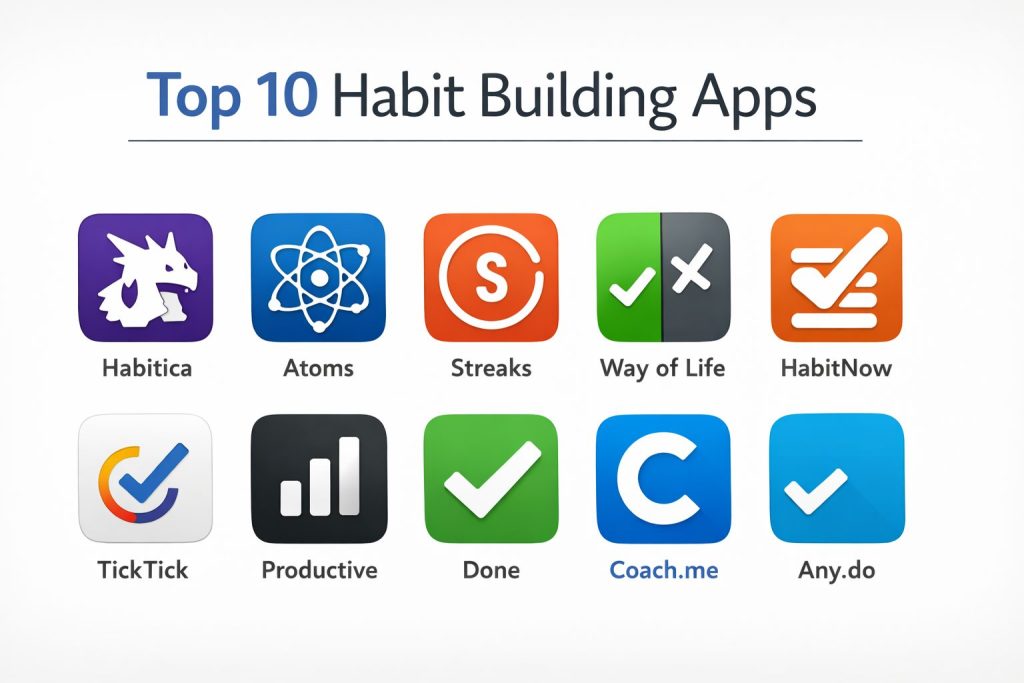
Introduction
Habit building apps have evolved into sophisticated behavioral engineering tools designed to bridge the gap between intention and action. At their core, these platforms leverage psychological principles—such as the habit loop of cue, craving, response, and reward—to help individuals automate positive behaviors. For professionals and teams, these tools are no longer just personal accessories; they are essential for maintaining high performance, preventing burnout, and fostering a culture of continuous improvement. By providing a digital framework for consistency, these apps transform abstract goals into measurable data points, allowing for objective self-reflection and adjustment.
The necessity of these tools in the modern workspace is driven by the increasing complexity of cognitive loads and the prevalence of digital distractions. Organizations now recognize that employee well-being and consistent routine management directly correlate with long-term retention and productivity. When selecting a habit-building platform, it is crucial to look beyond basic checklists. A robust solution must offer sophisticated data visualization, cross-platform synchronization, and a philosophy that aligns with the user’s psychological triggers—whether that be through gamification, social pressure, or identity-based coaching. The right tool acts as a silent partner in professional development, ensuring that the small wins necessary for large-scale success are captured and celebrated.
Best for: Individuals seeking structured personal growth, remote teams looking to build healthy shared routines, and professionals needing a centralized system to manage repetitive high-impact tasks.
Not ideal for: One-off project management that requires deep resource allocation or users who prefer manual, analog tracking without the influence of digital notifications and data analytics.
Key Trends in Habit Building Software
The integration of artificial intelligence has personalized the habit-building experience, with apps now predicting potential “lapse points” based on user behavior and suggesting corrective nudges. Gamification has moved past simple badges into full-scale role-playing environments where habit completion directly affects a digital avatar’s survival and progression. We are also seeing a major shift toward “identity-based” tracking, where the focus moves from “what you do” to “who you are becoming,” integrating micro-lessons and psychological theory directly into the user interface.
Data privacy has become a cornerstone of the industry, with leading apps moving toward end-to-end encryption and local-first storage to protect sensitive personal routines. There is a growing emphasis on “minimalist friction,” where apps utilize widgets and smart-watch complications to allow users to log habits in less than a second. Furthermore, social accountability features are being refined to allow for private “circles” or groups, enabling friends and coworkers to support each other’s goals without exposing private data to a broader public network.
How We Selected These Tools
Our selection process focused on identifying tools that offer a distinct methodology for habit formation, ensuring a diverse range of options for different personality types. We prioritized platforms with high reliability and seamless synchronization across multiple operating systems, as consistency is the primary driver of habit success. We evaluated the depth of the analytical engines, looking for software that provides actionable insights rather than just raw numbers.
User experience and interface design were critical criteria; a habit tracker must be a place where a user wants to spend time every day. We also scrutinized the security protocols of each app, favoring those that offer robust data protection and transparent privacy policies. Finally, we considered the longevity and update frequency of the developers, ensuring that the selected tools are stable and will continue to support the user’s journey over the long term.
1. Habitica
Habitica is a unique, gamified task management and habit-building application that treats your life like a Role-Playing Game (RPG). It is designed for those who find traditional productivity tools uninspiring and need a high level of engagement to stay consistent. By completing tasks and sticking to habits, users earn experience points and gold to level up their avatars, buy equipment, and participate in community “quests.”
Key Features
The app features a comprehensive RPG system including health bars, experience points, and collectible pets. It allows for the creation of “Dailies” for recurring tasks, “Habits” for flexible behaviors, and “To-Dos” for one-time goals. Social accountability is baked in through a “Party” system where your progress (or lack thereof) affects your teammates’ health. It also includes a robust marketplace for custom rewards, enabling users to trade in-game currency for real-life treats.
Pros
The high level of gamification provides immediate dopamine hits that make habit building feel like play. The community aspect adds a strong layer of social pressure that can be highly motivating for many users.
Cons
The interface can feel cluttered and overwhelming for those who prefer a minimalist aesthetic. If the gaming elements don’t appeal to you, the core functionality may feel like unnecessary overhead.
Platforms and Deployment
Web, iOS, and Android. It functions as a cloud-synced service requiring an account.
Security and Compliance
Standard data encryption and GDPR compliance. It offers privacy settings for social interactions and party memberships.
Integrations and Ecosystem
Offers a public API that allows for third-party extensions and integrations with other productivity tools like Trello or browser-based focus timers.
Support and Community
Features an extensive community wiki, a dedicated Discord server, and active forums where users share custom “challenges” and advice.
2. Atoms (Atomic Habits)
Atoms is the official app built on the principles of James Clear’s “Atomic Habits.” It focuses on the science of small changes and identity-based habit formation. Rather than just tracking a list of tasks, the app guides users through a structured process of defining who they want to become and selecting the tiny actions that lead to that result.
Key Features
The app provides daily bite-sized lessons on habit psychology and behavioral science. It utilizes a “habit stacking” interface that helps users anchor new behaviors to existing routines. The tracking system is designed around the “one-percent better” philosophy, emphasizing consistency over intensity. It also includes a specialized reflection tool that asks users to evaluate their progress and adjust their strategies based on what is actually working in their daily lives.
Pros
The integration of high-quality educational content makes it more of a coaching tool than a simple tracker. Its clean, premium design minimizes friction and encourages daily use.
Cons
It is currently more robust on the iOS ecosystem, which may limit Android users. The subscription-based model is higher than some more basic competitors.
Platforms and Deployment
iOS, macOS, and Apple Watch. It relies on cloud syncing for cross-device progress.
Security and Compliance
Follows strict Apple ecosystem privacy standards, with data linked to Apple ID and standard encryption for cloud backups.
Integrations and Ecosystem
Integrates deeply with Apple Health and Siri for voice-activated logging and automated data tracking for physical habits.
Support and Community
Offers direct support through the app and a wealth of resources through the James Clear ecosystem, including newsletters and specialized workshops.
3. Streaks
Streaks is a minimalist, highly visual habit tracker that focuses on one primary goal: not breaking the chain. It is designed to be the fastest way to log a habit, utilizing large icons and a simple interface that lives on your home screen or watch face. It is ideal for those who want a “set it and forget it” tool that stays out of the way until it’s needed.
Key Features
The software allows for up to 24 habits, which are displayed as large, customizable circular icons. It automatically integrates with health data to track steps, heart rate, or sleep without any manual input. Users can set flexible goals, such as completing a habit a certain number of times per week or on specific days. It also features highly customizable notifications that can be set to remind you only if you haven’t completed the task by a certain time.
Pros
The interface is award-winningly clean and beautiful, making it a joy to use. The automatic health data integration removes the manual labor from tracking many common habits.
Cons
It is strictly limited to the Apple ecosystem, leaving Windows and Android users out. The limit on the number of habits may be frustrating for power users.
Platforms and Deployment
iOS, macOS, and watchOS. It uses iCloud for seamless data synchronization between devices.
Security and Compliance
Privacy-focused with no external tracking; all data is stored locally or in the user’s private iCloud storage.
Integrations and Ecosystem
Strongest integration with Apple Health of any app on this list. It also supports Shortcuts for advanced automation.
Support and Community
Provided through a direct help center and a responsive developer via email. The community is largely centered around the Apple design ecosystem.
4. Way of Life
Way of Life is built for data-hungry users who want to see the “why” behind their behavior. It uses a unique color-coded system—green for success and red for failure—to give an instant visual representation of your progress over months and years. It is designed for those who value pattern recognition and detailed analytics over gamification or social features.
Key Features
The app features a powerful “Trend” view that displays success rates through bar charts and pie graphs. It includes a built-in journal for every habit, allowing users to note down triggers or obstacles they faced on specific days. The “Chains” feature helps visualize long-term momentum, while the flexible reminder system ensures you never miss a check-in. It also offers a unique “neutral” option for days when a habit wasn’t applicable, preventing unfair breaks in your data.
Pros
The analytical tools are some of the best in the category, making it easy to spot long-term trends. The interface is highly efficient, allowing for multiple habit check-ins in seconds.
Cons
The visual style is more utilitarian than “beautiful,” which might not appeal to all users. The free version is quite limited in terms of the number of habits you can track.
Platforms and Deployment
iOS and Android. It supports local backups and cloud syncing for premium users.
Security and Compliance
GDPR compliant with options for biometric (FaceID/Fingerprint) app locking to protect your personal data.
Integrations and Ecosystem
Supports data export to CSV or Excel, allowing users to perform their own advanced analysis outside of the app.
Support and Community
Backed by an extensive user manual, video tutorials, and a dedicated email support team.
5. HabitNow
HabitNow is an all-in-one routine planner that bridges the gap between a habit tracker and a traditional to-do list. It is designed for users who want to manage their entire day—including both recurring habits and one-time tasks—within a single, highly customizable interface. It is particularly strong in its ability to handle complex schedules and diverse goal types.
Key Features
Users can define habits as simple “check-off” tasks, timed activities using a built-in Pomodoro timer, or numeric goals (like drinking 8 glasses of water). It features a full calendar view to see how your habits and tasks fit into your overall schedule. The app also includes detailed statistics for each habit, showing your current streak, best streak, and total completion rate. It offers a wide range of widgets to keep your progress visible on your phone’s home screen.
Pros
Combining a to-do list with a habit tracker reduces “app fatigue” by centralizing your daily management. The customization options for icons, colors, and schedules are extensive.
Cons
Currently only available on Android, which is a major drawback for cross-platform users. The sheer number of features can make the initial setup time-consuming.
Platforms and Deployment
Android only. It uses Google Drive for data backups and synchronization.
Security and Compliance
Offers a privacy lock feature and adheres to standard Google Play security and data protection protocols.
Integrations and Ecosystem
While it doesn’t have a large external ecosystem, it functions as a self-contained hub for productivity within the Android environment.
Support and Community
Support is provided through in-app documentation and email, with a very active user base on the Google Play store.
6. TickTick
TickTick is a massive productivity suite that happens to have one of the most effective habit trackers built directly into it. It is the ideal choice for professionals who already use a task manager and want their habits to live alongside their work projects, calendar events, and focus timers without needing a separate application.
Key Features
The habit module allows for customizable frequencies and specific “logs” for each habit. It integrates with the app’s Pomodoro timer, so you can track “Deep Work” as a habit and time it simultaneously. It features a “Statistics” tab that provides a “Habit Score” to show your overall consistency across all areas of life. Because it’s a full task manager, you can turn any project into a habit or vice versa with a few clicks.
Pros
The seamless integration between tasks, calendar, and habits is world-class. It is one of the few high-end tools that works perfectly across every single major platform.
Cons
The habit tracking features are locked behind a premium subscription. Some users may find it too complex if they only need a simple habit tracker.
Platforms and Deployment
Windows, macOS, Linux, iOS, Android, and Web. Features real-time cloud syncing across all devices.
Security and Compliance
ISO 27001 certified and GDPR compliant. It supports 2FA and offers robust data encryption for all stored tasks and habits.
Integrations and Ecosystem
Extensive integrations with Google Calendar, Outlook, and Zapier. It also offers browser extensions and email-to-task functionality.
Support and Community
Offers a comprehensive help center, a responsive ticketing system, and a large community of productivity enthusiasts on Reddit and Slack.
7. Productive
Productive is designed for users who need a guided experience to build a better routine. It moves away from the “blank slate” problem by providing pre-built habit bundles and “Challenges” that users can join to jumpstart their progress. It is particularly effective for those who want the app to take an active role in suggesting what their day should look like.
Key Features
The app features “Guided Programs” that teach users how to build routines for better sleep, productivity, or health. It uses smart reminders that can be set for specific times of the day (Morning, Afternoon, Evening) to reduce notification overwhelm. The interface is fluid and uses intuitive swiping gestures to log progress. It also includes a “Life Quality” assessment that helps you see how your habits are impacting your overall well-being.
Pros
The curated challenges and programs are great for beginners who don’t know where to start. The “Location-Based Reminders” are a standout feature for habits that need to happen at specific places.
Cons
The subscription price is on the higher end of the spectrum for the category. Some of the more advanced analytical features are only available in the paid version.
Platforms and Deployment
iOS, Android, and Apple Watch. It uses a proprietary cloud sync system.
Security and Compliance
GDPR compliant with standard industry encryption for data in transit and at rest.
Integrations and Ecosystem
Focuses on a self-contained experience, though it does offer basic synchronization with health apps in the Apple and Google ecosystems.
Support and Community
Provides 24/7 customer support, an extensive blog on habit psychology, and a large social media presence for community motivation.
8. Done
Done is a “power-user” habit tracker that emphasizes simplicity and flexibility. It is designed to handle “streaks” in a more nuanced way, allowing users to set goals for “at least” or “no more than” a certain amount. This makes it just as effective for breaking bad habits (like smoking or caffeine) as it is for building new ones.
Key Features
The dashboard is built on a “multi-bar” view that lets you see the progress of all your habits at once without clicking into sub-menus. It allows for “Grouped Habits,” so you can categorize your behaviors into “Body,” “Mind,” or “Work.” The app features a high-performance widget system for the home screen and supports “Historical Logging,” allowing you to go back and fix data for days you missed. It also offers a “Lifetime” progress view to see the weight of your achievements over years.
Pros
The ability to track “negative habits” (cutting down on something) is handled better here than in most other apps. The interface is highly responsive and optimized for speed.
Cons
The free version is quite restrictive, allowing for only a small number of habits. The social and community features are virtually non-existent compared to Habitica.
Platforms and Deployment
iOS and Android. It supports iCloud and Google Drive for data redundancy.
Security and Compliance
Standard encryption and GDPR compliance. It allows for biometric locking to keep your habit data private.
Integrations and Ecosystem
Integrates with Apple Health and offers data export features for users who want to backup their information manually.
Support and Community
Support is handled through a developer-led email system and a solid documentation library.
9. Coach.me
Coach.me is more than just an app; it is a gateway to human accountability. While it includes a powerful free habit tracker, its standout feature is the ability to hire a real human coach to message you daily and keep you on track. It is the premier choice for individuals who have failed with automated apps and need a higher level of professional intervention.
Key Features
The tracker allows users to “Check-in” to thousands of community-defined habits, ranging from “Waking up by 6 AM” to “Coding for 1 hour.” Every habit has its own community board where users can ask questions and offer tips. The “Premium Coaching” feature connects you with experts in specific fields who provide personalized plans and daily motivation. It also includes a “Leadership” mode for managers who want to track the habits of their teams.
Pros
The transition from a free tracker to a paid human coach is seamless and provides a level of accountability no AI can match. The community boards are a goldmine of specific advice for thousands of different habits.
Cons
The user interface feels a bit dated compared to modern competitors like Atoms or Streaks. The quality of the experience can vary depending on the specific coach you hire.
Platforms and Deployment
Web, iOS, and Android. It is a cloud-based platform that requires an active internet connection for social features.
Security and Compliance
GDPR compliant. Since it involves human interaction, it has specific terms of service regarding coach-client confidentiality and secure messaging.
Integrations and Ecosystem
Primarily a self-contained platform, though it offers some basic connectivity with social media for sharing milestones.
Support and Community
One of the largest and most diverse communities in the habit-building space, with specialized groups for almost any goal imaginable.
10. Any.do
Any.do is a globally recognized productivity powerhouse that has integrated habit tracking into its “Daily Planner” ecosystem. It is designed for the high-level professional who needs their habits to be part of a larger workflow that includes grocery lists, family boards, and professional project management.
Key Features
The habit tracker is built into the “Any.do Moment,” a daily ritual where the app walks you through your day’s tasks and habits. It features “WhatsApp Integration,” allowing you to log habits and receive reminders directly through the messaging app. The platform includes a smart calendar that merges your work meetings with your personal habits, ensuring you don’t schedule a gym session during a board meeting. It also offers location-based reminders and voice-command support.
Pros
The WhatsApp integration is a game-changer for users who want to log habits without opening a dedicated app. The “Family Board” feature allows for household-wide habit tracking and routine management.
Cons
The habit tracker is a component of a much larger app, which may feel like “overkill” for someone who only wants a simple streak counter. Most advanced features are behind a premium paywall.
Platforms and Deployment
Windows, macOS, iOS, Android, Web, and Apple Watch. Features high-speed synchronization across all platforms.
Security and Compliance
Enterprise-grade security, including SOC 2 Type II compliance, 2FA, and AES-256 encryption.
Integrations and Ecosystem
Works with over 6,000 apps via Zapier and has native integrations with Google Calendar, Outlook, and Slack.
Support and Community
Professional support with 24/7 availability for premium users and a massive library of tutorials and productivity guides.
Comparison Table
| Tool Name | Best For | Platform(s) Supported | Deployment | Standout Feature | Public Rating |
| 1. Habitica | Gamification/RPG | Win, Mac, iOS, Android | Cloud | RPG Progression System | 4.7/5 |
| 2. Atoms | Psychology/Identity | iOS, Mac, Watch | Cloud | James Clear Daily Lessons | 4.8/5 |
| 3. Streaks | Minimalist/Apple | iOS, Mac, Watch | Local/iCloud | Apple Health Automation | 4.9/5 |
| 4. Way of Life | Data & Trends | iOS, Android | Local/Cloud | Color-Coded Journaling | 4.5/5 |
| 5. HabitNow | Android Routines | Android | Local | Task + Habit Hybrid | 4.6/5 |
| 6. TickTick | Professional Flow | All Platforms | Cloud | Built-in Pomodoro Timer | 4.8/5 |
| 7. Productive | Guided Routines | iOS, Android | Cloud | Location-Based Nudges | 4.4/5 |
| 8. Done | Breaking Habits | iOS, Android | Local/Cloud | Negative Habit Tracking | 4.3/5 |
| 9. Coach.me | Human Coaching | Web, iOS, Android | Cloud | Direct Human Accountability | 4.2/5 |
| 10. Any.do | Household/Business | All Platforms | Cloud | WhatsApp Logging | 4.5/5 |
Evaluation & Scoring of Habit Building Software
The scoring below is a comparative model intended to help shortlisting. Each criterion is scored from 1–10, then a weighted total from 0–10 is calculated using the weights listed. These are analyst estimates based on typical fit and common workflow requirements, not public ratings.
Weights:
- Core features – 25%
- Ease of use – 15%
- Integrations & ecosystem – 15%
- Security & compliance – 10%
- Performance & reliability – 10%
- Support & community – 10%
- Price / value – 15%
| Tool Name | Core (25%) | Ease (15%) | Integrations (15%) | Security (10%) | Performance (10%) | Support (10%) | Value (15%) | Weighted Total |
| 1. Habitica | 10 | 5 | 8 | 7 | 8 | 9 | 10 | 8.30 |
| 2. Atoms | 9 | 9 | 7 | 9 | 10 | 8 | 7 | 8.45 |
| 3. Streaks | 8 | 10 | 10 | 10 | 10 | 7 | 9 | 9.05 |
| 4. Way of Life | 9 | 8 | 6 | 8 | 9 | 8 | 8 | 8.00 |
| 5. HabitNow | 8 | 8 | 5 | 7 | 9 | 7 | 9 | 7.65 |
| 6. TickTick | 10 | 7 | 10 | 9 | 9 | 9 | 8 | 8.95 |
| 7. Productive | 8 | 9 | 7 | 8 | 8 | 8 | 6 | 7.70 |
| 8. Done | 7 | 9 | 6 | 8 | 9 | 7 | 7 | 7.40 |
| 9. Coach.me | 9 | 6 | 5 | 7 | 7 | 10 | 8 | 7.60 |
| 10. Any.do | 9 | 8 | 10 | 10 | 9 | 9 | 7 | 8.80 |
How to interpret the scores:
- Use the weighted total to shortlist candidates, then validate with a pilot.
- A lower score can mean specialization, not weakness.
- Security and compliance scores reflect controllability and governance fit, because certifications are often not publicly stated.
- Actual outcomes vary with assembly size, team skills, templates, and process maturity.
Which Habit Building App Is Right for You?
Solo / Freelancer
If you are working independently, you need a tool that balances structure with personal motivation. A platform that provides both task management and habit tracking allows you to keep your professional goals and personal health routines in one clear view, reducing the mental energy required to switch between different systems.
SMB
For small businesses, fostering a healthy culture is vital. Tools that allow for group challenges or shared accountability can help teams stay connected and motivated, especially in a remote-first environment. Look for software that emphasizes social connection and shared “wins.”
Mid-Market
Mid-market organizations often require more robust security and cross-platform support as their headcount grows. Choosing a tool that is globally recognized and offers enterprise-grade data protection ensures that your team’s personal habits don’t become a security liability while still providing the flexibility your employees need.
Enterprise
At the enterprise level, the focus is on “Human Capital Management.” Software that integrates with existing professional ecosystems (like Slack or Microsoft 365) is essential. These tools allow for large-scale wellness initiatives that can be tracked and managed with the same rigor as any other business department.
Budget vs Premium
Users on a budget should look toward open-source or gamified free versions that offer high community value. Premium subscriptions are generally worth it if you require human coaching, advanced location-based features, or deep behavioral analytics that can significantly shorten the time it takes to lock in a new behavior.
Feature Depth vs Ease of Use
If you are just starting your habit journey, prioritize ease of use. A tool that is too complex will quickly become another chore. However, if you have been tracking habits for years, you will likely find more value in “feature-deep” tools that allow for data export and complex trend analysis.
Integrations & Scalability
Your habit tracker shouldn’t be an island. A platform that talks to your health apps, your calendar, and your project management tools will always be more effective because it reduces the friction of manual entry. Scalability ensures that as your goals grow, your software doesn’t hold you back.
Security & Compliance Needs
Never overlook the sensitivity of your habit data. Information about your sleep, health, and location is highly personal. Always prioritize developers who are transparent about their data usage and offer modern security features like 2FA and biometric locks.
Frequently Asked Questions (FAQs)
1. How many habits should I start tracking at once?
Research suggests that focusing on no more than three habits at a time is the most effective way to ensure long-term success. Overloading your tracker can lead to “habit fatigue,” causing you to abandon the system entirely when life becomes busy.
2. Can these apps help with breaking bad habits?
Yes, several tools on this list are specifically designed for “negative tracking.” These allow you to set goals for reducing behaviors rather than just increasing them, providing different visual cues for when you successfully resist a craving.
3. Do I need an internet connection to log habits?
Many of the tools listed here offer an “offline-first” mode, allowing you to log your progress locally. The app will then synchronize your data to the cloud once a connection is re-established, ensuring your streaks remain accurate.
4. What happens if I miss a day?
Most professional-grade apps allow for “skipping” or “neutral” days. The philosophy in high-performance habit building is to “never miss twice,” so look for tools that emphasize getting back on track rather than just punishing a single failure.
5. Are these apps suitable for people with ADHD?
Many of these platforms are highly recommended by the ADHD community. Gamified systems and apps with “visual chains” provide the immediate feedback and structure that can be very helpful in managing focus and routine.
6. Can I share my progress with a therapist or coach?
Yes, most analytical habit trackers allow you to export your data into a CSV or PDF format. This can be an invaluable tool for professional sessions, providing objective data on your behavior patterns over time.
7. Is it better to track daily or weekly habits?
It depends on the behavior. High-impact habits like exercise are often better tracked weekly to allow for flexibility, while foundational habits like hydration or meditation are most effective when tracked on a daily basis.
8. Do habit trackers sell my data?
Reputable apps, especially those that are paid or enterprise-compliant, do not sell personal data. However, you should always read the privacy policy, particularly for free apps that rely on advertising or external data brokers.
9. Can these apps work on my Apple Watch or Android Wear?
Most leading habit trackers now offer “complications” for smartwatches. This allows you to log a habit with a single tap on your wrist, which is one of the most effective ways to reduce friction and increase consistency.
10. What is a “Habit Stack”?
A habit stack is a technique where you pair a new habit with one you already do automatically (e.g., “After I pour my morning coffee, I will meditate for one minute”). Several apps on this list have built-in tools to help you design these stacks.
Conclusion
Successful habit building is less about willpower and more about the systems you put in place to support your goals. The transition from manual tracking to a dedicated digital platform represents a commitment to personal and professional excellence. By selecting a tool that matches your psychological profile—whether you crave the excitement of an RPG, the precision of a data-heavy dashboard, or the human touch of a professional coach—you are effectively outsourcing the hardest parts of behavior change to technology. The ultimate goal is not to use the app forever, but to use it until the behavior becomes so ingrained that the digital nudge is no longer necessary. Choose a tool that respects your data, reduces your friction, and provides the insights you need to become the person you intend to be.
I find that this breakdown of the top 10 habit-building apps provides a comprehensive roadmap for anyone looking to bridge the gap between intention and action from my perspective as a Performance Coach. I learned that modern habit trackers are much more than simple checklists; they are sophisticated behavioral engineering tools that leverage psychological triggers—such as the “habit loop” and “habit stacking”—to help us automate positive behaviors.
In my professional life, these tools are essential for maintaining high performance and preventing burnout by helping me turn abstract goals into measurable, daily data points. For others in high-pressure roles, this blog highlights how different methodologies—from the gamified quests of Habitica to the identity-based coaching of the Atoms app—can be tailored to fit individual psychological profiles. My advice for anyone wanting to master these tools is to start with the “one-percent better” philosophy mentioned in the Atomic Habits section; focus on the tiny actions that lead to the identity you want to build, rather than just chasing a long list of tasks. Do you think the rise of AI-driven “proactive nudges” will eventually make manual habit logging obsolete, or is there still a unique value in the conscious act of checking off a task ourselves?
I find that this breakdown of the Top 10 Habit Building Apps perfectly highlights the move from simple checklists to sophisticated behavioral engineering from my perspective as a Performance Coach. I learned from this comparison that for professionals looking to automate success, tools like Atoms or Habitica are no longer just “trackers”—they are sophisticated psychological frameworks that utilize the habit loop to bridge the gap between intention and action. In my real-world work, shifting to identity-based tracking has been a game-changer,