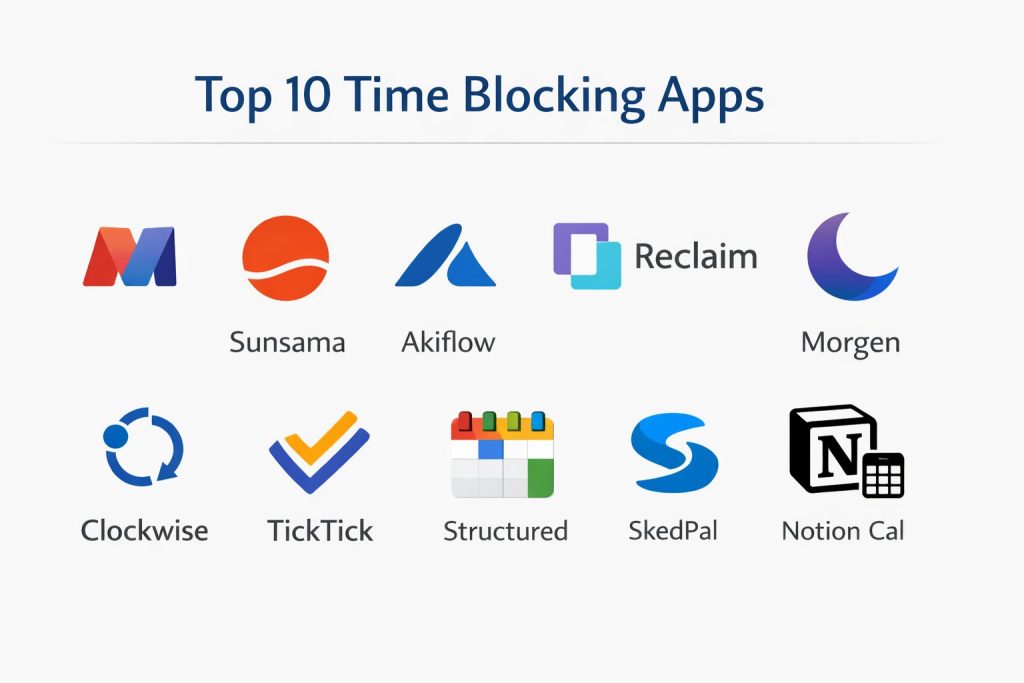
Introduction
Time blocking is a high-leverage productivity methodology that transforms a reactive to-do list into an intentional, calendar-based blueprint for your day. By designating specific “blocks” of time for dedicated tasks, professionals can mitigate the cognitive drain of context switching and protect their most valuable asset: deep focus. In an era dominated by asynchronous communication and constant digital interruptions, this technique serves as a defensive barrier, ensuring that strategic priorities receive the attention they require rather than being sidelined by urgent but low-value requests.
The current organizational landscape demands more than just simple reminders; it requires integrated systems that harmonize personal focus with team availability. Effective time blocking is no longer a solo endeavor but a critical component of resource management and project delivery. When selecting a platform, it is essential to evaluate the tool’s ability to sync across multiple ecosystems, its support for automated rescheduling, and how it handles the friction between “planned” time and the reality of shifting deadlines. A robust time-blocking tool acts as a dedicated operating system for your attention.
Best for: High-output knowledge workers, project leads, software engineers, and executives who need to balance heavy meeting loads with deep-work requirements.
Not ideal for: Roles that are purely reactive or high-volume support positions where schedules are dictated by external tickets in real-time. If your workflow requires total unpredictability, a rigid calendar block may become a source of frustration rather than a tool for efficiency.
Key Trends in Time Blocking Apps
The most significant shift in the industry is the rise of automated intelligence. Modern applications no longer require users to manually drag and drop every task; instead, algorithms analyze deadlines and meeting patterns to propose the optimal daily schedule. This “autopilot” mode allows professionals to focus on the work itself rather than the administration of their calendar. Additionally, we are seeing a move toward “holistic planning,” where personal habits, health routines, and professional milestones are integrated into a single unified view to prevent burnout.
Privacy-first architecture is also becoming a non-negotiable standard for enterprise users. As these tools require deep access to sensitive calendar data and task descriptions, developers are implementing local encryption and decentralized data handling to meet strict compliance requirements. There is also a growing emphasis on “energy-based scheduling,” where tools prompt users to tackle cognitively demanding tasks during their peak performance windows. Finally, cross-platform synchronization has reached a level of near-instantaneous fluidity, ensuring that a block adjusted on a desktop is immediately reflected on mobile and wearable devices.
How We Selected These Tools
Our selection process focused on technical reliability and the ability to handle complex, multi-source workflows. We prioritized applications that offer native integrations with common enterprise suites like Google Workspace and Microsoft 365, as a time-blocking tool is only as good as the data it can ingest. We analyzed the “friction-to-value” ratio—how much effort is required to set up a daily plan versus the time saved by having that plan in place. Tools that offered intuitive, keyboard-first interfaces scored higher for professional use.
We also looked for feature depth beyond simple calendar entries, specifically seeking out tools that include focus timers, habit tracking, and detailed productivity analytics. Community feedback and the frequency of security updates were also heavily weighted to ensure long-term viability. Finally, we assessed the flexibility of each tool; the best platforms allow for “soft” blocks that can move dynamically when a meeting runs over, providing a realistic reflection of a modern workday rather than a static, unachievable ideal.
1. Motion
Motion is an AI-driven powerhouse designed to automate the entire scheduling process. It functions as a digital chief of staff, taking your list of tasks, their priorities, and your deadlines to automatically build a daily schedule. If a meeting is added or a task takes longer than expected, Motion reshuffles your entire day in real-time to ensure your deadlines are still met.
Key Features
The core engine is its intelligent auto-scheduler that manages both tasks and meetings simultaneously. It features “Meeting Assistant” functionality to simplify booking while protecting your deep-work blocks. The platform includes a dedicated project management view that feeds directly into the individual’s calendar. It also offers “Focus Mode” to minimize distractions during active blocks and provides automated warnings when a deadline becomes mathematically impossible to hit based on your current workload.
Pros
It virtually eliminates the “planning fallacy” by providing a realistic view of what can be accomplished. The automation saves hours of manual calendar maintenance every week.
Cons
The subscription cost is at the highest end of the market. Its automated nature can sometimes feel restrictive for users who prefer manual control over their specific time slots.
Platforms and Deployment
Windows, macOS, iOS, Android, and Web.
Security and Compliance
Utilizes enterprise-level encryption and is compliant with standard data protection protocols for corporate environments.
Integrations and Ecosystem
Deeply integrates with Google Calendar, Microsoft Outlook, and various project management tools like Asana and Jira.
Support and Community
Offers robust professional support and an extensive library of tutorials for optimizing automated workflows.
2. Sunsama
Sunsama focuses on “mindful productivity” through a guided daily ritual. It encourages users to start their day by intentionally choosing what matters and ending it with a reflection. It is designed to prevent burnout by helping users set realistic goals and maintain a healthy boundary between work and life.
Key Features
The “Daily Planning” ritual walks you through pulling tasks from external tools and placing them onto your calendar. It includes a unified inbox that aggregates tasks from email, Slack, and project boards. The “Shutdown” ritual helps you transition out of work mode by reviewing accomplishments. It also features a “Workload Limit” that warns you when you have scheduled more hours than your workday allows. The interface is intentionally minimal to reduce digital overwhelm.
Pros
Exceptional at fostering a calm and intentional approach to work. It integrates beautifully with a wide variety of third-party tools.
Cons
It lacks the advanced automation features of its competitors, requiring more manual interaction. The premium pricing may be high for those only needing simple calendar features.
Platforms and Deployment
Windows, macOS, Linux, iOS, and Android.
Security and Compliance
Adheres to strict privacy standards and does not sell user data; it uses secure OAuth for all third-party integrations.
Integrations and Ecosystem
Best-in-class integrations with Slack, Trello, Asana, GitHub, Jira, and Gmail.
Support and Community
Highly responsive support team and a community focused on intentional living and productivity.
3. Akiflow
Akiflow is built for power users who want to consolidate their entire digital life into a single, high-speed command center. It excels at turning pieces of information—like an email or a Slack message—into actionable time blocks with minimal friction. It is a “keyboard-first” tool designed for maximum efficiency.
Key Features
The “Universal Inbox” captures tasks from virtually any source. Its command bar allows for rapid scheduling using natural language processing (e.g., “Review report tomorrow at 2 PM”). It features “Time Slots” which allow you to group related small tasks into a single larger block. The platform offers a unified view of multiple calendars, including personal and professional. It also includes a built-in focus timer and basic time-tracking capabilities to analyze how your time was actually spent.
Pros
Incredibly fast and efficient for users who rely on keyboard shortcuts. The task consolidation is nearly perfect for those juggling many different communication channels.
Cons
The interface can be dense and overwhelming for a casual user. The mobile application is currently less powerful than the desktop version.
Platforms and Deployment
Windows, macOS, iOS, and Android.
Security and Compliance
Features secure data handling and standard encryption; requires no storage of passwords for third-party accounts.
Integrations and Ecosystem
Supports a vast range of integrations including Notion, Slack, Gmail, Zoom, and most major project management software.
Support and Community
Active user community and detailed documentation geared toward power users and productivity hackers.
4. Reclaim
Reclaim is a smart scheduling assistant that “defends” your time. It is particularly strong at managing the balance between personal habits and professional obligations. It uses flexible blocks that remain “free” for others to book over until they become “busy” as the deadline approaches.
Key Features
It features “Habits” which automatically find the best time for recurring tasks like exercise or lunch. The “Smart 1-on-1s” automatically find the best time for meetings between two people based on both their calendars. It includes “Focus Time” blocks that automatically move to protect your deep work when meetings are added. The platform provides detailed analytics on how your time is allocated across different categories. It also features a “Buffer Time” setting to ensure you have breaks between back-to-back meetings.
Pros
Excellent at maintaining a work-life balance through automated habit protection. The flexible “free-to-busy” logic is a unique and highly practical feature.
Cons
Currently optimized mostly for Google Workspace users (Outlook support is evolving). Some users find the initial setup of logic rules to be time-consuming.
Platforms and Deployment
Web-based with a focus on calendar integration; companion mobile apps are available.
Security and Compliance
SOC 2 Type II compliant, making it suitable for enterprise-level security requirements.
Integrations and Ecosystem
Deeply integrated with Google Calendar, Slack, and popular task managers like Todoist and Linear.
Support and Community
Provides extensive help documentation and a proactive support team focused on enterprise productivity.
5. Morgen
Morgen is a sophisticated calendar aggregator and task manager that prioritizes privacy and simplicity. It allows you to see all your different calendars in one place and simply drag tasks onto the timeline to block them out. It is known for its elegant design and stable performance across different operating systems.
Key Features
It unifies calendars from Google, Outlook, iCloud, and more into a single view. The drag-and-drop interface makes time blocking feel intuitive and fast. It includes “Scheduling Links” so others can book time with you without the back-and-forth of emails. It features “Workflows” that allow for recurring time-block patterns. The platform also offers a “Focus Mode” that hides distracting desktop notifications. Unlike many competitors, it provides a dedicated Linux application for technical professionals.
Pros
Extremely clean and user-friendly interface. It is one of the few professional-grade tools that supports almost every major calendar provider and OS.
Cons
It has fewer automation features compared to AI-first tools like Motion or Reclaim. The free tier is somewhat limited for users with complex scheduling needs.
Platforms and Deployment
Windows, macOS, Linux, iOS, and Android.
Security and Compliance
Privacy-focused architecture; calendar data is processed locally whenever possible to enhance security.
Integrations and Ecosystem
Integrates with Todoist, Microsoft To Do, Google Tasks, and various meeting platforms like Zoom and Teams.
Support and Community
Solid support structure with a growing community of design-conscious productivity enthusiasts.
6. Clockwise
Clockwise is an enterprise-focused tool designed to optimize schedules for entire teams, not just individuals. It uses AI to find “Focus Time” for every team member by automatically moving internal meetings to more efficient slots. It is the best choice for organizations that want to build a culture of deep work.
Key Features
The “Autopilot” feature moves flexible meetings to open up larger blocks of uninterrupted time for the whole team. It includes a “Focus Time” dashboard that tracks how many hours of deep work your team is actually getting. It automatically updates your Slack status to “Busy” during focus blocks. The platform features “Team Analytics” to identify meeting-heavy days and suggest improvements. It also offers “Lunch Protection” to ensure everyone in the company gets a break.
Pros
Unrivaled for improving the collective productivity of a department. It reduces the “Swiss cheese” calendar effect for everyone simultaneously.
Cons
It requires team-wide adoption to reach its full potential. It has limited utility for freelancers or solo workers who don’t have many internal meetings.
Platforms and Deployment
Web and browser extensions, with deep integration into calendar platforms.
Security and Compliance
Enterprise-grade security with SOC 2 compliance and robust admin controls for managing organizational data.
Integrations and Ecosystem
Primarily integrated with Google Workspace and Slack, with expanding support for Microsoft environments.
Support and Community
Dedicated success managers for enterprise clients and extensive resources for managers building productive teams.
7. TickTick
TickTick is a versatile all-in-one productivity suite that combines tasks, calendars, and a Pomodoro timer. While it started as a simple to-do list, its “Calendar View” and “Time Blocking” features have become some of its most popular tools, especially for users who want a simple, integrated experience.
Key Features
The “Calendar View” allows for easy drag-and-drop time blocking of any task in your list. It includes a built-in Pomodoro timer with white noise to help maintain focus during blocks. It features “Habit Tracking” that can be integrated directly into your daily schedule. The “Smart List” feature automatically categorizes tasks based on due dates and priorities. It also offers a “Kanban” view for those who prefer to visualize their projects before blocking time for specific steps.
Pros
Very high value for the price. It covers more features (habits, Pomodoro, lists) than most specialized time-blocking apps.
Cons
The calendar features are locked behind the premium subscription. It lacks the advanced AI-driven rescheduling found in enterprise tools.
Platforms and Deployment
Windows, macOS, iOS, Android, Web, and Apple Watch.
Security and Compliance
Standard consumer-level security and privacy protections.
Integrations and Ecosystem
Supports basic calendar syncing and has browser extensions for quick task capture.
Support and Community
Large, active user base with plenty of community-created guides and templates.
8. Structured
Structured is a visual daily planner designed specifically for those who find traditional calendars overwhelming. It turns your day into a clear, aesthetic timeline of tasks and events. It is highly popular among students and creative professionals who prefer a more “human” way to view their time.
Key Features
It features a “Visual Timeline” that combines calendar events and tasks into a single, vertical scroll. Users can easily create “Sub-tasks” within a time block to break down complex activities. It includes “Custom Icons” and color-coding to make different types of blocks instantly recognizable. The platform offers “Smart Import” to quickly bring in events from external calendars. It also features “Live Activities” on mobile devices to show your current block directly on your lock screen.
Pros
Extremely beautiful and intuitive design that makes planning feel less like a chore. Very effective for users with ADHD or those who need high visual clarity.
Cons
It lacks the professional integration depth needed for complex corporate environments. It is primarily focused on the Apple ecosystem (though Android support is available).
Platforms and Deployment
iOS, macOS, and Android.
Security and Compliance
Relies heavily on iCloud for data storage and security, following standard Apple privacy protocols.
Integrations and Ecosystem
Basic integration with Apple Calendar, Reminders, and Google Calendar.
Support and Community
Strong community following among design enthusiasts and students, with frequent aesthetic updates.
9. SkedPal
SkedPal is a sophisticated scheduling engine that uses a “Big Data” approach to your time. It is designed for people with hundreds of tasks who need a tool that can mathematically calculate the best way to fit them all into a busy week. It focuses on “priority-based” automated scheduling.
Key Features
It utilizes “Time Maps” which define when you are willing to work on specific types of tasks (e.g., “Deep Work” only on Tuesday mornings). Its “Fuzzy Planning” allows you to set broad windows for tasks rather than exact times. The “Update” button recalculates your entire week in seconds based on new priorities. It features “Project Hierarchies” that help manage complex, long-term goals. The platform also provides detailed reports on your planned versus actual performance.
Pros
The most powerful tool for users who have a massive volume of tasks to manage. It handles complex priorities and conflicting deadlines better than almost any other tool.
Cons
The interface is quite utilitarian and lacks the visual polish of newer apps. It has a significant learning curve to master the “Time Maps” logic.
Platforms and Deployment
Windows, macOS, Linux, iOS, and Android.
Security and Compliance
Secure data handling with a focus on professional use cases.
Integrations and Ecosystem
Integrates with Google Calendar, Outlook, iCloud, and major task managers like Asana and Evernote.
Support and Community
Technical support is available, and there is a dedicated user base of “productivity engineers” who share advanced workflows.
10. Notion Calendar
Notion Calendar (formerly Cron) is a high-performance calendar that integrates seamlessly with the Notion workspace. It is designed for those who already use Notion as their primary documentation and project hub, allowing them to turn any database item into a time block instantly.
Key Features
It offers a “Unified View” where you can see Notion pages and database items directly on your timeline. Users can “link” a time block to a specific Notion document for immediate context. It features a “Menu Bar” app for macOS that shows your upcoming schedule at a glance. The platform includes “Availability Sharing” to let others book slots on your calendar. It also supports “Global Time Zones” for teams working across different regions, with a very fast and responsive interface.
Pros
If you already use Notion, this is the most seamless way to bridge your notes and your time. It is exceptionally fast and has a premium, modern feel.
Cons
It is heavily tied to the Notion ecosystem for its best features. It currently lacks the deep AI automation found in tools like Motion or Reclaim.
Platforms and Deployment
Windows, macOS, iOS, and Web.
Security and Compliance
Managed under the Notion security umbrella, which includes enterprise-grade protection and compliance certifications.
Integrations and Ecosystem
Perfect integration with Notion; also supports Google Calendar and common meeting tools.
Support and Community
Benefit from Notion’s massive global community and extensive professional support network.
Comparison Table
| Tool Name | Best For | Platform(s) Supported | Deployment | Standout Feature | Public Rating |
| 1. Motion | Full AI Automation | Win, Mac, iOS, Android | Cloud | Auto-Rescheduling AI | 4.6/5 |
| 2. Sunsama | Mindful Planning | Win, Mac, Linux, iOS | Cloud | Daily/Weekly Rituals | 4.7/5 |
| 3. Akiflow | Centralized Inbox | Win, Mac, iOS, Android | Local/Cloud | Keyboard Command Bar | 4.8/5 |
| 4. Reclaim | Habit & Focus Def | Web, iOS, Android | Cloud | Free-to-Busy Logic | 4.8/5 |
| 5. Morgen | Multi-Calendar Sync | Win, Mac, Linux, iOS | Local | Unified Desktop App | 4.5/5 |
| 6. Clockwise | Team Focus Optimization | Web, Browser Ext | Cloud | Meeting Optimization | 4.7/5 |
| 7. TickTick | All-in-One Personal | Win, Mac, iOS, Android | Cloud | Pomodoro Integration | 4.4/5 |
| 8. Structured | Visual Timeline | iOS, Mac, Android | Local | Aesthetic Timeline | 4.8/5 |
| 9. SkedPal | High Task Volume | Win, Mac, Linux, iOS | Cloud | Priority Time Maps | 4.3/5 |
| 10. Notion Cal | Notion Ecosystem | Win, Mac, iOS, Web | Cloud | Database Integration | 4.7/5 |
Evaluation & Scoring of Time Blocking Apps
The scoring below is a comparative model intended to help shortlisting. Each criterion is scored from 1–10, then a weighted total from 0–10 is calculated using the weights listed. These are analyst estimates based on typical fit and common workflow requirements, not public ratings.
Weights:
- Core features – 25%
- Ease of use – 15%
- Integrations & ecosystem – 15%
- Security & compliance – 10%
- Performance & reliability – 10%
- Support & community – 10%
- Price / value – 15%
| Tool Name | Core (25%) | Ease (15%) | Integrations (15%) | Security (10%) | Performance (10%) | Support (10%) | Value (15%) | Weighted Total |
| 1. Motion | 10 | 8 | 9 | 8 | 9 | 8 | 6 | 8.55 |
| 2. Sunsama | 8 | 10 | 10 | 9 | 9 | 9 | 7 | 8.70 |
| 3. Akiflow | 9 | 7 | 10 | 8 | 10 | 9 | 7 | 8.60 |
| 4. Reclaim | 10 | 8 | 9 | 9 | 9 | 9 | 8 | 9.05 |
| 5. Morgen | 8 | 9 | 8 | 10 | 10 | 8 | 8 | 8.60 |
| 6. Clockwise | 9 | 7 | 9 | 10 | 8 | 9 | 8 | 8.55 |
| 7. TickTick | 7 | 9 | 7 | 7 | 9 | 8 | 10 | 8.00 |
| 8. Structured | 6 | 10 | 6 | 8 | 9 | 7 | 9 | 7.65 |
| 9. SkedPal | 10 | 4 | 8 | 8 | 8 | 8 | 7 | 7.70 |
| 10. Notion Cal | 8 | 9 | 9 | 9 | 10 | 9 | 9 | 8.95 |
How to interpret the scores:
- Use the weighted total to shortlist candidates, then validate with a pilot.
- A lower score can mean specialization, not weakness.
- Security and compliance scores reflect controllability and governance fit, because certifications are often not publicly stated.
- Actual outcomes vary with assembly size, team skills, templates, and process maturity.
Which Time Blocking App Tool Is Right for You?
Solo / Freelancer
For individuals managing their own deadlines, a tool that consolidates everything into one view is best. Akiflow or Sunsama are excellent for this, as they allow you to pull in client emails, task lists, and personal calendars without getting lost in team-wide notifications.
SMB
Small businesses need a balance of personal productivity and team visibility. Reclaim or Morgen work well here because they are easy for a small group to adopt without needing a dedicated IT administrator to manage complex configurations.
Mid-Market
In the mid-market, meeting fatigue often becomes a major issue. Clockwise or Motion are ideal for this stage, as they start to automate the scheduling of meetings and protect the focus time of emerging leadership and technical teams.
Enterprise
Large organizations require the highest level of security and integration. Clockwise is specifically built for this environment, offering the administrative controls and analytical insights needed to manage productivity across hundreds of employees.
Budget vs Premium
If you are on a tight budget, TickTick or the free tier of Morgen provide excellent foundational features. If you are willing to pay for a premium experience that saves time through automation, Motion or Reclaim are the clear market leaders.
Feature Depth vs Ease of Use
Structured and Sunsama prioritize a smooth, easy user experience. If you are a technical power user who wants deep logic and complex rules, SkedPal or Akiflow will provide the depth you need, though they require more time to master.
Integrations & Scalability
Notion Calendar is the best choice for teams already using Notion for their knowledge base. For those who live in Slack and Jira, the integrations offered by Akiflow and Sunsama provide the most seamless data flow.
Security & Compliance Needs
For users in highly regulated industries, Morgen’s focus on local data processing or the SOC 2 compliance of Clockwise and Reclaim ensures that your calendar data remains protected according to industry standards.
Frequently Asked Questions (FAQs)
1. How does time blocking differ from a standard to-do list?
A to-do list tells you what needs to be done, but time blocking tells you when you will do it. By assigning a specific time slot, you treat your tasks with the same level of commitment as a meeting, which significantly increases the likelihood of completion.
2. Can I use these apps with both personal and work calendars?
Yes, most professional time-blocking tools allow you to sync multiple accounts. They can often “mirror” personal events onto your work calendar as “busy” blocks without revealing the private details of those events to your colleagues.
3. What is “deep work” and how do these apps help?
Deep work is a state of distraction-free concentration on a cognitively demanding task. These apps help by blocking out large chunks of time (usually 90+ minutes) and muting notifications to ensure you aren’t interrupted by minor tasks.
4. Will time blocking make my schedule too rigid?
It doesn’t have to. Modern apps use “soft” or “flexible” blocks that can be easily moved. The goal isn’t to follow a perfect plan, but to always have an intentional plan for your remaining hours, even when the day changes.
5. Do I need an AI scheduler or a manual one?
If your day changes frequently with new meetings, an AI scheduler like Motion or Reclaim will save you the hassle of constant manual updates. If your day is relatively stable, a manual tool like Sunsama or Morgen may provide a better sense of control.
6. How do I handle “reactive” tasks in a time-blocked schedule?
Many professionals leave a specific block—often called “Admin” or “Reactive Work”—to handle incoming emails and small requests. This prevents those small tasks from bleeding into your focused deep-work sessions.
7. Can these tools help with team-wide meeting fatigue?
Yes, tools like Clockwise are specifically designed to reorganize internal meetings so that everyone on the team has synchronized periods of focus time, reducing the number of “interruptions” throughout the day.
8. Is it possible to time block on a mobile phone?
While you can, most professionals find it easier to plan their day on a larger screen (Desktop/Web) and then use the mobile app to track their progress and receive reminders throughout the day.
9. What should I do if I consistently fail to finish a block on time?
This is a common issue known as the planning fallacy. Use the analytics features in apps like Akiflow or SkedPal to see your actual versus planned time, and start adding “buffer” blocks to your future schedules.
10. Do these apps work with Apple Watch?
Several apps, like TickTick and Structured, have dedicated Apple Watch complications. This allows you to see your current time block and receive “gentle nudges” directly on your wrist without checking your phone.
Conclusion
Mastering your schedule through time blocking is not about creating a restrictive environment; it is about reclaiming the agency to focus on your most significant contributions. The tools analyzed here represent the pinnacle of modern productivity engineering, each offering a unique pathway to clarity and execution. Whether you choose the automated precision of an AI scheduler or the mindful ritual of a manual planner, the underlying objective remains the same: ensuring your time is spent on your true priorities. By integrating these systems into your professional workflow, you move beyond the noise of daily distractions and build a sustainable rhythm of high-value output and intentional rest.
I find that this breakdown of the top 10 time-blocking apps is a definitive resource from my perspective as a Senior Project Manager. I learned that modern productivity has moved far beyond simple to-do lists, evolving into an era of AI-driven scheduling where tools like Motion and Reclaim automatically “defend” our calendars by reshuffling tasks in real-time.
In my professional life, these tools are indispensable for managing complex project timelines and protecting the “deep work” required for strategic decision-making. For others in high-output roles, this blog highlights how different methodologies—from the automated precision of an AI chief of staff to the mindful daily rituals of Sunsama—can be tailored to prevent burnout and ensure that priorities actually get done. My advice for anyone looking to master these tools is to always include “buffer” blocks in your schedule; as the FAQ mentions, the “planning fallacy” often leads us to underestimate task duration, and a flexible system is the only way to stay resilient against shifting deadlines. Do you think the trend toward autopilot scheduling will eventually make manual calendar management obsolete, or is there still a psychological benefit to physically dragging and dropping your own tasks?
Gemini said
I find that this analysis of the Top 10 Time Blocking Apps perfectly addresses the shift from reactive to-do lists to intentional, calendar-based blueprints from my perspective as a Project Operations Manager. I learned from this comparison that for high-output professionals, tools like Motion and Reclaim are no longer just “calendars”—they are sophisticated AI-driven schedulers that automate the “planning fallacy” away by mathematically calculating how to fit deep work between meetings.