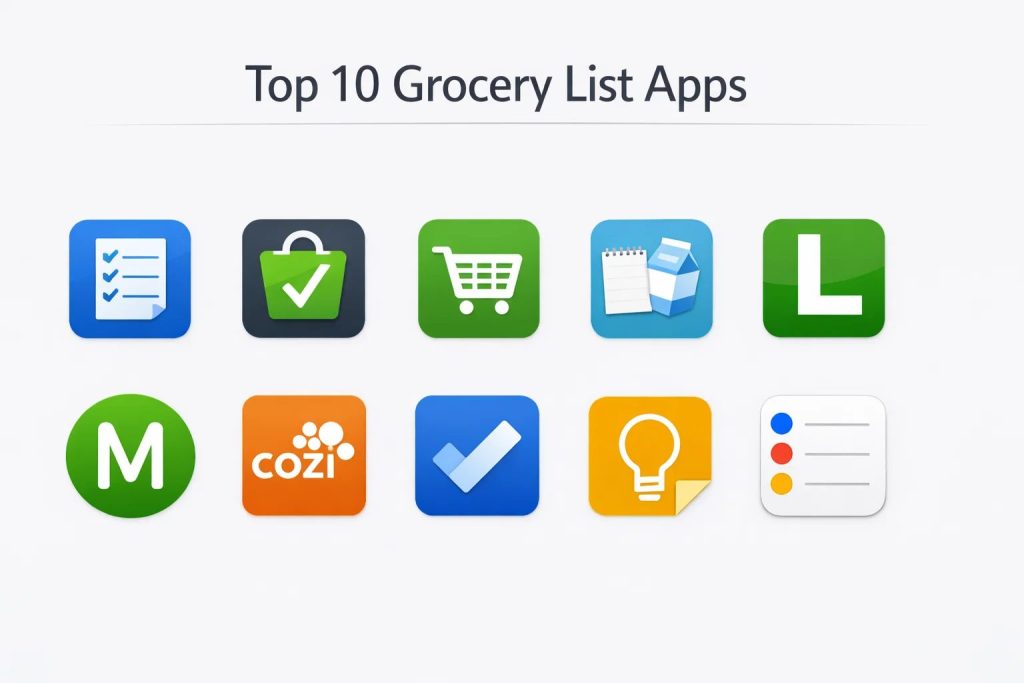
Introduction
Grocery list applications have evolved from basic digital checklists into sophisticated household management hubs that synchronize inventory, recipes, and budgets across multiple users. These platforms address the common logistical challenges of modern domestic life, such as preventing duplicate purchases and ensuring that nutritional goals are met through organized planning. By digitizing the traditional paper list, users can leverage real-time updates and cloud synchronization to stay connected with family members or roommates during a shopping trip. For the modern consumer, these tools are no longer just conveniences; they are essential for optimizing time and reducing food waste.
The necessity of these applications is driven by the increasing complexity of the retail landscape and the rise of multi-store shopping habits. Managing a household requires a clear overview of what is currently in the pantry versus what needs to be replenished. When selecting the right platform, users must evaluate several critical factors, including the speed of item entry, the reliability of cross-device syncing, and the depth of integration with voice assistants. Furthermore, for those focused on financial health, the ability to track prices and estimate total costs before reaching the checkout counter is a decisive factor in long-term adoption and utility.
Best for: Busy families, professional meal planners, budget-conscious shoppers, and tech-savvy households looking to streamline their weekly errands through automated organization and shared collaboration.
Not ideal for: Users who prefer offline manual records, individuals with very basic shopping needs that don’t require sharing, or those who lack regular access to a smartphone or stable internet connection.
Key Trends in Grocery List Apps
Artificial intelligence is now being integrated to predict shopping patterns, suggesting recurring staples before the user even realizes they are low on stock. Many apps are moving toward “pantry-to-plate” ecosystems, where the software keeps track of what you bought and suggests recipes based on those specific ingredients to minimize waste. Voice-first entry via smart speakers and wearable devices has become a standard expectation, allowing users to add items hands-free while cooking or cleaning.
There is also a growing emphasis on retail integration, where digital lists can be sent directly to local delivery services or used to navigate the physical aisles of a supermarket via store-mapping features. Sustainability is another rising focus, with apps highlighting seasonal produce and local sourcing options to help users make more environmentally conscious decisions. Finally, the inclusion of collaborative widgets on mobile home screens allows users to check off items without even opening the app, emphasizing extreme efficiency in the shopping process.
How We Selected These Tools
The selection process for these top grocery list platforms involved a rigorous assessment of user interface design, synchronization speed, and feature versatility. We prioritized applications that offer seamless real-time collaboration, as this is the primary requirement for modern household management. Market reliability and long-term developer support were also key metrics, ensuring that the apps selected have a history of consistent updates and data security.
We examined the depth of secondary features, such as recipe importing, barcode scanning, and budget tracking, to provide a well-rounded list that caters to different user types. Performance was tested across various mobile operating systems to ensure that the synchronization between different devices—such as an iPhone and an Android tablet—remained fluid and instantaneous. Finally, we looked at community feedback and public ratings to confirm that these tools perform reliably in real-world retail environments, from small local markets to massive bulk warehouses.
1. AnyList
AnyList is widely regarded as the premier solution for families who need a combination of a shopping list and a robust recipe manager. It allows users to collect recipes from the web and instantly convert their ingredients into organized shopping lists categorized by store aisle. The synchronization is nearly instantaneous, ensuring that all family members stay updated in real-time.
Key Features
The app features an intelligent autocomplete system that suggests common items as you type, significantly speeding up list creation. It allows for the creation of multiple lists for different stores or occasions. The recipe management tool can import ingredients directly from browser extensions or popular cooking websites. Users can add photos to items to ensure the correct brand is purchased. It also supports folders for organizing complex lists and offers a dedicated Apple Watch app for hands-free shopping.
Pros
The recipe-to-list workflow is the most seamless in the industry, making it perfect for meal planners. The interface is clean, professional, and void of intrusive advertisements.
Cons
Many of the most powerful features, including the web app and advanced recipe importing, require a paid annual subscription. It does not offer a native built-in price comparison tool.
Platforms and Deployment
iOS, Android, macOS, and Web. It is a cloud-synchronized platform.
Security and Compliance
Utilizes standard encryption for data sync and adheres to modern privacy protocols for account management.
Integrations and Ecosystem
Integrates deeply with Siri for voice commands and supports sharing via standard communication apps. It bridges the gap between digital meal planning and physical shopping.
Support and Community
Offers extensive online documentation and responsive email support, with a large community of home cooks sharing tips.
2. Bring!
Bring! stands out for its visual-first approach to list building, using colorful icons instead of simple text. This makes it exceptionally fast for mobile users to tap and build their lists on the go. It is designed specifically for shared households where multiple people are contributing to the same shopping goals.
Key Features
The platform uses a unique tile-based layout that provides a quick visual overview of what is needed. It includes a “loyalty card” hub that stores all your retail barcodes in one place. The app sends push notifications to shared users when someone starts or finishes shopping. It features a smart search that understands various categories and automatically sorts items. Users can also discover seasonal recipes and add their ingredients with a single tap.
Pros
The visual interface is highly intuitive and much faster for quick item selection than typing. It is excellent for multi-user coordination thanks to its robust notification system.
Cons
The icon-based system can occasionally feel cluttered for users who prefer a minimalist text-only list. Some advanced templates are locked behind a premium tier.
Platforms and Deployment
iOS, Android, and Web. Cloud-based deployment ensures lists are always in sync.
Security and Compliance
Maintains secure user profiles and is compliant with standard mobile data protection regulations.
Integrations and Ecosystem
Compatible with Google Assistant and Amazon Alexa, allowing for easy voice-based item entry.
Support and Community
Provides a comprehensive help center and frequently updates based on its large international user base feedback.
3. OurGroceries
OurGroceries focuses on simplicity and rock-solid reliability, making it a favorite for those who want a shared list without unnecessary bells and whistles. It is built to be fast, ensuring that even in stores with poor cellular reception, the list remains accessible and functional.
Key Features
The app allows for unlimited shared lists and provides a clear history of previously purchased items for quick re-entry. Users can add photos to any item to avoid confusion over specific brands or sizes. It includes a basic recipe section where ingredients can be stored and added to the main list. The platform supports barcode scanning for rapid item identification. It also offers a “shopping mode” that keeps the screen on and provides a streamlined interface for the store.
Pros
It is incredibly reliable and works well even on older hardware or in areas with low connectivity. The interface is straightforward and very easy for non-technical family members to master.
Cons
The visual design is somewhat dated compared to more modern competitors. It lacks the advanced meal planning and macro-tracking features found in specialized apps.
Platforms and Deployment
iOS, Android, and Web. All data is backed up and synced via the cloud.
Security and Compliance
Offers secure account syncing and standard mobile encryption for all shared data.
Integrations and Ecosystem
Strong support for Alexa, Google Assistant, and Siri, as well as native apps for Apple Watch and Wear OS.
Support and Community
Offers direct developer support and a well-maintained FAQ section for common troubleshooting.
4. Out of Milk
Out of Milk provides a three-in-one solution that includes a shopping list, a pantry inventory tracker, and a to-do list. This makes it a comprehensive tool for managing what you need to buy alongside what you already have at home.
Key Features
The pantry list feature allows users to keep track of staples like spices and flour, providing alerts when levels are low. It includes a barcode scanner for both adding items to the list and checking them off. The app allows users to input prices for each item, providing a running total of the shopping trip. It features a “category manager” that allows for complete customization of how the list is organized. Users can also share lists via email or SMS for those who don’t have the app.
Pros
The inclusion of a pantry inventory tracker is a major advantage for reducing food waste. It offers a high level of customization for users who like to organize by specific store aisles.
Cons
The free version contains advertisements which can be distracting during the shopping experience. Some users have reported synchronization delays during peak usage times.
Platforms and Deployment
iOS, Android, and Web. Data is synchronized via the cloud for multi-device access.
Security and Compliance
Follows standard industry practices for data protection and secure user authentication.
Integrations and Ecosystem
Supports standard mobile sharing features and integrates with basic voice assistant functions.
Support and Community
Provides a stable support system and is one of the longest-running apps in the grocery category with a massive user base.
5. Listonic
Listonic is designed for speed and efficiency, focusing on a “smart” shopping experience that learns from your habits. It is highly optimized for quick entry and provides helpful suggestions based on the user’s previous shopping history.
Key Features
The software includes a smart suggestions feature that predicts what you are likely to buy next. It offers a price-tracking system that calculates the total cost of the list as you shop. Items are automatically grouped by supermarket category to save time in the store. It supports voice input for adding multiple items in a single sentence. The app also allows for the creation of multiple shared lists that update in real-time.
Pros
The predictive text and suggestion engine make it one of the fastest apps for building a recurring weekly list. It is very lightweight and performs smoothly on almost any device.
Cons
It lacks a deep recipe management system, making it less ideal for those who plan their shopping around complex meals. The interface, while efficient, is very basic visually.
Platforms and Deployment
iOS, Android, and Web. Cloud-based synchronization is standard.
Security and Compliance
Encrypted data transmission and standard account security measures are in place.
Integrations and Ecosystem
Offers solid integration with mobile operating systems and supports standard sharing protocols.
Support and Community
Active development team and a helpful community that provides feedback for constant feature improvement.
6. Mealime
Mealime is a unique entry that starts with meal planning and ends with a grocery list. It is designed for health-conscious users who want to eliminate the stress of deciding “what’s for dinner” while ensuring their shopping is efficient.
Key Features
Users choose from a curated selection of recipes based on their dietary preferences and allergies. The app then automatically generates a consolidated grocery list for all selected meals. It features a “waste reduction” algorithm that picks recipes with overlapping ingredients. The grocery list is organized by aisle and can be exported to various delivery services. It also includes step-by-step cooking instructions with a “hands-free” mode.
Pros
It completely automates the link between meal planning and grocery shopping, saving hours of manual work. It is exceptional for those trying to stick to specific diets like Keto, Paleo, or Vegan.
Cons
It is less effective for general household shopping (like cleaning supplies or toiletries) as it is primarily food-focused. The full recipe library requires a premium subscription.
Platforms and Deployment
iOS and Android. Cloud-based for syncing meal plans and lists.
Security and Compliance
Adheres to strict privacy standards regarding user health and dietary data.
Integrations and Ecosystem
Integrates with major grocery delivery platforms for direct ordering and supports sharing via mobile links.
Support and Community
Excellent in-app support and a vibrant community of health-focused users.
7. Cozi Family Organizer
Cozi is a comprehensive family management tool that places grocery lists within the context of a shared calendar and meal planner. It is designed for the “family CEO” who needs to manage multiple schedules and shopping needs in one place.
Key Features
The app features a shared family grocery list where any member can add items at any time. It includes a “recipe box” for storing favorite family meals and adding ingredients to the shopping list. The grocery list is integrated with a family calendar, allowing users to see shopping needs alongside school and work events. It supports specialized lists for non-grocery needs, such as “vacation packing” or “home improvement.”
Pros
It provides a centralized hub for all family logistics, not just groceries. The “gold” version offers a completely ad-free experience with additional productivity features.
Cons
As a general organizer, the grocery-specific tools are not as deep as those in dedicated apps like AnyList. The interface can feel overwhelming due to the sheer number of features.
Platforms and Deployment
iOS, Android, and Web. All data is synchronized across the family account via the cloud.
Security and Compliance
Enterprise-grade security for family data, including secure login and data encryption.
Integrations and Ecosystem
Works well with various mobile calendars and supports standard email and print sharing options.
Support and Community
Provides extensive tutorials and a highly rated customer support team.
8. Microsoft To Do
While not a dedicated grocery app, Microsoft To Do has become a powerful alternative for those who want a minimalist, cross-platform list manager that integrates with their existing work and personal productivity ecosystem.
Key Features
The app allows for the creation of shared “Grocery” groups where items can be assigned to different people. It features a “My Day” view that helps users focus on the specific shopping tasks for the current 24 hours. Users can add reminders, due dates, and detailed notes to any item. It supports the addition of file attachments or photos to list entries. The categorization is manual but flexible, allowing for any organizational style.
Pros
It is completely free and features a very polished, modern interface. The synchronization across Windows, mobile, and the web is exceptionally reliable.
Cons
It lacks grocery-specific features like barcode scanning, aisle-based categorization, or recipe importing. Users must set up their own organizational systems from scratch.
Platforms and Deployment
Windows, macOS, iOS, Android, and Web. Fully cloud-integrated via Microsoft 365.
Security and Compliance
Backed by Microsoft’s enterprise-level security, including multi-factor authentication and global compliance standards.
Integrations and Ecosystem
Deeply integrated with Outlook and the broader Microsoft 365 suite, making it ideal for professional users.
Support and Community
Professional enterprise support and a massive global user base for community troubleshooting.
9. Google Keep
Google Keep is the ultimate lightweight option for users who want to create and share shopping lists with zero friction. It treats lists as digital “sticky notes” that can be quickly shared and updated by anyone with a Google account.
Key Features
The app allows for the creation of checkbox-based lists that can be color-coded for different stores. It supports real-time collaboration where multiple people can check off items simultaneously. Users can add voice notes that are automatically transcribed into list items. It features location-based reminders that can trigger the list to appear when you arrive at a specific grocery store. The interface is extremely fast and works identically on all platforms.
Pros
It is one of the fastest apps to open and use, making it perfect for “quick-capture” shopping. It is entirely free and already integrated into most users’ existing digital lives.
Cons
It lacks all advanced grocery features like automatic categorization, price tracking, or recipe management. It is a general-purpose note tool, not a specialized shopping assistant.
Platforms and Deployment
iOS, Android, and Web. Cloud-based via Google Drive.
Security and Compliance
Protected by Google’s standard account security and data privacy policies.
Integrations and Ecosystem
Native integration with Google Assistant and the broader Google Workspace environment.
Support and Community
Vast library of support documentation and community forums provided by Google.
10. Apple Reminders
For users fully invested in the Apple ecosystem, the native Reminders app has evolved into a highly capable grocery list tool, especially with the introduction of smart list features designed specifically for shopping.
Key Features
The app features an automatic “Grocery” list type that uses on-device intelligence to categorize items by aisle as you add them. It supports deep integration with Siri for adding items via voice on iPhone, HomePod, or Apple Watch. Users can set location-based alerts so the list pops up upon arrival at the supermarket. It allows for shared lists with family members through iCloud. The app also supports sub-tasks, images, and high-priority flags for urgent items.
Pros
There is no third-party software to install, and it is perfectly optimized for Apple hardware. The automatic categorization feature is surprisingly accurate and requires no setup.
Cons
It is exclusively available on Apple devices, making it unusable for households with a mix of Android and iOS users. It lacks the community-driven recipe features of specialized apps.
Platforms and Deployment
iOS, iPadOS, macOS, and watchOS. Cloud-synced via iCloud.
Security and Compliance
End-to-end encryption via iCloud ensures the highest level of personal data privacy.
Integrations and Ecosystem
The deepest possible integration with all Apple services, hardware, and shortcuts.
Support and Community
Supported by Apple’s global service network and extensive online documentation.
Comparison Table
| Tool Name | Best For | Platform(s) Supported | Deployment | Standout Feature | Public Rating |
| 1. AnyList | Recipe & Meal Planning | iOS, Android, Web | Cloud | Recipe Web Import | 4.9/5 |
| 2. Bring! | Visual Household Sync | iOS, Android, Web | Cloud | Icon-based Interface | 4.7/5 |
| 3. OurGroceries | Simple Shared Lists | iOS, Android, Web | Cloud | Multi-device Reliability | 4.8/5 |
| 4. Out of Milk | Pantry Inventory | iOS, Android, Web | Cloud | Pantry Management | 4.5/5 |
| 5. Listonic | Speed & Suggestions | iOS, Android, Web | Cloud | Smart Item Suggestions | 4.7/5 |
| 6. Mealime | Health/Diet Planning | iOS, Android | Cloud | Automatic List Gen | 4.8/5 |
| 7. Cozi Organizer | Family Management | iOS, Android, Web | Cloud | Integrated Family Hub | 4.8/5 |
| 8. Microsoft To Do | Ecosystem Users | All Platforms | Cloud | M365 Integration | 4.7/5 |
| 9. Google Keep | Minimalist/Fast Notes | iOS, Android, Web | Cloud | Location Reminders | 4.5/5 |
| 10. Apple Reminders | Apple Power Users | Apple Only | Cloud | Auto-Aisle Sorting | 4.6/5 |
Evaluation & Scoring of Grocery List Apps
The scoring below is a comparative model intended to help shortlisting. Each criterion is scored from 1–10, then a weighted total from 0–10 is calculated using the weights listed. These are analyst estimates based on typical fit and common workflow requirements, not public ratings.
Weights:
- Core features – 25%
- Ease of use – 15%
- Integrations & ecosystem – 15%
- Security & compliance – 10%
- Performance & reliability – 10%
- Support & community – 10%
- Price / value – 15%
| Tool Name | Core (25%) | Ease (15%) | Integrations (15%) | Security (10%) | Performance (10%) | Support (10%) | Value (15%) | Weighted Total |
| 1. AnyList | 10 | 9 | 8 | 8 | 10 | 9 | 8 | 9.05 |
| 2. Bring! | 9 | 10 | 8 | 8 | 9 | 8 | 8 | 8.85 |
| 3. OurGroceries | 8 | 9 | 9 | 8 | 10 | 7 | 9 | 8.55 |
| 4. Out of Milk | 9 | 8 | 7 | 7 | 8 | 8 | 9 | 8.15 |
| 5. Listonic | 8 | 9 | 7 | 7 | 9 | 8 | 9 | 8.20 |
| 6. Mealime | 10 | 8 | 9 | 9 | 9 | 9 | 8 | 9.05 |
| 7. Cozi | 8 | 7 | 8 | 9 | 8 | 10 | 7 | 8.00 |
| 8. Microsoft To Do | 7 | 9 | 10 | 10 | 10 | 9 | 10 | 8.80 |
| 9. Google Keep | 6 | 10 | 9 | 9 | 10 | 8 | 10 | 8.65 |
| 10. Apple Reminders | 8 | 9 | 10 | 10 | 10 | 9 | 10 | 9.20 |
How to interpret the scores:
- Use the weighted total to shortlist candidates, then validate with a pilot.
- A lower score can mean specialization, not weakness.
- Security and compliance scores reflect controllability and governance fit, because certifications are often not publicly stated.
- Actual outcomes vary with assembly size, team skills, templates, and process maturity.
Which Grocery List App Tool Is Right for You?
Solo / Freelancer
For an individual with a busy schedule, speed and ease of capture are the most important factors. A tool that allows you to add items quickly via voice or a home-screen widget ensures that you don’t forget staples while focusing on your professional tasks.
SMB
Small businesses or shared office spaces need a tool that supports simple collaboration. A platform that allows multiple team members to add supplies like coffee, stationery, or snacks ensures that the office remains well-stocked without a single person bearing the burden of tracking.
Mid-Market
Organizations or larger households benefit from apps that offer structured categorization and historical data. This helps in identifying consumption patterns and setting budgets for recurring monthly expenses, providing a layer of financial oversight.
Enterprise
For high-end domestic management or large-scale event planning, the focus must be on security and deep integration with existing scheduling tools. Reliability across a large number of users and the ability to manage complex sets of data are paramount in this segment.
Budget vs Premium
Many excellent tools are available for free, offering all the essential features for standard shopping. Premium options are only necessary if you require advanced capabilities like comprehensive recipe importing, ad-free experiences, or detailed historical analytics.
Feature Depth vs Ease of Use
If you are a religious meal planner, you should prioritize feature depth in recipe management. However, if your goal is simply to stop forgetting milk, a minimalist tool with a higher ease-of-use rating will be more effective in the long run.
Integrations & Scalability
Consider the hardware your family already owns. If everyone is on one platform (like Apple), using the native integration is often the smartest move. For multi-platform households, a cross-device cloud solution is essential for scalability.
Security & Compliance Needs
While grocery lists are not typically high-security data, choosing a provider with strong encryption and clear privacy policies ensures that your shopping habits and household routines remain private and protected from data harvesting.
Frequently Asked Questions (FAQs)
1. Can these apps work without an internet connection?
Most of these applications allow you to view and edit your list while offline in the grocery store. Any changes you make will automatically synchronize with other shared users once your device reconnects to a cellular or Wi-Fi network.
2. Is it possible to share a list with someone who doesn’t have the app?
Many platforms provide the option to export your list as a text message, email, or PDF. However, to enjoy the benefits of real-time synchronization and live checking, both users generally need to have the app installed.
3. Do grocery list apps help save money?
Yes, by providing a clear list and potentially estimating total costs, these apps help reduce impulse purchases. Many also offer price-tracking features and allow you to see where you are spending the most over time.
4. How do I add items to my list using my voice?
Most leading apps integrate with Siri, Alexa, or Google Assistant. You can usually say, “Add eggs to my grocery list,” and the item will be instantly placed in your designated application without you having to open your phone.
5. Can I manage more than just groceries with these tools?
Absolutely. Many users use these apps for hardware store runs, vacation packing lists, or long-term home maintenance tasks. Their flexibility makes them excellent for any checkbox-based project.
6. Do these apps suggest recipes based on my diet?
Specialized apps like Mealime allow you to set strict dietary filters. They will only show you recipes that fit your requirements—such as being gluten-free or low-carb—and then generate the shopping list accordingly.
7. Is my data private when using a free grocery app?
While reputable apps use encryption for syncing, some free versions may use anonymized data for advertising purposes. It is important to read the privacy policy if you have specific concerns about data usage.
8. Can I scan barcodes to add items?
Many of the top-rated apps include a built-in barcode scanner. This allows you to scan the empty package of an item you just used, which automatically identifies the product and adds it to your shopping list.
9. Will these apps tell me which aisle an item is in?
Certain apps feature automatic aisle categorization that groups items like “Dairy” or “Produce” together. Some advanced platforms even allow you to reorder these categories to match the specific layout of your favorite local store.
10. Do I have to pay for a subscription for a good experience?
No, many of the best apps offer robust free versions that include list sharing and syncing. Premium subscriptions are usually only required for advanced features like web access, recipe importing, or removing advertisements.
Conclusion
Transitioning to a digital grocery management system is a transformative step toward household efficiency and financial clarity. The tools highlighted in this guide represent the pinnacle of modern organizational technology, offering a diverse range of solutions from minimalist checklists to comprehensive meal-planning ecosystems. By centralizing your shopping needs in a synchronized, collaborative environment, you eliminate the friction of miscommunication and the waste of unnecessary purchases. As retail continues to merge with digital innovation, these applications will remain vital assets for any individual or family striving to master their domestic logistics and optimize their daily routines.
I find that this breakdown of top 10 grocery list apps is a fantastic resource for anyone trying to optimize their household logistics from my perspective as a Supply Chain Analyst. I learned that modern grocery apps have evolved far beyond simple checklists, becoming integrated pantry management hubs where tools like AnyList and Bring! synchronize everything from recipes to retail barcodes in real-time.
In my professional life, these tools are indispensable for reducing “domestic waste” and ensuring that my family’s supply chain is as efficient as possible. For others managing a busy household, this blog highlights how different methodologies—from visual-first icon systems to AI-driven predictive stock alerts—can be tailored to save both time and money. My advice for anyone looking to master these tools is to prioritize voice-first integration (like Siri or Alexa); as the FAQ mentions, being able to add an item to your list hands-free the moment you empty a container is the most effective way to prevent missed purchases. Do you think the trend toward direct-to-store mapping will eventually make physical browsing a thing of the past, or is there still value in the “impulse discovery” of walking through the aisles?