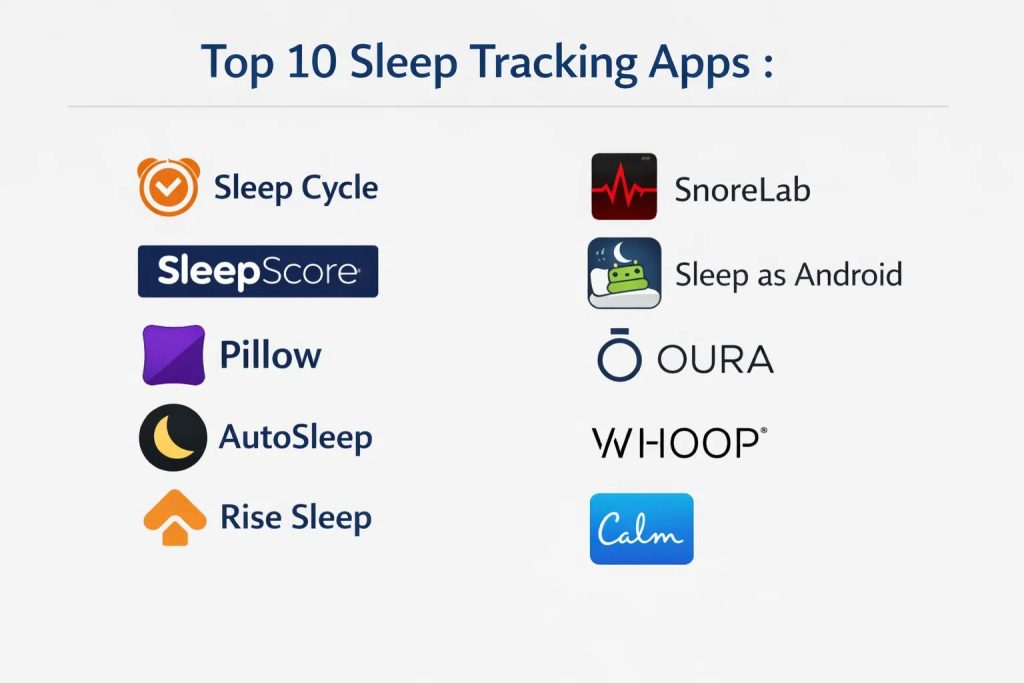
Introduction
Sleep tracking technology has evolved from simple movement-based alarms to sophisticated bio-metric analysis platforms that leverage the same sensors found in medical-grade diagnostics. These applications utilize the accelerometer, microphone, and integrated heart rate sensors of modern smartphones and wearables to map the architecture of human rest. By interpreting the micro-movements of the body and the frequency of respiratory patterns, these tools can differentiate between light, deep, and rapid eye movement sleep stages. For the modern professional, understanding these cycles is no longer a matter of curiosity but a fundamental pillar of performance management and long-term health optimization.
The necessity of precise sleep data is driven by the growing scientific consensus on the link between cognitive recovery and sleep consistency. Organizations and high-performing individuals now use these platforms to mitigate “sleep debt,” a cumulative deficit that severely impacts decision-making, emotional regulation, and physical immunity. When evaluating a sleep tracking ecosystem, it is critical to look beyond the “Sleep Score” and focus on data transparency. A robust tool should offer heart rate variability analysis, environmental noise correlation, and seamless integration with broader health databases. Furthermore, the ability to provide actionable coaching based on behavioral patterns—such as the timing of caffeine intake or evening light exposure—distinguishes a data-logging app from a true health companion.
Best for: Athletes tracking recovery, professionals managing high-stress workloads, individuals with suspected sleep disturbances, and biohackers looking to optimize circadian rhythms through data.
Not ideal for: Users who find that monitoring their sleep increases bedtime anxiety or those who prefer not to have electronic devices in the sleeping environment. If the primary goal is simple alarm functionality without data analysis, standard system clocks are more appropriate.
Key Trends in Sleep Tracking Software
The integration of artificial intelligence into sleep tracking has shifted the focus from passive observation to predictive coaching. Modern apps now use machine learning models to correlate daily activity levels, diet, and ambient bedroom conditions with the quality of the following night’s rest. We are also seeing a significant move toward “contactless” tracking, where sonar and radar technology are used to monitor breathing and movement without the need for a wearable device. This reduces the friction of nightly use and improves long-term user adherence.
Another major trend is the focus on respiratory health, with advanced sound analysis now capable of flagging patterns consistent with sleep apnea or chronic snoring. This data is increasingly being designed for clinical export, allowing users to share detailed reports with medical professionals for formal diagnosis. Furthermore, the synchronization of sleep data with smart home ecosystems—such as adjusting the room temperature or lighting based on sleep stages—is creating a “closed-loop” environment designed specifically to maintain the ideal conditions for deep rest.
How We Selected These Tools
The selection of these top sleep tracking platforms was based on a rigorous assessment of sensor accuracy and data utility. We prioritized apps that have undergone validation against polysomnography, the gold standard of clinical sleep studies, to ensure that the sleep stage estimations are as reliable as possible. Market longevity and developer reputation were also key factors, as health data requires a high level of trust and long-term support to be useful for trend analysis.
We examined the depth of the integration ecosystem for each tool, favoring those that can aggregate data from multiple sources like smart rings, watches, and mats. Privacy and security protocols were a mandatory filter, specifically looking for end-to-end encryption of sensitive biometric data and compliance with global privacy standards. Finally, we evaluated the “actionability” of the insights provided; the best tools don’t just tell you how you slept—they provide a clear, science-backed roadmap for how to improve the next night’s results.
1. Sleep Cycle
Sleep Cycle is a pioneer in the industry, utilizing patented sound analysis technology to track sleep stages without requiring a wearable. It focuses on the “Smart Alarm” concept, which aims to wake users up during their lightest sleep phase to minimize morning grogginess. The app has built a massive database of sleep sounds, allowing it to provide highly accurate snoring and environmental noise reports.
Key Features
The smart alarm clock analyzes sleep patterns and wakes you during a 30-minute window of light sleep. It features a sophisticated sound recorder that identifies snoring, sleep talking, and coughing. The “Sleep Notes” feature allows users to correlate daily habits like coffee or exercise with sleep quality. It provides detailed long-term trend reports and a global sleep statistics comparison. Additionally, it integrates with smart lighting to simulate a natural sunrise in the bedroom.
Pros
It is incredibly easy to set up and does not require wearing any hardware to bed. The smart alarm functionality is highly effective at reducing “sleep inertia” in the morning.
Cons
Sound-based tracking can be less accurate if there are loud external noises or a partner in the same bed. The most advanced coaching features are locked behind a subscription.
Platforms and Deployment
Available on iOS and Android. It runs as a local mobile application with optional cloud backup for data history.
Security and Compliance
The app is GDPR compliant and uses encrypted storage for all audio recordings. Users have full control over the deletion of their sound data.
Integrations and Ecosystem
Integrates deeply with Apple Health and Google Fit. It also connects with Philips Hue and other smart home platforms for environmental control.
Support and Community
Offers a comprehensive help center and direct customer support, supported by a global user base of millions.
2. SleepScore
SleepScore claims a high level of scientific accuracy by using non-contact sonar technology to track movement and breathing. It provides a daily “SleepScore” out of 100, which is calculated based on age and gender-specific sleep metrics. The platform is designed to act as a digital sleep coach, providing personalized advice based on years of clinical research.
Key Features
The app uses the smartphone’s speakers and microphone as a sonar system to monitor respiratory rate without a wearable. It provides a breakdown of all sleep stages, including Deep and REM. Users receive personalized “Sleep Sanctuary” reports that evaluate the light and noise levels in the bedroom. The platform includes a structured coaching program that suggests specific behavioral changes. It also offers a “Sleep Debt” tracker to show the cumulative impact of missed rest.
Pros
The sonar technology is widely considered more accurate than standard accelerometer-based tracking. The advice provided is based on peer-reviewed sleep science rather than general wellness tips.
Cons
The sonar feature requires the phone to be positioned precisely on a nightstand, which might not be possible for everyone. It has a higher subscription cost compared to basic trackers.
Platforms and Deployment
iOS and Android. The application processes data locally with summary reports stored in the cloud.
Security and Compliance
Adheres to strict data privacy regulations and uses industry-standard encryption for health data.
Integrations and Ecosystem
Connects with major health platforms and allows for the export of data to specialized sleep physicians.
Support and Community
Provides professional support and a library of educational content created by sleep scientists.
3. Pillow
Pillow is a visually rich sleep assistant designed primarily for the Apple ecosystem. It integrates heart rate, respiratory rate, and movement data to provide a holistic view of the night. It is particularly known for its “Automatic Mode,” which detects when the user has fallen asleep without requiring any manual input.
Key Features
The app features an automatic tracking mode for Apple Watch users that requires no manual start. It records audio events like snoring or sleep talking and presents them on a timeline synchronized with sleep stages. Users can choose from a large library of sleep aids, including white noise and meditations. The “Heart Rate Analysis” correlates cardiac health with sleep quality. It also features a “Mood Tracker” to see how sleep affects your emotional state the next day.
Pros
The user interface is exceptionally clean and easy to navigate. The integration with the Apple Watch is seamless, providing some of the most detailed reports available for the device.
Cons
Many of the best features are only available to Apple users, limiting its utility for Android owners. The automatic tracking can sometimes misidentify stationary activities like reading as sleep.
Platforms and Deployment
iOS and watchOS. It functions as a hybrid app across iPhone, iPad, and Apple Watch.
Security and Compliance
Uses iCloud for secure data synchronization and follows Apple’s high standards for health data privacy.
Integrations and Ecosystem
Fully integrated with Apple Health, including the ability to compare sleep with other metrics like weight and blood pressure.
Support and Community
Offers active developer support and a frequently updated blog with sleep hygiene tips.
4. AutoSleep
AutoSleep is a “set and forget” application for Apple Watch users who want deep data without any interaction. It uses a complex heuristic to calculate sleep duration and quality based on the data the watch naturally collects. It is a favorite among “data nerds” who want to see the raw numbers behind their recovery.
Key Features
The “Sleep Rings” visual style quickly shows progress toward sleep, quality, and readiness goals. It calculates a “Readiness Score” based on heart rate variability (HRV) and waking pulse. The “Sleep Bank” feature visually represents your sleep debt over a rolling seven-day period. It offers a “Lights Off” feature for those who want to track how long it takes them to actually fall asleep. The app provides a massive amount of configuration for how data is interpreted.
Pros
There is no subscription fee; it is a one-time purchase. It offers an incredible depth of data visualization that few other apps can match.
Cons
The interface can be overwhelming for casual users due to the sheer volume of graphs and settings. It is strictly limited to the Apple Watch ecosystem.
Platforms and Deployment
iOS and watchOS. All data remains within the Apple ecosystem.
Security and Compliance
As a “local-first” app, it prioritizes keeping data on the device and within the user’s private iCloud storage.
Integrations and Ecosystem
Feeds all collected data into Apple Health, making it available for other fitness and wellness apps.
Support and Community
Has a dedicated following of power users and detailed online documentation for interpreting its complex metrics.
5. Rise Sleep
Rise Sleep takes a unique approach by focusing almost entirely on two metrics: Sleep Debt and Circadian Rhythm. Unlike other apps that give you a “Sleep Score,” Rise tells you exactly how many hours of rest you owe your body and predicts your energy peaks and dips throughout the day.
Key Features
The app automatically calculates sleep debt by pulling data from existing health apps like Apple Health or Google Fit. It provides a “Daily Energy Schedule” that tells you when your brain is most alert and when you should wind down. Users receive personalized notifications for the ideal “Melatonin Window” to fall asleep. It integrates with your calendar to show how your energy levels align with your meetings. The focus is on behavioral change rather than just data logging.
Pros
The focus on sleep debt is highly motivating and easy for non-scientists to understand. It is excellent for planning high-performance workdays around natural energy cycles.
Cons
It provides less detail on specific sleep stages (REM/Deep) compared to other trackers. The subscription model can be expensive for a single-metric focus.
Platforms and Deployment
iOS and Android. It functions as a data layer on top of your existing health tracking.
Security and Compliance
GDPR compliant with secure data processing protocols. It does not sell user health data to third parties.
Integrations and Ecosystem
Integrates with almost all major wearables, including Oura, Whoop, Fitbit, and Garmin.
Support and Community
Offers excellent in-app guidance and a science-based blog focused on human performance.
6. SnoreLab
While many apps track sleep, SnoreLab is the world leader in monitoring and managing snoring. It is used by millions to identify the causes of their snoring and to test the effectiveness of different remedies, from mouthguards to side-sleeping.
Key Features
The app records snoring samples throughout the night so you can hear exactly what you sound like. It calculates a “Snore Score” to measure intensity and duration. Users can log “Remedies” and “Factors” (like alcohol or weight) to see what impacts their snoring the most. It provides clear graphs of snoring intensity over time. The “Full Night Recording” allows for a deep dive into respiratory health during the night.
Pros
It is the most specialized and effective tool for addressing snoring issues. The data is presented in a way that is very useful for discussions with doctors or specialists.
Cons
It is not a full-featured sleep cycle tracker; it focuses almost entirely on sound. The recordings can take up a significant amount of storage on your device.
Platforms and Deployment
iOS and Android. Local recording with optional cloud backup for history.
Security and Compliance
Privacy-focused, with options to delete all audio recordings easily.
Integrations and Ecosystem
Shares basic sleep duration data with Apple Health and Google Fit.
Support and Community
Backed by medical professionals and a community focused on sleep-disordered breathing.
7. Sleep as Android
Sleep as Android is the most powerful and customizable sleep tracker available for the Android platform. It has been a market leader for years, offering advanced features like CAPTCHA-based alarms to ensure you actually wake up and deep integration with the IoT ecosystem.
Key Features
Uses sonar or accelerometer tracking to map sleep cycles. It features “Oneric” smart alarms that use gentle natural sounds and vibration. The app includes a “Wake Up” challenge (math problems, NFC tags) for heavy sleepers. It offers advanced snoring detection and can even play a “hush” sound to stop you from snoring. It is one of the few apps to support a vast range of third-party wearables and smart home devices.
Pros
The level of customization is unmatched, allowing users to tweak every aspect of the tracking and alarm. It is a one-time purchase for the premium version.
Cons
The interface looks dated compared to modern iOS apps and can be difficult to set up for new users. It is not available for iPhone.
Platforms and Deployment
Android only. Highly flexible deployment with local and cloud options.
Security and Compliance
Regularly updated for security and compliant with standard data protection laws.
Integrations and Ecosystem
Supports Wear OS, Garmin, Fitbit, and even smart light bulbs (Hue, IKEA).
Support and Community
A very active developer team and a long-standing community forum for power users.
8. Oura (App Experience)
The Oura app is the interface for the Oura Ring, but it stands on its own as a world-class health platform. It is designed to look at the “big picture,” correlating sleep with daily activity and physiological stress to provide a “Readiness Score.”
Key Features
The app provides one of the most accurate estimations of REM and Deep sleep stages available outside a lab. It tracks skin temperature variations, which can signal illness or hormonal changes. The “Readiness Score” tells you how hard you should push yourself each day. It features a “Tags” system to track how specific behaviors (like a late meal) affect your recovery. It includes a massive library of guided meditations and sleep stories.
Pros
The ring-plus-app combination is the most comfortable way to get medical-grade data. The insights are incredibly holistic, looking at the entire 24-hour cycle of the human body.
Cons
Requires the purchase of expensive hardware and a monthly subscription. The ring can be an adjustment for those who don’t like wearing jewelry to bed.
Platforms and Deployment
iOS and Android. Data is synced from the hardware via Bluetooth.
Security and Compliance
Enterprise-grade security and full compliance with HIPAA and GDPR standards.
Integrations and Ecosystem
Connects with Apple Health, Google Fit, and a wide range of fitness platforms like Strava.
Support and Community
Top-tier professional support and a massive community of athletes and health enthusiasts.
9. Whoop (App Experience)
Whoop is designed for athletes and high performers who view sleep as a recovery tool. The app focuses on “Strain” versus “Recovery,” providing a hyper-focused look at how much sleep you need based on your physical exertion.
Key Features
The “Sleep Coach” tells you exactly how much sleep you need to “get by,” “perform,” or “peak.” It tracks respiratory rate with high precision, often flagging illness before symptoms appear. The “Recovery” metric is based on heart rate variability and sleep performance. It features a “Journal” that allows you to track over 100 different daily behaviors. Users can join “Teams” to compare their sleep and recovery stats with others.
Pros
The focus on recovery makes it the best tool for anyone with an active lifestyle. The monthly subscription includes the hardware, lowering the initial entry cost.
Cons
It is data-heavy and may be more information than a casual user needs. It requires wearing a strap 24/7 for the best results.
Platforms and Deployment
iOS and Android. Continuous background syncing with the cloud.
Security and Compliance
Strict privacy policies and secure, encrypted data transmission.
Integrations and Ecosystem
Integrates with Apple Health and various specialized athletic training platforms.
Support and Community
Provides detailed “Whoop Lab” reports and has an active podcast and community for performance optimization.
10. Calm (Sleep Sections)
While primarily known for meditation, Calm has become a powerhouse in the sleep space. It doesn’t track sleep stages, but it is the premier tool for the “falling asleep” phase, offering a massive library of high-quality audio designed to transition the brain into a restful state.
Key Features
The legendary “Sleep Stories” feature narrations by world-famous voices to help users drift off. It includes a wide range of nature soundscapes and white noise options. The “Sleep Music” section offers scientifically designed tracks to aid deep rest. It provides gentle “Sleep Moves” (stretching) for those who struggle with physical tension at night. The app tracks your “Sleep Streak” to encourage a consistent bedtime routine.
Pros
It is the gold standard for anyone who struggles with insomnia or a racing mind at night. The production quality of the audio content is unmatched.
Cons
It does not provide technical data on sleep cycles or bio-metrics. It is an auxiliary tool rather than a comprehensive data tracker.
Platforms and Deployment
iOS, Android, and Web.
Security and Compliance
standard consumer app privacy protections and secure account management.
Integrations and Ecosystem
Shares “Mindful Minutes” with Apple Health and Google Fit.
Support and Community
Extensive customer support and a massive global community focused on mental wellness.
Comparison Table
| Tool Name | Best For | Platform(s) Supported | Deployment | Standout Feature | Public Rating |
| 1. Sleep Cycle | Casual Users | iOS, Android | Local/Cloud | Sound-based Smart Alarm | 4.7/5 |
| 2. SleepScore | Scientific Accuracy | iOS, Android | Local/Cloud | Sonar Movement Tracking | 4.5/5 |
| 3. Pillow | Apple Ecosystem | iOS, WatchOS | Local/Cloud | Automatic Apple Watch Sync | 4.6/5 |
| 4. AutoSleep | Data Enthusiasts | iOS, WatchOS | Local/iCloud | Sleep Bank / Debt View | 4.8/5 |
| 5. Rise Sleep | Energy Planning | iOS, Android | Hybrid | Sleep Debt Focus | 4.7/5 |
| 6. SnoreLab | Snoring Issues | iOS, Android | Local | Snore Score & Remedies | 4.7/5 |
| 7. Sleep as Android | Power Users | Android Only | Local | Deep IoT/NFC Integration | 4.6/5 |
| 8. Oura | Holistic Health | iOS, Android | Hardware Sync | Clinical-grade Staging | 4.8/5 |
| 9. Whoop | Athletic Recovery | iOS, Android | Hardware Sync | Strain vs Recovery Model | 4.8/5 |
| 10. Calm | Falling Asleep | iOS, Android | Cloud | Sleep Stories (Narrative) | 4.8/5 |
Evaluation & Scoring of Sleep Tracking Apps
The scoring below is a comparative model intended to help shortlisting. Each criterion is scored from 1–10, then a weighted total from 0–10 is calculated using the weights listed. These are analyst estimates based on typical fit and common workflow requirements, not public ratings.
Weights:
- Core features – 25%
- Ease of use – 15%
- Integrations & ecosystem – 15%
- Security & compliance – 10%
- Performance & reliability – 10%
- Support & community – 10%
- Price / value – 15%
| Tool Name | Accuracy (25%) | Ease (15%) | Insights (15%) | Security (10%) | Ecosystem (10%) | Support (10%) | Value (15%) | Weighted Total |
| 1. Sleep Cycle | 7 | 10 | 8 | 9 | 8 | 9 | 9 | 8.45 |
| 2. SleepScore | 9 | 8 | 10 | 9 | 7 | 9 | 7 | 8.55 |
| 3. Pillow | 8 | 9 | 8 | 10 | 9 | 8 | 7 | 8.40 |
| 4. AutoSleep | 8 | 6 | 10 | 10 | 9 | 8 | 10 | 8.55 |
| 5. Rise Sleep | 7 | 9 | 10 | 9 | 8 | 9 | 7 | 8.40 |
| 6. SnoreLab | 9 | 9 | 7 | 9 | 6 | 8 | 8 | 8.05 |
| 7. Sleep as Android | 8 | 5 | 9 | 8 | 10 | 9 | 10 | 8.30 |
| 8. Oura | 10 | 9 | 10 | 10 | 9 | 10 | 6 | 9.05 |
| 9. Whoop | 9 | 8 | 10 | 9 | 8 | 10 | 7 | 8.65 |
| 10. Calm | 2 | 10 | 5 | 9 | 7 | 9 | 8 | 6.25 |
How to interpret the scores:
- Use the weighted total to shortlist candidates, then validate with a pilot.
- A lower score can mean specialization, not weakness.
- Security and compliance scores reflect controllability and governance fit, because certifications are often not publicly stated.
- Actual outcomes vary with assembly size, team skills, templates, and process maturity.
Which Sleep Tracking App Tool Is Right for You?
Solo / Casual Users
If you are just beginning to explore sleep tracking, a tool that requires zero additional hardware is the best starting point. These apps provide a high-level overview of your sleep patterns and offer smart alarms that make waking up much easier, helping you build a healthier relationship with your mornings without a major investment.
Athletes & High Performers
For those who push their bodies to the limit, sleep is the most important part of the training cycle. You need a platform that looks at heart rate variability and respiratory stability. In this case, choosing a tool that provides “Recovery” and “Readiness” scores is essential for preventing overtraining and injury.
Individuals with Sleep Issues
If you suspect you have a specific issue like snoring or sleep apnea, specialized sound-tracking tools are your best resource. These allow you to gather evidence and test simple remedies before moving on to more expensive medical consultations. They act as a vital “first step” in taking control of your respiratory health.
Data-Driven Biohackers
For users who want to optimize every variable of their lives, “local-first” apps that provide raw data and historical trends are the gold standard. These tools allow you to run your own experiments—seeing exactly how a new supplement or room temperature change impacts your deep sleep down to the minute.
Apple vs Android Ecosystems
Your choice is often dictated by your hardware. Apple users have access to some of the most polished and integrated third-party apps in the world, while Android users have access to more open, customizable platforms that can connect with a wider range of DIY hardware and IoT devices.
Budget vs Premium Subscriptions
While many free apps provide basic logging, the “coaching” and “long-term analysis” features are almost always behind a subscription. If you are serious about improving your health, the cost of a premium app is often a small price to pay for the long-term benefits of improved cognitive function and lower stress.
Frequently Asked Questions (FAQs)
1. How accurate are these apps compared to a real sleep lab?
Consumer apps are generally 60% to 80% accurate at identifying specific sleep stages compared to clinical polysomnography. While they aren’t medical devices, they are excellent for identifying long-term trends and behavioral patterns in your sleep.
2. Does the phone need to be under my pillow?
No, most modern apps use sound analysis or sonar, meaning the phone can stay on your nightstand. Older apps that used the accelerometer required being on the mattress, but this is less common with today’s advanced technology.
3. Do sleep tracking apps drain my battery?
Using the microphone and processing data all night can consume significant power. It is always recommended to keep your phone plugged into a charger while using these apps to ensure you don’t wake up to a dead device.
4. Can an app detect sleep apnea?
Some apps are specifically designed to flag “breathing disturbances” or snoring patterns that are common with sleep apnea. However, they cannot provide a formal diagnosis; they should be used as a tool to gather data for a doctor.
5. Are these apps safe for data privacy?
Most reputable developers use high-level encryption and comply with GDPR. However, because sleep data is sensitive health information, you should always check the privacy policy to ensure your data is not being sold to advertisers.
6. Do I need a wearable for accurate tracking?
A wearable provides heart rate and movement data directly from the body, which is generally more accurate than sound analysis alone. However, sonar-based apps have become remarkably effective for those who find wearables uncomfortable.
7. Why do different apps give me different sleep scores?
Each app uses its own proprietary algorithm and weights different factors (like duration vs. consistency) differently. It is best to stick with one app for several weeks to establish a consistent baseline for your own body.
8. Can these apps help me stop snoring?
Apps like SnoreLab allow you to track the effectiveness of different remedies. By seeing your “Snore Score” drop when using a certain pillow or mouthguard, you can scientifically determine what actually works for you.
9. What is Heart Rate Variability (HRV) and why does it matter?
HRV measures the variation in time between each heartbeat and is a key indicator of your nervous system’s state. A higher HRV during sleep usually signals that your body is recovering well and is ready for stress.
10. Do sleep apps work if I share a bed with a partner?
Yes, but they require better calibration. Sonar and sound-based apps are becoming better at “filtering” out a partner’s movements or snoring, though using a dedicated wearable is still the most reliable way to isolate your own data.
Conclusion
In a professional landscape that often prizes “the grind” over rest, the integration of a high-quality sleep tracking app is a powerful act of career management. By moving from a subjective feeling of “tiredness” to an objective set of biometric data, you gain the ability to make informed decisions about your workload, health, and recovery. The 10 tools outlined in this analysis represent the pinnacle of current consumer sleep technology, offering a range of solutions from simple sound-based alarms to medical-grade recovery platforms. Whether you are an athlete looking for an edge or a professional looking to reduce stress, the right tracking ecosystem will serve as a vital guide in your journey toward peak performance. Ultimately, the data is only as good as the changes it inspires; use these insights to build a lifestyle that prioritizes the biological necessity of rest.
I find that this breakdown of the top 10 sleep tracking apps provides a definitive roadmap for optimizing cognitive recovery and long-term health from my perspective as a Performance Optimization Specialist. I learned that modern sleep technology has moved far beyond simple movement-based alarms, evolving into a sophisticated discipline of biometric analysis where tools like Sleep Cycle and SleepScore use sound analysis and non-contact sonar to map the architecture of human rest.
In my professional life, these tools are indispensable for mitigating “sleep debt” and ensuring that my decision-making and emotional regulation remain at peak levels during high-stakes work. For others in high-performance or high-stress roles, this blog highlights how different methodologies—from the “set and forget” heuristics of AutoSleep for Apple Watch to the contactless sonar of SleepScore—can be tailored to provide actionable coaching and science-backed roadmaps for recovery. My advice for anyone looking to master these tools is to prioritize long-term trend analysis over single-night “Sleep Scores”; as the introduction mentions, the cumulative deficit is where the real risk lies, and a data-driven lifestyle is the only way to ensure your body and brain are truly ready for the demands of the day. Do you think the trend toward contactless tracking (using radar or sonar) will eventually make wearable sensors obsolete, or is there still a unique value in direct heart rate and biometric data?