Introduction
Terminology management tools are specialized systems designed to identify, store, and manage company-specific vocabulary to ensure consistency across all corporate communications. By maintaining a centralized “source of truth” for technical terms, product names, and industry jargon, these platforms prevent the ambiguity that often leads to costly errors in documentation and branding. In high-stakes environments like legal, medical, and aerospace engineering, a single misused term can result in significant compliance risks or operational failures. Consequently, these tools have moved from the periphery of translation departments into the core of enterprise data governance and brand management strategies.
The professional necessity of terminology management is driven by the sheer volume of content produced in modern global markets. When multiple teams—ranging from product developers to marketing specialists—work in silos, terminology fragmentation is inevitable. Without a unified system, a single feature might be referred to by three different names across a user manual, a website, and a support ticket, causing massive user confusion. Modern platforms solve this by integrating directly into authoring environments, providing real-time suggestions and “forbidden term” alerts to writers before the content is even published. This proactive approach reduces the “translation debt” and ensures that the brand voice remains coherent across every touchpoint.
Best for: Language service providers, global enterprise marketing teams, technical documentation departments, and organizations in highly regulated industries requiring strict linguistic accuracy.
Not ideal for: Small teams with limited, static content or individual creators who do not require multi-language support. If your vocabulary is simple and rarely changes, basic spreadsheet-based glossaries may suffice without the overhead of a dedicated system.
Key Trends in Terminology Management Tools
The integration of Artificial Intelligence (AI) and Machine Learning (ML) has revolutionized term extraction, allowing systems to automatically scan vast datasets to identify emerging keywords and suggest definitions. Concept-based modeling is another major trend, where terms are organized by the underlying idea rather than just the word itself, allowing for better handling of synonyms and regional variations. There is also a significant push toward “headless” terminology management, where termbases are accessed via robust APIs by various third-party applications, from CMS platforms to Integrated Development Environments (IDEs).
Cloud-native collaboration has become the standard, enabling subject matter experts and linguists to vote on, approve, and refine terms in real-time from anywhere in the world. Real-time terminology enforcement is now moving directly into the browser and office suites through plugins, ensuring that even non-linguists adhere to brand standards. Furthermore, there is an increasing focus on inclusive language and bias detection, with tools now capable of flagging outdated or insensitive terminology automatically. This shift ensures that global brands remain culturally sensitive and compliant with modern social standards across all regions.
How We Selected These Tools
Our selection process for these terminology leaders focused on technical robustness and the ability to integrate into diverse corporate ecosystems. We prioritized platforms that offer concept-oriented architectures, as these provide the most sophisticated way to manage complex, multi-language relationships between words. Market longevity and the reliability of the vendor were also key factors, ensuring that the toolbases would be supported and updated as industry standards evolve. We evaluated the granularity of permission settings, which is vital for enterprise environments where multiple stakeholders must review and approve entries.
The strength of the integration suite was a primary criterion; a terminology tool is only as good as its visibility within the tools people actually use to write. We looked for software that offers strong connections to major Computer-Assisted Translation (CAT) tools and Translation Management Systems (TMS). Performance at scale was also analyzed, specifically how well the platforms handle massive termbases containing tens of thousands of entries without lag. Finally, we assessed the user experience for both terminologists and casual users to ensure the software facilitates, rather than hinders, the terminology lifecycle.
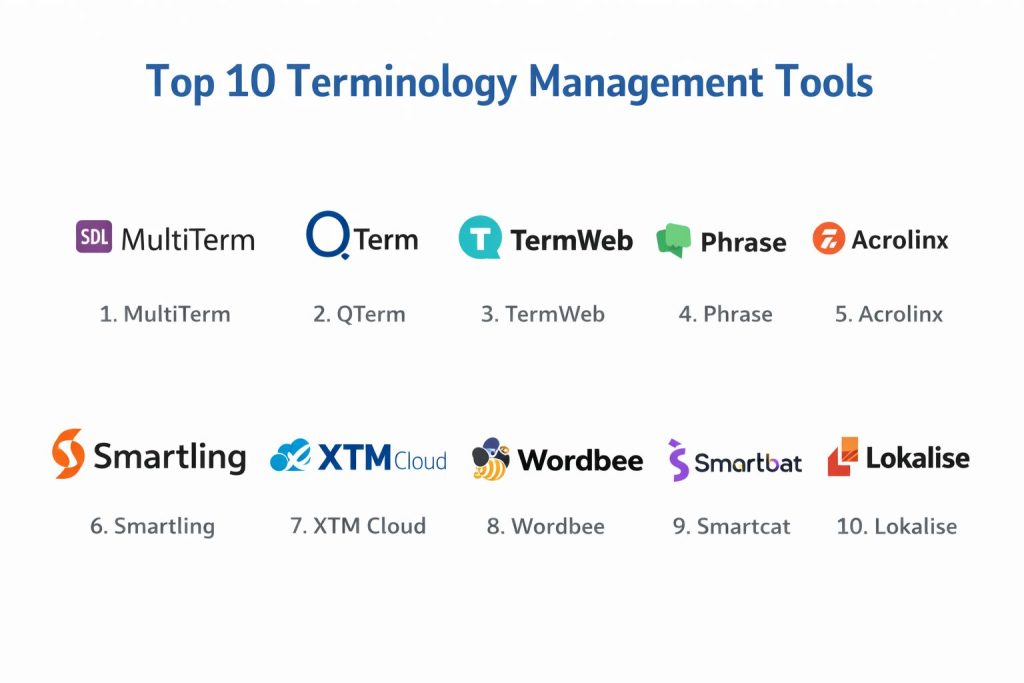
1. RWS MultiTerm
RWS MultiTerm is widely considered the industry standard for professional terminology management, offering a highly structured and customizable environment. It allows for concept-oriented termbase creation, where each entry can store a wealth of metadata, including images, definitions, and usage examples. It is the primary choice for large-scale localization departments that require deep integration with professional translation software.
Key Features
The platform supports a completely flexible database structure, allowing users to define their own fields for every entry. It features advanced search and filter capabilities that can handle complex queries across millions of terms. The software includes a dedicated module for term extraction from existing documents. It also provides robust version control and history tracking for every change made to a termbase. Integration with desktop translation environments is seamless, providing real-time term recognition during the translation process.
Pros
It offers the most sophisticated data modeling capabilities in the market, making it perfect for complex technical domains. The tool is backed by an enormous professional community and extensive training resources.
Cons
The interface can be overwhelming for beginners and requires significant technical setup. It is primarily a Windows-based application, which can limit accessibility for some teams.
Platforms and Deployment
Windows and Cloud. It is available as a standalone desktop tool or a server-based enterprise solution.
Security and Compliance
It provides enterprise-grade security features, including role-based access control and integration with corporate authentication systems.
Integrations and Ecosystem
MultiTerm is the native terminology companion to Trados Studio and integrates with various other translation and authoring tools through specialized plugins.
Support and Community
Offers premium corporate support and a vast network of certified trainers and specialized user forums.
2. memoQ QTerm
QTerm is the advanced, web-based terminology management system designed to work within the memoQ ecosystem. It is built for organizations that need to share their terminology with a wide range of stakeholders, including clients, translators, and subject matter experts. It focuses on making terminology accessible and collaborative through a modern browser interface.
Key Features
Users can create highly customized termbases with an unlimited number of fields and languages. The tool includes a collaborative workflow system where users can propose, discuss, and approve new terms. It features a robust API that allows for the integration of terminology into external applications. The system supports concept-based entries, ensuring that synonyms are tracked correctly. It also allows for the import and export of terminology in all major industry-standard formats.
Pros
The web-based interface is intuitive and requires no local installation for most users. It provides excellent collaboration features that simplify the approval process for new terms.
Cons
Full functionality is best realized when used in conjunction with the broader memoQ translation suite. The pricing can be high for smaller organizations that only need basic terminology features.
Platforms and Deployment
Web-based (Cloud or On-Premise).
Security and Compliance
Supports secure encrypted connections and offers detailed permission management to control who can view or edit specific termbases.
Integrations and Ecosystem
Integrates perfectly with the memoQ Translation Management System and provides connectors for several third-party tools.
Support and Community
Known for highly responsive technical support and a strong, dedicated user base in the localization industry.
3. TermWeb
TermWeb is a specialized, pure-play terminology management system that emphasizes enterprise-wide terminology governance. Unlike many tools that are add-ons to translation suites, TermWeb is built from the ground up to serve as a centralized hub for all corporate vocabulary, accessible to everyone from engineers to marketing.
Key Features
It features a sophisticated workflow engine that manages the entire lifecycle of a term from submission to expiration. The platform offers real-time integration with authoring tools like Microsoft Word and Adobe InDesign. It includes powerful term extraction tools that use statistical and linguistic analysis. The system is entirely web-based, allowing for easy access across global offices. It also provides advanced reporting on termbase usage and consistency scores.
Pros
It is one of the few tools that truly bridges the gap between the translation department and the rest of the enterprise. The workflow automation significantly reduces the manual burden on terminologists.
Cons
Because it is a specialized tool, it may require more effort to integrate into a legacy translation pipeline compared to “all-in-one” suites.
Platforms and Deployment
Cloud and On-Premise.
Security and Compliance
Complies with major international security standards and offers granular audit trails for all terminology changes.
Integrations and Ecosystem
Offers a wide range of connectors for CMS, PIM, and authoring systems, alongside a powerful API for custom integrations.
Support and Community
Provides dedicated enterprise support and consulting services to help organizations set up their terminology governance.
4. Phrase Terminology
Phrase Terminology (formerly part of Memsource) is a cloud-native solution that focuses on speed and ease of use within agile localization workflows. It is designed for modern tech companies that need to manage terminology across software, websites, and marketing materials with minimal friction.
Key Features
The platform offers a clean, modern interface that is easy for non-linguists to navigate. It features real-time terminology checking within its integrated web editor. Users can easily import and manage glossaries with support for multiple languages and basic metadata. It includes a “forbidden terms” feature to prevent the use of deprecated or incorrect vocabulary. The tool also provides basic term extraction capabilities to help build glossaries from existing projects.
Pros
The learning curve is very low, making it ideal for fast-growing teams. It is built for a cloud-first world, ensuring high availability and easy collaboration.
Cons
It lacks some of the deep, concept-based modeling features found in more traditional tools like MultiTerm. It is most effective when used as part of the Phrase Localization Suite.
Platforms and Deployment
Cloud-based.
Security and Compliance
SOC 2 Type II compliant and adheres to GDPR standards, providing a secure environment for corporate data.
Integrations and Ecosystem
Integrates deeply with the Phrase TMS and offers connectors for various developer tools and content platforms.
Support and Community
Offers strong online documentation and responsive email and chat support.
5. Acrolinx
Acrolinx is a unique content governance platform that uses AI to enforce terminology, style, and tone across an entire organization. It acts as a “linguistic firewall,” checking content as it is being written to ensure it adheres to predefined corporate standards.
Key Features
The software features a powerful AI engine that understands the context of content to provide accurate terminology suggestions. It integrates directly into dozens of authoring environments, including Google Docs and GitHub. It provides a “Content Score” that gives immediate feedback on the health and consistency of a document. The centralized terminology manager allows for the creation of sophisticated termbases with detailed usage rules. It also features automated checking for inclusive language and brand-specific tone.
Pros
It is the most proactive tool for terminology enforcement, catching errors before they reach the translation or publication stage. It provides valuable analytics to track content quality over time.
Cons
The implementation process can be complex and requires a significant investment in time and resources. It is positioned as a premium enterprise solution with a corresponding price point.
Platforms and Deployment
Cloud and Hybrid.
Security and Compliance
Designed for enterprise use with robust security protocols, including single sign-on and high-level data encryption.
Integrations and Ecosystem
Boasts the widest range of integrations for authoring tools, CMS, and specialized documentation platforms in the industry.
Support and Community
Provides comprehensive enterprise support, including dedicated account managers and strategic consulting.
6. Smartling
Smartling is an enterprise-level Translation Management System that includes robust, integrated terminology management features. It is known for its “visual context” approach, allowing users to see exactly how terms will appear in the final product as they are managing them.
Key Features
The platform features a visual glossary that allows users to attach images and context to every term. It provides real-time terminology enforcement within the Smartling CAT tool. The system supports collaborative workflows for term approval between local markets and headquarters. It includes automated term consistency checks to flag deviations from the approved termbase. The cloud-native environment ensures that all stakeholders are always working with the most current version of the terminology.
Pros
The visual context features significantly reduce errors by showing exactly how a term is used in the UI. It is highly automated, reducing the need for manual project management.
Cons
The terminology features are tied to the Smartling platform, which may not be ideal for those looking for a standalone system. The costs are geared toward larger enterprise budgets.
Platforms and Deployment
Cloud-based.
Security and Compliance
PCI DSS and SOC 2 compliant, meeting the rigorous security requirements of global financial and healthcare organizations.
Integrations and Ecosystem
Offers a vast array of pre-built connectors for CMS, ecommerce platforms, and code repositories.
Support and Community
Provides high-touch professional services and a dedicated success team for enterprise clients.
7. XTM Cloud
XTM Cloud is a prominent enterprise TMS that offers a powerful, concept-oriented terminology management module. It is designed to handle the scale and complexity of global organizations managing high volumes of multilingual content across diverse vendors.
Key Features
The terminology module supports complex concept-based modeling with rich metadata and multimedia attachments. It features a streamlined workflow for term extraction and approval. Users can access termbases directly within the browser-based editor with real-time recognition. The system allows for granular control over which users can view, edit, or approve terms. It also supports the import and export of terminology using the TBX standard for maximum interoperability.
Pros
The platform is highly scalable, making it suitable for the world’s largest localization programs. Its browser-based nature eliminates the need for complex software installations.
Cons
The interface is feature-rich, which can result in a learning curve for new users. It is primarily designed as part of the XTM localization ecosystem.
Platforms and Deployment
Cloud-based.
Security and Compliance
ISO 27001 certified and GDPR compliant, ensuring that linguistic assets are managed with the highest level of security.
Integrations and Ecosystem
Integrates with a wide variety of third-party systems and provides a robust API for building custom terminology pipelines.
Support and Community
Offers excellent technical support and a wealth of online training materials and webinars.
8. Wordbee
Wordbee is an all-in-one TMS that provides a flexible and collaborative terminology management environment. It is particularly popular with mid-sized enterprises and translation agencies that need a versatile tool that can adapt to different project requirements.
Key Features
The platform offers a centralized workspace for managing multilingual termbases in the cloud. It features an intuitive interface for creating and editing terms with support for images and custom fields. The terminology module is fully integrated with the Wordbee translation editor for real-time suggestions. It includes tools for term extraction and automated quality assurance checks. The system also supports collaborative commenting and voting on new term proposals.
Pros
It is one of the most cost-effective all-in-one solutions for teams that need both project management and terminology tools. The platform is known for its flexibility and ease of customization.
Cons
The UI, while functional, may feel less modern than some of its cloud-native competitors. It may lack some of the advanced AI-driven features found in newer platforms.
Platforms and Deployment
Cloud-based.
Security and Compliance
Ensures data privacy and security through encrypted connections and robust user permission settings.
Integrations and Ecosystem
Supports a wide range of file formats and provides connectors for several popular content management systems.
Support and Community
Provides reliable customer support and a helpful knowledge base for self-service troubleshooting.
9. Smartcat
Smartcat is a collaborative translation platform that offers a lightweight but effective terminology management system. It is designed for agility, providing a free-to-start model that is very attractive to startups and small to medium-sized businesses.
Key Features
The tool allows for the creation of unlimited termbases that can be shared across any number of projects. It features real-time term recognition and enforcement within its browser-based editor. Users can easily invite subject matter experts to review and approve terms without needing a paid seat. The system supports basic metadata and images for each term entry. It also includes simple import and export tools for moving terminology between different projects.
Pros
The barrier to entry is extremely low, making professional terminology management accessible to everyone. The platform’s focus on collaboration makes it easy to get feedback from different departments.
Cons
It lacks the deep concept-based hierarchy and advanced metadata fields of enterprise-grade tools. The term extraction features are more basic compared to specialized solutions.
Platforms and Deployment
Cloud-based.
Security and Compliance
SOC 2 and SOC 3 compliant, providing a secure foundation for managing linguistic assets in the cloud.
Integrations and Ecosystem
Features an integrated marketplace of linguists and connects with several major developer and content tools.
Support and Community
Has a large and active community of users and provides helpful, fast-response support.
10. Lokalise
Lokalise is a developer-focused localization platform that includes a fast and intuitive terminology management system. It is optimized for software and app development teams that need to keep their terminology consistent across fast-paced release cycles.
Key Features
The platform features a glossary that is deeply integrated into the translation workflow. It provides real-time term detection and suggestions to ensure translators stay on brand. The system supports the attachment of screenshots to terms to provide immediate visual context. Users can set up automated workflows to notify terminologists when new keys are added. It also offers a robust API and CLI for integrating terminology into the development pipeline.
Pros
It is the best-in-class choice for teams working in an agile software development environment. The interface is exceptionally fast and user-friendly for both developers and translators.
Cons
It is not designed for the heavy, document-centric terminology needs of industries like legal or manufacturing. The focus is primarily on software strings rather than long-form content.
Platforms and Deployment
Cloud-based.
Security and Compliance
ISO 27001 certified and SOC 2 Type II compliant, meeting the high security standards of the tech industry.
Integrations and Ecosystem
Boasts the strongest integrations with GitHub, GitLab, Bitbucket, and design tools like Figma and Adobe XD.
Support and Community
Offers world-class live chat support and extensive, high-quality technical documentation.
Comparison Table
| Tool Name | Best For | Platform(s) Supported | Deployment | Standout Feature | Public Rating |
| 1. RWS MultiTerm | Enterprise Linguists | Windows, Cloud | Hybrid | Concept-based Metadata | 4.6/5 |
| 2. memoQ QTerm | Collaborative Teams | Web-based | Hybrid | Web Termbase Sharing | 4.8/5 |
| 3. TermWeb | Governance-led Org | Web-based | Hybrid | Multi-dept Workflows | 4.5/5 |
| 4. Phrase Terminology | Agile Startups | Cloud-native | Cloud | Simple UI / Fast Entry | 4.7/5 |
| 5. Acrolinx | Content Governance | Web-integrated | Hybrid | AI Source Enforcement | 4.3/5 |
| 6. Smartling | Visual Context Needs | Cloud-native | Cloud | Live UI Context Preview | 4.7/5 |
| 7. XTM Cloud | Large Scale LSPs | Cloud-native | Cloud | Concept-driven Web UI | 4.4/5 |
| 8. Wordbee | Mid-market Teams | Cloud-native | Cloud | Flexible Custom Fields | 4.5/5 |
| 9. Smartcat | Freelancers / SMBs | Cloud-native | Cloud | Free Unlimited TBs | 4.6/5 |
| 10. Lokalise | SaaS / App Dev | Cloud-native | Cloud | Design & Dev Tool Sync | 4.8/5 |
Evaluation & Scoring of Terminology Management Tools
The scoring below is a comparative model intended to help shortlisting. Each criterion is scored from 1–10, then a weighted total from 0–10 is calculated using the weights listed. These are analyst estimates based on typical fit and common workflow requirements, not public ratings.
Weights:
- Core features – 25%
- Ease of use – 15%
- Integrations & ecosystem – 15%
- Security & compliance – 10%
- Performance & reliability – 10%
- Support & community – 10%
- Price / value – 15%
| Tool Name | Core (25%) | Ease (15%) | Integrations (15%) | Security (10%) | Performance (10%) | Support (10%) | Value (15%) | Weighted Total |
| 1. MultiTerm | 10 | 4 | 9 | 9 | 9 | 10 | 6 | 8.35 |
| 2. QTerm | 9 | 8 | 8 | 8 | 8 | 9 | 7 | 8.15 |
| 3. TermWeb | 9 | 7 | 10 | 9 | 8 | 8 | 7 | 8.30 |
| 4. Phrase | 7 | 9 | 9 | 8 | 9 | 8 | 8 | 8.15 |
| 5. Acrolinx | 8 | 5 | 10 | 9 | 8 | 9 | 5 | 7.70 |
| 6. Smartling | 7 | 8 | 10 | 9 | 9 | 10 | 6 | 8.10 |
| 7. XTM Cloud | 8 | 7 | 9 | 8 | 8 | 8 | 7 | 7.85 |
| 8. Wordbee | 7 | 7 | 8 | 7 | 8 | 8 | 9 | 7.60 |
| 9. Smartcat | 6 | 9 | 8 | 7 | 7 | 7 | 10 | 7.60 |
| 10. Lokalise | 7 | 9 | 10 | 8 | 9 | 9 | 7 | 8.30 |
How to interpret the scores:
- Use the weighted total to shortlist candidates, then validate with a pilot.
- A lower score can mean specialization, not weakness.
- Security and compliance scores reflect controllability and governance fit, because certifications are often not publicly stated.
- Actual outcomes vary with assembly size, team skills, templates, and process maturity.
Which Terminology Management Tool Is Right for You?
Solo / Freelancer
Individual professionals should prioritize tools that are either free or integrated into the CAT tools they already own. The goal here is efficiency and compatibility with client requests, so a lightweight system that allows for quick import/export of standard glossaries is usually sufficient.
SMB
Small to medium businesses need a balance between cost and professional features. Cloud-based tools that allow for collaborative term entry without high maintenance costs are ideal, especially if they can grow alongside the company’s localization needs.
Mid-Market
Mid-market organizations often face the challenge of coordinating between a dedicated marketing team and external vendors. Tools with strong workflow and approval features are essential to ensure that brand terminology is respected by everyone involved in content production.
Enterprise
At the enterprise level, terminology is a matter of governance and risk management. These organizations require highly structured, concept-oriented systems that can integrate across dozens of different departments and global offices with strict security and auditing.
Budget vs Premium
Budget-conscious users will find that modern cloud platforms offer incredible value with low entry costs. Premium solutions, while significantly more expensive, provide the AI-driven enforcement and deep customization that are necessary for complex, global content strategies.
Feature Depth vs Ease of Use
If your team consists of trained terminologists, you will need the depth provided by traditional, structured systems. However, if you need casual contributors to use the system, prioritize tools with modern, simplified interfaces that don’t require extensive training.
Integrations & Scalability
Evaluate where your content is created. If you are a software company, prioritize developer-centric tools. If you are in manufacturing, look for tools that integrate with professional documentation and CAD systems. Scalability ensures the tool remains performant as your termbase grows.
Security & Compliance Needs
For industries like finance, healthcare, or defense, security is non-negotiable. Ensure your chosen tool adheres to international data protection standards and offers the granular access control needed to protect your proprietary terminology assets.
Frequently Asked Questions (FAQs)
1. What is the difference between a glossary and a termbase?
A glossary is a simple list of words and their translations. A termbase is a more sophisticated database that follows a concept-oriented structure, allowing for detailed metadata like definitions, grammar notes, and usage examples to be attached to each concept.
2. Can I manage terminology in a spreadsheet like Excel?
While spreadsheets are a good starting point, they lack the relational database features needed to manage synonyms, multi-language links, and historical changes effectively. Dedicated tools also provide real-time recognition and automated checking that spreadsheets cannot offer.
3. What is term extraction?
Term extraction is a feature that uses linguistic or statistical algorithms to scan existing documents and automatically suggest potential terms for a termbase. This significantly speeds up the process of building a terminology database from scratch.
4. Why is concept-based modeling important?
Concept-based modeling organizes data around an idea rather than a word. This means that “car,” “automobile,” and “vehicle” can all be linked to a single concept ID, ensuring that synonyms are managed correctly across all languages.
5. How does terminology management save money?
It reduces the time spent on manual QA, prevents costly rework due to inconsistent terms, and lowers translation costs by ensuring that identical concepts are always translated the same way, increasing translation memory leverage.
6. What are forbidden terms?
Forbidden terms are words or phrases that an organization has officially decided not to use. Terminology management tools can flag these terms in real-time to prevent them from appearing in published content.
7. Can non-linguists use terminology management tools?
Modern cloud-based tools are designed to be accessible to everyone. Engineers, product managers, and marketing specialists can contribute to and benefit from terminology databases through simple web interfaces and browser plugins.
8. Is it possible to integrate terminology with my CMS?
Yes, high-end terminology management systems offer connectors for major Content Management Systems like WordPress, Drupal, or Adobe Experience Manager to ensure terms are checked directly within the authoring environment.
9. What is TBX?
TBX (TermBase eXchange) is the industry-standard XML format for exchanging terminology data between different software applications. Using a tool that supports TBX ensures that your data remains portable and not locked into a single vendor.
10. How often should terminology be updated?
Terminology management is an ongoing process. A termbase should be reviewed regularly—typically once per quarter or following a major product release—to ensure that outdated terms are archived and new ones are properly defined.
Conclusion
Terminology management is no longer just a linguistic luxury; it is a critical component of global business infrastructure. Implementing the right tool allows an organization to protect its brand identity, reduce operational risks, and significantly lower the long-term costs of content creation and localization. Whether you prioritize the deep structural power of a traditional system or the agile, integration-first approach of a modern cloud platform, the key is to centralize your vocabulary and make it accessible where content is born. By investing in these technologies today, organizations ensure that their global message remains clear, consistent, and professionally accurate across every language and region. This foundational work pays dividends in customer trust and corporate efficiency as the business continues to scale in the digital age.
I find that this analysis of Terminology Management Tools perfectly highlights how a structured language framework is the secret to scaling globally without losing your brand’s technical precision. From my perspective as a Global Content Strategist, I learned that terminology management isn’t just about “words