How to fix the error: “resource mipmap/ic_launcher (aka com.example.MyAppName: mipmap/ic_launcher) not found.” on vs code

DevOps

YOUR COSMETIC CARE STARTS HERE

Find the Best Cosmetic Hospitals

Trusted • Curated • Easy

Looking for the right place for a cosmetic procedure? Explore top cosmetic hospitals in one place and choose with confidence.

“Small steps lead to big changes — today is a perfect day to begin.”

Explore Cosmetic Hospitals Compare hospitals, services & options quickly.

✓ Shortlist providers • ✓ Review options • ✓ Take the next step with confidence

I had the same problem, I was importing the icons using:
Android Studio -> new -> ImageAsset -> choose the image

But when saving it, I didn’t notice they gave me 3 options to save: debug, main, or release. I was saving in debug, that’s why when I went to compile, it didn’t search in debug but in main instead.

Solution: Import the icons from the main:
Android Studio -> new -> ImageAsset -> choose the image -> save to main

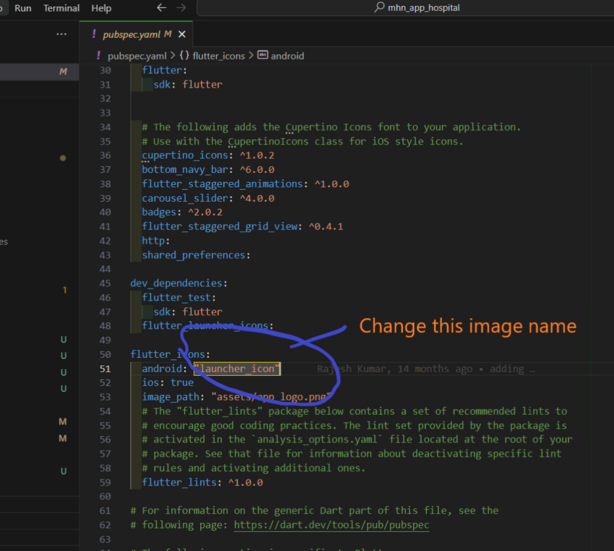
And go to pubspec.yaml and change name for this
Subscribe
Notify of
guest

This site uses Akismet to reduce spam. Learn how your comment data is processed.

0 Comments
Oldest
Newest Most Voted
Inline Feedbacks
View all comments
0
Would love your thoughts, please comment.x