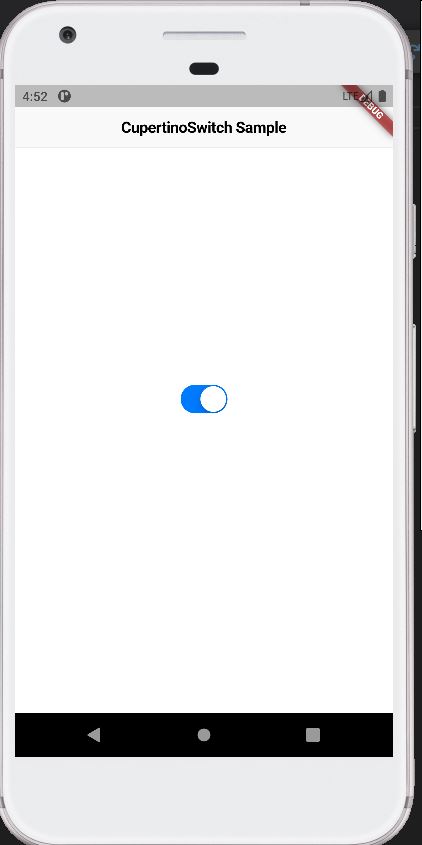
To use the CupertinoSwitch widget, you can import the cupertino package and simply instantiate it like any other widget:
import 'package:flutter/cupertino.dart';
import 'package:flutter/material.dart';

void main() {
  runApp(const MyApp());
}

class MyApp extends StatelessWidget {
  const MyApp({super.key});

  // This widget is the root of your application.
  @override
  Widget build(BuildContext context) {
    return const CupertinoApp(
      theme: CupertinoThemeData(brightness: Brightness.light),
      home: CupertinoSwitchExample(),
    );
  }
}

class CupertinoSwitchExample extends StatefulWidget {
  const CupertinoSwitchExample({super.key});

  @override
  State<CupertinoSwitchExample> createState() => _CupertinoSwitchExampleState();
}

class _CupertinoSwitchExampleState extends State<CupertinoSwitchExample> {
  bool switchValue = true;

  @override
  Widget build(BuildContext context) {
    return CupertinoPageScaffold(
      navigationBar: const CupertinoNavigationBar(
        middle: Text('CupertinoSwitch Sample'),
      ),
      child: Center(
        child: CupertinoSwitch(
          // This bool value toggles the switch.
          value: switchValue,
          activeColor: CupertinoColors.activeBlue,
          onChanged: (bool? value) {
            // This is called when the user toggles the switch.
            setState(() {
              switchValue = value ?? false;
            });
          },
        ),
      ),
    );
  }
}
Code language: JavaScript (javascript)