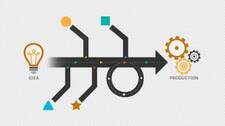
Continuous delivery of software is genuinely hard. There is no single approach that guarantees you can compile, integrate, build, and deploy an application reliably and repeatedly. Even in the relatively recent past, most of those steps were manual. If your organization wants to ship software rapidly and with confidence, you need a collection of tools working in concert—and a deliberate strategy for orchestrating them.
Why Orchestration Matters
Delivering and deploying software used to take days or weeks rather than hours or minutes. Continuous delivery compresses that cycle by automating the handoffs between each stage of the pipeline. The challenge is that no single product covers the entire toolchain. Most mature tools handle one or two stages well, offer integrations with adjacent tools, and expose an API so you can connect everything else. Your job is to find the combination that fits your team, your stack, and your delivery goals.
A useful starting point is mapping the stages of a typical DevOps delivery process and then evaluating tools at each stage.
The Stages of a Typical CD Pipeline
1. Planning
Most CD pipelines begin before a single line of code is written. An agile planning tool lets teams define user stories, track defects, manage backlogs, and assign work to individuals. Atlassian JIRA is widely used here; it supports multiple projects, story hierarchies, and defect tracking, and has become enough of a de facto standard that test management, artifact management, source control, and automation tools frequently ship dedicated integrations for it.
JIRA is not the only option. VersionOne and Pivotal Tracker are also popular, particularly in teams with specific agile-at-scale requirements. The key criterion when evaluating planning tools is integration depth: can it feed work item IDs into your build system, your test results, and your deployment records so you have traceability from story to release?
2. Build
The build stage converts source code into executable or deployable artifacts. Common IDEs and compilers include Microsoft Visual Studio for Windows and .NET workloads and Eclipse for general-purpose and JVM-based development, but the specific editor matters less than the build automation layer that sits on top of it.
Classic make-based build automation remains surprisingly common in compiled-language projects. Higher-level build tools such as Maven, Gradle, and MSBuild are standard in Java and .NET ecosystems respectively. What matters is that the build is fully automated, deterministic, and invocable from your CI server without human intervention.
An increasing number of teams structure their applications as microservices—small, independently deployable units that can be composed into larger products. Docker is a common packaging format for microservices: it encapsulates a runnable service and its dependencies into a container image, reducing environment drift between development, test, and production. However, containerization is not a free pass. Because dependencies are bundled inside the image, teams must actively rebuild and re-scan images when upstream base images or open-source components receive security patches. An unmanaged image registry can accumulate outdated, vulnerable images quickly.
3. Continuous Integration
Continuous integration (CI) is the practice of merging developer work frequently—often multiple times per day—and verifying each merge with an automated build and test run. A CI server is the engine that makes this work.
Jenkins is a widely adopted open-source CI server. It can pull code from version control, trigger builds, run test suites, publish artifacts, and chain downstream jobs together into a pipeline. Its large plugin ecosystem means it integrates with most source control systems, artifact repositories, cloud providers, and notification tools.
Other CI platforms worth evaluating include GitLab CI/CD, CircleCI, Travis CI, and hosted options such as GitHub Actions. When choosing, consider whether the platform supports pipeline-as-code (defining your pipeline in a versioned configuration file), how it handles parallel execution, and what its integration story looks like for the rest of your toolchain.
Modern software is almost always a combination of in-house code, third-party libraries, open-source frameworks, and external APIs. Integration is one of the genuine hard problems in DevOps. The CI layer must manage component versioning with enough rigor that you can always reproduce a given build from its inputs.
4. Testing
Testing in a CD pipeline is not a single event—it is a series of automated and exploratory checkpoints distributed across the entire delivery process:
- Unit tests run on the developer’s machine and again in CI on every commit.
- Smoke tests verify that the integrated build is not obviously broken before it proceeds further.
- Integration and API tests validate that services interact correctly.
- Exploratory testing by humans catches issues that automation misses, ideally before production deployment.
- Synthetic monitoring in production sends automated probes to live endpoints on a schedule to verify availability and performance—this blurs the traditional line between testing and operations.
A good test management tool, whether general-purpose or agile-focused, ties test results back to user stories and defects in your planning system. That traceability is what allows you to make confident release decisions.
5. Delivery and Deployment
The final stages of the pipeline move artifacts from a verified state into a staging or production environment. This is where deployment automation and release orchestration tools come into play. Whether you use scripts, a dedicated deployment tool, or a full-featured release management platform, the goal is the same: a repeatable, auditable process that does not require heroics from individual engineers.
6. Communication and Collaboration
Team communication is often left off toolchain diagrams, but it is a genuine part of the delivery system. Slack and (historically) HipChat have been popular choices for real-time team messaging in DevOps contexts. These tools support what is often called ChatOps: integrating pipeline notifications, deployment confirmations, alert escalations, and bot-driven commands directly into a shared chat channel so the whole team has visibility into what is happening.
ChatOps is not just about convenience. When a deployment fails or a monitoring alert fires, having context-rich notifications arrive in the same channel where engineers are already collaborating shortens the feedback loop considerably.
The Agile Manifesto’s principle—individuals and interactions over processes and tools—is worth remembering here. You can assemble a technically excellent toolchain and still fail to deliver reliably if the team is siloed, communication is poor, or ownership of pipeline stages is unclear. Both the toolset and the team culture must be addressed together.
Evaluation Criteria for Each Stage
When assessing tools for any stage of your pipeline, apply a consistent set of criteria:
- Integration breadth: Does it have native or community-maintained integrations with the tools at adjacent stages?
- API quality: If a native integration does not exist, can you build one reliably against a stable, well-documented API?
- Pipeline-as-code support: Can your pipeline configuration be version-controlled and reviewed like any other code?
- Community and ecosystem: A large, active community means more plugins, faster bug fixes, and more answers on public forums.
- Scalability: Will the tool handle your projected build and test volume without becoming a bottleneck?
- Security and compliance: Does it support role-based access control, audit logs, and secrets management appropriate to your environment?
Putting It All Together
Continuous delivery orchestration is the art of connecting individually capable tools into a pipeline that behaves as a coherent whole. There is no universally correct suite. The right combination depends on your language ecosystem, your team’s existing skills, your deployment targets, and your organization’s compliance requirements.
Start by mapping your current delivery process end to end—including the manual steps you want to eliminate. Identify where handoffs break down or slow you down. Then evaluate tools stage by stage, prioritizing integration quality and pipeline-as-code support. Revisit your toolchain as your applications and team scale; the combination that works for ten engineers and two services may not scale to fifty engineers and fifty services.
The goal is a pipeline where every commit can travel from source control to a verified, deployable artifact—and optionally all the way to production—with minimal human intervention and maximum team visibility.