Introduction
Voiceover technology has undergone a fundamental transformation, shifting from mechanical text-to-speech to sophisticated neural synthesis that captures the essence of human expression. These tools utilize deep learning models to analyze thousands of hours of high-quality human speech, allowing them to replicate subtle nuances such as rhythmic breathing, emotional inflection, and regional dialects with startling accuracy. In the modern digital landscape, the ability to generate professional audio instantly is no longer a luxury but a strategic necessity for organizations aiming to maintain a consistent global presence.
The rapid adoption of these platforms is driven by the sheer volume of content required across various industries. From corporate training modules and localized marketing campaigns to interactive AI agents and long-form audiobooks, the demand for high-fidelity audio is at an all-time high. Choosing the right tool requires a sophisticated understanding of technical capabilities, including the depth of the application programming interface, the variety of available phonemes for custom pronunciation, and the robustness of security protocols for protecting sensitive data. For enterprise leaders, the goal is to find a solution that balances creative flexibility with the scalable infrastructure needed to support high-volume production.
Best for: Content marketing teams, e-learning developers, global enterprises requiring localization, and software engineers building voice-enabled applications.
Not ideal for: High-stakes live performances where a human actor’s improvisational ability is required, or projects that demand complex, non-linear emotional shifts that current AI models may occasionally struggle to interpret perfectly.
Key Trends in Voiceover Tools
The move toward real-time emotional control has defined the current era, allowing users to toggle between tones such as excitement, empathy, or professional neutrality within a single script. We are also seeing a massive expansion in multilingual capabilities, where a single “base” voice can speak dozens of languages while retaining its unique brand identity. This has paved the way for more authentic global communication, moving past generic translations toward localized content that resonates with specific cultural nuances.
Another significant trend is the rise of ethical voice cloning, where high-profile talent and corporate executives can create digital twins of their voices with built-in security safeguards. This technology is being paired with advanced deepfake detection and watermarking systems to ensure transparency and prevent misuse. Additionally, the integration of these tools into collaborative, cloud-based environments has streamlined the workflow, allowing global teams to edit scripts and generate final audio assets in a unified, synchronized space.
How We Selected These Tools
Our selection process focused on identifying platforms that offer the highest level of vocal realism combined with professional-grade reliability. We prioritized tools that have demonstrated a commitment to innovation, particularly in the areas of prosody and emotional intonation. Market adoption was a key indicator, as the most widely used platforms often provide the most robust community support and the most extensive libraries of pre-trained voices.
Performance and scalability were also critical factors in our evaluation. We looked for tools that can handle massive batch processing tasks without a degradation in audio quality or system stability. Security was scrutinized to ensure that each platform meets modern enterprise standards for data privacy and compliance. Finally, we assessed the versatility of each tool, ensuring that our list covers a wide range of use cases—from specialized developer APIs to intuitive, studio-like interfaces for creative professionals.
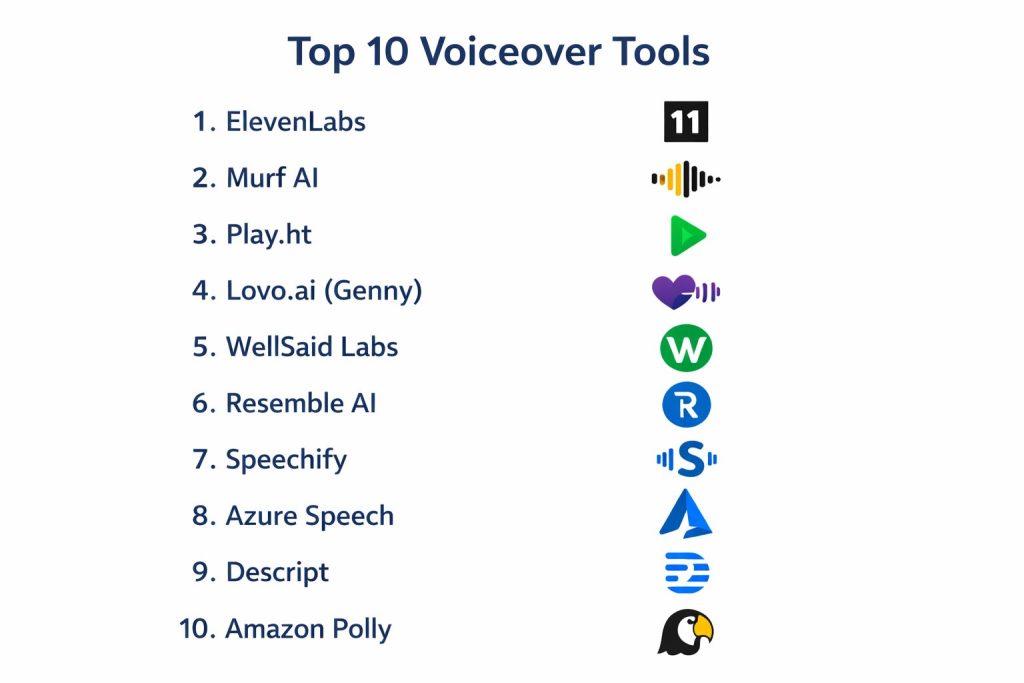
1. ElevenLabs
ElevenLabs has emerged as the industry standard for high-fidelity, emotionally resonant voice synthesis. Its platform is built on advanced research that allows for “contextual awareness,” meaning the software understands the meaning of a sentence to apply the correct emphasis and intonation. It is particularly renowned for its voice cloning capabilities, which can recreate a person’s voice from just a few seconds of audio with incredible accuracy.
Key Features
The platform features a specialized “VoiceLab” for creating custom voices through cloning or generative design. It offers a massive library of voices in dozens of languages, all capable of deep emotional range. Its API is designed for low-latency performance, making it ideal for real-time applications like chatbots. The software also includes a “Studio” tool for managing long-form content, such as audiobooks, with granular control over pacing and pauses. Additionally, it provides an AI speech classifier to help identify AI-generated content for ethical transparency.
Pros
The level of vocal realism is currently unmatched in the industry, producing audio that sounds indistinguishable from human narration. The interface is clean and intuitive, making complex cloning tasks accessible to non-technical users.
Cons
The high-end features and extensive character limits can become expensive for large-scale projects. Some users may find the voice cloning technology so accurate that it requires strict internal ethics policies to manage responsibly.
Platforms and Deployment
Web-based platform accessible on all major browsers; robust API for custom software integration.
Security and Compliance
Features built-in deepfake detection and digital watermarking; adheres to GDPR and modern data privacy standards.
Integrations and Ecosystem
Offers a developer-friendly API that integrates into various third-party applications and workflows, from gaming to automated publishing.
Support and Community
Extensive documentation and a rapidly growing community of creators and developers who share tips and custom voice profiles.
2. Murf AI
Murf AI positions itself as a comprehensive “AI Voice Studio,” focusing on the needs of corporate trainers, marketers, and educators. It provides a structured, timeline-based interface that feels familiar to anyone who has used video editing software. This makes it an excellent choice for teams that need to synchronize high-quality voiceovers with slides or video clips directly within the platform.
Key Features
The software includes a library of over 120 professional voices categorized by use case, such as “inspirational” or “authoritative.” Its built-in editor allows users to adjust pitch, speed, and emphasis at the word level. It features a “voice changer” tool that can turn a home-recorded audio file into a studio-quality AI narration. Team collaboration tools allow multiple users to work on the same project simultaneously. The platform also provides a vast collection of royalty-free background music to round out production.
Pros
The all-in-one studio approach saves significant time by eliminating the need to switch between different audio and video editing tools. Its collaborative features are perfect for enterprise-level workflows.
Cons
The free tier is quite restrictive regarding downloads, serving more as a trial than a functional version. Some of the most realistic “Pro” voices are locked behind higher-tier pricing plans.
Platforms and Deployment
Cloud-based web application with no local installation required.
Security and Compliance
SOC 2 Type II compliant; offers robust data encryption and role-based access controls for corporate teams.
Integrations and Ecosystem
Integrates well with e-learning platforms and video editing suites; offers an API for automated content generation.
Support and Community
Provides dedicated account managers for enterprise clients and a wealth of educational tutorials for new users.
3. Play.ht
Play.ht is a powerful tool designed for publishers and developers who need to convert large volumes of text into high-quality audio. It is particularly well-known for its massive language support and its ability to “audiofy” websites through embeddable players. Its focus on conversational AI makes it a favorite for podcasters and digital media outlets.
Key Features
The platform supports an industry-leading range of over 140 languages and hundreds of different accents. It features a sophisticated “Ultra-Realistic” voice engine that handles dialogue-heavy content with natural-sounding transitions. Its WordPress plugin allows bloggers to automatically generate audio versions of their posts. The API is highly scalable, supporting both real-time streaming and batch processing for large datasets. Users can also create custom pronunciation rules for unique brand terms or technical jargon.
Pros
The breadth of language and accent coverage is exceptional, making it a top choice for global localization. Its focus on web integration makes it very easy for publishers to add audio to their existing platforms.
Cons
The interface can feel slightly more technical and less “artistic” compared to studio-focused tools like Murf. The emotional range of some standard voices can be more limited than the premium “Ultra-Realistic” options.
Platforms and Deployment
Cloud-based web platform and a developer-ready API.
Security and Compliance
GDPR compliant with secure data handling practices suitable for commercial and educational use.
Integrations and Ecosystem
Strongest in web and CMS integrations, particularly WordPress; offers robust API documentation for custom builds.
Support and Community
Reliable customer support and a comprehensive knowledge base focusing on both technical and creative implementation.
4. Lovo.ai (Genny)
Lovo.ai, through its flagship platform Genny, offers a holistic production environment that combines voiceover with AI-assisted scriptwriting and art generation. It is designed for creators who want to build complete content pieces from a single prompt, making it highly efficient for social media marketing and rapid prototyping.
Key Features
The platform features over 500 voices capable of expressing up to 25 different emotions, such as anger, joy, or hesitation. It includes a built-in AI writer that can generate scripts based on simple descriptions. The interface supports multi-track editing, allowing users to layer voices, sound effects, and music. Its “Voice Cloning” feature is fast and effective for creating personalized brand voices. Additionally, it offers a “Producer” mode for fine-tuning the timing and delivery of every sentence.
Pros
The combination of scriptwriting and voice generation in one tool significantly reduces the initial creative friction. Its emotional toggles are highly effective for creating dramatic or engaging marketing content.
Cons
The sheer number of features can lead to a slightly busier user interface that takes a moment to navigate. Some users might find the AI-generated images less relevant than the core voice features.
Platforms and Deployment
Web-based platform optimized for desktop and professional production workflows.
Security and Compliance
Adheres to standard enterprise security protocols including data encryption and secure user authentication.
Integrations and Ecosystem
Focuses on creative workflows with easy export options for major social media and video platforms.
Support and Community
Active social media community and a helpful series of video masterclasses for maximizing the tool’s potential.
5. WellSaid Labs
WellSaid Labs focuses on the “Enterprise” market, providing a curated library of high-quality “Avatar” voices designed for professional consistency. Unlike platforms that offer thousands of varying voices, WellSaid prioritizes quality and brand safety, ensuring that every voice in their library meets a strict standard of clarity and naturalness.
Key Features
The platform is built around “WellSaid Studio,” a streamlined environment for converting text to audio with minimal fuss. It offers a custom phonetic library, allowing teams to ensure that technical terms are always pronounced correctly across all projects. Team members can share “Voice Avatars” and projects to maintain a consistent brand tone globally. The API is designed for high-volume enterprise needs, offering reliable uptime and fast processing speeds. It also provides “Creative Control” tools to adjust the emphasis and tempo of the narration.
Pros
The voices are consistently high-quality, avoiding the “robotic” pitfalls of larger, uncurated libraries. The platform’s focus on professional stability makes it very reliable for long-term corporate use.
Cons
The library is smaller than some competitors, focusing on quality over sheer quantity. It is positioned at a more premium price point, reflecting its enterprise focus.
Platforms and Deployment
Web-based studio and enterprise-grade API.
Security and Compliance
SOC 2 compliant; emphasizes data privacy and secure internal management for large-scale organizations.
Integrations and Ecosystem
Designed for deep integration into corporate e-learning and internal communication systems via a robust API.
Support and Community
Offers “white-glove” onboarding for enterprise teams and high-quality direct support.
6. Resemble AI
Resemble AI is a highly technical platform that specializes in real-time voice cloning and dynamic dialogue. It is a favorite among game developers and companies building interactive AI agents, as it allows for the generation of speech that can change on the fly based on user input.
Key Features
The platform offers “Speech-to-Speech” technology, allowing a user to record a line and have an AI voice replicate the exact performance and emotion. It features a real-time API that can be used to power voices in video games or virtual reality. Its “Resemble Fill” tool allows for the editing of a single word in a pre-recorded audio file without needing to re-record the whole session. It also includes advanced security features like “Resemble Detect” to verify the authenticity of audio files.
Pros
The ability to maintain consistent performance through speech-to-speech conversion is a game-changer for dramatic content. Its focus on real-time generation is essential for the next generation of interactive media.
Cons
The interface and technical requirements are more advanced, which might be overwhelming for a casual user. The pricing model is geared more toward professional and enterprise developers.
Platforms and Deployment
Web platform, API, and support for on-premises deployment via containers for maximum security.
Security and Compliance
Industry leader in voice security with deepfake detection and per-voice watermarking; GDPR and SOC 2 ready.
Integrations and Ecosystem
Excellent integration with game engines like Unreal and Unity, as well as various developer toolkits.
Support and Community
Technical support is top-tier, with extensive documentation for developers and technical directors.
7. Speechify
Originally created as an accessibility tool for those with dyslexia, Speechify has evolved into a powerhouse for professional voiceovers. It is unique in its partnership with major celebrities and influencers, offering high-profile voices that can add instant brand recognition to a project.
Key Features
The software offers a wide selection of natural-sounding voices, including famous celebrity options. It features a high-speed reading mode that can process text up to 9x faster than human speech, which is great for internal review. Its mobile app and browser extensions allow users to listen to any document or website on the go. The professional voiceover studio includes tools for editing scripts and selecting from over 130 AI voices across 30 languages. It also supports “Image to Speech,” allowing users to take a photo of text and have it read aloud instantly.
Pros
The accessibility of the tool is unmatched, with seamless performance across mobile, desktop, and web. The celebrity voice options provide a unique marketing advantage that other platforms lack.
Cons
While excellent for narration, it may have fewer granular “acting” controls compared to specialized tools like ElevenLabs or Resemble. The pro features require a subscription that might be high for casual users.
Platforms and Deployment
iOS, Android, macOS, Windows, and Chrome Extension.
Security and Compliance
SOC 2 Type II and HIPAA compliant, making it suitable for educational and medical environments.
Integrations and Ecosystem
Integrates into the daily workflow of students and professionals through its ubiquitous browser and mobile presence.
Support and Community
Massive user base with a wealth of community-generated guides and highly responsive customer service.
8. Microsoft Azure Speech
Microsoft Azure Speech (part of the Azure AI Foundry) is a developer-centric service that provides one of the most scalable and customizable text-to-speech engines in existence. It is the backbone for many global enterprise systems, offering unparalleled control over the technical aspects of speech synthesis.
Key Features
The service offers over 400 neural voices across 140 languages and regional variants. Its “Custom Neural Voice” feature allows organizations to build a completely unique AI voice model from their own recordings. It uses Speech Synthesis Markup Language (SSML) for hyper-precise control over pauses, breathing, and phonetic delivery. It can be deployed in the cloud or in local containers for edge computing needs. The service also includes real-time translation and speaker recognition capabilities.
Pros
It offers the most extensive language and accent support of any enterprise cloud provider. The ability to run the software in isolated containers is critical for highly regulated industries.
Cons
It is strictly a developer tool; there is no simplified “studio” interface for non-technical creators. Navigating the Azure pricing and setup can be complex for those not already in the ecosystem.
Platforms and Deployment
Global Azure cloud infrastructure with options for on-premises container deployment.
Security and Compliance
Meets the highest global standards for security, including HIPAA, ISO, and various government-specific certifications.
Integrations and Ecosystem
Perfectly integrated with the Microsoft ecosystem (Office, Teams, etc.) and provides extensive SDKs for all major programming languages.
Support and Community
Backed by Microsoft’s enterprise support infrastructure and an exhaustive technical knowledge base.
9. Descript
Descript is a unique all-in-one editor that treats audio and video like a text document. Its “Overdub” feature is the standout for voiceovers, allowing users to create a digital clone of their own voice to fix mistakes in a recording by simply typing in the correct words.
Key Features
The platform provides automatic transcription of all uploaded audio and video. Users can edit audio by deleting or moving text in the transcript. Its “Overdub” technology creates a realistic clone of the user’s voice for seamless audio corrections. It includes “Studio Sound” features that use AI to remove background noise and make home recordings sound like they were done in a professional studio. It also supports multi-track editing and collaboration with team comments.
Pros
The “edit-by-text” workflow is revolutionary and significantly speeds up the production process for podcasters and video creators. The “Studio Sound” feature is one of the best in the industry for cleaning up audio.
Cons
It is more of an editing tool than a dedicated text-to-speech generator, so it may not be the first choice if you only need raw audio synthesis. The high-quality cloning requires a specific setup and verification process.
Platforms and Deployment
Local application for Windows and macOS with cloud-synced projects.
Security and Compliance
SOC 2 compliant; requires explicit voice verification for its “Overdub” feature to prevent unauthorized cloning.
Integrations and Ecosystem
Integrates with major podcast hosting platforms and video editors, serving as a central hub for content creators.
Support and Community
Very active community of “Descript Creators” and a large library of high-quality video tutorials.
10. Amazon Polly
Amazon Polly is the text-to-speech service from AWS, designed for high-performance and cost-effective voice generation. It is a staple for developers building everything from automated phone systems to accessible web applications, offering a reliable, pay-as-you-go model.
Key Features
The service provides a wide selection of both “Standard” and “Neural” voices across dozens of languages. It features “Speech Marks,” which provide metadata like timestamps for individual words—essential for synchronizing animations or highlighting text. It supports SSML for fine-tuning the delivery and custom lexicons for brand-specific pronunciations. Its real-time streaming capability is highly optimized for low-latency responses in IVR and IoT devices. It also offers a very generous free tier for new developers to experiment.
Pros
It is incredibly cost-effective for high-volume applications due to its granular pricing model. Being part of the AWS ecosystem ensures world-class reliability and uptime.
Cons
Similar to Azure, it lacks a beginner-friendly creative interface, requiring some technical knowledge to implement effectively. The “Neural” voices, while high quality, are more expensive than the “Standard” ones.
Platforms and Deployment
Global AWS infrastructure with access through the AWS Management Console or SDKs.
Security and Compliance
Adheres to all AWS security standards, including IAM for granular access control and various international compliance certifications.
Integrations and Ecosystem
Seamlessly connects with other AWS services like Lambda, S3, and Connect for building complex, automated audio workflows.
Support and Community
Extensive developer forums, detailed documentation, and professional support tiers through AWS.
Comparison Table
| Tool Name | Best For | Platform(s) Supported | Deployment | Standout Feature | Public Rating |
| 1. ElevenLabs | Narrative Realism | Web, API | Cloud | Emotional Context Engine | 4.9/5 |
| 2. Murf AI | Corporate & Marketing | Web | Cloud | Integrated Video Timeline | 4.7/5 |
| 3. Play.ht | Web & Publishing | Web, API | Cloud | 140+ Language Support | 4.6/5 |
| 4. Lovo.ai (Genny) | Creative Creators | Web | Cloud | AI Writer + Multi-Emotion | 4.5/5 |
| 5. WellSaid Labs | Enterprise Branding | Web, API | Cloud | Studio-Quality Avatars | 4.8/5 |
| 6. Resemble AI | Interactive Media | Web, API | Hybrid | Speech-to-Speech Control | 4.7/5 |
| 7. Speechify | Accessibility & Mobile | Web, Mobile | Cloud | Celebrity Voice Library | 4.4/5 |
| 8. Azure Speech | Technical Scale | API | Hybrid | Custom Neural Voice | 4.3/5 |
| 9. Descript | Podcasters & Editors | Win, Mac | Local | Text-based Audio Editing | 4.8/5 |
| 10. Amazon Polly | Developer Utility | API | Cloud | AWS Ecosystem Sync | 4.2/5 |
Evaluation & Scoring of Voiceover Tools
The scoring below is a comparative model intended to help shortlisting. Each criterion is scored from 1–10, then a weighted total from 0–10 is calculated using the weights listed. These are analyst estimates based on typical fit and common workflow requirements, not public ratings.
Weights:
- Core features – 25%
- Ease of use – 15%
- Integrations & ecosystem – 15%
- Security & compliance – 10%
- Performance & reliability – 10%
- Support & community – 10%
- Price / value – 15%
| Tool Name | Core (25%) | Ease (15%) | Integrations (15%) | Security (10%) | Performance (10%) | Support (10%) | Value (15%) | Weighted Total |
| 1. ElevenLabs | 10 | 8 | 9 | 8 | 10 | 9 | 8 | 9.15 |
| 2. Murf AI | 8 | 10 | 8 | 9 | 8 | 10 | 7 | 8.45 |
| 3. Play.ht | 8 | 8 | 10 | 7 | 9 | 8 | 9 | 8.35 |
| 4. Lovo.ai | 9 | 9 | 7 | 7 | 8 | 8 | 9 | 8.30 |
| 5. WellSaid Labs | 10 | 9 | 7 | 10 | 9 | 9 | 6 | 8.60 |
| 6. Resemble AI | 10 | 5 | 9 | 10 | 9 | 9 | 7 | 8.40 |
| 7. Speechify | 7 | 10 | 7 | 9 | 9 | 9 | 8 | 8.20 |
| 8. Azure Speech | 9 | 3 | 10 | 10 | 10 | 9 | 9 | 8.20 |
| 9. Descript | 7 | 9 | 9 | 9 | 8 | 10 | 8 | 8.35 |
| 10. Amazon Polly | 7 | 4 | 10 | 10 | 10 | 9 | 10 | 8.00 |
How to interpret the scores:
- Use the weighted total to shortlist candidates, then validate with a pilot.
- A lower score can mean specialization, not weakness.
- Security and compliance scores reflect controllability and governance fit, because certifications are often not publicly stated.
- Actual outcomes vary with assembly size, team skills, templates, and process maturity.
Which Voiceover Tool Is Right for You?
Solo / Freelancer
For individual creators, flexibility and value are the primary considerations. A tool that combines high-quality voice generation with built-in editing features allows a solo operator to act as a full production team. Look for platforms that offer a generous free tier or affordable monthly plans that include commercial usage rights.
SMB
Small and medium businesses should prioritize speed and collaboration. When multiple team members need to contribute to marketing or training projects, a cloud-based studio that allows for shared projects and consistent brand voices is essential. These tools help maintain a professional image without the need for an external production agency.
Mid-Market
As organizations grow, the need for scalable workflows and deeper integrations becomes paramount. Mid-market companies benefit from tools that offer robust APIs and the ability to automate content generation across multiple platforms. This allows for a more consistent brand voice as the volume of content increases.
Enterprise
For large corporations, security, compliance, and customizability are the top priorities. Enterprise solutions must provide detailed access controls, data protection certifications, and the ability to create unique, proprietary voice models that represent the brand on a global scale. These tools are often integrated deeply into internal systems and global communication strategies.
Budget vs Premium
Budget-conscious users will find excellent value in “pay-as-you-go” API services or tools with strong free tiers focused on accessibility. Premium tools, while requiring a larger investment, offer the most advanced emotional nuance and specialized features like voice cloning that are necessary for high-end professional work.
Feature Depth vs Ease of Use
Choosing between a developer-focused API and an intuitive creative studio is a key decision. APIs offer endless technical control for building custom applications, while studio interfaces prioritize an artistic workflow, making them better for creators who want to focus on the final audio output rather than the underlying technology.
Integrations & Scalability
A tool’s ability to fit into your existing workflow determines its long-term value. For teams using a variety of design and marketing software, a platform with a rich ecosystem of plugins and a well-documented API will ensure that the voiceover process remains a seamless part of the broader production pipeline.
Security & Compliance Needs
In industries like finance, healthcare, or government, the security of voice data is non-negotiable. Organizations in these sectors must choose established platforms that offer clear compliance certifications and the option for isolated or on-premises deployment to protect their intellectual property and user privacy.
Frequently Asked Questions (FAQs)
1. Are AI voiceovers legal for commercial use?
Most professional tools grant commercial rights if you are on a paid subscription. However, it is essential to check the specific terms of service for each platform, as free tiers often restrict audio use to personal or non-commercial projects.
2. Can AI voices truly replace human voice actors?
While AI has become incredibly realistic for narration and instructional content, human actors still excel in complex dramatic performances that require high levels of emotional nuance and improvisational timing. AI is best used to complement human talent and handle high-volume tasks.
3. Do these tools support multiple languages in a single script?
Many modern platforms now offer “multilingual” models where a single voice can switch between different languages seamlessly. This is a significant advancement that allows for a consistent brand voice across global markets.
4. Is voice cloning ethical?
Ethical voice cloning requires the explicit consent of the person whose voice is being cloned. Professional tools now include verification steps and digital watermarking to ensure that clones are created and used responsibly and transparently.
5. How secure is my data on these platforms?
Enterprise-grade tools use encryption and adhere to global standards like GDPR and SOC 2. For organizations with extreme security needs, some providers offer the ability to deploy the software within their own private cloud or on-premises infrastructure.
6. Can I integrate these tools into my own mobile app?
Yes, most of the platforms on this list provide a REST API or SDK that allows developers to integrate text-to-speech functionality directly into their own software, games, or websites for real-time interaction.
7. What is SSML and do I need to know it?
Speech Synthesis Markup Language (SSML) is a way to provide specific instructions to the AI about how to pronounce words, where to pause, and how to change its tone. While not always necessary for simple tasks, it is a powerful tool for achieving high-precision results.
8. Can these tools remove background noise from my own recordings?
Some specialized platforms like Descript include AI-driven “Studio Sound” features that can analyze a messy recording and reconstruct it to sound like it was done with a professional microphone in a soundproof room.
9. How do these tools handle unusual pronunciations?
Most professional platforms allow you to create a “pronunciation library” or use phonetic spelling to ensure that unique brand names, technical terms, or industry-specific jargon are always pronounced correctly by the AI.
10. What is the difference between standard and neural voices?
Standard voices use a more traditional, rule-based synthesis that can sound somewhat mechanical. Neural voices use deep learning to replicate the natural flow and intonation of human speech, resulting in a much more lifelike and engaging experience.
Conclusion
The selection of a voiceover tool is a pivotal decision that impacts the authenticity and professionalism of your digital content. As the technology moves toward hyper-realism and emotional intelligence, the focus is shifting from simple speech generation to the creation of meaningful, brand-aligned audio experiences. Success in this field requires a thoughtful balance between the technical power of the platform and the practical needs of your production pipeline. By prioritizing interoperability, security, and vocal quality, organizations can build a scalable audio strategy that resonates with global audiences while maintaining a high standard of creative excellence.
I find that this analysis of the Top 10 Voiceover Tools provides a critical roadmap for any professional looking to bridge the gap between static text and high-fidelity, emotionally resonant audio. From my perspective as a Multimedia Content Lead, I learned that the industry has shifted from mechanical synthesis to a neural-first approach—where AI models now capture the subtle nuances of human expression, such as rhythmic breathing and regional dialects, with startling accuracy.