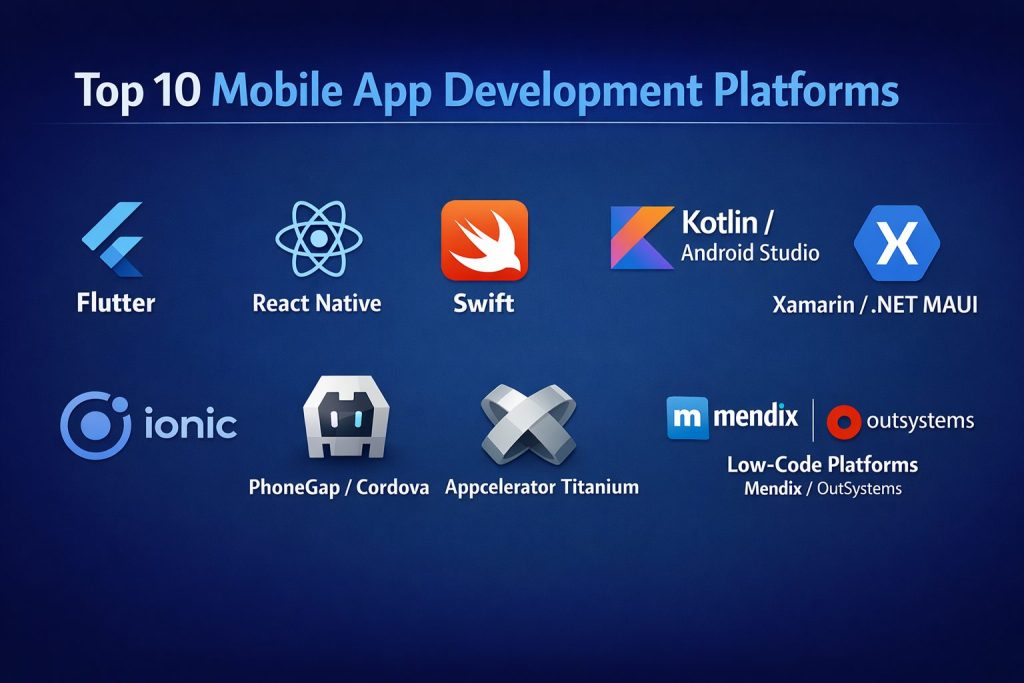
Introduction
Mobile app development platforms are integrated suites of tools that allow developers to build, test, and deploy applications for smartphones and tablets. In a world where mobile traffic now accounts for more than half of all internet usage, these platforms have evolved from simple code editors into complex ecosystems. They enable the creation of “native” apps for specific systems like iOS or Android, or “cross-platform” apps that run on multiple devices using a single codebase.
As we look toward the current technological horizon, the focus has shifted from mere functionality to performance and developer efficiency. Businesses no longer want to build the same app twice for different stores; they want high-performance solutions that reach everyone at once. Whether it is through low-code interfaces for business analysts or robust frameworks for software engineers, these platforms are the backbone of the mobile-first economy.
Real-world use cases include:
- E-commerce: Building high-speed shopping apps with integrated payment gateways and push notifications.
- Healthcare: Developing secure patient portals that sync with wearable health monitors in real-time.
- Social Media: Creating interactive platforms with complex video processing and real-time messaging features.
- Enterprise Productivity: Designing internal tools that allow employees to manage inventory or sales leads from the field.
What buyers should evaluate:
- Code Reusability: Can you use the same code for both iOS and Android?
- Performance: Does the app feel “snappy” and responsive like a native application?
- UI/UX Capabilities: How easily can you create beautiful, custom interfaces?
- Security Features: Does the platform offer built-in encryption and secure API handling?
- Cost of Ownership: Are there high licensing fees or hidden costs for cloud services?
- Scalability: Can the platform handle an increase from 100 to 1 million users?
- Community Support: Is there a large library of plugins and active forums for troubleshooting?
- Time to Market: How quickly can a prototype be moved into a live production environment?
Best for: Mobile developers, tech startups, enterprise IT teams, and digital agencies focusing on multi-platform reach.
Not ideal for: Simple website owners who only need a mobile-responsive site or projects with zero budget for maintenance.
Key Trends in Mobile App Development Platforms
- AI-Assisted Coding: Platforms are integrating “Copilot” style features that suggest code blocks and automate repetitive debugging tasks.
- Low-Code/No-Code Growth: There is a massive shift toward “citizen developers” building apps through visual drag-and-drop interfaces.
- Serverless Backends: Modern platforms are moving away from managed servers toward functions-as-a-service to reduce infrastructure overhead.
- 5G Optimization: New frameworks are including specific libraries to take advantage of the ultra-low latency and high speeds of 5G networks.
- Progressive Web Apps (PWAs): The line between websites and apps continues to blur, with platforms offering better support for installable web applications.
- Enhanced Security Standards: With rising data threats, platforms now prioritize biometric authentication and zero-trust architecture by default.
- Super-App Frameworks: More tools are supporting the creation of “Super-Apps” that house multiple mini-services within one ecosystem.
- Declarative UI: The industry has moved toward “declarative” programming (like SwiftUI and Jetpack Compose), which makes UI code much easier to read and maintain.
How We Selected These Tools (Methodology)
To identify the top 10 platforms, we utilized a comprehensive evaluation logic focused on long-term viability:
- Market Adoption: We prioritized platforms that are currently used by global industry leaders.
- Feature Completeness: The platform must provide a full lifecycle of tools, from design to deployment.
- Developer Experience: We evaluated the quality of the IDE, documentation, and ease of debugging.
- Security Posture: Preference was given to platforms with strong encryption and compliance history.
- Ecosystem Connectivity: The ability to easily integrate with third-party APIs and cloud services.
- Performance Signals: We looked for platforms that produce apps with high frames-per-second and low memory usage.
- Versatility: The selection includes a mix of native, cross-platform, and enterprise-focused tools.
- Future-Proofing: We chose tools that are consistently updated to support the latest hardware and OS versions.
Top 10 Mobile App Development Platforms
#1 — Flutter (Google)
Google’s UI toolkit for building beautiful, natively compiled applications for mobile, web, and desktop from a single codebase.
Key Features
- Dart Language: Uses the Dart language, which is optimized for fast apps on any platform.
- Hot Reload: Developers can see code changes in real-time without restarting the app.
- Custom Widgets: Offers a vast library of highly customizable widgets that follow Material Design and Cupertino styles.
- Skia Graphics Engine: Uses its own rendering engine to ensure consistent UI across all devices.
- Desktop & Web Support: One codebase can be extended beyond mobile to Windows, macOS, and the web.
Pros
- High performance that is almost identical to native apps.
- Excellent documentation and a very fast-growing community.
Cons
- App file sizes tend to be larger than native counterparts.
- Requires learning Dart, which is less common than JavaScript.
Platforms / Deployment
- iOS / Android / Web / Windows / macOS / Linux
- Cloud / Self-hosted
Security & Compliance
- SSO/SAML support, MFA integration
- GDPR compliant tools
Integrations & Ecosystem
Flutter has an extensive package ecosystem via pub.dev.
- Firebase
- Sentry
- SQLite
- RevenueCat
Support & Community
Google provides world-class documentation. The community is vibrant, with thousands of open-source packages and massive Discord and Stack Overflow support groups.
#2 — React Native (Meta)
An open-source framework that uses JavaScript and React to build native mobile apps for iOS and Android.
Key Features
- Native Components: Uses actual native UI building blocks instead of web views.
- JavaScript-Based: Allows web developers to transition into mobile development easily.
- Fast Refresh: Similar to hot reload, it provides instant feedback on code edits.
- Large Plugin Library: Access to thousands of community-made modules for almost any functionality.
- Bridge Architecture: Efficiently communicates between JavaScript code and native modules.
Pros
- Massive talent pool since it uses JavaScript.
- Supported by Meta and used by giants like Instagram and Shopify.
Cons
- Can be difficult to debug when dealing with native bridge issues.
- Performance can lag behind Flutter for extremely complex animations.
Platforms / Deployment
- iOS / Android / Web (via React Native Web)
- Self-hosted
Security & Compliance
- Not publicly stated (Framework level)
Integrations & Ecosystem
One of the largest ecosystems in the mobile world.
- Redux
- Expo
- AWS Amplify
- Google Maps
Support & Community
Extremely mature community. If you run into a problem, someone has likely already solved it on GitHub or Stack Overflow.
#3 — Swift (Apple)
The powerful and intuitive programming language created by Apple for building native apps for iOS, iPadOS, macOS, watchOS, and tvOS.
Key Features
- SwiftUI: A modern, declarative way to build user interfaces with very little code.
- High Performance: Optimized to get the most out of Apple’s specialized hardware (M-series chips).
- Safety Features: Designed to eliminate entire classes of common coding errors.
- Playgrounds: An interactive environment for experimenting with Swift code.
- Native API Access: Immediate access to the latest Apple features like ARKit and CoreML.
Pros
- The fastest possible performance for iOS devices.
- Deepest integration with the Apple ecosystem and hardware.
Cons
- Only works for Apple platforms; no Android support.
- Requires a Mac computer for development.
Platforms / Deployment
- iOS / macOS / watchOS / tvOS
- Self-hosted (On-device)
Security & Compliance
- App Sandbox, Hardened Runtime
- HIPAA/GDPR compliant at the OS level
Integrations & Ecosystem
Swift is the “home” for Apple’s development tools.
- Xcode
- CocoaPods
- Swift Package Manager
- TestFlight
Support & Community
Premium support via Apple Developer Program. The community is professional and highly focused on Apple’s design guidelines.
#4 — Kotlin / Android Studio (Google)
The modern, cross-platform programming language that is now the preferred choice for native Android development.
Key Features
- Interoperability: Fully compatible with Java, allowing developers to use both in one project.
- Jetpack Compose: Android’s modern toolkit for building native UI.
- Concise Syntax: Reduces boilerplate code significantly compared to older Java-based development.
- Kotlin Multiplatform: An emerging feature that allows sharing logic across iOS and Web.
- Coroutines: Simplifies asynchronous programming, making apps more responsive.
Pros
- Official support from Google ensures long-term viability.
- Much safer and more concise than traditional Java.
Cons
- Native focus means you still need a separate codebase for iOS (unless using Multiplatform).
- Android Studio is a very heavy IDE that requires a powerful computer.
Platforms / Deployment
- Android / Windows / Linux / iOS (via Multiplatform)
- Self-hosted
Security & Compliance
- ProGuard/R8 obfuscation
- Android Keystore system
Integrations & Ecosystem
The center of the Android development world.
- Google Play Services
- Retrofit
- Dagger/Hilt
- Firebase
Support & Community
Massive community support. Being the official language for Android means all new Google documentation and libraries are Kotlin-first.
#5 — Xamarin / .NET MAUI (Microsoft)
Microsoft’s framework for building cross-platform apps using C# and the .NET ecosystem.
Key Features
- Single Project System: Manage Android, iOS, and Desktop resources in one place.
- C# Power: Uses one of the world’s most popular and powerful programming languages.
- Native Performance: Compiles into native code for high efficiency.
- XAML Support: Uses an industry-standard markup language for designing interfaces.
- Visual Studio Integration: Deeply integrated into the world’s most popular IDE.
Pros
- Perfect for companies already using the Microsoft tech stack.
- High percentage of code reuse (up to 90%).
Cons
- The transition from Xamarin to .NET MAUI has been complex for some teams.
- Smaller community compared to React Native or Flutter.
Platforms / Deployment
- Windows / macOS / iOS / Android
- Cloud / Self-hosted
Security & Compliance
- Microsoft Identity Platform
- FIPS 140-2 compliance options
Integrations & Ecosystem
Standard in enterprise environments.
- Azure DevOps
- NuGet packages
- SQL Server
- Microsoft 365
Support & Community
Enterprise-level support from Microsoft. The community is smaller but very professional, focusing on business applications.
#6 — Ionic
A developer-friendly framework for building high-quality mobile and desktop apps using web technologies like HTML, CSS, and JavaScript.
Key Features
- Capacitor: A cross-platform native bridge to access device features.
- Framework Agnostic: Works with Angular, React, Vue, or even plain JavaScript.
- UI Library: Over 100 pre-built mobile-optimized components.
- Live Updates: Deploy app updates to users’ devices instantly without app store delays.
- Enterprise SDK: Dedicated tools for security and offline storage.
Pros
- Fastest path for web developers to become mobile developers.
- One codebase covers the web and all mobile stores.
Cons
- Performance is slightly lower than Flutter or Native since it uses a “Web View.”
- Heavily reliant on plugins for hardware-specific features.
Platforms / Deployment
- iOS / Android / Web / Desktop (Electron)
- Cloud (Ionic Appflow) / Self-hosted
Security & Compliance
- Biometric Auth, Secure Storage
- SOC 2 Type II (Ionic Cloud)
Integrations & Ecosystem
- Angular / React / Vue
- Cordova / Capacitor
- AWS / Firebase
Support & Community
Strong community with excellent documentation. Ionic offers premium support for enterprise customers, making it a safe bet for large businesses.
#7 — Unity
Short description: While primarily a game engine, Unity is widely used for creating high-performance 3D apps, AR/VR experiences, and interactive marketing tools.
Key Features
- Cross-Platform Reach: Build once and deploy to over 20 different platforms.
- AR/VR Focused: The industry standard for Augmented and Virtual Reality apps.
- High-End Graphics: Capable of producing cinematic-quality visuals.
- Asset Store: Millions of pre-made 3D models and scripts to speed up development.
- C# Scripting: Uses the versatile C# language for all logic.
Pros
- The only real choice for high-performance 3D or game-based apps.
- Incredible flexibility for creative, non-standard user interfaces.
Cons
- Very steep learning curve for those who aren’t familiar with game dev.
- App sizes are much larger than standard utility apps.
Platforms / Deployment
- Windows / macOS / iOS / Android / VisionOS / Linux
- Self-hosted / Hybrid
Security & Compliance
- Varies / N/A
Integrations & Ecosystem
- Oculus / Meta Quest
- Apple Vision Pro
- Nvidia Omniverse
Support & Community
One of the largest developer communities in the world. Thousands of YouTube channels and forums are dedicated to Unity.
#8 — Adobe PhoneGap / Apache Cordova
An open-source framework that allows developers to create mobile apps using standard web technologies.
Key Features
- Web Standard Focus: Build apps using HTML5, CSS3, and JS.
- Plugin Architecture: Access device sensors like cameras and GPS through a standard API.
- Single Codebase: Write once and run on almost any mobile platform.
- Command Line Interface: Simple tools for building and deploying.
- Ease of Entry: Minimal setup required for experienced web developers.
Pros
- Extremely low barrier to entry for beginners.
- Huge library of legacy plugins available.
Cons
- Performance is significantly slower than modern frameworks.
- Many developers have moved to Ionic or React Native.
Platforms / Deployment
- iOS / Android / Windows
- Self-hosted
Security & Compliance
- Not publicly stated
Integrations & Ecosystem
- jQuery Mobile
- Bootstrap
- Backbone.js
Support & Community
While the community is shrinking, there is a massive archive of tutorials and documentation from the last decade.
#9 — Appcelerator Titanium
An open-source framework that allows the creation of native mobile apps from a single JavaScript codebase.
Key Features
- Alloy Framework: An MVC framework that simplifies app architecture.
- Hyperloop: Provides direct access to any native API using JavaScript.
- Cloud Services: Integrated backend services for data and push notifications.
- Titanium SDK: A robust set of tools for building and testing.
- Marketplace: Access to pre-built modules and templates.
Pros
- Produces native UI components rather than web views.
- Strong focus on enterprise-level stability.
Cons
- Has lost significant market share to React Native.
- The community is much smaller than it was five years ago.
Platforms / Deployment
- iOS / Android / Windows
- Cloud / Self-hosted
Security & Compliance
- Encryption at rest
- RBAC for cloud services
Integrations & Ecosystem
- Salesforce
- Oracle
- Microsoft Azure
Support & Community
Now part of the Axway ecosystem, it offers professional enterprise support but lacks the “buzz” of newer open-source communities.
#10 — Low-Code Platforms (Mendix / OutSystems)
Enterprise-grade platforms that allow businesses to build complex mobile apps with minimal manual coding.
Key Features
- Visual Modeling: Build logic and UI using flowcharts and drag-and-drop tools.
- One-Click Deployment: Automate the entire CI/CD process.
- Built-in Governance: Tools for IT departments to manage and secure all apps.
- Offline Capability: Built-in support for apps that need to work without internet.
- AI Mentors: AI assistants that help guide developers through the building process.
Pros
- Drastically reduces development time for business apps.
- Allows non-developers to contribute to the app-building process safely.
Cons
- Very high enterprise licensing costs.
- Less flexibility for building high-end consumer apps or games.
Platforms / Deployment
- iOS / Android / Web
- Cloud / Hybrid
Security & Compliance
- SOC 2, ISO 27001, HIPAA
- End-to-end encryption
Integrations & Ecosystem
- SAP
- Salesforce
- ServiceNow
- IBM Watson
Support & Community
Premium, white-glove support for enterprise clients. The community is focused on business process automation and IT management.
Comparison Table (Top 10)
| Tool Name | Best For | Platform(s) Supported | Deployment | Standout Feature | Public Rating |
| Flutter | High-Performance Cross-Platform | Win, Mac, iOS, Android, Web | Cloud/Self | Hot Reload & Skia Engine | 4.8/5 |
| React Native | Web Devs going Mobile | iOS, Android, Web | Self-hosted | Native Components with JS | 4.7/5 |
| Swift | High-End iOS Apps | iOS, Mac, watchOS | Self-hosted | SwiftUI & Metal Graphics | 4.9/5 |
| Kotlin | Native Android Apps | Android, iOS | Self-hosted | Jetpack Compose | 4.8/5 |
| Xamarin/MAUI | Microsoft Enterprises | Win, Mac, iOS, Android | Cloud/Self | C# & .NET Integration | 4.2/5 |
| Ionic | Web-Based Mobile Apps | iOS, Android, Web | Cloud/Self | Framework Agnostic | 4.4/5 |
| Unity | 3D, AR & VR Apps | 20+ Platforms | Hybrid | 3D Engine & AR Tools | 4.8/5 |
| PhoneGap | Simple Web-to-App | iOS, Android | Self-hosted | Low Barrier to Entry | N/A |
| Appcelerator | Enterprise JS Apps | iOS, Android | Cloud/Self | Hyperloop Native Access | 4.0/5 |
| OutSystems | Rapid Enterprise Dev | iOS, Android, Web | Cloud/Hybrid | Visual Low-Code Logic | 4.5/5 |
Evaluation & Scoring of Mobile App Development Platforms
| Tool Name | Core (25%) | Ease (15%) | Integrations (15%) | Security (10%) | Performance (10%) | Support (10%) | Value (15%) | Weighted Total |
| Flutter | 10 | 7 | 9 | 8 | 10 | 9 | 9 | 8.9 |
| React Native | 9 | 8 | 10 | 7 | 8 | 10 | 9 | 8.7 |
| Swift | 10 | 6 | 8 | 10 | 10 | 9 | 7 | 8.5 |
| Kotlin | 10 | 6 | 9 | 9 | 10 | 9 | 8 | 8.5 |
| Unity | 10 | 4 | 8 | 7 | 10 | 9 | 7 | 8.0 |
| Ionic | 7 | 9 | 8 | 8 | 7 | 8 | 9 | 7.8 |
| MAUI | 8 | 6 | 9 | 9 | 8 | 8 | 7 | 7.7 |
| OutSystems | 8 | 9 | 8 | 10 | 7 | 8 | 4 | 7.4 |
| Appcelerator | 6 | 7 | 7 | 8 | 7 | 6 | 6 | 6.6 |
| PhoneGap | 5 | 8 | 6 | 5 | 5 | 5 | 8 | 5.9 |
How to interpret these scores:
- 8.5+: Industry leaders suitable for almost any project.
- 7.5 – 8.4: Excellent specialized tools or enterprise favorites.
- Below 7.5: Use these only for specific legacy requirements or very simple prototypes.
Which Mobile App Development Platform Tool Is Right for You?
Solo / Freelancer
If you are starting out alone, Flutter or React Native are the best choices. They allow you to build for both platforms simultaneously, doubling your market reach without doubling your work. Flutter’s documentation makes it slightly easier to learn from scratch.
SMB
For a small business that needs a reliable, beautiful app quickly, Ionic is a fantastic choice. It allows you to use your existing web development skills and has a great set of pre-built UI components that look professional out of the box.
Mid-Market
Medium-sized companies that are already integrated with Microsoft or Java ecosystems should look at Xamarin/MAUI or Kotlin. These tools provide the stability and structured development environment that larger teams require.
Enterprise
For large corporations that need to build dozens of internal apps quickly, low-code platforms like OutSystems or Mendix are worth the investment. For their flagship consumer apps, however, they should stick to Swift (iOS) and Kotlin (Android) to ensure the highest possible security and performance.
Budget vs Premium
- Budget: Blender (for 3D), Flutter, and React Native (Open Source).
- Premium: OutSystems and Mendix (Enterprise licensing).
Feature Depth vs Ease of Use
If you need deep hardware access and complex animations, Swift or Kotlin are the best. If you want ease of use and rapid prototyping, Ionic or a low-code platform is the way to go.
Why Choose DevOpsSchool?
When it comes to mastering these complex platforms, having a guided learning path is essential. DevOpsSchool stands out as a premier institution for several reasons:
- Industry-Expert Trainers: You learn from professionals who are currently building apps in the real world, not just reading from a textbook.
- Hands-on Labs: The focus is on doing. You will build actual, deployable apps throughout your course.
- Comprehensive Curriculum: From native Swift development to cross-platform Flutter mastery, the courses cover the entire mobile ecosystem.
- Job Support: With deep ties to the tech industry, DevOpsSchool helps transition students from the classroom to a professional career.
Frequently Asked Questions (FAQs)
1. What is the difference between Native and Cross-Platform?
Native development involves writing separate code for iOS (Swift) and Android (Kotlin). Cross-platform development allows you to write one codebase (Flutter/React Native) that works on both systems.
2. Is cross-platform as fast as native?
In the past, no. However, in 2026, frameworks like Flutter and React Native are so optimized that for 95% of apps, the user will never notice a difference in speed.
3. Which platform is best for beginners?
If you know JavaScript, React Native is the easiest. If you are starting from zero, Flutter is often considered to have the most “beginner-friendly” documentation and setup process.
4. Do I need a Mac to develop mobile apps?
If you want to build and publish apps for iOS (iPhone), yes, you currently need a Mac to use Apple’s Xcode tools, regardless of the framework you choose.
5. How long does it take to build a mobile app?
A simple prototype can take 2–4 weeks. A full-featured, production-ready app usually takes 3–6 months for a small team.
6. Can I build mobile apps for free?
Yes, most of the frameworks like Flutter, React Native, and Kotlin are free and open-source. However, you will have to pay a yearly fee to Apple ($99) and a one-time fee to Google ($25) to publish on their stores.
7. What is a “Low-Code” platform?
It is a platform where you build the app visually using drag-and-drop tools. It’s great for speed but can be very expensive and less flexible for custom designs.
8. Is coding required for Unity apps?
Yes, for anything beyond a simple 3D viewer, you will need to know C#. However, Unity has a visual scripting tool that can help beginners get started.
9. What is the most secure mobile platform?
Native development (Swift and Kotlin) is generally considered the most secure because it has direct access to the OS-level security features and doesn’t rely on third-party “bridges.”
10. How do I choose between Flutter and React Native?
Choose React Native if you want to leverage a huge library of JavaScript tools. Choose Flutter if you want a more consistent UI and slightly better performance out of the box.
Conclusion
The “best” mobile app development platform depends entirely on your team’s skills, your budget, and the specific needs of your users. For the highest performance on iOS, nothing beats Swift. For the best value and fastest cross-platform reach, Flutter and React Native are the clear winners.
As you plan your next project, remember that the technology is only one part of the puzzle. Success in the mobile market also requires great design, a solid backend, and a commitment to constant updates. Your next step should be to choose two platforms from our comparison table, build a simple “Hello World” prototype in each, and see which workflow feels most efficient for your team.