Introduction
An Enterprise Service Bus (ESB) is a specialized software architecture used to manage communication between mutually interacting software applications in a service-oriented architecture (SOA). In plain English, it acts as a centralized “hub” or a digital translator that allows different systems—which might speak different “languages” or use different data formats—to talk to each other seamlessly. Instead of building messy, direct connections between every single app, you connect everything to the ESB, and it handles the routing and translation.
In the current landscape, ESBs have evolved to bridge the gap between legacy on-premise systems and modern cloud-native environments. As businesses scale, the complexity of their data ecosystems grows; an ESB provides the necessary “glue” to ensure that information flows accurately and securely across the entire organization. It is no longer just about moving data; it is about orchestrating complex business processes in real-time.
Real-world use cases include:
- E-commerce Integration: Syncing online storefronts with warehouse inventory and shipping providers.
- Banking Systems: Connecting legacy mainframe accounts with modern mobile banking apps and third-party payment gateways.
- Healthcare Interoperability: Safely moving patient records between different hospital departments and insurance databases.
- Supply Chain Management: Orchestrating data between suppliers, manufacturers, and logistics partners to ensure “just-in-time” delivery.
What buyers should evaluate:
- Scalability: Can it handle a massive spike in transaction volume without slowing down?
- Ease of Use: Does it feature a low-code/no-code interface for building integrations?
- Connector Library: How many pre-built adapters does it have for popular apps like SAP, Salesforce, or Oracle?
- Security: Does it offer enterprise-grade encryption and identity management?
- Monitoring: Can you track every “message” as it travels through the system to find bottlenecks?
- Deployment Flexibility: Can it run on your own servers, in the cloud, or as a hybrid model?
- Data Transformation: How easily can it convert one data format (like XML) to another (like JSON)?
- Support Ecosystem: Is there professional help and a strong community for troubleshooting?
Best for: Large-scale organizations, IT managers overseeing complex digital transformations, and enterprises with a mix of legacy and cloud applications.
Not ideal for: Small startups with only 2–3 applications to connect, or teams looking for a simple “point-to-point” data sync tool.
Key Trends in Enterprise Service Bus (ESB) Platforms
- Move to Micro-ESBs: Traditional “monolithic” ESBs are being broken down into smaller, lightweight versions that fit better in containerized environments like Docker and Kubernetes.
- AI-Powered Mapping: Many platforms now use machine learning to suggest how data fields should be mapped between two different systems, saving hours of manual work.
- Event-Driven Architecture: There is a shift toward “reactive” systems where the ESB triggers actions based on real-time events rather than waiting for scheduled batches.
- Hybrid Integration: Platforms are focusing heavily on “connecting anything to anywhere,” making it easier to link decades-old hardware to the latest SaaS tools.
- Self-Healing Integrations: Modern ESBs can now detect if a connection has failed and automatically attempt to reroute traffic or restart the service without human intervention.
- Low-Code Integration: The “citizen integrator” trend means that even non-developers can now build basic integrations using drag-and-drop interfaces.
- Enhanced API Management: Most top-tier ESBs now come with built-in API gateways to secure and monitor every endpoint.
- Sustainability Monitoring: New features are emerging to help enterprises track the carbon footprint and energy efficiency of their integration infrastructure.
How We Selected These Tools (Methodology)
To identify the top 10 ESB platforms, we evaluated the market based on a professional set of standards:
- Market Adoption: We prioritized tools that are trusted by Fortune 500 companies and global enterprises.
- Technological Maturity: We looked for platforms with a proven track record of stability and performance.
- Protocol Support: The tool must support a wide range of communication protocols (HTTP, JMS, MQTT, AMQP, etc.).
- Security Posture: Evaluation of built-in security features such as encryption, MFA, and role-based access control.
- Ecosystem Connectivity: Availability of extensive pre-built connectors for standard enterprise software.
- Future-Readiness: Support for modern patterns like cloud-native deployment and microservices.
- Vendor Support: Availability of robust documentation and professional services.
- Operational Visibility: Quality of the monitoring and logging tools provided within the platform.
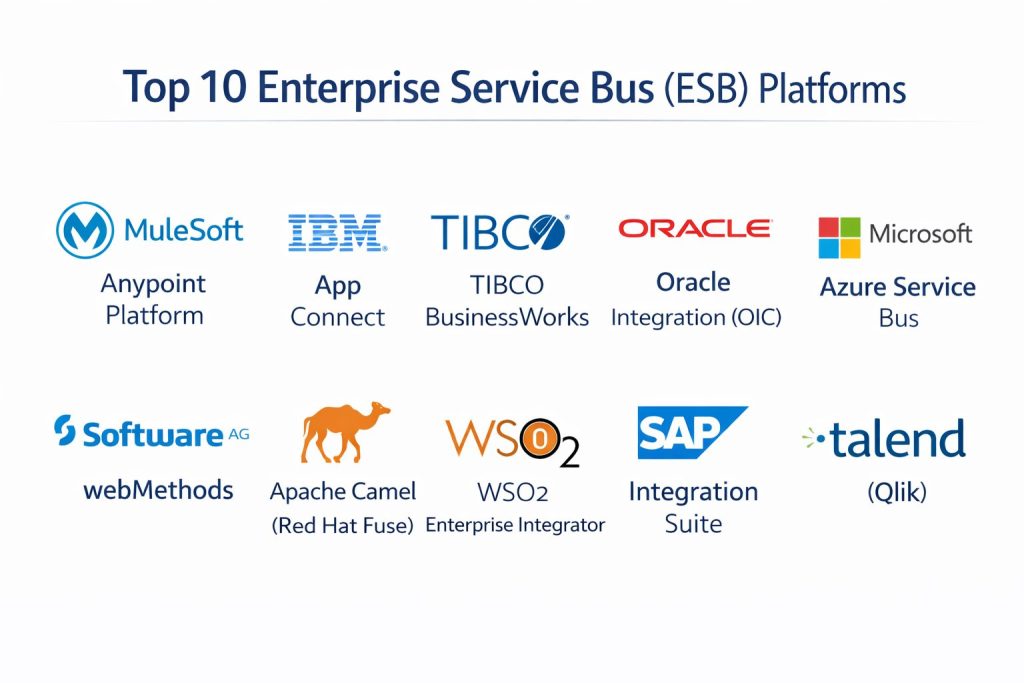
Top 10 Enterprise Service Bus (ESB) Platforms
#1 — MuleSoft Anypoint Platform
A leading integration platform that combines ESB capabilities with API management. It is designed for large enterprises needing high-speed connectivity across the entire business.
Key Features
- Anypoint Exchange: A massive marketplace of pre-built connectors, templates, and examples.
- DataWeave: A powerful data language for transforming complex information formats.
- Mule Runtime: A lightweight engine that can be deployed on-premise, in the cloud, or as a hybrid.
- Anypoint Visualizer: Real-time monitoring that maps out exactly how your systems are connected.
- API Designer: Dedicated tools to build, test, and document APIs before deployment.
Pros
- Arguably the most complete and “future-proof” integration suite on the market.
- Excellent user interface that caters to both developers and business analysts.
Cons
- One of the most expensive options, which can be a barrier for mid-market companies.
- Can be complex to set up and requires specialized training (MuleSoft certification).
Platforms / Deployment
- Web / Windows / Linux
- Cloud / Self-hosted / Hybrid
Security & Compliance
- SSO/SAML, MFA, RBAC, Encryption at rest and in transit
- SOC 2, ISO 27001, HIPAA, GDPR
Integrations & Ecosystem
MuleSoft is owned by Salesforce, meaning it has the best-in-class integration with the Salesforce ecosystem while remaining platform-agnostic for other tools.
- Salesforce
- SAP
- Oracle
- AWS
- Microsoft Azure
Support & Community
Massive community support with a dedicated forum, extensive documentation, and a global network of certified implementation partners.
#2 — IBM App Connect
Formerly known as IBM Integration Bus, this is a veteran enterprise tool designed for massive, high-reliability message routing and transformation.
Key Features
- Flow Designer: A browser-based tool for creating integrations with simple drag-and-drop actions.
- Cognitive Mapping: Uses IBM Watson (AI) to suggest data mappings between systems.
- Broad Protocol Support: Handles everything from modern REST APIs to legacy COBOL structures.
- Transformation Engine: Robust tools for mapping complex XML, JSON, and flat-file formats.
- High Availability: Built-in features for clustering and disaster recovery in mission-critical environments.
Pros
- Unrivaled reliability for high-volume banking and government transactions.
- Strongest support for legacy “Big Iron” mainframe integrations.
Cons
- The learning curve is very steep for those not familiar with the IBM ecosystem.
- The traditional interface can feel dated compared to newer “SaaS-first” tools.
Platforms / Deployment
- Windows / Linux / AIX / z/OS
- Cloud / Self-hosted / Hybrid
Security & Compliance
- Enterprise-grade encryption, MFA, and audit logging
- FIPS 140-2, SOC 2, ISO 27001
Integrations & Ecosystem
IBM App Connect is built to sit at the center of the world’s most complex IT environments.
- IBM MQ
- SAP ERP
- Salesforce
- Workday
- ServiceNow
Support & Community
World-class professional support and a deep library of technical white papers and documentation from IBM.
#3 — TIBCO BusinessWorks
A high-performance integration platform known for its speed and ability to handle massive, real-time data streams.
Key Features
- Visual Development: A zero-code environment for modeling complex business processes.
- Lightweight Runtime: Optimized for microservices and containerized deployment (Docker/K8s).
- Event Processing: Specialized capabilities for acting on data the millisecond it is created.
- Enterprise Administration: A centralized dashboard to manage hundreds of different integration points.
- Standard-Based: Strong support for Open API and other industry-standard protocols.
Pros
- Incredible performance under extreme load; widely used in stock trading and logistics.
- Very flexible deployment options, from local servers to multi-cloud setups.
Cons
- Pricing can be complex and difficult to predict as you scale.
- Requires a highly skilled technical team to unlock its full potential.
Platforms / Deployment
- Windows / Linux / macOS
- Cloud / Self-hosted / Hybrid
Security & Compliance
- RBAC, SSO, end-to-end encryption
- SOC 2, ISO 27001
Integrations & Ecosystem
TIBCO focuses on “connecting everything” with hundreds of pre-built adapters.
- Apache Kafka
- Microsoft Dynamics
- Hadoop
- Oracle
- Google Cloud
Support & Community
Very strong professional support and a dedicated user community known as the “TIBCO Community” portal.
#4 — Oracle Integration (OIC)
A cloud-native integration service that provides a unified platform for app integration, process automation, and visual app building.
Key Features
- Recipe Gallery: A collection of pre-built “recipes” for common integration scenarios.
- Visual Process Automation: Tools to automate entire human-and-system business workflows.
- AI-Based Mapping: Intelligent suggestions for connecting data fields.
- Insight Dashboards: Real-time visibility into the health and performance of business processes.
- Oracle ERP Integration: Specialized “native” adapters for the entire Oracle suite.
Pros
- The obvious choice for organizations already running on Oracle ERP or Database.
- Rapid deployment through the Oracle Cloud Infrastructure (OCI).
Cons
- Less intuitive for non-Oracle environments compared to platform-neutral tools.
- Can be rigid if you want to stray far from the Oracle “standard” way of doing things.
Platforms / Deployment
- Web / Cloud-native (OCI)
- Cloud / Hybrid
Security & Compliance
- Identity Cloud Service integration, encryption, and data masking
- SOC 1/2/3, ISO 27001, HIPAA, PCI-DSS
Integrations & Ecosystem
While best for Oracle, it connects to a wide range of external SaaS and on-prem tools.
- Oracle Fusion Apps
- NetSuite
- Salesforce
- SAP
- Shopify
Support & Community
Extensive support through Oracle’s global enterprise services and a massive base of certified consultants.
#5 — Microsoft Azure Service Bus
A fully managed enterprise message broker with queues and publish-subscribe topics, designed for highly reliable cloud communication.
Key Features
- Message Queuing: Decouples applications and services for better reliability.
- Topics and Subscriptions: Allows one message to be sent to multiple different systems simultaneously.
- Dead-Lettering: Automatically moves failed messages to a separate queue for troubleshooting.
- Scheduled Delivery: Allows you to send messages that only become active at a specific time.
- Transactions: Supports atomic transactions, ensuring that either all operations succeed or none do.
Pros
- Deeply integrated with the Azure ecosystem and Microsoft 365.
- Highly cost-effective because you only pay for what you actually use.
Cons
- Not a traditional “heavyweight” ESB; it requires Azure Logic Apps for complex transformations.
- Limited to the Microsoft Azure cloud environment.
Platforms / Deployment
- Azure Cloud
- Cloud only
Security & Compliance
- Shared Access Signatures (SAS), Managed Identities, Virtual Network Service Endpoints
- SOC 2, ISO 27001, HIPAA, FedRAMP
Integrations & Ecosystem
The backbone for Microsoft-centric cloud applications.
- Azure Logic Apps
- Azure Functions
- Dynamics 365
- SharePoint
- Teams
Support & Community
Backed by Microsoft’s enterprise support tiers and an enormous community of Azure developers.
#6 — Software AG webMethods
A comprehensive integration platform that excels in B2B integration, API management, and high-end ESB tasks.
Key Features
- Universal Messaging: A single messaging layer that works across cloud, mobile, and web.
- Microservices Container: A specialized runtime for deploying lightweight integration services.
- B2B Gateway: Industry-leading tools for managing EDI and partner communications.
- CloudStreams: Specialized connectors for connecting on-premise apps to SaaS providers.
- Terracotta In-Memory: Provides ultra-fast data caching to speed up integrations.
Pros
- One of the most robust tools for B2B and EDI (Electronic Data Interchange) scenarios.
- Very strong performance for mission-critical industrial and retail applications.
Cons
- The licensing model is often viewed as expensive and complex.
- User interface can be more technical and less “modern” than SaaS-only tools.
Platforms / Deployment
- Windows / Linux / Unix / Solaris
- Cloud / Self-hosted / Hybrid
Security & Compliance
- Comprehensive encryption, RBAC, and policy enforcement
- ISO 27001, SOC 2
Integrations & Ecosystem
webMethods is known for its ability to handle “unstructured” and legacy industrial data.
- SAP
- Salesforce
- Amazon S3
- Mainframe systems
- IoT devices
Support & Community
Excellent professional services and a dedicated global community with a long history of industrial use.
#7 — Apache Camel (Red Hat Fuse)
An open-source, lightweight integration framework based on standard “Enterprise Integration Patterns.”
Key Features
- Enterprise Integration Patterns (EIP): Built-in support for every standard way of routing and moving data.
- 300+ Components: A huge library of open-source connectors for almost any database or API.
- DSL Support: Allows developers to write integration logic in Java, XML, or Groovy.
- Cloud-Native: Works perfectly inside Kubernetes (Camel K).
- Lightweight Footprint: Can run on small devices or massive servers with the same code.
Pros
- No licensing fees for the open-source version (Apache Camel).
- Incredible flexibility for developers who prefer “code-first” integration.
Cons
- Does not have a built-in “drag-and-drop” GUI (unless using Red Hat’s paid version).
- Requires a high level of coding expertise to manage and maintain.
Platforms / Deployment
- Java-based (Runs anywhere Java runs)
- Self-hosted / Cloud / Hybrid
Security & Compliance
- Varies / N/A (Dependent on implementation)
Integrations & Ecosystem
If there is a protocol or app, there is probably a Camel component for it.
- ActiveMQ
- Kafka
- AWS
- Salesforce
- MQTT
Support & Community
Huge open-source community. For enterprise support, most organizations use the Red Hat Fuse distribution.
#8 — WSO2 Enterprise Integrator
A powerful, open-source integration platform that is highly modular and developer-friendly.
Key Features
- Micro Integrator: A specialized runtime designed for microservices and cloud-native apps.
- Streaming Integrator: Capability to handle and process real-time data streams.
- Graphical Tooling: A Visual Studio Code-based tool for designing integrations visually.
- Multi-Protocol: Support for HTTP, JMS, VFS, and many industrial protocols.
- API-Centric: Built from the ground up to support modern API management.
Pros
- High value; you get enterprise-grade features without the “big vendor” price tag.
- Completely open-source, allowing for deep customization and no vendor lock-in.
Cons
- The documentation can sometimes be difficult to navigate for beginners.
- Professional support is necessary for complex enterprise deployments.
Platforms / Deployment
- Windows / Linux / macOS
- Cloud / Self-hosted / Hybrid
Security & Compliance
- OAuth2, SAML, RBAC, fine-grained policy control
- GDPR compliant
Integrations & Ecosystem
- Salesforce
- Google Sheets
- Twitter/X
- Kubernetes
- SAP
Support & Community
WSO2 offers professional support subscriptions. The community is global and very active in the open-source space.
#9 — SAP Integration Suite
Previously known as SAP CPI, this is the essential integration hub for any organization running on SAP.
Key Features
- Pre-packaged Content: Thousands of ready-to-use integration flows for SAP products.
- Cloud Integration: Connects SAP S/4HANA to any third-party SaaS tool.
- API Management: Full lifecycle management for exposing SAP data as APIs.
- Integration Assessment: A tool that suggests the best integration pattern for your specific need.
- Edge Integration Cell: Allows you to run cloud integrations locally on your own servers.
Pros
- The “gold standard” for SAP-to-anything connectivity.
- Reduces implementation time significantly through pre-built content.
Cons
- Very complex to use for non-SAP-centric integration tasks.
- Can be expensive if you have a high volume of data flowing through the system.
Platforms / Deployment
- SAP BTP (Business Technology Platform)
- Cloud / Hybrid
Security & Compliance
- Enterprise-grade SAP security, encryption, and certificate management
- SOC 1/2, ISO 27001, HIPAA
Integrations & Ecosystem
- SAP S/4HANA
- SAP SuccessFactors
- Ariba
- Salesforce
- Workday
Support & Community
Backed by SAP’s global support network and an enormous ecosystem of specialized consultants.
#10 — Talend (Qlik)
A data integration platform that is moving heavily into the ESB space, known for its strong data quality and ETL features.
Key Features
- Talend Studio: A unified environment for data integration, ESB, and data quality.
- Data Stewardship: Built-in tools to ensure that the data being moved is clean and accurate.
- Job Designer: A drag-and-drop interface for building complex data flows.
- Service Palette: Specialized tools for creating and hosting web services.
- Real-time Monitoring: Activity monitoring to track the status of all integration “jobs.”
Pros
- Best choice if your integration needs are heavily focused on “Data Quality” and ETL.
- Offers an “Open Studio” version for free for basic integration tasks.
Cons
- The ESB features are sometimes seen as secondary to its data integration (ETL) features.
- Memory-heavy; requires a significant amount of RAM for the development environment.
Platforms / Deployment
- Windows / macOS / Linux
- Cloud / Self-hosted / Hybrid
Security & Compliance
- SSO, Encryption, Masking
- SOC 2, ISO 27001, GDPR
Integrations & Ecosystem
- Snowflake
- Databricks
- AWS
- Azure
- Salesforce
Support & Community
Professional support through Qlik (which acquired Talend). Strong community with a wealth of online tutorials.
Comparison Table (Top 10)
| Tool Name | Best For | Platform(s) Supported | Deployment | Standout Feature | Public Rating |
| MuleSoft | Large-scale Enterprise | Win, Mac, Linux | Hybrid | DataWeave Language | 4.7/5 |
| IBM App Connect | High-Reliability/Banking | Win, Linux, Mainframe | Hybrid | Mainframe Support | 4.5/5 |
| TIBCO BusinessWorks | High-Speed Performance | Win, Mac, Linux | Hybrid | Zero-Code Dev | 4.4/5 |
| Oracle Integration | Oracle Ecosystem | Web/Cloud | Cloud/Hybrid | Recipe Gallery | 4.3/5 |
| Azure Service Bus | Microsoft Cloud | Azure Cloud | Cloud only | Topics & Subscriptions | 4.6/5 |
| webMethods | B2B & Industrial | Win, Linux, Unix | Hybrid | B2B Gateway | 4.4/5 |
| Apache Camel | Developer-First Code | Java-based | Any | 300+ Components | 4.8/5 |
| WSO2 Integrator | Open-Source Modular | Win, Mac, Linux | Hybrid | Micro Integrator | 4.2/5 |
| SAP Integration Suite | SAP-Centric Businesses | SAP BTP | Cloud/Hybrid | Pre-packaged Content | 4.5/5 |
| Talend | Data Quality & ETL | Win, Mac, Linux | Hybrid | Data Stewardship | 4.1/5 |
Evaluation & Scoring of ESB Platforms
The following scoring reflects how these tools perform in modern, high-demand enterprise environments.
| Tool Name | Core (25%) | Ease (15%) | Integrations (15%) | Security (10%) | Performance (10%) | Support (10%) | Value (15%) | Weighted Total |
| MuleSoft | 10 | 8 | 10 | 9 | 9 | 10 | 4 | 8.5 |
| IBM App Connect | 9 | 5 | 9 | 10 | 10 | 9 | 5 | 8.1 |
| Azure Service Bus | 7 | 9 | 8 | 9 | 8 | 9 | 9 | 8.1 |
| Apache Camel | 9 | 4 | 10 | 6 | 10 | 8 | 10 | 8.0 |
| TIBCO | 9 | 6 | 9 | 8 | 10 | 8 | 5 | 7.7 |
| SAP Integration | 8 | 5 | 10 | 9 | 8 | 9 | 5 | 7.4 |
| WSO2 | 8 | 6 | 8 | 7 | 8 | 7 | 8 | 7.4 |
| webMethods | 8 | 6 | 8 | 9 | 8 | 8 | 5 | 7.2 |
| Oracle Integration | 7 | 7 | 8 | 9 | 7 | 8 | 5 | 7.2 |
| Talend | 7 | 7 | 7 | 7 | 7 | 7 | 7 | 7.0 |
How to interpret these scores:
- 8.0 – 10.0: Top-tier platforms with comprehensive features and massive ecosystems.
- 7.0 – 7.9: Strong contenders that excel in specific niches (like SAP or Oracle-heavy environments).
- Below 7.0: Solid tools that may lack some of the modern cloud-native features of the leaders.
Which ESB Platform Is Right for You?
Solo / Freelancer
ESBs are rarely for solo freelancers as they are designed for large system orchestration. However, if you are building an app for a client, Apache Camel is the best way to add professional integration capabilities for free.
SMB
For smaller businesses, the “heavyweight” ESBs like MuleSoft or IBM are usually too expensive and complex. Azure Service Bus (if you are on Microsoft) or WSO2 (for open-source flexibility) provide the best entry point.
Mid-Market
Companies in this tier benefit from Talend or TIBCO. They offer a good balance of visual development and performance without the astronomical enterprise pricing of the top leaders.
Enterprise
For large-scale, multi-national operations, MuleSoft and IBM App Connect are the standard. They provide the necessary security, governance, and reliability required by organizations that can’t afford even one minute of downtime.
Budget vs Premium
- Budget: Apache Camel (Free), WSO2 (Open source), Azure Service Bus (Pay-as-you-go).
- Premium: MuleSoft, IBM, SAP Integration Suite.
Feature Depth vs Ease of Use
If you want the most “powerful” tool possible and don’t care about the learning curve, choose Houdini… wait, that’s for 3D! For ESBs, choose IBM App Connect. If you want a tool your team can start using tomorrow, choose MuleSoft or Oracle Integration.
Integrations & Scalability
MuleSoft leads in pure integration breadth due to the Anypoint Exchange. TIBCO and IBM lead in pure horizontal scalability for high-throughput environments.
Security & Compliance Needs
If you are in banking or government, IBM App Connect is the go-to choice. For healthcare and general cloud security, MuleSoft and SAP Integration Suite provide the most complete set of compliance certifications.
Frequently Asked Questions (FAQs)
1. What is the difference between an ESB and an API Gateway?
An ESB is for internal “system-to-system” communication and complex data transformation. An API Gateway is like a “front door” for external users to access your services safely. Most modern ESBs now include an API Gateway as part of the package.
2. Is ESB technology outdated?
Not at all. While “monolithic” ESBs are less popular, the principles of the ESB—centralized routing and transformation—are still essential. They have simply evolved into “Lightweight” or “Micro-ESBs” that run in the cloud.
3. Do I need an ESB if I only have two apps?
No. For just two apps, a simple “point-to-point” connection or a tool like Zapier is much more efficient. You only need an ESB when you have 5+ systems that all need to share the same data.
4. Can an ESB run in the cloud?
Yes. Almost all modern ESBs are “Cloud-Native” or “Hybrid,” meaning they can run on your own servers, in a private cloud, or as a fully managed SaaS service.
5. What is the biggest mistake when implementing an ESB?
Over-complicating it. Many companies try to put every single piece of logic into the ESB, making it a “spaghetti” mess. It should only handle routing, transformation, and security—not the actual business logic of your apps.
6. Which ESB is best for SAP users?
The SAP Integration Suite is the best choice because it comes with thousands of pre-built flows designed specifically for SAP data structures.
7. How much does an enterprise ESB cost?
Pricing varies wildly. Open-source versions are free, while enterprise subscriptions like MuleSoft can cost anywhere from $50,000 to $500,000+ per year depending on your volume.
8. Does an ESB handle real-time data?
Yes. Most modern platforms like TIBCO and MuleSoft are designed for sub-second processing, making them suitable for real-time stock updates or e-commerce transactions.
9. What skills do I need to manage an ESB?
You typically need an understanding of XML/JSON, Java or another scripting language, and a good grasp of networking and security protocols (like TLS and OAuth).
10. Can I switch from one ESB to another?
It is possible but very difficult. Because each ESB uses its own proprietary “mapping” language, moving your integrations from one platform to another often requires rebuilding them from scratch.
Conclusion
The Enterprise Service Bus remains the heart of the modern digital enterprise. While the technology has moved from heavy on-premise servers to lightweight cloud containers, the need for a “central nervous system” to manage data has never been greater.
When choosing your platform, don’t just look at the features today—look at where your company will be in future. Your best next step is to identify your most complex integration challenge and run a “Proof of Concept” (PoC) with two of the tools on this list to see which one handles your data most effectively.