Introduction
Customer Experience (CX) platforms help companies understand, manage, and improve the full customer journey across marketing, sales, support, and product. In simple terms, they bring customer data, interactions, feedback, and service workflows into one place so teams can deliver smoother experiences and solve issues faster. CX matters because customers expect quick, personal, consistent support across channels like email, chat, phone, social, and self-service. When experiences break, customers churn, leave bad reviews, and stop trusting the brand.
Common use cases include omnichannel support, customer journey tracking, proactive service, personalized engagement, customer feedback management, and contact center operations. When choosing a CX platform, buyers should evaluate omnichannel capabilities, customer data unification, automation and AI, routing and SLA controls, analytics and dashboards, self-service tools, integration depth, scalability and reliability, security controls, and cost/value over time.
Best for: support leaders, CX managers, customer success teams, contact centers, and growing digital businesses that need consistent experiences across channels.
Not ideal for: very small teams with low ticket volume or companies that only need a simple email inbox tool without automation or analytics.
Key Trends in Customer Experience (CX) Platforms
- AI-powered agent assist is becoming standard for faster replies and better consistency.
- Omnichannel is moving from “multi-channel” to true unified customer timelines and routing.
- Self-service is expanding with smarter knowledge bases, guided troubleshooting, and community support.
- Proactive support is rising using signals from product usage, outages, and customer health scores.
- Contact centers are merging with digital support into one CX operating layer.
- Customer data platforms and CX tools are blending to enable personalization and journey insights.
- More focus on governance, data privacy, and role-based controls across teams and regions.
- Integration depth is now a deal-breaker because CX platforms must connect to CRM, billing, and product tools.
How We Selected These Tools (Methodology)
- Chosen based on adoption across SMB, mid-market, and enterprise CX teams.
- Balanced service desk-style platforms with contact center and experience data strengths.
- Evaluated omnichannel maturity, routing controls, and workflow automation depth.
- Considered scalability, reliability patterns, and suitability for high-volume operations.
- Looked at ecosystem strength, extensibility options, and integration breadth.
- Included tools that cover both agent productivity and customer journey improvement.
- Prioritized platforms with proven customer support and strong community or partner ecosystems.
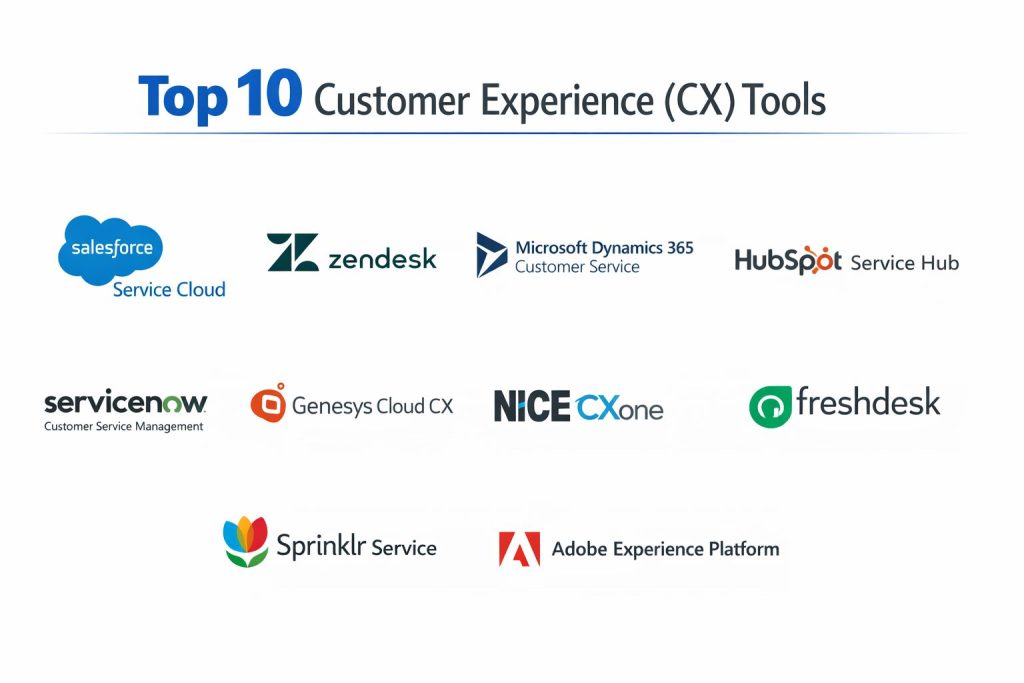
Top 10 Customer Experience (CX) Platform Tools
1 — Salesforce Service Cloud
A widely used enterprise-grade CX platform focused on service operations, case management, automation, and customer data connected to CRM.
Key Features
- Case management with automation, SLAs, and queues
- Omnichannel routing across major support channels
- Knowledge management for consistent answers
- Customer timeline and CRM-linked service context
- Analytics and dashboards for service performance
Pros
- Strong for large service teams needing deep workflow control
- Excellent fit when CRM and service must operate together
Cons
- Setup complexity can be high for smaller teams
- Costs can increase as teams add channels and users
Platforms / Deployment
Web, Cloud
Security and Compliance
Not publicly stated
Integrations and Ecosystem
Salesforce Service Cloud works best when connected across sales, marketing, and customer success for one shared view.
- Large marketplace and partner ecosystem
- Strong API and customization options
- Common integrations with telephony, chat, and data tools
Support and Community
Strong enterprise support options and a large global community; onboarding complexity varies.
2 — Zendesk
A popular CX support platform known for fast setup, clean agent workflows, and strong ticketing and self-service for digital support teams.
Key Features
- Ticketing with automation rules and workflows
- Omnichannel support experiences for customers
- Knowledge base and self-service portals
- Reporting dashboards and performance insights
- Scalable agent tooling for growing teams
Pros
- Quick to deploy and easy for agents to use
- Strong for SMB and mid-market support operations
Cons
- Advanced enterprise workflows may require more configuration
- Some deeper customization needs may require add-ons
Platforms / Deployment
Web, Cloud
Security and Compliance
Not publicly stated
Integrations and Ecosystem
Zendesk integrates well with common business tools and can scale with structured workflows.
- Broad marketplace of integrations
- Common connectors for CRM and communication tools
- Extensibility through APIs and apps
Support and Community
Strong documentation and large user base; support tiers vary.
3 — Microsoft Dynamics 365 Customer Service
A CX platform suited for organizations invested in Microsoft ecosystems, combining case management, knowledge, automation, and analytics.
Key Features
- Case management with queues and SLAs
- Knowledge base for consistent responses
- Automation and workflow rules for agent efficiency
- Analytics and reporting for performance tracking
- Tight fit with broader Microsoft business tools
Pros
- Strong choice for organizations already using Microsoft platforms
- Good for structured service workflows and reporting
Cons
- Can require skilled setup and admin effort
- Best value often depends on broader Microsoft adoption
Platforms / Deployment
Web, Cloud
Security and Compliance
Not publicly stated
Integrations and Ecosystem
This platform works well where identity, collaboration, and data workflows are already aligned with Microsoft tools.
- Integrations across Microsoft ecosystem components
- API-driven customization options
- Partner ecosystem for industry needs
Support and Community
Large enterprise community and partner support; onboarding effort varies.
4 — HubSpot Service Hub
A CX platform designed for growing businesses that want service workflows connected to customer data, conversations, and customer success processes.
Key Features
- Ticketing and service pipelines
- Shared inbox and customer communication management
- Knowledge base and self-service options
- Feedback collection and customer satisfaction workflows
- Reporting dashboards tied to customer records
Pros
- Strong for teams that want service tightly connected to CRM data
- Simple onboarding and clean user experience
Cons
- Deep enterprise contact center needs may require other tools
- Some advanced automation may require higher tiers
Platforms / Deployment
Web, Cloud
Security and Compliance
Not publicly stated
Integrations and Ecosystem
HubSpot Service Hub is effective when marketing, sales, and service all share one customer view.
- Broad integration marketplace
- API options for custom workflows
- Good fit for aligned revenue and service teams
Support and Community
Strong learning resources and community; support tiers vary.
5 — Freshdesk
A CX support platform focused on practical ticketing, automation, and omnichannel support for SMB and mid-market teams.
Key Features
- Ticketing with automation and SLA tools
- Omnichannel support workflow options
- Knowledge base and self-service portal
- Reporting and performance dashboards
- Team productivity features for daily operations
Pros
- Practical balance of features and ease of use
- Often cost-effective for growing teams
Cons
- Enterprise-scale governance and customization can be limited
- Complex contact center needs may require a dedicated CCaaS tool
Platforms / Deployment
Web, Cloud
Security and Compliance
Not publicly stated
Integrations and Ecosystem
Freshdesk fits well with common business apps and can support structured workflows without heavy overhead.
- Integrations with CRM and communication tools
- App ecosystem for add-ons and workflow expansion
- API support for custom integration needs
Support and Community
Good documentation and community resources; support varies by plan.
6 — ServiceNow Customer Service Management
An enterprise CX platform designed to connect customer service with internal operations, workflows, and cross-department resolution.
Key Features
- Case management with enterprise workflow controls
- Cross-team workflows linking service, IT, and operations
- Knowledge management and structured resolution processes
- Strong reporting and operational visibility
- Automation for reducing manual handoffs
Pros
- Strong for enterprises needing workflow depth across departments
- Excellent for complex service operations and governance
Cons
- Implementation can be complex and resource-heavy
- Typically more expensive than SMB-focused platforms
Platforms / Deployment
Web, Cloud
Security and Compliance
Not publicly stated
Integrations and Ecosystem
ServiceNow is often chosen when customer service must connect to internal workflow engines and operational teams.
- Strong enterprise integration options
- Extensibility through platform workflows
- Partner ecosystem for industry solutions
Support and Community
Strong enterprise support and large partner network; onboarding effort can be significant.
7 — Genesys Cloud CX
A cloud contact center CX platform built for omnichannel interactions, routing, workforce tools, and analytics for contact center environments.
Key Features
- Omnichannel routing and interaction management
- Contact center tools for voice and digital channels
- Real-time analytics and performance monitoring
- Workforce and quality management capabilities
- Scalable platform for high-volume support operations
Pros
- Strong for contact centers needing routing and control
- Good fit for scaling customer interactions across channels
Cons
- May be more complex than needed for small teams
- Requires planning to integrate with CRM and service tools
Platforms / Deployment
Web, Cloud
Security and Compliance
Not publicly stated
Integrations and Ecosystem
Genesys Cloud CX typically integrates with CRM and ticketing platforms to create a complete service workflow.
- Common integrations with CRM and service systems
- APIs for custom routing and data workflows
- Partner ecosystem for contact center extensions
Support and Community
Strong enterprise resources; support tiers vary.
8 — NICE CXone
A cloud contact center platform focused on customer interactions, routing, workforce management, and quality monitoring for large operations.
Key Features
- Omnichannel contact center interaction handling
- Routing, IVR, and customer journey controls
- Workforce and quality management tools
- Analytics and reporting for contact center performance
- AI-driven features depending on deployment and modules
Pros
- Strong for large-scale contact centers
- Good operational control with workforce and quality tools
Cons
- Can be heavy for teams not running contact centers
- Module-based costs may increase over time
Platforms / Deployment
Web, Cloud
Security and Compliance
Not publicly stated
Integrations and Ecosystem
CXone is commonly paired with service platforms to manage cases while CXone manages interactions and agent operations.
- CRM and ticketing integrations
- APIs for advanced routing and reporting workflows
- Partner ecosystem for telephony and analytics needs
Support and Community
Enterprise-focused support; community varies by region and use case.
9 — Sprinklr Service
A CX platform known for social and digital care, built for brands managing high volumes of customer conversations across social channels.
Key Features
- Social and digital channel management for customer care
- Unified workspace for agents handling multiple channels
- Automation and routing for response efficiency
- Analytics for conversation trends and resolution quality
- Governance and workflows for large brand operations
Pros
- Strong for social-first customer support strategies
- Useful for brand-scale volume and reputation management
Cons
- May be too complex for low-volume support teams
- Best outcomes require process discipline and governance
Platforms / Deployment
Web, Cloud
Security and Compliance
Not publicly stated
Integrations and Ecosystem
Sprinklr Service often integrates with CRM and case systems so social conversations become structured service outcomes.
- Integrations with CRM and service tools
- APIs for workflow and data movement
- Strong fit for marketing-service collaboration
Support and Community
Enterprise support options; onboarding depends on scale and governance needs.
10 — Adobe Experience Platform
A platform focused on unifying customer data and powering personalized experiences, often used by teams seeking strong customer journey insights and activation.
Key Features
- Customer data unification for journey understanding
- Audience segmentation and activation workflows
- Analytics-aligned experience insights depending on setup
- Data governance features depending on modules
- Enterprise-scale data and identity management patterns
Pros
- Strong for personalization and experience-driven strategies
- Useful for organizations with complex customer data needs
Cons
- Not a traditional ticketing-first service platform
- Can be complex and requires strong data foundations
Platforms / Deployment
Web, Cloud
Security and Compliance
Not publicly stated
Integrations and Ecosystem
Adobe Experience Platform is often used alongside service tools to connect experience data with support and engagement actions.
- Integrations across analytics and experience tooling
- APIs for data movement and activation
- Strong fit for journey and personalization strategies
Support and Community
Enterprise-oriented support; success depends on data readiness and implementation quality.
Comparison Table
| Tool Name | Best For | Platform(s) Supported | Deployment | Standout Feature | Public Rating |
|---|---|---|---|---|---|
| Salesforce Service Cloud | Enterprise service operations | Web | Cloud | CRM-connected case management | N/A |
| Zendesk | Digital-first customer support | Web | Cloud | Fast setup and agent usability | N/A |
| Microsoft Dynamics 365 Customer Service | Microsoft ecosystem service teams | Web | Cloud | Structured service workflows | N/A |
| HubSpot Service Hub | Growth teams aligning service with CRM | Web | Cloud | CRM-linked service and feedback | N/A |
| Freshdesk | SMB and mid-market support teams | Web | Cloud | Balanced features and value | N/A |
| ServiceNow Customer Service Management | Complex enterprise workflows | Web | Cloud | Cross-department workflow depth | N/A |
| Genesys Cloud CX | Contact center operations | Web | Cloud | Omnichannel routing control | N/A |
| NICE CXone | Large contact centers | Web | Cloud | Workforce and quality management | N/A |
| Sprinklr Service | Social and digital customer care | Web | Cloud | Social-scale care governance | N/A |
| Adobe Experience Platform | Data-driven experience personalization | Web | Cloud | Customer data unification | N/A |
Evaluation and Scoring of Customer Experience (CX) Platforms
Weights
Core features 25 percent
Ease of use 15 percent
Integrations and ecosystem 15 percent
Security and compliance 10 percent
Performance and reliability 10 percent
Support and community 10 percent
Price and value 15 percent
| Tool Name | Core | Ease | Integrations | Security | Performance | Support | Value | Weighted Total |
|---|---|---|---|---|---|---|---|---|
| Salesforce Service Cloud | 9.5 | 7.5 | 9.5 | 7.0 | 8.5 | 8.5 | 6.5 | 8.33 |
| Zendesk | 8.5 | 9.0 | 8.5 | 6.5 | 8.0 | 8.5 | 8.0 | 8.32 |
| Microsoft Dynamics 365 Customer Service | 8.5 | 7.5 | 8.5 | 7.0 | 8.0 | 8.0 | 7.0 | 7.88 |
| HubSpot Service Hub | 8.0 | 8.5 | 8.0 | 6.5 | 7.5 | 8.0 | 8.0 | 7.98 |
| Freshdesk | 7.5 | 8.5 | 7.5 | 6.0 | 7.5 | 7.5 | 8.5 | 7.73 |
| ServiceNow Customer Service Management | 9.0 | 6.5 | 9.0 | 7.5 | 8.5 | 8.0 | 6.0 | 7.93 |
| Genesys Cloud CX | 8.5 | 7.0 | 8.0 | 6.5 | 8.5 | 7.5 | 7.0 | 7.73 |
| NICE CXone | 8.5 | 6.5 | 7.5 | 6.5 | 8.5 | 7.5 | 6.5 | 7.45 |
| Sprinklr Service | 8.0 | 6.5 | 8.0 | 6.5 | 8.0 | 7.0 | 6.5 | 7.35 |
| Adobe Experience Platform | 8.5 | 6.0 | 8.5 | 7.0 | 8.0 | 7.0 | 6.0 | 7.43 |
How to interpret the scores
These scores are comparative and designed to help shortlisting, not to crown one universal winner. A tool with a lower total can still be the best choice if it matches your operating model, channels, and data maturity. Core and integrations often drive long-term fit, while ease affects adoption speed and agent productivity. Security expectations should be validated through vendor documentation and your internal governance needs. Use the scores to narrow choices, then run a pilot with real channels, real data, and real workflows.
Which Customer Experience (CX) Platform Tool Is Right for You
Solo or Freelancer
If you run a small service operation, a simpler platform with fast setup is usually best. Zendesk or Freshdesk can work well for straightforward ticketing, knowledge base, and basic automation. If your business is already in one CRM ecosystem, aligning service with that system may reduce overhead.
SMB
SMBs often need quick deployment, strong agent productivity, and reasonable pricing. Zendesk, HubSpot Service Hub, and Freshdesk are often practical choices depending on how tightly you want service tied to CRM and marketing data. If social support is critical, Sprinklr Service may help, but it can be heavy for low volume.
Mid-Market
Mid-market teams need stronger workflow controls, reporting, and integrations. Salesforce Service Cloud and Microsoft Dynamics 365 Customer Service are often strong when you want structured case management with CRM-level context. If you run a contact center, Genesys Cloud CX can manage interaction routing and performance.
Enterprise
Enterprises often need governance, cross-team workflows, auditability, and scale. ServiceNow Customer Service Management is strong for connecting service to internal operations. Salesforce Service Cloud can be powerful for CRM-linked service operations. For large contact centers, NICE CXone and Genesys Cloud CX provide routing and workforce capabilities.
Budget vs Premium
If you want faster value at lower cost, Freshdesk or Zendesk can be a practical start. Premium platforms like ServiceNow Customer Service Management or Salesforce Service Cloud can be worth it when governance, customization, and cross-team workflows are core to your business.
Feature Depth vs Ease of Use
Zendesk and HubSpot Service Hub often win on quicker onboarding. Salesforce Service Cloud and ServiceNow Customer Service Management offer deeper enterprise workflow control but can take longer to implement. Contact center tools are usually powerful but require tighter operational setup.
Integrations and Scalability
If your CX platform must connect to CRM, billing, product usage, and identity systems, choose the platform with the strongest ecosystem alignment. Salesforce Service Cloud fits well in Salesforce-heavy environments, Dynamics 365 Customer Service fits Microsoft-heavy environments, and ServiceNow fits workflow-heavy enterprise operations. Real scalability also depends on your process discipline and data quality.
Security and Compliance Needs
Security needs should be validated for your environment, especially for identity, access control, audit logging, and data privacy. Many CX platforms support enterprise-grade controls, but details should be confirmed through official vendor security documentation. If a requirement is strict, make it a procurement checkpoint and test it during a pilot.
Frequently Asked Questions
1. What is the difference between a CX platform and a helpdesk
A helpdesk is mainly for tickets and support. A CX platform typically connects channels, customer context, automation, analytics, and journey improvement so experiences are consistent across teams.
2. Can one platform cover both digital support and contact center
Some can, but many organizations combine a service platform with a contact center platform. The best approach depends on your channel mix, scale, and routing requirements.
3. How long does implementation usually take
It depends on workflow complexity and integrations. Simple setups can be quick, while enterprise deployments may take longer due to governance, routing, and data readiness.
4. What are common mistakes teams make when selecting a CX platform
They skip a pilot, ignore integration complexity, and underestimate training needs. Another mistake is focusing only on features instead of how teams will work day to day.
5. How should I evaluate AI features in CX tools
Test AI on real tickets and real customer conversations. Measure time saved, accuracy, consistency, and how well agents can correct or guide AI outputs.
6. Do CX platforms help reduce support cost
They can, through automation, better routing, self-service, and improved agent productivity. However, benefits usually require process redesign, not just tool deployment.
7. What integrations matter most for CX platforms
CRM, identity and access systems, telephony, chat, billing, and product usage data are common. Choose based on your customer journey and where service teams need context.
8. How can I improve self-service success
Build a clean knowledge base, keep articles updated, and use guided troubleshooting for common issues. Also track what customers search for but cannot find.
9. Is it hard to switch CX platforms later
It can be, especially if you have many integrations, workflows, and historical data needs. Plan migration carefully and standardize data structures early to reduce pain.
10. Which is better, one platform for everything or a best-of-breed stack
One platform can reduce complexity and improve consistency. Best-of-breed can deliver deeper capabilities per area, but it needs stronger integration and governance to work smoothly.
Conclusion
Customer Experience platforms are not just ticketing tools—they are the operating system for how customers experience your brand across support, contact center, self-service, and data-driven personalization. The “best” platform depends on your channel mix, service volume, internal workflows, and how tightly you need customer data connected across teams. Zendesk, Freshdesk, and HubSpot Service Hub can fit teams that want fast setup and steady improvements. Salesforce Service Cloud, Microsoft Dynamics 365 Customer Service, and ServiceNow Customer Service Management are strong when governance and cross-team workflows are essential. Genesys Cloud CX and NICE CXone shine for contact centers. A practical next step is to shortlist two or three options, pilot them with real tickets and channels, validate integrations and security needs, and choose the one that your agents can actually adopt.