Introduction
API management platforms are digital control centers used by companies to create, oversee, and secure their Application Programming Interfaces (APIs). Think of an API as a digital bridge that allows two different software programs to talk to each other. For example, when a weather app on your phone gets data from a weather station, it uses an API. Management platforms act like traffic police for these bridges, making sure only authorized people get across and that the traffic moves smoothly without crashing.
In today’s world, APIs are the backbone of almost every digital service. Businesses no longer build everything from scratch; they connect different services together. This makes managing those connections vital for keeping apps running fast and keeping user data safe from hackers. Without a proper platform, a company might lose track of who is using their data or how much it is costing them, leading to technical mess and security risks.
Real-world use cases include:
- Mobile Banking: Ensuring that a bank’s app can safely talk to the main database to show your balance.
- E-commerce: Connecting a website to a shipping provider like FedEx or UPS to give customers real-time tracking.
- Smart Homes: Allowing a voice assistant to talk to smart lights or thermostats made by different companies.
- Internal Automation: Letting a company’s HR system talk to their payroll system automatically every month.
What buyers should evaluate:
- Ease of Setup: How quickly can your team start managing APIs without deep coding?
- Security Features: Does it offer strong protection like encryption and threat detection?
- Scalability: Can it handle a few hundred users today and millions of users tomorrow?
- Developer Portal: Is there a clear place for developers to find and learn how to use your APIs?
- Analytics: Does it provide clear charts showing how often and how well your APIs are being used?
- Cost: Does the pricing grow reasonably as your business grows?
- Cloud Support: Can it run on your own servers, in the cloud, or both?
- Throttling: Can it limit traffic to prevent your servers from getting overwhelmed?
Best for: Software development teams, IT managers, and enterprise companies that need to connect multiple apps and keep data secure.
Not ideal for: Small personal websites or very simple apps that only talk to one database and do not share data with anyone else.
Key Trends in API Management Platforms
- AI-Driven Security: Platforms are now using artificial intelligence to spot unusual patterns that might indicate a hacker is trying to steal data.
- Serverless Integration: Many platforms are making it easier to connect APIs to “serverless” code, which only runs when it is needed to save money.
- Monetization: Companies are increasingly using these platforms to charge other businesses for using their data.
- Low-Code Tools: There is a big move toward “drag-and-drop” styles for building APIs so that non-programmers can help.
- Multi-Cloud Management: Since many companies use different cloud providers like Google and Amazon, platforms are now working across all of them at once.
- Microservices Focus: As apps are broken down into smaller pieces (microservices), management tools are evolving to keep track of these hundreds of tiny parts.
- Real-time Event Handling: Moving beyond simple “request and response” to handling live, constant streams of data like stock prices or social media feeds.
- Automated Documentation: The best tools now write the “how-to” guides for your APIs automatically, so they are always up to date.
How We Selected These Tools (Methodology)
To pick the top 10 tools, we looked at how they perform in real business situations. We focused on:
- Popularity: We chose tools that many successful companies trust every day.
- Feature Set: We looked for platforms that do everything—securing, testing, and monitoring.
- Reliability: We only picked tools known for staying online and not crashing when traffic gets heavy.
- Security Strengths: We prioritized platforms that have built-in safety features to protect sensitive information.
- Ease of Use: We checked if the interface is friendly or if it requires a PhD to understand.
- Customer Feedback: We listened to what actual developers and IT managers say about their daily experience with these tools.
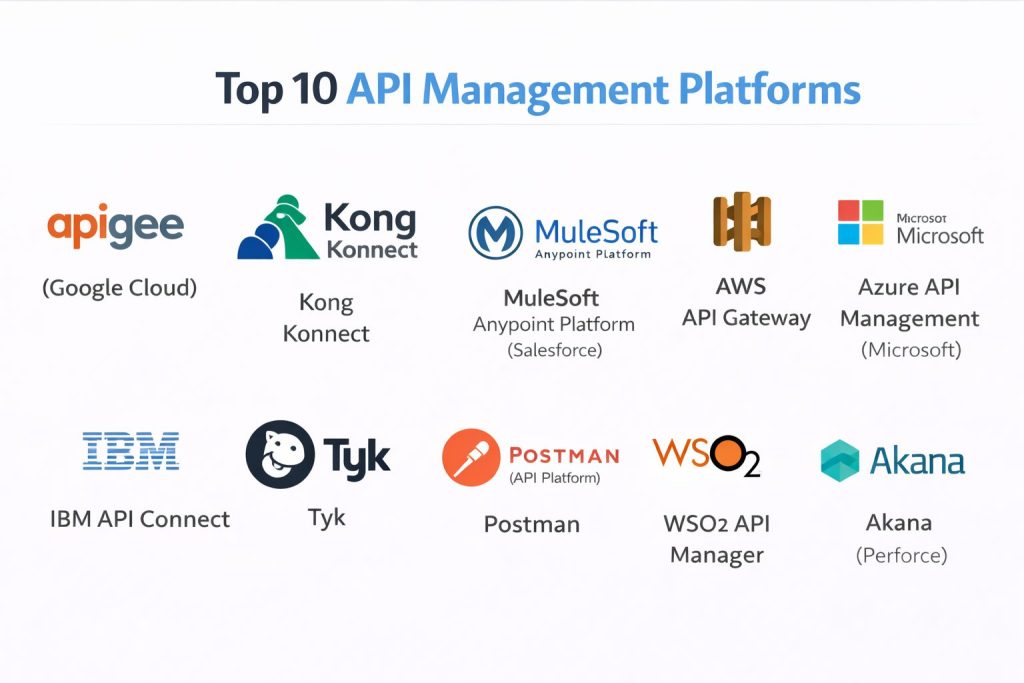
Top 10 API Management Platforms
#1 — Apigee (Google Cloud)
A powerful, enterprise-grade platform owned by Google. It is built for companies that need to handle massive amounts of data and complex security.
Key Features
- Advanced Analytics: Detailed dashboards that show exactly who is using your APIs and how they are performing.
- Developer Portal: A customizable website where your developers can sign up and get keys to use your APIs.
- Traffic Management: Tools to slow down or block users who are sending too many requests.
- Security Shields: Built-in protection against common web attacks and data theft.
- Monetization: Easy ways to set up billing so you can charge people to use your data.
Pros
- Extremely reliable and backed by Google’s massive global network.
- Great for very large companies with thousands of different APIs to track.
Cons
- It is one of the more expensive options on the market.
- It can be quite complex to set up for the first time.
Platforms / Deployment
- Web / Windows / macOS / Linux
- Cloud / Hybrid
Security & Compliance
- SSO/SAML, MFA, Encryption at rest
- SOC 2, ISO 27001, HIPAA (supported)
Integrations & Ecosystem
Apigee works perfectly with other Google services and many common business tools.
- Google Cloud Platform
- Firebase
- Salesforce
- SAP
Support & Community
Since it is a Google product, there is a huge amount of official documentation and a very large professional community to help you.
#2 — Kong Konnect
A very fast and flexible platform that is a favorite among developers. It is built on an open-source engine that focuses on speed.
Key Features
- High Performance: Known for being one of the fastest gateways, adding almost no delay to your data.
- Plugin System: You can add new features like security or logging just by turning on different plugins.
- Service Mesh: Helps manage communication between tiny pieces of a large app.
- Multi-Cloud: Works the same whether you are on Amazon, Google, or your own office servers.
- Declarative Configuration: Allows you to manage your settings using simple text files.
Pros
- Very lightweight and won’t slow down your applications.
- Has a great free version that is very powerful for smaller teams.
Cons
- Some of the best features are locked behind the expensive “Enterprise” version.
- Requires a bit more technical knowledge to get the most out of it.
Platforms / Deployment
- Windows / macOS / Linux
- Cloud / Self-hosted / Hybrid
Security & Compliance
- RBAC, MFA, Secret Management
- Not publicly stated (Varies by version)
Integrations & Ecosystem
Kong has a massive marketplace of plugins created by the community.
- Prometheus
- Grafana
- Datadog
- GitHub
Support & Community
There is a very active open-source community and excellent paid support for business customers.
#3 — MuleSoft Anypoint Platform (Salesforce)
A massive platform focused on connecting everything in a company together. It is famous for its “API-led connectivity” approach.
Key Features
- Design Center: A visual tool to build APIs without writing much code.
- Exchange: A library where you can save and reuse parts of your APIs to save time later.
- DataWeave: A powerful tool for changing data from one format to another automatically.
- CloudHub: A fully managed cloud where your APIs live so you don’t have to manage servers.
- Visualizer: A map that shows you exactly how all your different apps are connected.
Pros
- Excellent for connecting old “legacy” systems to modern web apps.
- The visual tools make it easier for people who aren’t experts to understand the system.
Cons
- It can be very expensive for small companies.
- The software can feel heavy and slow compared to lighter tools like Kong.
Platforms / Deployment
- Web-based
- Cloud / Self-hosted / Hybrid
Security & Compliance
- Encryption, Tokenization, Policy-based access
- SOC 2, HIPAA, PCI DSS
Integrations & Ecosystem
Owned by Salesforce, it has the best integrations for CRM and enterprise tools.
- Salesforce
- Slack
- Workday
- Oracle
Support & Community
Offers high-end professional support and a very large network of trained experts.
#4 — AWS API Gateway
The go-to choice for companies already using Amazon Web Services. It is built to be simple and highly scalable.
Key Features
- Pay-as-you-go: You only pay for the actual number of requests your API receives.
- Lambda Integration: Works perfectly with Amazon’s serverless code.
- Canary Deployments: Allows you to test new versions of an API with just a few users before showing it to everyone.
- SDK Generation: Automatically creates the code developers need to connect to your API.
- DDoS Protection: Uses Amazon’s massive security network to block attacks.
Pros
- Very easy to turn on if you are already using Amazon’s cloud.
- Extremely cheap for small projects with low traffic.
Cons
- It can be confusing to navigate the many settings in the AWS console.
- If you want to move away from Amazon later, it can be hard to switch.
Platforms / Deployment
- Web-based
- Cloud (AWS)
Security & Compliance
- IAM Roles, VPC integration, WAF
- SOC 1/2/3, ISO 27001, HIPAA
Integrations & Ecosystem
Deeply integrated with the entire Amazon world.
- AWS Lambda
- Amazon S3
- CloudWatch
- Cognito
Support & Community
Backed by Amazon’s professional support tiers and a massive global community of AWS users.
#5 — Azure API Management (Microsoft)
Microsoft’s solution for managing APIs, ideal for businesses that run on Windows and the Azure cloud.
Key Features
- Self-Hosted Gateway: Allows you to manage APIs in your own building using the Azure portal.
- Developer Portal: Includes a ready-to-use website for your developers to read documentation.
- Policy Engine: Use simple XML rules to change how your API behaves without rewriting code.
- Azure Monitor: Deep integration with Microsoft’s tracking tools to see errors and performance.
- Virtual Network Support: Keeps your APIs hidden from the public internet for extra safety.
Pros
- The best choice for companies already using Microsoft 365 or Azure.
- Very strong security and compliance features for government or health work.
Cons
- The user interface can feel a bit cluttered and complex.
- Some features are only available in the high-cost “Premium” tier.
Platforms / Deployment
- Web-based
- Cloud / Hybrid
Security & Compliance
- Managed Identities, VNet integration
- ISO 27001, SOC 2, HIPAA, GDPR
Integrations & Ecosystem
Works seamlessly with all Microsoft enterprise products.
- Azure Functions
- Power Apps
- Active Directory
- Visual Studio
Support & Community
Microsoft provides excellent documentation and high-tier support for business customers.
#6 — IBM API Connect
A highly secure and professional platform focused on the needs of banks and large government organizations.
Key Features
- Automated Testing: Built-in tools to make sure your APIs are working correctly before you launch them.
- Multi-Cloud Support: Can run on IBM’s cloud, Amazon, or your own local servers.
- Microservices Mesh: Helps manage the complex web of connections in modern apps.
- Life Cycle Management: Tracks an API from the day it is designed until the day it is turned off.
- Advanced Security: Specialized tools to stop hackers from guessing passwords or breaking into data.
Pros
- Known for being extremely stable and secure for mission-critical tasks.
- Great at handling both old-fashioned and modern types of data.
Cons
- It can be very expensive and requires significant training to use.
- The interface is not as modern or “slick” as some newer competitors.
Platforms / Deployment
- Web / Windows / Linux
- Cloud / Self-hosted / Hybrid
Security & Compliance
- OAuth, OpenID Connect, RBAC
- FIPS 140-2, SOC 2, ISO 27001
Integrations & Ecosystem
Works well with IBM’s vast library of business and AI tools.
- IBM Watson
- WebSphere
- App Connect
Support & Community
Offers top-tier enterprise support and is a favorite for large corporate IT departments.
#7 — Tyk
A modern, open-source platform that is loved for being simple to use and very fast.
Key Features
- Open Source Core: You can see exactly how the software works and even use it for free.
- Low-Code Dashboard: A very clean and simple way to manage your APIs.
- GraphQL Support: Excellent at handling the latest types of data connections.
- Universal Middleware: Allows you to write custom code in almost any programming language.
- No-Database Mode: Can run very quickly without needing a complex database setup.
Pros
- Much easier to get started with than the “big” platforms like IBM or Google.
- The team is very responsive and the community is growing fast.
Cons
- It doesn’t have as many “built-in” features for very old legacy systems.
- Fewer pre-made plugins compared to Kong.
Platforms / Deployment
- Windows / macOS / Linux
- Cloud / Self-hosted / Hybrid
Security & Compliance
- Secret Management, Mutual TLS
- Not publicly stated
Integrations & Ecosystem
Supports many modern developer tools and monitoring systems.
- Kubernetes
- Docker
- Splunk
- ElasticSearch
Support & Community
A very helpful community and a company that is known for being easy to work with.
#8 — Postman (API Platform)
While famous as a testing tool, Postman has grown into a full platform for designing and managing APIs.
Key Features
- Collaboration: Teams can work together on the same API designs in real-time.
- Automated Documentation: Creates beautiful, easy-to-read guides for your APIs automatically.
- Mock Servers: Allows you to test your app before the actual API is even finished.
- Governance: Helps big teams make sure all their APIs follow the same rules and styles.
- Monitoring: Checks your APIs every few minutes to make sure they are still online.
Pros
- Almost every developer already knows how to use it.
- Excellent for the “design” phase of building an API.
Cons
- It is not a “Gateway,” so it doesn’t actually sit between the user and your data.
- It is more of a management tool than a traffic controller.
Platforms / Deployment
- Web / Windows / macOS / Linux
- Cloud (Desktop client available)
Security & Compliance
- SSO, RBAC, Audit Logs
- SOC 2 Type 2, GDPR
Integrations & Ecosystem
Integrates with almost every tool developers use to write and store code.
- GitHub
- GitLab
- Jenkins
- Slack
Support & Community
One of the biggest developer communities in the world with millions of users.
#9 — WSO2 API Manager
A fully open-source platform that gives you all the enterprise features without the “locked-in” feeling of big brands.
Key Features
- Full Lifecycle Management: Handles everything from design to retirement.
- Microgateway: A tiny, fast version of the platform for small tasks.
- Business Analytics: Shows you the business value of your APIs, not just technical stats.
- Rate Limiting: Very flexible rules for who can access what and when.
- Identity Server: Built-in tools for managing user logins and permissions.
Pros
- You get all the high-end features for a much lower cost than Google or IBM.
- Completely open source, so you are never stuck with one company.
Cons
- It can be difficult to set up and requires some technical expertise.
- The user interface can feel a bit technical and less “polished.”
Platforms / Deployment
- Windows / Linux / Docker
- Cloud / Self-hosted / Hybrid
Security & Compliance
- OAuth2, OIDC, XACML
- Not publicly stated
Integrations & Ecosystem
Works well with a wide variety of open-source and enterprise tools.
- Kubernetes
- Ansible
- Terraform
Support & Community
Strong professional support and a very active global community of developers.
#10 — Akana (Perforce)
A specialized platform that focuses on high-level security and making sure APIs follow strict business rules.
Key Features
- Policy Management: A very deep system for setting complex rules for different groups of users.
- Lifecycle Automation: Moves your API through testing and production automatically.
- Security Interceptor: Acts like a high-end firewall specifically for your APIs.
- Developer Community: A built-in portal to help you grow a community around your data.
- Analytics Portals: Separate views for business leaders and technical teams.
Pros
- Excellent for industries with very strict laws, like banking or healthcare.
- Strong focus on “Governance”—making sure everything follows the rules.
Cons
- It is a niche tool and doesn’t have as large a community as Kong or Blender.
- The learning materials can be harder to find.
Platforms / Deployment
- Windows / Linux
- Cloud / Self-hosted / Hybrid
Security & Compliance
- LDAP, PKI, OAuth
- PCI DSS, HIPAA (Supported)
Integrations & Ecosystem
Focuses on connecting to major enterprise databases and systems.
- IBM MQ
- Microsoft SQL Server
- Oracle
Support & Community
Professional support is provided by Perforce, which is known for its reliability in the corporate world.
Comparison Table (Top 10)
| Tool Name | Best For | Platform(s) Supported | Deployment | Standout Feature | Public Rating |
| Apigee | Large Enterprise | Web, Win, Linux | Hybrid | Advanced AI Security | 4.5/5 |
| Kong Konnect | Speed & Flexibility | Win, Mac, Linux | Hybrid | Plugin Marketplace | 4.4/5 |
| MuleSoft | Large Connections | Web-based | Hybrid | Visual Design Center | 4.5/5 |
| AWS API Gateway | Amazon Users | Web-based | Cloud | Pay-as-you-go Pricing | 4.3/5 |
| Azure API Mgmt | Microsoft Users | Web-based | Hybrid | Policy Engine | 4.4/5 |
| IBM API Connect | Banks & Gov | Win, Linux | Hybrid | Security Compliance | 4.2/5 |
| Tyk | Modern Developers | Win, Mac, Linux | Hybrid | Multi-language support | 4.6/5 |
| Postman | Design & Testing | Web, Win, Mac | Cloud | Team Collaboration | 4.7/5 |
| WSO2 API Mgr | Open Source Fans | Win, Linux | Hybrid | Full Lifecycle Mgmt | 4.1/5 |
| Akana | Strict Compliance | Win, Linux | Hybrid | Business Governance | 4.0/5 |
Evaluation & Scoring of API Management Platforms
| Tool Name | Core (25%) | Ease (15%) | Integrations (15%) | Security (10%) | Performance (10%) | Support (10%) | Value (15%) | Weighted Total |
| Apigee | 10 | 5 | 9 | 10 | 9 | 9 | 6 | 8.4 |
| MuleSoft | 10 | 7 | 10 | 9 | 7 | 9 | 5 | 8.3 |
| Kong Konnect | 9 | 7 | 8 | 8 | 10 | 8 | 8 | 8.3 |
| Postman | 7 | 10 | 9 | 7 | 9 | 8 | 9 | 8.2 |
| Azure API Mgmt | 8 | 7 | 9 | 9 | 8 | 9 | 7 | 8.1 |
| AWS API Gateway | 8 | 7 | 10 | 9 | 9 | 7 | 8 | 8.1 |
| Tyk | 8 | 8 | 7 | 7 | 9 | 8 | 9 | 7.9 |
| IBM API Connect | 9 | 4 | 8 | 10 | 8 | 9 | 5 | 7.6 |
| WSO2 API Mgr | 8 | 6 | 8 | 8 | 8 | 7 | 8 | 7.6 |
| Akana | 7 | 5 | 7 | 9 | 7 | 8 | 6 | 6.9 |
How to interpret these scores:
- 8.0 – 10.0: Top-tier platforms that can handle almost any business need.
- 7.0 – 7.9: Strong options that are great for specific teams or budgets.
- Below 7.0: Specialized tools that are best for very specific security or rule-based needs.
Which API Management Platform Tool Is Right for You?
Solo / Freelancer
If you are just starting out, AWS API Gateway is great because you only pay for what you use. If you need a more visual tool to test things, Postman is the best free place to start.
SMB
For a small business that needs a balance of speed and features, Tyk or Kong are excellent. They are fast, have good free versions, and won’t overwhelm a small team.
Mid-Market
If your company uses a lot of different tools like Salesforce or Slack, MuleSoft or Azure API Management will make connecting them much easier.
Enterprise
For massive companies, Apigee or IBM API Connect are the standard. They have the deep security and tracking features that big corporations require.
Budget vs Premium
- Budget: Blender, Tyk, and AWS (for small traffic).
- Premium: Apigee, MuleSoft, and IBM.
Feature Depth vs Ease of Use
Postman and Tyk are much easier to use but have fewer deep enterprise features. Houdini-level complexity can be found in MuleSoft, which does everything but takes time to learn.
Integrations & Scalability
Apigee and Kong are the winners here. They can handle millions of users across the whole world without slowing down.
Security & Compliance Needs
If you work in healthcare or banking, IBM API Connect and Akana offer the most specialized security features to keep you legal and safe.
Frequently Asked Questions (FAQs)
1. What is the difference between an API Gateway and API Management?
A Gateway is like the actual door that data passes through. Management is the whole system—including the door, the security guard, the logbook, and the maps—that keeps the whole building safe.
2. Is API management expensive?
It depends. Some tools have free versions or charge only a few cents for small traffic. However, for a big company, it can cost thousands of dollars a month for high-end security and support.
3. Do I need to know how to code to use these?
Yes, usually a little bit. While some tools have “visual” builders, you generally need to understand how data moves between computers to set these up correctly.
4. Can these platforms help me make money?
Yes! Many of these tools have “monetization” features that allow you to charge other people a fee every time they use your data or services through your API.
5. Are these tools safe?
They are designed to make your APIs safer. They add a protective layer that blocks common attacks, checks passwords, and makes sure only the right people can see your data.
6. Which one is best for beginners?
Postman is the best place to start learning. For an actual platform to run your APIs, Tyk or AWS API Gateway are generally considered the most beginner-friendly.
7. How long does it take to set up?
A simple API can be set up in an hour. However, for a big company to move all its data onto a platform like Apigee, it can take several months of planning and work.
8. What happens if the platform goes down?
If your API management platform goes down, your apps might stop working because they can’t get the data they need. That is why choosing a reliable tool like Google or Amazon is important.
9. Can I use more than one platform?
Yes, some companies use one tool for testing (like Postman) and a different one for their live traffic (like Kong). This is a very common way to work.
10. Does it matter where my servers are located?
Yes. It is usually best to pick a platform that is in the same region as your servers. For example, if your servers are in Europe, using a European cloud location will make your data travel faster.
Conclusion
Choosing an API management platform is about finding the right balance between security, speed, and cost. For most people, starting with a developer-friendly tool like Tyk or a pay-as-you-go service like AWS is a smart move. As your business grows and your security needs become more complex, you can move toward the heavy-duty power of Apigee or MuleSoft.
The most important thing is to start with a plan. Decide who will be using your APIs and how much data you expect to handle. Your next step should be to pick two or three tools from this list and try their free versions to see which one feels right for your team.