Introduction
Android app builders are specialized software platforms that allow users to create functional mobile applications without writing complex code from scratch. These tools use visual interfaces, often featuring drag-and-drop functionality, to turn design elements and logic blocks into a final application package. This technology has effectively democratized mobile development, enabling entrepreneurs and businesses to launch products without hiring an entire engineering team.
In the current digital environment, having a mobile presence is no longer a luxury but a fundamental requirement. With billions of active Android devices globally, these builders provide a streamlined path to reaching a massive audience. They are particularly vital for rapid prototyping, where a company needs to test an idea in the real market before committing to heavy custom development.
Real-world use cases include:
- E-commerce: Small retail businesses creating custom shopping apps for their local customers.
- Internal Business Tools: Companies building private apps for employee task tracking or inventory management.
- Content Portals: Bloggers and news organizations turning their websites into native mobile experiences.
- Event Management: Creating temporary apps for conferences or festivals to provide schedules and maps.
What buyers should evaluate:
- Ease of Use: How intuitive is the drag-and-drop interface for non-technical users?
- Customization Depth: Can you change the fine details of the UI or are you stuck with templates?
- Monetization Options: Does the builder support ad networks and in-app purchases?
- Performance: Does the resulting app feel “native” and fast, or sluggish?
- Publishing Support: Does the platform help you navigate the Google Play Store submission process?
- Offline Capability: Can the app function without an active internet connection?
- Data Integration: How easily can it connect to your existing spreadsheets or databases?
- Cost Scalability: Does the price jump significantly as your user base grows?
Best for: Small business owners, citizen developers, startup founders, and marketing teams looking to deploy apps quickly and affordably.
Not ideal for: High-performance mobile gaming or complex banking applications that require deep hardware-level security and custom encryption.
Key Trends in Android App Builders
- AI-Generated Layouts: Modern builders now use artificial intelligence to generate entire app screens based on a single text prompt.
- No-Code Backend Integration: The rise of tools that allow users to build complex logic and databases visually, eliminating the need for server-side coding.
- Progressive Web App (PWA) Support: Many builders now offer the ability to export one project as both a Play Store app and a high-performing web app.
- Native Component Access: Builders are increasingly providing access to device hardware like the camera, GPS, and Bluetooth without custom plugins.
- Real-Time Collaboration: Much like Google Docs, teams can now work on the same app design simultaneously from different locations.
- Subscription-Based App Models: Built-in tools for managing recurring user payments are becoming a standard feature rather than an add-on.
- Automated Testing: Platforms are integrating AI to “bug-hunt” and test app flows before they are even published.
- OpenUSD and Design Sync: Improved ability to import high-fidelity designs directly from tools like Figma with perfect accuracy.
How We Selected These Tools (Methodology)
To select the top 10 Android app builders, we applied a comprehensive evaluation strategy focused on real-world utility:
- User Adoption: We prioritized platforms with a proven track record and a high volume of successfully published apps.
- Feature Set: We looked for a balance between simple templates and advanced logic capabilities.
- Deployment Success: We evaluated how reliably the platforms handle the Google Play Store’s evolving requirements.
- Cost-to-Value Ratio: We compared the pricing tiers against the actual features unlocked at those levels.
- User Experience (UX): We focused on the speed and responsiveness of the builder’s interface itself.
- Technical Support: We considered the availability of documentation, community forums, and direct support channels.
- Modern Integration: Priority was given to tools that easily connect with modern APIs and cloud services.
- Scalability: We looked for signals that the apps can handle thousands of users without performance degradation.
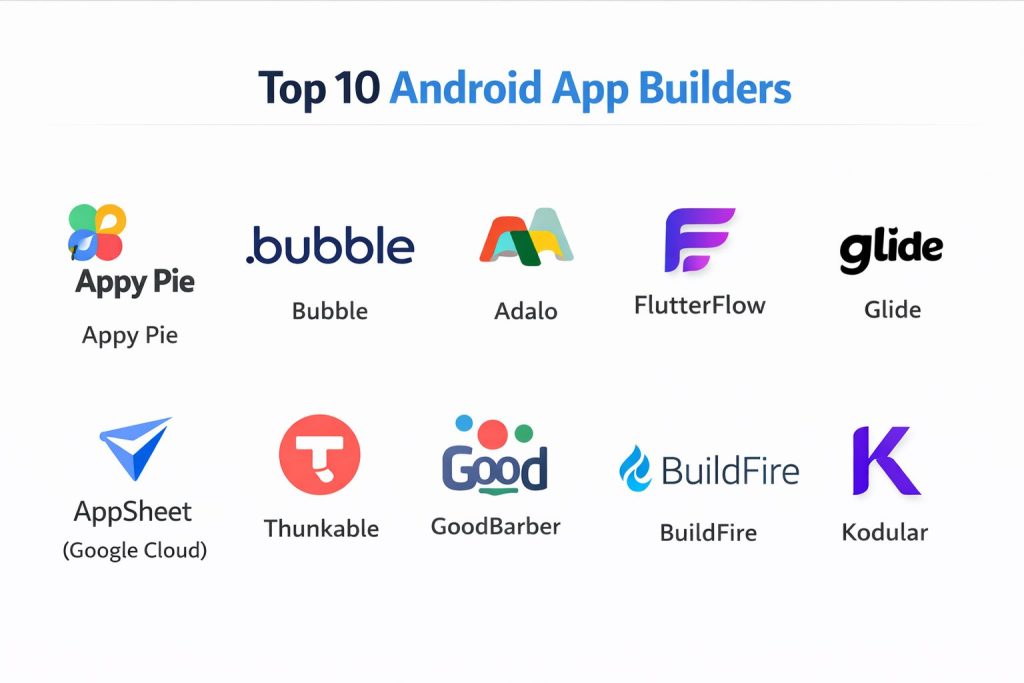
Top 10 Android App Builders
#1 — Appy Pie
One of the most popular no-code platforms globally. It is designed for small businesses looking to create basic apps in minutes.
Key Features
- Drag-and-Drop Interface: A highly visual editor that requires zero technical knowledge.
- Offline Updates: Allows users to update app content while the device is offline.
- Push Notifications: Built-in tools for sending alerts and updates to your user base.
- App Analytics: Integrated dashboard to track user behavior and app downloads.
- Social Media Integration: Easily pull content from Facebook, Instagram, and YouTube.
Pros
- Extremely fast deployment; you can have a basic app ready in under an hour.
- Excellent customer support that guides users through the publishing process.
Cons
- Design flexibility is limited compared to more advanced builders.
- Higher tiers can become expensive for very small businesses.
Platforms / Deployment
- Windows / macOS / Web-based
- Cloud
Security & Compliance
- SSO/SAML support
- GDPR and HIPAA compliance (on specific plans)
Integrations & Ecosystem
Appy Pie connects with most major business tools to streamline workflows.
- Slack
- Mailchimp
- Salesforce
- Google Sheets
Support & Community
Massive library of video tutorials and 24/7 live chat support. The community is focused on small business owners and entrepreneurs.
#2 — Bubble
A powerful “visual programming” language. It is ideal for building complex, data-driven Android applications that behave like custom software.
Key Features
- Visual Logic Editor: Build complex “if-then” workflows without writing a single line of code.
- Custom Databases: Create and manage your own data structures directly within the platform.
- Responsive Design: Ensures that the app looks perfect on every Android screen size.
- API Connector: Ability to connect to any service that has an API.
- Multi-user Collaboration: Allows teams to work on the app logic together.
Pros
- Unmatched flexibility; you can build almost any type of web-based Android app.
- Huge marketplace for templates and plugins created by other users.
Cons
- Steep learning curve compared to simpler drag-and-drop builders.
- Primarily web-focused; requires a third-party “wrapper” for full Play Store native features.
Platforms / Deployment
- Web-based
- Cloud
Security & Compliance
- SOC 2 Type II
- MFA and advanced encryption
Integrations & Ecosystem
Bubble is known for its ability to talk to virtually any other software.
- Stripe
- Algolia
- Zapier
- Airtable
Support & Community
Very active professional community. The “Bubble Academy” provides deep-dive courses for those looking to become professional no-code developers.
#3 — Adalo
A design-first builder that makes it easy to create visually stunning, native Android apps with complex databases.
Key Features
- True Native Components: Apps feel and act like they were built with custom code.
- Database Management: Simple but powerful tools for linking data between different app screens.
- Marketplace Components: Add advanced features like maps or calendars with one click.
- Action Logic: Define what happens when a user clicks a button with simple dropdowns.
- Direct Play Store Publishing: Streamlined workflow to send your app to Google.
Pros
- The interface is as easy to use as a slide presentation tool.
- Perfect for building “Marketplace” style apps (like Uber or Airbnb clones).
Cons
- Performance can lag if the database becomes extremely large.
- Limited customization for very specific, niche UI requirements.
Platforms / Deployment
- Web-based
- Cloud
Security & Compliance
- Not publicly stated
Integrations & Ecosystem
- Zapier
- Integromat (Make)
- Mixpanel
Support & Community
Good documentation and a helpful forum. The community is largely made up of startup founders and designers.
#4 — FlutterFlow
A high-end builder based on Google’s Flutter framework. It bridges the gap between no-code and professional development.
Key Features
- Code Export: Unlike most builders, you can download the clean Flutter code at any time.
- Firebase Integration: Seamless connection to Google’s powerful backend for data and auth.
- Custom Widgets: Ability to write your own code snippets if the visual tools aren’t enough.
- API Support: Robust tools for connecting to external data sources.
- Live Preview: See exactly how the app will look on a real Android device as you build.
Pros
- Produces high-performance, truly native apps.
- Highly scalable; suitable for enterprise-grade applications.
Cons
- Requires some understanding of development concepts (variables, APIs, etc.).
- Can be overwhelming for someone looking for a “simple” 10-minute app.
Platforms / Deployment
- Web-based / Windows / macOS
- Cloud / Self-hosted (via code export)
Security & Compliance
- Inherits Firebase’s enterprise-grade security
- SSO and MFA ready
Integrations & Ecosystem
- Google Firebase
- GitHub
- Stripe
- Algolia
Support & Community
Rapidly growing community of professional developers. Official documentation is excellent and technical.
#5 — Glide
A unique tool that turns Google Sheets or Excel files into functional Android apps in seconds.
Key Features
- Spreadsheet-to-App: The data in your sheet is the data in your app.
- Instant Deployment: Share your app with a link or QR code immediately.
- Adaptive Layouts: Screens automatically adjust based on the data provided.
- In-App Actions: Simple buttons to call, email, or navigate via GPS.
- Data Sync: Changes in the app are instantly reflected in the source spreadsheet.
Pros
- The fastest way to create a data-heavy app.
- No design skills required; the app builds itself based on your data.
Cons
- Very limited visual customization; all apps follow a similar style.
- Not ideal for highly complex, original app ideas.
Platforms / Deployment
- Web-based
- Cloud
Security & Compliance
- SSO for enterprise plans
- Private app options
Integrations & Ecosystem
- Google Sheets
- Microsoft Excel
- Airtable
- Slack
Support & Community
Excellent “Glide University” for learning. The community is focused on business productivity and internal tools.
#6 — AppSheet (Google Cloud)
Google’s official no-code platform, specifically designed for enterprise and internal business applications.
Key Features
- AI & Automation: Uses Google’s AI to suggest app features based on your data.
- Offline Sync: Robust offline capabilities for field workers.
- Dynamic UI: Views that change based on user roles or specific conditions.
- Process Automation: Create workflows that send emails or update records automatically.
- Native Device Access: Easy use of barcode scanners, NFC, and GPS.
Pros
- Best-in-class integration with Google Workspace.
- Highly secure and managed through Google Cloud console.
Cons
- The UI can feel more functional than beautiful.
- Pricing is per-user, which can be expensive for public-facing apps.
Platforms / Deployment
- Web-based
- Cloud
Security & Compliance
- Enterprise-grade security via Google Cloud
- HIPAA, SOC 2, and GDPR compliant
Integrations & Ecosystem
- Google Workspace
- Salesforce
- Dropbox
- SQL Databases
Support & Community
Professional support through Google Cloud. The community is largely IT managers and business analysts.
#7 — Thunkable
A block-based builder that is excellent for educational purposes and creating highly customized native apps.
Key Features
- Block Coding: Use visual blocks to define complex logic, similar to MIT Scratch.
- Cross-Platform: Build for Android and iOS simultaneously.
- Device Feature Access: Simple blocks for camera, accelerometer, and Bluetooth.
- Cloud Variables: Easily save user data across different sessions.
- Direct Export: Download APK or AAB files for the Play Store.
Pros
- Extremely flexible logic; you can build complex games or tools.
- Great for learning the fundamentals of computer science while building.
Cons
- The interface can feel a bit “academic” or cluttered.
- Designing high-end, modern-looking UIs can be time-consuming.
Platforms / Deployment
- Web-based
- Cloud
Security & Compliance
- Not publicly stated
Integrations & Ecosystem
- Firebase
- Airtable
- Web APIs
Support & Community
Massive community of educators and indie creators. Their forums are filled with “how-to” guides.
#8 — GoodBarber
A premium European app builder known for having the most beautiful, design-centric templates in the market.
Key Features
- Design Control: Granular control over fonts, colors, and layout transitions.
- Content Management: Built-in tools for news, videos, and podcasts.
- E-commerce Suite: Complete tools for selling physical or digital products.
- Push Management: Advanced scheduling for user notifications.
- Native Performance: Optimized code for a smooth Android experience.
Pros
- The best-looking apps of any builder on this list.
- Highly professional results with very little effort.
Cons
- Less flexible for building unique “logic-heavy” tools.
- No free tier; aimed at professionals and businesses.
Platforms / Deployment
- Web-based
- Cloud
Security & Compliance
- SSL encryption
- GDPR compliant
Integrations & Ecosystem
- WordPress
- Shopify
- YouTube
- Stripe
Support & Community
Exceptional direct support in multiple languages. The community is focused on high-end publishing and retail.
#9 — BuildFire
A high-end, scalable app builder aimed at established businesses and enterprises.
Key Features
- Plugin Architecture: Add complex features via a robust library of professional plugins.
- Custom Developer SDK: If they don’t have a feature, your developers can build it.
- Management Dashboard: Powerful tools for managing thousands of app users.
- SmartPush: AI-driven notification system to increase engagement.
- White-Glove Service: They offer professional design and setup services.
Pros
- Incredible scalability; many apps on this platform have millions of users.
- One of the few builders that allows for custom professional coding on top of no-code.
Cons
- High starting price compared to other DIY builders.
- Might be too complex for a solo founder with a tiny budget.
Platforms / Deployment
- Web-based
- Cloud
Security & Compliance
- SSO/SAML
- SOC 2 compliant
Integrations & Ecosystem
- Shopify
- Segment
- HubSpot
- Custom APIs
Support & Community
Premium, high-touch support for corporate clients.
#10 — Kodular
A free-to-use (commission-based) builder that is highly popular in the developer community for making ad-supported apps.
Key Features
- Material Design: Built-in components that strictly follow Android’s design language.
- Monetization Tools: Easy integration with AdMob and other ad networks.
- Extension Support: Community-made files that add new hardware features.
- Real-time Testing: Companion app lets you see changes on your phone instantly.
- Logic Blocks: Advanced visual programming for complex features.
Pros
- Completely free to build (they take a small commission from your ad revenue).
- Very powerful for creating custom utility and tool-based apps.
Cons
- The interface is more technical than Appy Pie or Glide.
- Heavy reliance on community extensions for advanced features.
Platforms / Deployment
- Web-based
- Cloud
Security & Compliance
- Not publicly stated
Integrations & Ecosystem
- Google AdMob
- Firebase
- Cloudinary
Support & Community
Very active community of “Kodulars” who share extensions and monetization tips.
Comparison Table (Top 10)
| Tool Name | Best For | Platform(s) Supported | Deployment | Standout Feature | Public Rating |
| Appy Pie | Small Business | Web | Cloud | AI App Generator | 4.7/5 |
| Bubble | Complex Logic | Web | Cloud | Visual Programming | 4.8/5 |
| Adalo | Visual Design | Web | Cloud | Native Components | 4.5/5 |
| FlutterFlow | Pro Developers | Web, Win, Mac | Hybrid | Clean Code Export | 4.8/5 |
| Glide | Data Management | Web | Cloud | Sheets-to-App | 4.9/5 |
| AppSheet | Enterprise | Web | Cloud | Google Workspace | 4.6/5 |
| Thunkable | Education/Logic | Web | Cloud | Block Coding | 4.4/5 |
| GoodBarber | E-commerce/News | Web | Cloud | Design Templates | 4.7/5 |
| BuildFire | Scalability | Web | Cloud | Plugin SDK | 4.3/5 |
| Kodular | Ad Monetization | Web | Cloud | Material Design | 4.5/5 |
Evaluation & Scoring of Android App Builders
| Tool Name | Core (25%) | Ease (15%) | Integrations (15%) | Security (10%) | Performance (10%) | Support (10%) | Value (15%) | Weighted Total |
| FlutterFlow | 10 | 5 | 10 | 9 | 10 | 8 | 9 | 8.8 |
| Appy Pie | 7 | 10 | 8 | 8 | 7 | 10 | 8 | 8.1 |
| Bubble | 10 | 4 | 10 | 9 | 7 | 8 | 8 | 8.1 |
| Glide | 6 | 10 | 8 | 7 | 9 | 8 | 9 | 7.8 |
| AppSheet | 8 | 7 | 10 | 10 | 7 | 7 | 6 | 7.8 |
| Adalo | 8 | 8 | 7 | 5 | 8 | 8 | 7 | 7.4 |
| GoodBarber | 7 | 9 | 7 | 7 | 9 | 8 | 5 | 7.3 |
| BuildFire | 8 | 6 | 9 | 9 | 8 | 8 | 4 | 7.2 |
| Kodular | 8 | 6 | 6 | 4 | 8 | 7 | 9 | 7.1 |
| Thunkable | 7 | 7 | 6 | 5 | 7 | 8 | 8 | 6.9 |
How to interpret the scores:
- 8.5+: Professional/Enterprise grade. These tools can replace custom coding in many scenarios.
- 7.5 – 8.4: High-quality business tools. Ideal for most commercial needs.
- Below 7.5: Specialized or Niche. Best for educational use or very specific small tasks.
Which Android App Builder Tool Is Right for You?
Solo / Freelancer
If you are an individual with a limited budget but a great idea, Glide is the perfect place to start. It allows you to validate your concept using nothing but a spreadsheet. If your app requires more complex logic, Thunkable or Kodular are great choices that offer more power for free or low cost.
SMB
For small businesses looking to increase customer loyalty or sales, Appy Pie or GoodBarber are the winners. They provide the most polished results with the least amount of technical effort, allowing you to focus on running your business rather than managing an app.
Mid-Market
Companies that need to connect their app to existing professional tools like Salesforce or HubSpot should look at Adalo or Bubble. These platforms provide the necessary “middle-ware” capabilities to ensure your app stays in sync with your business data.
Enterprise
For large organizations requiring maximum security and internal control, AppSheet (within the Google ecosystem) or BuildFire are the standard. They offer the administrative tools and compliance certifications required by IT departments.
Budget vs Premium
- Budget: Kodular (Commission-based), Glide (Free tier), and Blender (Free).
- Premium: BuildFire, GoodBarber, and Appy Pie Enterprise.
Feature Depth vs Ease of Use
If you need absolute control and the ability to export code, FlutterFlow is your best bet. If you want the app to be built for you in a few clicks, Appy Pie’s AI is the better choice.
Integrations & Scalability
FlutterFlow and BuildFire are the most scalable options on this list. They allow for custom code additions, meaning your app will never “hit a wall” where the no-code tool can’t handle a new requirement.
Security & Compliance Needs
If your app handles sensitive medical or financial data, AppSheet is the most secure due to its underlying Google Cloud infrastructure. BuildFire is also a strong choice for companies needing SOC 2 compliance.
Why Choose DevOpsSchool?
In the rapidly evolving world of app development, simply having a tool isn’t enough; you need the expertise to use it effectively within a modern delivery pipeline. DevOpsSchool stands out as the premier institution for bridgeing the gap between “no-code” and “professional DevOps.”
While these builders make app creation easy, DevOpsSchool ensures you understand how to manage the lifecycle of that app—from version control to automated testing and secure deployment. Their training programs are designed by industry veterans who have seen the mobile landscape change over decades. By choosing DevOpsSchool, you aren’t just learning a tool; you are gaining a career-long foundation in the best practices that top-tier tech companies use every day.
Frequently Asked Questions (FAQs)
1. Can I really build an Android app with no coding experience?
Yes, modern platforms like Appy Pie and Glide are designed specifically for people who have never written a line of code. They use visual interfaces that are as simple as creating a PowerPoint presentation.
2. How much does it cost to publish an app on the Google Play Store?
Google charges a one-time fee of $25 to create a developer account. After that, you can publish as many apps as you like, though your chosen app builder will likely have its own monthly subscription fee.
3. Can I make money from my no-code app?
Absolutely. Most builders on this list allow you to integrate advertising (like Google AdMob), set up a subscription model, or sell physical products directly through the app.
4. Is the security in no-code apps good enough?
For most business and consumer uses, yes. Enterprise tools like AppSheet and BuildFire provide professional-grade security. However, for high-risk financial or medical apps, custom development is still often preferred for total control.
5. Can I switch to a different builder later?
It is difficult. Most no-code tools “lock” your app into their specific platform. Only a few, like FlutterFlow, allow you to export your code so you can move it elsewhere without starting from scratch.
6. Will my app look professional?
Yes, as long as you use a builder with high-quality templates like GoodBarber or Adalo. Modern builders produce apps that are indistinguishable from custom-coded ones to the average user.
7. Does my app need an internet connection to work?
Many builders (like Appy Pie and AppSheet) offer offline modes where data is stored locally on the phone and synced once a connection is restored. However, feature-heavy apps usually require the internet.
8. How long does it take to build an app?
A simple data-entry app in Glide can take 10 minutes. A complex marketplace app in Bubble might take 2 to 4 weeks to fully design, test, and launch.
9. Can no-code apps handle thousands of users?
Yes. Platforms like BuildFire and FlutterFlow are built on scalable cloud infrastructure like AWS or Google Cloud, meaning they can grow along with your user base.
10. What is the biggest mistake people make with app builders?
Over-complicating the first version. It is better to launch a simple, working app (a Minimum Viable Product) and add features later based on what your real users actually want.
Conclusion
The era of “coding as a barrier” is officially over. Whether you are using Appy Pie for a quick business solution or FlutterFlow for a professional-grade product, Android app builders provide the tools to turn your vision into a reality. The “best” tool is simply the one that aligns with your current technical comfort and your business goals.