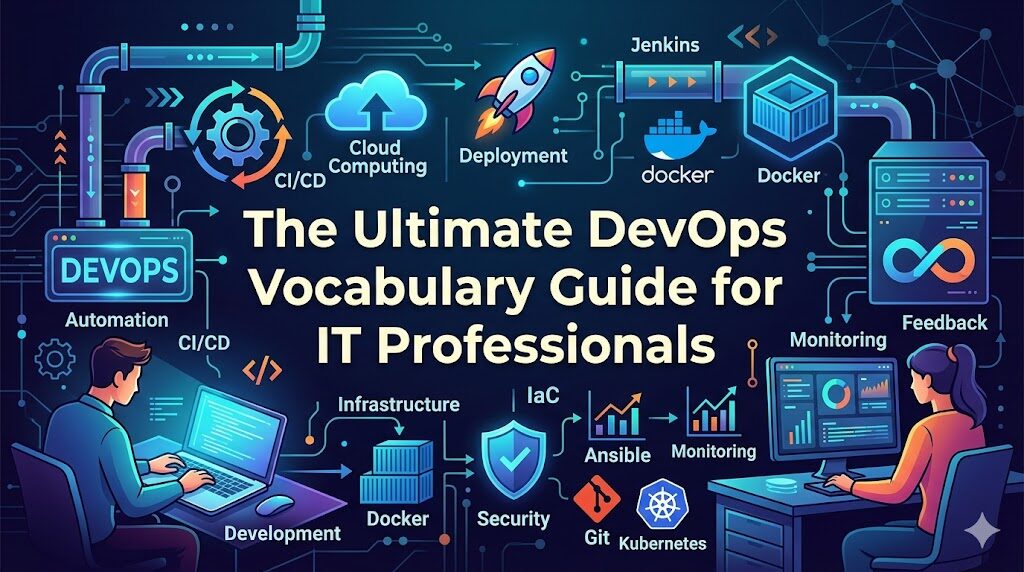
Introduction
When you first step into the world of DevOps, it can feel like you have arrived in a foreign country where everyone speaks a different language. You hear terms like pipelines, containers, and orchestration thrown around in meetings, and it is easy to feel overwhelmed. DevOps is not just a collection of tools; it is a philosophy that bridges the gap between software development and IT operations. Because of this, it has developed a specialized vocabulary that defines how we build, test, and deploy software.
Many beginners struggle because they try to learn the tools before they understand the concepts. If you do not understand what a container is, learning how to use Docker will be frustrating. Mastering the right DevOps vocabulary is the essential first step in your journey. It allows you to read documentation, participate in team discussions, and perform well in interviews.
To truly excel, you need a structured approach to learning these terms. Resources like DevOpsSchool offer the foundational training required to grasp these concepts in a practical, real-world context. In this guide, we will break down the essential terminology you need to transition from a confused beginner to a confident practitioner.
Why DevOps Vocabulary Matters
You might wonder why you should spend time learning definitions instead of just writing code. The answer lies in the nature of modern teamwork.
- Communication Clarity: In a DevOps culture, developers, testers, and operations teams work together. If you use the wrong term for a process, it can lead to misconfigured environments or broken deployments.
- Interview Success: During a technical interview, how you explain a concept is just as important as knowing it. Using the correct industry terminology demonstrates your professionalism and depth of knowledge.
- Faster Learning: When you understand the underlying concepts behind the vocabulary, learning new tools becomes easier. For instance, once you understand the concept of infrastructure as code, you can adapt to different tools like Terraform or Pulumi with ease.
Think of it like learning to drive. You must know what a steering wheel, accelerator, and brake are before you can focus on the road. Vocabulary is your dashboard.
Core DevOps Vocabulary Every Learner Must Know
To get started, let us define the pillars of the DevOps world.
- DevOps: A cultural and professional movement that stresses communication, collaboration, and integration between software developers and IT operations professionals.
- CI/CD: Standing for Continuous Integration and Continuous Deployment (or Delivery), this is the process of automating the integration of code changes and the delivery of those changes to production environments.
- Automation: The practice of using software to perform tasks that would otherwise be done manually. In DevOps, this includes testing, environment provisioning, and deployments.
- Pipeline: A set of automated processes that allows developers and DevOps professionals to reliably and efficiently compile, build, and deploy their code to their compute platforms.
- Repository (Repo): A storage location for software packages or code, usually managed by version control systems like Git.
- Build: The process of converting source code files into a standalone software artifact that can be run on a computer.
- Deployment: The act of taking a built software artifact and making it available for use in a specific environment.
CI/CD Vocabulary Explained
CI/CD is the heartbeat of DevOps. Understanding these terms is non-negotiable.
| Term | Meaning | Real Usage |
| Continuous Integration | Merging code changes into a shared repository frequently. | Developers push code to the repo daily to trigger automated tests. |
| Continuous Delivery | Ensuring that code is always in a deployable state. | The pipeline prepares the app for release, waiting for manual approval. |
| Continuous Deployment | Automatically deploying every code change to production. | The app is live to users the moment the test suite passes. |
| Build Pipeline | The automated sequence from source code to artifact. | Jenkins pulls code, compiles it, and saves a binary file. |
| Release Pipeline | The process of moving the artifact to different environments. | Moving the app from staging to the production server. |
Infrastructure and Cloud Vocabulary
Modern infrastructure is rarely physical hardware sitting in a room. It is defined by code and managed in the cloud.
- Infrastructure as Code (IaC): The management of infrastructure (networks, virtual machines, load balancers) using machine-readable definition files, rather than physical hardware configuration or interactive configuration tools.
- Cloud Computing: The delivery of computing services—including servers, storage, databases, and networking—over the Internet.
- Virtual Machine (VM): A digital version of a physical computer that runs an operating system and applications.
- Container: A lightweight, standalone, executable package that includes everything needed to run an application: code, runtime, system tools, and libraries.
- Kubernetes: An open-source container orchestration system that automates the deployment, scaling, and management of containerized applications.
- Orchestration: The automated configuration, coordination, and management of computer systems and software.
DevOps Tooling Vocabulary
Tools come and go, but the concepts they address remain the same.
- Git: A distributed version control system used to track changes in source code during software development.
- Jenkins: An open-source automation server that enables developers to reliably build, test, and deploy their software.
- Docker: A platform that allows you to package an application and its dependencies into a container.
- Ansible: An open-source tool for configuration management, application deployment, and task automation.
- Terraform: A tool for building, changing, and versioning infrastructure safely and efficiently.
- Monitoring Tools: Software used to track the health, performance, and availability of applications and infrastructure (e.g., Prometheus, Grafana).
DevSecOps and Security Vocabulary
Security cannot be an afterthought. DevSecOps brings security into the early stages of the development cycle.
- Vulnerability: A weakness in an information system, system security procedures, or internal controls that could be exploited.
- Patch: A piece of software designed to update a computer program or its supporting data to fix problems or improve security.
- Security Scanning: Automated processes that check code, containers, and infrastructure for known vulnerabilities.
- Compliance: The process of ensuring that systems meet legal and organizational standards.
- Shift-left Security: The practice of moving security testing and validation to the earliest possible point in the development pipeline.
Example: Instead of waiting for a manual security audit right before launch, a team uses an automated tool in their pipeline to check for vulnerabilities every time a developer commits code.
Monitoring and Operations Vocabulary
Once the code is live, the focus shifts to keeping it running.
- Logs: Detailed records of events occurring within an application or system.
- Metrics: Numerical data representing the health or performance of a system (e.g., CPU usage, memory consumption).
- Alerts: Notifications sent to teams when a system breaches a defined threshold or encounters an error.
- Incident: An unplanned interruption or reduction in the quality of an IT service.
- SLA / SLO: Service Level Agreement (a contract) and Service Level Objective (the internal target for performance).
Real-World Example: Misunderstanding DevOps Vocabulary
Consider a team where the lead developer says, “We need to deploy this to production.” A junior member, lacking vocabulary knowledge, interprets this as moving a file manually to a server via FTP. They perform this action, bypassing the automated pipeline. Because the automated security checks and environment configurations were skipped, the application crashes immediately. This miscommunication happened simply because the junior member did not understand that “deployment” in a DevOps context implies a specific, automated workflow.
Real-World Example: Strong Vocabulary Understanding
Conversely, a team member who understands the terminology knows that “deployment” involves a specific pipeline sequence. When asked to “trigger the pipeline,” they know exactly where to go, how to check the status, and how to verify that the automated tests passed before the code reaches the final stage. This leads to faster deployments, fewer bugs, and a more cohesive team environment.
Common Mistakes Beginners Make With DevOps Terms
- Memorizing without context: Knowing the definition of “Kubernetes” is useless if you do not know when or why you would use it.
- Confusing tools with concepts: Believing that “DevOps” is just “Jenkins” or “Docker.” Tools change, but the concepts of automation and continuous improvement are constant.
- Ignoring real usage: Reading definitions from a dictionary instead of looking at how the words are used in project documentation or professional forums.
Checklist for success:
- Can I explain this term to someone who is not in tech?
- Do I know what problem this concept/tool solves?
- Have I seen this term used in a real project workflow?
Best Practices to Learn DevOps Vocabulary
- Learn in context: Study terms as you encounter them in a project.
- Use real projects: Build a simple CI/CD pipeline. You will learn the terminology naturally as you configure the steps.
- Practice daily: DevOps is a muscle. The more you use the terms, the more intuitive they become.
- Watch pipelines: Look at existing project pipelines and try to identify the stages.
- Read documentation: Official project documentation is the best source for accurate terminology.
How DevOps Vocabulary Helps in Interviews
In an interview, you will be asked how you handle complex situations. If you can clearly articulate your experience using proper vocabulary, you project authority. Instead of saying “I fixed the broken code on the server,” you can say, “I analyzed the logs, identified a vulnerability in the container image, applied the necessary patch, and successfully redeployed through the CI/CD pipeline.” The latter demonstrates technical maturity.
Role of DevOpsSchool in Learning DevOps Fundamentals
Education platforms like DevOpsSchool provide more than just definitions. They provide a structured environment where you can see these terms in action. By engaging in hands-on labs and expert-led sessions, you learn the vocabulary by doing, not just by reading. This practical exposure is the fastest way to bridge the gap between theory and industry requirements.
Career Impact of Knowing DevOps Vocabulary
The language of DevOps is the language of modern IT. Whether you are aiming to be a DevOps Engineer, Cloud Engineer, Site Reliability Engineer (SRE), or Platform Engineer, your vocabulary serves as your foundation. You will find these terms used daily in industries ranging from high-stakes banking and e-commerce platforms to fast-moving SaaS startups and telecommunications.
Future of DevOps Language and Concepts
The vocabulary of DevOps is evolving. Concepts like Platform Engineering and AI-driven automation are shifting the focus from individual tools to the creation of internal developer platforms. As workflows become more abstracted, the language will continue to focus on efficiency, reliability, and security at scale.
FAQs
- What is DevOps vocabulary? It is the collection of terms used to describe the tools, processes, and philosophies of modern software delivery.
- Why is DevOps terminology important? It ensures teams are aligned, improves communication, and is essential for career growth.
- What is CI/CD in simple terms? It is the automated way of moving code from a developer’s computer to the live production environment.
- What is a pipeline? A series of automated steps that your code passes through to be built, tested, and deployed.
- What is a container? A package that holds your code and everything it needs to run, ensuring it works the same way everywhere.
- Why do beginners get confused? Because there are many tools, and beginners often mistake the tool for the underlying concept.
- How can I learn DevOps faster? By building small projects and working through real-world scenarios.
- Is coding required to learn DevOps? While you don’t need to be a software developer, understanding basic scripting and logic is necessary.
- What is IaC? Managing server configurations through code files instead of manual setup.
- How do I start? Focus on learning one tool and the core concepts behind it, then expand.
- Are logs the same as metrics? No, logs are event records, while metrics are numerical measurements.
- What is an incident? Any disruption in the performance or availability of a system.
- Is DevSecOps different from DevOps? DevSecOps is simply the integration of security practices directly into the DevOps process.
- Where can I practice these terms? Use free tier cloud services and open-source tools to build your own mini-projects.
- Does the vocabulary change? The core concepts remain stable, but new tools and methodologies often introduce new terminology.
Final Thoughts
Mastering the language of DevOps is a journey. It is not about memorizing a dictionary; it is about understanding how these concepts fit together to create efficient, reliable software. Start small, focus on the real-world application of what you learn, and remember that context is your greatest teacher. By building projects and utilizing resources like DevOpsSchool, you will find that these terms quickly move from abstract words to the tools of your trade. Keep practicing, keep building, and stay curious.