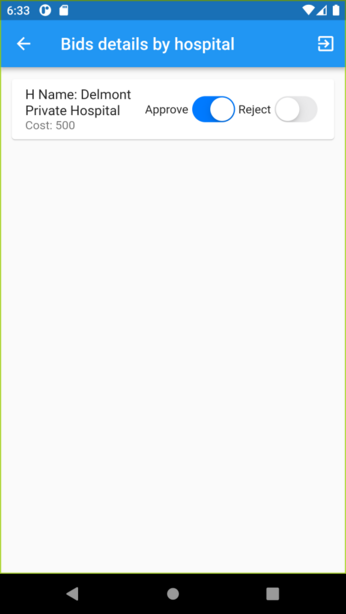
To retrieve data from a Laravel API in a Flutter app, you can follow these general steps:
Step: 1
Set up your Flutter project: Create a new Flutter project or use an existing one.
Step: 2
Add dependencies: Open the pubspec.yaml file in your Flutter project and add the http package as a dependency. This package allows you to make HTTP requests.
dependencies:
  flutter:
    sdk: flutter
  http: ^0.13.4
Code language: CSS (css)
Run flutter pub get to fetch the package.
Step:3
Make HTTP requests: In your Dart file, import the http package and use it to make requests to your Laravel API.
import 'package:http/http.dart' as http;
Code language: JavaScript (javascript)
Step : 4
Send GET request: To retrieve data from the Laravel API, use the http.get() method and provide the API endpoint URL.
Future<void> fetchData() async {
  final url = 'https://your-api-endpoint.com/data';
  final response = await http.get(Uri.parse(url));

  if (response.statusCode == 200) {
    // Data retrieved successfully
    final data = response.body;
    // Process the retrieved data as needed
    print(data);
  } else {
    // Error occurred
    print('Request failed with status: ${response.statusCode}.');
  }
}
Code language: PHP (php)
You can call the fetchData() function to initiate the request and handle the response accordingly.
Step: 5
Parse JSON response: If the API returns data in JSON format, you can use the dart:convert package to parse the JSON response into Dart objects.
Future<List> getOpenBidsbyid(String id) async {
    final prefs = await SharedPreferences.getInstance();
    final key = 'token';
    final value = prefs.get(key) ?? 0;
    final pemail = 'email';
    final pvalue = prefs.get(pemail) ?? 0;
    print(value);
    var url = Uri.parse(baseURL + 'bids/open/' + id); // Use the provided id
    print(url);
    http.Response response = await http.get(url, headers: {
      'Accept': 'application/json',
      'Authorization': 'Bearer $value'
    });

    print(response.body);
    print('yaha tak aa raha hai quotes test');
    print(response.statusCode);
    var getData = json.decode(response.body);
    print(getData);
    return getData['data'];
  }Code language: PHP (php)