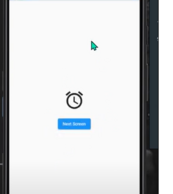
Step – 1
refresh-indicator-pull-to-refresh-indicator-in-flutter
RefreshIndicator Widget:
RefreshIndicator is a widget in Flutter that supports Material’s swipe-to-refresh. It works by showing a circular progress indicator when the child’s Scrollable is overscrolled. If the user ends the scroll and the indicator has been dragged far enough, it will call onRefresh. You can define your own callback function. Usually the callback contains code to update the data.
Add RefreshIndicator Widget and add a function to do while refreshing in onRefresh.
Follow me for more Stuff !
RefreshIndicator(
  onRefresh: refreshList,
  backgroundColor: Colors.purple,
  color: Colors.white,
  child: ListView.builder(
      itemCount: 40,
      itemBuilder: (context,i){
        return Container(
          child: Padding(
            padding: const EdgeInsets.all(8.0),
            child: Column(
              children: [
                Text(i.toString()),
              ],
            ),
          ),
        );


      }),
),Code language: JavaScript (javascript)
The function sholud be call on future.
Future<Null> refreshList() async{
  await Future.delayed(Duration(seconds: 10));
}
onRefresh the apicall should be done!

Future<Null> refreshList() async{
  await Apicall();
}

Apicall(){
//write api call
}Code language: JavaScript (javascript)
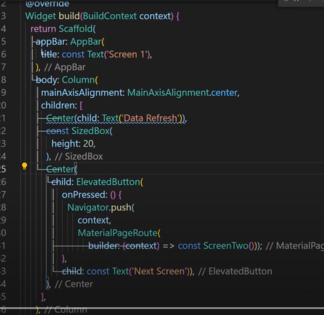
Screen 1
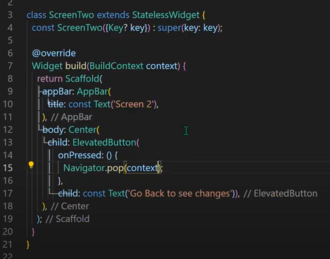
Screen 2
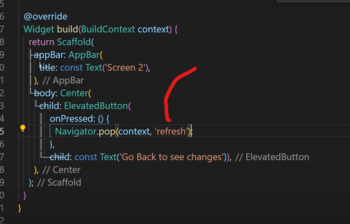
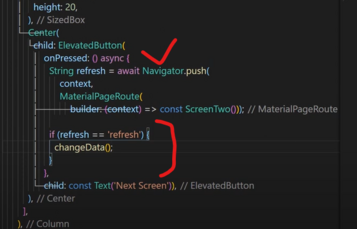
Step 1: passs refresh in route
Step 2: Set bool variable
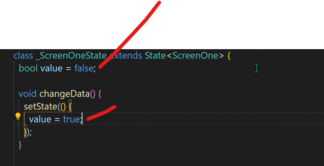
Step 3: Apply Ternary operator
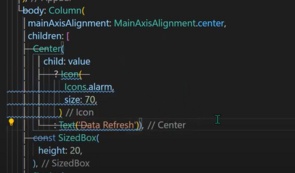
Step 3: Apply if else
Output
Before click

After click
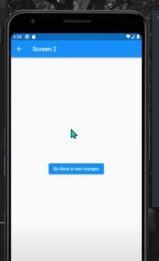
Go Back