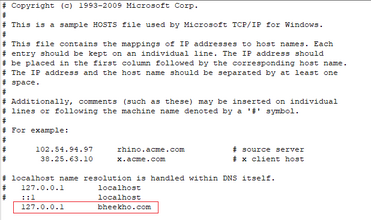
To create a virtual host for a Laravel project on Xappp in Windows 10, two changes must be made. Simply take the following actions:
Step 1: Open the httpd-vhosts.conf file in the xamppapacheconfextra directory. See the Image Below:
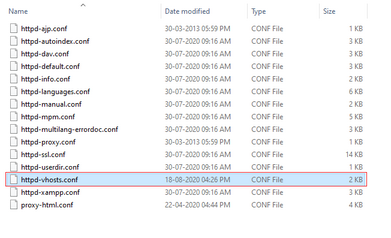
Step 2: Simply copy and paste the code below, making sure to include the URL for your project directory and to include the word “public” if your Laravel project is running on a public folder.
DocumentRoot.
<VirtualHost *:80>

    DocumentRoot "C:/xampp/htdocs/bheekho"
    ServerName bheekho.com

</VirtualHost>Code language: HTML, XML (xml)
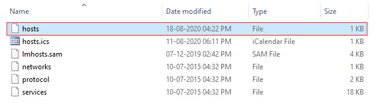
Step 3:- Now, go to C:\Windows\System32\drivers\etc and open host file. See the Below Image:-
Step 4:- Now Open and edit the hosts file and write your url of the project where mine is, as seen below image:-