How to Add or Change App icons in Flutter | Android & iOS | Flutter Launcher Icon Change 

DevOps

MOTOSHARE 🚗🏍️
Turning Idle Vehicles into Shared Rides & Earnings

From Idle to Income. From Parked to Purpose.
Earn by Sharing, Ride by Renting.
Where Owners Earn, Riders Move.
Owners Earn. Riders Move. Motoshare Connects.

With Motoshare, every parked vehicle finds a purpose. Owners earn. Renters ride.
🚀 Everyone wins.

Start Your Journey with Motoshare

Step 1 go to this website – appicon.co
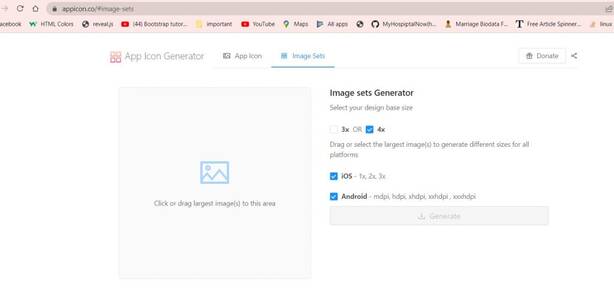
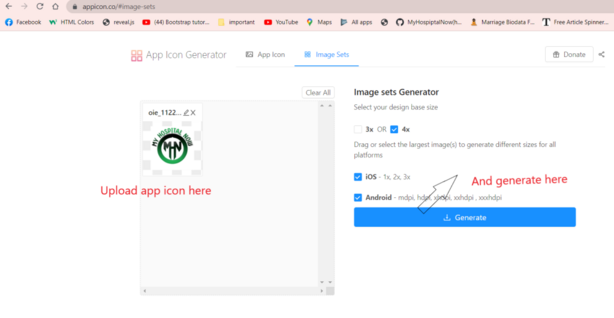
Step 2 Upload the app icon and Generate
Step 3 go to your flutter project and find this path

C:\Users\dharm\AndroidStudioProjects\my_hospital_now\android\app\src\main

Step 4 Replace your app icon Generate the Download file and lock this image

Step 5 go to your flutter project and find this iso path

C:\Users\dharm\AndroidStudioProjects\my_hospital_now\ios\Runner
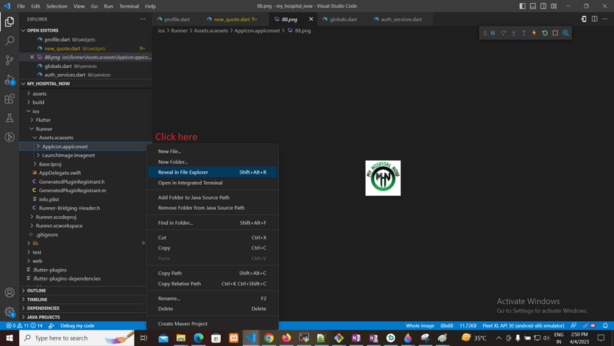
Step 5 app icon Generate the Download file Assets.xcassets Replace here and lock this image

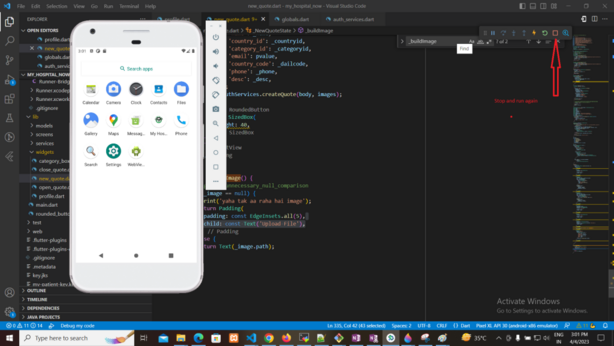
Step 5: Run again your flutter project
Refrences Video Here:- Click here

Subscribe
Notify of
guest

This site uses Akismet to reduce spam. Learn how your comment data is processed.

0 Comments
Oldest
Newest Most Voted
Inline Feedbacks
View all comments
0
Would love your thoughts, please comment.x