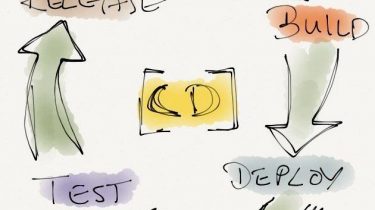
Originally based on a post from the Micro Focus community blog.
Why Continuously Deploy Your Tests?
Release fast, release often. This core principle of modern software delivery brings real benefits: earlier customer feedback, shorter response cycles, and higher overall satisfaction. But increasing your release cadence puts immediate pressure on your test suite.
As the pace of change rises, two testing problems become acute:
- False positives and false negatives. Changing tests without a safety net can introduce unexpected failures (false positives) or hide real bugs by letting bad builds pass (false negatives).
- Breaking changes at scale. The larger your automated test set and the more contributors modifying it, the higher the probability that someone silently breaks something.
Simply hiring more testers does not solve either problem. What does help is treating your test assets the same way you treat production code: version-controlled, automatically built, validated, and deployed through a pipeline.
Core Principles: Structuring Your Tests for Scale
Before wiring up any tooling, adopt these three structural practices for large test projects:
- Separate the what from the how. Automation engineers deal with technical implementation details; business analysts know what the desired outcomes are. Keyword-driven testing creates a clean boundary between the two. Business experts write tests using plain-language keywords; automation engineers implement those keywords in code.
- Give each contributor the right tool. Do not force developers to use a GUI-based test editor, and do not push a Java IDE on business analysts. A good keyword-driven framework lets each role contribute through the interface that suits them best.
- Test your tests. Flaky or broken test code wastes time and erodes confidence. Include unit tests and smoke tests for your keyword library itself so that errors in the library are caught before they affect the wider test suite.
The Continuous Delivery Pipeline for a Keyword Library
The following four-stage pipeline describes how to continuously deliver a Silk4J keyword library to Silk Central using Git and Jenkins. The same pattern applies conceptually to other keyword-driven or library-based test frameworks.
- Commit. Every tester contributes changes to a shared, version-controlled keyword library stored in Git.
- Build on Jenkins. Each commit triggers an automated build in an isolated Jenkins environment, catching compile errors and missing dependencies immediately.
- Validate. After a successful build, two layers of tests run:
- Unit tests — Java-based tests (using JUnit with Silk4J) that verify individual keywords behave correctly in isolation.
- Smoke tests — keyword-driven tests that exercise the library end-to-end, confirming it is usable by Silk Central before it is published.
- Deploy to Silk Central. If all tests pass, the library is automatically uploaded to Silk Central. Every Silk Central user immediately gains access to the updated keywords.

Prerequisites
To implement this pipeline you need:
- A Silk4J project structured around keyword-driven testing.
- A running Jenkins installation with the Ant and JUnit plugins.
- A Git repository to store the keyword library source code.
- A Silk Central instance to host and schedule keyword-driven tests.
Building the Project
Silk4J automatically generates an Ant buildfile called build.xml for new projects. This file defines two tasks you will use in the pipeline:
compile— Compiles the project into a JAR file required to run tests.build.keyword.library— Packages the compiled project into a keyword library archive (library.zip) that can be uploaded to Silk Central.
The compile task must always run before build.keyword.library. Once built, the Java Keyword Library Tool (bundled with Silk Test as com.borland.silk.keyworddriven.jar) handles the upload to Silk Central.
Configuring Source Control
Use the Git integration built into Eclipse (EGit) to commit keyword library changes to your repository. For Git setup and configuration guidance, see the official Git documentation.
Creating the Jenkins Pipeline Job
Create a Jenkins Pipeline job that:
- Checks out the Silk4J project from Git.
- Compiles the keyword library.
- Runs smoke tests against the built library.
- If tests pass, uploads the library to Silk Central.
- Archives
library.zipas a build artifact for traceability.
The pipeline also captures the Git commit ID and change log, which Jenkins passes to Silk Central as a history comment. This gives Silk Central users full traceability from a library version back to its source commits.
The following Groovy pipeline script implements this workflow. Replace the TODO placeholders with values for your environment:
def gitCommit
def gitChangeLog

node("demonode") { // TODO: Replace with the name of your Jenkins build node
    stage("Preparation") {
        env.PATH = "${tool 'TODO PUT YOUR ANT TOOL NAME HERE'}/bin;${env.PATH}"
        git url: 'TODO: PUT YOUR GIT URL HERE'
        gitCommit = bat(returnStdout: true, script: 'git rev-parse HEAD').trim().split("\\n")[1]
        echo "${gitCommit}"
        keyworddrivenjar = "${env.OPEN_AGENT_HOME}/KeywordDrivenTesting/com.borland.silk.keyworddriven.jar"
        gitChangeLog = getChangeLog()
    }

    stage("Build") {
        bat 'ant compile'
    }

    stage("Upload keyword library") {
        if (currentBuild.result != 'FAILURE') {
            bat 'ant build.keyword.library'
            bat "java -jar \"${env.OPEN_AGENT_HOME}\\KeywordDrivenTesting\\com.borland.silk.keyworddriven.jar\" \\
                -upload ${libraryName} output/library.zip ${scURL} ${scUser} ${scPassword} \\
                \"Git commit: ${gitCommit}, Changes: ${gitChangeLog}\""
        }
    }

    stage("Archive keyword library") {
        archiveArtifacts artifacts: 'output/library.zip'
    }
}

@NonCPS
def getChangeLog() {
    def log = ""
    def changeLogSets = currentBuild.rawBuild.changeSets
    for (int i = 0; i < changeLogSets.size(); i++) {
        def entries = changeLogSets[i].items
        for (int j = 0; j < entries.length; j++) {
            def entry = entries[j]
            log += "${entry.commitId} by ${entry.author} on ${new Date(entry.timestamp)}: ${entry.msg}"
            def files = new ArrayList(entry.affectedFiles)
            for (int k = 0; k < files.size(); k++) {
                def file = files[k]
                log += "  ${file.editType.name} ${file.path}"
            }
        }
    }
    return log
}Code language: PHP (php)
Pipeline Stage Breakdown
- Preparation — Configures the Ant tool, checks out source code from Git, reads the latest commit hash, and collects the change log for audit purposes.
- Build — Runs
ant compileto produce the JAR. Compilation failures cause the pipeline to stop here, preventing a broken library from being uploaded. - Upload keyword library — Runs
ant build.keyword.libraryto producelibrary.zip, then uses the Java Keyword Library Tool to push it to Silk Central, attaching the commit and change information as a history comment. - Archive keyword library — Saves
library.zipas a Jenkins artifact, enabling manual restoration of any previous library version.
Required Jenkins Parameters
Add these four string parameters to the Jenkins job so that Silk Central connection details can be supplied at build time without hardcoding credentials:
| Parameter | Type | Purpose |
|---|---|---|
scURL | String | URL of the target Silk Central instance |
scUser | String | Silk Central username for upload authentication |
scPassword | String (consider using a credential binding) | Password for the above user |
libraryName | String | Name of the keyword library as it appears in Silk Central |
Executing the Job
Trigger the job manually via Build with Parameters in Jenkins to verify the pipeline end to end before enabling automatic triggers.

After a successful run, the Jenkins Stage View displays a summary of each pipeline stage. In Silk Central, the uploaded library appears in the Libraries view along with the full Git change history attached to that version.


Improving the Process
Triggering Builds Automatically on Every Commit
Manual builds are a good starting point, but the real value comes from automatic triggers. Use the Poll SCM build trigger in Jenkins to check the Git repository on a schedule and start a build whenever new commits are detected. Alternatively, configure a Git webhook to push notifications to Jenkins immediately on push, eliminating polling latency.
Three Layers of Validation Before Upload
Guard against breaking changes at three points in the pipeline:
- Compile gate. Building on Jenkins before upload catches syntax errors and missing dependencies early, before any test execution.
- Safe upload enforcement. The Java Keyword Library Tool raises an error if an upload would delete or rename keywords that are still referenced by existing keyword-driven tests in Silk Central. This prevents you from inadvertently breaking live test suites.
- Smoke tests. Run a representative set of keyword-driven tests against the newly built library before uploading. Only upload if all smoke tests pass.
Adding Smoke Tests to the Pipeline
Create a JUnit-based smoke test suite inside your Silk4J project. In the example below, the suite is called SmokeTestSuite and exercises the QuoteTest keyword-driven test.

Add the following test.keyword.library target to your build.xml to allow Jenkins to execute the smoke tests via Ant:
<target name="test.keyword.library">
  <mkdir dir="./reports"/>

  <junit printsummary="true" showoutput="true" fork="true">

    <classpath>
      <fileset dir="${output}">
        <include name="**/*.jar" />
      </fileset>
      <fileset dir="${buildlib}">
        <include name="**/*.jar" />
      </fileset>
      <!-- TODO: Adjust this path to your Silk Test installation directory -->
      <fileset dir="C:/Program Files (x86)/Silk/SilkTest/ng/KeywordDrivenTesting">
        <include name="**/*.jar" />
      </fileset>
    </classpath>

    <test name="silktest.demos.insurance.SmokeTestSuite"
         outfile="./reports/TEST-silktest.demos.insurance.SmokeTestSuite-${silktest.configurationName}.xml">
      <formatter type="xml"/>
    </test>
  </junit>
</target>Code language: HTML, XML (xml)
Call ant test.keyword.library in your Jenkins pipeline before the upload stage. If the smoke tests fail, the pipeline stops and the broken library is never published to Silk Central.
With smoke tests added, the Stage View gains a Test stage between Build and Upload:

The Jenkins JUnit plugin parses the test XML output and lets you drill into individual test failures directly from the build page:

Summary
Applying continuous deployment to your test assets rather than only to your application code gives large testing teams confidence that their shared keyword libraries are always in a known, verified state. The pattern described here — Git for version control, Jenkins for building and validation, and Silk Central as the runtime — provides:
- Immediate feedback when a commit breaks the keyword library.
- A clear audit trail linking every Silk Central library version back to its source commits.
- Protection against silently deleting or renaming keywords that active tests depend on.
- A clean separation of concerns between automation engineers writing keyword implementations and business analysts composing keyword-driven tests.
The same principles transfer to other keyword-driven or shared-library test architectures: treat your test code with the same rigor as your production code, and your ability to test continuously will grow alongside your release cadence.