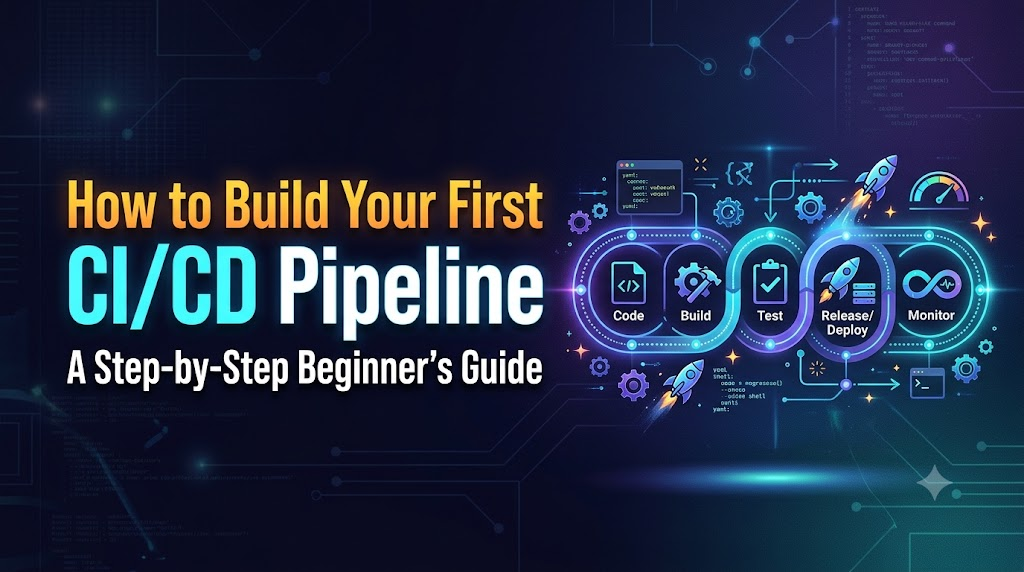
Every software developer, system administrator, and operations engineer eventually encounters the friction of manual software delivery. The workflow is familiar: code is edited locally, packaged by hand, verified through ad-hoc terminal commands, and copied to a remote server using manual file transfers or interactive secure shell sessions. While this approach may function for isolated personal experiments, it breaks down quickly as systems scale. Dependencies drift between machines, critical tests are skipped under deadline pressure, and subtle differences between local runtime environments lead to unpredictable runtime crashes.
A Continuous Integration and Continuous Delivery (CI/CD) pipeline replaces these fragile, error-prone manual interventions with an automated, auditable software release mechanism. Instead of relying on human memory to compile source code, execute validation suites, package release binaries, and update host servers, a CI/CD pipeline executes these operational procedures predictably on isolated execution systems every time a change is introduced. Defects are discovered within minutes of commit creation, giving engineering teams rapid feedback while code context remains fresh.
This comprehensive guide teaches you how to build your first CI/CD pipeline from scratch. You will progress from core architectural fundamentals to writing, executing, securing, and troubleshooting a working Git-based automation workflow. For learners seeking structured training, continuous professional mentorship, and comprehensive enterprise automation programs, DevOpsSchool provides extensive educational pathways and architectural resources spanning the complete modern DevOps ecosystem.
1. CI/CD Fundamentals and Core Principles
Before writing workflow definitions or setting up automated runners, you must understand the core architectural disciplines governing modern software delivery. While tools evolve, the underlying mechanics of continuous delivery remain consistent across enterprise environments.
What Is Continuous Integration?
Continuous Integration (CI) is a software engineering practice in which engineering teams merge their code contributions into a shared mainline repository on a frequent basis, typically multiple times per day. Every merged pull request or repository push triggers an automated execution environment that checks out the newly integrated code, installs runtime dependencies, builds the software, and executes automated validation suites.
The core objectives of Continuous Integration include:
- Preventing Integration Divergence: When developers work on isolated feature branches for weeks without integrating their changes, merging those branches back into the main codebase results in severe merge conflicts, architectural friction, and breaking regression bugs. Frequent integration keeps feature branches short-lived and differences minimal.
- Early Defect Detection: Automated test suites run immediately against new commits. If an engineer introduces a syntax error, breaks an interface contract, or causes a regression failure, the CI system isolates the precise commit responsible within minutes.
- Enforcing Code Quality Gates: Automated linting, static code analysis, and style checks evaluate every contribution before peer review, establishing baseline standards across an entire organization without manual oversight.
- Improving Team Collaboration: Because mainline trunk code is continuously validated, engineers pull down working code rather than broken development branches.
What Is Continuous Delivery?
Continuous Delivery (CD) extends Continuous Integration beyond validation and packaging. In a Continuous Delivery model, every change that passes the automated CI test suite is packaged into a deployable artifact and staged across realistic target environments, such as staging or pre-production infrastructure.
The defining characteristic of Continuous Delivery is that software is always in a deployable state. The build, packaging, configuration injection, and deployment mechanics are fully automated and verified. However, the decision to promote the build into the live production environment is treated as a business determination that can require manual authorization, release approvals, or scheduled deployment windows.
What Is Continuous Deployment?
Continuous Deployment removes the final manual approval step present in Continuous Delivery. In a true Continuous Deployment pipeline, every commit that successfully clears automated quality gates, security scanning, integration testing, and performance validation proceeds directly to production without human intervention.
While Continuous Deployment represents the pinnacle of automated operational maturity, it requires comprehensive automated testing, robust synthetic telemetry, automated canary routing, and immediate rollback procedures. For beginners, understanding the architectural distinction is critical:
| Dimension | Continuous Integration (CI) | Continuous Delivery (CD) | Continuous Deployment (CD) |
| Primary Goal | Validate code changes and detect integration bugs early | Keep software continuously ready to release safely | Automatically release every valid change to end users |
| Trigger | Code commits and pull requests | Successful completion of the CI stage | Successful completion of all upstream delivery stages |
| Core Outputs | Test execution reports, build logs, and code quality metrics | Verified deployable packages and staging deployments | Live production updates and deployment telemetry |
| Production Release | Manual process outside the scope of CI | Automated execution gated by a manual release approval | Fully automated with zero human intervention required |
What Is a CI/CD Pipeline?
A CI/CD pipeline is an automated implementation of these software engineering practices. Structurally, it is a directed graph of operational stages executed sequentially or in parallel by an automation orchestrator. When an event occurs in the version control system—such as pushing a commit, opening a pull request, or tagging a release—the orchestrator provisions an isolated compute instance, retrieves the project files, and executes the commands defined in the pipeline configuration file.
Why Build a CI/CD Pipeline?
Organizations transition from manual delivery to automated pipelines because manual processes fail under scale. Building an automated pipeline provides:
- Deterministic Reproducibility: Manual deployments often suffer from “works on my machine” syndrome, where software functions on a developer’s laptop but fails on a server due to missing system packages or environment misconfigurations. Pipelines run inside clean, disposable virtual environments, proving the software builds using only its declared dependencies.
- Accelerated Feedback Loops: Developers receive actionable diagnostic failure logs within minutes of pushing code, drastically reducing the cognitive overhead of troubleshooting.
- Auditable Traceability: Every execution run logs the commit SHA, the author, the exact commands executed, and the status output, creating an immutable history of who deployed what, when, and how.
- Reduced Operational Overhead: Automating repetitive compilation, packaging, and validation cycles frees engineering teams to focus on core product architecture and feature development.
Automation significantly reduces human operational error, but it does not automatically guarantee software quality. A pipeline merely executes the instructions provided; if test coverage is deficient, flawed software will proceed through the automated stages just as efficiently as well-architected code.
2. The Main Stages of a Modern CI/CD Pipeline
A robust pipeline structures its workload into discrete, logically isolated phases. This separation ensures that computationally expensive or risky stages, such as infrastructure deployment, execute only after faster verification checks succeed.
+---------------------------------------------------------------------------------+
|                                 SOURCE CONTROL                                  |
|                 Developer pushes commit or opens Pull Request                   |
+---------------------------------------------------------------------------------+
                                         |
                                         v
+---------------------------------------------------------------------------------+
|                                 PIPELINE TRIGGER                                |
|             Webhook initiates workflow on an isolated worker runner             |
+---------------------------------------------------------------------------------+
                                         |
                                         v
+---------------------------------------------------------------------------------+
|                                   BUILD STAGE                                   |
|             Install dependencies, compile binaries, bundle assets               |
+---------------------------------------------------------------------------------+
                                         |
                                         v
+---------------------------------------------------------------------------------+
|                                  TESTING STAGE                                  |
|                Execute unit tests, mock suites, code coverage                   |
+---------------------------------------------------------------------------------+
                                         |
                                         v
+---------------------------------------------------------------------------------+
|                           QUALITY AND SECURITY GATES                            |
|             Static analysis, linting, secret scanning, dependency audit         |
+---------------------------------------------------------------------------------+
                                         |
                                         v
+---------------------------------------------------------------------------------+
|                                ARTIFACT CREATION                                |
|             Package distribution archive, container image, or wheel             |
+---------------------------------------------------------------------------------+
                                         |
                                         v
+---------------------------------------------------------------------------------+
|                                DEPLOYMENT STAGE                                 |
|          Deploy package to target staging or pre-production infrastructure      |
+---------------------------------------------------------------------------------+
                                         |
                                         v
+---------------------------------------------------------------------------------+
|                            VERIFICATION AND FEEDBACK                            |
|         Run synthetic health checks, emit build metrics, alert engineers        |
+---------------------------------------------------------------------------------+
Code language: PHP (php)
Stage 1: Source Control Management
The foundation of any automation pipeline is version control. Git acts as the single source of truth for both application code and pipeline logic. Storing configuration alongside application code is referred to as Pipeline as Code. It ensures that pipeline modifications are versioned, peer-reviewed, and rolled back using standard Git operations.
Stage 2: Event Triggers
Pipelines do not run continuously; they react to specific lifecycle events emitted by the version control system. Common triggers include:
push: Triggered when commits are uploaded to a specified branch.pull_request: Triggered when code changes are proposed for integration, allowing validation before merging.schedule: Triggered at specific intervals using cron syntax, commonly used for nightly integration or dependency scanning.workflow_dispatch: Triggered manually via an interface or API call to initiate specialized operational jobs.
Stage 3: The Build Phase
In compiled languages such as Go, Rust, C++, or Java, the build phase translates human-readable source code into machine binaries or bytecode. In interpreted environments like Python or Node.js, the build phase typically resolves external dependencies, validates module imports, bundles front-end assets, or generates transpiled code.
Stage 4: Automated Testing
Testing validates that the application functions according to its specification. The pipeline executes test suites in clean sandbox environments, monitoring process exit codes. An exit code of 0 denotes success, allowing the pipeline to proceed; any non-zero exit code indicates a test failure, halting pipeline execution immediately.
Stage 5: Quality and Security Checks
This stage subjects code to automated static analysis. Linters check for structural anti-patterns, style violations, and potential memory leaks. Security scanning tools evaluate application dependencies against known vulnerability databases (such as CVE records) and inspect commit diffs to prevent hardcoded passwords, tokens, or private keys from entering the repository history.
Stage 6: Artifact Creation and Storage
Once code is built and verified, the pipeline packages it into an immutable deployable artifact, such as a compiled executable, a compressed distribution archive (.tar.gz), a language-specific package (such as a Python .whl), or an Open Container Initiative (OCI) container image. These artifacts are uploaded to centralized registries or artifact repositories for downstream deployment.
Stage 7: Deployment
The deployment phase transfers the verified artifact into an execution environment, such as a staging server, a container orchestrator (like Kubernetes), or a cloud compute platform. This phase applies environment-specific configurations, runs database schema migrations if necessary, and restarts application processes gracefully.
Stage 8: Verification and Post-Deployment Feedback
Deployment completion does not mean the system is functioning correctly. The verification stage executes synthetic HTTP health checks, confirms runtime responsiveness, and monitors application logs for startup errors. If anomalies appear, the pipeline records failure metrics and notifies the engineering team via chat webhooks or alert management systems.
Not every project requires all eight stages. A lightweight documentation site or small utility script may only need linting and unit testing, while an enterprise microservice requires container packaging, security gates, and multi-environment deployment promotions.
3. Tooling Landscape: Selecting Components for Your First Pipeline
Building a CI/CD pipeline requires assembling a cohesive toolchain. While enterprise architectures often combine specialized systems, beginners should prioritize platforms that provide tight integration and minimal configuration overhead.
The CI/CD Tooling Ecosystem
A functional delivery toolchain requires components spanning five key functional categories:
- Version Control System (VCS): Git is the universal standard for tracking code modifications and managing branching strategies.
- Code Repository Platform: Hosted platforms such as GitHub, GitLab, and Bitbucket store remote repositories, manage access controls, and provide webhooks to announce repository events.
- Pipeline Orchestrator: The execution engine that parses pipeline definitions, allocates compute resources, runs jobs, and aggregates status reports. Examples include GitHub Actions, GitLab CI/CD, Jenkins, CircleCI, and Tekton.
- Build Tools and Package Managers: Language-specific utilities responsible for dependency resolution and packaging, such as
pipandbuild(Python),npmandpnpm(Node.js),maven(Java), orcargo(Rust). - Testing Frameworks: Automation frameworks designed to execute assertions against codebase logic, such as
pytest(Python),Jest(Node.js), orJUnit(Java).
Why GitHub Actions for Your First Pipeline?
For this implementation, we will use GitHub Actions. It provides an ideal starting point for developers building their first pipeline because:
- Unified Infrastructure: Source code, issue tracking, peer review pull requests, and automation pipelines reside within a single platform, eliminating the need to manage external webhooks or host continuous integration servers.
- Hosted Cloud Runners: GitHub provides managed, ephemeral virtual machines (Ubuntu Linux, Windows Server, and macOS) that execute workflows in clean, pre-installed software environments at no cost for public repositories and standard accounts within included limits.
- Declarative YAML Syntax: Workflows are written in structured YAML files committed directly to the repository under the
.github/workflows/path. - Reusability and Ecosystem: Pre-built, community-maintained pipeline modules (Actions) handle repetitive operations like checking out source code or configuring runtime environments.
The architectural principles you learn with GitHub Actions—event triggers, virtual runners, isolated execution steps, environment variables, secret injection, and artifact management—apply directly to alternative platforms like GitLab CI, Jenkins pipelines, or AWS CodePipeline.
4. Preparing the Learning Environment
Before authoring pipeline configurations, establish a consistent local development environment. This ensures your project files are properly initialized, version-controlled, and synchronized with your remote Git hosting platform.
Prerequisites
Ensure you have the following components installed locally:
- A registered account on GitHub.
- Git: Verify your installation by opening a terminal and running:Bash
git --version - Python 3: This tutorial uses Python 3 (version 3.10 or newer) for our sample application:Bash
python3 --version
Step-by-Step Environment Setup
Step 1: Create a Remote Repository
- Log in to GitHub and select New Repository.
- Name the repository
first-devops-pipeline. - Set repository visibility to Public (recommended for learning, as it includes generous free automation runner allowances).
- Leave “Add a README file”, “.gitignore”, and license checkboxes unselected; we will initialize these files locally.
- Click Create repository.
Step 2: Initialize the Local Directory Structure
Open your local terminal and execute the following commands to create the workspace:
Bash
mkdir first-devops-pipeline
cd first-devops-pipeline
git init
Configure your local Git user identity if you have not done so previously:
Bash
git config user.name "Your Name"
git config user.email "your.email@example.com"
Code language: CSS (css)
Step 3: Establish a Baseline Git Ignore File
Create a .gitignore file to prevent temporary runtime files, cached bytecode, and local virtual environments from being tracked by version control:
Bash
cat << 'EOF' > .gitignore
__pycache__/
*.py[cod]
*$py.class
.pytest_cache/
*.egg-info/
dist/
build/
.venv/
venv/
EOF
Code language: PHP (php)
Step 4: Add Project Documentation
Create a minimal README.md to establish project intent:
Bash
cat << 'EOF' > README.md
# First DevOps Pipeline Project

This repository contains a simple Python mathematical utility application used to demonstrate the setup, execution, security, and troubleshooting of a modern CI/CD pipeline using GitHub Actions.
EOF
Code language: PHP (php)
Stage and commit these baseline configuration files:
Bash
git add .gitignore README.md
git commit -m "chore: initialize project workspace and documentation"
Code language: CSS (css)
Link your local repository to your remote GitHub repository (substitute your actual GitHub username):
Bash
git branch -M main
git remote add origin https://github.com/<YOUR-GITHUB-USERNAME>/first-devops-pipeline.git
git push -u origin main
Code language: PHP (php)
5. Building the Sample Application
To create an authentic CI/CD pipeline, we need an application with source code, external dependencies, and automated unit tests. We will use a lightweight Python mathematical calculation engine.
Project Directory Layout
Ensure your project conforms to the following standard file layout:
Plaintext
first-devops-pipeline/
|-- .github/
|   `-- workflows/
|       `-- ci.yml
|-- src/
|   |-- __init__.py
|   `-- calculator.py
|-- tests/
|   |-- __init__.py
|   `-- test_calculator.py
|-- .gitignore
|-- README.md
|-- requirements.txt
`-- setup.py
Code language: JavaScript (javascript)
Create the application directories:
Bash
mkdir -p src tests .github/workflows
touch src/__init__.py tests/__init__.py
Implementing Application Logic
Create src/calculator.py. This module provides arithmetic calculations alongside boundary validation checks:
Python
"""
Basic calculator utility module.
Provides robust arithmetic functions with input validation.
"""

def add(a: float, b: float) -> float:
    """Return the sum of two numbers."""
    return a + b

def subtract(a: float, b: float) -> float:
    """Return the difference between two numbers."""
    return a - b

def multiply(a: float, b: float) -> float:
    """Return the product of two numbers."""
    return a * b

def divide(a: float, b: float) -> float:
    """
    Return the division of a by b.
    Raises ZeroDivisionError when denominator is zero.
    """
    if b == 0:
        raise ZeroDivisionError("Division by zero is mathematically undefined.")
    return a / b
Code language: PHP (php)
Declaring Dependencies
Create requirements.txt to pin the exact external libraries required for linting, testing, and packaging:
Plaintext
pytest==8.2.2
flake8==7.1.0
wheel==0.43.0
setuptools==70.1.0
Implementing the Test Suite
Create tests/test_calculator.py. This file contains unit tests executed by the pytest test runner:
Python
"""
Unit test suite for the calculator module.
"""

import pytest
from src.calculator import add, subtract, multiply, divide

def test_add():
    assert add(2, 3) == 5
    assert add(-1, 1) == 0
    assert add(0.1, 0.2) == pytest.approx(0.3)

def test_subtract():
    assert subtract(10, 4) == 6
    assert subtract(0, 5) == -5

def test_multiply():
    assert multiply(3, 4) == 12
    assert multiply(-2, 3) == -6
    assert multiply(5, 0) == 0

def test_divide():
    assert divide(10, 2) == 5
    assert divide(-9, 3) == -3
    assert divide(1, 4) == 0.25

def test_divide_by_zero():
    with pytest.raises(ZeroDivisionError) as exc_info:
        divide(5, 0)
    assert "Division by zero is mathematically undefined." in str(exc_info.value)
Code language: PHP (php)
Creating Package Metadata
Create setup.py in the root directory to define package build specifications:
Python
from setuptools import setup, find_packages

setup(
    name="devops-sample-calculator",
    version="1.0.0",
    author="DevOps Engineer",
    packages=find_packages(),
    python_requires=">=3.10",
)
Code language: JavaScript (javascript)
Verifying the Application Locally
Before introducing automation, verify that the application and tests execute successfully in your local environment.
Set up an isolated virtual environment:
Bash
python3 -m venv .venv
source .venv/bin/activate
pip install --upgrade pip
pip install -r requirements.txt
Run static code analysis (linting):
Bash
flake8 src/ tests/ --max-line-length=100
Execute the test suite:
Bash
pytest -v
All five unit tests should pass with output ending in 5 passed in ...s.
Commit the verified application files:
Bash
git add src/ tests/ requirements.txt setup.py
git commit -m "feat: implement calculator logic, packaging, and unit test suite"
git push origin main
Code language: JavaScript (javascript)
6. Writing Your First Continuous Integration Workflow
With a functional, tested application committed to version control, we can now automate the build and validation process using GitHub Actions.
Workflow Directory and Configuration File
GitHub Actions parses workflow files located in .github/workflows/ written in YAML (.yml or .yaml). Create the file .github/workflows/ci.yml.
YAML
name: Continuous Integration

on:
  push:
    branches: [ "main" ]
  pull_request:
    branches: [ "main" ]

permissions:
  contents: read

jobs:
  validate-and-test:
    name: Build, Lint, and Test Application
    runs-on: ubuntu-latest
    timeout-minutes: 10

    steps:
      - name: Check out repository source code
        uses: actions/checkout@v4

      - name: Set up Python runtime environment
        uses: actions/setup-python@v5
        with:
          python-version: "3.11"
          cache: "pip"

      - name: Install declared project dependencies
        run: |
          python -m pip install --upgrade pip
          pip install -r requirements.txt

      - name: Execute static analysis checks with Flake8
        run: |
          # Stop the build if there are Python syntax errors or undefined names
          flake8 src/ tests/ --count --select=E9,F63,F7,F82 --show-source --statistics
          # Exit-zero treats all warnings as non-fatal during baseline style checking
          flake8 src/ tests/ --count --max-line-length=100 --statistics

      - name: Execute automated unit test suite with Pytest
        run: |
          pytest -v --junitxml=reports/test-results.xml
Code language: PHP (php)
Detailed Breakdown of Workflow Directives
name: Identifies the workflow in the repository’s GitHub Actions interface.on: Declares the event triggers that activate the automation. Here, the workflow runs whenever code is pushed to themainbranch or when a pull request targetingmainis opened or synchronized.permissions: Enforces the security principle of least privilege. Explicitly declaringcontents: readrestricts the temporary repository authentication token (GITHUB_TOKEN) to read-only access.jobs: Groups together the automated tasks. Multiple jobs run in parallel by default, while sequential execution can be configured using dependency declarations.validate-and-test: The unique identifier for this specific job.runs-on: ubuntu-latest: Instructs GitHub to provision an ephemeral Linux runner running the latest supported release of Ubuntu.timeout-minutes: 10: Enforces an execution ceiling to prevent runaway processes or stalled network calls from consuming runner minutes indefinitely.steps: An ordered sequence of tasks executed inside the runner environment.uses: actions/checkout@v4: An official, reusable GitHub Action that clones your repository onto the runner’s filesystem, checking out the specific commit SHA that triggered the workflow.uses: actions/setup-python@v5: Configures the runner’s system path with Python 3.11 and sets up native caching forpippackages.run: Executes shell commands directly inside the runner’s native bash shell.
Committing and Executing the First Pipeline
Commit the workflow file to your local repository and push it to GitHub:
Bash
git add .github/workflows/ci.yml
git commit -m "ci: implement initial automated lint and test pipeline"
git push origin main
Code language: JavaScript (javascript)
Navigate to your repository on GitHub and select the Actions tab. You will see a workflow execution titled “Continuous Integration” matching your commit message. Click the run to inspect live terminal logs for each step.
7. How the CI/CD Pipeline Executes
Understanding the mechanics of pipeline orchestration helps developers design resilient automation workflows and diagnose failures effectively.
+-----------------------------------------------------------------------------------+
| 1. DEVELOPER WORKSTATION                                                          |
|    $ git push origin main                                                         |
+-----------------------------------------------------------------------------------+
                                         |
                                         | [HTTPS / SSH Push Event]
                                         v
+-----------------------------------------------------------------------------------+
| 2. GITHUB REPOSITORY EVENT DISPATCHER                                             |
|    - Evaluates commit reference against .github/workflows/*.yml                   |
|    - Matches event: on.push.branches = ["main"]                                   |
|    - Generates dynamic execution run: ID #1049281                                 |
+-----------------------------------------------------------------------------------+
                                         |
                                         | [Queue Job Payload]
                                         v
+-----------------------------------------------------------------------------------+
| 3. CLOUD RUNNER ALLOCATION                                                        |
|    - Allocates ephemeral Ubuntu runner VM                                         |
|    - Injects short-lived GITHUB_TOKEN                                             |
+-----------------------------------------------------------------------------------+
                                         |
                                         | [Sequential Step Execution]
                                         v
+-----------------------------------------------------------------------------------+
| 4. ISOLATED JOB EXECUTION ENVIRONMENT (ubuntu-latest)                             |
|    Step 1: actions/checkout@v4       --> Clones target commit SHA                 |
|    Step 2: actions/setup-python@v5   --> Injects Python 3.11 & restores pip cache |
|    Step 3: pip install               --> Installs pytest, flake8, setuptools      |
|    Step 4: flake8 src/ tests/        --> Static lint analysis (Exit Code: 0)      |
|    Step 5: pytest -v                 --> Runs unit tests (Exit Code: 0)           |
+-----------------------------------------------------------------------------------+
                                         |
                                         | [Status Reporting & Teardown]
                                         v
+-----------------------------------------------------------------------------------+
| 5. COMPLETION AND AUDIT LOGGING                                                   |
|    - Aggregates stdout/stderr logs into immutable run record                      |
|    - Sets overall commit status check to: SUCCESS (Green Checkmark)               |
|    - Destroys ephemeral virtual machine                                          |
+-----------------------------------------------------------------------------------+
Code language: PHP (php)
Core Hierarchy: Workflows, Jobs, and Steps
A CI/CD orchestrator uses a clear hierarchical execution model:
- Workflow: The overarching automation definition stored as a YAML file. A single repository can maintain dozens of independent workflows triggered by different system events (such as pull request validation, release publishing, or scheduled dependency audits).
- Job: A modular execution boundary comprised of multiple sequential steps. Each job executes inside an isolated virtual machine or container environment. Jobs can run in parallel across multiple worker machines or wait sequentially on upstream dependencies.
- Step: An individual task executed sequentially within a job. Steps share a local filesystem, meaning an artifact generated in Step 1 is immediately accessible to Step 2 within the same job. Steps execute shell commands (
run) or call packaged automations (uses).
Pipeline Execution Lifecycle
- Event Registration: The developer pushes a commit. GitHub’s event dispatcher verifies whether any workflow files registered under
.github/workflows/subscribe to that event. - Runner Provisioning: GitHub allocates a clean virtual machine instance. Every run begins with a clean operating system; no state or cached files persist from prior runs unless explicitly retrieved from an external cache.
- Authentication Token Injection: The platform generates a unique, short-lived security credential (
GITHUB_TOKEN) with an expiration ceiling tied to the job duration, injecting it into the runner’s environment variables. - Step-by-Step Execution: The runner iterates through the defined steps. Before executing each command, it sets a process trap monitoring stdout, stderr, and the operating system exit code.
- Exit Code Evaluation: If a step returns exit code
0, the runner marks the step as successful and moves to the next. If any step returns a non-zero exit code (such as1from a failing test suite or missing dependency), the runner halts execution of subsequent steps, records a failure state, and begins teardown. - Teardown and De-provisioning: The runner executes post-job cleanup tasks, uploads declared logs and artifacts, and de-provisions the virtual machine, ensuring no sensitive data remains on shared infrastructure.
A successful green pipeline run does not prove software is entirely free of bugs; it merely confirms that the code satisfies the specific assertions and quality checks configured in that pipeline.
8. Expanding the Automated Testing Suite
A CI/CD pipeline is only as reliable as the tests it executes. Automated testing must be structured across multiple complementary testing tiers.
The Testing Hierarchy in CI/CD
                   / \
                  /   \
                 / End \
                /  to   \          Slowest, Highest Cost,
               /   End   \         Highest Environment Complexity
              /-----------\
             /             \
            /  Integration  \      Moderate Speed, Validates
           /     Testing     \     Component Interoperability
          /-------------------\
         /                     \
        /     Unit Testing      \  Fastest, Highly Isolated,
       /  & Static Code Checks   \ Deterministic, Executes per Commit
      /---------------------------\
- Static Analysis & Linting: Evaluates source code structure without execution. Detects formatting errors, unreferenced variables, and security anti-patterns.
- Unit Testing: Tests individual functions and classes in isolation from external services, using mocks or stubs where appropriate. These execute rapidly and provide instant feedback.
- Integration Testing: Validates interactions between multiple subsystems, such as an application talking to a database or message broker.
- End-to-End (E2E) Testing: Tests complete real-world user flows through UI automation or public API calls against a fully deployed staging environment.
Demonstrating Pipeline Failure Detection
To see how the CI pipeline prevents defects from reaching production, let’s intentionally introduce a regression bug into our application code.
Open src/calculator.py and modify the add function so that it returns an incorrect value:
Python
def add(a: float, b: float) -> float:
    """Return the sum of two numbers (faulty implementation)."""
    return a + b + 1
Code language: JavaScript (javascript)
Commit and push this change to your remote repository:
Bash
git add src/calculator.py
git commit -m "fix(calc): adjust addition offset logic"
git push origin main
Code language: JavaScript (javascript)
Navigate to the Actions tab in GitHub. The pipeline will trigger, execute the checkout and dependency steps, and fail at the Execute automated unit test suite with Pytest step:
Plaintext
=================================== FAILURES ===================================
___________________________________ test_add ___________________________________

    def test_add():
>       assert add(2, 3) == 5
E       assert 6 == 5
E        +  where 6 = add(2, 3)

tests/test_calculator.py:9: AssertionError
=========================== short test summary info ============================
FAILED tests/test_calculator.py::test_add - assert 6 == 5
1 failed, 4 passed in 0.08s
Error: Process completed with exit code 1.
Code language: PHP (php)
The pipeline halted immediately upon encountering the non-zero exit code. Downstream operations were aborted, and the commit was marked with a red failure icon across the GitHub interface.
Restore the correct implementation in src/calculator.py:
Python
def add(a: float, b: float) -> float:
    """Return the sum of two numbers."""
    return a + b
Code language: JavaScript (javascript)
Commit and push the fix:
Bash
git add src/calculator.py
git commit -m "fix: restore mathematically correct addition logic"
git push origin main
Code language: JavaScript (javascript)
The workflow will re-execute and pass successfully, confirming that the regression has been resolved.
9. Automating the Build and Packaging Stage
Once an application passes testing, it must be packaged into a standardized, deployable unit. This ensures the deployed software matches the exact code verified during testing.
Understanding Build Artifacts
A build step transforms source code into a deployable distribution. Depending on your technology stack, this output might be:
- A compiled machine binary (Go, Rust, C++)
- A bundled and minified static asset directory (Node.js, React, Vue)
- A packaged wheel distribution (Python
.whl) - An OCI-compliant container image (Docker)
For our Python calculator, the packaging phase builds a standard wheel distribution (.whl) and source archive (.tar.gz).
Updating the Workflow with a Packaging Job
Let’s expand .github/workflows/ci.yml into a multi-job pipeline that builds and packages the application once testing succeeds:
YAML
name: Continuous Integration

on:
  push:
    branches: [ "main" ]
  pull_request:
    branches: [ "main" ]

permissions:
  contents: read

jobs:
  validate-and-test:
    name: Lint and Test Application
    runs-on: ubuntu-latest
    timeout-minutes: 10

    steps:
      - name: Check out repository source code
        uses: actions/checkout@v4

      - name: Set up Python runtime environment
        uses: actions/setup-python@v5
        with:
          python-version: "3.11"
          cache: "pip"

      - name: Install dependencies
        run: |
          python -m pip install --upgrade pip
          pip install -r requirements.txt

      - name: Lint codebase
        run: |
          flake8 src/ tests/ --count --max-line-length=100 --statistics

      - name: Execute automated unit tests
        run: |
          pytest -v

  build-and-package:
    name: Build Application Package
    needs: [validate-and-test]
    runs-on: ubuntu-latest
    timeout-minutes: 10

    steps:
      - name: Check out repository source code
        uses: actions/checkout@v4

      - name: Set up Python runtime environment
        uses: actions/setup-python@v5
        with:
          python-version: "3.11"

      - name: Install build tooling
        run: |
          python -m pip install --upgrade pip
          pip install setuptools wheel

      - name: Build distribution package
        run: |
          python setup.py sdist bdist_wheel

      - name: Verify build outputs
        run: |
          ls -la dist/
Code language: JavaScript (javascript)
Controlling Job Order with needs
Notice the needs: [validate-and-test] directive inside the build-and-package job. By default, independent jobs in GitHub Actions run concurrently. Adding needs creates a sequential dependency: the packaging job will run only after the validation job succeeds. If testing fails, the packaging job is skipped entirely, conserving compute resources.
Commit and push the updated workflow:
Bash
git add .github/workflows/ci.yml
git commit -m "ci: add sequential build and packaging job"
git push origin main
Code language: JavaScript (javascript)
10. Managing Artifacts and Dependency Caching
As pipelines expand, optimizing execution time and managing build outputs become critical engineering priorities.
The Difference Between Artifacts and Caches
Developers often conflate build artifacts with dependency caching. However, they serve fundamentally different purposes:
| Attribute | Build Artifacts | Dependency Caching |
| Primary Purpose | Persisting the outputs of a build for deployment or auditing | Reusing downloaded dependencies to speed up future runs |
| Typical Contents | Compiled binaries, .whl files, test reports, code coverage | .venv/, node_modules/, ~/.m2/, ~/.cache/pip |
| Lifecycle | Uploaded by one job; consumed by downstream jobs or users | Saved at the end of a run; restored during subsequent runs |
| Persistence | Immutable file archives retained for a configured duration | Evicted dynamically based on age, storage quotas, or key updates |
| Security Context | Must never contain production secrets or keys | Must never store sensitive credentials or tokens |
Uploading Build Artifacts
To preserve the compiled distribution package generated during the build-and-package job, use the official actions/upload-artifact action.
Add this step to the end of the build-and-package job in .github/workflows/ci.yml:
YAML
      - name: Archive production distribution package
        uses: actions/upload-artifact@v4
        with:
          name: python-wheel-distribution
          path: dist/
          retention-days: 7
          if-no-files-found: error
When this runs, the contents of the dist/ directory are packaged into a downloadable zip file accessible from the workflow run’s summary page in GitHub. Downstream deployment jobs can retrieve this verified package using actions/download-artifact@v4.
Accelerating Workflows with Dependency Caching
Installing dependencies across hundreds of pipeline runs consumes significant network bandwidth and compute time. Caching dependencies allows runners to restore packages from previous runs when requirements.txt has not changed.
In GitHub Actions, caching can be configured explicitly using actions/cache@v4 or handled automatically by runtime setup actions like actions/setup-python@v5:
YAML
      - name: Set up Python runtime environment
        uses: actions/setup-python@v5
        with:
          python-version: "3.11"
          cache: "pip"
The setup action calculates an MD5/SHA256 checksum hash of requirements.txt to serve as a cache key. If the hash matches an existing cache entry, dependencies are restored from local storage in seconds, bypassing external package index downloads entirely.
11. Quality Gates and Pull Request Validation
A central practice of Continuous Integration is validating code contributions before they merge into the mainline branch. This is achieved using feature branches, pull requests, and automated branch protection rules.
Local Feature Branch (feature/add-power-function)
               |
               | git push origin feature/add-power-function
               v
Create Pull Request targeting 'main'
               |
               v
+-------------------------------------------------------------------+
| AUTOMATED PULL REQUEST QUALITY GATE                               |
| - Trigger: on.pull_request                                        |
| - Run linting and static analysis                                 |
| - Execute automated unit test suite                               |
+-------------------------------------------------------------------+
        |                                           |
    [PASSED]                                    [FAILED]
        v                                           v
Status: Green Checkmark                     Status: Red Cross
Merge button enabled                        Merge blocked by repository rules
Peer review conducted                       Author notified of failures
Merge commit added to 'main'                Fix pushed to feature branch
Testing Proposed Changes with a Feature Branch
Let’s walk through a realistic team collaboration workflow: adding an exponentiation function to the calculator.
Create and check out a dedicated feature branch:
Bash
git checkout -b feature/add-power-function
Code language: JavaScript (javascript)
Add the power function to src/calculator.py:
Python
def power(base: float, exponent: float) -> float:
    """Return base raised to the power of exponent."""
    return base ** exponent
Code language: JavaScript (javascript)
Add corresponding test coverage in tests/test_calculator.py:
Python
from src.calculator import add, subtract, multiply, divide, power

def test_power():
    assert power(2, 3) == 8
    assert power(5, 0) == 1
    assert power(4, 0.5) == 2.0
    assert power(2, -1) == 0.5
Code language: JavaScript (javascript)
Commit and push the branch to GitHub:
Bash
git add src/calculator.py tests/test_calculator.py
git commit -m "feat: implement exponentiation function and unit tests"
git push -u origin feature/add-power-function
Code language: JavaScript (javascript)
Open your repository on GitHub. A prompt will appear inviting you to create a Pull Request. Submit the pull request targeting the main branch.
Because our workflow definition includes on: pull_request: branches: [ "main" ], GitHub Actions automatically triggers a validation run against the proposed changes. The pull request interface displays the real-time status of the pipeline checks directly beneath the conversation thread.
Configuring Branch Protection Rules
By default, an author can merge a pull request even if the CI workflow fails. In production environments, administrators configure Branch Protection Rules to enforce passing checks:
- Navigate to your repository’s Settings tab.
- Select Branches from the left-hand navigation menu.
- Next to Branch protection rules, click Add branch ruleset or Add rule.
- Set Branch name pattern to
main. - Check Require a pull request before merging.
- Check Require status checks to pass before merging.
- In the search box, select the status check produced by your workflow:
Lint and Test Application. - Click Save changes.
Once configured, the Merge Pull Request button remains disabled whenever tests fail or static analysis uncovers errors, preventing broken code from entering the mainline codebase.
Merge the feature branch into main via the GitHub interface once the checks pass, then synchronize your local environment:
Bash
git checkout main
git pull origin main
git branch -d feature/add-power-function
Code language: JavaScript (javascript)
12. Security: Managing Environment Variables, Secrets, and Permissions
Security must be designed into an automation pipeline from the outset. Automated runners have access to compute resources, build environments, and potentially deployment targets, making them attractive targets for supply-chain attacks.
Environment Variables vs. Encrypted Secrets
- Environment Variables (
env): Used for non-sensitive configuration values that can be safely viewed in logs and source code, such as application debug flags, service ports, or deployment region names. - Encrypted Secrets (
secrets): Used for sensitive credentials such as API tokens, cloud access keys, database passwords, and private signing keys. Secrets are stored in an encrypted vault managed by GitHub and injected into the runner at runtime.
Storing and Referencing Secrets
To add a secret to your GitHub repository:
- Navigate to Settings > Secrets and variables > Actions.
- Click New repository secret.
- Name the secret using uppercase snake_case (e.g.,
STAGING_DEPLOY_KEY). - Enter the sensitive credential value.
- Click Add secret.
Once saved, the secret’s value cannot be read through the web UI; it can only be overwritten or deleted.
To use a secret inside a workflow step, reference it using the expression context:
YAML
      - name: Deploy package to environment
        env:
          DEPLOY_AUTH_TOKEN: ${{ secrets.STAGING_DEPLOY_KEY }}
          TARGET_ENVIRONMENT: "staging"
        run: |
          echo "Initiating deployment to ${TARGET_ENVIRONMENT}..."
          # The orchestrator masks secrets in logs automatically
The Principle of Least Privilege for GITHUB_TOKEN
GitHub Actions automatically provisions a unique GITHUB_TOKEN for each workflow run. Historically, this token defaulted to broad read-and-write permissions across the repository. Modern security best practices require restricting permissions to the minimum necessary access.
Declare top-level permissions explicitly in your workflow file:
YAML
permissions:
  contents: read      # Grants permission to read code; prevents pushing commits
  pull-requests: read # Restricts pull request interaction to read-only
Code language: PHP (php)
If a specific job requires elevated access—such as publishing a release or writing test reports—grant permissions at the job level rather than globally:
YAML
jobs:
  publish-release:
    runs-on: ubuntu-latest
    permissions:
      contents: write # Granted write access ONLY for this specific job
    steps:
      - name: Create Release
        run: echo "Creating release..."
Code language: PHP (php)
Mitigating Log Exposure Risks
While GitHub Actions automatically masks known secrets in terminal output (replacing matched strings with ***), masking is not foolproof. Secrets can inadvertently leak through base64 encoding, JSON transformation, or error tracebacks.
Key security practices to follow:
- Never print raw environment variables to build logs using commands like
printenvorenv. - Do not commit
.envfiles or credentials to your Git repository. Use.gitignoreto prevent accidental inclusion. - Review and pin third-party actions to prevent supply-chain attacks (discussed further in Section 16).
13. Extending the Pipeline Toward Continuous Delivery
Now that our pipeline validates code, runs tests, and packages artifacts, we can extend it into a Continuous Delivery pipeline by adding a deployment stage.
[Validate and Test Job] ---> [Build and Package Job] ---> [Deploy to Staging Job]
     (Unit Tests)                  (Create Wheel)                 (Verify Health)
Code language: CSS (css)
Designing a Safe Deployment Stage
In enterprise architectures, deployment targets are segregated into progressive environments:
- Development / Sandbox: An environment where developers deploy prototype code for informal testing.
- Staging / Pre-Production: A replica of production used for final integration, load testing, and client acceptance.
- Production: The live environment serving end users.
For our first delivery pipeline, we will deploy our packaged application to an isolated staging test environment created directly within the workflow. This demonstrates the full deployment lifecycle—artifact retrieval, runtime initialization, configuration injection, and post-deployment health verification—without requiring paid cloud infrastructure.
The Complete CI/CD Workflow
Update .github/workflows/ci.yml to include the deployment stage:
YAML
name: Continuous Integration and Delivery

on:
  push:
    branches: [ "main" ]
  pull_request:
    branches: [ "main" ]

permissions:
  contents: read

jobs:
  validate-and-test:
    name: Lint and Test Application
    runs-on: ubuntu-latest
    timeout-minutes: 10

    steps:
      - name: Check out repository source code
        uses: actions/checkout@v4

      - name: Set up Python runtime environment
        uses: actions/setup-python@v5
        with:
          python-version: "3.11"
          cache: "pip"

      - name: Install declared dependencies
        run: |
          python -m pip install --upgrade pip
          pip install -r requirements.txt

      - name: Execute static analysis checks
        run: |
          flake8 src/ tests/ --count --max-line-length=100 --statistics

      - name: Execute automated unit test suite
        run: |
          pytest -v

  build-and-package:
    name: Build Application Package
    needs: [validate-and-test]
    runs-on: ubuntu-latest
    timeout-minutes: 10

    steps:
      - name: Check out repository source code
        uses: actions/checkout@v4

      - name: Set up Python runtime environment
        uses: actions/setup-python@v5
        with:
          python-version: "3.11"

      - name: Install packaging utilities
        run: |
          python -m pip install --upgrade pip
          pip install setuptools wheel

      - name: Build distribution package
        run: |
          python setup.py sdist bdist_wheel

      - name: Archive build artifact
        uses: actions/upload-artifact@v4
        with:
          name: application-distribution-package
          path: dist/
          retention-days: 7
          if-no-files-found: error

  deploy-to-staging:
    name: Deploy to Staging Environment
    needs: [build-and-package]
    runs-on: ubuntu-latest
    timeout-minutes: 10
    # Restrict deployments to commits merged into the main branch
    if: github.ref == 'refs/heads/main' && github.event_name == 'push'

    steps:
      - name: Download distribution package artifact
        uses: actions/download-artifact@v4
        with:
          name: application-distribution-package
          path: dist/

      - name: Set up isolated staging runtime
        uses: actions/setup-python@v5
        with:
          python-version: "3.11"

      - name: Install packaged application from artifact
        run: |
          python -m pip install --upgrade pip
          # Locate and install the built .whl distribution package
          WHEEL_FILE=$(ls dist/*.whl)
          pip install "${WHEEL_FILE}"

      - name: Execute post-deployment health verification
        run: |
          echo "Verifying application availability in staging runtime..."
          # Execute a synthetic verification check using the installed module
          python -c "
          from src.calculator import add, multiply, power
          assert add(10, 5) == 15
          assert multiply(4, 5) == 20
          assert power(2, 4) == 16
          print('Staging verification assertion checks passed successfully.')
          "

      - name: Emit deployment status telemetry
        run: |
          echo "Deployment successfully verified for Commit: ${{ github.sha }}"
          echo "Target Environment: Staging Sandbox"
Code language: PHP (php)
Explaining the Delivery Gating Logic
The deploy-to-staging job introduces several important architectural patterns:
needs: [build-and-package]: Gating. The deployment job will not run unless the build and packaging job completes successfully.if: github.ref == 'refs/heads/main' && github.event_name == 'push': Branch condition. When a pull request is opened, the pipeline runs validation and packaging to verify the proposal, but skips the deployment job. Deployment executes only after the pull request is approved and merged intomain.actions/download-artifact@v4: Artifact handoff. Rather than rebuilding the package from source, the deployment job downloads the verified artifact produced in the upstream build stage, ensuring consistency.- Post-Deployment Verification: The job installs the packaged wheel and executes synthetic verification assertions. If the package was corrupted or an import dependency was omitted from
setup.py, this step fails, halting the delivery sequence.
Commit and push this complete pipeline definition:
Bash
git add .github/workflows/ci.yml
git commit -m "cd: implement continuous delivery pipeline with staging verification"
git push origin main
Code language: JavaScript (javascript)
View the completed run in the GitHub Actions dashboard. You will see a three-stage pipeline executing in sequence: Lint and Test Application → Build Application Package → Deploy to Staging Environment.
14. Troubleshooting Common CI/CD Pipeline Failures
Pipeline failures are a normal part of daily engineering work. Diagnosing them efficiently requires a systematic troubleshooting approach rather than guessing or repeatedly pushing empty commits.
Diagnostic Matrix of Common Failures
| Symptom / Error Message | Root Cause | Diagnostic Step | Corrective Action |
error: parsing YAML: mapping values are not allowed here | Indentation error or improper tab usage in the .yml file | Validate workflow file locally using a YAML linter | Indent strictly using spaces (standard: 2 spaces); replace all tabs |
| Workflow fails to trigger on push or PR | File placed in the wrong path or trigger filter misconfigured | Check file location: must be .github/workflows/*.yml | Move file to .github/workflows/; verify branch filters |
Permission to ... denied to github-actions[bot] | Missing token permissions in the workflow file | Review permissions: block in the job definition | Add explicit permissions (e.g., contents: write) to the job |
ModuleNotFoundError: No module named 'pytest' | Test framework not installed on the runner | Check the dependency installation step logs | Add pytest to requirements.txt and ensure pip install runs first |
Error: Process completed with exit code 1. | One or more tests failed or linter returned style errors | Read stdout/stderr directly above the failure line | Reproduce the failure locally using identical command flags |
Input required and not supplied: name | Action configuration missing a required input parameter | Review the third-party action’s documentation | Add the missing argument under the step’s with: block |
Context access denied: secrets.MY_SECRET | Secret name misspelled or secret not added to repository | Check repository Settings > Secrets and variables | Verify secret spelling matches the YAML expression exactly |
No files were found with the provided path: dist/ | Upstream build step failed to generate outputs | Check working directory and build command output | Verify the build tool created files in the expected path |
Systematic Root Cause Analysis
When a pipeline fails, follow these steps to resolve the issue:
- Locate the First Meaningful Failure: Runners display large volumes of console output. Do not start reading at the bottom of the log, which usually just says
Process completed with exit code 1. Scroll up to find the first red error entry or stack trace that triggered the failure. - Reproduce Locally: Isolate whether the problem stems from your code or the pipeline configuration. Run the exact command that failed (e.g.,
flake8 src/ tests/ --count) on your local workstation. If it fails locally, fix the code before touching the pipeline configuration. - Validate the Runner Environment: If the command succeeds locally but fails in CI, inspect the runtime setup step in the pipeline logs. Confirm that the Python version, operating system, and dependency versions match your local development environment.
- Isolate Changes: If a pipeline was working previously and suddenly fails without code changes, inspect external dependencies. A library might have released a new version that introduced a breaking change. Pin dependency versions in
requirements.txtto prevent unexpected drift.
15. Real-World Case Study: Diagnosing an Intermittent CI Failure
To understand how pipeline debugging works in practice, let us examine an illustrative scenario based on a common production challenge: an intermittent test failure.
The Problem
A four-person engineering team notices that their CI pipeline intermittently fails on pull requests—approximately one out of every five runs fails during the unit test step with the following error:
Plaintext
___________________________ test_rate_limiter_expiry ___________________________
    def test_rate_limiter_expiry():
        limiter = RateLimiter(max_requests=5, window_seconds=1)
        for _ in range(5):
            assert limiter.allow_request() is True
        # Sleep for window duration to allow counter reset
        time.sleep(1.0)
>       assert limiter.allow_request() is True
E       AssertionError: assert False is True
Code language: PHP (php)
Developers repeatedly click Re-run failed jobs until the test happens to pass. This wastes runner minutes and undermines confidence in the test suite.
The Investigation
The team investigates why test_rate_limiter_expiry fails unpredictably:
- Reviewing Runner Metrics: On local workstations with dedicated CPU cores,
time.sleep(1.0)reliably allowed the internal clock to advance past the one-second expiration window. - Inspecting Shared Runner Telemetry: In CI, cloud runners run inside shared virtualized infrastructure where CPU scheduling varies based on host load. Occasionally, a thread wakes up slightly before the one-second threshold has fully elapsed (e.g., after 0.992 seconds), causing the rate limiter to evaluate the request inside the old window and reject it.
- Identifying Flaky Tests: Tests that rely on absolute wall-clock sleep durations (
time.sleep) are inherently non-deterministic on shared runner infrastructure.
The Resolution
Instead of increasing the sleep duration (which would slow down every future pipeline run), the team refactors the test to use dependency injection and a mock clock interface:
Python
def test_rate_limiter_with_mock_time():
    # Pass a controllable clock provider instead of relying on real system sleep
    current_time = 1000.0
    limiter = RateLimiter(max_requests=5, window_seconds=1, clock=lambda: current_time)

    for _ in range(5):
        assert limiter.allow_request() is True

    # Advance the mock clock deterministically by 1.1 seconds
    current_time += 1.1
    assert limiter.allow_request() is True
Code language: PHP (php)
The Takeaway
The refactored test executes in less than 5 milliseconds, runs deterministically across all environments, and completely eliminates the intermittent pipeline failures. Never ignore intermittent test failures in CI. A flaky test suite erodes trust in automation and frequently masks genuine regressions.
16. Best Practices for Professional CI/CD Pipelines
Adhering to established industry best practices ensures your pipelines remain secure, maintainable, and cost-effective as projects scale.
1. Pin External Actions to Immutable Commit Hashes
Referencing third-party actions using mutable version tags (e.g., uses: actions/checkout@v4) leaves your pipeline vulnerable if that tag is maliciously moved to point to compromised code. In high-security environments, pin actions to their full immutable Git commit SHA:
YAML
# Pinned to specific commit SHA for actions/checkout v4.1.7
- name: Check out repository source code
  uses: actions/checkout@692973e3d937129bcbf40652eb9f2f61becf3332
Code language: PHP (php)
Add an inline comment noting the human-readable version tag to keep configurations maintainable.
2. Configure Execution Timeouts
Always specify a timeout-minutes limit at the job level. If an external service hangs or a test enters an infinite loop, an unconstrained job will run until it hits the global system ceiling (often 6 hours on GitHub Actions), exhausting account compute allowances.
3. Keep Build Steps Idempotent and Independent
Jobs must never depend on undeclared state left behind by previous runs or sibling jobs. Every job must explicitly check out code, configure its required dependencies, and clean up after itself. If data must pass between jobs, pass it explicitly through declared build artifacts.
4. Separate Fast Checks from Slow Checks
Structure your pipeline to fail as early as possible. Place fast, low-cost operations (such as YAML linting, syntax validation, and unit tests) at the beginning of the pipeline. Slower, computationally expensive tasks (such as full integration suites, container builds, or browser automation tests) should run only after the initial checks have passed.
5. Treat Pipeline Configuration as Production Code
Apply the same engineering rigor to your pipeline definitions as you do to your application code:
- Use consistent formatting and descriptive job/step names.
- Conduct peer reviews on all workflow modifications via pull requests.
- Document the purpose of non-obvious commands or parameters with inline comments.
17. Understanding Pipeline Costs and Resource Management
Running automation workloads consumes compute infrastructure, network bandwidth, and storage. Understanding how these resources are billed and consumed helps teams run efficient pipelines.
Key Cost Drivers
- Runner Execution Time: Hosted runners are billed based on the total wall-clock minutes a job runs. Different operating systems often consume minutes at different multipliers (e.g., Windows and macOS runners typically consume minutes at higher rates than Linux runners).
- Concurrency and Parallelism: Running ten jobs in parallel finishes ten times faster than running them sequentially, but consumes the same aggregate compute minutes while utilizing concurrent job allocations.
- Artifact and Log Storage: Storing multi-gigabyte build artifacts and verbose logs consumes storage over time. Set reasonable retention windows (e.g., 3 to 7 days for development builds) to keep storage usage manageable.
- Network Data Transfer: Transferring large Docker images or distribution archives out of cloud provider networks can incur data egress charges.
Practical Optimization Strategies
- Use Native Dependency Caching: As shown in Section 10, caching dependencies prevents downloading hundreds of megabytes on every run, saving minutes and bandwidth.
- Use Path Filtering on Triggers: Avoid running full test suites when changes do not affect application code (such as edits to documentation):
YAML
on:
  push:
    branches: [ "main" ]
    paths-ignore:
      - "**.md"
      - "docs/**"
Code language: JavaScript (javascript)- Set Lean Retention Policies: Configure
retention-days: 3on intermediate build artifacts so temporary files are cleaned up promptly once verified.
18. Practical DevOps Portfolio Projects
To solidify your practical understanding and showcase your skills to peers or prospective employers, build and document these three progressive portfolio projects.
Project 1: Automated Multi-Version Test Matrix
- Objective: Build a Python or Node.js utility library that uses a CI matrix to automatically run tests across multiple runtime versions simultaneously.
- Key Skills: Matrix builds, multi-version testing, dependency resolution, test reporting.
- Implementation Strategy: Use GitHub Actions’
strategy: matrixto test your code against Python 3.10, 3.11, and 3.12 concurrently:
YAML
strategy:
  matrix:
    python-version: ["3.10", "3.11", "3.12"]
    os: [ubuntu-latest]
Code language: CSS (css)- Portfolio Evidence: A public repository featuring a green build badge in the
README.md, an active matrix configuration, and passing test runs across all matrix targets.
Project 2: Containerized Application Packaging Pipeline
- Objective: Create a web API (using FastAPI or Express) and build an automated pipeline that lints the code, executes tests, builds an OCI-compliant Docker container image, and tests the container.
- Key Skills: Docker, containerization, image building, security linting, artifact creation.
- Implementation Strategy: Write a
Dockerfile, run tests locally, and usedocker/build-push-actionto compile the container image within CI, saving the resulting image as a pipeline artifact. - Portfolio Evidence: Documented repository with a working
Dockerfile, modular GitHub Actions workflow, and architecture documentation explaining how the image is built and verified.
Project 3: Multi-Stage Secure Delivery Pipeline
- Objective: Implement a full Continuous Delivery workflow that gates deployments across staging and simulated production environments with security scanning and manual approval gates.
- Key Skills: Staging deployments, security scanning (Trivy, Bandit), GitHub Environments, manual release approvals, rollbacks.
- Implementation Strategy: Configure two deployment stages (
stagingandproduction) using GitHub Environments. Require manual peer sign-off before a build can proceed to production. - Portfolio Evidence: Comprehensive project documentation detailing the release lifecycle, an architecture diagram showing the environment progression, and run histories demonstrating gated approvals.
19. Common Pitfalls to Avoid
As you build and manage pipelines, watch out for these common beginner mistakes:
- Automating Everything on Day One: Trying to set up automated multi-cloud canary deployments before establishing reliable unit tests leads to overly complex, unmaintainable pipelines. Start with simple linting and testing, then expand incrementally.
- Copying Configurations Blindly: Copying complex YAML snippets from internet forums without understanding their parameters often introduces subtle bugs and security vulnerabilities. Understand every line of your configuration.
- Skipping Local Verification: Pushing commits to GitHub simply to see if your tests pass uses runner minutes inefficiently and clutters your commit history. Always verify tests and linters locally before pushing.
- Hardcoding Secrets in Repositories: Never commit API keys or passwords directly into code or YAML files. Once pushed, credentials must be considered compromised and rotated immediately, even if the commit is later deleted.
- Ignoring Build Logs: Treating a red build as an inscrutable error and blindly re-running the job wastes time. Read the logs carefully; error messages typically point directly to the failing line of code.
- Neglecting Dependencies: Pinned dependencies eventually become outdated and vulnerable. Establish regular review cycles to update dependencies and apply security patches.
20. Measuring Your Progress
Track your learning journey by evaluating your ability to complete these core operational competencies independently:
- Initialize a local Git repository and synchronize it with a remote platform.
- Write a syntactically valid YAML workflow without relying on copied templates.
- Explain the difference between Continuous Integration, Continuous Delivery, and Continuous Deployment.
- Configure event triggers for branch pushes and pull requests.
- Read raw CI console output and locate the primary failure point of a broken run.
- Intentionally write a failing test, observe the pipeline failure, and push a fix to restore a green status.
- Configure dependency caching and verify cache hits in pipeline logs.
- Build and preserve an immutable distribution artifact using upload actions.
- Configure repository secrets securely and reference them within workflow steps.
- Restrict
GITHUB_TOKENpermissions using the principle of least privilege. - Configure branch protection rules to block merging unvalidated pull requests.
21. Future Trends in CI/CD and Automation
The software delivery landscape continues to mature. Understanding emerging practices helps engineers design forward-compatible systems:
- Software Supply-Chain Security: Modern pipelines increasingly generate Cryptographic Software Bills of Materials (SBOMs) and sign build artifacts using tools like Sigstore/Cosign to verify code provenance and prevent tampering.
- OIDC (OpenID Connect): Modern pipelines use OpenID Connect federated identity to authenticate with cloud platforms (such as AWS, Azure, and Google Cloud) without requiring long-lived static API keys or credentials stored in the repository.
- Pipeline as Code Standardization: Organizations are increasingly adopting reusable workflows and template catalogs to ensure consistent security, compliance, and deployment patterns across thousands of independent repositories.
- Ephemeral Test Environments: Rather than relying on static staging servers, advanced pipelines dynamically provision disposable, isolated test environments for individual pull requests, destroying them automatically once testing concludes.
22. Professional Development with DevOpsSchool
Mastering continuous integration and delivery is an essential step on your path toward software delivery excellence. While self-directed practice builds foundational knowledge, navigating enterprise software delivery requires a deeper understanding of distributed architectures, high-availability deployments, security compliance, and container orchestration.
DevOpsSchool provides structured training programs, comprehensive learning paths, and technical resources designed to help developers, systems engineers, and IT professionals master modern automation engineering. Through hands-on labs and real-world project scenarios, learners gain practical experience across Git, continuous integration engines, Docker, Kubernetes, Infrastructure as Code, and cloud architecture.
23. Frequently Asked Questions (FAQ)
1. What is a CI/CD pipeline?
A CI/CD pipeline is an automated sequence of software engineering tasks that triggers whenever code is updated in version control. It automatically retrieves the latest code, resolves dependencies, compiles source files, executes test suites, packages verified artifacts, and deploys the application to target compute infrastructure.
2. How do I build my first CI/CD pipeline?
You can build your first pipeline by setting up a Git repository (such as on GitHub), creating a sample application with automated unit tests, and adding a declarative workflow file under .github/workflows/ci.yml. This configuration defines the runner environment, checks out your code, installs dependencies, and runs your test suite.
3. What is the difference between CI, continuous delivery, and continuous deployment?
Continuous Integration automatically tests and integrates code changes into a shared repository. Continuous Delivery ensures that every valid build is packaged and ready to deploy, with production releases gated by a manual decision. Continuous Deployment automates the entire process, releasing every change that passes all quality gates directly to production without human intervention.
4. Which tools do I need to create a CI/CD pipeline?
You need a version control system (Git), a remote repository platform (GitHub, GitLab, or Bitbucket), a pipeline orchestrator (such as GitHub Actions, GitLab CI, or Jenkins), a programming language runtime with its package manager, and an automated testing framework (such as Pytest or Jest).
5. Can beginners build a CI/CD pipeline without cloud experience?
Yes. Modern platforms like GitHub Actions provide managed, cloud-hosted runners that execute automated jobs inside clean Linux virtual machines at no cost for standard accounts, allowing beginners to build and test pipelines without managing external servers or paid cloud accounts.
6. Is Git required before learning CI/CD?
Yes. Git is the foundation of modern continuous delivery. CI/CD pipelines run as direct responses to Git lifecycle events—such as commits, branch updates, and pull requests—and pipeline configurations are stored as version-controlled code directly inside the repository.
7. What are the main stages of a CI/CD pipeline?
A typical pipeline includes eight main stages: Source Control, Pipeline Trigger, Build Phase, Automated Testing, Quality/Security Scanning, Artifact Creation, Deployment, and Post-Deployment Verification.
8. How do automated tests fit into a CI/CD pipeline?
Automated tests act as the primary quality gate in a pipeline. The orchestrator executes the test runner and monitors its operating system exit code. If any test fails, the runner returns a non-zero exit code, which immediately halts pipeline execution and prevents broken code from proceeding downstream.
9. How does GitHub Actions trigger a pipeline?
GitHub Actions uses an event-driven model. The on: directive in your workflow YAML file specifies which events trigger execution—such as push events to specific branches, opening or updating a pull_request, scheduled cron intervals, or manual workflow_dispatch requests.
10. What is the difference between a build artifact and a dependency cache?
A build artifact is an immutable output produced by the pipeline (such as a compiled binary, .whl package, or test report) that is preserved for deployment or auditing. A dependency cache temporarily stores downloaded packages (like pip or npm caches) to speed up subsequent workflow runs.
11. How do I securely manage secrets in a pipeline?
Store sensitive values in encrypted repository secret vaults (such as GitHub Secrets) rather than hardcoding them in files. Reference them in workflow steps using secure environment variable contexts (e.g., ${{ secrets.MY_KEY }}). The orchestrator injects them at runtime and masks them in console logs.
12. Why does a CI/CD pipeline fail?
Common causes of pipeline failures include syntax errors in workflow YAML files, failing unit tests, code style or linting violations, missing dependencies, runtime version mismatches, incorrect file paths, and misconfigured permissions or secrets.
13. How can I troubleshoot a failed pipeline?
Inspect the workflow run’s execution logs to locate the first error or stack trace. Reproduce the failing command locally in an identical runtime environment, verify that environment variables and secrets are configured correctly, and resolve any underlying code or dependency issues before pushing an updated commit.
14. Do I need a deployment stage in my first pipeline?
No. For beginners, building a pipeline that focuses solely on Continuous Integration—checking out code, installing dependencies, linting, and running automated tests—provides immediate value. Deployment stages can be added incrementally once the validation foundation is solid.
15. What projects can demonstrate CI/CD skills in a portfolio?
Strong portfolio projects include a multi-version test matrix pipeline, a containerized application packaging pipeline that builds and verifies Docker images, and a multi-environment delivery pipeline featuring staging deployments, security scanning, and manual approval gates.
24. Conclusion
Building your first CI/CD pipeline marks an important milestone in your growth as a software engineer or DevOps professional. Moving away from manual compilation, ad-hoc terminal executions, and fragile deployment processes toward version-controlled, auditable, and automated pipelines creates the foundation for scalable, modern software delivery. Throughout this guide, you have learned the architectural principles that distinguish Continuous Integration, Continuous Delivery, and Continuous Deployment. You have initialized a clean project environment, built a tested Python application, written declarative GitHub Actions workflow files, and observed how automation detects code regressions in real time. You have also packaged application logic into deployable build artifacts, introduced dependency caching, established branch protection quality gates, secured sensitive credentials, and configured a multi-stage delivery pipeline with post-deployment verification checks.
Remember that an initial green pipeline is a starting point, not a finished product. Real-world pipelines evolve alongside the applications they deliver—incorporating broader test suites, deeper security scanning, and more sophisticated deployment strategies over time. Take the next step right now: open your terminal, create a practice repository, write a basic workflow file, and observe the automation in action. Intentionally introduce a syntax error or failing test, inspect the logs to locate the failure, and push a fix to restore a green build. Hands-on troubleshooting is the most effective way to turn automation theory into practical engineering capability.