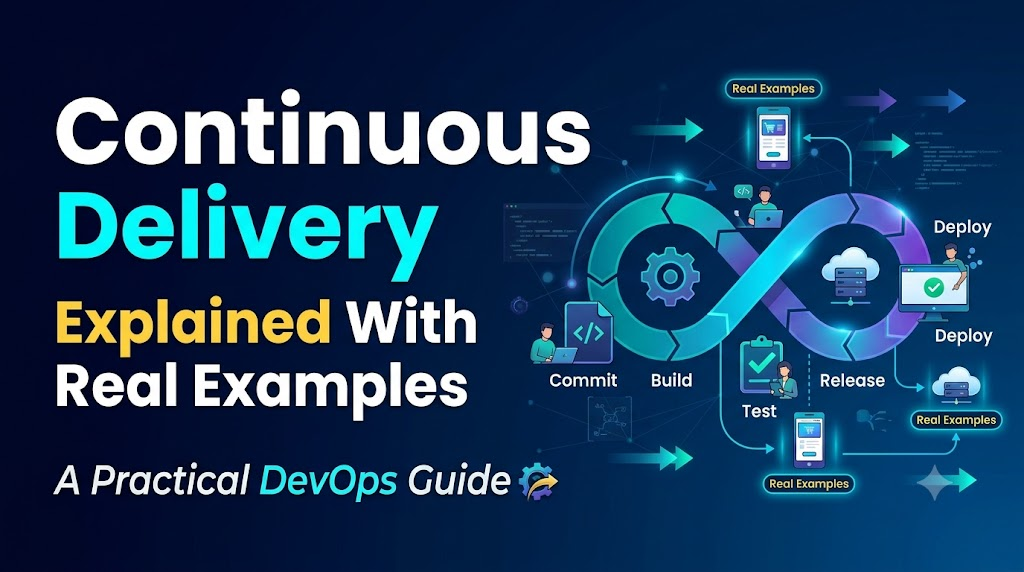
Software teams frequently struggle with painful release cycles: long manual testing phases, unexpected configuration drift between staging and production, high-stress weekend deployments, and emergency hotfixes applied directly to live servers. When releases happen infrequently, every deployment bundles weeks or months of changes together, compounding risk and making root-cause analysis difficult when something breaks.
Continuous delivery transforms this dynamic. Rather than treating software releases as rare, high-stakes events, teams adopt an automated release process that keeps software in a dependable, releasable state throughout its lifecycle.
In this guide, Continuous Delivery Explained With Real Examples, we explore how modern teams implement continuous delivery (CD) in practice. We will walk through pipeline architectures, examine side-by-side comparisons of CI, CD, and Continuous Deployment, review four realistic implementation scenarios across different application types, and provide a concrete step-by-step roadmap for your own delivery workflows. Crucially, continuous delivery does not require that every code change reaches end users immediately; instead, it ensures that your team always has a thoroughly validated, production-ready artifact waiting at the push of a button.
What Is Continuous Delivery?
Continuous delivery is a software engineering discipline in which teams build, validate, and prepare code changes automatically so that software can be released to production reliably at any time.
In a continuous delivery workflow, every code commit that merges into the main development branch triggers an automated sequence of actions: compilation, static analysis, unit testing, packaging, security scanning, and deployment to test environments. The outcome of a successful pipeline run is not merely green test logs—it is a versioned, immutable, release-ready artifact (such as a container image, an operating system package, or a compiled binary) that has met every defined organizational quality gate.
+---------------------------------------------------------------------------------------+
|                              Continuous Delivery Pipeline                             |
+---------------------------------------------------------------------------------------+
|  Developer    |  Automated       |  Automated Tests   |  Validated,        |  Business|Ops|
|  Git Commit ->|  Build & Static ->|  & Security Gates ->|  Release-Ready  ->|  Deployment |
|  & Merge      |  Package         |  (Unit/Integ/SAST) |  Artifact Promoted|  Decision |
+---------------------------------------------------------------------------------------+
                                                                                    |
                                                                                    v
                                                                          +-------------------+
                                                                          |    Production     |
                                                                          +-------------------+
Code language: PHP (php)
Keeping Software in a Deployable State
Maintaining a “deployable state” means that passing code meets all quality, performance, and operational criteria required for production exposure. If a defect, broken dependency, or failed security check emerges at any step, the pipeline stops progressing. The team treats the failure as a blocking issue, keeping the main delivery branch healthy rather than accumulating unverified changes.
Repeatable Builds and Consistent Environments
A central tenet of continuous delivery is environment parity: ensuring that test, staging, and production environments mirror each other as closely as possible in configuration, dependencies, and architecture. When pipelines provision infrastructure consistently and deploy the exact same immutable artifact across every stage, teams eliminate the familiar “it worked on my machine” problem.
Feedback Loops and Cross-Functional Alignment
Continuous delivery shortens feedback loops from weeks to minutes. Developers receive near-instant notifications if their code breaks unit tests, introduces a vulnerable dependency, or degrades build times.
Achieving this requires shared responsibility across traditional organizational boundaries:
- Developers write testable code, unit tests, and migration scripts.
- QA Engineers design automated integration, regression, and acceptance suites within the pipeline.
- Operations & DevOps Specialists manage pipeline runners, infrastructure provisioning, environment templates, and observability systems.
- Security Teams define automated policy checks, dependency scanning thresholds, and secret detection rules.
Continuous Integration vs. Continuous Delivery vs. Continuous Deployment
The terms Continuous Integration (CI), Continuous Delivery (CD), and Continuous Deployment are often used interchangeably, but they represent distinct levels of automation and release governance.
Continuous Integration (CI)
[ Code ] ---> [ Build ] ---> [ Automated Test Suite ]
       |
       v
Continuous Delivery (CD)
[ CI Stages ] ---> [ Staging Deploy ] ---> [ Acceptance Tests ] ---> [ Manual Release Gate ] ---> [ Production ]
       |
       v
Continuous Deployment
[ CI Stages ] ---> [ Staging Deploy ] ---> [ Acceptance Tests ] --------------------------------> [ Production ]
                                                                       (Fully Automated)
- Continuous Integration (CI): Developers frequently merge code into a shared repository (usually multiple times a day). Every merge triggers automated builds and tests to identify integration conflicts and regressions early.
- Continuous Delivery (CD): Extends CI by automatically deploying passing builds to testing or staging environments, running comprehensive acceptance tests, and preparing an immutable release artifact. The software is continuously verified and ready for production, but the actual deployment to live users typically requires an explicit trigger (such as a manual approval, a scheduled release window, or a product sign-off).
- Continuous Deployment: Extends continuous delivery by removing the manual release trigger entirely. Every code change that passes all automated quality, security, and performance gates deploys directly to production environments without human intervention.
Comparison Table
| Practice | Primary Objective | Automation Level | Production Release Trigger |
| Continuous Integration (CI) | Detect code integration issues and syntax/logic bugs early. | Code check-in, compilation, unit testing, and static analysis. | None. Production release is outside the scope of CI. |
| Continuous Delivery (CD) | Ensure software is always validated and technically ready to ship. | CI stages + artifact creation, environment deployment, integration, and acceptance testing. | Manual approval or scheduled trigger by business/operations. |
| Continuous Deployment | Deliver customer value continuously with minimal lead time. | Fully automated from code commit through production release and verification. | Fully automated; advances if all pipeline checks pass. |
Practical Example
Consider a billing service maintained by an engineering team:
- Under Continuous Delivery: A developer fixes an invoice formatting issue. The pipeline builds the service, runs unit and integration tests, scans dependencies, deploys the artifact to a staging environment, and verifies database compatibility. The artifact is marked as
v2.4.1-ready. The engineering lead or product manager reviews the release notes and selects “Approve Production Release” during the Tuesday maintenance window. - Under Continuous Deployment: The same change moves through the identical pipeline stages. Because all automated tests, security checks, and synthetic health tests pass without human intervention, the pipeline automatically routes traffic to
v2.4.1in production and monitors error rates. If error thresholds stay low, the deployment finishes automatically.
How a Continuous Delivery Pipeline Works
A continuous delivery pipeline models a software change’s path from raw source code to a verified, deployable artifact. Each stage functions as an automated quality gate; if an artifact fails a stage, the pipeline halts, alerting the team immediately.
[1. Source Commit]
       │
       ▼
[2. Build & Dependencies]
       │
       ▼
[3. Unit & Integration Tests]
       │
       ▼
[4. Static Analysis & Security]
       │
       ▼
[5. Package & Version Artifact]
       │
       ▼
[6. Artifact Registry Storage]
       │
       ▼
[7. Deploy to Staging]
       │
       ▼
[8. Acceptance & Smoke Tests]
       │
       ▼
[9. Release Gate / Approval]
       │
       ▼
[10. Production Deployment & Monitoring]
Code language: CSS (css)
1. Code Change and Version Control
A developer commits changes to a branch and opens a pull request. Version control acts as the single source of truth for application code, configuration templates, and pipeline definitions.
2. Automated Build and Dependency Resolution
The pipeline runner checks out the code, pulls pinned dependencies from an internal proxy or public registry, and compiles the application. Any compilation error or missing dependency terminates the run immediately.
3. Unit and Integration Testing
The pipeline executes fast, in-memory unit tests followed by integration tests that verify interactions between local modules (e.g., using lightweight containers or mock services for database and cache connections).
4. Static Analysis and Security Checks
Static Application Security Testing (SAST) tools, code linters, and dependency scanners inspect the source code and declared libraries for anti-patterns, style violations, hardcoded credentials, and known vulnerabilities (CVEs).
5. Packaging and Artifact Versioning
Once code-level checks pass, the pipeline packages the application into a standard deployable unit—such as an Open Container Initiative (OCI) image or a signed archive. The artifact is tagged with a deterministic identifier, such as a semantic version tied to the Git commit hash (v1.8.0-commit-a4f7c2b).
6. Artifact Storage and Promotion
The pipeline pushes the packaged artifact to a centralized, access-controlled artifact registry. The artifact is never recompiled for downstream environments. The same binary tested in staging will be the one promoted to production, guaranteeing runtime consistency.
7. Deployment to Test or Staging Environments
The pipeline deploys the versioned artifact to an environment configured to closely replicate production topology, network configuration, and data structures.
8. Acceptance Testing and Deployment Verification
Automated end-to-end tests, smoke tests, and synthetic transactions validate core functional paths (e.g., user authentication, data queries, and external API integrations) against the running application.
9. Release Readiness and Approval
The system marks the artifact as release-ready. If the organization uses gated delivery, authorized team members review change summaries, automated test outcomes, and compliance logs before issuing an approval command via a dashboard, API call, or chatops workflow.
10. Production Deployment and Post-Release Monitoring
The pipeline deploys the approved artifact using zero-downtime deployment patterns. Automated telemetry immediately monitors application logs, response latencies, and error rates to confirm system stability or trigger an automated rollback.
Real Example 1: Continuous Delivery for an E-Commerce Application
An online retail store experiences frequent updates to its product catalog, shopping cart, and checkout services. Because checkout failures directly impact revenue, every release must balance velocity with strict transactional reliability.
Developer PR -> Automated CI -> Staging Deploy -> Payment Sandbox Tests -> Production Approval -> Canary Rollout
The Delivery Path
- Source Control and Branch Validation: A developer creates a pull request containing a change to the cart calculation logic. Merging requires peer review approval and passing status checks from the automated pipeline.
- Build, Test, and Security Scanning: The pipeline builds the application, executes unit tests covering edge-case pricing formulas, and runs dependency checks to ensure cart libraries have no known vulnerabilities.
- Staging Deployment: The pipeline provisions an isolated staging environment and deploys the newly packaged container image (
cart-service:sha-8f92b1a). - Checkout Verification in Sandbox: An automated suite runs end-to-end checkout scenarios against a mock payment gateway:
- Adding discounted items to the cart.
- Applying coupon codes.
- Processing mock credit card authorizations.
- Confirming order insertion events.
- Database Migration Strategy: The change introduces a new column to the cart database. The team follows the Expand and Contract pattern:
- Phase 1 (Expand): The database migration adds the new nullable column without altering existing columns. Older service instances continue running unaffected.
- Phase 2: The new application version deploys, writing to both structures or reading the new format safely.
- Phase 3 (Contract): A later release cleans up the obsolete column once all instances are updated.
- Production Release Decision and Controlled Rollout: With all checks green, a release engineer approves the deployment. The team uses a canary release strategy:
- The new image receives 5% of live production traffic.
- Metrics watch HTTP 5xx rates and payment checkout errors over 15 minutes.
- If error metrics remain under the defined threshold, traffic steps up to 25%, 50%, and finally 100%.
- Rollback and Mitigation: If payment processing error rates increase by more than 0.5% during canary evaluation, the ingress router immediately shifts all traffic back to the previous stable version, and the pipeline halts further promotion.
Real Example 2: Continuous Delivery for a Multi-Tenant SaaS Application
A B2B SaaS platform provides analytics dashboards to thousands of corporate tenants on shared infrastructure. Maintaining continuous availability across different customer configurations requires decoupling code deployment from feature activation.
Build & Unit Tests -> Staging Smoke Tests -> Blue/Green Deployment -> Dark Launch (Feature Flags) -> Gradual Tenant Opt-In
The Delivery Path
- Automated Verification: Every commit triggers comprehensive integration tests that validate tenant isolation, ensuring queries executed for Tenant A cannot read Tenant B’s data under any condition.
- Staging Validation: The application deploys to a multi-tenant staging cluster loaded with synthetic data representing various customer tier configurations (e.g., enterprise single sign-on, standard plans, custom rate limits).
- Decoupling Deployment from Release Using Feature Flags: The team implements a new real-time reporting engine behind a feature flag.
- Deploying the code to production does not expose it to users immediately.
- The code sits idle (dark launching) while health metrics confirm that background memory and CPU usage remain normal.
- Controlled Tenant Activation:
- The flag is initially enabled only for internal company accounts (
tenant_id = internal). - After internal validation, the product team activates the feature for a beta group of opt-in enterprise tenants.
- If performance remains stable, the flag is enabled globally.
- The flag is initially enabled only for internal company accounts (
- Lifecycle Management: Feature flags are documented with expiration tickets. Once the real-time engine is fully adopted and stable, the team schedules a pull request to remove the conditional code, preventing architectural technical debt.
Real Example 3: Continuous Delivery for a Microservices Platform
A streaming media platform relies on a distributed architecture of microservices, including user profiles, content recommendations, search indexing, and video playback authorization.
+---------------------+      Contract Verification      +-----------------------+
| User Profile Service|  ============================>  | Recommendation Service|
| (Pipeline v3.1.2)   |     (Consumer-Driven Pact)      | (Validates API Schema)|
+---------------------+                                 +-----------------------+
          │                                                         │
          ▼                                                         ▼
[Service-Specific Pipeline]                             [Service-Specific Pipeline]
Code language: PHP (php)
The Delivery Path
- Independent Pipelines: Each microservice has its own code repository and independent continuous delivery pipeline. The team avoids monolith pipelines where all services must be rebuilt and tested together.
- Contract Testing: The Recommendation Service consumes an API exposed by the User Profile Service. Instead of relying exclusively on brittle, end-to-end integration environments, the teams use consumer-driven contract testing:
- The recommendation team defines a contract specifying the exact JSON fields their service expects from the profile API.
- When the user profile team updates their service, their pipeline runs contract validation tests against these saved expectations.
- If a proposed change would break a downstream consumer, the pipeline fails before any code leaves the build stage.
- Backward-Compatible API Evolution: Services follow strict API versioning rules. New fields are added without removing old ones; endpoint deprecation occurs over scheduled transition phases with client notifications.
- Configuration and Secrets Management: Environment variables, API keys, and service endpoints are injected at runtime via an external configuration provider and secret store, keeping service container images portable across development, test, and production clusters.
- Observability and Failure Isolation: Distributed tracing tags every HTTP request with a unique correlation ID. When a new service release shows elevated latency, distributed traces immediately isolate which microservice version is introducing the delay.
Real Example 4: Continuous Delivery for a Mobile or Client Application
Continuous delivery applies equally to client-side software, such as iOS and Android applications, desktop clients, or embedded systems, even though deployment mechanics differ substantially from server-side web platforms.
Code Commit -> Build & Unit Tests -> Automated Device Farm Tests -> Package Signing -> Internal Beta Distribution -> Staged App Store Rollout
The Delivery Path
- Automated Compilation and Signing: Developers commit client code changes. The pipeline compiles the native project, resolves dependencies, and applies cryptographic code-signing certificates stored in secure key vaults.
- Automated Device Testing: The pipeline distributes the compiled binary across a farm of real and emulated mobile devices running different OS versions, screen dimensions, and hardware profiles. Automated UI tests verify launch integrity, navigation flows, and memory usage.
- Internal Distribution: Passing builds are automatically uploaded to an internal testing channel (such as TestFlight or Firebase App Distribution). Quality assurance and internal dogfooding teams receive notifications to test the latest build within minutes of merging code.
- Release Readiness vs. User Adoption: Unlike a web server deployment where updates take effect immediately, mobile releases depend on app store review cycles and user download timelines.
- Continuous delivery here guarantees that a tested, signed, compliant application bundle is always ready for submission.
- When leadership approves a release, the artifact is submitted directly to the app store platforms.
- Staged Production Releases: The team uses staged rollouts provided by the app stores (e.g., releasing to 1% of users on Day 1, 5% on Day 2, and progressing to 100% over a week), monitoring crash analytics tools for regressions before expanding availability.
Tools Used in Continuous Delivery
Continuous delivery relies on an ecosystem of specialized tools that collaborate across the pipeline. Tool selection should reflect your team’s architecture, existing technical expertise, and operational needs.
+---------------------------------------------------------------------------------------+
|                           Continuous Delivery Tool Categories                         |
+---------------------------------------------------------------------------------------+
|  Source Control      : Git, GitHub, GitLab                                            |
|  CI/CD Orchestration : GitHub Actions, GitLab CI/CD, Jenkins, Azure Pipelines         |
|  Build & Test        : Maven, Gradle, npm, JUnit, PyTest                              |
|  Artifact Storage    : Nexus Repository, JFrog Artifactory, Container Registries      |
|  Infrastructure/IaC  : Terraform, OpenTofu, Ansible                                   |
|  Container Platforms : Docker, Kubernetes, Amazon ECS                                 |
|  Security Scanning   : Snyk, SonarQube, Trivy, Gitleaks                               |
|  Observability       : Prometheus, Grafana, Datadog, OpenTelemetry                    |
+---------------------------------------------------------------------------------------+
- Version Control Systems (Git, GitHub, GitLab): Manage source code, branch protections, and peer code reviews.
- CI/CD Orchestration Engines (GitHub Actions, GitLab CI/CD, Jenkins, Azure Pipelines): Coordinate pipeline schedules, execute workflow jobs, evaluate quality gates, and manage promotion approvals.
- Build and Language Tools (Maven, Gradle, npm, Go CLI, Cargo): Resolve application dependencies, compile source code, and run test frameworks (such as JUnit, PyTest, or Jest).
- Artifact Registries (JFrog Artifactory, Sonatype Nexus, Harbor, AWS ECR): Store immutable binaries, container images, Helm charts, and packages, maintaining a traceable history for every build.
- Infrastructure as Code (Terraform, OpenTofu, Ansible): Provision and configure reproducible test, staging, and production environments directly from version-controlled templates.
- Containerization and Orchestration (Docker, Kubernetes): Standardize runtime environments across development and production, simplifying canary and blue-green deployments.
- Security and Compliance Scanners (SonarQube, Snyk, Trivy, Gitleaks): Automatically enforce code quality standards, detect leaked credentials, and surface known vulnerabilities in third-party libraries and container base images.
- Observability and Monitoring (Prometheus, Grafana, Datadog, OpenTelemetry): Provide application metrics, log aggregation, and distributed tracing to evaluate deployment health and trigger automated recovery.
A Step-by-Step Guide to Implementing Continuous Delivery
Transitioning an application to continuous delivery works best as an incremental process. Attempting to automate every deployment task simultaneously often leads to fragile pipelines and team frustration.
[1. Map Process] ──> [2. Git Foundation] ──> [3. Automate Build] ──> [4. Automated Tests] ──> [5. Immutability]
                                                                                                      │
[9. Monitor] <── [8. Release Gate] <── [7. Staging Verification] <── [6. Automated Deploy] <──────────┘
Code language: CSS (css)
Step 1: Map the Existing Release Process
- Action: Document every single action required to move a change from a developer’s workstation into production. Identify manual handoffs, waiting times, approval chains, and recurring failure points.
- Expected Outcome: A clear workflow diagram showing where bottlenecks occur, highlighting the highest-value automation targets.
Step 2: Establish Version Control and Branching Standards
- Action: Consolidate code into a shared repository. Adopt a streamlined branching strategy (such as Trunk-Based Development or GitHub Flow) with branch protections that require passing automated checks and code reviews before merging.
- Expected Outcome: A dependable mainline branch where changes are small, frequently merged, and peer-reviewed.
Step 3: Automate the Build
- Action: Create a build script that compiles the application and resolves dependencies reliably from a single command, without depending on tools installed on local workstations.
- Expected Outcome: A repeatable pipeline job that runs on every commit and flags build errors within minutes.
Step 4: Add Automated Tests and Quality Gates
- Action: Integrate existing unit tests into the automated pipeline. Add static analysis linters and basic security scans. Configure the pipeline to halt immediately if any test fails.
- Expected Outcome: Fast feedback to developers on regressions, preventing broken code from accumulating in the repository.
Step 5: Create Immutable, Versioned Artifacts
- Action: Package the application into a standardized, versioned artifact (such as a container image tagged with the commit SHA) and upload it to an artifact repository. Ensure environment-specific settings (database URLs, API tokens) are decoupled from the package.
- Expected Outcome: A single, traceable artifact that is built once and promoted through all subsequent environments without recompilation.
Step 6: Automate Staging Deployment
- Action: Write deployment automation scripts using Infrastructure as Code and configuration management tools to deploy the verified artifact to a staging environment automatically upon merge.
- Expected Outcome: An automated, repeatable deployment mechanism that eliminates manual SSH commands, configuration drift, and server-side manual file transfers.
Step 7: Verify Release Readiness
- Action: Configure automated smoke and integration tests that run against the staging environment after deployment. Verify database connectivity, API availability, and essential user journeys.
- Expected Outcome: High confidence that the deployed artifact functions correctly in a realistic runtime environment.
Step 8: Define the Production Release Decision
- Action: Establish an explicit release gate. This can be a manual “Approve” button within the CI/CD platform, an automated schedule window, or an operational checklist verification.
- Expected Outcome: Controlled production rollouts that balance organizational governance with fast, predictable execution.
Step 9: Monitor and Continuously Improve
- Action: Track deployment metrics, capture post-release application error rates, and conduct blameless post-mortems when pipelines or releases encounter issues.
- Expected Outcome: Ongoing refinement of pipeline speed, test stability, and delivery reliability based on operational data.
Testing Strategies That Support Continuous Delivery
A reliable automated test suite is the cornerstone of continuous delivery. Without high confidence in your tests, pipelines become rubber stamps that push regressions to users faster.
                    / \
                   /   \
                  / E2E \       Few: Slow, broad, higher maintenance
                 /-------\
                /  Integ  \     Moderate: Service boundaries, contracts, DB
               /-----------\
              /    Unit     \   Many: Fast, isolated, deterministic
             /---------------\
Essential Testing Layers
- Unit Tests: Fast, isolated tests targeting individual functions, classes, or business rules. They execute in seconds, giving developers immediate feedback on logic errors.
- Integration Tests: Verify interactions between application components, such as database queries, message queues, and cache layers.
- API and Contract Tests: Validate that API endpoints conform to defined schemas and do not introduce breaking payload changes for downstream consumers.
- End-to-End (E2E) Acceptance Tests: Emulate critical customer workflows through the user interface or top-level API. These tests should be focused on primary business paths (e.g., registration, checkout, payment processing) to avoid long pipeline runtimes and flaky failures.
- Smoke Tests: Lightweight operational checks executed immediately after deployment to confirm that processes are running, ports are listening, and foundational dependencies respond.
- Security Tests: Automated static analysis (SAST), software composition analysis (SCA) for third-party libraries, and secret detection tools integrated into early pipeline stages.
Balancing Speed and Reliability
- Avoid Over-Reliance on End-to-End UI Tests: Excessive E2E tests slow pipeline completion, increase execution costs, and introduce false positives due to network blips or timing issues. Rely on the testing pyramid: a broad base of fast unit tests, a sturdy middle layer of integration and contract tests, and a lean top tier of critical E2E tests.
- Treat Flaky Tests as Critical Bugs: A test that fails intermittently without code changes undermines trust in pipeline gates. When developers see intermittent failures, they begin ignoring red builds. Flaky tests should be quarantined, fixed, or removed immediately.
Release Management, Approvals, and Deployment Strategies
A common misconception is that continuous delivery requires reckless, unreviewed deployments to production. In reality, mature teams use precise deployment strategies to separate the mechanical deployment of software from the business decision to release features.
Blue-Green Deployment
Active (Live Traffic)   : [ Blue Environment  (v1.0) ] <--- Router Points Here
Idle (Staging / Verify) : [ Green Environment (v1.1) ]
                                  │
                                  ▼ (Switch router to Green once verified)
New Active              : [ Green Environment (v1.1) ] <--- Router Points Here
Code language: PHP (php)
Modern Deployment Patterns
- Blue-Green Deployments: Two identical production environments exist side by side. One (Blue) serves live traffic, while the new version deploys to the idle environment (Green). After automated smoke testing verifies the Green environment, the network router or load balancer switches incoming traffic from Blue to Green. If issues arise, switching traffic back takes seconds.
- Canary Releases: The new software version deploys to a small subset of production instances (e.g., 2% to 5% of traffic). Automated monitoring watches error rates, response latencies, and system resource consumption. As confidence grows, traffic routing increases incrementally until the canary version replaces the old deployment completely.
- Rolling Deployments: Instances in a server pool or container cluster update sequentially in small batches. This maintains service availability throughout the deployment without requiring double the infrastructure capacity.
- Feature Flags (Feature Toggles): Code for new capabilities is deployed to production in an inert state, wrapped in conditional statements managed by an external configuration service. Product managers can selectively enable features for specific user segments, run A/B tests, or disable a misbehaving feature instantly without a pipeline redeployment.
Governance and Change Management
Organizations subject to formal audit requirements (such as SOC 2, ISO 27001, or financial industry regulations) do not need to abandon continuous delivery. Pipelines satisfy compliance requirements effectively by generating automated, tamper-resistant audit trails:
- Pull requests document peer review and approval history.
- Pipeline execution logs record every test outcome and security scan result.
- Cryptographic artifact signatures confirm that only approved binaries reach production.
- Manual approvals can be executed directly within the CI/CD interface with role-based access controls, fulfilling segregation of duties requirements without bureaucratic delay.
Security and Compliance in Continuous Delivery (DevSecOps)
Integrating security checks into continuous delivery pipelines—often termed DevSecOps—ensures that security becomes an automated, continuous operational guardrail rather than an eleventh-hour roadblock.
[ Developer Commit ]
        │
        ├──> [ Secret Detection (e.g., Gitleaks) ] ──> Halt if secrets exposed
        │
        ├──> [ Static Code Analysis (SAST) ]       ──> Check for code vulnerabilities
        │
        ├──> [ Dependency Scanning (SCA) ]         ──> Check for CVEs in libraries
        │
        └──> [ Container Image Scanning ]          ──> Check base OS packages
Code language: CSS (css)
Key Security Practices in the Pipeline
- Principle of Least Privilege: CI/CD runners and deployment agents should have only the minimum permissions required to perform their specific tasks. Production deployment credentials must never be accessible to early-stage build scripts or untrusted pull request runs.
- Secure Secret Handling: Never commit passwords, API keys, or private certificates into source control. Pipelines should fetch credentials dynamically at runtime from dedicated secret management systems (such as HashiCorp Vault, AWS Secrets Manager, or Azure Key Vault) using short-lived tokens.
- Dependency and Vulnerability Scanning: Software Composition Analysis (SCA) tools scan application dependencies against databases of known Common Vulnerabilities and Exposures (CVEs). Pipelines should be configured to flag high-severity vulnerabilities automatically.
- Artifact Provenance and Integrity: Sign container images and binaries cryptographically upon successful pipeline completion (using tools like Sigstore/Cosign). Production environments can enforce policies that reject any image not signed by an authorized pipeline runner.
Realistic Security Scenario: Catching a Vulnerable Dependency
A developer adds a third-party image-processing package to support user avatar uploads. During the pipeline run:
- The Software Composition Analysis tool scans the dependency manifest and detects a known remote code execution vulnerability (CVE rated Critical) in the selected library version.
- The pipeline’s automated quality gate evaluates the vulnerability severity against the organization’s security policy.
- Because the policy forbids merging dependencies with unpatched critical CVEs, the pipeline terminates immediately with an explicit error log:
Security Gate Failed: Vulnerability detected in package-xyz (CVE-2026-XXXX). Build aborted. - The pull request status turns red, blocking the merge. The developer updates to a patched version, pushes the commit, and the pipeline re-evaluates the clean dependencies.
Common Challenges and How to Solve Them
Adopting continuous delivery involves genuine technical and organizational hurdles. Understanding these common pain points helps teams address them proactively.
1. Long-Running, Slow Pipelines
- The Problem: Pipelines that take 45–60 minutes to complete create friction. Developers bypass checks, context-switch, or batch large sets of changes together.
- Solution: Parallelize test suites across multiple runner nodes. Implement caching for third-party dependencies and build layers. Separate fast feedback tests (unit tests, linters) from long-running tests (performance benchmarks, broad UI suites), running the latter on scheduled intervals or post-merge stages.
2. Unreliable and Flaky Tests
- The Problem: Tests that fail intermittently due to race conditions, external network dependencies, or shared database state cause teams to distrust pipeline status.
- Solution: Quarantine flaky tests immediately into an isolated job that does not break the main build. Mock external network calls in unit and integration suites. Use ephemeral, isolated database instances (such as test containers) for each test run to avoid state contamination.
3. Environment Inconsistencies and Configuration Drift
- The Problem: An artifact succeeds in staging but fails in production due to differing runtime versions, missing environment variables, or disparate network topologies.
- Solution: Enforce Infrastructure as Code (IaC) to manage all environments. Use immutable container images so that identical software dependencies run across all stages. Keep configuration data externalized and validate configuration schemas during pipeline runs.
4. High-Risk Database Migrations
- The Problem: Modifying database schemas can cause lockups, downtime, or incompatibilities with running service instances during deployment.
- Solution: Decouple database migrations from code deployments using the Expand and Contract pattern. Ensure all schema alterations are backward-compatible with the currently running application version before deploying new application code.
5. Overly Complex Initial Implementations
- The Problem: Teams attempt to implement dynamic preview environments, canary deployments, and full security automation on day one, resulting in fragile pipelines that nobody understands how to maintain.
- Solution: Start simple. Focus first on reliable automated builds, fast unit tests, and a repeatable staging deployment. Layer advanced capabilities (canary routing, performance testing, automated rollbacks) incrementally as the foundation stabilizes.
Measuring Continuous Delivery Effectiveness
To ensure continuous delivery practices are delivering real value, teams track engineering delivery metrics. The DORA (DevOps Research and Assessment) metrics provide an industry-standard framework for evaluating delivery performance and stability.
+---------------------------------------------------------------------------------------+
|                                Core DORA Metrics                                      |
+---------------------------------------------------------------------------------------+
|  Throughput / Velocity:                                                               |
|  - Deployment Frequency  : How often code is successfully released.                   |
|  - Lead Time for Changes : Time elapsed from code commit to running in production.    |
|                                                                                       |
|  Stability / Reliability:                                                             |
|  - Change Failure Rate   : Percentage of releases requiring rollbacks or hotfixes.    |
|  - Time to Restore       : Time required to recover from a production failure.        |
+---------------------------------------------------------------------------------------+
Code language: JavaScript (javascript)
Key Metrics to Track
- Deployment Frequency: How often an organization successfully releases to production (or releases deployable artifacts to staging). Higher frequency indicates smaller, lower-risk batch sizes.
- Lead Time for Changes: The time it takes for a committed line of code to reach a release-ready state or live production environment.
- Change Failure Rate (CFR): The percentage of deployments that cause a production failure, service degradation, or require an emergency rollback.
- Time to Restore Service (MTTR): How long it takes to recover from an operational failure in production. Reliable continuous delivery pipelines improve MTTR by enabling rapid rollbacks or fast roll-forward fixes.
- Pipeline Duration and Reliability: The runtime of the CI/CD pipeline and the percentage of pipeline runs that complete successfully without infrastructure or runner errors.
Using Metrics Responsibly
Metrics should never be evaluated in isolation. Pursuing high deployment frequency without monitoring change failure rate encourages teams to sacrifice testing diligence for speed. Balance throughput indicators with stability and recovery metrics to maintain high standards of software quality.
Continuous Delivery Best Practices
Applying these core practices helps maintain an efficient, reliable delivery pipeline:
- Commit in Small, Manageable Batches: Keep code changes focused and compact. Smaller changes are easier to review, faster to test, and significantly simpler to troubleshoot if an issue emerges.
- Build Once, Promote Everywhere: Compile your binaries, build your container images, and resolve dependencies exactly once in early pipeline stages. Promote that identical, immutable artifact across test, staging, and production environments.
- Keep Environments Identical in Structure: Minimize differences between staging and production infrastructure. Differences in operating system patches, runtime engines, or network access rules lead to unexpected production failures.
- Automate Quality Gates Decisively: If a security scanner detects a severe vulnerability or a critical integration test fails, stop the pipeline. Never allow a known breaking defect to pass forward under the assumption that someone will fix it later.
- Decouple Deployment from Release: Use feature flags, dark launches, and canary routing to deploy code to servers independently from when features are made visible to customers.
- Design for Automated Recovery and Fast Rollbacks: Ensure your pipeline includes a clear, tested mechanism to restore service quickly—whether by rolling traffic back to a previous stable artifact or executing a rapid automated redeployment.
- Maintain Pipeline Definitions in Version Control: Treat your pipeline workflows as code (Pipeline as Code). Store workflow definitions alongside your application repository so that pipeline modifications undergo the same peer review and versioning as product features.
Frequently Asked Questions
What is continuous delivery in simple terms?
Continuous delivery is a development approach where teams automate the building, testing, and preparation of software updates so that code is always in a verified state, ready to be deployed to production safely at any time.
What is the difference between continuous delivery and continuous deployment?
In continuous delivery, the pipeline automatically validates code and produces a release-ready artifact, but the final deployment to production usually involves a business decision or manual trigger. In continuous deployment, every change that passes all automated quality gates is pushed to production immediately without manual approval.
Is continuous delivery the same as CI/CD?
No. CI/CD is an umbrella term covering both Continuous Integration (automating code builds and developer tests) and either Continuous Delivery or Continuous Deployment (automating downstream release preparation and deployment). Continuous delivery is the specific discipline of keeping software continuously ready for release.
Does continuous delivery require automatic production deployment?
No. The core requirement of continuous delivery is that software is technically ready to be deployed at any moment. When, how often, and which specific versions reach end users remains a business decision.
Can small teams implement continuous delivery?
Yes. Small teams often gain the most immediate value from continuous delivery because automated testing and deployments reduce manual operational overhead, allowing engineers to focus on product development without fearing broken releases.
How does continuous delivery reduce deployment risk?
By breaking large, risky, infrequent releases into small, frequent updates. Small changes are easier to test, contain fewer potential points of failure, and can be rolled back or fixed rapidly if a problem occurs.
What is the role of staging in a continuous delivery pipeline?
A staging environment acts as a realistic pre-production verification environment. It allows automated acceptance tests, performance checks, and smoke tests to evaluate the release candidate in an environment that closely mirrors production architecture before any customer traffic reaches it.
How do teams handle failed releases in a continuous delivery environment?
Teams address failed releases using automated rollback mechanisms (such as traffic shifting in blue-green or canary setups), deploying a previously verified artifact from the registry, or using feature flags to disable the offending functionality without changing the deployed code.
Conclusion
Continuous delivery changes software delivery from an unpredictable, stressful event into an ordinary, repeatable background process. By combining version-controlled automation, rigorous automated testing, immutable artifact management, and controlled deployment strategies, organizations can release software quickly while maintaining high standards of quality, security, and operational stability. As explored throughout Continuous Delivery Explained With Real Examples, continuous delivery is not an all-or-nothing proposition, nor does it require adopting an overwhelming array of tools all at once. It is an engineering mindset focused on fast feedback, dependable verification, and operational transparency. The best way to start is small: choose a single service or application, automate its build and test sequence, establish an immutable, versioned artifact, and configure a reliable automated staging deployment. From that stable foundation, incrementally layer in security scanning, contract testing, and progressive release strategies—building a delivery engine that helps your team ship value to users safely, frequently, and with complete confidence.