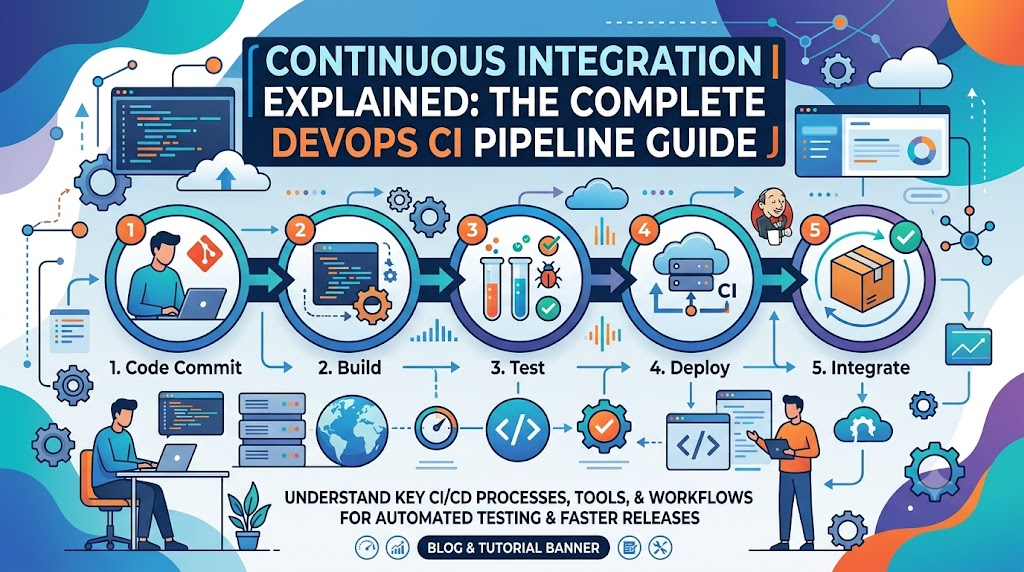
When multiple engineers develop features simultaneously on isolated branches, delaying the merge process turns routine integration into a frustrating cycle of merge conflicts, broken dependencies, and elusive regressions. Continuous Integration (CI) solves this integration tax by turning a chaotic end-of-sprint ordeal into a routine, automated habit. Instead of saving code reconciliation for the finish line, developers merge small, incremental changes into a shared repository multiple times a day. Every update instantly triggers an automated pipeline that builds the project, runs rigorous test suites, and flags regressions within minutes. By shifting validation from a manual gatekeeper to an automated safety net, CI creates tight feedback loops that help DevOps teams deliver stable, predictable software with minimal friction.
What Is Continuous Integration in DevOps?
Continuous Integration is a software engineering practice where developers regularly merge their code contributions into a central repository, after which automated builds, tests, and checks run to verify the integrity of the integration.
It is common to confuse Continuous Integration with the automation software that runs it (such as GitHub Actions, GitLab CI, or Jenkins). However, CI is fundamentally a developer practice supported by automation, not just a tool. If developers write code on isolated branches for six weeks and only run a pipeline when opening a final pull request, they are using build automation—not practicing Continuous Integration.
Core Principles of Continuous Integration
- Frequent, incremental changes: Developers break tasks down into small, cohesive changes merged frequently rather than monolithic updates merged sporadically.
- A single source of truth: All source code, configuration files, and build scripts are version-controlled in a shared repository.
- Automated build verification: Every commit or pull request automatically compiles, packages, or prepares the application in a clean environment to ensure it remains buildable.
- Comprehensive automated testing: The pipeline runs automated test suites (unit, integration, and contract tests) to verify that existing functionality remains intact.
- Fast, accessible feedback: If a build fails or a test breaks, the team is notified immediately so the issue can be corrected before downstream work is contaminated.
- Integration before isolation: Fixing broken integrations takes priority over writing new features. A broken main branch stops the team from releasing reliable code.
Within DevOps culture, CI acts as the bridge connecting development effort with automated quality operations. It removes the guesswork from collaboration by establishing an objective, automated standard for what constitutes “working software.”
How Continuous Integration Works: Step-by-Step Workflow
To see CI in action, consider a standard web application maintained by an agile engineering team. The lifecycle of a change—from a developer’s local workstation to a validated, merge-ready contribution—follows a structured, chronological path.
+--------------------------------------------------------------------------+
|                        DEVELOPER LOCAL WORKSPACE                         |
|   1. Write Code -> Run Local Checks -> Commit Small Change               |
+--------------------------------------------------------------------------+
                                     |
                                     v (git push)
+--------------------------------------------------------------------------+
|                        SHARED REPOSITORY (e.g., GitHub)                  |
|   2. Code pushed to branch / Pull Request opened                         |
+--------------------------------------------------------------------------+
                                     |
                                     v (Webhook / Event Trigger)
+--------------------------------------------------------------------------+
|                        CI ENGINE & BUILD AGENT                           |
|   3. Trigger pipeline based on branch/PR event rules                     |
|   4. Spin up clean agent -> Check out code -> Cache/Restore dependencies |
|   5. Build / Compile / Transpile / Package application                   |
|   6. Run automated test suites (Unit, Mocked Integration)                |
|   7. Execute code quality & security gates (Linters, SAST, SCA)          |
+--------------------------------------------------------------------------+
                                     |
                                     v
+--------------------------------------------------------------------------+
|                        FEEDBACK & INTEGRATION                            |
|   8. Publish logs, test reports, and commit status checks                |
|   9. Code passes validation + peer review -> Merged into main branch    |
|   10. Continuous feedback loop repeats on trunk                         |
+--------------------------------------------------------------------------+
Step 1: Developers Write and Commit Code
The process begins on a developer’s local machine. The developer selects a discrete task (such as adding an endpoint parameter or fixing a validation bug) and creates a short-lived branch from the repository’s primary branch (main or trunk).
Rather than writing hundreds of lines across disconnected files, the engineer keeps the change focused. Small commits make peer review straightforward, reduce the probability of complex merge conflicts, and isolate regressions when debugging.
Step 2: Changes Are Pushed to a Shared Repository
Once local tests and linters pass, the developer executes a git push, sending the branch to the central repository platform (such as GitHub, GitLab, or Bitbucket).
At this stage, the developer typically opens a Pull Request (PR) or Merge Request (MR). This signals the team that the feature or bug fix is ready for inspection. The PR links the specific commit history to issue trackers and establishes a venue for code review.
Step 3: A CI Pipeline Is Triggered
The version control platform registers the push or PR event. Configured webhooks or native workflow engines detect this state change and evaluate configured trigger criteria (e.g., “run this pipeline on pull requests targeting main that modify files outside the /docs folder”).
The CI server parses the repository’s pipeline configuration file (usually YAML), determines the required workflow sequence, and schedules the job on an available runner or agent.
Step 4: Dependencies and Build Requirements Are Prepared
The assigned runner creates an isolated runtime environment—often inside a temporary container or virtual machine. It checks out the specific commit hash and sets up the required toolchain (such as a specific version of Node.js, Go, Python, or the Java JDK).
Next, the runner resolves, downloads, and caches project dependencies (e.g., via npm ci, pip install, or mvn dependency:resolve). Deterministic lockfiles (such as package-lock.json or poetry.lock) are essential here to ensure identical dependencies run across developer laptops and CI agents.
Step 5: The Application Is Built
With the runtime and dependencies in place, the pipeline initiates build automation:
- For compiled languages (Go, Rust, C++, Java), the pipeline invokes the compiler to produce binaries or bytecode.
- For interpreted or dynamic languages (JavaScript/TypeScript, Python), the pipeline may execute transpilation (TypeScript to JavaScript), compile templates, bundle frontend assets, or generate schema bindings.
If the application has a syntax error, a missing asset, or an unresolved dependency, the build stage fails immediately, terminating execution before running downstream tests.
Step 6: Automated Tests Are Executed
Once the build artifacts are prepared, the CI agent runs the project’s automated test suites:
- Unit tests: Rapidly verify isolated functions, business logic algorithms, and data transformations without invoking network resources.
- Component/Service tests: Validate that internal modules collaborate correctly, frequently utilizing mocked databases or in-memory stubs.
- Contract/Integration tests: Test boundaries against external services or database migrations in an ephemeral testing container.
If any test assertion fails, the entire pipeline is marked as failed. CI does not magically ensure software quality; it merely guarantees that the software meets the exact standards enforced by its test suite. High test fidelity and good test design are necessary to make CI meaningful.
Step 7: Code Quality and Security Checks Run
Modern CI pipelines often incorporate automated quality and security gates directly into the workflow:
- Linters and formatters: Enforce consistent styling conventions and identify anti-patterns (e.g., ESLint, RuboCop, Ruff).
- Static Application Security Testing (SAST): Scans source code for potential vulnerabilities such as SQL injection vectors or unsafe deserialization patterns.
- Software Composition Analysis (SCA): Scans declared dependencies against known vulnerability databases (CVEs) to catch unpatched packages.
- Secret scanning: Ensures API tokens, private SSH keys, and database passwords were not accidentally committed into source control.
Step 8: Pipeline Results Are Reported
The runner uploads execution output, structured test summaries, coverage reports, and logs back to the CI platform.
The platform then updates the Pull Request interface with an explicit status badge (e.g., a green checkmark or red “X”). If the build fails, the developer receives an actionable notification via email, IDE notifications, or team messaging platforms (such as Slack or Microsoft Teams). Clear console logs allow the author to diagnose the failure without needing to replicate the entire environment manually.
Step 9: Validated Changes Become Eligible for Integration
Teams generally configure branch protection rules on their main branch. These rules require two conditions before code can be merged:
- All required CI status checks must pass green.
- At least one or two peers must review and approve the changes.
Once these criteria are met, the branch is merged into main. It is important to emphasize that passing CI validates only that the code compiles, passes tests, and satisfies configured checks—it does not necessarily mean the change has been deployed to a production environment.
Step 10: The Process Repeats With Every Relevant Change
When the code is merged into main, the CI server immediately triggers another pipeline against the updated trunk. This guarantees that concurrent merges from other developers have not introduced subtle integration conflicts when combined. The pipeline operates as a continuous, self-healing loop.
The CI Pipeline Architecture
A dependable Continuous Integration system requires several specialized components working together. Understanding how these pieces interact helps engineers diagnose bottlenecks, configure runners, and organize build infrastructure.
+------------------------------------------------------------------------------------+
|                                  CI ARCHITECTURE                                   |
|                                                                                    |
|  +--------------------+ Webhook    +---------------------+                         |
|  |   Version Control  | ---------> |   CI Control Plane  |                         |
|  |  (GitHub / GitLab) | <--------- | (Orchestration Hub) |                         |
|  +--------------------+   Status   +---------------------+                         |
|            |                                  |                                    |
|     Stores Code & Config                      | Dispatches Job Instructions        |
|     (e.g., .github/workflows)                 v                                    |
|                                    +---------------------+                         |
|                                    |   Runner / Agent    |                         |
|                                    | (VM or Container)   |                         |
|                                    +---------------------+                         |
|                                       /        |        \                          |
|                       Executes In /  /         |         \  Uses / Caches          |
|                                     v          v          v                        |
|                         +------------+  +------------+  +----------------------+   |
|                         | Build Env  |  | Test Tool  |  | Dependency Cache     |   |
|                         | (Compiler/ |  | (Unit/Mock |  | (npm/pip/Go module   |   |
|                         |  Runtime)  |  |  Runners)  |  |  local storage)      |   |
|                         +------------+  +------------+  +----------------------+   |
|                                                |                                   |
|                                                v Produces                          |
|                                 +------------------------------+                   |
|                                 | Build Logs, Test Summaries,  |                   |
|                                 | Artifacts (Binaries/Packages)|                   |
|                                 +------------------------------+                   |
+------------------------------------------------------------------------------------+
Architectural Components
- Version Control System (VCS): The central repository hosting application code, documentation, and the declarative pipeline definitions (e.g., Git repositories on GitHub, GitLab, Bitbucket).
- CI Control Plane / Orchestrator: The coordination engine that listens to VCS webhooks, evaluates pipeline triggers, parses configuration syntax, enforces security policies, and schedules jobs across worker nodes.
- Pipeline Configuration File: Version-controlled infrastructure-as-code files (such as
.gitlab-ci.ymlor.github/workflows/ci.yml) stored alongside application code. This ensures changes to the build process are tracked and versioned just like application features. - Runners / Agents / Executors: The worker compute engines (virtual machines, bare-metal servers, or Kubernetes pods) where pipeline jobs actually execute. Runners can be cloud-managed (hosted by the platform vendor) or self-hosted (managed inside a private cloud or on-premises network).
- Build Environment & Runtimes: The isolated execution spaces (often Docker containers) instantiated by the runner to supply specific SDKs, compilers, system libraries, and utilities needed for execution.
- Automated Test Frameworks: Test harnesses (such as PyTest, Jest, JUnit, Go Test) invoked within the build environment to execute test suites and return structured status codes (exit 0 for success, non-zero for failure).
- Quality and Security Scanners: Static analysis tools (e.g., SonarQube, Trivy, Snyk) integrated into the agent lifecycle to evaluate syntax, software dependencies, and code patterns.
- Artifact Storage & Dependency Caches: Short- or long-term storage mechanisms that save compiled binaries, test coverage summaries, and cached external dependencies to accelerate subsequent runs.
- Notification & Feedback Interfaces: Telemetry systems that surface logs, render test trend graphs, update commit statuses, and alert engineers when jobs fail.
A Practical Continuous Integration Example
To see how these concepts translate into technical implementation, let us look at a simplified, realistic pipeline for a Node.js web application using GitHub Actions.
In this scenario:
- The developer modifies a user authentication route and pushes a branch.
- The developer opens a Pull Request targeting
main. - GitHub Actions spins up an ephemeral Ubuntu runner, checks out the repository, initializes a Node.js environment, installs locked dependencies, runs linters, and executes the unit test suite.
- The pipeline outputs status checks directly inside the GitHub Pull Request view.
The Pipeline Configuration (.github/workflows/ci.yml)
YAML
name: Continuous Integration

# Trigger this workflow on pushes to main or pull requests targeting main
on:
  push:
    branches: [ main ]
  pull_request:
    branches: [ main ]

# Ensure the runner script uses minimal default privileges
permissions:
  contents: read

jobs:
  validate-and-test:
    name: Build, Lint, and Test
    runs-on: ubuntu-latest
    timeout-minutes: 15

    steps:
      # Step 1: Check out the code from the repository
      - name: Check out repository code
        uses: actions/checkout@v4

      # Step 2: Set up the correct Node.js runtime environment
      - name: Set up Node.js
        uses: actions/setup-node@v4
        with:
          node-version: '20'
          cache: 'npm' # Automatically caches ~/.npm directory based on package-lock.json

      # Step 3: Clean install dependencies based on package-lock.json
      - name: Install dependencies
        run: npm ci

      # Step 4: Run static code analysis to catch formatting/syntax issues
      - name: Execute linter
        run: npm run lint

      # Step 5: Execute automated unit test suite
      - name: Run unit tests
        run: npm test -- --ci --coverage

      # Step 6: Package the application to verify build integrity
      - name: Verify build packaging
        run: npm run build
Code language: PHP (php)
Explaining the Configuration Elements
on: [push, pull_request]: Controls event triggers. The pipeline activates both when a PR is under review and when accepted code is merged intomain.permissions: contents: read: Applies the security principle of least privilege, preventing the CI job token from writing to the repository unless explicitly authorized.runs-on: ubuntu-latest: Instructs the control plane to provision a clean, temporary Ubuntu virtual machine runner for this specific job.npm ci: Unlikenpm install(which can modify the lockfile and update versions unexpectedly),npm cistrictly honorspackage-lock.json, failing immediately if discrepancies exist. This ensures reproducible builds.cache: 'npm': Checks whether downloaded packages match the lockfile hash. If identical, the runner restores dependencies from local cache instead of fetching them over the internet, cutting pipeline execution time.npm test -- --ci: Runs the test runner in non-interactive continuous integration mode, returning standard exit codes based on test success or failure.
If a developer introduces a syntax error or breaks an assertion in auth.test.js, Step 4 or Step 5 exits with a non-zero status code. GitHub Actions halts execution, marks the job failed, and displays the exact stack trace in the PR console:
FAIL src/routes/auth.test.js
  ● Authentication Service › should return 401 on invalid token

    expect(received).toBe(expected) // Object.is equality

    Expected: 401
    Received: 500

      34 |     const res = await request(app).get('/api/profile');
    > 35 |     expect(res.statusCode).toBe(401);
         |                            ^
Code language: JavaScript (javascript)
The developer inspects the error, fixes the issue on their local branch, commits, and pushes an update. The workflow runs again automatically.
Popular Continuous Integration Tools
The DevOps landscape offers diverse CI tooling. While all modern systems accomplish the same foundational validation goals, they vary in hosting models, configuration style, and ecosystem integration.
| CI Tool | Architecture Model | Key Strengths | Common Usage Scenarios |
| GitHub Actions | SaaS / Self-hosted Runners | Deep native integration with GitHub; extensive third-party Marketplace actions; zero server maintenance needed. | Teams whose source code is hosted on GitHub seeking fast, low-overhead setup without external infrastructure. |
| GitLab CI/CD | Unified SaaS or Self-hosted | Single integrated platform spanning SCM, CI, CD, issue tracking, and security monitoring; excellent Auto DevOps templates. | Organizations wanting an all-in-one platform covering the entire software development lifecycle out of the box. |
| Jenkins | Self-hosted Master/Agent | Highly customizable; thousands of community plugins; supports complex, non-standard enterprise build pipelines. | Large enterprises with unique on-premises requirements, legacy architectures, or strict isolation needs. |
| Azure Pipelines | SaaS / Self-hosted Agents | First-class integration with Microsoft ecosystem and Azure; robust matrix build capabilities; cross-platform runners. | Enterprise organizations working within Azure, hybrid clouds, or managing heterogenous Windows/Linux stacks. |
| CircleCI | Cloud / Server Enterprise | Highly optimized for speed, advanced caching, Docker-layer caching, and resource class scaling. | Teams prioritizing fast execution times and dedicated pipeline performance optimization. |
| Bitbucket Pipelines | Integrated SaaS | Built directly into Atlassian Bitbucket; simple YAML syntax; native connections to Jira. | Organizations with workflows heavily centered on the Atlassian project management suite. |
Selecting the Right Tool
Choosing a CI platform involves practical tradeoffs:
- Ecosystem proximity: Using CI features built directly into your version control system (GitHub Actions, GitLab CI, Bitbucket Pipelines) usually minimizes administrative overhead and simplifies token management.
- Hosting requirements: Highly regulated industries with data residency mandates may require self-hosted runners or self-managed orchestrators (such as Jenkins or private GitLab instances) inside their VPC.
- Maintenance overhead: Self-hosted CI servers require ongoing patching, operating system upgrades, runner scaling, and storage management. Hosted SaaS engines offload this operational burden to the provider.
Continuous Integration vs. Continuous Delivery vs. Continuous Deployment
The acronyms CI and CD are often grouped together as “CI/CD,” which can blur the boundaries between what each practice actually does. They represent three progressive stages of automated delivery.
+-----------------------------------------------------------------------------------------+
|                                    CI / CD SPECTRUM                                     |
|                                                                                         |
|  [Code] -> [Build] -> [Test]                                                            |
|  ===========================                                                            |
|  CONTINUOUS INTEGRATION (Automated Validation)                                          |
|                                                                                         |
|  ... -> [Package Artifact] -> [Deploy to Staging] -> [Acceptance Tests]                 |
|  ======================================================================                 |
|  CONTINUOUS DELIVERY (Always deployable to production; release triggered manually)       |
|                                                                                         |
|  ... -> [Automated Production Deployment] -> [Production Verification]                  |
|  =====================================================================                  |
|  CONTINUOUS DEPLOYMENT (Every passing change deploys to production automatically)       |
+-----------------------------------------------------------------------------------------+
1. Continuous Integration (CI)
- Objective: Ensure incoming code integrates cleanly with the main codebase and satisfies all automated technical validation rules.
- Scope: Source code checkout, dependency resolution, compilation/transpilation, unit and integration testing, linting, and security scanning.
- End State: Code on the main branch is confirmed to be healthy, stable, and syntactically correct.
2. Continuous Delivery (CD)
- Objective: Ensure the software is always in a release-ready state, allowing business stakeholders to deploy it to production at any time with the click of a button.
- Scope: Extends CI by automatically packaging deployable release artifacts (such as Docker images or Helm charts), deploying them into staging or pre-production environments, and executing end-to-end integration or performance tests.
- End State: A validated release artifact is ready in a registry; human intervention is only required to approve the final production release.
3. Continuous Deployment (CD)
- Objective: Completely automate the path from code commit to production release without manual gatekeepers.
- Scope: Every commit that successfully passes the full CI validation and staging verification pipeline automatically deploys directly to production infrastructure.
- End State: Code reaching production within minutes of a developer merge, protected by automated rollback systems and observability alerts.
Practical Example: One Pipeline, Divergent Paths
Consider our web application:
- The CI Phase: Developer commits code. The pipeline builds the app, lints the codebase, and passes all unit tests. (Continuous Integration complete).
- Scenario A (Continuous Delivery): The pipeline builds a production Docker container, pushes it to an artifact registry, and deploys it to a staging environment for QA sign-off. On Friday morning, the engineering lead clicks an “Approve Release” button to promote the image to production.
- Scenario B (Continuous Deployment): The pipeline builds the container, deploys it to staging, runs automated smoke tests, and—finding zero errors—immediately deploys the container to production using a rolling or canary strategy.
Continuous Integration is the absolute prerequisite for both Continuous Delivery and Continuous Deployment. Automated release strategies are unsafe without the reliable baseline validation that CI provides.
Practical Benefits of Continuous Integration
When implemented effectively, Continuous Integration transforms team workflow dynamics:
- Earlier Defect Detection: By testing code immediately upon push, bugs are identified while the context is still fresh in the developer’s mind, making fixes faster and cheaper than tracking down regressions weeks later.
- Accelerated Feedback Loops: Developers know within minutes whether their changes meet application requirements, removing the anxiety associated with manual release validation.
- Consistent, Standardized Builds: Automated runners eliminate “it works on my machine” issues. Builds run against clean environments with explicit dependencies, surfacing undocumented environment assumptions.
- Reduced Manual Testing Overhead: Automating repetitive test runs frees QA professionals to focus on exploratory testing, performance analysis, and complex user journey validation.
- Simpler Code Reviews: Because reviewers know the CI pipeline has already verified compilation, styling, and unit test integrity, they can focus their attention on architecture, readability, and business logic.
- Smoother Mainline Integration: Frequent merges prevent divergence between local work and upstream code, effectively eliminating high-conflict integration sprints.
- Improved Team Morale and Visibility: Real-time dashboards, test metrics, and pipeline badges provide clear transparency into software health for engineers and management alike.
Common CI Challenges and How to Address Them
Implementing Continuous Integration is not without hurdles. Organizations often encounter structural and technical obstacles as their systems scale.
1. Slow Build and Test Pipelines
- The Problem: A pipeline takes 45 to 60 minutes to run. Developers stop waiting for feedback, switch contexts, and stack commits on unvalidated work.
- Root Cause: Inefficient test design, sequential execution of unrelated jobs, and downloading dependencies over the public internet on every single run.
- Mitigation:
- Cache dependency directories locally between runner runs.
- Parallelize tests across multiple agents using test-splitting strategies.
- Separate long-running end-to-end browser tests from the fast feedback loop required on every pull request.
2. Flaky and Nondeterministic Tests
- The Problem: A test intermittently passes or fails with zero changes to application code. Developers lose trust in CI and begin hitting “re-run job” until it passes green.
- Root Cause: Race conditions, unseeded random test data, dependencies on live external network APIs, or state leakage across tests.
- Mitigation:
- Isolate tests so they do not share global state or database records.
- Mock external network calls using robust stubbing libraries.
- Automatically quarantine known flaky tests into an advisory job so they do not block development while being fixed.
3. Environment Drift Between CI and Local Development
- The Problem: Code passes on developer laptops but fails inside the CI runner, or passes CI but fails in staging.
- Root Cause: Discrepancies in minor language versions, local global system packages, or divergent operating systems.
- Mitigation:
- Use containerized build environments (Docker) across both local development and CI runners.
- Enforce strict version pinning through package lockfiles and tools like
asdf,.nvmrc, or devcontainers.
4. Poorly Maintained Pipeline Configurations
- The Problem: Pipeline YAML files balloon to thousands of lines of copy-pasted, unmaintainable shell scripts.
- Root Cause: Treating CI configuration as an operational afterthought rather than production-grade code.
- Mitigation:
- Refactor repetitive pipeline steps into reusable actions, modules, or templates.
- Keep pipeline definitions inside the application source repository so changes are reviewed alongside functional code.
5. Inadequate Test Coverage
- The Problem: The pipeline passes consistently in under two minutes, yet critical defects regularly reach downstream testing environments.
- Root Cause: The pipeline runs builds and linters, but the automated test suite lacks meaningful assertions or exercises only trivial paths.
- Mitigation:
- Track meaningful test coverage metrics and focus tests on critical business logic.
- Pair automated testing with code reviews that actively assess whether new features include corresponding test assertions.
Continuous Integration Best Practices
Building an effective CI workflow requires thoughtful engineering discipline. The following practices help teams maintain fast, dependable automation:
- Keep Feedback Fast (The 10-Minute Rule): Strive to return core validation feedback to developers within 5 to 10 minutes. If a pipeline takes too long, developers will switch tasks, breaking their workflow.
- Treat Broken Builds as High Priority: When the main branch fails, fixing the pipeline or reverting the offending commit takes precedence over new feature work. Never let broken builds linger.
- Make Builds Self-Contained and Hermetic: A pipeline should never rely on artifacts or state left behind by a previous build. Every job must start from a clean, predictable state.
- Pin Tooling and Dependency Versions: Always commit dependency lockfiles (
package-lock.json,Gemfile.lock,Cargo.lock). Avoid dynamic range wildcards in production CI environments. - Separate Pre-Merge Checks From Post-Merge Workflows: Keep pull request pipelines lean and fast (linters, unit tests, security scans). Reserve time-intensive regression suites, packaging, and artifact publishing for merges into
main. - Store Pipeline Definitions in Source Control: Store configuration files in the root of the application repository. This ensures pipeline updates travel through the same branch review and testing processes as the application itself.
- Enforce Clean Git Hygiene: Adopt straightforward branching strategies like Trunk-Based Development or short-lived feature branches. Merge back to the central trunk frequently.
- Design Clear, Actionable Error Reporting: Ensure build scripts output clear, descriptive failure reasons. Developers should not have to dig through 5,000 lines of debug output to find a broken test assertion.
How to Measure CI Effectiveness
Rather than relying on intuition, engineering teams track specific performance indicators to assess the health and value of their CI pipeline.
+------------------------------------------------------------------------------------+
|                                    CI METRICS                                      |
|                                                                                    |
|  [Pipeline Duration]         [Build Failure Rate]       [Flaky Test Rate]          |
|  How long do developers      What percentage of builds  How often do tests fail    |
|  wait for feedback?          fail, and at which stage?  without code changes?      |
|                                                                                    |
|  [Time to Restore Trunk]     [Wait / Queue Time]        [PR Turnaround Time]       |
|  How quickly is the main     How long do jobs wait for  How long does code spend   |
|  branch fixed after failure? an available runner agent? in the CI/Review cycle?    |
+------------------------------------------------------------------------------------+
Code language: JavaScript (javascript)
Key Metrics to Monitor
- Pipeline Execution Duration: The total time that elapses from
git pushto pipeline completion. Steady increases over time signal accumulating test bloat or caching regressions. - Build Success vs. Failure Rate: Tracks the percentage of workflow runs that succeed or fail. A high failure rate on the
mainbranch signals that pre-merge pull request gates are insufficiently thorough. - Flaky Test Frequency: Measures how often a specific test suite fails and then passes upon an immediate, unmodified re-run. This metric highlights tests that undermine developer trust in CI.
- Time to Restore Mainline (MTTR for Trunk): The duration between a broken build on
mainand the subsequent passing build. Shorter restoration times indicate a responsive team culture. - Agent Queue and Wait Time: The time a scheduled job spends waiting for an available runner. High queue times indicate agent starvation, signaling the need for runner autoscaling or higher concurrency limits.
Interpreting Metrics in Context
Metrics should always be interpreted holistically. For instance, a 99% build success rate sounds impressive on paper, but it often reveals that a pipeline isn’t running meaningful tests or that developers are running heavy manual testing before daring to push. Conversely, a moderate failure rate on feature branches is healthy—it means the CI system is catching bugs early, exactly as designed.
CI Security and Reliability Considerations
Modern Continuous Integration runners have broad network access, run arbitrary code, and often touch proprietary intellectual property. Securing the CI environment is a critical component of software supply chain security.
- Apply the Principle of Least Privilege: Configure runner tokens and service accounts with minimal necessary permissions. Read-only permissions should be the default for CI checkouts; write permissions should only be granted when publishing artifacts or tagging releases.
- Isolate Secrets and Credentials: Never hardcode API keys, signing certificates, or production credentials in pipeline configuration files or Git repositories. Use native secret managers provided by the CI platform or external vaults (like HashiCorp Vault), and prevent secrets from echoing into build logs.
- Protect Pipelines from Untrusted Fork Workflows: When running CI on public open-source repositories or cross-team environments, ensure workflows triggered by external pull requests do not automatically inherit access to repository secrets. Unchecked pull requests can alter workflow YAML to exfiltrate tokens.
- Pin Actions and Third-Party Plugins to Specific Hashes: If your pipeline uses community-developed plugins (such as GitHub Actions Marketplace items), pin them to specific Git commit SHA hashes rather than mutable tags (like
@v1or@main). This prevents compromised upstream actions from injecting malicious code into your build environment. - Ensure Ephemeral Execution Environments: Configure runners to discard their environment entirely between runs. Ephemeral containers prevent residual files, compromised libraries, or ambient state from persisting across different jobs.
Frequently Asked Questions
What is Continuous Integration in DevOps?
Continuous Integration (CI) is an engineering practice where developers regularly merge their code contributions into a shared repository, after which automated pipelines build, test, and validate the code to detect integration defects immediately.
How does a CI pipeline work?
A CI pipeline listens for repository events (such as a code push or pull request). When triggered, it provisions an isolated runner environment, checks out the code, installs dependencies, compiles or packages the application, runs automated test suites, executes security checks, and reports pass/fail results back to the team.
What happens when a CI pipeline fails?
When a pipeline fails, execution stops, the platform marks the commit or pull request with a failure status, and the author is alerted with diagnostic logs. In high-performing teams, diagnosing and resolving the pipeline failure takes precedence over developing new features.
Is Git the same as Continuous Integration?
No. Git is a distributed version control tool used to track changes in source code. Continuous Integration is the automated process and development methodology that monitors a Git repository to build, test, and validate those changes.
Does Continuous Integration automatically deploy code to production?
No. Continuous Integration validates that code compiles and passes tests. Automated deployment to production falls under Continuous Delivery or Continuous Deployment, which build on the verified artifacts that CI produces.
Which CI tool should beginners learn first?
GitHub Actions or GitLab CI are generally the best starting points for beginners. Both integrate directly into their respective source control platforms, feature clean YAML syntax, provide free runner allowances, and eliminate the need to configure standalone server infrastructure.
Is Continuous Integration practical for small projects?
Yes. A simple CI pipeline running unit tests and a linter takes under an hour to configure and saves substantial debugging time, even on single-developer projects. It guarantees that the project builds reliably on machines other than the author’s local laptop.
How often should developers integrate their code?
Under true Continuous Integration practices, developers should integrate code at least once per day, and often multiple times daily. Smaller, more frequent integrations dramatically reduce the complexity of merge conflicts and debugging.
Can CI work without Docker or Kubernetes?
Yes. CI pipelines can run directly on bare-metal machines, virtual machines, or hosted runner environments without containers. However, Docker and container technologies are widely used because they make it easy to spin up clean, reproducible, and disposable execution environments on demand.
Conclusion
Continuous Integration is a foundational DevOps practice that automates the validation of code changes as soon as they are pushed to a central repository. By automatically running builds, executing unit and integration tests, and checking for security vulnerabilities inside clean runner environments, CI replaces error-prone, high-conflict merge cycles with fast, actionable feedback. While successful pipelines do not necessarily deploy code directly to end users, they ensure the main codebase remains consistently stable, verifiable, and release-ready, serving as the indispensable stepping stone toward Continuous Delivery and automated deployment.