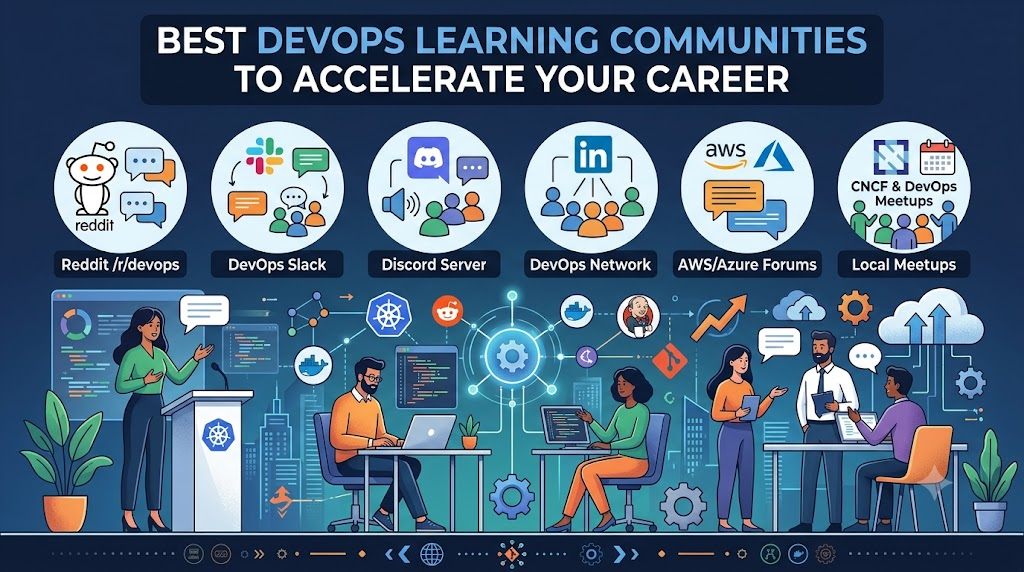
Mastering DevOps entirely on your own often leads to unnecessary trial and error, as isolated tutorials and static documentation simply cannot simulate the chaotic edge cases, pipeline breaks, and configuration drift found in live production environments. Becoming an active participant in the top DevOps learning communities to join bridges this gap by immersing you in real-time troubleshooting threads, architectural retrospectives, and unvarnished peer debates with practicing Site Reliability Engineers, cloud architects, and automation specialists worldwide. Whether you need an experienced engineer to review your continuous integration pipeline, want to track breaking changes across the cloud-native ecosystem, or aim to build meaningful professional relationships that open doors to industry mentorship, engaging thoughtfully within these digital networks transforms passive studying into accelerated, hands-on operational capability.
What Is a DevOps Learning Community?
A DevOps learning community is an organized group where engineers, developers, operations professionals, and students come together to discuss automation practices, infrastructure tooling, reliability patterns, and secure delivery workflows.
These technical networks operate across several primary formats:
- Discussion Forums: Asynchronous platforms organized by topic threads, well suited for architectural debates, tool trade-offs, and career guidance.
- Chat-Based Groups: Real-time messaging spaces divided into specialized channels for rapid-fire troubleshooting, tool inquiries, and quick advice.
- Open-Source Project Communities: Collaborative environments centered on code repositories where members track issues, review pull requests, and contribute to tool development.
- Technical Q&A Platforms: Highly moderated boards dedicated to solving specific, reproducible scripting, configuration, and syntax bugs.
- Professional Meetups and User Groups: Virtual and local practitioner gatherings emphasizing real-world case studies, lighting talks, and peer networking.
- Structured Training and Mentoring Portals: Dedicated educational hubs, such as DevOpsSchool, that offer organized curricula, foundational guides, and structured cohort learning.
Top DevOps Learning Communities to Join
1. General DevOps Learning Communities
DevOpsSchool Community
- Main Focus: Foundational and advanced training across DevOps, Site Reliability Engineering, DevSecOps, and cloud infrastructure.
- What You Can Learn: Core CI/CD principles, configuration management, infrastructure as code, container workflows, and practical certification preparation through curated technical articles and guided training programs.
- Who Should Join: Beginners needing structured educational paths, traditional system administrators or developers transitioning to automation, and engineers preparing for technical interviews.
- How to Participate: Study open reference guides, follow technical blog publications, enroll in structured training cohorts, and join interactive educational webinars.
- Limitations & Considerations: The platform centers on structured educational programs, reference documentation, and coursework rather than an open, unmoderated social chat board.
Reddit r/devops
- Main Focus: Frank peer-to-peer workplace discussions, operational tool critiques, and career trajectory advice.
- What You Can Learn: Ground-level perspectives on enterprise tool adoption, post-incident analyses, compensation trends, and practical survival strategies for on-call duties.
- Who Should Join: Mid-level to senior platform practitioners seeking realistic peer feedback, as well as career-changers wanting an accurate view of operational reality.
- How to Participate: Subscribe via Reddit, search archived threads before posting, contribute to weekly beginner question threads, and share insights on practical engineering issues.
- Limitations & Considerations: Advice quality fluctuates, debates on preferred tools can become opinionated, and workplace guidance must be weighed against your specific geographic and organizational market.
2. Cloud-Native and Open-Source Communities
Cloud Native Computing Foundation (CNCF) Community
- Main Focus: The broader vendor-neutral cloud-native ecosystem, stewarding graduated and incubating projects like Kubernetes, Prometheus, Helm, and Envoy.
- What You Can Learn: How distributed, resilient cloud architectures are designed and standardized across modern microservice and observability stacks.
- Who Should Join: Cloud-native practitioners, infrastructure software developers, SREs, and aspiring open-source contributors.
- How to Participate: Join project channels in the central CNCF Slack workspace, attend open Special Interest Group calls, track public GitHub repositories, and participate in regional community group chapters.
- Limitations & Considerations: The sheer number of working groups and technical initiatives can overwhelm newcomers; focus your attention on one project at a time.
GitHub Open-Source Ecosystem
- Main Focus: Codebase collaboration, issue tracking, continuous integration configurations, and public repository contributions.
- What You Can Learn: How production automation tools are written, how automated pipelines run via public workflow files, and how senior maintainers conduct peer code reviews.
- Who Should Join: Any engineer writing automation code, shell scripts, or declarative configurations, from novices submitting first bug fixes to seasoned package maintainers.
- How to Participate: Fork active repositories, address issues flagged for first-time contributors, clarify unclear documentation, reproduce open bugs, and join repository discussion boards.
- Limitations & Considerations: Repositories are working technical spaces; submitting vague, duplicate, or unverified issues disrupts maintainers. Always review the project contribution guidelines before posting.
3. Kubernetes and Container Communities
Official Kubernetes Community
- Main Focus: Enterprise container orchestration, cluster control-plane architecture, workload scheduling, and ecosystem standardization.
- What You Can Learn: Low-level cluster internals, networking interfaces, custom resource definitions, storage plugins, and production disaster recovery techniques.
- Who Should Join: Platform engineers, cluster administrators, systems architects, and contributors working directly with containerized infrastructure.
- How to Participate: Join the official Kubernetes Slack workspace, post in dedicated discussion forums, attend public SIG meetings, and follow community repositories.
- Limitations & Considerations: Discussions are technically demanding. Broad, open-ended questions like “How do I deploy an app?” are routinely redirected to basic documentation.
Docker Community Resources
- Main Focus: Local development environments, container runtimes, image layer optimization, and multi-container composition.
- What You Can Learn: Authoring minimal, secure Dockerfiles, managing multi-stage build caching, orchestrating local stacks with Compose, and resolving host-to-container network mapping issues.
- Who Should Join: Software developers adopting local container workflows and infrastructure beginners learning basic image and container concepts.
- How to Participate: Join community Slack channels, browse community forum topics, participate in virtual community meetups, and contribute sample setups to public repositories.
- Limitations & Considerations: Discussions focus primarily on developer workstations and single-host packaging rather than large-scale enterprise cluster management.
4. Cloud Platform Communities
AWS Developer and Cloud Community
- Main Focus: Amazon Web Services cloud architecture, managed services, infrastructure automation, and serverless design.
- What You Can Learn: Deploying infrastructure via CloudFormation and CDK, fine-tuning IAM permission boundaries, operating managed container clusters, and optimizing cloud compute costs.
- Who Should Join: Solutions architects, cloud operators, and automation engineers working primarily within AWS environments.
- How to Participate: Browse and answer questions on AWS re:Post, participate in regional user groups, read community builder articles, and inspect official open-source automation patterns.
- Limitations & Considerations: Conversations naturally prioritize proprietary AWS services over vendor-neutral or multi-cloud patterns.
Microsoft Azure Community
- Main Focus: Azure enterprise infrastructure, hybrid cloud connectivity, automated delivery through Azure DevOps, and Bicep/ARM scripting.
- What You Can Learn: Automating enterprise CI/CD pipelines, provisioning infrastructure via declarative templates, managing identity federation, and operating managed Kubernetes instances.
- Who Should Join: Cloud engineers, platform leads, and system administrators running workloads in Microsoft-centric or hybrid enterprise environments.
- How to Participate: Engage on Microsoft Tech Community discussion boards, submit feedback on public project repositories, and participate in local Azure technical user groups.
- Limitations & Considerations: The platform spans consumer and corporate Microsoft products; you must intentionally navigate to developer and infrastructure boards.
Google Cloud Community
- Main Focus: Google Cloud Platform tooling, advanced container operations on GKE, data engineering automation, and SRE frameworks.
- What You Can Learn: Production cluster operations on GKE, multi-cloud management patterns, managed data pipelines, and Site Reliability Engineering metrics.
- Who Should Join: Platform engineers, data automation developers, and SREs administering services on GCP.
- How to Participate: Join discussion board categories, take part in technical community challenges, and connect with regional developer groups.
- Limitations & Considerations: The community forum exhibits a smaller overall posting volume than AWS spaces, though discussions on container orchestration and SRE remain deeply technical.
5. DevSecOps and Security Communities
OWASP Community
- Main Focus: Application security, secure software supply chain validation, pipeline scanning, and defensive infrastructure patterns.
- What You Can Learn: Integrating security controls into CI/CD pipelines, generating and auditing Software Bills of Materials (SBOMs), secrets management, and automated vulnerability scanning.
- Who Should Join: DevSecOps engineers, security champions, and platform engineers tasked with hardening delivery workflows.
- How to Participate: Join open Slack channels, attend regular local chapter presentations, review benchmark project repositories, and contribute to open documentation efforts.
- Limitations & Considerations: Because OWASP addresses broad web application vulnerabilities, engineers looking strictly for infrastructure automation must target DevSecOps-specific working groups.
6. Technical Q&A Communities
Server Fault
- Main Focus: Enterprise system administration, production Linux/Unix troubleshooting, storage subsystems, and operational networking.
- What You Can Learn: Diagnosing complex network routing failures, kernel resource exhaustion, web server bottlenecks, and production daemon configuration bugs.
- Who Should Join: Systems administrators, network engineers, and operations specialists responsible for maintaining live production environments.
- How to Participate: Create an account, search historical questions thoroughly, present exact system configurations, and outline concrete diagnostic steps already attempted.
- Limitations & Considerations: Moderation is uncompromising. Subjective debates, tool preference polls, and speculative questions are closed immediately; queries must address specific, reproducible technical facts.
Stack Overflow
- Main Focus: Programming syntaxes, configuration parsing, API calls, shell scripting, and infrastructure-as-code errors.
- What You Can Learn: Resolving syntax failures in Terraform, debugging Docker build instructions, correcting CI pipeline YAML configurations, and fixing automation scripts.
- Who Should Join: Developers and platform practitioners writing code or configuration files who need to solve an isolated execution error.
- How to Participate: Submit concise, minimal reproducible examples. Document expected outcomes, actual outputs, error traces, and the exact commands run.
- Limitations & Considerations: Requires rigorous question hygiene. Posting without demonstrating prior research or failing to provide reproducible code often attracts downvotes and duplicate flags.
7. Professional Networking and Meetup Communities
Regional DevOps and Cloud-Native Meetups
- Main Focus: Local peer networking, engineering case studies, post-incident war stories, and community technical presentations.
- What You Can Learn: How regional tech companies configure their delivery pipelines, tool migration lessons learned the hard way, and regional hiring expectations.
- Who Should Join: Engineers of all skill levels looking to build local professional relationships, exchange operational stories, and practice public speaking.
- How to Participate: Register for local chapters on major event platforms, attend scheduled presentations, join open post-talk discussions, and offer to share brief lightning talks.
- Limitations & Considerations: Event frequency and depth depend on local volunteer organizers and geographic proximity to technology hubs, though virtual attendance remains an alternative.
Comparison of the Best DevOps Learning Communities
| Community | Core Technical Focus | Best Suited For | Format of Interaction | Accessibility & Pricing |
| DevOpsSchool Community | DevOps, SRE, and cloud automation curricula | Structured learning, reference guides, and professional skill-building | Articles, guides, organized courses, and cohort sessions | Free online resources; paid guided training cohorts |
| CNCF Community | Open-source cloud-native projects and standards | Cloud-native engineers, contributors, and platform architects | Slack workspace, GitHub issues, working group meetings | Free open public access |
| Official Kubernetes Community | Container orchestration architecture and cluster operations | Cluster administrators, container engineers, and upstream contributors | Dedicated Slack, web forum, GitHub, public SIG calls | Free open public access |
| Reddit r/devops | Broad industry discussions, tool debates, and career context | Engineers seeking candid operational feedback and peer experiences | Threaded discussions, commentary, and recurring Q&A posts | Free open account |
| GitHub Open-Source Ecosystem | Public codebases, automation workflows, and tooling repos | Practitioners seeking hands-on code interaction and direct project contributions | Repositories, pull requests, issue trackers, and discussion boards | Free user registration |
| Official Cloud Provider Communities | Vendor-specific architectures, services, and automation | Engineers working inside AWS, Azure, or Google Cloud environments | Vendor Q&A boards, technical blogs, and user groups | Free access with provider account |
| OWASP Community | Application security and CI/CD security controls | Engineers building automated security checks into delivery pipelines | Slack, GitHub projects, local chapter meetups, open documentation | Free open-source access; optional paid membership |
| Server Fault | System administration and infrastructure diagnostics | Pinpointing specific production OS, server, and networking errors | Strict, highly structured Q&A format | Free open account |
| Stack Overflow | Automation code, syntax errors, and pipeline scripting | Debugging isolated code snippets, IaC errors, and build definitions | Strict, highly structured Q&A format | Free open account |
| Regional DevOps Meetups | Local networking, practitioner talks, and case studies | Expanding professional networks and learning from live engineering war stories | In-person presentations, panel discussions, and virtual webinars | Generally free (registration required) |
How to Choose the Right DevOps Community
Finding the most productive community depends on your current career phase, the hurdles you are facing, and your preferred learning method:
- Foundational Learners: Start with structured educational portals like DevOpsSchool to build conceptual clarity around continuous integration, configuration management, and infrastructure as code, while following broad forums to observe real industry discussions.
- Engineers Tackling Execution Bugs: Head straight to Stack Overflow or Server Fault when dealing with a broken shell script, invalid pipeline YAML, or failing infrastructure manifest that requires an exact, isolated fix.
- Cloud-Native and Kubernetes Operators: Join the Kubernetes Slack and participate in CNCF working groups to learn directly from the maintainers writing the standards you use daily.
- Cloud Platform Specialists: Concentrate on vendor-specific forums like AWS re:Post or the Microsoft Tech Community if your day-to-day work is tied directly to a single cloud ecosystem.
- Security-Focused Practitioners: Engage with OWASP working groups to understand automated vulnerability scanning, artifact signing, and software supply chain defenses.
- Open-Source Contributors: Spend your time in project repositories on GitHub, reviewing pull requests, improving documentation, and observing how maintainers triage issues.
How to Get the Most Value From a DevOps Community
Joining a community is simple, but extracting lasting value requires intentional habits:
- Read the Participation Guidelines: Review community codes of conduct and formatting rules before posting your first question.
- Search Before Asking: Investigate historical threads to see if your build failure or configuration bug has already been resolved.
- Formulate Clear Questions: Detail what you want to achieve, the actual outcome, and the diagnostic steps you have already tested.
- Isolate Problem Parameters: Provide only the relevant code or configuration snippet rather than an overwhelming, unedited file.
- Close the Loop: When a suggested fix works, leave a concise comment explaining how it resolved your issue so future readers benefit.
- Assist Fellow Learners: Cement your own technical comprehension by answering beginner questions on topics you recently mastered.
- Verify Advice Against Documentation: Treat forum answers as helpful suggestions, but always check official vendor documentation before modifying production settings.
- Engage in Live Presentations: Attend local or virtual meetups to hear how platform engineering teams handle real-world system failures.
- Contribute Small Improvements: Submit pull requests to correct outdated documentation, fix broken tutorial examples, or improve test suites.
- Build Demonstrable Projects: Implement community patterns inside your personal repositories to translate theory into working automation.
DevOps Community Etiquette and Security Best Practices
Sharing configurations and diagnostic outputs publicly requires strict caution to avoid exposing infrastructure vulnerabilities.
Sanitizing Shared Code and Logs
- Remove All Authentication Secrets: Strip out passwords, API tokens, private SSH keys, and service account files before sharing logs or scripts.
- Mask Network Topologies: Obfuscate private corporate IP addresses, internal domain names, and cloud account identifiers with standard documentation placeholders.
- Scrub Personal and Customer Data: Ensure runtime logs contain no customer names, email addresses, or database records.
Responsible Participation Rules
- Never Execute Unverified Commands: Always understand the flags and binaries within community-provided scripts before running them on your system.
- Refrain from Commercial Promotion: Do not use community question threads to post unsolicited affiliate links, commercial product pitches, or marketing spam.
- Acknowledge Original Authors: Provide clear attribution when sharing scripts or architectural concepts adapted from other engineers.
- Maintain Professional Courtesy: Focus disagreements on technical trade-offs, performance benchmarks, and operational requirements rather than personal tool preferences.
How Beginners Can Start Learning Through Communities
To avoid feeling overwhelmed by hundreds of active channels, use this four-week framework to steadily build your community presence:
- Week 1: Observe and Map the Landscape: Join one general discussion forum and one targeted channel. Read community rules, observe daily interactions, and create a running glossary of unfamiliar acronyms and concepts to research.
- Week 2: Ask a Well-Prepared Question: Isolate a specific hurdle encountered while configuring a local lab environment. Research existing discussions, frame a structured question outlining your setup and attempted fixes, and observe how responders diagnose the issue.
- Week 3: Build and Document a Practical Lab: Take an automation pattern discussed in the community—such as a simple pipeline workflow—and deploy it in a public repository. Write a clear project summary explaining its design and operational steps.
- Week 4: Provide Your First Contribution: Review beginner question queues to help another learner troubleshoot a problem you understand, or submit a documentation fix to an open-source project repository.
Common Mistakes to Avoid When Joining DevOps Communities
| Common Mistake | Recommended Corrective Action |
| Joining excessive platforms at once | Concentrate your activity on one general forum and one tool-specific space. |
| Submitting vague help requests | Include operating systems, software versions, commands executed, and exact error traces. |
| Accepting forum suggestions blindly | Validate proposed changes against official documentation before implementation. |
| Pasting uninspected commands into terminals | Review command documentation and test syntax inside an isolated sandbox. |
| Posting unredacted logs and manifests | Scrub secrets, private IP ranges, cloud account numbers, and corporate domain names. |
| Expecting real-time technical support | Treat public communities as asynchronous spaces and provide thorough context upfront. |
| Neglecting hands-on keyboard practice | Build and test automation configurations locally instead of relying purely on reading. |
How DevOpsSchool Can Support Your Learning Journey
While public forums and open-source networks provide invaluable real-world insights, mastering platform engineering often calls for a structured framework to connect disparate tools into a coherent operational model.
DevOpsSchool supports this journey by offering organized training programs, professional certifications, and a rich library of technical articles covering DevOps, Site Reliability Engineering, DevSecOps, and cloud architectures. Pairing structured educational guidance with active involvement in open-source and peer communities ensures you establish both the solid theoretical foundation and the practical troubleshooting instincts required in production engineering.
Frequently Asked Questions
1. What are the best DevOps learning communities for beginners?
Beginners thrive in spaces that welcome fundamental questions and provide clear learning roadmaps. Platforms like Reddit r/devops host recurring beginner threads, while the Docker Community Slack offers an accessible space for container fundamentals. Educational portals such as DevOpsSchool also provide organized guides that demystify complex workflows before you jump into deep technical repositories.
2. Where can I ask DevOps technical questions?
For precise code errors, syntax failures, and tool configuration issues, Stack Overflow and Server Fault are ideal when accompanied by reproducible examples and sanitized configs. For architectural advice or operational post-mortems, Reddit r/devops or the respective project’s Slack channels and GitHub Discussions are best suited.
3. Are there free DevOps communities online?
Yes. Many of the most respected engineering spaces—such as the CNCF Slack, Kubernetes Community, Reddit r/devops, GitHub, Server Fault, and Stack Overflow—are completely free to join and participate in with a standard user account.
4. Which communities are best for learning Kubernetes?
The Official Kubernetes Community is the definitive space. Engaging with the official Kubernetes Slack workspace, monitoring discussions on its dedicated web forum, and tracking the upstream community repository on GitHub puts you directly in contact with the developers and operators maintaining cluster standards worldwide.
5. Where can I learn about CI/CD and DevOps automation?
Public repositories on GitHub offer immediate access to production-grade workflows for tools like GitHub Actions, ArgoCD, and GitLab CI. Additionally, general forums like r/devops routinely feature in-depth discussions evaluating pipeline reliability, testing strategies, and deployment patterns.
6. How can I contribute to DevOps open-source projects?
Begin with project documentation. Search repositories across the CNCF or popular automation tools on GitHub for issues tagged good first issue or documentation. Fixing ambiguities, updating outdated setup guides, or adding missing configuration examples builds immediate credibility with maintainers.
7. Are DevOps communities useful for career development?
Yes. Active participation provides a transparent public track record of your engineering mindset. Engaging in constructive technical discussions, contributing to open-source repositories, assisting fellow learners, and speaking at regional meetups makes your capabilities visible to hiring managers and engineering teams looking for communicative talent.
8. How do I ask good questions in a technical forum?
A well-structured technical question contains five elements:
- A clear statement of what you are trying to accomplish.
- The exact operating system, software versions, and environment details.
- The specific command or manifest applied.
- The complete, sanitized error log or unexpected output.
- A summary of the troubleshooting steps you have already evaluated.
9. Can I learn DevOps through community participation alone?
Community interactions accelerate learning, but they cannot replace hands-on keyboard practice. You must configure, break, and recover systems within your own local sandbox or cloud lab. Use communities to uncover architectural patterns and overcome blockers, but ground your expertise in actual implementation.
10. How can I protect sensitive information when asking technical questions?
Always sanitize your terminal outputs, scripts, and configuration files. Redact private credentials, authentication tokens, internal domain names, corporate IP blocks, and cloud identifiers. Whenever possible, recreate the issue in a clean, disposable testing environment before sharing.
11. Should I join general DevOps groups or tool-specific communities?
Both offer complementary benefits. General communities provide a broad perspective on architectural patterns, cultural practices, and industry directions, while tool-specific spaces (such as the Kubernetes Slack or Terraform forums) supply the specialized expertise needed to solve immediate technical errors.
12. How can DevOpsSchool help me continue learning?
DevOpsSchool provides comprehensive educational curricula, certified training programs, and step-by-step technical guides across automation, platform engineering, and enterprise cloud systems. Utilizing their structured courses builds the technical foundation needed to navigate open-source discussions with confidence.
Conclusion
Navigating the expansive, fast-moving landscape of cloud-native engineering becomes significantly more achievable when you stop studying in isolation and actively collaborate with fellow practitioners who share their hard-won production lessons every day. By picking one overarching forum to track industry trends and one tool-specific network focused on your immediate hands-on project, you can combine real-time community troubleshooting with disciplined keyboard practice to build the confidence, resilience, and operational instincts required of an exceptional DevOps engineer.