Introduction
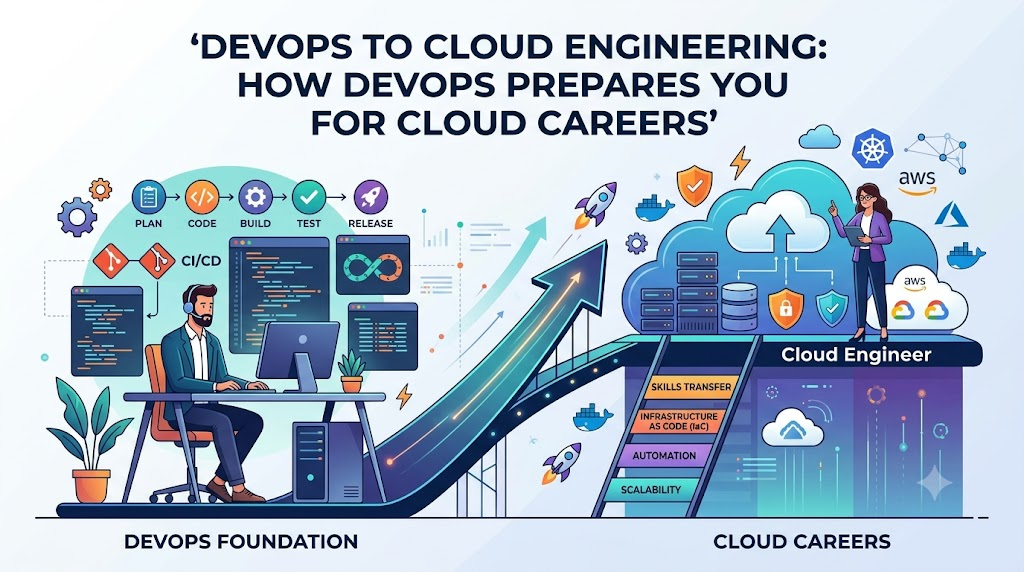
As modern enterprises increasingly migrate critical workloads to cloud environments, managing infrastructure through manual dashboard clicks is no longer sustainable. Cloud computing delivers on-demand compute, storage, and networking, but it requires systematic automation, continuous deployment pipelines, and proactive observability to operate reliably at scale. Learning DevOps provides this exact foundation by equipping you with core practices like Infrastructure as Code, containerization, and automated CI/CD workflows. While building a lasting cloud career still demands platform-specific architectural expertise and hands-on practice, DevOps bridges the gap between raw cloud capacity and robust, production-grade systems engineering.
What Is DevOps?
DevOps is an operational and cultural approach that bridges the historic divide between software development teams (who build features) and IT operations teams (who maintain system stability). In traditional organizational setups, developers wrote code and handed it over to operations engineers to deploy and run. When deployments broke or servers crashed, accountability was fragmented, resulting in slow release cycles, finger-pointing, and fragile production environments.
At its core, DevOps replaces these silos with shared ownership, systemic collaboration, and end-to-end automation throughout the software delivery lifecycle.
Key pillars of DevOps include:
- Continuous Integration and Continuous Delivery (CI/CD): Developers merge code changes frequently into central repositories, triggering automated builds and test suites to detect regressions early. Continuous delivery automates the release pipeline so validated code can be deployed safely to staging or production environments at any time.
- Infrastructure Automation: Treating infrastructure setup not as a manual hardware configuration, but as software code that can be tested, versioned, and rolled out automatically.
- Shared Responsibility and Culture: Fostering mutual accountability between developers, operations teams, and quality assurance engineers for application health, performance, and uptime.
- Continuous Feedback and Monitoring: Tracking real-time operational metrics and error rates to provide immediate insights back to developers, enabling rapid iterations and fast bug fixes.
- Integrated Reliability and Security: Introducing operational resilience and security controls early in the development lifecycle rather than checking systems just before release.
DevOps is not an isolated software tool, a downloadable framework, or a single job title. It is an engineering methodology that combines technical practices, tooling, and collaborative workflows to deliver dependable software rapidly and repeatedly.
What Is Cloud Computing?
Cloud computing is the on-demand delivery of computing services over the internet with pay-as-you-go pricing. Instead of purchasing, racking, and maintaining physical data centers and physical servers, businesses rent access to computational resources from hyperscale cloud providers.
Modern cloud providers offer a comprehensive ecosystem of foundational building blocks:
- Compute Services: Virtual machines, container runtimes, and serverless compute engines that execute application workloads without requiring physical hardware maintenance.
- Storage Services: Scalable object storage for static files, block storage for high-performance operating system drives, and managed file systems for shared network access.
- Networking: Software-defined networking, including Virtual Private Clouds (VPCs), subnets, routing tables, network gateways, load balancers, and content delivery networks.
- Managed Databases: Fully managed relational, key-value, document, and in-memory databases where maintenance tasks like patching, backups, and failovers are managed by the provider.
- Identity and Access Management (IAM): Centralized identity directories, role-based access control, security policies, and credential governance tools that define access boundaries across cloud assets.
- Observability Services: Native logging collectors, metric alarms, and audit trails that capture system health and administrative events.
- Serverless Computing: Event-driven execution engines that run application code only when triggered, abstracting server provisioning entirely.
These capabilities are delivered across three core service models:
| Service Model | Definition | Customer Responsibility | Provider Responsibility |
| IaaS (Infrastructure as a Service) | Raw infrastructure building blocks (virtual machines, networks, storage). | Operating systems, runtime environments, application code, data, security configuration. | Physical hardware, virtualization layer, data center facilities. |
| PaaS (Platform as a Service) | Managed environments designed for building and deploying applications directly. | Application code, data schemas, access controls. | Operating system patching, runtime maintenance, server provisioning. |
| SaaS (Software as a Service) | Fully functional, end-user applications delivered over the internet. | User access management, data input, basic organizational configuration. | Entire application stack, hosting, security updates, uptime. |
Navigating cloud engineering goes far beyond clicking buttons inside a web console. It demands a working grasp of distributed systems architecture, network segmentation, security hardening, high-availability design, capacity planning, cost management, and operational incident response.
How DevOps and Cloud Computing Work Together
Cloud computing supplies the elastic raw materials; DevOps provides the tools, automated systems, and operational discipline to construct durable platforms with them.
Without cloud computing, DevOps teams are constrained by the speed of physical hardware procurement and on-premises virtualization. Without DevOps practices, cloud infrastructure quickly degenerates into an unorganized, expensive sprawl of manually launched servers, unpatched instances, and untracked configurations.
The operational intersection of DevOps and cloud computing includes:
- Infrastructure as Code (IaC): Defining cloud networks, storage, and compute configurations inside version-controlled code files, making cloud environment provisioning repeatable and auditable.
- Automated CI/CD Pipelines: Deploying tested application updates straight to cloud environments without requiring manual file transfers or manual server access.
- Containerized Deployments: Packaging applications and dependencies into container images that run identically across local developer laptops, staging instances, and production cloud clusters.
- Cloud Monitoring and Observability: Centralizing logs, infrastructure metrics, and distributed tracing across cloud resources to identify performance bottlenecks.
- Automated Scaling and Healing: Using code-driven rules to scale cloud compute instances during traffic spikes and automatically terminate and replace unhealthy workloads.
- Security Integration (DevSecOps): Validating cloud configurations, container images, and IAM policies within automated pipelines before any resource is created in the cloud.
- Cost-Aware Operations: Automatically spinning down idle cloud environments outside business hours using automated deployment schedules and cleanup scripts.
Practical Scenario: A Modern Cloud-Native Workflow
To see how these practices combine, consider a microservices web application:
- A developer writes an enhancement and pushes the code branch to a Git repository.
- A continuous integration pipeline automatically executes unit tests, builds an immutable Docker container image, and runs security vulnerability scans against the image dependencies.
- Upon approval, an Infrastructure as Code script automatically provisions an isolated staging environment inside a cloud Virtual Private Cloud.
- The deployment pipeline releases the new container image to a managed cloud container orchestration service and performs synthetic health checks.
- Once staging checks pass, the pipeline handles a zero-downtime rolling update in production.
- Centralized cloud logging and monitoring capture performance metrics, alerting the engineering on-call rotation if latency thresholds breach agreed service targets.
DevOps principles apply across physical on-premises servers, private data centers, hybrid setups, and multi-cloud architectures. However, the programmable APIs native to modern cloud platforms make DevOps automation vastly more effective.
Essential DevOps Skills That Prepare You for Cloud Careers
Mastering core DevOps skills establishes the operational and engineering foundation required to excel as a cloud engineer. Each fundamental skill bridges directly into cloud environments:
Linux and Command-Line Fundamentals
Most cloud workloads, containers, and virtual machines run on Linux distributions. Mastering the command line—managing file permissions, monitoring processes, inspecting network sockets, parsing log files, and managing system services with systemd—is essential for configuring cloud virtual machines and troubleshooting container runtimes.
Git and Version Control
Git is the standard communication medium for modern infrastructure teams. In cloud engineering, Git tracks not only application code, but also Infrastructure as Code templates, Kubernetes manifests, and pipeline definitions. Branching strategies, pull requests, and peer reviews protect cloud architectures against unverified, destructive changes.
Networking Fundamentals
Cloud computing is fundamentally software-defined networking. Concepts like CIDR IP addressing, DNS resolution, routing tables, TCP/UDP ports, firewalls, and HTTP/HTTPS handshakes translate directly to configuring cloud Virtual Private Clouds, private subnets, internet gateways, NAT gateways, and load balancer listeners.
Scripting and Automation
Repetitive manual tasks are prone to human error. Developing proficiency in Bash and Python enables engineers to automate operational workflows, interact with cloud provider command-line interfaces (CLIs) and SDKs, parse JSON outputs, run administrative cleanup scripts, and create custom pipeline actions.
CI/CD Pipelines
Understanding how to design, configure, and maintain continuous integration and deployment pipelines using tools like GitHub Actions, GitLab CI, or Jenkins transfers directly to cloud careers. Cloud environments rely on automated pipelines to build artifacts, run security linters, and deploy services safely.
Docker and Containers
Containers isolate applications from underlying operating system quirks. By packaging dependencies, runtimes, and application binaries into standard Docker images, engineers ensure consistent behavior across environments. This skill is a prerequisite for utilizing cloud container engines and managed Kubernetes offerings.
Kubernetes Fundamentals
For engineers targeting cloud-native engineering roles, basic container orchestration knowledge is valuable. Understanding pods, services, deployments, ingress controllers, config maps, and container health probes helps learners navigate managed cloud Kubernetes services.
Infrastructure as Code (IaC)
Manual configuration through cloud dashboards leads to configuration drift and untracked changes. IaC frameworks like Terraform, OpenTofu, and platform-native templating tools allow engineers to define cloud infrastructure declaratively. This enables version control, automated drift detection, and reproducible environments across development, staging, and production tiers.
Configuration Management
Once virtual machines are running in the cloud, tools like Ansible automate post-provisioning tasks, including package installations, configuration file updates, security hardening, and user account management across server fleets.
Monitoring and Observability
Operating applications in distributed cloud environments requires proactive monitoring. Understanding metrics collection (CPU, memory, request latency), structured log aggregation, distributed tracing, alerting policies, and status dashboards allows engineers to triage production incidents efficiently.
Cloud Security and Access Governance
Security must be integrated into modern cloud operations from day one. Understanding identity and access management (IAM), least-privilege permission models, encryption at rest and in transit, secrets management, and network security lists protects cloud accounts against breaches and data leaks.
Cost and Resource Management
Cloud capacity is elastic, meaning abandoned or oversized resources continue incurring charges. Understanding resource allocation, compute instance right-sizing, lifecycle policies for object storage, and automated cleanup routines is a vital operational skill for any cloud professional.
Learning Strategy: Beginners should acquire these skills progressively. Attempting to master Linux, Kubernetes, Terraform, Python, and every cloud service all at once leads to burnout. Build a rock-solid foundation in Linux, networking, Git, and basic scripting before tackling complex orchestration frameworks.
Cloud Platforms to Explore After Learning DevOps Fundamentals
Once you understand fundamental DevOps principles, apply those concepts to a major cloud service provider. The three market-leading hyperscale platforms share architectural foundations despite differing service names:
- Amazon Web Services (AWS): The pioneer in public cloud infrastructure, AWS maintains extensive enterprise market adoption. Core services include Amazon EC2 (compute), Amazon S3 (object storage), Amazon VPC (networking), AWS IAM (identity), Amazon CloudWatch (observability), and Amazon EKS (managed Kubernetes).
- Microsoft Azure: Widely adopted in enterprise and hybrid environments, Azure integrates deeply with corporate directories and Microsoft developer tools. Core services include Azure Virtual Machines, Azure Blob Storage, Azure Virtual Network, Microsoft Entra ID (identity), Azure Monitor, and Azure Kubernetes Service (AKS).
- Google Cloud Platform (GCP): Renowned for its container innovations, data analytics, and developer ergonomics, Google Cloud offers Google Compute Engine, Cloud Storage, Virtual Private Cloud, Cloud IAM, Cloud Logging/Monitoring, and Google Kubernetes Engine (GKE).
Platform Comparison Matrix
| Cloud Platform | Core Compute & Storage | Networking & Identity | DevOps Services & Integrations | Practical Beginner Exercise |
| AWS | EC2, S3, EBS | VPC, Route 53, IAM | AWS CodePipeline, CloudFormation, ECR/EKS | Launch an EC2 instance in a custom VPC via the AWS CLI and host a secure Nginx page. |
| Azure | Virtual Machines, Blob Storage, Managed Disks | Virtual Network, Azure DNS, Entra ID | Azure DevOps Pipelines, ARM Templates, Bicep, ACR/AKS | Deploy a containerized web application to Azure App Service using Azure CLI. |
| Google Cloud | Compute Engine, Cloud Storage, Persistent Disk | VPC, Cloud DNS, Cloud IAM | Cloud Build, Artifact Registry, GKE, Google Cloud Deploy | Build a container image using Cloud Build and deploy it to a basic GKE cluster. |
No single cloud platform is objectively the best starting choice for every individual. Choose your initial platform based on regional job market demand, existing operating system knowledge (e.g., Linux vs. Windows enterprise stacks), company requirements, or the quality of learning resources at your disposal. The underlying architectural paradigms transfer readily between platforms once mastered.
Cloud Career Paths That Benefit From DevOps Skills
Developing a blend of DevOps automation practices and cloud infrastructure expertise unlocks multiple distinct career opportunities:
                  ┌──────────────────────────────────────────────┐
                  │    Core DevOps & Cloud Foundations           │
                  │ (Linux, Git, Networking, Scripting, CI/CD)  │
                  └──────────────────────┬───────────────────────┘
                                         │
         ┌───────────────────────────────┼───────────────────────────────┐
         ▼                               ▼                               ▼
┌──────────────────┐           ┌──────────────────┐           ┌──────────────────┐
│  Cloud Engineer  │           │ DevOps Engineer  │           │ Cloud DevOps Eng │
│ Focus: Infra,    │           │ Focus: Delivery, │           │ Focus: Unified   │
│ Provisioning,    │           │ CI/CD pipelines, │           │ Cloud automation │
│ Cloud Operations │           │ Dev enablement   │           │ & Operations     │
└────────┬─────────┘           └────────┬─────────┘           └────────┬─────────┘
         │                              │                              │
         └──────────────────────────────┼──────────────────────────────┘
                                        │
         ┌──────────────────────────────┴──────────────────────────────┐
         ▼                               ▼                             ▼
┌──────────────────┐           ┌──────────────────┐          ┌──────────────────┐
│ Site Reliability │           │ Platform Engineer│          │  Cloud Security  │
│  Engineer (SRE)  │           │ Focus: Internal  │          │     Engineer     │
│ Focus: Uptime,   │           │ developer tools, │          │ Focus: IAM,      │
│ SLIs/SLOs, Scale │           │ self-service API │          │ Compliance, Sec  │
└──────────────────┘           └──────────────────┘          └──────────────────┘
1. Cloud Engineer
- Typical Responsibilities: Provisions, configures, interconnects, and manages cloud infrastructure assets; enforces operational policies; supports system maintenance.
- Relevant DevOps Skills: Basic scripting, Linux administration, version control, Infrastructure as Code basics.
- Additional Knowledge Required: Deep familiarity with platform-specific cloud services, VPC peering, subnet architecture, load balancing, and administrative tools.
- Beginner Project: Use Terraform to launch a fault-tolerant, two-tier architecture (web server and database) across multiple cloud availability zones.
2. DevOps Engineer
- Typical Responsibilities: Designs automated build, test, and deployment workflows; maintains CI/CD infrastructure; improves engineering velocity and deployment reliability.
- Relevant DevOps Skills: Advanced CI/CD pipeline authoring, Docker containerization, Git branching, automation scripting, artifact management.
- Additional Knowledge Required: Software testing paradigms, developer tooling integration, build automation tools (Maven, npm, Gradle), pipeline security checks.
- Beginner Project: Construct a automated GitHub Actions workflow that executes automated linting and unit testing, creates a Docker container, and publishes the image to a container registry.
3. Cloud DevOps Engineer
- Typical Responsibilities: Bridges infrastructure engineering and release automation, managing cloud-hosted deployment pipelines and automated infrastructure rollouts.
- Relevant DevOps Skills: Infrastructure as Code, container orchestration, CI/CD automation, cloud monitoring, configuration management.
- Additional Knowledge Required: Cloud provider APIs, cloud identity management, cost optimization, automated infrastructure testing.
- Beginner Project: Build a pipeline that uses Terraform to deploy a containerized application to AWS ECS or Azure Container Apps, run post-deployment health checks, and tear down test environments automatically.
4. Site Reliability Engineer (SRE)
- Typical Responsibilities: Ensures distributed cloud services remain reliable, highly available, and performant; handles incident post-mortems and emergency triage; automates manual operational tasks (“toil”).
- Relevant DevOps Skills: Observability tools, advanced scripting (Python, Go), systems troubleshooting, container orchestration.
- Additional Knowledge Required: Service Level Indicators (SLIs), Service Level Objectives (SLOs), error budget calculations, chaos engineering concepts, distributed systems tracing.
- Beginner Project: Configure Prometheus and Grafana to track HTTP response codes and latencies for an application, creating custom alerting rules for error rate spikes.
5. Platform Engineer
- Typical Responsibilities: Builds internal developer platforms (IDPs) and self-service infrastructure templates that allow software developers to deploy applications without submitting manual IT tickets.
- Relevant DevOps Skills: Infrastructure as Code modules, container orchestration, Kubernetes operators, automated service provisioning.
- Additional Knowledge Required: API design, developer ergonomics, service catalog design, multi-tenant cloud governance.
- Beginner Project: Author reusable, validated Terraform modules that allow developers to deploy standardized, secure cloud storage buckets and compute instances with predefined tags and security policies.
6. Cloud Infrastructure Engineer
- Typical Responsibilities: Manages complex enterprise cloud footprints, focusing on hybrid-cloud connectivity, global network backbones, storage life cycles, and compute clusters.
- Relevant DevOps Skills: Network scripting, configuration management, Infrastructure as Code, log aggregation.
- Additional Knowledge Required: Hybrid connectivity protocols (Direct Connect, ExpressRoute, VPNs), transit gateways, enterprise backup strategies, disaster recovery planning.
- Beginner Project: Design and deploy a hub-and-spoke virtual network topology in a cloud account, verifying secure isolation between environments.
7. Cloud Security Engineer
- Typical Responsibilities: Audits cloud security baselines, designs identity access boundaries, monitors vulnerability signals, and automates compliance checks across infrastructure.
- Relevant DevOps Skills: DevSecOps scanning, pipeline integration, automated configuration validation, log auditing.
- Additional Knowledge Required: Cryptographic key management (KMS), network firewalls, threat modeling, regulatory compliance frameworks (CIS, SOC2, ISO 27001).
- Beginner Project: Write automated static analysis checks using tools like Checkov or tfsec to detect insecure security groups and unencrypted storage volumes in IaC templates before deployment.
Job titles and operational responsibilities vary significantly between organizations. Early-stage startups often combine these roles into a single position, while large enterprises maintain dedicated, specialized teams for each domain.
Practical Projects That Connect DevOps With Cloud Careers
Building verifiable, hands-on projects is the single most effective way to prove engineering capability to prospective employers. The following progressive projects demonstrate relevant, transferable skills:
Project 1: Deploy a Simple Web Application
- Objective: Host a static or dynamic web application on cloud compute infrastructure with custom networking and secure access controls.
- Tools: Linux, Nginx, AWS EC2 (or Azure VM / GCP Compute Engine), Git.
- Implementation Steps: Provision a virtual server; configure security groups/firewall rules to restrict inbound ports to HTTP (80) and SSH (22); install and configure Nginx; clone application files from Git; verify public reachability.
- Expected Evidence: A GitHub repository containing the configuration scripts, alongside a documented architecture diagram and curl verification logs.
- Skills Demonstrated: Linux administration, basic cloud compute provisioning, port-level network security.
Project 2: Build a Cloud CI/CD Pipeline
- Objective: Automate application testing, packaging, and deployment whenever new code is merged.
- Tools: Git, GitHub Actions (or GitLab CI), Cloud Object Storage or PaaS instance.
- Implementation Steps: Write a pipeline configuration file; define job triggers on pull requests; add automated linting and unit test execution steps; configure secure cloud credentials using short-lived tokens; deploy validated application files directly to a cloud hosting environment.
- Expected Evidence: Public pipeline run histories showing passed tests and automated deployments triggered by commits.
- Skills Demonstrated: Automated build workflows, continuous deployment, cloud credential handling.
Project 3: Provision Infrastructure Using Code
- Objective: Provision and destroy a repeatable cloud environment using declarative configuration code.
- Tools: Terraform or OpenTofu, AWS/Azure/GCP provider plugins.
- Implementation Steps: Define provider credentials; write declarative files for a VPC, public/private subnets, internet gateways, and a virtual machine; store Terraform state securely in remote cloud object storage; execute
planandapply; safely clean up resources withdestroy. - Expected Evidence: Clean, modularized Terraform code in a version-controlled repository with detailed execution plans documented in the README.
- Skills Demonstrated: Declarative infrastructure provisioning, state file management, cloud architecture repeatability.
Project 4: Containerize and Deploy an Application
- Objective: Package an application into an immutable container image and run it on a cloud container engine.
- Tools: Docker, Cloud Container Registry (ECR, ACR, or Artifact Registry), Cloud Container Service (ECS, Azure Container Apps, or Cloud Run).
- Implementation Steps: Write a multi-stage
Dockerfileoptimizing image size; build and run the image locally; push the image to a cloud registry; launch the container on a managed container service; configure operational health check endpoints. - Expected Evidence: Documented
Dockerfile, verification of image scans without high-severity vulnerabilities, and a running container endpoint. - Skills Demonstrated: Container isolation, container image optimization, managed container hosting.
Project 5: Add Cloud Monitoring and Alerting
- Objective: Implement end-to-end operational visibility for a deployed cloud application.
- Tools: Cloud native monitoring (AWS CloudWatch, Azure Monitor, or GCP Cloud Operations), Grafana, Prometheus.
- Implementation Steps: Install monitoring agents or configure native metrics collectors; aggregate application stdout and system logs in a central dashboard; create visualization panels tracking CPU, memory, and HTTP response codes; set up an automated alert notification (email or chat hook) that triggers when error rates exceed 5%.
- Expected Evidence: Screenshots and setup scripts for real-time monitoring dashboards, accompanied by verified alert dispatch logs.
- Skills Demonstrated: Proactive system monitoring, log aggregation, alerting threshold configuration.
Project 6: Apply Cloud Security Fundamentals
- Objective: Secure a multi-tier cloud environment following the principle of least privilege.
- Tools: Cloud IAM, Secrets Manager, Security Group firewalls.
- Implementation Steps: Audit cloud root/administrative accounts; create granular IAM roles with tight permission boundaries; remove hardcoded passwords from code, replacing them with dynamic retrieval from a cloud secrets manager; place databases in private subnets with zero public internet routing.
- Expected Evidence: Documented IAM permission policies, network route tables showing isolated private subnets, and sanitization reports confirming zero credentials committed to Git.
- Skills Demonstrated: Identity governance, secrets management, software-defined network isolation.
Project 7: Build an End-to-End Cloud DevOps Project
- Objective: Combine version control, CI/CD, IaC, containers, cloud monitoring, and security hardening into a unified, reproducible system.
- Tools: Git, Terraform, Docker, GitHub Actions, Cloud Managed Kubernetes or Container Service, CloudWatch/Prometheus.
- Implementation Steps:
- Write Terraform code to provision cloud networking and a container runtime platform.
- Build an automated GitHub Actions pipeline that triggers on code pushes to validate IaC syntax with security linters.
- Configure the pipeline to build a Docker container, push it to a private cloud registry, and deploy it using a rolling release strategy.
- Automatically register the workload with centralized logging and health monitoring.
- Test system recovery by terminating an instance and verifying automatic workload rescheduling.
- Expected Evidence: A comprehensive GitHub portfolio repository containing an architecture blueprint, automated setup code, complete pipeline configurations, and a step-by-step setup walkthrough.
- Skills Demonstrated: Full-lifecycle cloud infrastructure automation, architectural design, production operations engineering.
A Step-by-Step Roadmap From DevOps Fundamentals to Cloud Skills
Building a cloud career is an iterative learning process. Follow this sequential roadmap to build practical competence:
[Phase 1: Fundamentals]
  Linux Systems ──► Networking Basics ──► Git Version Control ──► Scripting (Bash/Python)
                                                                           │
                                                                           ▼
[Phase 2: Delivery & Packaging]
  Monitoring & Metrics ◄── Docker Containers ◄── CI/CD Automation (Pipelines)
             │
             ▼
[Phase 3: Cloud Adoption]
  Choose 1 Cloud Platform ──► Cloud Compute, VPC, IAM ──► Infrastructure as Code (Terraform)
                                                                           │
                                                                           ▼
[Phase 4: Advanced Engineering & Career Prep]
  Portfolio Documentation ◄── Security Audits & IAM ◄── Production Observability
             │
             ▼
  Interview Practice & Real-World Troubleshooting
Code language: JavaScript (javascript)- Learn Linux, Git, and Networking: Spend time working inside the Linux terminal. Master file operations, process monitoring, and user permissions. Learn Git workflows (commit, branch, merge, rebase). Understand network protocols, DNS resolution, IP subnets, and ports.
- Learn Scripting and Automation: Pick up practical Bash for shell operations and Python for working with data structures, REST APIs, and automation scripts. Learn to manipulate files and parse structured JSON data.
- Understand CI/CD Workflows: Construct simple pipelines using GitHub Actions or GitLab CI. Automate simple tasks: running a linter, executing a unit test script, and packaging artifacts upon code commits.
- Learn Containerization: Master Docker fundamentals. Write clean
Dockerfiles, optimize image layers, run local multi-container setups using Docker Compose, and debug failing containers using interactive shell sessions. - Choose One Cloud Platform: Select AWS, Azure, or Google Cloud. Learn its fundamental services thoroughly: compute instances, object storage, virtual private clouds, subnets, routing tables, and identity management (IAM). Avoid building architectures in multiple clouds simultaneously.
- Practise Infrastructure as Code: Move away from manual clicking in the cloud web console. Learn Terraform or a native tool to define virtual servers, storage buckets, and networks using version-controlled code.
- Deploy and Monitor Applications: Connect your automated CI/CD pipelines to your cloud environment. Deploy containerized applications automatically, configure health checks, inspect system logs, and set up basic monitoring dashboards.
- Add Security and Reliability Practices: Implement least-privilege IAM policies. Store database passwords and API keys in dedicated cloud secrets managers. Configure automated data backups and test restoring them.
- Build a Documented Portfolio Project: Build an end-to-end automated deployment project. Write clear, detailed documentation in your repository README explaining your design decisions, architecture diagrams, trade-offs, and instructions for reproducing the setup.
- Prepare for Technical Interviews: Practise explaining the technical trade-offs behind your project designs. Be ready to explain how you troubleshoot broken deployments, isolate network connectivity issues, handle credential rotations, and respond to outages.
The time required to progress through this roadmap varies based on prior background, technical aptitude, and weekly study hours. Avoid programs that promise overnight transformation; focus on steady, verifiable hands-on practice.
DevOps Skills vs. Cloud-Specific Skills
DevOps principles provide universal, platform-agnostic mental models. However, working effectively as a cloud engineer also demands deep platform-specific knowledge:
| Skill Domain | Representative Tools | How DevOps Applies It | Additional Cloud-Specific Knowledge Required |
| Version Control | Git, GitHub, GitLab | Tracks infrastructure definitions, code changes, and configuration files. | Cloud source repositories, code-signing integrations, automated webhooks with cloud pipelines. |
| CI/CD | GitHub Actions, Jenkins, GitLab CI | Automates build validation, testing suites, and artifact releases. | Cloud deployment agents, service principal authentication, blue-green cloud deployments. |
| Scripting | Bash, Python, Go | Automates repetitive system tasks and administrative tasks. | Cloud Provider SDKs (e.g., Boto3), cloud CLI interfaces, serverless function runtimes. |
| Infrastructure as Code | Terraform, OpenTofu, Pulumi | Treats infrastructure configurations as software code with versioning. | Cloud provider resource schemas, remote state bucket locking, regional resource availability. |
| Containers | Docker, Podman | Standardizes application packages across environments. | Cloud container registries, managed container runtimes (ECS, Cloud Run), container instance scaling. |
| Orchestration | Kubernetes | Manages container workloads, deployments, and self-healing. | Managed cloud control planes (EKS, AKS, GKE), cloud load balancer controller integrations, storage CSI plugins. |
| Monitoring & Observability | Prometheus, Grafana, ELK | Tracks system metrics, distributed traces, and log aggregation. | Native cloud log streams (CloudWatch, Azure Monitor), billing alarms, audit event logging (CloudTrail). |
| Security & Governance | Vault, Trivy, Checkov | Automates vulnerability scanning and secrets management. | Cloud IAM role delegation, security group firewalls, KMS key encryption policies. |
| Networking | Linux networking, iptables | Understands ports, sockets, DNS, and IP routing. | Cloud VPC routing tables, Internet/NAT gateways, VPC endpoints, transit gateways, direct interconnects. |
| Cost Management | Infracost, custom scripts | Identifies orphaned storage and automates resource termination. | Cloud pricing tiers, reserved instances, spot/preemptible instances, cloud billing budgets and alerts. |
DevOps skills offer powerful, transferable methodologies, but they do not eliminate the need to understand specific cloud platforms. Strong engineers combine solid DevOps principles with a deep understanding of their chosen cloud provider’s architecture and services.
Certifications, Projects, and Practical Experience
Navigating certifications and practical experience requires a balanced strategy:
- Build Foundational Knowledge First: Do not rush directly into advanced, specialized certification exams. Build a practical baseline in Linux, networking, and cloud services before booking test dates. Certifications are most valuable when they validate skills you already understand and have used hands-on.
- Select Role-Aligned Certifications: Choose certifications that align with your immediate career direction. Foundation certifications like the AWS Certified Cloud Practitioner or Microsoft Azure Fundamentals (AZ-900) offer a high-level overview for beginners. Associate certifications like the AWS Certified Solutions Architect – Associate, AWS Certified SysOps Administrator, or Azure Administrator (AZ-104) test deeper practical implementation knowledge.
- Build Working Projects Alongside Study: Studying solely by memorizing multiple-choice practice questions creates a fragile understanding that falls apart during technical interview deep dives. For every theoretical topic covered in an exam guide, spend time implementing it inside a live cloud environment.
- Document Architectural Trade-Offs: Hiring managers want to see your problem-solving process. When publishing projects to public code repositories, document why you chose specific designs, which errors you encountered, how you diagnosed them, and how you fixed them.
- Prepare for Real-World Troubleshooting Scenarios: Interviews for cloud and DevOps roles rarely focus on rote memorization. They evaluate troubleshooting methodology: How do you trace why a web service returns HTTP 502 Bad Gateway? How do you fix an IAM permission access denied error? How do you diagnose a failing CI/CD pipeline step?
No certification guarantees employment, automated salary increases, or instant career promotions. Certifications serve to validate baseline competence, but your project portfolio, code repositories, and technical communication are what prove your practical ability to deliver results.
Common Mistakes When Preparing for Cloud Careers
Many aspiring engineers encounter preventable setbacks when transitioning into cloud roles. Watch out for these common traps:
- Configuring Everything Through the Cloud Web Console: Relying entirely on manual point-and-click operations leaves you unprepared for production enterprise teams that require repeatable, code-driven infrastructure. Remedy: Recreate your console experiments using Infrastructure as Code (Terraform) or the cloud provider CLI.
- Attempting to Learn Multiple Cloud Platforms Simultaneously: Trying to learn AWS, Azure, and Google Cloud at the same time leads to confusion over naming conventions and shallow knowledge across all three. Remedy: Focus entirely on one platform until you can comfortably design, deploy, and troubleshoot environments on it.
- Memorizing Commands Without Hands-On Practice: Reading documentation or watching video courses without writing configurations results in weak practical retention. Remedy: Keep a terminal and code editor open during study sessions; apply theoretical concepts immediately in a live environment.
- Skipping Linux and Shell Scripting: Jumping straight to high-level cloud abstractions while struggling with Linux permissions or text-processing utilities leaves you unable to debug servers and containers. Remedy: Spend your first few weeks working exclusively in the Linux shell until navigation and system troubleshooting feel natural.
- Ignoring Cloud Security and IAM: Granting wildcard permissions (
*) or hardcoding API access keys directly into code repositories creates massive security vulnerabilities. Remedy: Learn and apply least-privilege permissions from day one, and always store sensitive credentials in dedicated secrets managers. - Treating Kubernetes as Mandatory for Entry-Level Roles: Beginners often get bogged down in the intricacies of Kubernetes networking and cluster administration before understanding basic virtual machines, Docker containers, or cloud networks. Remedy: Master Docker and single-container deployments thoroughly before diving into container orchestration platforms.
- Neglecting Cloud Costs and Clean-Up: Forgetting to terminate experimental virtual machines, database instances, and load balancers can lead to unexpected, expensive cloud bills. Remedy: Set up strict cloud billing budgets with automated alerts, write cleanup scripts, and run
terraform destroywhen finishing study sessions. - Building Projects Without Documentation: Publishing code repositories that lack README explanations, setup instructions, or architectural diagrams makes it difficult for recruiters and hiring managers to evaluate your work. Remedy: Write clear documentation for every project explaining its architecture, prerequisites, setup instructions, and design trade-offs.
- Treating Certifications as a Substitute for Experience: Collecting multiple certifications without having any working code samples or live projects to show raises red flags during technical interviews. Remedy: Pair every certification you pursue with a public, well-documented project that implements its concepts in practice.
- Assuming DevOps Training Guarantees Immediate Employment: Believing that completing a training curriculum automatically qualifies you for senior engineering positions leads to frustration. Remedy: Treat learning as the foundation of your journey; build a hands-on portfolio, participate in engineering communities, and target entry-level roles (such as Junior Cloud Engineer, SysAdmin, or Associate DevOps Engineer) to gain real-world experience.
How DevOpsSchool Relates to Cloud Career Learning
Navigating the vast ecosystem of modern infrastructure technologies—ranging from operating system kernels and network protocols to cloud architectures and deployment pipelines—can be overwhelming without a structured learning path.
This is where structured technical training platforms like DevOpsSchool play a valuable role. DevOpsSchool provides organized educational programs covering core DevOps engineering practices, cloud computing foundations, containerization technologies, continuous integration and delivery pipelines, Infrastructure as Code, and observability frameworks.
Structured training programs help learners by:
- Organizing Complex Learning Curves: Rather than jumping between disconnected tutorials, learners follow a structured curriculum that introduces fundamentals sequentially—progressing from Linux and Git to automation, cloud infrastructure, and operational reliability.
- Emphasizing Hands-On Labs: Theoretical knowledge must be reinforced through practical execution. Quality learning programs emphasize guided lab exercises that simulate real-world infrastructure tasks, such as configuring automated pipelines, deploying containerized applications, and provisioning cloud resources using code.
- Providing Structured Guidance: Having access to experienced technical mentors and structured peer groups allows learners to troubleshoot errors, clarify architectural concepts, and gain insights into industry workflows.
When evaluating any technical training provider, choose programs that prioritize hands-on labs and practical projects over pure theoretical lectures. Structured learning provides valuable direction, but lasting engineering competence ultimately comes from rolling up your sleeves, writing configuration code, troubleshooting failures, and deploying functional systems yourself.
Frequently Asked Questions (FAQs)
How does DevOps help prepare someone for a cloud career?
DevOps equips you with the automation, operational methodologies, and systems thinking required to manage cloud environments at scale. Cloud computing provides on-demand virtual resources, while DevOps provides the practices—such as Infrastructure as Code, CI/CD pipelines, containerization, and automated monitoring—needed to provision, deploy, and operate those resources reliably.
Should beginners learn DevOps before cloud computing?
It is best to learn the foundational skills that underpin both domains first. Start with Linux, basic networking, Git version control, and shell scripting. Once you understand these core tools, you can learn basic cloud services alongside introductory DevOps practices (such as building a simple CI/CD pipeline or provisioning a cloud server with code).
Which DevOps skills are most useful for cloud engineers?
The most valuable transferable skills include Linux command-line fluency, networking fundamentals (subnets, routing, ports), Infrastructure as Code (Terraform), container basics (Docker), and automated CI/CD pipeline design. These skills allow you to automate cloud deployments rather than relying on manual console configuration.
Which cloud platform should a beginner learn first?
AWS, Microsoft Azure, and Google Cloud are all excellent starting points. Choose one platform based on your local job market demand, the tech stack of your target companies (e.g., Azure for Windows/enterprise environments, AWS or GCP for open-source and modern startup stacks), or the quality of learning resources available to you. Once you master the core concepts of one platform, transferring to another is relatively straightforward.
Is coding necessary for cloud and DevOps careers?
You do not need to be a software developer building complex application algorithms, but you do need scripting and automation skills. You should be comfortable writing shell scripts (Bash) for system administration tasks, reading configuration languages (YAML, JSON, HCL), and writing basic scripts in a language like Python to interact with cloud APIs.
Are Docker and Kubernetes required for every cloud role?
Docker and container fundamentals are essential for almost all modern cloud roles, as containers are the standard packaging format for modern applications. Basic Kubernetes knowledge is increasingly valuable, but deep cluster administration is typically not required for entry-level cloud support or junior cloud engineering positions.
Which projects help demonstrate cloud and DevOps skills?
High-impact portfolio projects include:
- Deploying a containerized web application using a fully automated CI/CD pipeline.
- Provisioning a secure, multi-tier cloud environment using modularized Terraform code.
- Setting up centralized logging, custom dashboards, and automated alert rules for a live application.Documenting your setup steps, architecture diagrams, and lessons learned in a public GitHub repository is key to standing out.
Are certifications enough to get a cloud engineering job?
Certifications demonstrate that you understand theoretical concepts and terminology, but they are rarely enough on their own to secure a job. Hiring managers look for practical problem-solving ability, hands-on experience, and working code samples. Pair every certification you earn with practical, well-documented portfolio projects.
Can someone move from IT support to cloud engineering through DevOps?
Yes. IT support professionals often already have valuable experience with operating systems, user identity, network troubleshooting, and customer service. By learning Git, shell scripting, cloud networking, Infrastructure as Code, and CI/CD pipelines, support specialists can build on their existing operational experience to transition into cloud roles.
How long does it take to learn the fundamentals?
For individuals dedicating consistent study time (10 to 15 hours per week), building a dependable foundation across Linux, networking, Git, basic scripting, one cloud platform, and foundational CI/CD typically takes 6 to 9 months. The exact timeline depends on prior technical background, consistency, and how much time is spent on hands-on practice.
Final Thoughts
Transitioning into a cloud career requires more than memorizing console dashboards; it demands a solid grasp of how to build, automate, and maintain resilient distributed systems. Mastering DevOps instills the essential practices—from version control and automated pipelines to container orchestration, security baselines, and infrastructure automation—that make cloud platforms manageable at enterprise scale. When paired with focused platform expertise and structured training programs like DevOpsSchool, these transferable skills turn abstract cloud concepts into demonstrable engineering capability. By committing to hands-on experimentation, mastering the fundamentals, and documenting your real-world projects, you build the practical foundation needed to thrive in modern cloud engineering roles.