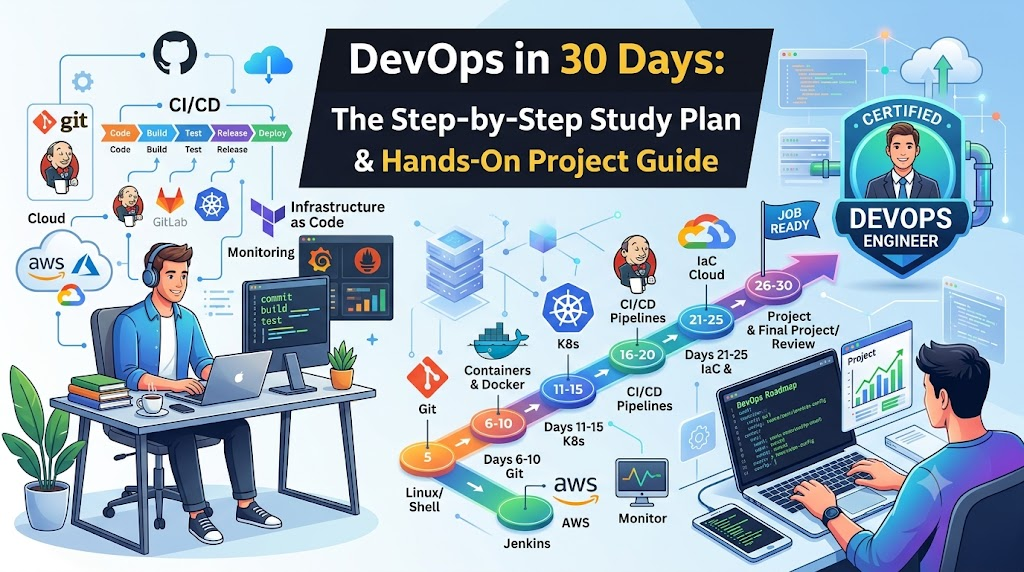
DevOps can feel overwhelming when you first look at the vast landscape of tools, platforms, and methodologies. Many newcomers encounter complex periodic tables of DevOps tools and assume they must master dozens of utilities—from Kubernetes and Terraform to Prometheus and Jenkins—before doing anything useful.
The truth is much simpler: DevOps is an engineering culture and an operational philosophy centered on accelerating software delivery through automation, collaboration, and feedback. You do not need to learn every tool to start. You need a solid grasp of foundational concepts, practical terminal skills, an understanding of the software delivery lifecycle, and hands-on experience building an end-to-end delivery pipeline.
This guide provides a structured, 30-day DevOps learning roadmap designed specifically for beginners, students, freshers, and developers or system administrators transitioning into cloud and infrastructure roles. It breaks the journey into manageable daily milestones, prioritizes essential competencies, and focuses on practical, project-based execution.
What Beginners Can Realistically Achieve in 30 Days
Setting realistic expectations is the first step toward effective learning. Thirty days of focused study will not transform you into a senior infrastructure architect or guarantee instant mastery of production operations.
Here is what you can realistically achieve in 30 days:
- Build fundamental mental models: Understand how code transitions from a local editor to a deployed server, and why continuous integration and continuous delivery (CI/CD) matter.
- Gain practical command-line fluency: Confidently navigate Linux systems, manage file permissions, configure system services, and use Git for collaborative version control.
- Package and run workloads: Write Dockerfiles, build reproducible container images, manage container runtimes, and configure container networking.
- Automate software builds: Write working pipeline scripts that test, build, and package software whenever new commits arrive.
- Assemble a functional portfolio project: Connect source control, a build pipeline, and containerization into an end-to-end proof of concept.
What requires further, ongoing study:
- Designing fault-tolerant, multi-region distributed architectures.
- Administering complex multi-tenant Kubernetes clusters.
- Complex production debugging under zero-downtime constraints.
- Advanced enterprise compliance, identity federation, and deep site reliability engineering (SRE).
If you have prior exposure to programming, networking, or system administration, you may move through early concepts faster. If you are entirely new to technical environments, take your time, focus on core principles, and resist the urge to skip ahead before you understand the basics.
Essential DevOps Skills and Tools to Prioritize
A major trap for beginners is tool hopping—trying to learn Docker, Ansible, Jenkins, GitHub Actions, Terraform, and Kubernetes simultaneously. To learn DevOps effectively in 30 days, prioritize a focused, high-value toolchain:
| Domain | Primary Tool / Skill | Role in the DevOps Lifecycle | Why It Takes Priority |
| Operating System | Linux (Ubuntu/Debian) | Core runtime environment for servers and containers | Most cloud workloads run on Linux; CLI mastery is non-negotiable. |
| Version Control | Git | Code repository, branching, and team collaboration | Automation triggers directly from version control events. |
| Automation | Bash Scripting | Task orchestration and CLI automation | Eliminates repetitive tasks and powers pipeline steps. |
| CI/CD | Jenkins or GitHub Actions | Automated build, test, and release orchestration | Forms the operational backbone of automated delivery. |
| Containerization | Docker | Application packaging and dependency isolation | Ensures applications behave identically across environments. |
| Cloud Computing | AWS or Azure Fundamentals | On-demand virtual infrastructure and compute instances | Provides the platform where modern applications are deployed. |
| Observability | Basic Logging & Health Checks | System monitoring and error visibility | Essential for diagnosing failures and verifying uptime. |
Advanced orchestrators such as Kubernetes and Infrastructure as Code (IaC) tools like Terraform are vital in modern operations, but they build directly on containers, networking, and cloud APIs. Learn the foundations first; add orchestration and declarative infrastructure afterward.
The 30-Day DevOps Learning Roadmap
This four-week study plan structures your learning day by day. Every week builds progressively on the previous one, concluding with a functional milestone.
Week 1: Foundations (Linux, Shell, Git, Networking)
   │
   ▼
Week 2: CI/CD & Build Automation (Pipelines, Testing, Artifacts)
   │
   ▼
Week 3: Containers & Cloud (Docker, Packaging, Cloud Compute)
   │
   ▼
Week 4: Integration, Observability & Capstone Project
Week 1: Linux, Networking, Git, and DevOps Fundamentals
Goal: Establish confident navigation of the Linux command line, understand networking fundamentals, manage repositories with Git, and automate basic routines with shell scripts.
- Day 1: Understanding the DevOps Core Philosophy
- Learn the history of software delivery: moving from siloed development and operations teams to shared ownership.
- Study the software delivery lifecycle (SDLC), the principles of fast feedback loops, and infrastructure automation.
- Day 2: Linux Essentials — Files and Navigation
- Set up a local Linux environment using WSL (Windows Subsystem for Linux), a local virtual machine, or a small cloud instance.
- Practice navigation, viewing, and manipulation:
cd,ls -la,pwd,mkdir,cp,mv,rm,cat,head,tail -f, andgrep.
- Day 3: Permissions, Ownership, and Process Management
- Understand the Linux permissions model:
chmod,chown, user groups, and root privileges withsudo. - Inspect running processes:
ps aux,top,htop,kill, and running services withsystemctl status/start/stop.
- Understand the Linux permissions model:
- Day 4: Networking Fundamentals for DevOps
- Learn core networking concepts: IPv4 addresses, ports, subnets, DNS resolution, and the HTTP/HTTPS request-response cycle.
- Practice troubleshooting network connections using
curl -I,ping,netstat/ss -tulpn, and inspecting/etc/hostsand/etc/resolv.conf.
- Day 5: Version Control with Git
- Understand the Git object model: working directory, staging area, commit history, and remote tracking.
- Initialize repositories, commit files, review logs, and examine diffs:Bash
git init git add . git commit -m "Initial commit of application structure" git status git diff
- Day 6: Branching, Merging, and Collaboration
- Learn feature branching workflows, merge strategies, resolving merge conflicts, and publishing branches to a remote repository on GitHub or GitLab.
- Day 7: Bash Scripting Fundamentals
- Write basic automation scripts using variables, conditional statements (
if/else), exit codes ($?), and loops. - Build a simple backup script that archives a target directory, names it with a timestamp, and logs the operation.
- Write basic automation scripts using variables, conditional statements (
Week 1 Milestone: You can spin up a Linux instance, inspect its processes and ports, configure basic security permissions, manage code branches using Git, and run a custom Bash utility script.
Week 2: CI/CD and Build Automation
Goal: Understand how automated pipelines validate code, run test suites, prevent regression bugs, and generate build artifacts.
- Day 8: Continuous Integration Principles
- Study why automated integration prevents merge conflicts and catches bugs early.
- Learn key pipeline concepts: triggers, runners, stages, jobs, artifacts, and exit code interpretation.
- Day 9: Setting Up Your First CI Runner
- Install and configure a CI engine (such as running Jenkins inside a Linux VM or setting up a GitHub Actions workflow).
- Explore the user interface, execution workspaces, and execution agents/nodes.
- Day 10: Writing Pipeline Configurations
- Write a declarative pipeline script that defines sequential stages: checkout, install dependencies, run linter, and run unit tests.
- Day 11: Integrating Git with CI Triggers
- Configure webhook automation or polling so that pushing a commit to your repository automatically triggers a pipeline run.
- Day 12: Build Artifacts and Test Reports
- Configure the pipeline to preserve build outputs (such as compiled binaries or compressed packages) and display unit test summaries.
- Day 13: Pipeline Troubleshooting and Failure Recovery
- Practice diagnosing pipeline failures: read raw build console logs, identify missing dependencies, fix syntax bugs, and handle non-zero exit codes.
- Day 14: Weekly Review and Pipeline Hardening
- Consolidate your pipeline: ensure credentials (API tokens or keys) are never hardcoded in scripts, using environment variables or pipeline secret managers instead.
Week 2 Milestone: Every code commit pushed to your repository automatically triggers an automated pipeline that runs tests, halts on failures, and saves a verified build artifact on success.
Week 3: Docker and Cloud Fundamentals
Goal: Package applications inside lightweight, portable containers and run workloads on scalable cloud virtual infrastructure.
- Day 15: Why Containers Matter
- Understand the difference between Virtual Machines (hypervisors, guest operating systems) and Containers (shared kernel, process isolation, namespaces, cgroups).
- Day 16: Basic Docker Commands
- Install Docker. Run pre-built images from Docker Hub:Bash
docker run -d -p 8080:80 --name web-server nginx docker ps docker logs -f web-server docker stop web-server && docker rm web-server
- Install Docker. Run pre-built images from Docker Hub:Bash
- Day 17: Writing Dockerfiles
- Learn Dockerfile instructions:
FROM,WORKDIR,COPY,RUN,ENV,EXPOSE, andCMD. - Build a custom image for a simple web application (Node.js, Python Flask, or Go):Dockerfile
FROM python:3.11-slim WORKDIR /app COPY requirements.txt . RUN pip install --no-cache-dir -r requirements.txt COPY . . EXPOSE 5000 CMD ["python", "app.py"]
- Learn Dockerfile instructions:
- Day 18: Container Networking and Storage Volumes
- Understand Docker bridge networks and container-to-container communication.
- Use bind mounts and managed volumes to persist data across container restarts.
- Day 19: Introduction to Cloud Infrastructure
- Create a cloud account (using AWS, Azure, or Google Cloud Free Tier).
- Learn core cloud primitives: compute instances (e.g., EC2), Virtual Private Clouds (VPCs), subnets, and security groups (firewall rules).
- Day 20: Provisioning and Securing a Cloud Server
- Launch an Ubuntu compute instance.
- Configure SSH key-based authentication (disable password logins), configure a security group allowing only ports 22 (SSH), 80 (HTTP), and 443 (HTTPS), and install Docker on the server.
- Day 21: Multi-Container Setups with Docker Compose
- Write a
docker-compose.ymlfile running a two-tier application: an application service connected to a backing database (such as PostgreSQL or Redis) over an isolated internal network.
- Write a
Week 3 Milestone: You can write an optimized Dockerfile, build and run custom container images locally, launch and secure a cloud virtual machine, and run multi-container applications via Docker Compose.
Week 4: Monitoring, Integration, and Capstone Project
Goal: Connect your Git repository, CI/CD pipeline, and containerized cloud deployment into an automated pipeline, supplemented with basic monitoring and health checks.
- Day 22: Secrets Management and Least Privilege
- Study operational security: managing sensitive keys without checking them into version control, setting minimum necessary file and user privileges, and safely supplying secrets at runtime via environment variables.
- Day 23: Application Health Checks and Basic Monitoring
- Implement an HTTP
/healthcheck endpoint in your application. - Monitor instance resource utilization using Linux utilities (
uptime,free -m,df -h,journalctl -u docker) and cloud monitoring dashboards (e.g., CloudWatch).
- Implement an HTTP
- Day 24: Capstone Project — Setup and Code Repository
- Initialize your project repository: a lightweight application, unit tests, a Dockerfile, and deployment scripts.
- Day 25: Capstone Project — Pipeline Automation
- Build a CI/CD pipeline stage that runs tests and automatically builds a new Docker container image on every successful commit to
main.
- Build a CI/CD pipeline stage that runs tests and automatically builds a new Docker container image on every successful commit to
- Day 26: Capstone Project — Automated Deployment
- Configure a pipeline step that signs in to an image registry, pushes the image, and updates the running container on your cloud virtual machine.
- Day 27: Capstone Project — Testing and Edge Cases
- Test intentional failures: push a failing unit test to verify that the pipeline stops before building an image; verify that your running production container stays online and unaffected.
- Day 28: Capstone Project — Documentation and README
- Write clear, professional documentation in your repository README: include an architecture diagram, prerequisites, step-by-step local setup instructions, pipeline breakdown, and troubleshooting notes.
- Day 29: Cloud Resource Cleanup and Cost Awareness
- Inspect your cloud dashboard. Terminate or pause unused compute instances, release unattached Elastic IPs, and delete test volumes to prevent unexpected charges.
- Day 30: Skill Gap Assessment and Future Roadmap
- Review your progress across all four weeks. Identify areas where you felt less confident, document your lessons learned, and choose your next technical specialization.
Week 4 Milestone: You have deployed a functioning, documented end-to-end delivery pipeline that automatically tests, builds, and deploys a containerized application to a secure cloud server upon push.
Suggested Daily Study Routine
Progressing through technical material requires consistent, active practice rather than passive reading. If you can dedicate roughly two hours per day, structure your time as follows:
┌─────────────────┬──────────────────────────────────┬─────────────────┬──────────┐
│  Concepts (25m) │     Hands-On Practice (65m)      │ Troubleshooting │ Notes    │
│  Read & inspect │     Write scripts, build, run    │   Fix errors    │ Log work │
│                 │                                  │     (20m)       │  (10m)   │
└─────────────────┴──────────────────────────────────┴─────────────────┴──────────┘
- Concepts (25 minutes): Read documentation or conceptual guides for the daily topic. Focus on why the technology exists, what problem it solves, and how it behaves architecturally.
- Hands-On Practice (65 minutes): Spend the majority of your session in the terminal or editor. Type commands, create configurations, write scripts, and observe the output. Never simply copy and paste commands without inspecting each flag.
- Troubleshooting and Error Analysis (20 minutes): When something breaks (and it will), do not immediately start over. Read the error output, inspect the system logs, isolate the failing step, and understand what caused the failure.
- Documentation and Progress Tracking (10 minutes): Keep a markdown journal or engineering log. Write down three things: what you built, which error you encountered and resolved, and the key commands you used.
Time Management Tip: If you only have one hour per day, keep the same proportions: 15 minutes of concepts, 35 minutes of hands-on practice, and 10 minutes of review. Cut down the scope of your daily exercises rather than cutting out hands-on practice.
Hands-On Capstone Project: Automated Container Deployment
The best way to consolidate your 30 days of learning is to build an integrated project. Rather than building a complex enterprise application, use a simple, lightweight web service and focus your engineering effort on the delivery pipeline.
Developer Workstation
         │
         │ (git push)
         ▼
GitHub / GitLab Repository
         │
         │ (Webhook trigger)
         ▼
CI/CD Pipeline (Jenkins / Actions)
   ├── 1. Run Unit Tests & Linters
   ├── 2. Build Docker Container Image
   └── 3. Deploy via SSH to Cloud Host
         │
         ▼
Cloud Virtual Machine (Linux / Docker)
   ├── Pull updated image
   ├── Restart container gracefully
   └── Verify /health endpoint (200 OK)
Step 1: The Base Application and Version Control
Create a minimal web API using Python Flask, Node.js Express, or Go. Ensure the application includes:
- A root endpoint (
/) returning a welcome message and build version. - A dedicated health check endpoint (
/health) returning a{"status": "healthy"}JSON payload with an HTTP 200 status code. - At least one automated unit test verifying that the
/healthendpoint responds correctly.
Commit this application into a fresh Git repository on GitHub or GitLab with an appropriate .gitignore file.
Step 2: The Docker Configuration
Write a production-minded Dockerfile in the project root. Optimize the image by using a slim base image, copying only necessary files, and running the application as a non-privileged user:
Dockerfile
FROM node:18-alpine

WORKDIR /usr/src/app

COPY package*.json ./
RUN npm ci --only=production

COPY . .

# Run as non-root user for basic security
USER node

EXPOSE 3000

CMD ["node", "server.js"]
Code language: PHP (php)
Build and test the container locally to verify port mapping and access:
Bash
docker build -t mini-app:1.0 .
docker run -d -p 3000:3000 --name test-run mini-app:1.0
curl http://localhost:3000/health
docker rm -f test-run
Code language: JavaScript (javascript)
Step 3: Automated CI Pipeline
Create a pipeline script in your CI environment that executes these stages sequentially:
- Lint & Test: Runs your test runner (e.g.,
npm testorpytest). If tests fail, the pipeline terminates immediately with an error. - Container Build: Runs
docker build -t your-username/mini-app:${BUILD_NUMBER} .. - Artifact Verification: Verifies the image size and flags any severe vulnerabilities or misconfigurations.
Step 4: Staging Deployment and Verification
In the final pipeline stage, deploy the updated image to your cloud virtual machine:
- Transfer the build artifact or pull the new image from an image registry.
- Stop the existing container cleanly.
- Start the newly built container with appropriate environment variables and port bindings.
- Run a verification script using
curlagainst the instance’s public IP address:
Bash
#!/usr/bin/env bash
set -e

echo "Verifying application deployment..."
RESPONSE=$(curl -s -o /dev/null -w "%{http_code}" http://YOUR_INSTANCE_IP:3000/health)

if [ "$RESPONSE" -eq 200 ]; then
  echo "Deployment successful: Health check returned 200 OK."
  exit 0
else
  echo "Deployment failed: Health check returned status $RESPONSE."
  exit 1
fi
Code language: PHP (php)
Step 5: Documenting the Architecture
Conclude the project by writing a thorough README.md. Detail the prerequisites, show how to run the application locally, explain each pipeline stage, and describe how secrets and environment variables are handled.
Technical Examples and Common Troubleshooting Scenarios
During your 30 days, commands will frequently fail. Troubleshooting is not an interruption to learning DevOps—troubleshooting is the core skill of DevOps. Here are common beginner errors and how to systematically diagnose them:
Scenario 1: “Permission Denied” in Linux and Scripting
- Symptom: Executing
./deploy.shoutputsbash: ./deploy.sh: Permission denied. - Root Cause: The file does not have execute (
x) permissions enabled. - Resolution: Check file attributes with
ls -l deploy.sh. Add execute permission for the current user:Bashchmod u+x deploy.sh ./deploy.sh
Scenario 2: Container Port Conflicts
- Symptom: Running
docker run -p 80:80 nginxreturnsError starting userland proxy: listen tcp4 0.0.0.0:80: bind: address already in use. - Root Cause: Another process on the host (e.g., Apache, an existing Nginx process, or another container) is already bound to port 80.
- Resolution: Identify the conflicting process using
ssorlsof:Bashsudo ss -tulpn | grep :80Stop the offending process usingsystemctl stop <service>or bind your new container to an open host port instead (e.g.,-p 8080:80).
Scenario 3: Broken CI/CD Environment Variables
- Symptom: The build passes locally but crashes in the automated pipeline with
Database connection string cannot be null. - Root Cause: Environment variables present on your local workstation (or defined in a local
.envfile) were not configured inside the CI execution environment. - Resolution: Never commit
.envfiles with secret values to Git. Instead, add the required variable to your CI/CD platform’s native Secret Management configuration and map it explicitly into the pipeline execution step.
Scenario 4: Silent Container Startup Exits
- Symptom: You run
docker run -d my-app, butdocker psshows no active containers. - Root Cause: The application crashed immediately on startup, or the primary process ran in the background and exited (PID 1 terminated).
- Resolution: View stopped containers and inspect their stdout/stderr logs:Bash
docker ps -a docker logs <container-id-or-name>The logs will usually reveal syntax errors, missing configuration files, or unhandled runtime exceptions.
Common Learning Mistakes to Avoid
Beginners often run into predictable roadblocks that slow down their momentum. Watching out for these common missteps will keep your learning on track:
- Treating DevOps purely as a collection of tools: Learning the syntax of ten tools without understanding the underlying problem (such as delivery bottlenecks, lack of reproducibility, or manual deployment risks) leads to shallow knowledge. Focus on workflows, not just software packages.
- Skipping Linux and networking fundamentals: Rushing into container orchestration or cloud automation before mastering file permissions, process inspection, and DNS resolution leads to confusion whenever anything breaks.
- Falling into tutorial paralysis: Watching multiple hours of recorded tutorials without running the commands yourself creates an illusion of competence. If you watch a 20-minute video, spend the next 40 minutes reproducing the workflow and intentionally breaking parts of it to see how it fails.
- Starting with Kubernetes on Day 1: Kubernetes is a sophisticated distributed system designed for operating container clusters at scale. Attempting to learn Kubernetes before mastering standalone Docker containers, Linux networking, and basic compute instances will overwhelm you with unnecessary complexity.
- Neglecting cloud cost awareness: Leaving cloud load balancers, large virtual machines, or unattached storage volumes running can lead to surprising cloud bills. Make it a daily habit to monitor your cloud console, set up billing alerts, and terminate temporary resources immediately after your practice sessions.
What to Learn After Completing Your 30 Days
Once you complete the 30-day roadmap and have a working CI/CD container project in your portfolio, you will have a solid foundation. From there, you can expand your skills into more advanced areas based on your career goals:
                  ┌─────────────────────────────────────────┐
                  │ 30-Day Foundation Complete:             │
                  │ Linux, Git, CI/CD, Docker, Cloud Basics │
                  └────────────────────┬────────────────────┘
                                       │
         ┌─────────────────────────────┼─────────────────────────────┐
         ▼                             ▼                             ▼
┌──────────────────┐         ┌──────────────────┐          ┌──────────────────┐
│ Infrastructure   │         │ Container        │          │ Observability &  │
│ as Code (IaC)    │         │ Orchestration    │          │ Reliability      │
│ (Terraform)      │         │ (Kubernetes)     │          │ (Prometheus/ELK) │
└──────────────────┘         └──────────────────┘          └──────────────────┘
- Infrastructure as Code (IaC): Learn tools like Terraform or OpenTofu. Instead of manually clicking through cloud web consoles to create servers and networks, write declarative configuration files that version-control your infrastructure.
- Container Orchestration with Kubernetes: Now that you understand container fundamentals, learn how Kubernetes automates scheduling, health healing, rolling updates, and service discovery across multiple machines.
- Observability and Telemetry: Move beyond basic health checks. Explore distributed tracing, structured logging using the ELK/OpenSearch stack, and metric visualization with Prometheus and Grafana.
- DevSecOps and Security Scanning: Integrate automated static analysis (SAST), container vulnerability scanning (such as Trivy), and secret detection into your CI/CD pipelines.
When seeking structured learning programs, industry training platforms such as DevOpsSchool provide structured curricula, instructor-led training, and guided certification tracks covering DevOps fundamentals, Kubernetes administration, and cloud engineering. Whether you choose self-paced exploration or structured training, the essential ingredient remains regular, hands-on terminal practice.
Frequently Asked Questions
Can I learn DevOps in 30 days?
You can build a strong, practical foundation in 30 days by focusing on core concepts: Linux, Git, scripting, CI/CD pipelines, Docker, and fundamental cloud compute. However, true production mastery and senior-level troubleshooting require months of continuous project work and experience with real-world workloads.
How many hours per day should I study DevOps?
Approximately two hours per day of focused, deliberate practice is ideal for completing this 30-day roadmap. If you have less time, extend the roadmap to 60 days by studying one hour per day. The key is consistent daily hands-on practice rather than cramming once a week.
Which DevOps tools should beginners learn first?
Beginners should prioritize Linux, Git, Bash, Docker, and a CI/CD tool (such as Jenkins or GitHub Actions). Avoid jumping directly into advanced tools like Kubernetes or Terraform until you are comfortable with these core fundamentals.
Can I learn DevOps without prior programming experience?
Yes. You do not need to be an experienced software engineer to learn DevOps. However, you do need basic scripting skills (such as Bash or Python) to automate administrative tasks, parse text, and interact with application APIs. Basic familiarity with code helps you collaborate effectively with developers.
Why is hands-on project experience so important in DevOps?
DevOps is an applied, operational discipline. Understanding the theory of continuous delivery is very different from fixing a failed build, troubleshooting an unreachable port, or resolving a container crash. Practical projects provide proof of your problem-solving capabilities and prepare you for real workplace challenges.
Conclusion
Learning DevOps in 30 days is about clarity, discipline, and building a strong foundation. By focusing on how code moves from development to deployment—and mastering the essential Linux, Git, CI/CD, and Docker tools along the way—you turn an overwhelming subject into a practical, step-by-step learning journey.
Begin with Day 1 today: configure your Linux terminal, write your first shell script, and commit it to version control. Build your skills deliberately, embrace the errors you encounter, and let hands-on practice guide your path forward.