Introduction
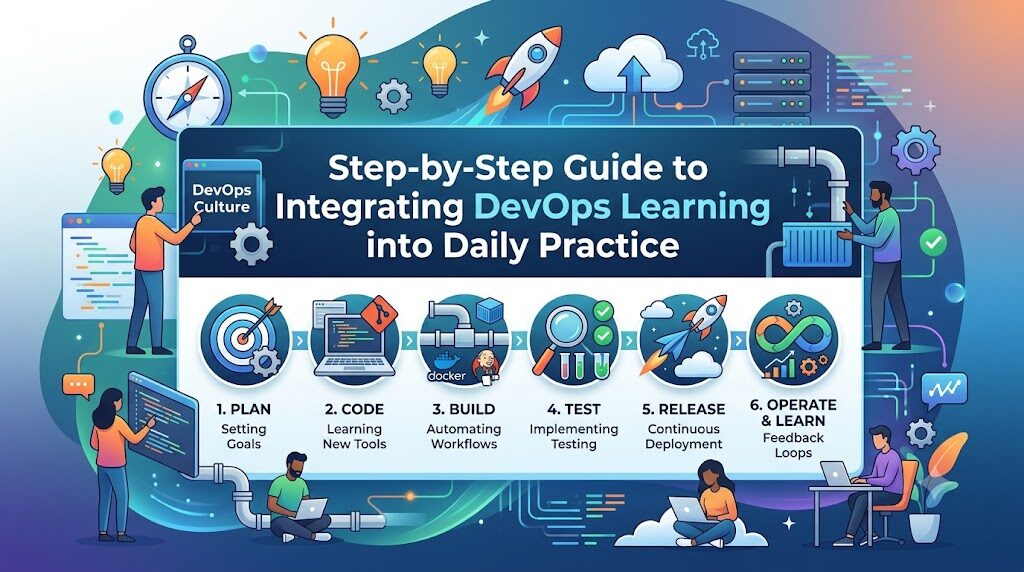
Learning DevOps is often misunderstood as memorizing tool syntaxes and theoretical documentation, but true mastery stems from regular, hands-on application that builds muscle memory and real-world problem-solving skills. Beginners frequently struggle with tool overload, retaining complex concepts, and balancing study time around full-time commitments, leading to burnout and stalled progress. By dedicating just 45 to 90 minutes every day to practicing directly in a terminal—building, running, and debugging infrastructure—you convert perishable knowledge into permanent technical confidence. In this guide, you will discover how to structure a sustainable daily routine, construct portfolio-ready projects, track your skill development, and accelerate your growth with mentorship and resources from platforms like DevOpsSchool.
What Does Daily DevOps Practice Mean?
Integrating DevOps learning into daily practice does not mean configuring enterprise-level production clusters every morning before breakfast. It means building consistent, repeatable learning habits that bridge theoretical understanding and practical execution.
+-------------------------------------------------------------------+
|                     THE DAILY DEVOPS CYCLE                        |
+-------------------------------------------------------------------+
|                                                                   |
|   +-------------------+       +-------------------------------+   |
|   |  1. CONCEPT       | ----> |  2. EXPERIMENTATION           |   |
|   |  Learn one small  |       |  Write code, run CLI commands |   |
|   |  topic (15 mins)  |       |  in local lab (30 mins)       |   |
|   +-------------------+       +-------------------------------+   |
|                                               |                   |
|                                               v                   |
|   +-------------------+       +-------------------------------+   |
|   |  4. REINFORCE     | <---- |  3. TROUBLESHOOTING           |   |
|   |  Document logs &  |       |  Fix errors, inspect logs,    |   |
|   |  push to GitHub   |       |  understand failure modes     |   |
|   +-------------------+       +-------------------------------+   |
|                                                                   |
+-------------------------------------------------------------------+
Daily practice consists of four core elements:
- Continuous Learning: Absorbing small, manageable concepts daily rather than attempting to learn entire frameworks in one sitting.
- Practical Experimentation: Executing commands, writing scripts, and provisioning resources directly in a sandboxed terminal environment.
- Skill Reinforcement: Testing how configurations fail, analyzing system logs, and fixing deliberate errors to strengthen operational troubleshooting.
- Habit Formation: Developing a sustainable cadence that turns technical skill development into an automatic daily activity.
For instance, instead of reading an entire book on version control, a daily practice approach focuses on executing three core Git operations today: creating branches, staging modified files, and resolving a deliberate merge conflict locally.
Why Daily Practice Is Essential for DevOps Success
The technology landscape evolves at a rapid pace. Cloud platforms update their APIs, open-source projects release major features continuously, and security practices adapt to emerging threats. Static learning methods quickly fall behind.
               CONTINUOUS PRACTICE VS. PERIODIC CRAMMING

   Skill level
        ^
        |                                      / Continuous Daily Practice
        |                                     /  (High Retention)
        |                                    /
        |         _.-'""`-._                /
        |       .'          `.             /
        |      /              \  _.-'""`-./
        |     /                `'
        |    /                 Periodic Cramming
        |   /                  (High Decay Rate)
        +--------------------------------------------------------> Time
Code language: PHP (php)
Daily practice is vital for several clear reasons:
- Rapid Skill Retention: Writing code, configuring YAML files, and running CLI commands daily builds muscle memory. You stop struggling with syntax and begin focusing on architecture.
- Real-World Problem-Solving: Enterprise systems break in complex ways. Daily hands-on practice exposes you to syntax errors, permission issues, network timeouts, and dependency conflicts, turning real-world troubleshooting into second nature.
- Technical Confidence: Interacting with cloud platforms and infrastructure code daily removes the fear of working on production-like systems.
- Career Readiness: Organizations hire DevOps engineers for their practical ability to design, automate, and repair delivery pipelines—skills built only through continuous practice.
Consider a beginner configuring an NGINX web server inside a Linux virtual machine. Through daily practice, they don’t just learn the command to start the service; they learn where configuration files live, how to analyze access logs, how to adjust firewall rules, and how to verify port bindings using system utilities.
Benefits of Integrating DevOps Learning into Your Daily Routine
Establishing a daily practice routine directly accelerates your technical capability across key domains.
| Daily Practice Habit | Skill Developed | Career Benefit |
| Writing Linux shell scripts daily | System administration & automation | Fast operational troubleshooting and task automation |
| Executing daily Git workflows | Version control & collaboration | Seamless integration with software engineering teams |
| Building Docker containers daily | Application containerization | Mastery over microservices packaging and deployment |
| Authoring Terraform scripts daily | Infrastructure as Code (IaC) | Ability to automate multi-cloud infrastructure delivery |
| Building CI/CD pipelines daily | Continuous delivery automation | Reduced software release cycles and automated testing |
| Managing Kubernetes pods daily | Container orchestration | Readiness for enterprise cloud-native application management |
| Monitoring system logs daily | Telemetry & observability | Ability to diagnose production issues quickly |
Detailed Benefit Breakdown
Linux Practice
System operations depend heavily on Linux fundamentals. Daily exposure to text-processing tools (awk, sed, grep), process management tools (systemctl, top, ps), and permission structures builds a strong foundation for managing cloud instances.
Git Usage
Continuous version control practice teaches you how to manage complex codebases, automate releases via hooks, collaborate via pull requests, and maintain clean commit histories.
Shell Scripting
Writing daily automation scripts removes repetitive manual work, forming the bridge between traditional system administration and modern DevOps engineering.
CI/CD Exercises
Regularly building deployment pipelines helps you understand build steps, unit test integrations, artifact management, and deployment strategies like blue-green or canary releases.
Cloud & Container Labs
Hands-on experience with cloud environments (AWS, Azure, or GCP) combined with container runtimes (Docker, Containerd) provides the core framework needed to run modern distributed applications.
Creating a Daily DevOps Learning Plan
A successful learning plan must be realistic, structured, and repeatable. Attempting to practice for five hours every night leads to burnout. Aim for a balanced, focused plan ranging from 60 to 90 minutes.
+-------------------------------------------------------------------+
|                   DAILY 75-MINUTE LEARNING STRUCTURE              |
+-------------------------------------------------------------------+
|                                                                   |
|   +-----------------------------------------------------------+   |
|   | 15 Mins: Concept & Documentation Reading                  |   |
|   +-----------------------------------------------------------+   |
|                                 |                                 |
|                                 v                                 |
|   +-----------------------------------------------------------+   |
|   | 45 Mins: Hands-On Terminal / Lab Practice                 |   |
|   +-----------------------------------------------------------+   |
|                                 |                                 |
|                                 v                                 |
|   +-----------------------------------------------------------+   |
|   | 15 Mins: Documentation, Notes & GitHub Commit             |   |
|   +-----------------------------------------------------------+   |
|                                                                   |
+-------------------------------------------------------------------+
Daily Schedule Breakdown (75 Minutes Total)
- 15 Minutes: Morning Concept ReviewRead official documentation, a technical blog post, or a specific framework update. Focus on understanding a single topic (e.g., Docker multi-stage builds).
- 45 Minutes: Hands-On Evening LabOpen your terminal and implement the concept. Write the Dockerfile, run the container, test image sizes, and troubleshoot any build errors.
- 15 Minutes: Documentation & Version ControlDocument what worked, note down key commands, and push your configuration files to a dedicated GitHub repository.
Practical Time-Management Strategies
- The 1-Hour Rule: Keep your main practice block strictly under 60 minutes to preserve mental energy.
- Micro-Learning: Use small breaks during the day to read release notes or review command syntax on your phone or tablet.
- Project-Driven Focus: Tailor every daily session toward finishing a small piece of a larger infrastructure project.
Weekly DevOps Learning Roadmap
Structuring your week by domain helps maintain focus while covering the expansive DevOps ecosystem.
| Day | Learning Focus | Practical Activity |
| Monday | Linux & OS Fundamentals | Practice file manipulation, permission settings, and process control |
| Tuesday | Version Control (Git) | Practice branching strategies, rebasing, and merge conflict resolution |
| Wednesday | Automation & Scripting | Write Bash or Python scripts to automate local backup routines |
| Thursday | Containers (Docker) | Write multi-stage Dockerfiles and manage Docker Compose stacks |
| Friday | Infrastructure as Code | Provision local environments using Vagrant, Ansible, or Terraform |
| Saturday | CI/CD & Cloud | Build GitHub Actions or Jenkins pipelines to deploy sample apps |
| Sunday | Review & Project Integration | Connect weekly components into a project and update your GitHub portfolio |
Detailed Weekly Objectives
Monday: Linux Mastery
Focus on understanding operating system internals. Practice inspecting system resource usage, parsing application logs with grep and awk, and configuring SSH access using public/private key pairs.
Tuesday: Git Operations
Simulate team workflows locally. Create feature branches, rebase commits to keep history clean, set up pre-commit hooks to check file formatting, and push code to remote repositories.
Wednesday: Scripting and Automation
Automate manual tasks. Build scripts that check disk usage and send alerts, fetch health endpoints from web servers, or automatically rotate log files.
Thursday: Containerization
Move applications into lightweight containers. Learn to write clean Dockerfiles, minimize container layer sizes, configure volume mounts for data persistence, and connect containers using custom networks.
Friday: Infrastructure as Code (IaC)
Define infrastructure declaratively. Use Terraform to create cloud resources or local virtual machines, and use Ansible to configure software packages across those target environments.
Saturday: Continuous Integration & Deployment
Automate code delivery. Set up a pipeline that triggers on code pushes, executes automated tests, builds container images, pushes them to a registry, and updates a deployment target.
Sunday: System Integration and Portfolio Sync
Tie your work together. Make sure your automation scripts, Dockerfiles, and pipeline definitions work seamlessly as an integrated project. Document your setup clearly in your GitHub repository’s README.md.
Essential Skills to Practice Every Week
To become an effective engineer, balance your daily practice across nine primary technical domains.
+-------------------------------------------------------------------+
|                    NINE ESSENTIAL PRACTICE DOMAINS                |
+-------------------------------------------------------------------+
|                                                                   |
|   1. Linux CLI       2. Git Workflows       3. Shell / Python     |
|   4. Containers      5. Orchestration       6. IaC (Terraform)    |
|   7. Configuration   8. CI/CD Pipelines     9. Observability      |
|                                                                   |
+-------------------------------------------------------------------+
1. Linux Commands & System Administration
Daily Linux practice is mandatory. Master text manipulation (grep, awk, sed), permission management (chmod, chown), and networking tools (netstat, ss, curl, dig).
2. Git and Version Control
Practice working with advanced Git operations like interactive rebasing (git rebase -i), stashing uncommitted changes, inspecting commit logs, and writing clean commit messages.
3. Shell Scripting & Python
Build small scripts to parse JSON output, automate system cleanup jobs, interact with REST APIs, and manage system environments programmatically.
4. Docker & Container Management
Practice writing efficient Dockerfiles, setting up multi-stage builds to shrink image sizes, running containers securely as non-root users, and managing multi-container setups with Docker Compose.
5. Kubernetes Orchestration
Practice writing Kubernetes manifests for Deployments, Services, ConfigMaps, Secrets, and Ingress controllers. Work directly with kubectl to manage resources and troubleshoot pod failures.
6. Infrastructure as Code (Terraform)
Write modular Terraform files to declare infrastructure resources. Practice running terraform plan and terraform apply, inspecting state files, and using variables and output values effectively.
7. Configuration Management (Ansible)
Write Ansible playbooks to automate software installations, manage configuration files across target nodes, and keep server configurations consistent.
8. CI/CD Pipelines
Configure pipeline steps in platforms like GitHub Actions, GitLab CI, or Jenkins. Automate linting, unit testing, image building, and environment deployments.
9. Monitoring & Observability
Set up metrics collection and logging tools such as Prometheus, Grafana, or the Elastic Stack. Learn how to scrape application metrics, construct visual dashboards, and configure alert rules for system anomalies.
Learning Through Real Projects
Theoretical exercises become far more valuable when applied to end-to-end projects. Rather than building detached, standalone components, work on projects that mimic real-world software delivery pipelines.
+-------------------------------------------------------------------+
|                  END-TO-END AUTOMATED APPLICATION ARCHITECTURE    |
+-------------------------------------------------------------------+
|                                                                   |
|  [Developer] --> Push Code --> [GitHub Repository]                |
|                                        |                          |
|                                        v                          |
|                             [GitHub Actions CI/CD]                |
|                                        |                          |
|                 +----------------------+----------------------+   |
|                 |                                             |   |
|                 v                                             v   |
|      [Build Docker Image]                         [Terraform IaC] |
|                 |                                             |   |
|                 v                                             v   |
|     [Push to Docker Hub]                         [AWS / Cloud Infra]
|                 |                                             |   |
|                 +----------------------+----------------------+   |
|                                        |                          |
|                                        v                          |
|                            [Kubernetes Cluster / App]             |
|                                        |                          |
|                                        v                          |
|                          [Prometheus / Grafana Monitor]           |
|                                                                   |
+-------------------------------------------------------------------+
High-Impact Projects for Daily Practice
1. Automated Deployment Pipeline
- Objective: Build a pipeline that automatically tests, builds, and deploys a web application whenever new code is pushed to your main branch.
- Tools Used: Git, GitHub Actions, Docker, AWS S3 / EC2.
- Learning Outcome: Direct experience with continuous integration concepts, automated testing, secure secret management, and cloud deployment steps.
2. Dockerized Multi-Tier Web Application
- Objective: Containerize a full-stack application containing a frontend service, a backend API, and a persistent database.
- Tools Used: Node.js/Python app, PostgreSQL, Docker, Docker Compose.
- Learning Outcome: Understanding container networking, environment variable management, and persistent volume handling.
3. Kubernetes Application Deployment
- Objective: Deploy your dockerized web application onto a local or managed Kubernetes cluster.
- Tools Used: Minikube/Kind,
kubectl, Helm. - Learning Outcome: Hands-on skill with service discovery, rolling updates, auto-scaling configurations, and managing application secrets securely.
4. Infrastructure Provisioning with Terraform
- Objective: Provision a complete cloud network featuring public/private subnets, security groups, compute instances, and load balancers using declarative code.
- Tools Used: Terraform, AWS/Azure/GCP.
- Learning Outcome: Practical experience with cloud architecture patterns, state management, and reusable infrastructure modules.
5. Automated Server Configuration with Ansible
- Objective: Configure baseline security settings, install runtime dependencies, and deploy application updates across target servers automatically.
- Tools Used: Ansible, Linux SSH, YAML.
- Learning Outcome: Mastery over idempotent server configurations, inventory management, and automated remote system management.
6. Observability and Monitoring Dashboard
- Objective: Deploy metric collection agents onto server instances to visualize CPU usage, memory utilization, and application request rates in real time.
- Tools Used: Prometheus, Grafana, Node Exporter.
- Learning Outcome: Understanding operational health metrics, alert threshold design, and debugging system bottlenecks.
Balancing Theory and Hands-On Practice
A common trap when learning DevOps is spending too much time consuming content without putting it into practice. Watching tutorials creates a false sense of mastery that breaks down as soon as you open a blank terminal.
+-------------------------------------------------------------------+
|                    THE 30/70 LEARNING RULE                        |
+-------------------------------------------------------------------+
|                                                                   |
|   [ 30% Theory & Reading ]  ===>  [ 70% Terminal & Hands-On ]     |
|   - Official Docs                 - Writing Code                  |
|   - Architecture Diagrams         - Debugging Errors              |
|   - Video Tutorials               - Building Projects             |
|                                                                   |
+-------------------------------------------------------------------+
Code language: PHP (php)
To optimize your study sessions, use a 30/70 Rule: spend 30% of your time absorbing theory and 70% executing hands-on labs.
The Practical Learning Framework
- Step 1: Read the Concept (15 minutes): Read official documentation or trusted guides to understand what a tool does and why it exists.
- Step 2: Build Immediately (30 minutes): Open your terminal and create a simple working example from scratch. Avoid copying and pasting code blindly; type commands out to reinforce syntax.
- Step 3: Break and Fix (15 minutes): Intentionally alter parameters, introduce syntax errors, or break permission levels. Practice reading error logs to understand how the tool behaves when things go wrong.
- Step 4: Document the Solution (15 minutes): Write a brief markdown summary detailing the commands used, errors encountered, and steps taken to fix them.
Building a Personal DevOps Lab
To practice every day without friction, set up a dedicated, isolated lab environment on your computer or in a cloud sandbox.
+-------------------------------------------------------------------+
|                     PERSONAL DEVOPS LAB SETUP                     |
+-------------------------------------------------------------------+
|                                                                   |
|   +-------------------+  +-------------------+  +-------------+   |
|   | LOCAL COMPUTER    |  | CLOUD FREE TIER   |  | CODE REPO   |   |
|   +-------------------+  +-------------------+  +-------------+   |
|   | - VS Code Editor  |  | - AWS / Azure Free|  | - GitHub    |   |
|   | - Docker Desktop  |  | - Linux Virtual   |  | - GitLab    |   |
|   | - Minikube / Kind |  |   Machines        |  | - Documentation |
|   | - WSL2 / Terminal |  | - Cloud Storage   |  |   Notes     |   |
|   +-------------------+  +-------------------+  +-------------+   |
|                                                                   |
+-------------------------------------------------------------------+
Essential Lab Components
- Local Virtualization and Containers: Install Docker Desktop, Minikube, or Kind alongside WSL2 (Windows Subsystem for Linux) or a native Linux/macOS terminal environment.
- Code Editor: Configure VS Code with extensions for Docker, Kubernetes, Terraform, YAML linting, and Bash syntax highlighting.
- Cloud Provider Accounts: Take advantage of free tier accounts on AWS, Azure, or Google Cloud. Always set up strict billing alerts to avoid unexpected costs.
- Version Control Hub: Set up a centralized GitHub or GitLab profile to host all your lab configurations, scripts, and deployment manifests.
Tracking Your Progress
Tracking your progress provides visibility into your growth, highlights areas for improvement, and helps maintain daily momentum.
| Skill | Beginner Milestone | Intermediate Milestone | Advanced Milestone |
| Linux | File manipulation, basic permissions | Process management, user administration, log analysis | Performance tuning, network troubleshooting, systemd services |
| Git | Clone, commit, push, pull | Branching, rebasing, resolving merge conflicts | Git hooks, interactive rebase, complex workflows |
| Docker | Run containers, basic Dockerfile creation | Multi-stage builds, Docker Compose, networking | Security scanning, image optimization, custom runtimes |
| Kubernetes | Run basic pods, inspect logs | Deployments, Services, ConfigMaps, Ingress | Helm charts, RBAC, StatefulSets, Operator patterns |
| CI/CD | Basic automated script execution | Multi-stage pipeline builds with test execution | Automated deployment strategies, security scanning |
| Cloud | Launch basic compute instances | Provision networked environments with custom security | Multi-region setups, serverless patterns, cost optimization |
| Terraform | Write basic resources, apply configs | Modules, state management, variable isolation | Custom providers, complex dynamic blocks, CI integration |
| Monitoring | Install agents, view metrics | Build custom dashboards, set up basic alerts | Distributed tracing, log aggregation, automated alerts |
Self-Evaluation Methods
- Weekly Skill Audits: At the end of each week, evaluate whether you can build a specific configuration from scratch without referring to step-by-step guides.
- The “Teach-Back” Test: Try explaining a concept (like Kubernetes Ingress or Docker networking) in clear, simple terms in a personal note or blog post.
- Time-to-Resolution Metrics: Track how long it takes you to debug common pipeline errors or container networking issues over time.
Building a Professional Portfolio
Consistent daily practice naturally yields work you can showcase to employers. A well-organized portfolio offers concrete evidence of your practical engineering capabilities.
+-------------------------------------------------------------------+
|                    PROFESSIONAL PORTFOLIO LAYOUT                  |
+-------------------------------------------------------------------+
|                                                                   |
|   [ GITHUB PROFILE ]                                              |
|          |                                                        |
|          +---> Clean Repository Structure                         |
|          +---> Complete README.md Files                           |
|          +---> Architecture Diagrams                               |
|          +---> Clear Runbooks & Deployment Steps                  |
|                                                                   |
|   [ TECHNICAL BLOG ]                                              |
|          |                                                        |
|          +---> Troubleshooting Case Studies                       |
|          +---> Architectural Design Explanations                   |
|          +---> Step-by-Step Project Walkthroughs                  |
|                                                                   |
+-------------------------------------------------------------------+
Code language: PHP (php)
Components of an Industry-Ready Portfolio
- Structured GitHub Repositories: Keep your code repositories organized, clean, and well-commented. Avoid uploading bare code files without explanation.
- Detailed
README.mdDocumentation: Every project repository should clearly state its purpose, system architecture, prerequisites, setup instructions, and validation steps. - Architecture Diagrams: Use tools like Draw.io, Lucidchart, or Diagrams-as-Code (Python) to visually illustrate how your applications, pipelines, and cloud resources interact.
- Technical Writing & Case Studies: Publish concise technical articles or post updates on LinkedIn documenting practical challenges you solved during daily labs.
Common Mistakes Beginners Make
Avoiding common learning pitfalls will save you time and keep your progress on track.
+-------------------------------------------------------------------+
|                      PITFALLS TO AVOID                            |
+-------------------------------------------------------------------+
|                                                                   |
|  [X] Tutorial Hell      ==> Copy-pasting code without understanding |
|  [X] Tool Hopping       ==> Switching frameworks every few days   |
|  [X] Ignoring Linux     ==> Skipping fundamentals for shiny tools  |
|  [X] No Documentation   ==> Forgetting how solution steps work    |
|  [X] Irregular Practice ==> Cramming 10 hours once a month         |
|                                                                   |
+-------------------------------------------------------------------+
Code language: PHP (php)
Key Mistakes and How to Avoid Them
- Tutorial Hell: Avoid endlessly watching courses without writing code. Balance every video with immediate terminal practice.
- Learning Too Many Tools at Once: Trying to learn Docker, Kubernetes, Terraform, Jenkins, and AWS simultaneously leads to cognitive overload. Master fundamentals step-by-step.
- Ignoring Linux Fundamentals: Jumping straight into advanced orchestration tools without understanding Linux processes, permissions, and networking leads to persistent confusion.
- Copy-Pasting Code: Typing configuration files and terminal commands out manually builds muscle memory and helps you spot syntax errors early.
- Neglecting Project Documentation: If you don’t document your lab work, you will waste time relearning the same setup steps months later.
Best Practices for Daily DevOps Learning
To keep your daily habit sustainable, adopt these proven practices:
- Practice Every Single Day: Prioritize short, consistent daily practice sessions over long, sporadic weekend study blocks.
- Focus on One Concept at a Time: Master basic container management before moving on to multi-node cluster orchestration.
- Learn by Reading Official Documentation: Rely on official docs for tools like Docker, Kubernetes, and Terraform rather than outdated third-party tutorials.
- Join Technical Communities: Participate actively in forums, Discord servers, and local meetups to ask questions, share projects, and learn from experienced engineers.
- Embrace Troubleshooting: View error logs as learning opportunities. The real skill in DevOps comes from diagnosing and resolving failure states.
- Document Everything: Maintain a personal knowledge base using tools like Notion, Obsidian, or Markdown repositories to index commands, configurations, and fixes.
Sample 30-Day DevOps Practice Plan
Here is a practical, 30-day plan designed to turn DevOps learning into a steady daily habit.
| Week | Days | Learning Focus | Practical Milestone & Goal |
| Week 1 | Days 1–7 | Linux & Shell Scripting | Master system CLI navigation, permissions, and write Bash scripts to monitor system health |
| Week 2 | Days 8–14 | Git & Containerization | Manage local Git workflows and containerize a multi-service web app using Docker Compose |
| Week 3 | Days 15–21 | IaC & Server Configuration | Provision cloud instances with Terraform and configure software packages using Ansible |
| Week 4 | Days 22–30 | CI/CD, K8s & Observability | Build automated GitHub Actions pipelines, deploy to Kubernetes, and monitor app metrics with Grafana |
Week-by-Week Breakdown
Week 1: Operating System Fundamentals & Automation
- Focus entirely on the Linux command line.
- Practice parsing logs using
grep,sed, andawk. - Write shell scripts that process text, evaluate conditions, run loops, and execute automatically via
cron.
Week 2: Distributed Version Control & Containerization
- Learn clean Git workflows, including branching, merging, and rebasing.
- Build custom Docker images using multi-stage Dockerfiles.
- Orchestrate multi-container applications locally using Docker Compose networks and volumes.
Week 3: Infrastructure Automation & Configuration
- Write declarative Terraform scripts to provision cloud virtual networks and compute nodes.
- Manage infrastructure state safely.
- Write Ansible playbooks to automate security patching and software installations across target nodes.
Week 4: CI/CD Pipelines, Kubernetes & Observability
- Connect your code repositories to automated CI/CD runners using GitHub Actions or GitLab CI.
- Deploy applications into local Kubernetes clusters, configuring Services, Ingress routes, and ConfigMaps.
- Implement metric collection with Prometheus and build visual monitoring dashboards in Grafana.
Real-World Learning Journey Example
To see how daily practice translates into career growth, let’s look at a step-by-step scenario featuring a system administrator named Alex.
+-------------------------------------------------------------------+
|                    ALEX'S 6-MONTH TRANSITION                      |
+-------------------------------------------------------------------+
|                                                                   |
|   Month 1: 45 Mins Daily Linux CLI & Shell Scripting              |
|   Month 2: Git Workflows & Dockerizing Local Applications         |
|   Month 3: Terraform Declarative Provisioning on Cloud Free Tier  |
|   Month 4: GitHub Actions Pipelines for Automated Deployment      |
|   Month 5: Kubernetes Deployments & Monitoring Dashboards        |
|   Month 6: Portfolio Publishing, Interview Prep & Job Offer       |
|                                                                   |
+-------------------------------------------------------------------+
- Step 1: Establishing the Habit (Month 1): Alex commits to practicing for 45 minutes every evening after work. He focuses on Linux networking commands and writes basic automation scripts, uploading every script to GitHub.
- Step 2: Containerization & Version Control (Month 2): Alex starts dockerizing small web applications. He writes multi-stage Dockerfiles and uses Git feature branches for all code modifications.
- Step 3: Infrastructure as Code (Month 3): Using cloud free tiers, Alex learns Terraform. He replaces manual cloud setup steps with declarative scripts, storing infrastructure state securely.
- Step 4: Continuous Delivery (Month 4): Alex connects his GitHub repositories to GitHub Actions pipelines. Every code push automatically runs unit tests and builds new Docker images.
- Step 5: Kubernetes & Observability (Month 5): Alex deploys his containerized applications onto a Kubernetes cluster. He sets up Prometheus and Grafana to track resource usage and monitor endpoint health.
- Step 6: Career Transition (Month 6): With a GitHub portfolio full of documented projects, architecture diagrams, and pipeline definitions, Alex prepares for interviews with real technical confidence and secures a junior DevOps engineer role.
Career Benefits of Daily DevOps Practice
Consistently practicing daily opens up diverse, high-growth career paths across the cloud engineering landscape.
+-------------------------------------------------------------------+
|                      CAREER PATH SPECIALIZATIONS                  |
+-------------------------------------------------------------------+
|                                                                   |
|   +-----------------------+       +---------------------------+   |
|   | DevOps Engineer       |       | Cloud Engineer            |   |
|   | CI/CD, Automation,    |       | Multi-Cloud Architecture, |   |
|   | Infrastructure Code   |       | IaC, Cloud Security       |   |
|   +-----------------------+       +---------------------------+   |
|               |                                 |                 |
|               v                                 v                 |
|   +-----------------------+       +---------------------------+   |
|   | Platform Engineer     |       | Site Reliability Engineer |   |
|   | Internal Platforms,   |       | Observability, SLA/SLO,   |   |
|   | Developer Tooling     |       | Incident Management       |   |
|   +-----------------------+       +---------------------------+   |
|                                                                   |
+-------------------------------------------------------------------+
Specialized Career Roles
DevOps Engineer
- Primary Focus: Building software delivery pipelines, managing release automation, and bridging development and operations teams.
- Core Skills: CI/CD tools, scripting, containerization, and configuration management.
Cloud Engineer
- Primary Focus: Designing, building, and maintaining cloud infrastructure across public and private cloud environments.
- Core Skills: Terraform, AWS/Azure/GCP architectures, networking, and cloud security.
Platform Engineer
- Primary Focus: Building internal developer platforms (IDPs) that simplify application deployment for development teams.
- Core Skills: Kubernetes, custom CLI tools, developer portal integration, and service mesh patterns.
Site Reliability Engineer (SRE)
- Primary Focus: Ensuring high availability, performance, and operational resilience for enterprise application systems.
- Core Skills: Python/Go, observability, incident response, performance profiling, and error budget management.
Automation Engineer
- Primary Focus: Replacing manual operational tasks with reliable, automated code pipelines.
- Core Skills: Python, Shell scripting, Ansible, API integrations, and workflow automation.
DevSecOps Engineer
- Primary Focus: Integrating security checks, vulnerability scanning, and compliance controls into automated delivery pipelines.
- Core Skills: Security scanning tools (Trivy, SonarQube), IAM policies, secret management, and compliance automation.
Certifications and Learning Roadmap
Certifications are a great way to validate the skills you build through daily practice. They complement hands-on experience by giving your study routine clear, structured goals.
| Certification | Best For | Skill Level | Focus Area |
| AWS Certified Cloud Practitioner | Cloud Beginners | Entry Level | Cloud concepts, core AWS services, security, pricing |
| AWS Certified DevOps Engineer – Professional | Experienced Cloud Engineers | Professional | Complex automation, continuous delivery, cloud governance |
| CKA (Certified Kubernetes Administrator) | Systems Engineers & Admins | Intermediate / Advanced | Cluster installation, networking, storage, troubleshooting |
| CKAD (Certified Kubernetes Application Developer) | Developers | Intermediate | Designing, building, and deploying cloud-native apps |
| HashiCorp Certified: Terraform Associate | Infrastructure Engineers | Intermediate | IaC principles, state handling, modules, execution workflow |
| Red Hat Certified System Administrator (RHCSA) | System Administrators | Foundation | Core Linux enterprise system management and CLI usage |
For structured guidance, guided hands-on labs, and expert mentorship aligned with industry certifications, explore training programs available through platform providers like DevOpsSchool.
Future of DevOps Learning
As software systems grow more complex, learning habits must adapt to emerging technology trends.
- AI-Assisted Learning: Generative AI tools help write initial script drafts, explain complex error logs, and speed up syntax lookups—allowing you to spend more time on system architecture.
- Interactive and Ephemeral Labs: Modern learning relies on temporary, cloud-hosted lab environments that let you practice safe infrastructure deployment without manual setup.
- Platform Engineering Growth: Learning focuses increasingly on internal developer portals, self-service infrastructure, and automated platform tooling.
- GitOps Methodologies: Declarative continuous delivery frameworks (like ArgoCD and Flux) are making version control repositories the single source of truth for both application and infrastructure deployments.
- DevSecOps Integration: Security checks are shifting left directly into developer workflows, making security scanning an essential part of daily practice.
Frequently Asked Questions (FAQs)
How much time should I practice DevOps every day?
Focus on 45 to 90 minutes of dedicated, hands-on terminal practice daily. Consistency matters far more than long, exhausting study sessions.
Is daily practice really necessary?
Yes. The DevOps ecosystem depends heavily on practical execution. Daily practice builds muscle memory, sharpens operational instincts, and makes troubleshooting second nature.
What should beginners learn first?
Beginners should focus on Linux CLI navigation, fundamental shell scripting, and basic Git workflows before moving on to containerization or cloud tools.
Can I learn DevOps without a job in the field?
Yes. You can build a complete local lab environment using virtual machines, Docker, Minikube, and free-tier cloud accounts on your personal computer.
Which projects should I build first?
Start with a simple project: dockerize a basic web application, store its code on GitHub, and set up a GitHub Actions pipeline to test and build the image automatically.
Should I focus on theory or practice?
Follow the 30/70 rule: spend 30% of your time reading documentation or watching tutorials, and spend 70% executing terminal commands and building labs.
How do I stay consistent when learning gets hard?
Break large topics down into small, daily objectives. Focus on solving one small configuration error or writing one small script every day.
Is Linux mandatory for learning DevOps?
Yes. Linux forms the core operating environment for most cloud servers, container runtimes, and deployment pipelines. Strong command-line skills are essential.
Should I learn cloud infrastructure before Kubernetes?
Yes. Understanding core cloud concepts—like virtual networking, compute instances, storage, and security groups—makes container orchestration much easier to grasp.
How do I track my learning progress?
Use a structured skill matrix, maintain a daily terminal activity log, and push code updates to your GitHub repositories regularly.
Are certifications enough to land a job?
Certifications validate your theoretical knowledge, but employers prioritize practical experience. Combine certifications with a strong GitHub portfolio featuring real, working projects.
Can I transition to DevOps within six months?
Yes. By following a daily practice routine of 60 to 90 minutes, you can build strong hands-on skills, complete real-world projects, and prepare for entry-level roles within six months.
How important is a GitHub profile?
A well-maintained GitHub profile acts as living proof of your skills. It shows hiring managers your code quality, project history, and commitment to continuous learning.
What is the biggest mistake to avoid when learning?
The biggest mistake is tutorial hell—watching hours of instructional videos without opening a terminal to write, test, and debug code yourself.
How do I prepare for technical interviews?
Practice explaining your past project architectures out loud, review common system troubleshooting steps, and be ready to write automation scripts live during technical evaluations.
Final Thoughts
Mastering DevOps isn’t about memorizing every configuration option across dozens of tools. It’s about developing strong engineering habits, building solid problem-solving instincts, and approaching system automation with confidence. Small, daily efforts consistently outperform occasional study marathons. Spending 60 minutes every evening managing containers, updating infrastructure code, or refining continuous delivery pipelines will take you much further than studying for twelve hours once a month. Technical confidence comes directly from practical experience. By setting up a personal lab, sticking to a structured daily plan, and documenting your progress in public repositories, you will build real-world skills that open doors to rewarding, long-term career opportunities in cloud and automation engineering.