Managing cash flow is the beating heart of any growing business. Yet, for too many founders, finance managers, and accountants, the journey from sending an invoice to actually seeing the funds hit the bank account resembles an obstacle course. Picture this: chasing late payments across endless email threads, manually cross-referencing bank statements against scattered spreadsheets, fumbling with tax calculations, and logging into four different payment gateway dashboards just to see today’s collections. It is tedious, error-prone, and drains precious hours away from high-growth business initiatives. Modern businesses need more than basic billing tools; they need an end-to-end ecosystem that handles everything seamlessly. This is where advanced invoice and payment management software transforms the financial landscape. By introducing smart automation into your daily operations, you can eliminate manual bottlenecks and regain total control over your business finances.
Enter PayManagerPro, a comprehensive platform designed to streamline your entire financial cycle from billing to collection and reconciliation. Whether you run a nimble startup or a massive enterprise, understanding how to leverage the right financial stack can dramatically change your bottom line.
What is PayManagerPro?
PayManagerPro is a robust, all-in-one financial operations platform engineered to handle billing, payment collection, tracking, and reconciliation from a single, centralized command center. Rather than forcing teams to juggle fragmented tools—one for generating invoices, another for processing payments, and a third for tracking accounts receivable—it unifies the entire workflow into a cohesive ecosystem.
Why It Serves as a Complete Invoice & Payment Management Solution
At its core, the platform bridges the gap between issuing a bill and realizing revenue. It functions as an enterprise payment management platform that caters to the complex demands of large organizations while remaining intuitive enough for freelancers and growing startups. By centralizing operations, it eliminates data silos and gives finance teams real-time visibility into incoming cash flows.
Who Should Use It?
- Small Businesses & Startups: Looking to accelerate cash flow and minimize manual bookkeeping hours.
- Enterprises: Needing scalability, role-based access, and robust multi-gateway handling.
- Finance Teams & Accountants: Seeking error-free ledger syncing and automated reconciliation tools.
- Agencies & Freelancers: Needing instant, secure payment collection links to get paid faster by global and domestic clients.
How It Simplifies Payment Workflows
By removing friction from the billing cycle, the platform automates repetitive tasks. When an invoice is generated, the system can instantly dispatch it via automated channels, embed secure payment links, track whether the client has viewed or paid it, and reconcile the incoming transaction against the correct ledger automatically.
Key Features of PayManagerPro
1. Invoice and Payment Management Software
- Feature Overview: Centralizes the creation, dispatch, tracking, and archiving of all customer bills in one dashboard.
- Business Benefits: Minimizes billing errors, enforces brand consistency, and speeds up the entire billing cycle.
- Practical Example: A digital marketing agency generates monthly retainers for twenty clients in under two minutes with automated template population.
- Real-World Use Case: Streamlining recurring subscription billing for a SaaS provider without manual intervention.
2. Automated Payment Reconciliation Software
- Feature Overview: Matches incoming bank deposits, UPI transfers, and card payments against open invoices automatically.
- Business Benefits: Eliminates hours of manual spreadsheet matching and catches discrepancies or missed payments instantly.
- Practical Example: When a client pays an open invoice via bank transfer, the system matches the transaction reference and marks the invoice as paid.
- Real-World Use Case: Reconciling thousands of daily micro-transactions for an e-commerce platform without human error.
3. GST Invoice Software India
- Feature Overview: Built-in compliance engine that formats tax invoices correctly with HSN/SAC codes, CGST, SGST, and IGST breakdowns.
- Business Benefits: Ensures 100% tax compliance, simplifies tax filing, and avoids costly penalties.
- Practical Example: A retail distributor automatically applies the correct 18% GST rate on B2B shipments with state-wise tax splitting.
- Real-World Use Case: Generating audit-ready tax invoices for multi-state interstate transactions.
4. Payment Link Management Platform
- Feature Overview: Generates instant, secure, brand-customized payment links that can be embedded directly into emails, SMS, or WhatsApp messages.
- Business Benefits: Dramatically reduces the time it takes for clients to complete payments by offering a one-click checkout experience.
- Practical Example: A consultant sends an invoice via email with an embedded UPI and credit card payment link, allowing the client to pay within ten seconds.
- Real-World Use Case: Collecting event registration fees instantly through shareable social media links.
5. Accounts Receivable Automation Software
- Feature Overview: Automates the tracking and follow-up sequence for unpaid or overdue client balances.
- Business Benefits: Shortens the Days Sales Outstanding (DSO) metric and significantly improves working capital.
- Practical Example: The system automatically triggers a polite reminder email three days before an invoice due date and a firmer reminder the day after.
- Real-World Use Case: Managing aging reports for corporate service providers with hundreds of active accounts.
6. Payment Collection Management Software
- Feature Overview: Gives finance managers a bird’s-eye view of all pending, partial, and completed collections across multiple channels.
- Business Benefits: Provides clarity on incoming funds and helps project cash flow health accurately.
- Practical Example: A logistics firm views a unified dashboard highlighting exactly which clients have outstanding freight charges for the current billing cycle.
- Real-World Use Case: Tracking milestone-based payment collections for construction or software development projects.
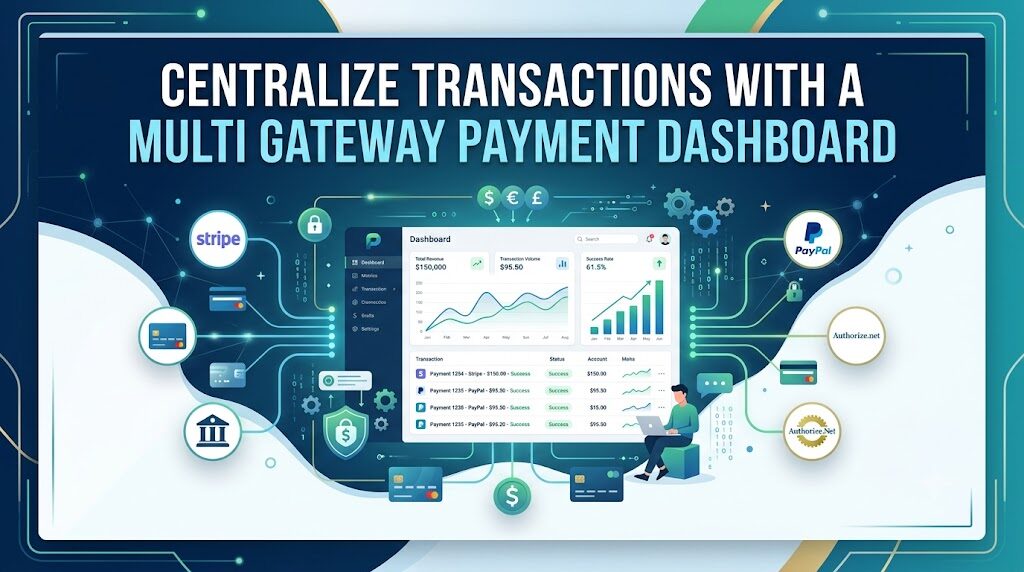
7. Multi Gateway Payment Dashboard
- Feature Overview: Integrates multiple payment gateways (such as Razorpay, PayU, Stripe, and direct bank APIs) under a single interface.
- Business Benefits: Prevents transaction failures by allowing intelligent routing and gives a consolidated view of all gateway settlements.
- Practical Example: If one payment gateway experiences downtime, the system automatically routes the transaction through an alternative gateway.
- Real-World Use Case: Accepting payments globally in multiple currencies while keeping all settlements tracked in one dashboard.
8. Invoice Payment Tracking Software
- Feature Overview: Real-time logging of invoice statuses—ranging from Drafted and Sent to Viewed, Partially Paid, and Settled.
- Business Benefits: Removes guesswork by letting you know precisely when a client opens your bill.
- Practical Example: An enterprise vendor sees that a corporate client viewed an invoice five times, prompting a timely follow-up call.
- Real-World Use Case: Verifying delivery and view status for large-scale corporate billing cycles.
9. Invoice to Cash Automation Software
- Feature Overview: Connects the initial trigger of invoice creation all the way to final bank settlement without requiring manual data entry at any step.
- Business Benefits: Maximizes operational efficiency, reduces administrative overhead, and accelerates overall liquidity.
- Practical Example: An IT services company turns completed project hours into sent invoices, collected payments, and updated ledgers fully automatically.
- Real-World Use Case: End-to-end financial cycle automation for high-volume digital service providers.
10. Enterprise Payment Management Platform
- Feature Overview: High-security, scalable architecture designed for large corporate structures with multi-tier approval workflows and role-based permissions.
- Business Benefits: Ensures strict internal financial governance, auditability, and enterprise-grade data protection.
- Practical Example: A CFO sets custom approval hierarchies where any invoice above a specific threshold requires executive sign-off before dispatch.
- Real-World Use Case: Managing multi-subsidiary financial flows from a single organizational dashboard.
Benefits of Using PayManagerPro
Adopting a modern financial stack brings immediate, measurable improvements to business operations.
- Faster Invoice Generation: Dispatch professional, error-free bills in seconds rather than hours.
- Improved Payment Collection: Remove friction with instant, multi-channel payment options.
- Reduced Manual Work: Eliminate repetitive data entry and spreadsheet formatting.
- Automated Reconciliation: Let algorithms match ledger entries against bank deposits effortlessly.
- Better Cash Flow Management: Gain predictable insights into your incoming and outgoing liquidity.
- Accurate GST Invoicing: Stay fully compliant with local tax regulations without manual calculation headaches.
- Centralized Payment Tracking: Monitor all receivables, settlements, and aging reports from one screen.
- Multi-Payment Gateway Support: Provide clients with diverse payment methods while keeping management simple.
- Better Financial Visibility: Make informed business decisions backed by real-time financial reporting.
- Increased Business Productivity: Free up your accounting and finance teams to focus on strategic growth.
Real-World Use Cases
How different entities leverage PayManagerPro:
- Small Businesses: Local retail shops and service providers eliminate lost paperwork and speed up daily checkouts.
- Startups: Lean teams scale their billing operations without needing to hire an oversized accounting department.
- Enterprises: Large corporations manage multi-departmental billing structures with strict compliance and security.
- Finance Teams: Internal accountants spend less time hunting down lost receipts and more time analyzing financial health.
- Accountants: CA firms manage multiple client portfolios efficiently from a unified partner dashboard.
- Agencies: Creative and tech agencies handle complex milestone and retainer invoicing seamlessly.
- Freelancers: Independent professionals project a polished corporate image and get paid instantly via secure links.
- SaaS Companies: Subscription businesses automate recurring billing, failed payment retries, and invoice issuance.
- E-commerce Businesses: Online sellers reconcile high volumes of gateway settlements against customer orders automatically.
- Service Providers: Consultants and maintenance firms track project hours and convert them directly into paid invoices.
- Educational Institutions: Schools and training centers collect tuition and fee payments through structured, automated schedules.
- Healthcare Organizations: Clinics and hospitals manage patient billing, insurance claims tracking, and payment collections smoothly.
Why Choose PayManagerPro Over Traditional Payment Management?
| Traditional Method / Tool | Limitations | PayManagerPro Advantage |
|---|---|---|
| Excel Spreadsheets | Prone to formula errors, lack of real-time updates, high manual effort. | Automated calculations, live tracking, and zero manual spreadsheet maintenance. |
| Manual Invoicing | Slow, prone to typos, lacks professional design and tracking visibility. | Instant template-based generation, view status tracking, and automated dispatch. |
| Traditional Accounting Methods | Delayed reporting, poor visibility into cash flow, complex reconciliation. | Real-time dashboards, automated reconciliation, and immediate liquidity insights. |
| Generic Payment Tools | Fragmented workflows, lack of compliance features, limited gateway support. | Complete end-to-end invoice-to-cash platform with built-in GST and multi-gateway support. |
Best Practices for Invoice & Payment Management
- Create Professional Invoices: Always include clear payment terms, accurate tax identification numbers, and itemized descriptions.
- Manage Payment Links Wisely: Use secure, trackable links that direct clients to a clean, branded checkout page.
- Follow Up Proactively: Establish a structured follow-up protocol before and immediately after invoice due dates.
- Automate Payment Reminders: Let the system handle gentle nudges so your team doesn’t have to make awkward collection calls.
- Track Invoice Statuses Rigorously: Monitor whether invoices have been delivered, viewed, or left pending.
- Reconcile Efficiently: Sync bank statements daily to ensure every rupee or dollar is accounted for.
- Maintain Strict GST Compliance: Ensure all tax codes, rates, and invoice serializations meet regulatory standards.
- Improve Cash Flow Forecasts: Analyze your historical collection cycles to anticipate seasonal dips and peaks.
- Reduce Outstanding Receivables: Lower your average Days Sales Outstanding (DSO) by incentivizing early payments.
Industry-Wise Applications
- IT Companies: Streamlining milestone billing for software development and IT infrastructure projects.
- Digital Agencies: Managing fluctuating retainers and ad-spend reimbursements across diverse client accounts.
- Manufacturing Businesses: Handling bulk B2B purchase orders, dispatch challans, and complex tax invoices.
- Retail Businesses: Balancing physical and digital point-of-sale collections with wholesale supplier invoices.
- Healthcare Providers: Simplifying patient billing cycles and institutional insurance receivables.
- Educational Institutions: Automating semester fee collections, hostel dues, and library fines.
- Financial Services: Managing advisory fees, commission payouts, and client retainer billing securely.
- Logistics Companies: Tracking freight charges, delivery receipts, and multi-location payment collections.
- Consulting Firms: Converting billable hours and advisory retainers into paid invoices effortlessly.
- Subscription-Based Businesses: Automating recurring card charges, UPI mandates, and renewal billing notices.
Frequently Asked Questions (FAQs)
1. What is invoice and payment management software?
It is a digital platform that automates the creation, distribution, tracking, and collection of customer invoices, merging billing and payment operations into a single workflow.
2. How does automated payment reconciliation software work?
It automatically compares incoming deposits from bank accounts, UPI, or payment gateways against open invoices, matching transaction references and updating accounting ledgers without manual input.
3. What is invoice-to-cash automation?
It is the end-to-end automation of the financial cycle, covering everything from the moment an invoice is generated to the final settlement of funds in the business bank account.
4. Why is GST invoice software important in India?
It ensures that businesses comply with Goods and Services Tax (GST) regulations by automatically calculating correct tax splits (CGST, SGST, IGST) and formatting invoices according to statutory guidelines.
5. How can payment links improve collections?
Payment links embed a direct, secure checkout button inside digital messages or emails, allowing clients to pay instantly with a single click, which drastically reduces friction and payment delays.
6. What are the benefits of accounts receivable automation?
It shortens your Days Sales Outstanding (DSO), minimizes human error, automates polite follow-up reminders, and gives you a clear picture of incoming cash flow.
7. How does a multi-gateway payment dashboard work?
It consolidates multiple payment gateway integrations into one unified interface, allowing businesses to accept diverse payment methods and route transactions intelligently.
8. Why should businesses automate payment management?
Automation eliminates tedious manual bookkeeping, reduces administrative overhead, minimizes human error, and accelerates overall cash flow availability.
9. Who should use PayManagerPro?
It is built for anyone handling business billing and collections—ranging from freelancers and small startups to mid-sized agencies and large corporate finance enterprises.
10. How does PayManagerPro improve cash flow?
By accelerating invoice dispatch, offering instant payment options, automating reminders, and providing real-time visibility into pending receivables, it helps money reach your bank account much faster.
Conclusion
Navigating the complexities of business billing, tax compliance, and revenue collection no longer needs to be a stressful, manual chore. Relying on disconnected spreadsheets and outdated methods limits your business growth and strains your working capital. By adopting a comprehensive, automated approach, you can transform your financial operations from a administrative bottleneck into a strategic growth driver.
To explore advanced invoice management, automated reconciliation, GST billing, and enterprise-grade financial workflows, visit PayManagerPro today and take full control of your financial future.