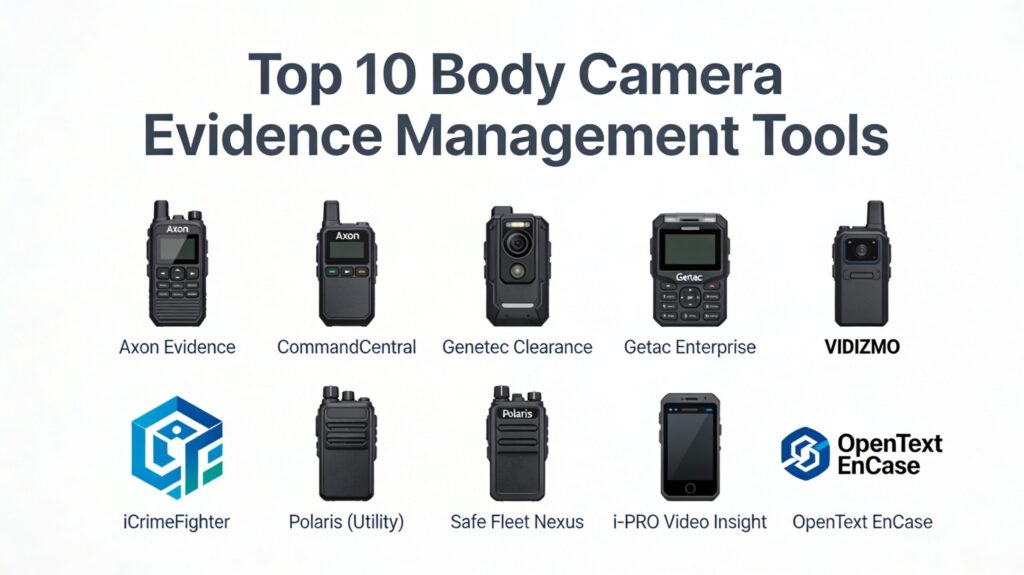
Introduction
In the modern public safety landscape, the transition from physical record-keeping to digital-first evidence management has become an operational necessity. Body-worn camera (BWC) evidence management refers to the specialized software ecosystems designed to ingest, store, categorize, and share the massive volumes of video data generated by law enforcement and security personnel. These systems are not merely storage repositories; they are sophisticated compliance engines that ensure every frame of footage is tracked from the moment of capture to its presentation in a courtroom. By automating the chain of custody, these platforms protect the integrity of investigations and foster community trust through increased transparency.
As digital evidence now accounts for a significant majority of case files, the challenge for agencies has shifted from “how to record” to “how to manage.” Effective management tools utilize advanced encryption, automated redaction, and metadata tagging—often synchronized with Computer-Aided Dispatch (CAD) or Records Management Systems (RMS). This integration allows for a seamless flow of information, reducing the administrative burden on officers and allowing them to focus on field operations. For the career professional in DevOps or SRE, these systems represent a unique intersection of high-availability cloud architecture, stringent CJIS security protocols, and mission-critical data integrity.
Best for: Law enforcement agencies, private security firms, correctional facilities, and legal departments that require a tamper-proof, scalable solution for managing high-definition video evidence.
Not ideal for: Small organizations with minimal recording needs or those without the technical infrastructure to support high-bandwidth video uploads and long-term cloud storage costs.
Key Trends in Body Camera Evidence Management
The most significant trend is the rapid adoption of Artificial Intelligence (AI) for automated redaction and incident analysis. Manually blurring faces or license plates for public records requests once took hours; modern systems now perform these tasks in minutes using machine learning algorithms. Furthermore, “Record-After-the-Fact” technology is becoming a standard safety net, allowing agencies to retrieve footage even if an officer forgot to press the record button, provided the camera was powered on.
Another shift is the move toward vendor-neutral platforms. While many agencies previously felt locked into a specific hardware ecosystem, the new generation of evidence management software is designed to ingest data from diverse sources—including drones, CCTV, and citizen-submitted smartphone footage. Additionally, cloud-native deployments are now the preferred architecture over on-premises servers, offering superior scalability and “government-grade” security certifications like FedRAMP and CJIS compliance as standard features.
How We Selected These Tools
The selection of these top 10 tools was based on a rigorous evaluation of their security posture, interoperability, and field-tested reliability. We prioritized platforms that maintain a strict, immutable audit trail, which is non-negotiable for courtroom admissibility. Mindshare within the public safety sector was also a key factor, as platforms with large user bases often benefit from more frequent security updates and a more robust community of practice.
Technical performance was measured by the efficiency of video ingestion and the speed of the search and retrieval functions. We specifically looked for systems that offer “single-pane-of-glass” management, where multiple types of evidence can be managed within one interface. Finally, we evaluated the quality of automated workflows, such as retention policy enforcement and secure sharing capabilities with prosecutors and defense attorneys, ensuring that the chosen tools provide a comprehensive end-to-end lifecycle for digital evidence.
1. Axon Evidence (Evidence.com)
Axon Evidence is the global benchmark for digital evidence management, deeply integrated with the Axon hardware ecosystem. It provides a highly secure, cloud-native environment that automates the entire lifecycle of evidence, from capture on a body camera to sharing with the judicial system. It is known for its “sticky” ecosystem that simplifies workflows for thousands of agencies worldwide.
Key Features
The platform features an immutable audit trail that logs every user interaction with a file. It includes “Auto-Tagging” which uses CAD/RMS integration to automatically assign case numbers and categories to uploaded videos. Its “Redaction Assistant” uses AI to detect and blur sensitive information like faces and screens. The system also offers a “Citizen Portal” where the public can securely upload evidence directly to a case. Additionally, its “Multi-Agency Sharing” feature allows for seamless evidence transfer between different law enforcement and legal jurisdictions.
Pros
Unparalleled ecosystem integration ensures that hardware and software work together flawlessly. The security certifications (CJIS, FedRAMP, ISO 27001) are the most comprehensive in the industry.
Cons
High cost of entry and ongoing subscription fees can be a barrier for smaller agencies. The best features are largely restricted to Axon-branded hardware.
Platforms and Deployment
Cloud-based (SaaS) built on Microsoft Azure Government.
Security and Compliance
Fully CJIS, FedRAMP, and SOC 2 Type II compliant with AES-256 encryption for data at rest and in transit.
Integrations and Ecosystem
Deep native integration with Axon BWCs, TASER devices, and fleet cameras, plus an open API for third-party CAD/RMS systems.
Support and Community
Extensive 24/7 technical support, dedicated field representatives, and a massive global user community.
2. Motorola Solutions CommandCentral Evidence
CommandCentral Evidence is part of Motorola’s broader public safety suite, designed to unify data across the entire “responding” lifecycle. It excels at breaking down data silos by aggregating evidence from body cameras, in-car systems, and fixed surveillance into a single, searchable database.
Key Features
The platform offers a “unified data gallery” that provides a chronological view of all evidence related to a specific incident. It features automated retention policies that ensure data is deleted only when legally permitted. The system includes advanced “identity search” capabilities to help investigators find specific individuals across multiple video sources. It provides a secure, web-based portal for prosecutors to review evidence without the need for physical media. Additionally, it integrates with Motorola’s radio and dispatch systems to provide real-time situational awareness.
Pros
Ideal for agencies already embedded in the Motorola ecosystem (radios, CAD, RMS). Focuses heavily on reducing “officer friction” through automated background uploads.
Cons
The complexity of the broader suite can lead to a steep learning curve for administrative staff. Integration with non-Motorola legacy systems can sometimes be fragmented.
Platforms and Deployment
Cloud-based and hybrid deployment options available.
Security and Compliance
CJIS compliant with FIPS-validated encryption modules and multi-factor authentication.
Integrations and Ecosystem
Native integration with WatchGuard cameras and V300 body cameras, plus the full Motorola CommandCentral suite.
Support and Community
Strong professional services team and a well-established network of regional partners.
3. Genetec Clearance
Genetec Clearance is a vendor-neutral digital evidence management system (DEMS) that focuses on collaboration. It allows agencies to centralize evidence from disparate sources—body cams, CCTV, and mobile devices—regardless of the hardware manufacturer, making it a favorite for “mixed-fleet” environments.
Key Features
The platform features a “Collaborative Case Management” tool that allows multiple investigators to work on the same file simultaneously. It includes a powerful video redaction module that works directly in the browser. The system offers a “public evidence submission” feature that allows residents to contribute to investigations via a secure link. It provides automated “retention schedules” based on the type of crime or case status. Additionally, the platform supports a wide variety of file formats, including proprietary video codecs from various CCTV manufacturers.
Pros
Superior vendor neutrality allows agencies to avoid hardware lock-in. Simplifies collaboration with private businesses and transit authorities.
Cons
Lacks the “deep” hardware-specific features (like remote camera triggering) found in Axon or Motorola. Pricing can be variable based on the number of external data sources.
Platforms and Deployment
Cloud-native (SaaS) with support for hybrid storage.
Security and Compliance
CJIS compliant, utilizing modern encryption and granular role-based access controls (RBAC).
Integrations and Ecosystem
Broad support for various BWC brands and deep integration with the Genetec Security Center.
Support and Community
Global support network with extensive documentation and a focus on enterprise-level reliability.
4. VIDIZMO Digital Evidence Management
VIDIZMO is designed for agencies that require a highly scalable and secure solution that can be deployed on-premises, in the cloud, or as a hybrid. It is particularly noted for its focus on “court-ready” evidence preparation and sophisticated AI tools.
Key Features
The platform offers “Tamper Verification” using cryptographic hashing to ensure evidence hasn’t been altered. It features AI-powered transcription and translation in over 45 languages, which is critical for multilingual jurisdictions. The system includes a comprehensive “Chain of Custody” report that logs every activity, including IP addresses and timestamps. It provides “Access Reason Provisioning,” requiring users to state why they are viewing sensitive evidence. Additionally, it supports high-volume ingestion of “non-traditional” evidence like 3D crime scene scans and IoT data.
Pros
Extremely flexible deployment options (On-premises/Private Cloud) for agencies with strict data sovereignty needs. Robust AI-driven automation for transcription and redaction.
Cons
The user interface can feel more utilitarian and technical compared to the polished “consumer-grade” feel of competitors.
Platforms and Deployment
Flexible: On-premises, Private Cloud (Azure Government), or Hybrid.
Security and Compliance
CJIS compliant, FIPS 140-2 encryption, and support for Single Sign-On (SSO).
Integrations and Ecosystem
Strong REST API for integrating with any existing CAD, RMS, or court management system.
Support and Community
Dedicated support teams and a focus on custom configurations for large-scale governmental bodies.
5. Getac Enterprise Data Management
Getac Video Solutions offers a ruggedized hardware approach paired with a powerful, backend evidence management platform. It is built to handle the “mobile data” challenges of modern policing, focusing on speed and reliability in the field.
Key Features
The platform features “Real-Time Livestreaming,” allowing commanders to see what an officer sees during a critical incident. It includes a “Trigger-Based Recording” system that starts the camera based on vehicle speed, lightbar activation, or crash detection. The system offers a simplified “Redact and Release” workflow for public records requests. It provides a robust dashboard for monitoring the “health” of the camera fleet, including battery levels and storage capacity. Additionally, it supports automatic “wireless offloading” when a patrol car enters a designated Wi-Fi zone.
Pros
Extremely high hardware reliability and “built-to-last” engineering. More flexible storage pricing models compared to some cloud-only competitors.
Cons
The software interface is less modern than top-tier rivals like Axon. The AI redaction tools are functional but less automated than newer AI-first platforms.
Platforms and Deployment
Cloud-based and on-premises server options.
Security and Compliance
CJIS compliant and utilizes AES-256 bit encryption for all data handling.
Integrations and Ecosystem
Seamlessly integrates with Getac rugged laptops and in-car video systems.
Support and Community
Reliable partner-led support network with strong technical documentation.
6. iCrimeFighter
iCrimeFighter is a mobile-first evidence management solution designed to be easy to use for both field officers and investigators. It focuses on the “capture-to-cloud” workflow, allowing for the instant upload of photos, videos, and audio notes directly from a mobile device or body camera.
Key Features
The platform features an “Evidence Anywhere” module that sends a secure link via email to witnesses for direct evidence upload. It includes a mobile application that turns any smartphone into a CJIS-compliant evidence collection tool. The system offers a “Desktop Uploader” for handling large batches of body cam footage or phone dumps. It provides automated case organization, grouping all digital assets by case number. Additionally, it allows for secure sharing with the District Attorney’s office with a full audit trail of who accessed the files.
Pros
Low hardware overhead; can leverage devices officers already carry. Extremely intuitive interface with a very short learning curve.
Cons
Lacks the advanced AI-driven video redaction tools found in more expensive enterprise systems. Not as deep in “fleet management” features for large-scale BWC deployments.
Platforms and Deployment
Cloud-based web app with native iOS and Android applications.
Security and Compliance
CJIS compliant with secure, encrypted cloud storage and multi-factor authentication.
Integrations and Ecosystem
Integrates with various third-party BWC brands and offers a secure API for RMS connectivity.
Support and Community
Very responsive support team; known for high levels of customer engagement and field training.
7. Utility, Inc. (Polaris)
Utility, Inc. provides a unique “Smart” body camera system managed through its Polaris platform. Unlike traditional cameras, their systems are often integrated directly into the officer’s uniform, focusing on automation and “officer-down” alerts.
Key Features
The platform features “Policy-Based Recording,” which uses GPS and sensors to automatically start recording based on predefined rules (e.g., entering a specific high-crime area). It includes an “Officer Down” alert that triggers a recording and sends a distress signal with GPS coordinates if an officer becomes prone. The system offers “Immediate and Automatic Video Offload” via cellular networks, eliminating the need for docking stations. It provides a real-time situational awareness map for dispatchers. Additionally, it features high-speed AI redaction for rapid public disclosure.
Pros
The “Automation” level is the highest in the market, reducing the risk of human error during incidents. No docking stations required due to cellular-first design.
Cons
The integrated uniform approach can be more expensive and harder to maintain than clip-on cameras. Requires a strong cellular data infrastructure for optimal performance.
Platforms and Deployment
Cloud-native platform.
Security and Compliance
CJIS, HIPAA, and SOC 2 compliant with advanced encryption protocols.
Integrations and Ecosystem
Deeply integrated with Utility’s Rocket IoT vehicle routers and specialized body-worn sensors.
Support and Community
Excellent support with a focus on field-led training and implementation services.
8. Safe Fleet Nexus
Safe Fleet Nexus provides a comprehensive “all-in-one” platform for law enforcement evidence. It is designed to manage the entire video chain of custody, from body cameras to interview rooms and in-car systems.
Key Features
The platform features “Safe Fleet Courier,” a secure tool for sharing evidence with external stakeholders like prosecutors. It includes synchronization with Active Directory for simplified user and permission management. The system offers “Fleet Intelligence” dashboards to track the performance and status of all recording devices. It provides “Safe Fleet Redact” for automated blurring of faces and objects. Additionally, the platform allows for the creation of digital “case jackets” that store videos, photos, and documents together in a single folder.
Pros
Designed for very large agencies with complex, multi-source technical requirements. Strong integration with Safe Fleet’s broader suite of public safety technology.
Cons
Can be “over-engineered” for smaller agencies that only need basic body camera management.
Platforms and Deployment
Web-based system hosted in Azure Government Cloud.
Security and Compliance
CJIS compliant with robust audit trails and permission-based access controls.
Integrations and Ecosystem
Native integration with FOCUS X2 body cameras and FOCUS in-car video systems.
Support and Community
Supported by 24/7/365 DevOps and security teams with a strong focus on uptime.
9. Panasonic i-PRO (Video Insight)
Panasonic i-PRO (now i-PRO Americas) offers a robust evidence management solution that leverages their decades of experience in high-end surveillance and optics. Their platform is built for reliability and long-term storage efficiency.
Key Features
The platform features “Record-After-the-Fact,” ensuring no incident is missed even if the record button isn’t pressed. It includes a sophisticated “unified management” interface for body-worn and fixed surveillance cameras. The system offers a “Cloaking” feature for sensitive cases, limiting visibility to specific high-level users. It provides an automated “dock-and-upload” process that is among the fastest in the industry. Additionally, it features high-durability hardware and software designed to withstand the rigors of 24/7 field use.
Pros
Proven, battle-tested hardware and software reliability. Excellent for agencies that need a single system for both their city-wide CCTV and their body camera fleet.
Cons
The software can feel a bit dated compared to cloud-native, “startup-style” platforms. AI tools are sold as add-on modules rather than being core to the interface.
Platforms and Deployment
Flexible: On-premises or Cloud-based.
Security and Compliance
CJIS compliant with end-to-end encryption and secure boot for hardware.
Integrations and Ecosystem
Strongest when used with i-PRO hardware, but maintains compatibility with various VMS systems.
Support and Community
Large global support network with a reputation for high-quality technical assistance.
10. OpenText EnCase Evidence Management
OpenText, a leader in digital forensics, offers an Evidence Management solution that is built on the foundation of the world-renowned EnCase software. It is the platform of choice for agencies that prioritize deep forensic integrity and courtroom defensibility.
Key Features
The platform features “Forensically Sound Collection” that preserves the original metadata of every file. It includes a centralized “Case Central” for organizing evidence from body cams, laptops, and mobile phones into a single investigation. The system offers advanced “Analysis Support” for discovering hidden connections between different pieces of evidence. It provides a secure “collaboration portal” for sharing data with attorneys and courts. Additionally, it features “automated workflows” for enforcing complex evidence retention and destruction policies.
Pros
The highest level of courtroom defensibility due to its forensic heritage. Excellent for large agencies with dedicated digital forensics units.
Cons
Requires specialized training to utilize the full range of its forensic capabilities. Can be overkill for agencies that only handle routine traffic stops or low-level incidents.
Platforms and Deployment
Cloud-based and on-premises deployment models.
Security and Compliance
Meets the most stringent international security standards for digital evidence handling.
Integrations and Ecosystem
Deep integration with the EnCase forensic suite and various enterprise data sources.
Support and Community
Extensive training programs and a global community of forensic experts.
Comparison Table
| Tool Name | Best For | Platform(s) Supported | Deployment | Standout Feature | Public Rating |
| 1. Axon Evidence | Large Agencies | Web, Mobile | Cloud-Native | Ecosystem Synergy | 4.8/5 |
| 2. CommandCentral | Motorola Users | Web, Hybrid | Cloud/Hybrid | Unified Data Gallery | 4.6/5 |
| 3. Genetec Clearance | Mixed Hardware | Web | Cloud-Native | Collaborative Cases | 4.5/5 |
| 4. VIDIZMO | Forensic Precision | Web, Mobile | On-Prem/Cloud | 45+ Language AI | 4.4/5 |
| 5. Getac Enterprise | Rugged Reliability | Web, Desktop | Hybrid | Real-Time Livestream | 4.3/5 |
| 6. iCrimeFighter | Mobile/SMB | iOS, Android | Cloud-Native | Evidence Anywhere | 4.7/5 |
| 7. Polaris (Utility) | Automation | Web | Cloud-Native | Officer Down Alerts | 4.6/5 |
| 8. Safe Fleet Nexus | Integrated Video | Web | Cloud-Native | Case Jacket Folders | 4.2/5 |
| 9. i-PRO Video Insight | Unified CCTV/BWC | Web, Windows | Hybrid | Record-After-Fact | 4.4/5 |
| 10. OpenText EnCase | Deep Forensics | Web, Desktop | Cloud/Hybrid | Forensic Admissibility | 4.5/5 |
Evaluation & Scoring of Evidence Management Tools
The scoring below is a comparative model intended to help shortlisting. Each criterion is scored from 1–10, then a weighted total from 0–10 is calculated using the weights listed. These are analyst estimates based on typical fit and common workflow requirements, not public ratings.
Weights:
- Core features – 25%
- Ease of use – 15%
- Integrations & ecosystem – 15%
- Security & compliance – 10%
- Performance & reliability – 10%
- Support & community – 10%
- Price / value – 15%
| Tool Name | Core (25%) | Ease (15%) | Integrations (15%) | Security (10%) | Performance (10%) | Support (10%) | Value (15%) | Weighted Total |
| 1. Axon Evidence | 10 | 9 | 10 | 10 | 9 | 10 | 6 | 9.15 |
| 2. CommandCentral | 9 | 8 | 10 | 9 | 9 | 9 | 7 | 8.65 |
| 3. Genetec Clearance | 9 | 9 | 8 | 9 | 9 | 8 | 8 | 8.65 |
| 4. VIDIZMO | 9 | 7 | 8 | 10 | 8 | 9 | 8 | 8.35 |
| 5. Getac Enterprise | 8 | 8 | 7 | 9 | 9 | 8 | 9 | 8.20 |
| 6. iCrimeFighter | 7 | 10 | 7 | 8 | 8 | 10 | 10 | 8.45 |
| 7. Polaris (Utility) | 9 | 9 | 6 | 9 | 10 | 8 | 7 | 8.35 |
| 8. Safe Fleet Nexus | 8 | 7 | 9 | 9 | 8 | 8 | 8 | 8.05 |
| 9. i-PRO Video Insight | 8 | 7 | 8 | 9 | 10 | 8 | 8 | 8.20 |
| 10. OpenText EnCase | 10 | 6 | 7 | 10 | 9 | 9 | 7 | 8.35 |
How to interpret the scores:
- Use the weighted total to shortlist candidates, then validate with a pilot.
- A lower score can mean specialization, not weakness.
- Security and compliance scores reflect controllability and governance fit, because certifications are often not publicly stated.
- Actual outcomes vary with assembly size, team skills, templates, and process maturity.
Which Evidence Management Tool Is Right for You?
Solo / Freelancer
For a small police department or a private security team, iCrimeFighter offers the best “bang for your buck.” Its mobile-first approach and ease of use mean you can start managing evidence securely without the need for expensive dedicated hardware or complex IT infrastructure.
Mid-Size Agency
Agencies with 50-200 officers benefit most from platforms like Genetec Clearance or Getac Enterprise. These tools provide the necessary security and automation features without the extreme cost of the Axon ecosystem, while still allowing for a mix of different hardware brands.
Large / Enterprise Agency
For major metropolitan departments, Axon Evidence is the gold standard for a reason. The seamless integration between the TASER, the body camera, and the evidence storage creates a unified workflow that is hard to match at scale. Alternatively, Motorola Solutions CommandCentral is a powerful choice for agencies already using Motorola’s communication infrastructure.
Forensic / Special Units
If your primary concern is the absolute forensic integrity of the files for high-profile cases, OpenText EnCase Evidence Management or VIDIZMO are the top contenders. They offer deeper analysis tools and more granular “tamper-proof” verification than the more general-purpose platforms.
Budget-Conscious Agencies
For those operating on a strict budget, Getac or i-PRO often provide more flexible storage pricing. Unlike some cloud-only providers that charge high monthly per-user fees, these vendors frequently offer hybrid models that can lower long-term recurring costs.
Automation-Focused Agencies
If reducing officer liability and error is the top priority, Utility’s Polaris platform is the clear winner. Its policy-based, sensor-driven recording ensures that the camera is active when it needs to be, even if the officer is under extreme stress.
Frequently Asked Questions (FAQs)
1. What is CJIS compliance, and why does it matter?
The Criminal Justice Information Services (CJIS) policy is a set of security standards for protecting sensitive data in the law enforcement community. Any evidence management system must be CJIS-compliant to ensure that the data it stores is legally protected and admissible in court.
2. How long should body camera footage be kept?
Retention periods vary by state and the type of incident. For example, a routine traffic stop might be kept for 90 days, while a felony arrest might be kept for several years. Top-tier management tools automate these retention schedules based on the case category.
3. What is “Redaction-as-a-Service”?
Many modern platforms offer AI-powered redaction as a core feature. This automatically blurs faces, license plates, and sensitive documents in videos before they are released to the public or the media, protecting the privacy of witnesses and bystanders.
4. Can evidence management systems integrate with my current RMS?
Yes, most enterprise systems offer an API (Application Programming Interface) that allows them to sync with your Records Management System (RMS) or Computer-Aided Dispatch (CAD) to automatically tag videos with the correct case numbers.
5. How much cloud storage do I need for body camera footage?
The amount of storage depends on your agency’s recording policies and resolution settings. High-definition video at 1080p can take up roughly 2-3 GB per hour. Most agencies opt for “unlimited” cloud storage plans to avoid the complexities of managing storage quotas.
6. Is “Record-After-the-Fact” a standard feature?
It is increasingly common in higher-end systems like Axon and i-PRO. It works by having the camera constantly “buffer” video in the background, allowing administrators to retrieve footage from the past even if the record button was never pressed.
7. How do I share evidence with prosecutors?
Modern systems provide a secure, trackable link or a dedicated “prosecutor portal.” This eliminates the need for DVDs or USB drives and provides a complete audit trail of when the prosecutor viewed or downloaded the files.
8. Can I use a regular cloud service like Dropbox for evidence?
No. Standard cloud services do not meet the CJIS security standards or the “Chain of Custody” requirements necessary for law enforcement evidence. Using them can result in evidence being thrown out of court.
9. What happens if a camera is lost or stolen?
Enterprise management systems allow administrators to remotely “kill” or wipe the data from a lost camera. Because the video is usually encrypted on the device, the data remains secure even if someone manages to access the physical hardware.
10. Do these systems support citizen-submitted evidence?
Yes, many top-tier platforms like Axon and Genetec include a portal where citizens can securely upload their own smartphone videos or photos directly into an active police case file.
Conclusion
Navigating the complexities of digital evidence management requires a strategic alignment of hardware capabilities, software automation, and stringent security standards. For a DevOps professional or a technical leader in the public safety space, the goal is to build a system that is both transparent for the community and bulletproof for the legal system. As we move further into an era of AI-enhanced investigations, the choice of an evidence management platform becomes the defining factor in an agency’s ability to maintain public trust and operational efficiency. By selecting a tool that offers deep integration, immutable audit trails, and scalable cloud architecture, agencies can ensure that they are not just storing data, but truly managing the integrity of justice.