Introduction
Asset inspection apps have redefined how industries manage physical infrastructure, transitioning from manual clipboard-based checks to high-speed digital workflows. These platforms serve as the frontline for preventative maintenance, ensuring that everything from heavy machinery and construction sites to IT hardware is monitored for safety, compliance, and operational integrity. By digitizing the inspection process, organizations can eliminate data silos, reduce human error, and generate real-time audit trails that are essential for regulatory adherence. For businesses managing high-value assets, these apps are no longer just “nice-to-have” tools; they are critical systems that prevent costly downtime and mitigate significant safety risks.
The current landscape of inspection technology emphasizes “mobile-first” experiences, allowing field technicians to capture high-resolution photos, record GPS coordinates, and scan barcodes directly from the site. This immediate data entry triggers automated workflows, where a failed inspection point can instantly create a repair work order or alert a supervisor. As industrial environments become more complex, the ability to operate in “offline mode” has become a baseline requirement, ensuring data integrity in remote locations like mines, oil rigs, or basement utility rooms. Choosing the right platform requires a balance between ease of use for the field crew and the depth of analytical reporting needed by the executive team.
Best for: Safety officers, facility managers, field technicians, and compliance auditors who need a reliable, structured way to document the condition of physical assets.
Not ideal for: Simple personal to-do lists or creative project management that does not require structured forms, regulatory compliance, or asset-specific history tracking.
Key Trends in Asset Inspection Apps
The integration of Artificial Intelligence (AI) is the most significant trend currently shaping asset inspection. Modern apps now use computer vision to automatically detect defects like rust, cracks, or thermal anomalies in photos, reducing the subjective burden on the inspector. We are also seeing the rise of “AI-assisted form building,” where administrators can describe a complex inspection process in natural language, and the platform automatically generates a scientifically structured checklist with logic branching. This shift drastically reduces the time required to deploy new safety protocols across a global workforce.
Beyond AI, the “connected worker” ecosystem is expanding through IoT and wearable integrations. Inspection apps are increasingly pulling live data from sensors on the machinery itself, prepopulating inspection forms with real-time temperature or vibration readings. Digital twin technology is also merging with inspection apps, allowing users to view a 3D model of an asset and “pin” inspection findings to specific physical components. Furthermore, there is a heavy focus on “Predictive Inspection Scheduling,” where machine learning analyzes historical failure rates to tell teams exactly when an asset should be inspected, moving beyond fixed calendar-based routines.
How We Selected These Tools
Our selection criteria focused on the “end-to-end” utility of the application, from the ease of form creation to the sophistication of the final report. We prioritized apps that offer robust offline capabilities, as field inspections frequently occur in areas with poor connectivity. A major factor was the flexibility of the form builder; we looked for platforms that allow for complex conditional logic, ensuring that inspectors only see relevant questions based on their previous answers. We also evaluated the “Corrective Action” engine, favoring tools that bridge the gap between finding a problem and fixing it through automated task assignments.
Security and enterprise governance were also weighted heavily in our evaluation. We selected platforms that offer SOC 2 compliance, single sign-on (SSO) capabilities, and granular user permissions to protect sensitive industrial data. We scrutinized the quality of the mobile experience, specifically how well the apps handle large media files like 4K video and high-resolution images. Finally, we considered the “Time to Value,” assessing how quickly a non-technical manager could digitize their existing paper-based checklists and deploy them to a field team without requiring extensive IT support.
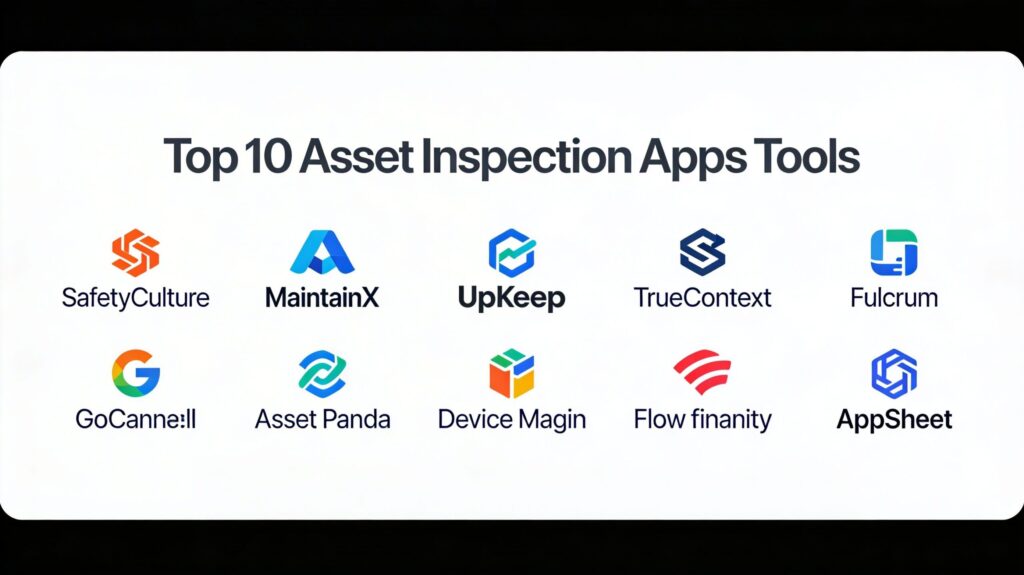
1. SafetyCulture (formerly iAuditor)
SafetyCulture is widely considered the industry benchmark for mobile inspections and safety audits. It is a highly versatile platform that allows teams to collect data, identify risks, and report issues in real-time across virtually any industry.
Key Features
The platform features a massive library of over 100,000 customizable inspection templates shared by global industry experts. It includes an AI-powered “Template Creator” that helps users build professional checklists in seconds by simply describing the asset. The system offers “Heads Up,” a communication tool for sending vital safety updates to field teams. It features robust “Action Management” that allows users to assign follow-up tasks with photos and due dates directly from a failed inspection item. Additionally, it integrates with “SafetyCulture IoT” sensors to monitor environmental conditions like temperature and humidity automatically.
Pros
The mobile interface is exceptionally polished and works seamlessly even in completely offline environments. It offers a free tier that is remarkably generous for small teams of up to ten people.
Cons
The pricing for the premium tiers can escalate quickly as you add more users and advanced features. Some users find the sheer volume of features overwhelming during the initial setup phase.
Platforms and Deployment
Web-based dashboard with native apps for iOS and Android.
Security and Compliance
Features SOC 2 Type II, ISO 27001, and GDPR compliance with robust data encryption.
Integrations and Ecosystem
Extensive integrations with Power BI, Tableau, Slack, and Zapier for automated data flows.
Support and Community
Offers 24/7 global support and a highly active user community with frequent webinars and training sessions.
2. MaintainX
MaintainX is a mobile-first platform that blends asset inspection with comprehensive work order and maintenance management. It is designed for teams that want to move directly from discovering an issue to executing a repair within a single app.
Key Features
The platform features “AI-powered Procedure Generation,” which can convert old PDF or paper manuals into digital checklists instantly. It includes a built-in “Instant Messaging” system that keeps communication tied directly to specific assets or work orders. The system offers “Barcode and QR Code Scanning” for instant asset identification in the field. It features an “Anomaly Detection” engine that flags unusual data entries that might indicate equipment failure. It also provides a “Parts Inventory” module that tracks the usage of spare parts during the inspection and repair process.
Pros
It has one of the highest “Ease of Use” ratings in the industry, making it very popular with frontline technicians. The real-time synchronization between the field and the office is nearly instantaneous.
Cons
The customization of certain form fields is not as deep as specialized “no-code” builders. The reporting suite, while effective, lacks the highly advanced visualization found in enterprise analytics tools.
Platforms and Deployment
Native mobile apps for iOS and Android, plus a comprehensive web portal.
Security and Compliance
SOC 2 compliant with advanced audit logs for every user action taken within the system.
Integrations and Ecosystem
Integrates with major ERP systems and offers a robust API for custom data connections.
Support and Community
Provides dedicated success managers for larger accounts and maintains a strong online “Maintenance Community.”
3. UpKeep
UpKeep is an Asset Operations Management platform that focuses on the long-term health and longevity of physical equipment. It is particularly strong for heavy industry and manufacturing environments requiring detailed preventative maintenance.
Key Features
The platform features “Asset Lifecycle Tracking,” providing a complete history of every inspection and repair ever performed on a specific machine. It includes “Predictive Maintenance” tools that use sensor data to suggest inspection intervals. The system offers “Failed Inspection Tracking,” which automatically escalates critical issues to the management team. It features “Labor Cost Reporting,” allowing managers to see exactly how much time is being spent on specific types of inspections. It also includes “Signature Capture” for high-stakes compliance and safety sign-offs.
Pros
The platform provides exceptional visibility into “Asset Health,” helping companies decide when to repair versus when to replace. The mobile app is designed for “one-handed” use, which is critical for technicians in the field.
Cons
The setup process for complex asset hierarchies can be time-consuming for large organizations. Some of the most powerful AI features are locked behind the highest pricing tiers.
Platforms and Deployment
Cloud-based SaaS with dedicated mobile apps for tablets and smartphones.
Security and Compliance
Adheres to GDPR, SOC 2, and ISO standards with enterprise-grade data protection.
Integrations and Ecosystem
Offers pre-built integrations with SAP, Oracle, and Microsoft Dynamics for seamless enterprise connectivity.
Support and Community
Features a 24/7 help center and “UpKeep University” for comprehensive user training.
4. TrueContext (formerly ProntoForms)
TrueContext is an enterprise-grade platform specializing in complex field workflows and data collection for highly regulated industries. It is the go-to choice for organizations with intricate, multi-step inspection processes.
Key Features
The platform features “Advanced Logic and Branching,” allowing for forms that perform complex calculations and show/hide sections based on real-time data input. It includes “Multi-Step Workflows” where an inspection can be started by a technician, reviewed by a supervisor, and signed off by a client. The system offers “Data Routing” that can send different parts of a single inspection report to various departments. It features “Rich Media Capture,” supporting high-definition video, audio memos, and annotated photos. It also provides “Custom PDF Generation” to match existing corporate reporting styles exactly.
Pros
Unbeatable for high-complexity environments that require rigorous data integrity and multi-stage approvals. The offline functionality is extremely reliable even with very large, complex forms.
Cons
The learning curve for building advanced forms is significantly steeper than for simpler “drag-and-drop” apps. It may be overly complex and expensive for small teams with basic checklist needs.
Platforms and Deployment
Web-based form builder with native apps for iOS, Android, and Windows.
Security and Compliance
Industry-leading security with HIPAA, SOC 2 Type II, and multi-region data residency options.
Integrations and Ecosystem
Deep native integrations with Salesforce, ServiceNow, and Amazon S3 for automated data storage.
Support and Community
Provides expert professional services for implementation and a comprehensive knowledge base for administrators.
5. Fulcrum
Fulcrum is a specialized data collection and inspection platform that emphasizes geographic precision and “GIS” (Geographic Information System) capabilities. It is ideal for inspecting dispersed assets like utility poles, pipelines, or environmental sites.
Key Features
The platform features “High-Accuracy GPS,” allowing users to map asset locations with sub-meter precision. It includes “Audio FastFill,” a next-gen AI feature that allows technicians to complete forms using only their voice. The system offers “Map-Based Dispatching,” where managers can assign inspections based on the physical location of the technician. It features “Intelligent Data Linking,” automatically connecting field data to existing GIS layers. It also provides “Automatic Photo Tagging,” where every image is stamped with a precise location, time, and technician ID.
Pros
The best choice for outdoor and field-based inspections where location data is just as important as the checklist itself. The AI voice-to-data features significantly speed up fieldwork in cold or difficult environments.
Cons
The pricing model can be challenging for very small businesses or startups. The platform lacks some of the deeper “Work Order” management features found in CMMS-focused tools.
Platforms and Deployment
Cloud-based SaaS with high-performance mobile apps.
Security and Compliance
Fully GDPR and CCPA compliant with secure cloud hosting on AWS.
Integrations and Ecosystem
Integrates natively with Esri ArcGIS and other professional mapping and spatial analysis software.
Support and Community
Known for highly responsive customer support and deep expertise in spatial data collection.
6. GoCanvas
GoCanvas is a versatile no-code platform designed to digitize any paper-based business process. It is highly favored by small to mid-sized businesses that need a quick, flexible way to move their inspections into the digital age.
Key Features
The platform features a “Drag-and-Drop Form Builder” that requires zero technical knowledge to use. It includes “Dispatch and Scheduling,” allowing managers to push specific inspection tasks to field workers’ devices. The system offers “Multi-Person Workflows” for digital signatures and multi-stage approvals. It features “Offline-First Design,” using patented technology to ensure no data is lost during sync. It also provides “Advanced Analytics” that automatically visualize inspection trends over weeks or months.
Pros
Extremely fast deployment time; most teams can go from paper to digital in a single afternoon. The “App Store” provides thousands of pre-built templates for almost every possible use case.
Cons
The mobile interface is functional but lacks the high-end polish of more specialized safety apps. Pricing scales quickly as you add more users to the platform.
Platforms and Deployment
Web-based builder with apps for iOS and Android.
Security and Compliance
HIPAA and SOC 2 compliant with secure, encrypted data storage.
Integrations and Ecosystem
Strong integrations with QuickBooks, Google Drive, and various cloud storage providers.
Support and Community
Offers live chat and phone support with a dedicated onboarding team for new customers.
7. Asset Panda
Asset Panda is primarily an asset tracking and management system that has been extended with powerful inspection capabilities. It is the best choice for organizations that need to track the “where and who” along with the “condition” of an asset.
Key Features
The platform features a “Highly Customizable Database” where users can define an unlimited number of fields for any asset type. It includes a “Check-in/Check-out” system that is integrated directly with the inspection workflow. The system offers “Automated Notification Triggers,” sending alerts when an asset is due for its next compliance check. It features “Mobile Barcode Scanning” to instantly pull up the full service history of any item. It also provides “Depreciation Tracking” to link an asset’s physical condition to its financial value.
Pros
Provides a 360-degree view of an asset, combining financial, location, and condition data in one place. The flexibility of the custom fields allows it to adapt to very niche industries.
Cons
The inspection forms are not as “dynamic” (with logic branching) as those in dedicated inspection-first apps. The interface can feel a bit “data-heavy” compared to more visual apps.
Platforms and Deployment
Web portal with native mobile apps.
Security and Compliance
Standard enterprise security protocols with role-based access controls and encrypted data.
Integrations and Ecosystem
Integrates with Zendesk, Jira, and various IT asset management tools.
Support and Community
Provides extensive video tutorials and a dedicated support team for database configuration.
8. Device Magic
Device Magic is a mobile forms software that focuses on eliminating unreliable paperwork through “smarter, richer data collection.” it is built for organizations that need to deliver field data to multiple destinations simultaneously.
Key Features
The platform features “Advanced Form Destinations,” allowing a single inspection to trigger an email to a client, a PDF to Dropbox, and a data row in a SQL database. It includes “Image Annotation,” where technicians can draw directly on photos to highlight specific areas of concern. The system offers “Conditional Formatting” that changes the look of the form based on user input. It features “Live Data Resources,” allowing forms to pull real-time data from external databases while in the field. It also provides “Geotagging and Time-Stamping” for every submission.
Pros
The “multi-destination” delivery feature is a major time-saver for administrative teams. It offers a very high degree of flexibility in how the final data is formatted and shared.
Cons
It lacks a built-in “Asset Registry,” meaning you often have to link it to an external system to track individual assets over time. The analytical dashboards are somewhat basic.
Platforms and Deployment
Cloud-based builder with native mobile apps.
Security and Compliance
Ensures data security through SSL encryption and secure API connections.
Integrations and Ecosystem
Excellent integrations with Salesforce, Box, Slack, and Zapier.
Support and Community
Offers a robust help center and reliable email/chat support for administrators.
9. Flowfinity
Flowfinity is a high-performance no-code platform that allows IT teams to build sophisticated, custom-tailored inspection applications. it is ideal for organizations with unique workflows that don’t fit into “off-the-shelf” software.
Key Features
The platform features a “Visual Logic Builder” for creating complex business rules without writing code. It includes “Real-Time Data Collection” with instant synchronization across global teams. The system offers “Role-Based Permissions” that are extremely granular, controlling exactly what different users can see and edit. It features a “Safety Portal” specifically designed for managing training and communications in hazardous environments. It also provides “Automatic Audit Trails” that log every change made to an asset record.
Pros
The platform is “infinitely adaptable,” allowing you to build exactly the app you need for your specific business logic. The customer support is known for being exceptionally high-touch and helpful.
Cons
Because it is so powerful, it requires more “design thinking” and setup time than simpler checklist apps. The reporting tools, while functional, have limited branding and customization options.
Platforms and Deployment
Web-based development environment with native mobile apps.
Security and Compliance
Enterprise-grade security with support for on-premise or private cloud deployment.
Integrations and Ecosystem
Integrates with SAP, Microsoft Dynamics, and Salesforce through a flexible API.
Support and Community
Known for a “partnership” approach to customer success, providing round-the-clock support during implementation.
10. AppSheet (by Google Cloud)
AppSheet is Google’s no-code development platform that allows users to create custom asset inspection apps directly from their existing data in Google Sheets or Excel. It is the best choice for teams already embedded in the Google Workspace ecosystem.
Key Features
The platform features “AI-Assisted App Creation,” where the system analyzes your data structure and suggests the best app layout. It includes “OCR (Optical Character Recognition)” for scanning text from labels or documents in the field. The system offers “Offline Caching” that allows technicians to continue working even when the server is unreachable. It features “Automated Report Generation” that can trigger emails or push notifications based on specific data conditions. It also provides “Map and Gallery Views” for visually navigating through a list of assets.
Pros
The fastest way to turn a spreadsheet into a functioning mobile app. It offers a very low “entry cost” for teams already paying for Google Workspace.
Cons
The design options are somewhat rigid; you won’t have “pixel-perfect” control over the app’s appearance. Performance can lag slightly when dealing with extremely large datasets (tens of thousands of rows).
Platforms and Deployment
Web-based editor with apps that run inside the AppSheet “wrapper” on iOS and Android.
Security and Compliance
Managed on Google Cloud with industry-leading security and encryption.
Integrations and Ecosystem
Perfect integration with Google Workspace, plus support for SQL, Salesforce, and Smartsheet.
Support and Community
Backed by Google’s massive documentation library and an extensive global community of no-code developers.
Comparison Table
| Tool Name | Best For | Platform(s) Supported | Deployment | Standout Feature | Public Rating |
| 1. SafetyCulture | Safety & Compliance | Web, iOS, Android | Cloud SaaS | 100k+ Free Templates | 4.8/5 |
| 2. MaintainX | Work Order Management | Web, iOS, Android | Cloud SaaS | AI Procedure Creator | 4.9/5 |
| 3. UpKeep | Asset Longevity | Web, iOS, Android | Cloud SaaS | Labor Cost Reporting | 4.7/5 |
| 4. TrueContext | Complex Workflows | Web, iOS, Android | Enterprise SaaS | Advanced Logic Engine | 4.6/5 |
| 5. Fulcrum | GIS / Map-Based | Web, iOS, Android | Cloud SaaS | Audio FastFill AI | 4.6/5 |
| 6. GoCanvas | Paper-to-Digital | Web, iOS, Android | Cloud SaaS | Dispatch & Scheduling | 4.5/5 |
| 7. Asset Panda | Tracking + Inspection | Web, iOS, Android | Cloud SaaS | Custom Asset Database | 4.4/5 |
| 8. Device Magic | Multi-Destination Data | Web, iOS, Android | Cloud SaaS | Advanced Data Routing | 4.5/5 |
| 9. Flowfinity | Custom Technical Apps | Web, iOS, Android | Hybrid Cloud | Visual Logic Builder | 4.7/5 |
| 10. AppSheet | Google Workspace Users | Web, iOS, Android | Google Cloud | Spreadsheet-to-App | 4.6/5 |
Evaluation & Scoring of Asset Inspection Apps
The scoring below is a comparative model intended to help shortlisting. Each criterion is scored from 1–10, then a weighted total from 0–10 is calculated using the weights listed. These are analyst estimates based on typical fit and common workflow requirements, not public ratings.
Weights:
- Core features – 25%
- Ease of use – 15%
- Integrations & ecosystem – 15%
- Security & compliance – 10%
- Performance & reliability – 10%
- Support & community – 10%
- Price / value – 15%
| Tool Name | Core (25%) | Ease (15%) | Integrations (15%) | Security (10%) | Performance (10%) | Support (10%) | Value (15%) | Weighted Total |
| 1. SafetyCulture | 10 | 9 | 9 | 9 | 10 | 9 | 8 | 9.25 |
| 2. MaintainX | 9 | 10 | 8 | 9 | 9 | 10 | 9 | 9.15 |
| 3. UpKeep | 9 | 8 | 9 | 9 | 9 | 9 | 8 | 8.65 |
| 4. TrueContext | 10 | 6 | 10 | 10 | 9 | 8 | 7 | 8.55 |
| 5. Fulcrum | 9 | 8 | 8 | 8 | 9 | 8 | 8 | 8.30 |
| 6. GoCanvas | 8 | 10 | 8 | 8 | 8 | 9 | 9 | 8.50 |
| 7. Asset Panda | 8 | 7 | 8 | 8 | 8 | 8 | 8 | 7.75 |
| 8. Device Magic | 8 | 8 | 9 | 8 | 9 | 8 | 8 | 8.25 |
| 9. Flowfinity | 9 | 7 | 8 | 9 | 9 | 10 | 8 | 8.45 |
| 10. AppSheet | 7 | 9 | 10 | 9 | 7 | 7 | 10 | 8.25 |
How to interpret the scores:
- Use the weighted total to shortlist candidates, then validate with a pilot.
- A lower score can mean specialization, not weakness.
- Security and compliance scores reflect controllability and governance fit, because certifications are often not publicly stated.
- Actual outcomes vary with assembly size, team skills, templates, and process maturity.
Which Asset Inspection App Is Right for You?
Solo / Freelancer
For independent contractors or small property managers, the priority is minimizing overhead. You need an app that offers a robust free tier or a simple “pay-as-you-go” model. Look for platforms that provide pre-built templates so you don’t have to spend hours designing forms. The ability to generate a professional PDF report to send to clients immediately after the inspection is your most valuable feature.
SMB
Nonprofits often manage aging infrastructure or community assets on a tight budget. Focus on “no-code” platforms like AppSheet that can leverage your existing data in Google Sheets. This allows you to build a custom inspection tool without hiring a developer. Prioritize tools that emphasize ease of use for volunteers who may not be tech-savvy but need to perform consistent safety checks.
Mid-Market
Mid-sized manufacturing or construction firms should look for a “bridge” tool like MaintainX or GoCanvas. You need more than just a checklist; you need a way to turn failed inspections into actionable work orders. The ability to track “wrench time” and labor costs will help you justify your maintenance budget and move toward a more proactive asset management strategy.
Enterprise
For global enterprises, the decision is driven by security, compliance, and integration. You need a platform like TrueContext or SafetyCulture that can scale across thousands of users and multiple languages. The ability to manage complex data routing and ensure that every inspection meets high-stakes regulatory standards (like OSHA or ISO) is non-negotiable. Look for deep API support to ensure the data flows into your existing ERP system.
Budget vs Premium
Budget options focus on “digitizing the form,” while premium options focus on “digitizing the workflow.” If you just need a digital record, a low-cost no-code builder is sufficient. However, if you need automated escalation, AI-powered defect detection, and real-time sensor integration, the higher investment in a premium platform will pay for itself through reduced downtime and improved safety.
Feature Depth vs Ease of Use
If your field team is resistant to new technology, prioritize a “mobile-first” interface that feels like a simple consumer app. If you have a dedicated team of professional auditors, prioritize feature depth—specifically advanced logic, offline reliability, and complex data visualization. Always test the mobile experience in a real-world, low-connectivity environment before committing.
Integrations & Scalability
Your inspection data is most valuable when it lives alongside your other business data. Ensure the tool you choose can grow with you. A platform that works for ten people today should be able to support a hundred people next year without requiring a total redesign of your data structure. Check for “enterprise-ready” features like Single Sign-On (SSO) even if you don’t need them immediately.
Security & Compliance Needs
In industries like oil and gas, healthcare, or food production, compliance is a legal requirement. You must choose a platform that offers an immutable audit trail—a permanent record of who did what and when. Look for certifications like SOC 2 and the ability to redact sensitive personal information (PII) to ensure you are meeting both safety and privacy standards.
Frequently Asked Questions (FAQs)
1. Can these apps work without an internet connection?
Yes, professional-grade inspection apps are designed with “offline-first” architecture. They allow you to complete forms and capture media in remote areas, and then automatically synchronize the data to the cloud once you return to an area with connectivity.
2. How do I migrate my old paper checklists to a digital app?
Most modern apps offer “AI Importers” or “Template Builders” where you can upload a photo or PDF of your paper form, and the system will automatically convert it into a digital checklist. You can then refine the logic and fields using a drag-and-drop editor.
3. Is it possible to capture digital signatures on these apps?
Yes, signature capture is a standard feature for compliance. Technicians and clients can sign directly on the smartphone or tablet screen using their finger or a stylus, and this signature is permanently embedded in the final inspection report.
4. Can I use these apps for fleet and vehicle inspections?
Absolutely. Many of these tools have specialized features for “Walkaround Inspections” and “DVIR” (Driver Vehicle Inspection Reports), including barcode scanning for VIN numbers and automated alerts for scheduled vehicle maintenance.
5. What is the benefit of barcode scanning in an inspection app?
Barcode or QR code scanning ensures that the inspector is physically present at the correct asset. It instantly pulls up the specific history, manuals, and previous inspection results for that item, preventing data entry errors and saving time.
6. Do these platforms support video and audio recordings?
Yes, higher-end platforms allow you to record video to show moving parts or record audio memos to describe complex issues. This provides much more context than a simple text description and helps office-based engineers understand the problem clearly.
7. How do automated “Corrective Actions” work?
When an inspector marks a item as “Failed” or “Unsafe,” the app can trigger an automatic rule. This might involve creating a new task for a repair team, sending an emergency alert to a supervisor, or locking out the asset in the system until it is fixed.
8. Can I brand the reports with my company logo?
Most professional and enterprise tiers allow for “White Labeling,” meaning you can customize the final PDF reports with your corporate logo, colors, and contact information, making them ready to be sent directly to clients or regulators.
9. Are there limits on how much data or how many photos I can upload?
While some free versions have storage limits, most professional plans offer unlimited forms and submissions. However, very large 4K videos may be subject to individual file size limits depending on the platform’s cloud architecture.
10. Do I need to be a developer to build these apps?
No. Almost all of the tools listed are “No-Code” or “Low-Code” platforms. They are designed for business managers and safety officers to build and manage their own tools using visual interfaces and simple logic builders.
Conclusion
Selecting the right asset inspection app is a foundational step in modernizing organizational safety and operational efficiency. As physical assets become more complex and regulatory environments grow stricter, the ability to maintain a transparent, real-time record of equipment health is a critical competitive advantage. The transition from paper to digital not only saves administrative time but also provides the data necessary for predictive maintenance strategies that can save millions in avoided failures. By choosing a platform that balances ease of use for the field team with powerful analytical capabilities for management, businesses can ensure a safer, more reliable future for their physical infrastructure.