Introduction
Document redaction tools are specialized software solutions designed to permanently obscure or delete sensitive information from digital files to ensure data privacy and regulatory compliance. Unlike simple “black box” overlays, professional redaction tools strip the underlying data, including hidden metadata and text layers, making the information unrecoverable even by forensic analysis. These tools are indispensable for organizations handling Personally Identifiable Information (PII), Protected Health Information (PHI), or classified corporate data. In the current regulatory environment, where laws like GDPR, HIPAA, and CCPA impose heavy penalties for data leaks, the technical integrity of a redaction tool—its ability to ensure “what you see is what is gone”—is the primary metric of its value.
From a technical standpoint, redaction involves more than just visual masking. Modern tools utilize Optical Character Recognition (OCR) and Artificial Intelligence (AI) to identify patterns such as social security numbers, credit card digits, and home addresses across massive document batches. These systems must also address “hidden” data risks, such as XML tags, document properties, and revision histories that could inadvertently leak the very information being hidden. For a career mentor in DevOps or DataOps, these tools represent a critical component of the “Privacy-by-Design” workflow, ensuring that sensitive data is sanitized before it enters lower-environment databases or public-facing repositories.
Best for: Legal professionals, government agencies, healthcare administrators, and data privacy officers who need to share documents externally while protecting sensitive or confidential information.
Not ideal for: Casual users who only need to hide a single line of text for personal use once, as the high-end features and cost of professional-grade tools may be overkill for non-compliance-related tasks.
Key Trends in Document Redaction Tools
The most significant trend is the shift from manual “search-and-mark” workflows to AI-driven automated discovery. Tools are now capable of contextual understanding, distinguishing between a public business address and a private residential one. Another major development is the rise of multi-modal redaction, where a single platform can redact text in a PDF, audio in a recording, and faces in a video file simultaneously. This unified approach is essential for modern legal discovery and law enforcement transparency.
Furthermore, there is an increasing focus on “redaction as code” and API-driven workflows. Organizations are integrating redaction engines directly into their CI/CD pipelines and document management systems (DMS) to automate sanitization the moment a document is uploaded. Cloud-native solutions are also gaining ground, offering SOC 2 Type II and HIPAA-compliant environments that allow distributed teams to collaborate on redaction projects in real-time without the latency of downloading and re-uploading massive file sets.
How We Selected These Tools
Our selection process focused on tools that provide permanent, forensic-level data removal. We prioritized software that includes robust metadata scrubbing, as this is the most common point of failure in amateur redaction. We evaluated the tools based on their “Auto-Discovery” capabilities—specifically their accuracy in identifying PII/PHI patterns—and the speed of their OCR engines for handling low-quality scans.
Technical reliability and compliance certifications were non-negotiable criteria. Every tool on this list meets enterprise-grade security standards. We also considered the user interface (UI) and the learning curve, as these tools are often used by legal and administrative staff who require intuitive “point-and-click” or “bulk-action” features. Finally, we looked for versatility in file format support, ensuring the tools could handle not just PDFs, but also Word documents, Excel spreadsheets, and image files.
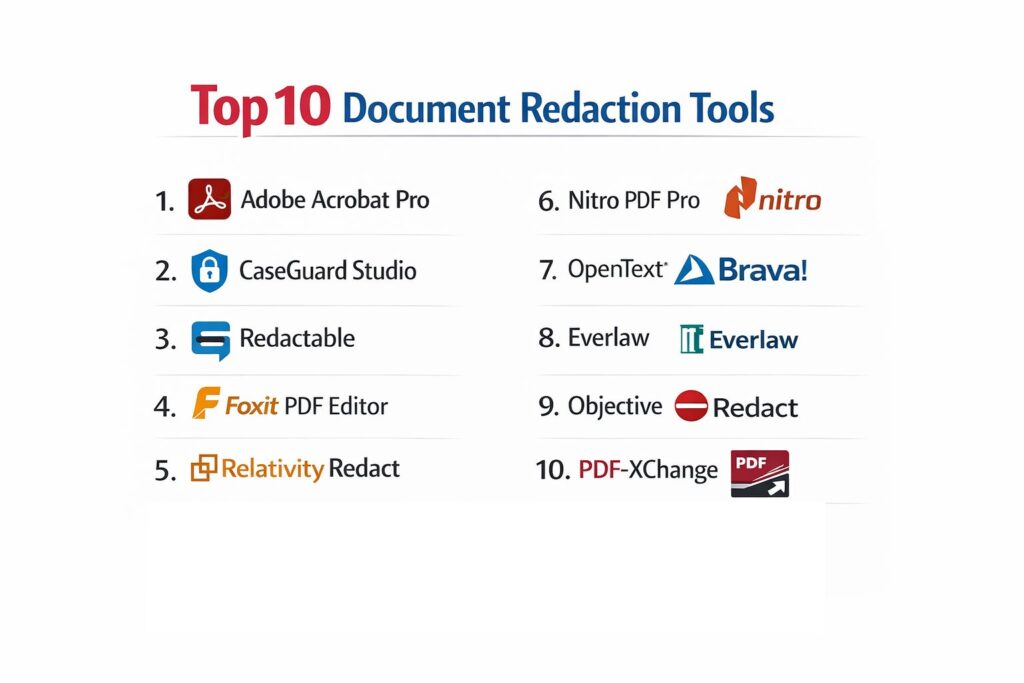
1. Adobe Acrobat Pro
Adobe Acrobat Pro remains the industry standard for PDF management and redaction. It offers a comprehensive suite of “Sanitize Document” features that remove not only the visible text but also overlapping objects, hidden layers, and metadata. Its pattern-based search allows users to find and redact specific types of information like email addresses or phone numbers across a multi-page document instantly.
Key Features
The platform features a dedicated “Redact” toolset that includes “Mark for Redaction” and “Apply Redactions” as distinct steps for quality control. It provides a “Remove Hidden Information” wizard that scrubs metadata, attachments, and comments. Users can customize the redaction appearance, using solid black boxes or “overlay text” to explain the legal basis for the redaction. It also includes high-end OCR to make scanned text searchable and redactable. The system supports “Bates Numbering” for legal indexing and provides a seamless mobile experience for reviewing redacted files.
Pros
Extremely reliable and widely accepted in legal and government circles. The “Sanitize” feature is one of the most thorough in the market for removing hidden data.
Cons
The subscription model is more expensive than some specialized alternatives. The software can be resource-heavy on older hardware.
Platforms and Deployment
Windows, macOS, iOS, Android, and Web-based versions available.
Security and Compliance
Adheres to strict PDF/A standards for long-term archiving and provides password protection and digital signatures.
Integrations and Ecosystem
Deeply integrated with Microsoft 365, Google Drive, and Adobe Document Cloud.
Support and Community
Massive global user base with extensive documentation, video tutorials, and 24/7 enterprise support.
2. CaseGuard Studio
CaseGuard Studio is a powerhouse for organizations that need to redact more than just text. It is a multi-modal AI platform that handles documents, video, audio, and images in a single on-premise application. It is particularly popular in law enforcement and healthcare for its ability to “blur” faces and “mute” PII in recordings.
Key Features
The platform uses AI to automatically detect 30+ types of PII and PHI across 750+ different file formats. It features a “Bulk Redaction” engine that can process thousands of pages or hours of video without manual intervention. For audio, it provides automatic transcription and “bleeping” of sensitive terms. It includes a translation feature that allows users to redact documents in over 100 languages. The software operates entirely offline, ensuring that sensitive data never leaves the local environment. It also generates detailed audit logs and redaction certificates for compliance reporting.
Pros
The “All-in-One” nature for video, audio, and text is unique and highly efficient. Offline deployment is a major plus for high-security environments.
Cons
The pricing is geared toward enterprises and government agencies, making it costly for small teams. The interface has a steeper learning curve due to the sheer number of features.
Platforms and Deployment
On-premise Windows application (can be used entirely offline).
Security and Compliance
Designed for CJIS, HIPAA, FOIA, and GDPR compliance with robust audit trails.
Integrations and Ecosystem
Integrates with Evidence.com, Box, and AWS S3 for secure file ingestion and export.
Support and Community
Offers live one-on-one training, a dedicated account manager, and priority technical support.
3. Redactable
Redactable is a modern, cloud-native tool designed for speed and ease of use. It leverages proprietary AI to automate the discovery of sensitive data, making it a favorite for legal teams and HR departments that need to process documents quickly without installing heavy desktop software.
Key Features
The platform features a “Redaction Wizard” that guides users through the process of finding and removing PII. It utilizes a “one-click” auto-redaction engine that identifies names, dates, and locations with high accuracy. The tool ensures permanent removal by “flattening” the PDF, making it impossible to uncover the hidden data. It includes a collaboration suite where team members can review and approve redactions before they are finalized. It also provides a robust OCR engine for processing scanned images and handwritten notes.
Pros
Very intuitive UI that requires almost no training. The cloud-based nature allows for instant collaboration across different locations.
Cons
Being cloud-only may be a deal-breaker for organizations with strict “no-cloud” data policies. Subscription costs can add up for high-volume users.
Platforms and Deployment
Web-based platform accessible from any modern browser.
Security and Compliance
SOC 2 Type II, HIPAA, and GDPR compliant with high-level encryption for files at rest and in transit.
Integrations and Ecosystem
Integrates natively with Box, Dropbox, OneDrive, and legal tech tools like Clio.
Support and Community
Provides a detailed help center, email support, and video walkthroughs for all features.
4. Foxit PDF Editor
Foxit is frequently chosen as a lightweight and faster alternative to Adobe Acrobat. It offers professional-grade redaction tools that are specifically optimized for business productivity and legal compliance, including support for Bates Numbering and sanitization.
Key Features
The platform includes a “Search and Redact” tool that can scan an entire document for specific keywords or patterns. It features a “Sanitize Document” option that removes metadata, hidden text, and previous document versions. Its “Whiteout” feature provides a quick way to hide content without the full redaction process for non-sensitive tasks. It supports integration with Microsoft RMS for protecting sensitive documents with encryption. The system also offers a “High Compression” feature to reduce file sizes after the redaction process is complete.
Pros
Fast performance even with very large documents. The pricing is often more flexible than Adobe’s, offering perpetual licenses.
Cons
The UI can feel cluttered with many buttons and menus. Some advanced AI discovery features are not as automated as specialized AI tools.
Platforms and Deployment
Windows, macOS, iOS, Android, and Cloud.
Security and Compliance
Supports FIPS-compliant encryption and digital signatures for secure document handling.
Integrations and Ecosystem
Strong integration with Microsoft Office apps and various cloud storage providers.
Support and Community
Excellent enterprise support and a large community of business users.
5. Relativity Redact
Relativity Redact is a specialized tool within the Relativity eDiscovery ecosystem. It is designed specifically for complex litigation where millions of documents must be reviewed and redacted under tight court-ordered deadlines.
Key Features
The platform excels at “Mass Redaction,” allowing users to apply redactions to thousands of documents simultaneously based on predefined rules. It features native redaction for Excel spreadsheets, allowing users to hide specific cells or rows without breaking the file’s functionality. It includes a “Quality Control” (QC) panel where senior reviewers can quickly accept or reject redactions. The system uses “Redaction Reasons” to automatically label why information was hidden. It also supports “Image Redaction” for non-textual evidence in legal cases.
Pros
Unmatched scalability for massive legal datasets. The Excel-native redaction is a critical feature for financial litigation.
Cons
It is part of the larger Relativity platform, which is too complex and expensive for general business use. Requires significant training for power users.
Platforms and Deployment
Available as part of RelativityOne (Cloud) or on-premise Relativity installations.
Security and Compliance
Meets the highest standards for legal data security and international privacy laws.
Integrations and Ecosystem
Deeply integrated with the Relativity legal review and production pipeline.
Support and Community
Extensive legal-tech community and dedicated technical account managers for law firms.
6. Nitro PDF Pro
Nitro PDF Pro focuses on business-wide document productivity. Its redaction tools are designed to be part of a seamless workflow that includes editing, signing, and sharing documents securely within a corporate environment.
Key Features
The tool provides a “Mark for Redaction” feature that is as simple as using a highlighter. It includes a “Search and Redact” function with predefined patterns for common PII like SSNs and credit card numbers. Once applied, the redaction is permanent at the file level. The platform features a “White-Labeling” option where users can change the color and text of redaction marks. It also includes “Batch Processing” to apply redactions or sanitization steps to multiple files at once. Nitro’s OCR is highly rated for its accuracy in converting “dead” scans into editable, redactable text.
Pros
The interface is modeled after Microsoft Office, making it instantly familiar to most employees. It is one of the most affordable enterprise-grade PDF suites.
Cons
Does not offer the advanced multi-modal (video/audio) features found in CaseGuard. Some users report occasional glitches during large batch conversions.
Platforms and Deployment
Windows, macOS, and iOS.
Security and Compliance
Standard SOC 2 and GDPR compliance with secure e-signature integration.
Integrations and Ecosystem
Connects with Nitro Sign and most major cloud storage services like SharePoint and Google Drive.
Support and Community
Provides robust enterprise-level support and personalized onboarding for large teams.
7. OpenText Brava!
OpenText Brava! is an enterprise-level viewing and redaction solution that supports over 300 file formats, including complex CAD drawings and engineering files. It is the tool of choice for technical industries where intellectual property protection is paramount.
Key Features
The platform features an “Auto-Redaction” engine that uses pattern matching to find sensitive information in both text and drawings. It utilizes a “markup” layer system where redactions are proposed and reviewed before being “burned” into the final file. It provides a unique “Checkview” tool for structured data, allowing reviewers to verify specific areas of forms using a template. It supports the redaction of “vectors” in CAD files, ensuring that technical measurements can be hidden without corrupting the drawing. The system also includes detailed audit trails of every redaction action.
Pros
Exceptional support for non-standard file types like CAD and large-format engineering prints. Highly customizable for enterprise-specific workflows.
Cons
The software is very “heavy” and requires professional installation and configuration. It is not designed for small-scale or casual use.
Platforms and Deployment
On-premise server deployment with browser-based client access.
Security and Compliance
Meets Title 21 CFR Part 11 guidelines and other strict industrial security standards.
Integrations and Ecosystem
Designed to integrate with OpenText Content Suite and other Enterprise Content Management (ECM) systems.
Support and Community
Professional-grade support with dedicated managed services for enterprise customers.
8. Everlaw
Everlaw is a cloud-native litigation platform that has revolutionized the speed of legal discovery. Its redaction tools are built directly into the review interface, allowing lawyers to redact evidence as they read through it.
Key Features
The platform recently added advanced audio and video redaction capabilities, allowing users to redact directly from transcripts or by marking “start” and “stop” timestamps. It features “Pattern Search” that can identify sensitive data across millions of pages in seconds. Redaction stamps are fully editable and customizable, allowing for consistent legal labeling. The system includes “AI-Powered Coding Suggestions” that can flag documents that likely require redaction. It also offers a “Redaction QC” workflow that streamlines the second-pass review process for large legal teams.
Pros
Fastest cloud-based processing for massive legal datasets. The unified interface for text, audio, and video redaction is highly efficient.
Cons
The pricing is usage-based and can be difficult to predict for long-running cases. It is strictly a legal eDiscovery tool and not a general-purpose PDF editor.
Platforms and Deployment
Cloud-native web platform.
Security and Compliance
FedRAMP authorized, SOC 2 Type II, and HIPAA compliant.
Integrations and Ecosystem
Integrated with Slack, Zoom, and Microsoft Teams for direct evidence ingestion.
Support and Community
Offers 24/7 support and a robust library of training resources for legal professionals.
9. Objective Redact
Objective Redact is a specialized platform focused on the “automatic anonymization” of sensitive data. It is widely used in government and public sector organizations that must process FOIA (Freedom of Information Act) requests.
Key Features
The tool supports 25+ file formats and uses AI to automatically detect and redact names, addresses, and other identifiers. It features a “Draft Redaction” mode where users can review all suggested cuts before committing them. It ensures “True Redaction” by removing the content from the file structure entirely, not just the visual layer. The software includes “Audit-Ready” logs that provide proof of compliance for regulatory bodies. It also features a simple drag-and-drop interface for quick processing of individual files or large folders.
Pros
Specifically designed for FOIA and transparency workflows. The accuracy of its PII detection is highly rated by government users.
Cons
The UI can feel a bit dated compared to modern cloud-native startups. It is primarily a desktop-focused tool.
Platforms and Deployment
Windows desktop application.
Security and Compliance
Meets government-level security requirements for data sanitization and privacy.
Integrations and Ecosystem
Focuses on standalone reliability but can ingest files from standard network drives and DMS.
Support and Community
Strong presence in the public sector with dedicated support for government agencies.
10. PDF-XChange Editor
PDF-XChange Editor is known for being a fast, lightweight, and highly customizable PDF solution. It is a popular choice for budget-conscious organizations that still require professional-grade, permanent redaction.
Key Features
The platform features “Permanent Redaction” that removes text, images, and underlying data paths. It includes an “OCR” engine that supports multiple languages to make scanned documents redactable. Users can search for text patterns using regular expressions (regex) for highly specific data discovery. It provides “Redaction Profiles” that allow users to save their settings for different types of documents. The tool also includes a “Snapshot” feature that can redact specific rectangular areas of a page, including images and charts. It is one of the few tools that offers a powerful “free” tier with watermarking for non-commercial testing.
Pros
Extremely fast load times and minimal system impact. Offers a very high level of technical customization for power users.
Cons
The interface can be overwhelming due to the sheer density of icons and options. It lacks the built-in AI automation of more expensive competitors.
Platforms and Deployment
Windows (Web-based version available for basic tasks).
Security and Compliance
Standard PDF security features including encryption and certificate-based signatures.
Integrations and Ecosystem
Integrates with SharePoint and various cloud storage services.
Support and Community
Active user forums and responsive technical support for licensed users.
Comparison Table
| Tool Name | Best For | Platform(s) Supported | Deployment | Standout Feature | Public Rating |
| 1. Adobe Acrobat Pro | General Business | Web, Desktop, Mobile | Hybrid | Comprehensive Sanitization | 4.6/5 |
| 2. CaseGuard Studio | Multi-modal (AV+Doc) | Windows | On-premise | Offline Video Redaction | 4.4/5 |
| 3. Redactable | Quick AI Automation | Web-based | Cloud | AI Redaction Wizard | 4.5/5 |
| 4. Foxit PDF Editor | Lightweight Business | Web, Desktop, Mobile | Hybrid | Fast Performance | 4.5/5 |
| 5. Relativity Redact | Litigation/Discovery | Cloud, Desktop | Hybrid | Native Excel Redaction | 4.7/5 |
| 6. Nitro PDF Pro | Corporate Teams | Windows, Mac, iOS | Desktop | MS Office Style UI | 4.4/5 |
| 7. OpenText Brava! | Engineering/CAD | Web, Mobile | Server | Support for 300+ Formats | 4.2/5 |
| 8. Everlaw | Cloud Legal Review | Web-based | Cloud | Integrated AV & Transcripts | 4.6/5 |
| 9. Objective Redact | FOIA / Public Sector | Windows | Desktop | Auto-Anonymization | 4.3/5 |
| 10. PDF-XChange | Budget / Tech Users | Windows | Desktop | Regex Search & Redact | 4.5/5 |
Evaluation & Scoring of Document Redaction Tools
The scoring below is a comparative model intended to help shortlisting. Each criterion is scored from 1–10, then a weighted total from 0–10 is calculated using the weights listed. These are analyst estimates based on typical fit and common workflow requirements, not public ratings.
Weights:
- Core features – 25%
- Ease of use – 15%
- Integrations & ecosystem – 15%
- Security & compliance – 10%
- Performance & reliability – 10%
- Support & community – 10%
- Price / value – 15%
| Tool Name | Core (25%) | Ease (15%) | Integrations (15%) | Security (10%) | Performance (10%) | Support (10%) | Value (15%) | Weighted Total |
| 1. Adobe Acrobat Pro | 10 | 9 | 10 | 9 | 8 | 10 | 8 | 9.15 |
| 2. CaseGuard Studio | 10 | 7 | 8 | 10 | 9 | 9 | 7 | 8.65 |
| 3. Redactable | 9 | 10 | 9 | 8 | 8 | 8 | 9 | 8.85 |
| 4. Foxit PDF Editor | 9 | 8 | 9 | 8 | 10 | 8 | 10 | 8.85 |
| 5. Relativity Redact | 10 | 6 | 7 | 10 | 9 | 9 | 6 | 8.20 |
| 6. Nitro PDF Pro | 8 | 10 | 8 | 8 | 9 | 8 | 10 | 8.65 |
| 7. OpenText Brava! | 9 | 6 | 8 | 9 | 8 | 8 | 7 | 7.90 |
| 8. Everlaw | 9 | 8 | 9 | 10 | 9 | 9 | 7 | 8.75 |
| 9. Objective Redact | 8 | 8 | 7 | 9 | 8 | 8 | 8 | 7.95 |
| 10. PDF-XChange | 8 | 7 | 8 | 8 | 10 | 7 | 10 | 8.25 |
How to interpret the scores:
- Use the weighted total to shortlist candidates, then validate with a pilot.
- A lower score can mean specialization, not weakness.
- Security and compliance scores reflect controllability and governance fit, because certifications are often not publicly stated.
- Actual outcomes vary with assembly size, team skills, templates, and process maturity.
Which Document Redaction Tool Is Right for You?
Solo / Freelancer
For individuals who occasionally need to redact documents, Foxit PDF Editor or Nitro PDF Pro offers the best balance of price and professional features. They are easier to use than high-end legal tools and much more affordable than the full Adobe suite.
SMB
Small to medium businesses that prioritize speed and modern interfaces will find Redactable to be the best fit. Its cloud-based AI automation significantly reduces the time spent on manual redaction without requiring a massive hardware investment.
Mid-Market
Organizations that handle a high volume of diverse documents and need a reliable, all-around performer should stick with Adobe Acrobat Pro. Its deep ecosystem and comprehensive sanitization tools ensure that they remain compliant across various industries.
Enterprise
Large-scale enterprises with specialized needs (like CAD drawings or strictly offline environments) should look toward OpenText Brava! or CaseGuard Studio. These tools offer the granular control and multi-format support required for complex industrial or government workflows.
Budget vs Premium
If budget is the primary concern, PDF-XChange Editor provides a powerful set of tools at a fraction of the cost of its competitors. For those where security and compliance risk outweigh the cost, CaseGuard or Everlaw provide premium, high-assurance environments.
Feature Depth vs Ease of Use
Redactable wins on ease of use with its guided AI wizard. On the other end of the spectrum, Relativity Redact offers incredible feature depth for legal experts but requires a dedicated specialist to operate effectively.
Integrations & Scalability
Everlaw and Relativity are built for the cloud and scale to millions of documents effortlessly. For standard business integrations, Adobe Acrobat Pro remains the most connected tool in the marketplace.
Security & Compliance Needs
For government and law enforcement, CaseGuard Studio’s ability to operate entirely offline is a critical security feature. For legal teams, the FedRAMP authorization of Everlaw provides the necessary assurance for high-stakes litigation.
Frequently Asked Questions (FAQs)
1. Can I just draw a black box over text to redact it?
No. Simply drawing a box only covers the text visually. The underlying data remains in the file and can be recovered by highlighting the area and copying the text or using a PDF inspection tool. Professional redaction software deletes the data permanently.
2. What is “sanitization” in the context of redaction?
Sanitization refers to the removal of hidden information from a file, such as document authors, creation dates, previous versions, and invisible metadata. Redaction hides visible text; sanitization cleans the entire file structure.
3. Does redaction work on scanned images?
Yes, but only if the software has high-quality Optical Character Recognition (OCR). The OCR converts the image of the text into actual data that the software can then search, identify, and permanently delete.
4. Can I redact information in Excel without breaking the file?
Standard PDF tools usually require you to convert Excel to PDF first. However, specialized tools like Relativity Redact allow for native Excel redaction, where specific cells are cleared while the formulas and structure remain intact.
5. How long does it take to redact a 1,000-page document?
Manually, it could take days. With an AI-powered tool like Redactable or CaseGuard, the initial discovery phase can take less than five minutes, followed by a quick human review to finalize the “marks.”
6. Is cloud-based redaction safe?
It is safe if the provider is SOC 2 Type II and HIPAA compliant. These certifications ensure that your data is encrypted and that the provider has strict internal controls to prevent unauthorized access.
7. Can redacted information ever be recovered?
If performed correctly with a professional tool, redacted information is gone forever. If “redacted” incorrectly (like using a black marker in a standard editor), it is very easy to recover.
8. What is a “redaction reason” code?
In legal and government sectors, you must often state why information was hidden (e.g., “Privacy,” “National Security,” or “Trade Secret”). Professional tools let you apply these codes automatically over the redacted area.
9. Can these tools redact faces in videos?
Specialized multi-modal tools like CaseGuard Studio and Everlaw can automatically detect and blur faces, license plates, and other moving objects in video files.
10. Do I need to buy a subscription?
Most modern tools like Adobe and Redactable are subscription-based. However, some tools like Foxit and PDF-XChange Editor still offer “perpetual” licenses where you pay once and own the version forever.
Conclusion
In an era where data is both an organization’s most valuable asset and its greatest liability, the role of document redaction has transitioned from a manual clerical task to a critical component of the data security lifecycle. Choosing the right tool is no longer just about ease of use; it is about ensuring the absolute, irreversible destruction of sensitive data to protect individual privacy and institutional reputation. Whether you are navigating a high-stakes legal battle, processing public records requests, or simply sanitizing an internal HR report, the current landscape of AI-driven and multi-modal tools provides a solution for every scale of operation. By integrating these professional redaction workflows into your standard document management procedures, you eliminate the risk of “accidental disclosure” and build a foundation of trust with your clients and stakeholders. The future of document privacy is automated, permanent, and forensically secure.