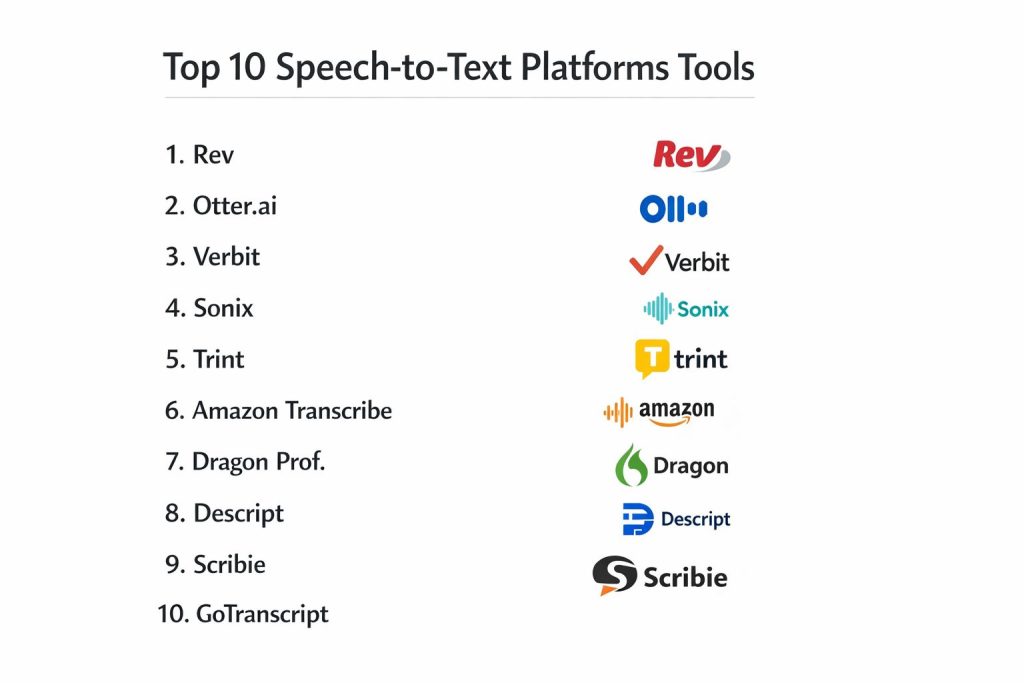
Introduction
Speech-to-text technology has evolved from a niche accessibility tool into a critical pillar of the modern data-driven enterprise. At its core, these platforms utilize sophisticated neural networks and natural language processing to convert acoustic signals into structured, searchable, and actionable text. In a professional landscape where global teams generate thousands of hours of audio daily, manual transcription is no longer a viable or scalable solution. Organizations now rely on these automated systems to unlock the institutional knowledge hidden within recorded meetings, legal depositions, clinical notes, and customer service interactions. By digitizing the spoken word, businesses can implement advanced analytics, perform sentiment analysis, and ensure comprehensive record-keeping across all departments.
The strategic adoption of a transcription platform is driven by the need for speed, accuracy, and rigorous data governance. Whether it is a media firm requiring near-instant captions for broadcast or a healthcare provider needing HIPAA-compliant clinical documentation, the choice of platform depends heavily on the specific security and integration requirements of the industry. Modern platforms offer more than just basic text conversion; they provide speaker identification, automatic redaction of sensitive information, and the ability to train custom models on industry-specific jargon. Selecting the right tool involves evaluating its ability to handle various accents, background noise, and technical terminology while fitting seamlessly into existing cloud-native or on-premise workflows.
Best for: Legal and medical professionals requiring high-precision documentation, media organizations managing large-scale video libraries, and enterprise teams seeking to automate meeting minutes and collaborative workflows.
Not ideal for: Simple, low-stakes casual note-taking or environments where extreme background noise makes acoustic signal separation impossible without specialized hardware.
Key Trends in Speech-to-Text Platforms
The primary shift in the industry is the move toward hybrid intelligence, combining the speed of artificial intelligence with the nuanced oversight of human editors for near-perfect accuracy. Real-time transcription has become a standard requirement for virtual production and live broadcasting, with latency now measured in milliseconds. We are also seeing a significant increase in the use of “Digital Twins” for voice, where custom acoustic models are trained to recognize the unique speech patterns and technical vocabularies of specific organizational departments.
Security has also taken center stage, with platforms now offering zero-data-storage guarantees and on-premise containerization to satisfy the strictest compliance standards. AI-driven insights are moving beyond simple text, with systems now able to automatically summarize action items, detect emotional tone, and identify key themes across multiple conversations. Furthermore, the integration of multilingual support and automatic translation is enabling truly global collaboration, allowing speakers of different languages to participate in synchronized, transcribed dialogues.
How We Selected These Tools
The selection of these top ten platforms was based on an exhaustive evaluation of technical performance, security certifications, and enterprise scalability. We prioritized platforms that demonstrate consistent accuracy across diverse acoustic environments and those that hold critical compliance certifications such as SOC 2, HIPAA, and GDPR. Market penetration and the robustness of the developer ecosystem were also key indicators, as the best tools often feature extensive APIs and pre-built integrations with major productivity suites.
Performance metrics were scrutinized, specifically focusing on speaker diarization accuracy and the ability to handle multi-channel audio files. We also assessed the flexibility of deployment, looking for tools that offer cloud-native, hybrid, and even air-gapped options for highly sensitive industries. The availability of specialized models for legal, medical, and technical fields was a significant factor, as was the quality of the post-transcription editing and collaboration interfaces. Finally, the total cost of ownership and the transparency of pricing models were weighed to ensure value for different organizational sizes.
1. Rev
Rev is a major player in the transcription market, known for its unique hybrid model that offers both high-speed AI transcription and premium human-verified services. It is particularly favored by media professionals and marketers who require 99% accuracy for public-facing captions and subtitles. The platform provides a sleek, browser-based editor that syncs text with the original audio for rapid verification.
Key Features
The platform offers world-class automated speech recognition alongside a network of thousands of human transcribers. It features specialized tools for burned-in captions, global subtitles in over 15 languages, and a robust API for developers. The interactive editor allows for easy timestamping and speaker labeling, while the mobile app enables high-quality recording and direct submission for transcription. It also includes comprehensive team management tools and secure file sharing options.
Pros
It delivers exceptionally high accuracy, especially when choosing the human-verified option. The turnaround time for AI transcription is nearly instantaneous, and the interface is highly intuitive.
Cons
The cost for human-verified services is significantly higher than pure AI alternatives. Some users have noted that the subscription tiers can be less flexible for low-volume users.
Platforms and Deployment
Web-based, Android, and iOS. It functions primarily as a secure cloud-hosted service.
Security and Compliance
It is SOC 2 Type II compliant and offers encrypted data storage and secure file transmission protocols.
Integrations and Ecosystem
Integrates deeply with major video platforms like YouTube and Vimeo, as well as cloud storage services like Dropbox and Google Drive.
Support and Community
Provides 24/7 customer support and a massive library of guides and best practices for transcription and captioning.
2. Otter.ai
Otter.ai has redefined meeting productivity by focusing on real-time transcription and collaborative note-taking. It is the go-to tool for corporate teams and journalists who need a live, searchable record of conversations that can be easily shared and summarized. Its strength lies in its ability to automatically join and record virtual meetings across various platforms.
Key Features
The software provides live transcription with real-time speaker identification and the ability to insert images or comments directly into the transcript. It features an “Otter Assistant” that can automatically join Zoom, Microsoft Teams, and Google Meet calls. The AI-driven summary tool extracts action items and key decisions from long recordings. Users can also utilize a custom vocabulary feature to improve the recognition of names and industry terms.
Pros
The real-time feedback is excellent for following along during live events. Its automated meeting integration is a massive time-saver for busy professionals.
Cons
Accuracy can drop significantly in noisy environments or with heavy accents. Language support is primarily focused on English, which limits its use for global teams.
Platforms and Deployment
Web, iOS, Android, and a Chrome extension. It is a cloud-native SaaS application.
Security and Compliance
Offers standard TLS encryption and is GDPR compliant, with enterprise plans providing additional security controls.
Integrations and Ecosystem
Features native integrations with all major video conferencing tools and calendar systems for automated workflow management.
Support and Community
Offers an extensive help center and proactive community forums focused on meeting optimization.
3. Verbit
Verbit is a highly specialized platform designed for regulated industries like legal, healthcare, and higher education. It utilizes a sophisticated multi-layer process where AI performs the initial transcription, followed by human editors to ensure the extreme accuracy required for legal transcripts and medical records.
Key Features
It provides a customized transcription engine tailored to the specific terminologies of the legal and medical fields. The platform supports real-time captioning for live events and broadcasts through RTMP. It features detailed compliance tracking and the ability to generate certificates of accuracy. The system also includes advanced speaker diarization and the capability to handle multi-channel audio for clear attribution in complex settings.
Pros
The hybrid approach guarantees the highest possible accuracy for sensitive and technical content. It is highly effective at meeting the strict compliance needs of government and educational institutions.
Cons
The high-touch human editing process makes it one of the more expensive options. Turnaround times for the highest accuracy levels are slower than pure AI tools.
Platforms and Deployment
Cloud-hosted with a secure web portal and API-based deployment options.
Security and Compliance
Specifically designed for compliance, holding SOC 2, HIPAA, and GDPR certifications with available Business Associate Agreements (BAAs).
Integrations and Ecosystem
Integrates with major Learning Management Systems and legal practice management software, as well as enterprise video platforms.
Support and Community
Offers dedicated account management and technical support for enterprise clients in regulated sectors.
4. Sonix
Sonix is a high-performance AI transcription platform that emphasizes speed and technical accuracy. It is designed for users who need to process large volumes of audio and video files quickly without sacrificing security or precision. It is widely used by researchers and investigators who require audit-ready text.
Key Features
The platform features an advanced browser-based editor where the text and audio are perfectly synchronized, allowing for word-for-word verification. It provides a unique “confidence score” for every word, highlighting areas that might need manual review. It supports over 40 languages and offers automated translation services. The system also includes tools for multi-user collaboration, allowing teams to comment and highlight key sections of a transcript.
Pros
It is exceptionally fast, often transcribing an hour of audio in under ten minutes. The security features, including SOC 2 Type II compliance, are top-tier for an AI platform.
Cons
It is a purely AI-driven tool, so it lacks the 100% accuracy guarantee of human-verified services. The pricing is usage-based, which can become unpredictable for high-volume teams.
Platforms and Deployment
Web-based platform with cloud-syncing capabilities.
Security and Compliance
Holds SOC 2 Type II and HIPAA compliance, and features zero-training policies on customer data.
Integrations and Ecosystem
Integrates with professional editing suites like Adobe Premiere and Final Cut Pro, making it ideal for video production workflows.
Support and Community
Provides high-quality documentation and responsive technical support, with a focus on professional research use cases.
5. Trint
Trint focuses on the needs of journalists and content creators, turning audio and video into a collaborative “story-building” environment. It treats a transcript like a document, allowing users to edit, highlight, and pull quotes into a separate builder to create articles, scripts, or social media posts.
Key Features
The “Story Builder” tool is the standout feature, enabling users to combine snippets from multiple transcripts into a single narrative. It supports live transcription and translation in over 50 languages. The platform includes robust security features suitable for major media organizations. It also offers a mobile app for on-the-go recording and a specialized caption editor for fine-tuning subtitles for broadcast.
Pros
The editing interface is the most refined in the industry for narrative work. It is excellent for global teams that need to collaborate across different languages in real-time.
Cons
It is positioned as a premium tool and carries a price tag that may be high for individual freelancers. Some users find the lack of a pay-per-use plan a limitation.
Platforms and Deployment
Web-based and iOS app. It is a cloud-native platform.
Security and Compliance
Offers bank-level security, including ISO 27001 certification and AES-256 encryption at rest.
Integrations and Ecosystem
Deeply integrated with newsroom systems and professional video editing software like AP ENPS and Adobe Premiere.
Support and Community
Provides specialized support for media organizations and an active blog focused on the future of journalism and AI.
6. Amazon Transcribe
Amazon Transcribe is a highly scalable, API-first service designed for developers and enterprises within the AWS ecosystem. It is built to process massive amounts of audio data automatically, making it the ideal choice for call centers and large-scale data analysis projects.
Key Features
The service offers specialized models for medical transcription and contact center analysis. It features automatic content redaction for PII, helping businesses maintain privacy compliance. It supports real-time streaming via WebSockets and batch processing for large datasets. Developers can train custom language models to recognize specific product names or technical jargon. It also provides detailed confidence scores and precise timestamps for every word.
Pros
It offers unparalleled scalability and a very low cost for high-volume processing. The integration with other AWS AI services allows for complex workflows like automated sentiment analysis.
Cons
As an API-first tool, it lacks a user-friendly standalone editor for non-technical users. Setting it up requires a certain level of technical expertise within the AWS environment.
Platforms and Deployment
Cloud-based via AWS. It is accessed through the AWS Management Console, SDKs, or CLI.
Security and Compliance
Inherits the full suite of AWS security certifications, including HIPAA, SOC 2, and PCI-DSS compliance.
Integrations and Ecosystem
Integrates natively with all AWS services, such as S3 for storage, Lambda for processing, and CloudWatch for monitoring.
Support and Community
Backed by the massive AWS support network and exhaustive technical documentation for developers.
7. Dragon Professional
Dragon Professional is the gold standard for individual dictation and localized transcription. Unlike most cloud-based competitors, it is a powerful desktop application that learns an individual’s specific voice over time, providing a level of personalized accuracy that is difficult to match in a general-purpose tool.
Key Features
The software is designed for “voice-to-text” rather than just “speech-to-text,” allowing users to control their entire computer through voice commands. It features a deep, customizable vocabulary and the ability to create complex voice macros for repetitive tasks. It performs all processing locally on the machine, which is a major advantage for those with limited internet access or extreme privacy requirements. It also supports transcribing recorded audio from digital voice recorders.
Pros
The local processing provides superior data privacy and works without an internet connection. The ability to control software through voice significantly boosts productivity for heavy writers.
Cons
The software is resource-intensive and requires a powerful Windows computer. It is primarily designed for a single speaker, making it less ideal for multi-person meetings.
Platforms and Deployment
Windows-based local installation.
Security and Compliance
Since data is processed locally, it avoids many of the security concerns associated with cloud storage and transmission.
Integrations and Ecosystem
Deeply integrates with the Microsoft Office suite and many specialized legal and medical software packages.
Support and Community
Offers extensive professional training and a long-standing user community focused on accessibility and productivity.
8. Descript
Descript has revolutionized the video and podcasting world by introducing “text-based editing.” It allows users to edit audio and video files by simply deleting or moving text in the transcript, making complex media production as easy as editing a Word document.
Key Features
The platform features “Overdub,” an AI tool that can generate a digital version of your voice to fix mistakes in a recording by simply typing new text. It includes “Studio Sound,” which uses AI to remove background noise and make amateur recordings sound professional. It offers automatic speaker labeling and multi-track transcription. The software also functions as a powerful screen recorder and video editor, providing a complete production suite in one app.
Pros
The text-based editing workflow is a massive time-saver for podcasters and video creators. It is one of the most innovative tools for transforming how we interact with recorded media.
Cons
The transcription engine itself can struggle with very technical terminology compared to specialized tools. The desktop app can be heavy on system resources during complex video edits.
Platforms and Deployment
Desktop apps for Windows and Mac, with a web-based companion. It is a cloud-synced platform.
Security and Compliance
Provides encrypted storage and secure link sharing for collaborations.
Integrations and Ecosystem
Integrates with popular podcast hosting platforms and professional video suites, acting as a bridge in the production process.
Support and Community
Features an active community of creators and a library of video tutorials that make learning the unique workflow easy.
9. Scribie
Scribie is a reliable provider that focuses on providing high-quality human-verified transcription at an affordable, transparent price point. It is preferred by academics and researchers who need highly accurate transcripts for qualitative analysis but have strict budget constraints.
Key Features
The platform uses a unique four-step human verification process to ensure 99% accuracy. It offers a flat, pay-as-you-go pricing model with no hidden fees or subscriptions. Users can choose “Strict Verbatim” to capture every utterance, including filler words like “um” and “ah.” It provides an interactive online editor for self-correction and supports various export formats, including SRT and VTT for subtitles. It also features a specialized service for transcribing files with heavy accents or poor audio quality.
Pros
The pricing is very competitive for human-verified work. The turnaround time is remarkably consistent, and the quality of the final documents is very high.
Cons
The user interface is more functional than modern, lacking some of the bells and whistles of newer AI platforms. It does not offer the same level of automated meeting integration as Otter.ai.
Platforms and Deployment
Web-based platform.
Security and Compliance
Uses standard encryption and non-disclosure agreements for all human transcribers to protect client confidentiality.
Integrations and Ecosystem
Focuses on a direct upload-and-download workflow rather than a deep ecosystem of third-party app integrations.
Support and Community
Offers direct support for project management and a straightforward help center for common transcription questions.
10. GoTranscript
GoTranscript is a global transcription agency that specializes in handling difficult audio and providing human-verified translations in dozens of languages. It is the ideal choice for companies that deal with a wide range of global accents and need culturally accurate localizations.
Key Features
It provides 100% human-made transcriptions with a focus on accuracy in specialized fields like engineering and law. The platform offers certified translations that are suitable for legal and official use. It features a robust business dashboard that allows managers to oversee multiple projects and team permissions. It also supports the transcription of old or low-quality analog recordings that AI systems typically fail to process accurately.
Pros
The ability to handle very difficult audio and niche technical subjects is its greatest strength. The multilingual support is among the most extensive in the industry.
Cons
Turnaround times are measured in hours or days rather than minutes. The cost is higher than pure AI tools, reflecting the labor-intensive nature of the work.
Platforms and Deployment
Web-based portal with a dedicated mobile app for ordering and managing transcripts.
Security and Compliance
Complies with GDPR and HIPAA standards and employs strict internal data privacy protocols for its global workforce.
Integrations and Ecosystem
Integrates with popular cloud storage services and offers a public API for companies looking to automate high-accuracy transcription orders.
Support and Community
Provides high-touch customer support and a dedicated success manager for large enterprise accounts.
Comparison Table
| Tool Name | Best For | Platform(s) Supported | Deployment | Standout Feature | Public Rating |
| 1. Rev | Media & Captions | Web, Android, iOS | Cloud | Hybrid Human/AI Model | 4.7/5 |
| 2. Otter.ai | Meetings & Collab | Web, iOS, Android | Cloud | Real-time Meeting Bot | 4.5/5 |
| 3. Verbit | Regulated Industries | Web, API | Cloud | Accuracy Certifications | 4.3/5 |
| 4. Sonix | Researchers | Web | Cloud | Word Confidence Scores | 4.8/5 |
| 5. Trint | Journalists | Web, iOS | Cloud | Story Builder Editor | 4.6/5 |
| 6. Amazon Transcribe | Enterprise Scaling | API/AWS | Cloud | Scalable Redaction | 4.4/5 |
| 7. Dragon Prof. | Solo Dictation | Windows | Local | Voice Command System | 4.0/5 |
| 8. Descript | Podcasters/Video | Win, Mac, Web | Hybrid | Text-based Video Edit | 4.7/5 |
| 9. Scribie | Budget Accuracy | Web | Cloud | 4-Step Verification | 4.2/5 |
| 10. GoTranscript | Global Localization | Web, Mobile | Cloud | 100% Human Multilingual | 4.1/5 |
Evaluation & Scoring of Speech-to-Text Platforms
The scoring below is a comparative model intended to help shortlisting. Each criterion is scored from 1–10, then a weighted total from 0–10 is calculated using the weights listed. These are analyst estimates based on typical fit and common workflow requirements, not public ratings.
Weights:
- Core features – 25%
- Ease of use – 15%
- Integrations & ecosystem – 15%
- Security & compliance – 10%
- Performance & reliability – 10%
- Support & community – 10%
- Price / value – 15%
| Tool Name | Core (25%) | Ease (15%) | Integrations (15%) | Security (10%) | Performance (10%) | Support (10%) | Value (15%) | Weighted Total |
| 1. Rev | 10 | 9 | 9 | 8 | 10 | 9 | 8 | 9.15 |
| 2. Otter.ai | 8 | 10 | 10 | 7 | 8 | 9 | 9 | 8.60 |
| 3. Verbit | 10 | 7 | 8 | 10 | 7 | 10 | 6 | 8.40 |
| 4. Sonix | 9 | 9 | 8 | 9 | 9 | 8 | 8 | 8.70 |
| 5. Trint | 9 | 9 | 7 | 9 | 8 | 8 | 7 | 8.25 |
| 6. Amazon Transcribe | 10 | 4 | 10 | 10 | 10 | 9 | 9 | 8.70 |
| 7. Dragon Prof. | 9 | 5 | 7 | 10 | 9 | 7 | 7 | 7.75 |
| 8. Descript | 8 | 9 | 8 | 8 | 9 | 9 | 9 | 8.55 |
| 9. Scribie | 9 | 8 | 5 | 7 | 7 | 8 | 10 | 7.80 |
| 10. GoTranscript | 10 | 7 | 6 | 8 | 7 | 9 | 7 | 8.00 |
How to interpret the scores:
- Use the weighted total to shortlist candidates, then validate with a pilot.
- A lower score can mean specialization, not weakness.
- Security and compliance scores reflect controllability and governance fit, because certifications are often not publicly stated.
- Actual outcomes vary with assembly size, team skills, templates, and process maturity.
Which Speech-to-Text Platform Is Right for You?
Solo / Freelancer
For individual creators or researchers, a tool that balances high accuracy with a simple pay-as-you-go model is often the best choice. This prevents you from being locked into expensive monthly subscriptions when you only have occasional projects, while still providing professional results.
SMB
Small businesses benefit from platforms that offer seamless integration with their existing communication tools. A focus on meeting productivity and automated note-sharing can drastically improve team efficiency and ensure that no critical information is lost during growth phases.
Mid-Market
Mid-sized companies need to look for scalability and better administrative control. Platforms that allow for team-based workspaces and offer a mix of AI speed and human-verified precision for important documents will provide the best return on investment.
Enterprise
For large organizations, security and compliance are the non-negotiables. The ability to deploy transcription services within a secure cloud environment, manage deep API integrations, and ensure data residency compliance is essential for any enterprise-grade deployment.
Budget vs Premium
If the goal is to save money, pure AI tools offer incredible value for clean audio. However, premium human-verified services are necessary for high-stakes environments where even a single incorrect word could have legal or medical consequences.
Feature Depth vs Ease of Use
Media producers will value deep editing features like text-based video manipulation, while corporate executives may prefer a “set it and forget it” tool that automatically joins meetings and provides a summarized transcript in their inbox.
Integrations & Scalability
A transcription tool should not be an island. Choosing a platform that fits into your existing workflow—whether that’s a professional video editing suite, an AWS infrastructure, or a common productivity app—is key to long-term success.
Security & Compliance Needs
Highly regulated industries must prioritize tools with specific certifications like HIPAA or SOC 2. The cost of a security breach or a compliance failure far outweighs the subscription cost of a more secure, certified platform.
Frequently Asked Questions (FAQs)
1. How accurate is AI transcription compared to human transcription?
AI transcription has reached a point where it can achieve 90% to 95% accuracy on clear audio. However, human transcription still holds the advantage for complex technical jargon, heavy accents, and audio with significant background noise, consistently reaching 99%.
2. Can these platforms handle multiple speakers talking at once?
Many modern tools use a technique called “diarization” to identify and separate different speakers. While it has improved significantly, clear audio with minimal overlapping speech still yields the most reliable results for speaker attribution.
3. Is my data safe on these platforms?
Most professional tools use industry-standard encryption for data in transit and at rest. However, enterprises should look for platforms with specific certifications like SOC 2 and those that offer “zero-training” policies to ensure their data isn’t used to improve the AI models.
4. Can I transcribe audio in languages other than English?
Yes, most of the top platforms support dozens of languages. Some even offer automated translation services, allowing you to transcribe a conversation in one language and immediately generate a text version in another.
5. What audio format is best for transcription?
High-quality, lossless formats like WAV or FLAC are ideal for the highest accuracy. However, most platforms handle common formats like MP3 and MP4 very well, provided the bit rate is high enough to capture clear speech.
6. Do I need a high-speed internet connection for transcription?
Cloud-based platforms require an internet connection to upload files and process the audio. For users with limited connectivity, desktop-based tools like Dragon Professional are a better choice as they process everything locally.
7. How do these tools handle industry-specific technical terms?
Many platforms allow you to upload a “Custom Vocabulary” or a list of “Hints.” This tells the AI to look for specific names, product terms, or technical jargon that might not be in a standard dictionary.
8. Can I edit the transcript once it’s finished?
Almost all top-tier platforms provide an interactive browser-based editor. These editors sync the text with the audio, making it easy to listen back and correct any errors the AI might have made.
9. How long does it take to transcribe an hour of audio?
AI platforms can often process an hour of audio in less than 10 minutes. Human-verified services typically take between 12 to 24 hours, as they require several layers of manual review to ensure near-perfect accuracy.
10. Can transcription tools help with video editing?
Yes, several tools now offer text-based editing, where you can cut or move parts of a video by simply editing the text in the transcript. This is a game-changer for podcasters and social media content creators.
Conclusion
The selection of a speech-to-text platform is a strategic decision that bridges the gap between raw audio data and actionable business intelligence. In the modern workplace, the ability to rapidly convert speech into a searchable, compliant, and collaborative format is no longer a luxury but a fundamental operational requirement. Whether you prioritize the lightning-fast results of a pure AI engine or the meticulous precision of a human-verified hybrid service, the right platform must align with your specific security standards and workflow integrations. As these technologies continue to integrate deeper into our daily communication tools, organizations that leverage them effectively will gain a significant advantage in transparency, productivity, and data accessibility. Choosing a tool that grows with your organization while maintaining the highest levels of data integrity is the surest path to long-term success in a voice-first world.
I find that this analysis of Speech-to-Text Transcription Platforms provides a vital blueprint for any organization looking to unlock the hidden value in their audio and video assets. From my perspective as a Multimedia Content Lead, I learned that the industry has shifted from simple conversion to a hybrid intelligence model—where the speed of AI is balanced with the precision of human verification to achieve 99% accuracy for mission-critical documentation.