Introduction
Video hosting platforms have evolved from simple storage repositories into sophisticated engines of global communication and digital commerce. At its core, a video hosting service provides the infrastructure necessary to upload, transcode, and distribute video content across a fragmented landscape of devices and network conditions. For a modern enterprise, these platforms act as a centralized “source of truth” for visual assets, ensuring that high-definition streams remain accessible without taxing internal server resources. By offloading the massive bandwidth requirements of video delivery to specialized content delivery networks, organizations can provide a seamless playback experience that adapts in real-time to the viewer’s internet speed.
In the professional sector, the choice of a hosting provider is no longer just about storage capacity; it is a strategic decision involving data security, audience intelligence, and brand integrity. Marketing departments utilize these tools to embed ad-free, high-performance players into their websites to drive lead generation and track viewer engagement with surgical precision. Simultaneously, internal communications teams rely on these platforms to secure sensitive corporate training and executive broadcasts behind multi-layered authentication barriers. As video continues to dominate internet traffic, selecting a platform that offers robust application programming interfaces and seamless integration with existing software stacks has become a prerequisite for maintaining a competitive edge in any digitally-driven industry.
Best for: Corporate marketing teams, digital educators, enterprise internal communications, software developers building video-first apps, and media organizations requiring scalable, secure distribution.
Not ideal for: Simple file sharing of static documents, low-bandwidth personal blogs with minimal traffic, or organizations that lack the resources to produce high-quality video content consistently.
Key Trends in Video Hosting Platforms
The primary shift in the industry is the move toward AI-driven video intelligence. Modern platforms are no longer passive hosts; they actively analyze content to generate automatic transcriptions, translate audio into dozens of languages in real-time, and even suggest edits or highlights based on viewer engagement patterns. Another significant trend is the rise of spatial and interactive video, where viewers can choose their own narrative paths or interact with embedded elements directly within the player. This level of immersion is transforming traditional linear viewing into a two-way engagement channel.
Security has also reached a new level of sophistication with the widespread adoption of multi-DRM (Digital Rights Management) and forensic watermarking. These technologies allow companies to protect high-value content from piracy and unauthorized leaks by tracking the unique “fingerprint” of every individual viewer. Furthermore, there is a massive push toward green streaming initiatives, where hosting providers are optimizing their data centers and encoding algorithms to reduce the carbon footprint associated with global video delivery, aligning technology needs with corporate sustainability goals.
How We Selected These Tools
Our selection process focused on identifying the most reliable and feature-rich platforms that cater to diverse professional needs. We prioritized providers that offer global delivery capabilities through established content delivery networks, ensuring low latency for audiences in any geographic region. Security and compliance were non-negotiable criteria; we looked for platforms that maintain rigorous certifications such as SOC 2 and ISO 27001, which are essential for protecting sensitive corporate data.
We also evaluated the depth of the developer tools provided, specifically looking for robust APIs and SDKs that allow for custom player builds and deep workflow automation. The quality of the analytics was another deciding factor, as modern businesses require more than just view counts—they need heatmaps, individual viewer tracking, and CRM integration to prove the return on investment of their video initiatives. Finally, we considered the scalability of the pricing models to ensure that these tools can grow alongside an organization’s expanding video library without becoming a financial burden.
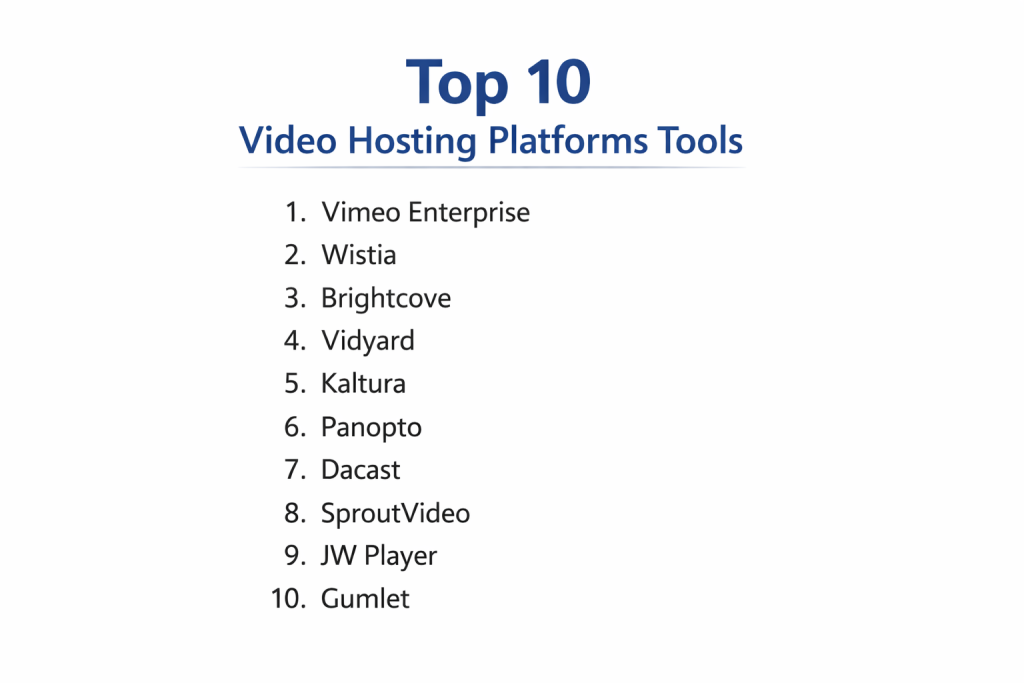
1. Vimeo Enterprise
Vimeo Enterprise has transitioned from a creative portfolio site into a powerful suite for corporate communication and marketing. It offers a clean, ad-free viewing experience that prioritizes high visual fidelity and brand control. Its strength lies in its ability to manage large-scale live events and secure internal video libraries for global workforces.
Key Features
The platform provides a customizable HTML5 player that can be white-labeled to match any brand identity. It features advanced privacy controls, including domain-level embedding and password protection. For marketing, it offers built-in lead generation forms and email gating. The enterprise version includes a dedicated content management system for internal teams, featuring single sign-on for secure employee access. It also supports 4K streaming and provides detailed engagement analytics for both live and on-demand content.
Pros
It offers an exceptionally polished user interface and superior video quality compared to mass-market social platforms. The collaboration tools for team review and feedback are among the best in the industry.
Cons
The costs can scale rapidly as video libraries and viewership grow. Some of the most advanced marketing features are locked behind high-tier enterprise contracts.
Platforms and Deployment
Web-based, with dedicated apps for mobile and smart TVs. Deployment is handled through a secure cloud infrastructure.
Security and Compliance
It is SOC 2 Type II compliant and offers ISO 27001 certified data centers. Features include SSO integration and SCIM provisioning for automated user management.
Integrations and Ecosystem
Integrates deeply with marketing tools like HubSpot and Salesforce, as well as creative suites like Adobe Premiere Pro.
Support and Community
Enterprise clients receive priority 24/7 support and a dedicated account manager, supported by a massive community of creative professionals.
2. Wistia
Wistia is built specifically for marketers who view video as a lead-generation engine. It focuses on turning every view into actionable data, providing the tools necessary to embed video strategically on websites to improve search engine rankings and convert visitors.
Key Features
The standout feature is the “Turnstile” lead capture form, which can be placed at any point in a video. It provides detailed heatmaps showing exactly where viewers skip or rewatch content. The platform automatically generates SEO-friendly metadata to help videos rank higher in search results. It also features a customizable player with no external branding and a “Channels” feature to create Netflix-style galleries on your own domain. Users can also utilize A/B testing to determine which video thumbnails or CTAs perform best.
Pros
The analytics are world-class, offering granular insights that connect directly to sales funnels. It is incredibly easy to set up without requiring technical or developer resources.
Cons
It is not intended for internal communication or large-scale media distribution. The pricing model is based on the number of videos, which can be restrictive for companies with large archives.
Platforms and Deployment
Cloud-based SaaS platform accessible via any modern web browser.
Security and Compliance
Offers standard secure hosting with password protection and domain-level privacy, adhering to GDPR and CCPA standards.
Integrations and Ecosystem
Highly optimized for the marketing stack, with native integrations for Mailchimp, Marketo, and Google Analytics.
Support and Community
Provides extensive educational resources through its “Learning Center” and offers responsive email and phone support.
3. Brightcove
Brightcove is a veteran in the video hosting space, known for its industrial-strength reliability and global reach. It is the preferred choice for major media companies and large enterprises that need to deliver high-quality video at a massive scale.
Key Features
The platform utilizes a sophisticated global CDN to ensure high-speed delivery even in regions with poor connectivity. It offers advanced monetization options, including server-side ad insertion and subscription management. Its video CMS is designed for massive libraries, allowing for complex metadata tagging and organization. It also includes “Context Aware Encoding,” which reduces bandwidth costs by optimizing video quality based on the content of the frame. Robust live streaming tools with DVR-like playback are also a core component.
Pros
It is arguably the most stable and scalable platform on the market, capable of handling millions of concurrent viewers. The API is incredibly deep, allowing developers to build entirely custom video experiences.
Cons
The learning curve is steep, and the interface can be overwhelming for non-technical users. Pricing is generally at the high end of the market and often requires custom negotiation.
Platforms and Deployment
Cloud-native architecture with extensive SDKs for web, iOS, Android, and connected TV platforms.
Security and Compliance
Offers enterprise-grade security including forensic watermarking, multi-DRM, and geo-restriction. It holds multiple industry-standard security certifications.
Integrations and Ecosystem
Features a massive marketplace of integrations covering everything from ad tech and analytics to marketing automation and CMS platforms.
Support and Community
Provides 24/7 global support and professional services for custom implementation, backed by a technical user community.
4. Vidyard
Vidyard specializes in personalized video for sales and internal communications. It is designed to make video a central part of the sales process, allowing reps to record and send personal messages that track prospect engagement in real-time.
Key Features
The platform allows for the creation of “Personalized Videos” where the viewer’s name or company is automatically rendered into the video. It features a browser extension for quick screen recording and sharing. Sales reps receive instant notifications when a prospect watches their video, including how much they viewed. It also includes “Video Hubs” for organizing sales collateral and internal knowledge bases. AI-powered transcriptions and captions are generated automatically for every upload.
Pros
It is the undisputed leader in video for sales, with a workflow that is perfectly tuned for high-volume outreach. The integration with CRM systems is seamless and provides high-value data to sales teams.
Cons
It lacks the high-end cinematic features of Vimeo or the infrastructure depth of Brightcove. The editing tools within the platform are relatively basic.
Platforms and Deployment
Web-based SaaS with strong mobile apps and browser extensions for rapid content creation.
Security and Compliance
Provides secure internal sharing with SSO and password protection, maintaining compliance with major data privacy regulations.
Integrations and Ecosystem
The deepest integrations are with sales and marketing tools like Salesforce, Outreach, and LinkedIn Sales Navigator.
Support and Community
Offers a robust knowledge base and dedicated support for sales teams, focusing on video adoption strategies.
5. Kaltura
Kaltura is an open-source video platform that excels in education and highly customized enterprise environments. It is designed to be a “Video Platform as a Service,” giving organizations the building blocks to create their own specialized video applications.
Key Features
The platform offers deep integration with Learning Management Systems like Canvas and Moodle. It includes interactive video tools such as in-video quizzes and branched paths. For corporate use, it provides an “Internal YouTube” portal for employee training and knowledge sharing. Its modular architecture allows for flexible deployment, including on-premises or hybrid cloud options. It also features a robust recording tool for capturing lectures, meetings, and screen-shares simultaneously.
Pros
It is the most customizable platform on this list, making it ideal for organizations with unique technical requirements. Its features for active learning and engagement are unmatched.
Cons
The interface can feel dated and complex compared to modern SaaS competitors. Setting up a highly customized instance often requires significant technical expertise.
Platforms and Deployment
Supports public cloud, private cloud, and on-premises deployment across all major OS and mobile platforms.
Security and Compliance
Highly secure, with certifications for HIPAA and FedRAMP, making it a favorite for government and healthcare sectors.
Integrations and Ecosystem
Offers a vast array of plugins for educational and enterprise software, along with a powerful API for custom development.
Support and Community
Provides professional support services and benefits from a large open-source community that contributes to the core platform.
6. Panopto
Panopto focuses on the specific needs of universities and corporate training departments. It is designed to capture, manage, and search video presentations and meetings with a focus on knowledge retention.
Key Features
The standout feature is “Smart Search,” which allows users to search for any word spoken or shown on screen during a video. It features multi-camera recording, allowing for the capture of a presenter, their screen, and a whiteboard simultaneously. The platform automatically generates a table of contents and thumbnails for every video. It includes a web-based editor for basic trimming and splicing and offers detailed analytics on which parts of a training video are most effective.
Pros
It is the most efficient tool for capturing and organizing vast amounts of spoken information. The search capabilities make it an invaluable tool for asynchronous learning.
Cons
The player design is utilitarian and lacks the aesthetic appeal of marketing-focused platforms. It is not designed for public-facing marketing or high-end cinematic delivery.
Platforms and Deployment
Cloud-based installation with a dedicated desktop recorder for Windows and macOS.
Security and Compliance
Integrates with all major SSO providers and offers granular access control, maintaining high standards for educational and corporate data privacy.
Integrations and Ecosystem
Strongest integrations are with LMS platforms and meeting tools like Zoom, Microsoft Teams, and Webex.
Support and Community
Offers dedicated technical support for institutional administrators and extensive training resources for educators.
7. Dacast
Dacast is a unified platform that provides high-end live streaming and VOD hosting for professional broadcasters. It offers a transparent, feature-rich service that is particularly popular among mid-market organizations and event organizers.
Key Features
The platform features an all-in-one live streaming solution with integrated paywalls for monetization. It utilizes top-tier CDNs to ensure global delivery and offers low-latency streaming for real-time engagement. Users get a fully customizable white-label player with no Dacast branding. It also includes an advanced video CMS with bulk upload capabilities and a robust set of security features including IP and geo-restrictions. Real-time analytics provide immediate feedback during live broadcasts.
Pros
It offers many high-end features at a more accessible price point than traditional enterprise providers. The integrated monetization tools are simple to set up and very effective for ticketed events.
Cons
The user interface, while functional, is not as modern or intuitive as some of its competitors. Some users may find the documentation less comprehensive for advanced API work.
Platforms and Deployment
SaaS platform with cloud-based delivery and support for all major web and mobile devices.
Security and Compliance
Includes AES-128 encryption and secure tokenized delivery to prevent unauthorized link sharing. It complies with standard data protection regulations.
Integrations and Ecosystem
Provides a range of APIs for video management and player customization, integrating well with various web platforms.
Support and Community
Offers 24/7 technical support and has a solid reputation for customer service within the broadcasting community.
8. SproutVideo
SproutVideo provides a secure and highly customizable hosting solution for small to medium-sized businesses. It strikes a balance between professional security features and ease of use, making it ideal for companies that need to protect internal videos without complex overhead.
Key Features
The platform offers advanced privacy settings, including the ability to restrict viewing to specific domains or geographic locations. It includes a customizable video website builder for creating branded galleries. Marketing tools like lead capture and social sharing buttons are built into the player. It supports high-resolution playback up to 8K and provides detailed audience analytics. Users can also create multiple sub-accounts with different permission levels for team collaboration.
Pros
It is very easy to use while still offering high-end security features like login protection for individual videos. The pricing is transparent and accessible for smaller teams.
Cons
It lacks the deep CRM integrations found in marketing-heavy tools like Wistia or Vidyard. The live streaming capabilities are not as advanced as those on dedicated broadcasting platforms.
Platforms and Deployment
Cloud-based SaaS accessible via web browser with responsive mobile delivery.
Security and Compliance
Features single sign-on, password protection, and audit logs to track user access, adhering to professional privacy standards.
Integrations and Ecosystem
Integrates with popular automation tools like Zapier and email marketing platforms like Mailchimp.
Support and Community
Known for excellent customer support and a straightforward knowledge base that helps non-technical users get started quickly.
9. JW Player
JW Player is a developer-centric platform that powers a significant portion of the web’s video content. It is known for its high-performance player and its data-driven approach to video delivery and monetization.
Key Features
The platform features one of the fastest HTML5 players in the world, optimized for speed and accessibility across all devices. It includes a recommendation engine that suggests relevant videos to viewers to increase watch time. For monetization, it offers deep support for all major ad standards and server-side ad insertion. Its “Pulse” analytics suite provides real-time data on playback quality and viewer behavior. It also offers a full set of APIs for managing the entire video lifecycle.
Pros
The player is incredibly fast and highly customizable through CSS and JavaScript. It provides excellent tools for companies looking to maximize ad revenue from their video content.
Cons
It requires technical knowledge to fully utilize its most powerful features. The pricing can become complex when factoring in various add-on services like real-time analytics or AI-driven recommendations.
Platforms and Deployment
API-first cloud platform with SDKs for web, mobile (iOS/Android), and OTT platforms like Roku and Apple TV.
Security and Compliance
Supports tokenized URLs, DRM, and geo-blocking to ensure content is only accessed by authorized viewers.
Integrations and Ecosystem
Extensive ecosystem with deep links into the ad tech world and various CMS and analytics platforms.
Support and Community
Provides high-level technical support for developers and maintains extensive documentation for its API and player.
10. Gumlet
Gumlet is a modern, performance-focused video hosting solution that prioritizes automation and optimization. It is designed for businesses that want a fast, automated workflow for managing and delivering high-quality video content.
Key Features
The platform features automated video encoding that optimizes every file for the viewer’s device and network speed. It includes a global CDN for low-latency playback and offers a fully customizable player. Its analytics suite provides deep insights into “Quality of Experience” metrics like buffering and startup time. It also features AI-powered auto-tagging and NSFW filtering for large video libraries. The dashboard is modern and designed for rapid management of video assets.
Pros
It is exceptionally fast and reduces the technical burden of video optimization through automation. The pricing is usage-based and very competitive, making it scalable for growing businesses.
Cons
As a newer player in the market, it lacks some of the long-term enterprise certifications and deep CRM integrations of more established competitors.
Platforms and Deployment
Cloud-native SaaS platform with easy-to-use APIs and a streamlined management dashboard.
Security and Compliance
Includes standard security features like DRM, signed URLs, and password protection, with a focus on modern data privacy standards.
Integrations and Ecosystem
Growing list of integrations with popular web platforms and a developer-friendly API for custom workflows.
Support and Community
Offers responsive technical support and is building a community focused on high-performance video delivery.
Comparison Table
| Tool Name | Best For | Platform(s) Supported | Deployment | Standout Feature | Public Rating |
|---|---|---|---|---|---|
| 1. Vimeo Enterprise | Corp Comms/Internal | Web, iOS, Android | Cloud | All-in-one Video CMS | 4.6/5 |
| 2. Wistia | Video Marketing | Web | SaaS | Turnstile Lead Capture | 4.5/5 |
| 3. Brightcove | Large-scale Media | Web, OTT, Mobile | Cloud | Global CDN & Reliability | 4.4/5 |
| 4. Vidyard | Sales/Personalized | Web, Browser, Mobile | SaaS | CRM Viewer Tracking | 4.5/5 |
| 5. Kaltura | Edu/Custom Enterprise | Web, Mobile, On-prem | Hybrid | VPaaS Modular Design | 4.3/5 |
| 6. Panopto | Training/Search | Web, Win, Mac | Cloud | AI-Powered Smart Search | 4.4/5 |
| 7. Dacast | Live Broadcasting | Web, Mobile | SaaS | Integrated Paywall | 4.2/5 |
| 8. SproutVideo | SMB/Secure Hosting | Web | SaaS | Video Website Builder | 4.5/5 |
| 9. JW Player | Developers/Ad-tech | Web, OTT, Mobile | API-first | High-speed HTML5 Player | 4.4/5 |
| 10. Gumlet | Performance/Opt | Web | Cloud | Automated Optimization | 4.7/5 |
Evaluation & Scoring of Video Hosting Platforms
The scoring below is a comparative model intended to help shortlisting. Each criterion is scored from 1–10, then a weighted total from 0–10 is calculated using the weights listed. These are analyst estimates based on typical fit and common workflow requirements, not public ratings.
Weights:
- Core features – 25%
- Ease of use – 15%
- Integrations & ecosystem – 15%
- Security & compliance – 10%
- Performance & reliability – 10%
- Support & community – 10%
- Price / value – 15%
| Tool Name | Core (25%) | Ease (15%) | Integrations (15%) | Security (10%) | Performance (10%) | Support (10%) | Value (15%) | Weighted Total |
|---|---|---|---|---|---|---|---|---|
| 1. Vimeo Ent | 10 | 8 | 9 | 9 | 9 | 9 | 7 | 8.85 |
| 2. Wistia | 8 | 10 | 9 | 7 | 9 | 8 | 7 | 8.25 |
| 3. Brightcove | 10 | 5 | 10 | 10 | 10 | 9 | 6 | 8.55 |
| 4. Vidyard | 7 | 9 | 10 | 8 | 8 | 8 | 8 | 8.20 |
| 5. Kaltura | 10 | 4 | 9 | 10 | 8 | 9 | 7 | 8.05 |
| 6. Panopto | 9 | 7 | 8 | 9 | 8 | 8 | 8 | 8.15 |
| 7. Dacast | 8 | 7 | 7 | 8 | 8 | 8 | 9 | 7.90 |
| 8. SproutVideo | 7 | 9 | 7 | 9 | 8 | 9 | 9 | 8.15 |
| 9. JW Player | 9 | 5 | 9 | 8 | 10 | 8 | 8 | 8.15 |
| 10. Gumlet | 8 | 9 | 8 | 8 | 10 | 8 | 9 | 8.60 |
How to interpret the scores:
- Use the weighted total to shortlist candidates, then validate with a pilot.
- A lower score can mean specialization, not weakness.
- Security and compliance scores reflect controllability and governance fit, because certifications are often not publicly stated.
- Actual outcomes vary with assembly size, team skills, templates, and process maturity.
Which Video Hosting Platform Is Right for You?
Solo / Freelancer
For creative professionals and independent consultants, a platform that provides a high-end, professional look without high technical complexity is key. Tools that offer beautiful, ad-free players and simple portfolio management allow freelancers to showcase their work with the same polish as a major agency.
SMB
Small businesses should prioritize ease of use and marketing integration. A tool that connects directly to your existing email marketing and lead-generation workflow will provide the most immediate return on investment by helping you identify and nurture potential customers through video.
Mid-Market
Organizations in this segment often need a balance of marketing power and internal security. Look for platforms that offer multi-user accounts with specific permission levels, allowing marketing teams to manage public content while HR or training teams secure internal communications.
Enterprise
For large-scale operations, security and global performance are the primary drivers. Enterprise solutions must offer single sign-on, multi-DRM protection, and 24/7 dedicated support. These platforms must also handle massive concurrent viewership during live town halls or product launches without failure.
Budget vs Premium
Budget-conscious users can find significant value in usage-based models or platforms that offer robust free tiers. However, premium platforms justify their cost through advanced analytics, higher visual quality, and superior security protocols that protect a company’s intellectual property.
Feature Depth vs Ease of Use
If you have a dedicated video production team or developers, an API-first platform with deep technical customization is beneficial. Conversely, if your marketing team will be managing the content, a user-friendly SaaS dashboard is a much more practical choice to avoid bottlenecking.
Integrations & Scalability
Your video platform should not be an island. It must integrate with your CRM, LMS, and web analytics tools. Scalability is equally important—ensure the platform can handle an increase in video volume and viewers without a exponential increase in costs or a decrease in performance.
Security & Compliance Needs
In regulated industries like healthcare or finance, security is paramount. In these cases, you must choose a platform that is HIPAA or SOC 2 compliant and offers the ability to audit every view and access point to ensure data integrity and privacy.
Frequently Asked Questions (FAQs)
1. What is the difference between a video host and a video player?
A video host provides the back-end infrastructure, including storage, encoding, and global delivery. A video player is the front-end software interface that your audience uses to watch the content. Professional hosting services typically provide both in a unified package.
2. Why shouldn’t I just use YouTube for my business videos?
YouTube is a social media platform designed to keep viewers on its own site using ads and related videos from other creators. Professional hosting platforms are ad-free, offer much higher privacy controls, and allow for full branding of the player to keep attention on your business.
3. What is adaptive bitrate streaming?
This is a technology that automatically detects a viewer’s internet speed and device in real-time and serves them the highest quality video they can smoothly play. This prevents buffering and ensures a consistent viewing experience across all network conditions.
4. Can I migrate my video library from one host to another?
Yes, most professional platforms provide tools or services to help you import your existing library. This often involves transferring the original files and their associated metadata, though you may need to update the embed links on your website.
5. How does a video hosting platform help with SEO?
Professional hosts provide tools that automatically generate video sitemaps and schema markup. This tells search engines exactly what your video is about, allowing it to appear in video search results and drive more organic traffic to your website.
6. Do these platforms support live streaming?
Many of the top-tier platforms offer integrated live streaming capabilities. This allows you to broadcast events in real-time and then automatically save the recording as an on-demand video in your library once the event is over.
7. What are DRM and encryption in video hosting?
Digital Rights Management and encryption are security technologies that prevent unauthorized downloading or sharing of your videos. They ensure that your high-value content can only be viewed by authenticated users on approved devices.
8. Is 4K video hosting necessary?
While 1080p is still the standard, 4K hosting is becoming increasingly important for high-end cinematic content, product demos, and medical visualizations where fine detail is critical. Most professional hosts now support 4K to future-proof your library.
9. How do I track who is watching my videos?
Professional hosting platforms provide analytics that can identify individual viewers through their email address or unique ID if they are logged into your site. This allows you to see exactly which parts of a video a specific person watched.
10. What is a “white-label” video player?
A white-label player is one that has no branding from the hosting provider. This allows you to place your own logo on the player and customize the colors and controls to match your brand identity perfectly.
Conclusion
Navigating the complex landscape of video hosting requires a strategic alignment between your technical requirements and your business goals. Whether you are a marketer seeking to drive conversions through data-rich insights or an enterprise leader securing global internal communications, the right platform serves as more than just a storage solution—it is a critical component of your digital infrastructure. As the industry moves toward AI-enhanced intelligence and real-time interactive experiences, choosing a partner that prioritizes stability, security, and interoperability will ensure that your video assets continue to deliver value in an increasingly visual world. By carefully evaluating each platform’s unique strengths, you can build a scalable video strategy that elevates your brand and engages your audience with unparalleled precision and reliability.