Introduction
Parental control software has evolved from simple website blockers into sophisticated digital safety ecosystems designed to protect children from a myriad of modern online threats. These tools are no longer just about limiting screen time; they serve as essential shields against cyberbullying, predatory grooming, and exposure to harmful AI-generated content. As children gain access to personal devices at younger ages, the role of these platforms is to provide a “guarded freedom,” allowing them to explore the digital world while maintaining a secure perimeter monitored by guardians.
From an enterprise or high-level family perspective, selecting a parental control suite requires a balance between technical efficacy and the preservation of trust. The best platforms use non-invasive monitoring—focusing on risk alerts rather than raw data surveillance—to foster a healthy digital dialogue. As remote learning and social gaming continue to blur the lines between educational and entertainment time, a robust parental control strategy is critical for ensuring digital wellness and physical safety in a hyper-connected society.
- Best for: Parents of toddlers to teenagers, homeschooling families, educational institutions, and caregivers managing multi-device households.
- Not ideal for: Corporate employee monitoring (which requires different legal compliance) or users seeking total data invisibility without any administrative oversight.
Key Trends in Parental Control Software
- AI-Powered Sentiment Analysis: Tools now analyze the “tone” of messages to detect signs of depression, anxiety, or bullying without parents needing to read every private chat.
- Safe Chat for AI Interactions: New filters specifically designed to monitor and restrict interactions between children and AI chatbots on social platforms.
- Hyper-Accurate Geofencing: Integration with low-latency GPS and 5G to provide real-time location alerts with sub-meter precision.
- On-Device Image Blurring: Real-time AI processing that blurs explicit or suggestive images as they load on a web page or inside an app.
- Unified Family Dashboards: A single pane of glass to manage everything from gaming consoles and smart TVs to smartphones and laptops.
- Driving Safety Monitoring: Advanced tracking that monitors speed and phone usage for teenage drivers, providing weekly safety reports.
How We Selected These Tools
- Cross-Platform Reliability: High priority for tools that function seamlessly across Windows, macOS, iOS, Android, and Chromebooks.
- Evasion Resistance: Evaluation of how difficult it is for tech-savvy children to uninstall or bypass the controls.
- Privacy Compliance: Assessment of data handling practices to ensure compliance with COPPA and GDPR standards.
- Feature Depth: Analysis of specific capabilities like YouTube monitoring, social media alerts, and SOS panic buttons.
- Ease of Use: Review of the parent dashboard interface to ensure it is intuitive for non-technical users.
- Scalability: The ability to manage a large number of devices (15+) under a single family or institutional plan.
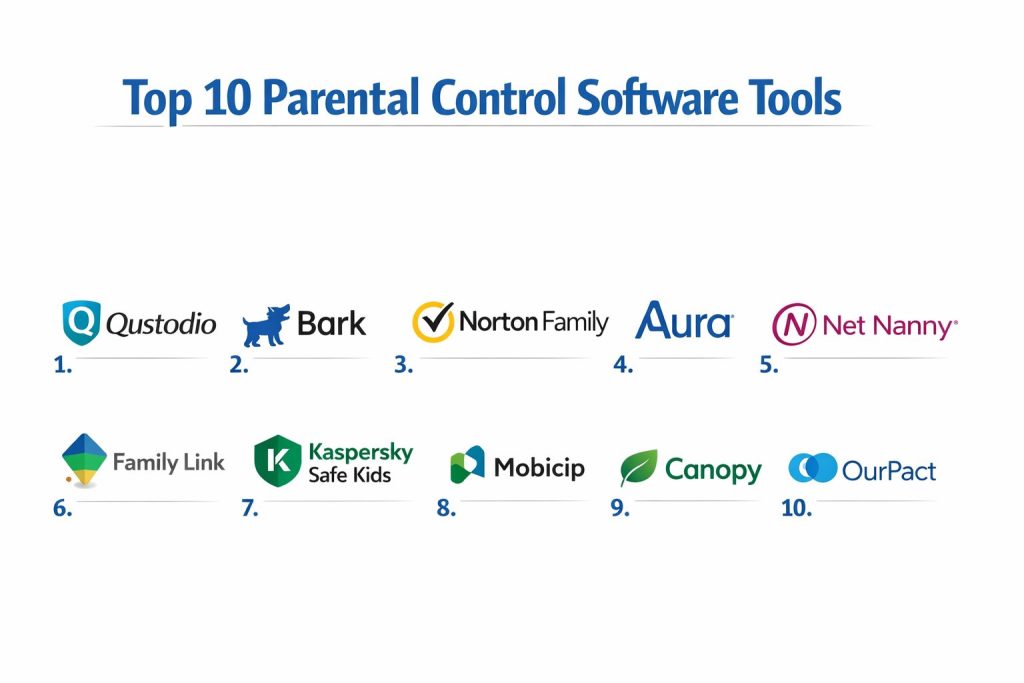
Top 10 Parental Control Software Tools
1. Qustodio
Widely considered the most comprehensive all-in-one suite, Qustodio offers granular control over almost every aspect of a child’s digital life.
Key Features
- Cross-Platform Time Limits: Set a total daily time budget that applies across all connected devices.
- Panic Button: An SOS feature that allows children to send their exact location to trusted contacts in an emergency.
- Detailed Web Filtering: Block specific categories or individual URLs with real-time updates.
- Advanced YouTube Monitoring: Track what videos are watched and what searches are performed within the YouTube app.
- Call & SMS Tracking: Monitor who your child is communicating with on Android and iOS (limited).
Pros
- The most intuitive and data-rich parent dashboard on the market.
- Strong anti-bypass technology that prevents unauthorized uninstallation.
Cons
- The premium subscription can be higher than competitors for large families.
- Some advanced features are more limited on iOS due to Apple’s ecosystem restrictions.
Platforms / Deployment
- Win / Mac / iOS / Android / Kindle / Chromebook
- Cloud-based
Security & Compliance
- GDPR compliant and uses 256-bit AES encryption for all data logs.
Integrations & Ecosystem
Integrates with major browser engines to provide consistent filtering regardless of the app used.
Support & Community
Priority support for premium members and a vast library of expert parenting guides.
2. Bark
Bark is the industry leader in social media monitoring, using AI to scan 30+ platforms for potential risks like bullying or self-harm.
Key Features
- Contextual Risk Alerts: Notifies parents only when potential issues are detected, preserving child privacy.
- Social Media Integration: Deep monitoring of Instagram, Snapchat, TikTok, and more.
- Image Recognition AI: Scans saved photos and videos for explicit content or drug-related imagery.
- Location Check-ins: Allows children to quickly notify parents of their safe arrival at a destination.
- App and Web Blocking: Manage access to specific apps and websites with one-click toggles.
Pros
- Best-in-class social media and email monitoring that focuses on safety over surveillance.
- Unlimited device support on most plans, ideal for large households.
Cons
- Setup can be technical, especially for monitoring iOS text messages.
- Does not provide real-time “screen mirroring” or raw transcripts of every conversation.
Platforms / Deployment
- Win / Mac / iOS / Android / Chromebook
- Cloud / Local Bridge
Security & Compliance
- SOC 2 Type II certified; all screenshots and data are encrypted.
Integrations & Ecosystem
Strongest integration with social media APIs, allowing for monitoring without requiring app passwords.
Support & Community
Active community of “Bark Parents” and direct access to child safety experts.
3. Norton Family
A robust solution from a global security giant, Norton Family is ideal for large families who need clear web supervision.
Key Features
- School Time Mode: Whitelists educational sites while blocking distractions during learning hours.
- Video Supervision: Detailed logs of YouTube videos watched on PCs and mobile devices.
- Search Supervision: Shows what terms your child is searching for on major search engines.
- Location Mapping: Real-time GPS tracking with a 30-day history of location data.
- Instant Lock: Remotely disable all child devices from the parent app with a single tap.
Pros
- Exceptional web filtering accuracy across 40+ categories.
- Very affordable for families with up to 15 devices.
Cons
- Does not support macOS; strictly limited to Windows and mobile.
- Lack of social media monitoring compared to specialized tools like Bark.
Platforms / Deployment
- Windows / iOS / Android
- Desktop / Cloud
Security & Compliance
- ISO 27001 certified and backed by Norton’s enterprise security infrastructure.
Integrations & Ecosystem
Works seamlessly as part of the broader Norton 360 security suite.
Support & Community
24/7 technical support and a highly responsive help desk.
4. Aura Parental Controls
Aura combines traditional parental controls with advanced digital safety features like identity theft protection and safe gaming tools.
Key Features
- Safe Gaming: Monitors voice and text chat in popular games to detect predatory behavior.
- AI-Powered Content Filter: Uses machine learning to identify and block new harmful sites instantly.
- Financial Protection: Includes identity theft monitoring for the parents as part of the family plan.
- One-Tap Internet Pause: Instantly cut off internet access for specific child profiles.
- Location Sharing: Real-time family map with geofencing alerts for schools and homes.
Pros
- A holistic “total safety” approach that covers more than just device monitoring.
- Extremely easy setup process for non-technical parents.
Cons
- Some advanced gaming features are currently restricted to the US market.
- More expensive than standalone parental control apps.
Platforms / Deployment
- Win / Mac / iOS / Android
- Cloud-based
Security & Compliance
- SOC 2 Type II and HIPAA compliant data storage.
Integrations & Ecosystem
Integrates with major game launchers and financial institutions for total family oversight.
Support & Community
Premium 24/7 white-glove support and identity restoration services.
5. Net Nanny
A pioneer in the industry, Net Nanny is famous for its real-time contextual web filtering that understands the meaning of words on a page.
Key Features
- Dynamic Web Filtering: Analyzes content in real-time rather than just relying on a list of blocked URLs.
- YouTube Transparency: Provides a detailed dashboard of video history and search queries.
- Custom Profanity Masking: Can replace swear words on a webpage with characters like “$#%!” while leaving the rest of the site visible.
- App Advisor: Notifies parents when a child downloads a new app and provides a safety rating.
- Screen Time Schedules: Granular calendars to manage when devices can be used.
Pros
- The best “on-the-fly” web filtering in the industry.
- Very reliable at blocking adult content within apps that use embedded browsers.
Cons
- The interface feels slightly more dated than newer competitors like Qustodio.
- No call or SMS monitoring features.
Platforms / Deployment
- Win / Mac / iOS / Android / Kindle
- Desktop / Cloud
Security & Compliance
- GDPR and COPPA compliant.
Integrations & Ecosystem
Operates as a persistent background service to ensure coverage across all browsers.
Support & Community
Extensive FAQ and a reliable ticket-based customer support system.
6. Google Family Link
The premier free option for families, Google Family Link is natively built into the Android and ChromeOS ecosystems.
Key Features
- App Approvals: Parents receive a notification to approve or deny every app download from the Play Store.
- Teacher-Recommended Apps: A curated list of educational content for younger children.
- Device Bedtime: Automatically locks the device at a specific time every night.
- Location Tracking: Integrated with Google Maps for reliable real-time location sharing.
- YouTube Restricted Mode: Enforces safety settings across all Google-signed-in devices.
Pros
- Completely free to use with no hidden subscription costs.
- Best-in-class integration for Android and Chromebook users.
Cons
- Very limited features when used on iOS devices.
- Lacks advanced alerts for social media risks or SMS monitoring.
Platforms / Deployment
- Android / Chromebook / iOS (Limited)
- Native Cloud
Security & Compliance
- Built on Google’s global security infrastructure; COPPA compliant.
Integrations & Ecosystem
Perfectly integrated with the entire Google Workspace and YouTube ecosystems.
Support & Community
Extensive help documentation and a massive user base for community troubleshooting.
7. Kaspersky Safe Kids
Kaspersky offers an incredibly cost-effective solution with standout features for YouTube safety and device battery management.
Key Features
- YouTube Search History: Tracks searches across both the YouTube website and the official app.
- Battery Tracker: Notifies parents when a child’s device is running low on battery.
- Safe Search for Kids: Enforces restricted search results on Google, Bing, and Yahoo.
- Geofencing with Time Limits: Set alerts if a child leaves a “safe zone” during specific hours.
- App Usage Limits: Set daily timers for individual games or social media apps.
Pros
- Excellent value for money with a very low annual subscription.
- One of the few apps that provides effective YouTube monitoring on iOS.
Cons
- Interface can be a bit technical and cluttered for some users.
- Brand perception issues in certain regions due to geopolitical factors.
Platforms / Deployment
- Win / Mac / iOS / Android
- Desktop / Cloud
Security & Compliance
- ISO 27001 and GDPR compliant.
Integrations & Ecosystem
Can be managed via the My Kaspersky web portal alongside other security tools.
Support & Community
Global technical support via phone, chat, and email.
8. Mobicip
Mobicip is designed for simplicity and speed, making it a favorite for parents who want a “set-it-and-forget-it” solution.
Key Features
- One-Click Screen Time Pause: Instantly block all devices in the house for “family time.”
- Activity Summaries: Clean, visual reports sent to the parent’s email daily or weekly.
- App Blocker by Category: Block all “Social Media” or “Games” with a single switch.
- Collaborative Management: Allows both parents to manage settings from their own devices.
- Location History: View a breadcrumb trail of where your child has been throughout the day.
Pros
- One of the most user-friendly setups in the industry.
- Very responsive web filtering that doesn’t slow down the child’s device.
Cons
- Lacks deep social media monitoring found in Bark.
- The free version is extremely limited compared to Google Family Link.
Platforms / Deployment
- Win / Mac / iOS / Android / Chromebook / Kindle
- Cloud-based
Security & Compliance
- HIPAA and COPPA compliant; all data is encrypted in transit.
Integrations & Ecosystem
Broad device compatibility makes it ideal for households with a mix of different brands.
Support & Community
Solid knowledge base and a responsive support ticket system.
9. Canopy
Canopy uses advanced AI to protect children from explicit images in real-time, focusing on “visual” safety over text monitoring.
Key Features
- Real-Time Photo Filtering: Blurs explicit images in apps and browsers as they load.
- Sextortion Protection: Alerts parents if a child takes or receives a risky photo.
- App Management: Block or limit time on any app installed on the device.
- Smart Web Filter: High-performance filtering that ignores safe sites but blocks adult content instantly.
- Removal Protection: Sends an immediate alert if a child tries to delete the Canopy app.
Pros
- The most effective tool for preventing exposure to explicit imagery.
- Focuses on preventing “sextortion,” a growing threat for teenagers in 2026.
Cons
- Not a comprehensive solution for monitoring social media text or bullying.
- Higher price point due to the heavy AI processing required.
Platforms / Deployment
- Win / Mac / iOS / Android
- Local AI / Cloud Management
Security & Compliance
- SOC 2 Type II; uses on-device processing to ensure child photos are never uploaded to the cloud.
Integrations & Ecosystem
Works as a deep system-level filter to ensure explicit content is blocked everywhere.
Support & Community
Direct access to child safety experts and regular educational webinars for parents.
10. OurPact
OurPact is a visual-heavy tool that allows parents to see exactly what is on their child’s screen through periodic screenshots.
Key Features
- View (Automated Screenshots): Captures encrypted screenshots of the child’s device for parent review.
- App Rules: Create different rules for “School,” “Play,” and “Bedtime.”
- Schedule Blocking: Automate device lockout during dinner or homework hours.
- Family Locator: Real-time GPS tracking with geofencing.
- App Organizer: Remotely organize how apps appear on your child’s screen.
Pros
- Best for parents who want “visual proof” of what their child is doing.
- Very effective for managing screen time on iOS devices.
Cons
- The use of screenshots can be seen as highly invasive and may damage trust with older children.
- “View” feature is not available on all platforms due to OS limitations.
Platforms / Deployment
- iOS / Android
- Cloud-based
Security & Compliance
- Screenshots are encrypted and only accessible by the primary parent account.
Integrations & Ecosystem
Primarily focused on mobile devices, with less emphasis on desktop management.
Support & Community
Comprehensive “Getting Started” guides and a responsive email support team.
Comparison Table
| Tool Name | Best For | Platform(s) Supported | Deployment | Standout Feature | Public Rating |
| 1. Qustodio | All-round Safety | Win, Mac, iOS, Android, Kindle | Cloud | Panic SOS Button | N/A |
| 2. Bark | Social Media/Teens | Win, Mac, iOS, Android | Hybrid | AI Risk Alerts | N/A |
| 3. Norton Family | Large Families | Windows, iOS, Android | Desktop | School Time Mode | N/A |
| 4. Aura | Total Digital Safety | Win, Mac, iOS, Android | Cloud | Safe Gaming Monitor | N/A |
| 5. Net Nanny | Web Filtering | Win, Mac, iOS, Android | Cloud | Contextual Filtering | N/A |
| 6. Family Link | Budget / Android | Android, Chromebook, iOS | Native | Free Native Integration | N/A |
| 7. Kaspersky | Value / YouTube | Win, Mac, iOS, Android | Cloud | Battery Tracker | N/A |
| 8. Mobicip | Ease of Use | All Platforms | Cloud | 1-Click Pause | N/A |
| 9. Canopy | Image Filtering | Win, Mac, iOS, Android | Local AI | Real-time Image Blur | N/A |
| 10. OurPact | Visual Monitoring | iOS, Android | Cloud | Encrypted Screenshots | N/A |
Evaluation & Scoring of Parental Control Software
The scoring below is a comparative model intended to help shortlisting. Each criterion is scored from 1–10, then a weighted total from 0–10 is calculated using the weights listed. These are analyst estimates based on typical fit and common workflow requirements, not public ratings.
Weights:
- Core features – 25%
- Ease of use – 15%
- Integrations & ecosystem – 15%
- Security & compliance – 10%
- Performance & reliability – 10%
- Support & community – 10%
- Price / value – 15%
| Tool Name | Core (25%) | Ease (15%) | Integrations (15%) | Security (10%) | Performance (10%) | Support (10%) | Value (15%) | Total |
| 1. Qustodio | 10 | 9 | 10 | 9 | 9 | 9 | 8 | 9.30 |
| 2. Bark | 10 | 7 | 9 | 9 | 8 | 9 | 9 | 8.85 |
| 3. Norton Family | 8 | 9 | 7 | 10 | 9 | 9 | 9 | 8.60 |
| 4. Aura | 9 | 10 | 8 | 10 | 8 | 10 | 7 | 8.80 |
| 5. Net Nanny | 9 | 8 | 8 | 9 | 8 | 8 | 8 | 8.35 |
| 6. Family Link | 7 | 9 | 10 | 10 | 10 | 7 | 10 | 8.70 |
| 7. Kaspersky | 8 | 7 | 9 | 9 | 9 | 8 | 10 | 8.55 |
| 8. Mobicip | 8 | 10 | 9 | 9 | 9 | 8 | 8 | 8.65 |
| 9. Canopy | 9 | 8 | 8 | 9 | 7 | 9 | 7 | 8.05 |
| 10. OurPact | 8 | 9 | 7 | 8 | 8 | 8 | 8 | 8.05 |
How to interpret the scores:
- Use the weighted total to shortlist candidates, then validate with a pilot.
- A lower score can mean specialization, not weakness.
- Security and compliance scores reflect controllability and governance fit, because certifications are often not publicly stated.
- Actual outcomes vary with assembly size, team skills, templates, and process maturity.
Which Parental Control Software Tool Is Right for You?
Solo Parent / Budget Minded
If you are primarily an Android household and need the basics (time limits, location, app blocking) for free, Google Family Link is the undisputed choice. For a very small fee, Kaspersky Safe Kids offers significantly more depth for YouTube monitoring.
Parents of Teenagers (Trust-First)
For teens, Bark is the strategic winner. It monitors the “risks” (bullying, predators) without requiring you to read every text, which helps maintain a healthy relationship. Aura is also excellent for its focus on safe gaming and identity protection.
Large Households / Diverse Devices
If your family uses a mix of iPads, Windows PCs, and Android phones, Qustodio or Mobicip are the most reliable. Their cross-platform consistency ensures that a “1-hour time limit” actually means one hour total, regardless of which device they switch to.
Strict Oversight / Young Kids
For younger children (ages 5-11), Net Nanny or Norton Family provide the strict web guardrails needed to prevent accidental exposure to adult content. Canopy is the best supplementary tool if you are specifically worried about explicit images.
Frequently Asked Questions
1. Can my child delete these apps easily?
Professional tools like Qustodio and Norton use “Uninstall Protection” which requires the parent’s password to remove the software.
2. Will these apps slow down my child’s phone?
Modern apps are highly optimized, but tools that use real-time AI (like Canopy) may have a negligible impact on battery life.
3. Is it legal to monitor my child’s device?
In most jurisdictions, parents have the legal right to monitor the digital activities of their minor children on devices they own.
4. Can I monitor Snapchat and TikTok?
Bark is currently the leader in this space, using specialized API integrations to scan for risks on 30+ social platforms.
5. Do these tools work on school Wi-Fi?
Most of these tools operate at the device level, meaning the filters and time limits stay active even when switching networks.
6. Is Google Family Link better than paid apps?
Family Link is excellent for the basics, but it lacks advanced features like social media risk alerts and deep YouTube video history.
7. Can I see deleted text messages?
Generally, no. Most tools capture data in real-time, but if a message is deleted before the software syncs, it may not be visible.
8. What is a “Panic Button”?
A feature in apps like Qustodio that allows a child to send an instant emergency alert with their GPS location to a list of trusted contacts.
9. Do I need to install the app on my phone too?
Yes, most systems consist of a “Parent App” for management and a “Child App” or “Companion App” for the devices being monitored.
10. Can these tools block specific people?
While they can’t always block individuals in third-party apps, they can block the entire app or alert you if specific names appear in chats.
Conclusion
In an era where the digital and physical worlds are inextricably linked, parental control software has become a non-negotiable component of responsible parenting. The goal is not to eliminate technology, but to provide a secure framework where children can develop digital literacy without being exposed to high-risk environments. Whether you choose the AI-driven alerts of Bark or the comprehensive device management of Qustodio, the most effective strategy combines these technical tools with open, ongoing communication about online safety. By establishing these boundaries early, you empower your children to navigate the internet with confidence while ensuring your family’s digital security remains intact. I suggest beginning with a 7-day trial of your top choice to ensure it fits your family’s unique digital footprint.