INTRODUCTION
A password vault, or password manager, is a specialized digital security application designed to store, organize, and protect sensitive login credentials and personal data within an encrypted database. At its core, the software functions by creating a “zero-knowledge” environment where data is encrypted locally on a user’s device using a Master Password that only the user knows. This ensures that even if the service provider’s servers are compromised, the actual passwords remain unreadable strings of characters. Beyond simple storage, these apps act as automated security assistants, generating cryptographically strong, unique passwords for every account to eliminate the risks associated with password reuse and human memory limitations.
In the modern digital landscape, the average consumer manages dozens of online identities, making manual tracking both insecure and impossible. Password vaults have evolved into “everything managers,” capable of securing credit card details, government IDs, secure notes, and even digital inheritance keys. For the modern consumer, these tools provide a critical layer of defense against phishing, credential stuffing, and identity theft. By centralizing security into a single, hardened interface, users can navigate the internet with significantly reduced friction while maintaining a security posture that meets or exceeds enterprise standards.
Best for: Individuals seeking to secure their digital identity, families sharing streaming or utility logins, and power users who require cross-platform synchronization and advanced biometric authentication.
Not ideal for: Users who are unwilling to manage a single Master Password or those who prefer physical, paper-based tracking methods, as losing access to the primary vault key without a recovery plan can lead to permanent data loss.
KEY TRENDS IN PASSWORD VAULT CONSUMER APPS
The password management industry is currently undergoing its most significant shift since its inception: the transition to a “passwordless” future. The primary trend is the widespread adoption of Passkeys, which utilize FIDO2 and WebAuthn standards to replace traditional characters with device-based cryptographic keys. This move renders traditional phishing attacks obsolete, as there is no secret code for a user to accidentally reveal. Additionally, AI-powered adaptive authentication is becoming standard, where vaults analyze login patterns, geolocations, and device reputations to step up security requirements dynamically when an anomaly is detected.
Another emerging trend is the integration of “Privacy-as-a-Service” features, such as email masking and virtual credit card generation directly within the vault interface. This allows consumers to hide their true identity from every service they sign up for. Behavioral biometrics are also being explored, allowing apps to verify identity based on how a user holds their phone or their specific typing cadence. Finally, there is a growing emphasis on “Digital Legacy” features, providing structured ways for users to pass their digital assets to beneficiaries in the event of an emergency, ensuring that important accounts do not become inaccessible “zombie” profiles.
METHODOLOGY
The selection of these top ten password vaults was conducted through a rigorous analysis of security architecture, independent audit history, and user experience metrics. We prioritized “Zero-Knowledge” providers who have demonstrated a commitment to transparency through open-source codebases or frequent third-party security assessments. Reliability was gauged by examining uptime records and the speed at which providers patch discovered vulnerabilities. We also evaluated the robustness of multi-factor authentication (MFA) options, specifically looking for support for hardware security keys like YubiKeys.
Functional testing focused on the precision of “Autofill” capabilities across complex web forms and various operating systems. We assessed the ease of the “Import” process to ensure users can migrate data from other services without friction. Security compliance was verified against international standards such as SOC 2 and GDPR to ensure that the companies behind these tools adhere to strict data handling protocols. Lastly, the value proposition was calculated by comparing free-tier limitations against the cost and feature depth of premium and family subscriptions to ensure a fair representation for all consumer budgets.
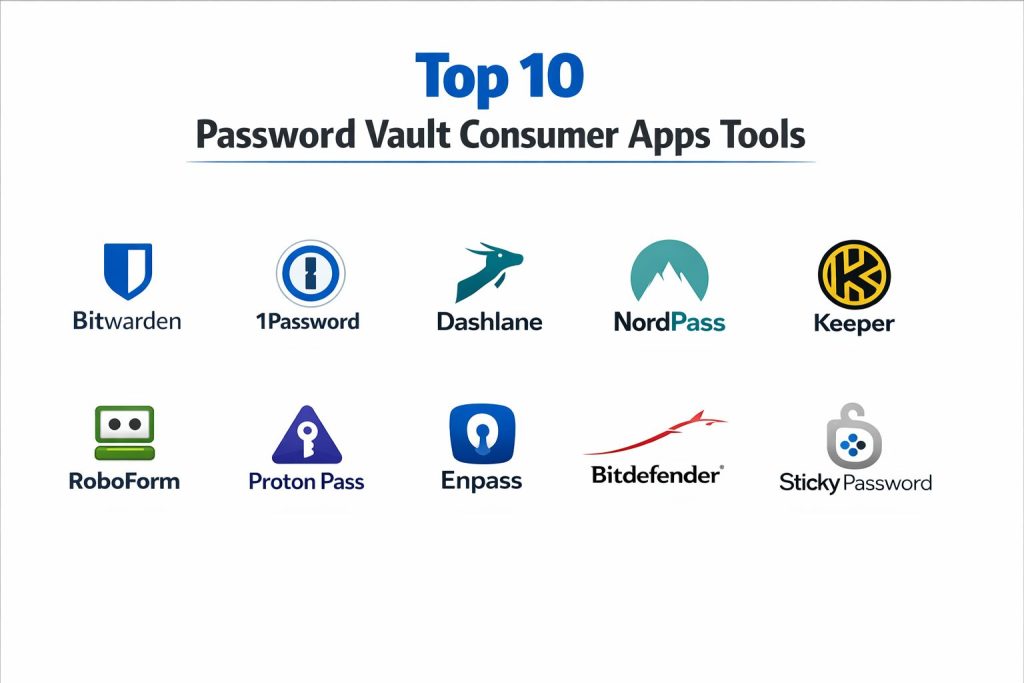
TOP 10 PASSWORD VAULT CONSUMER APPS
1. Bitwarden
Bitwarden is a leading open-source password management solution that has gained massive popularity for its transparency and generous free tier. It provides a comprehensive set of tools for creating, storing, and syncing passwords across an unlimited number of devices. Because its source code is publicly available, it undergoes constant scrutiny from security researchers worldwide, ensuring a high level of trust.
The platform utilizes AES-CBC 256-bit encryption and offers multiple key derivation functions, including PBKDF2 and Argon2id. One of its standout features is the “Bitwarden Send” tool, which allows users to securely transmit text or files to others with end-to-end encryption. The premium version adds advanced health reports that highlight weak or exposed passwords.
Pros:
The software offers the most functional free tier on the market, including unlimited passwords and devices. Its open-source nature provides a level of security transparency that proprietary competitors cannot match.
Cons:
The user interface, while functional, is often described as less polished or “utilitarian” compared to premium-focused rivals. Some advanced features, like integrated TOTP (Time-based One-Time Password) generation, are locked behind the paid tier.
Platforms / Deployment:
Windows / macOS / Linux / Android / iOS
Cloud / Self-Hosted
Security & Compliance:
SOC 2 Type II, GDPR, CCPA
AES-256, Argon2id, MFA
Integrations & Ecosystem:
Bitwarden supports all major browsers and provides a powerful Command Line Interface (CLI) for advanced users. It integrates seamlessly with various directory services for its enterprise users but remains highly focused on consumer ease of use.
Support & Community:
Offers a vibrant community forum and extensive documentation, with priority email support for paid subscribers.
2. 1Password
1Password is widely considered the gold standard for user experience and family-oriented security features. It focuses on removing the complexity of digital security through a highly polished interface and proactive security alerts. Its “Watchtower” dashboard serves as a central hub for identifying security risks, such as compromised logins or expiring credit cards.
A unique feature of 1Password is the “Secret Key,” a 34-character code generated locally on the user’s device. This key works in conjunction with the Master Password to provide an extra layer of protection that prevents unauthorized server-side access even if the Master Password is known. It also offers “Travel Mode,” which removes sensitive vaults from your device while crossing borders.
Pros:
The interface is exceptionally intuitive, making it the best choice for non-technical family members. The inclusion of a Secret Key provides a level of mathematical security that is superior to many standard implementations.
Cons:
There is no permanent free version, only a limited trial, which may be a deterrent for budget-conscious users. The reliance on the Secret Key means that if a user loses both their Master Password and their Emergency Kit, account recovery is impossible.
Platforms / Deployment:
Windows / macOS / Linux / Android / iOS
Cloud / Hybrid
Security & Compliance:
SOC 2, ISO 27001
AES-GCM-256, Secret Key
Integrations & Ecosystem:
1Password features one of the most reliable browser extensions and integrates with “Fastmail” for masked email creation. It also supports a wide range of hardware keys and biometric unlock methods.
Support & Community:
Provides 24/7 email support and a highly active support forum where developers frequently interact with users.
3. Dashlane
Dashlane positions itself as an “all-in-one” digital protection suite, going beyond password storage to include features like a built-in Virtual Private Network (VPN) and live dark web monitoring. It is designed for users who want a single app to handle multiple aspects of their online privacy and security.
The software features a “Password Health” score that gives users a percentage-based look at their security posture. It also includes an automated “Password Changer” for certain websites, which can update credentials with a single click. Dashlane’s dark web monitoring is particularly robust, providing real-time alerts if a user’s personal information is found in new data breaches.
Pros:
The inclusion of a VPN and live monitoring provides excellent value for users looking for a bundled security solution. Its form-filling engine is one of the fastest and most accurate in the industry.
Cons:
Dashlane is one of the more expensive options on the market. Its free tier is very restrictive, limiting users to a small number of passwords on a single device.
Platforms / Deployment:
Windows / macOS / Android / iOS
Web-First / Cloud
Security & Compliance:
GDPR, CCPA
AES-256, Zero-Knowledge
Integrations & Ecosystem:
Dashlane has transitioned to a web-first architecture, focusing heavily on its browser extensions. It integrates well with modern biometrics like Windows Hello and Apple’s Face ID.
Support & Community:
Offers live chat support for premium users, which is a rare and valuable feature in the password manager space.
4. NordPass
Developed by the security team behind NordVPN, NordPass focuses on simplicity and modern encryption standards. It stands out by using the XChaCha20 encryption algorithm, which is generally considered to be faster and more “future-proof” than the traditional AES-256 standard used by most other providers.
The app features a clean, clutter-free design that is easy to navigate even for beginners. It includes essential features like password health checks, data breach scanning, and the ability to store secure notes and credit card information. NordPass also offers an “Email Masking” feature to help users avoid spam and tracking.
Pros:
XChaCha20 encryption offers a modern alternative to standard AES. The user interface is one of the cleanest and most straightforward, making it very approachable for new users.
Cons:
The free version is limited to a single active session, meaning you have to log out of one device to use another. It lacks some of the deep customization options found in tools like Bitwarden or 1Password.
Platforms / Deployment:
Windows / macOS / Linux / Android / iOS
Cloud / Desktop
Security & Compliance:
ISO 27001, SOC 2
XChaCha20, Zero-Knowledge
Integrations & Ecosystem:
As part of the Nord security ecosystem, it integrates smoothly with NordVPN and NordLocker. It supports all popular browsers via streamlined extensions.
Support & Community:
Provides 24/7 email support and a comprehensive help center with easy-to-follow guides.
5. Keeper
Keeper is a high-security vault known for its “Zero-Trust” architecture and extensive history of serving government and enterprise clients. For consumers, this translates to a rock-solid platform that undergoes frequent third-party audits and maintains a high level of technical rigor.
Standout features include “KeeperChat,” an encrypted messaging service, and “BreachWatch,” which continuously scans the dark web for compromised credentials. Keeper also offers a highly organized vault structure with folders and subfolders, making it ideal for users with hundreds of stored items.
Pros:
The platform offers a very high level of security and has a long-standing reputation for reliability. Its folder-based organization system is superior for users who need to manage large amounts of data.
Cons:
The interface can feel a bit more complex and “corporate” than its competitors. Many of the best features, such as BreachWatch, are sold as separate add-ons, which can increase the total cost.
Platforms / Deployment:
Windows / macOS / Linux / Android / iOS
Cloud / Hybrid
Security & Compliance:
FIPS 140-2, SOC 2, HIPAA
AES-256, PBKDF2
Integrations & Ecosystem:
Keeper provides excellent browser extensions and a specialized “KeeperFill” tool that handles complex multi-page login forms with high accuracy.
Support & Community:
Offers 24/7 phone and email support for its premium subscribers, providing a higher tier of service than many rivals.
6. RoboForm
RoboForm is one of the oldest players in the industry and is widely regarded as the best tool for complex form filling. While other managers focus on simple logins, RoboForm excels at handling multi-step applications, checkout pages, and custom data fields that often confuse other software.
The tool includes a built-in TOTP authenticator, eliminating the need for a separate app like Google Authenticator. It also features a unique “Bookmark” manager that allows users to sync their favorite websites across different browsers and devices securely.
Pros:
Its form-filling engine is the most powerful in the market, capable of handling virtually any web form. It is also one of the most affordable paid options available.
Cons:
The desktop application interface feels outdated compared to modern competitors. The free version does not include cross-device syncing.
Platforms / Deployment:
Windows / macOS / Android / iOS
Cloud / Desktop
Security & Compliance:
AES-256, PBKDF2 SHA256
Zero-Knowledge
Integrations & Ecosystem:
RoboForm supports a massive list of browsers, including less common ones. Its ability to manage bookmarks across different browsers is a significant ecosystem advantage.
Support & Community:
Offers 24/7 online support and priority email responses for paid users.
7. Proton Pass
Proton Pass is a privacy-focused vault from the creators of Proton Mail. It is built with a strong emphasis on metadata privacy, ensuring that not only are your passwords encrypted, but the names of the websites you visit and the notes you take are also hidden from the provider.
A key feature is its integrated “Hide-my-email” aliases, which let users create unique, random email addresses for every account they sign up for. This prevents trackers from linking different accounts to the same person and stops spam at the source. It also includes “Proton Sentinel,” an AI-based security system that protects accounts from takeover attempts.
Pros:
It offers a high level of privacy and metadata protection. The deep integration with the Proton ecosystem makes it an excellent choice for users already using Proton Mail or VPN.
Cons:
As a newer product, it lacks some of the mature features found in competitors, such as a digital legacy system. The free plan limits some of the advanced email masking capabilities.
Platforms / Deployment:
Windows / macOS / Linux / Android / iOS
Cloud / Open-Source
Security & Compliance:
Swiss Privacy Laws, GDPR
AES-GCM-256, Zero-Knowledge
Integrations & Ecosystem:
Integrates perfectly with the Proton suite of privacy tools. Its browser extension is modern, fast, and highly rated by users.
Support & Community:
Backed by the massive Proton community and a dedicated support team known for their focus on user privacy.
8. Enpass
Enpass is a unique “offline” password manager that does not store your data on its own servers. Instead, it gives users total control over where their encrypted vault is stored—whether that’s locally on their device or in their own personal cloud accounts like Google Drive, Dropbox, or OneDrive.
This architecture appeals to users who are uncomfortable trusting a third-party company to host their sensitive data. Enpass also offers a “Lifetime” license option, which is increasingly rare in a market dominated by monthly subscriptions. It includes features like password auditing and support for passkeys.
Pros:
Users have total control over their data storage, eliminating “provider risk.” The one-time payment option provides excellent long-term value.
Cons:
The setup process for syncing across devices is more complex because users must configure their own cloud storage. The mobile app requires a separate purchase or subscription for full features.
Platforms / Deployment:
Windows / macOS / Linux / Android / iOS
Local / User-Cloud
Security & Compliance:
AES-256, SQLCipher
Zero-Knowledge
Integrations & Ecosystem:
Supports a wide range of desktop and mobile platforms. It is particularly popular with Linux users due to its robust native application.
Support & Community:
Provides a help center and user forums, though direct support can be slower than subscription-based rivals.
9. Bitdefender Password Manager
Bitdefender Password Manager is a streamlined, user-friendly tool designed to complement the company’s well-known antivirus software. It focuses on the core essentials of password management: security, speed, and ease of use. It is ideal for users who want a reliable, “set-it-and-forget-it” tool without unnecessary complexity.
The app features a “Security Report” that identifies weak, old, or leaked passwords. It also includes an “Identity Management” feature that allows users to store multiple personas and payment methods for quick, secure online shopping.
Pros:
It is very easy to set up and use, especially for those already in the Bitdefender ecosystem. It offers a strong balance of security features at a competitive price.
Cons:
It lacks some of the advanced features found in dedicated managers, such as file storage or specialized sharing vaults. It is less customizable for power users.
Platforms / Deployment:
Windows / macOS / Android / iOS
Cloud / Browser-Based
Security & Compliance:
AES-256-CCM, SHA512
Zero-Knowledge
Integrations & Ecosystem:
Integrates well with Bitdefender Total Security but also works perfectly as a standalone product. The browser extensions are lightweight and fast.
Support & Community:
Offers 24/7 technical support, which is a hallmark of Bitdefender’s established brand.
10. Sticky Password
Sticky Password is a versatile vault that offers a unique “Wi-Fi Sync” feature. This allows users to sync their passwords across devices over their own local network without the data ever touching the internet. It is a favorite for privacy-conscious users who want the convenience of multi-device access without cloud exposure.
The software also includes a “Portable” version that can be run from a USB drive, allowing users to access their passwords on any computer without installing the software. It also has a charitable component, where a portion of every license fee goes toward manatee conservation.
Pros:
Local Wi-Fi sync provides a high-privacy alternative to cloud syncing. The portable USB version is a highly convenient feature for users who travel or use public computers.
Cons:
The interface feels slightly dated compared to modern apps like 1Password. Some of the advanced security features like dark web monitoring are only available in the premium tier.
Platforms / Deployment:
Windows / macOS / Android / iOS
Local / Cloud / USB
Security & Compliance:
AES-256, 2FA
Zero-Knowledge
Integrations & Ecosystem:
Supports over 15 different browsers and offers a reliable form-filling engine. The USB portability is a unique ecosystem advantage.
Support & Community:
Provides solid technical support and a detailed knowledge base for troubleshooting.
COMPARISON TABLE
| Tool Name | Best For | Platform(s) Supported | Deployment | Standout Feature | Public Rating |
| 1. Bitwarden | Value & Transparency | Win, Mac, Lin, Mob | Cloud/Self-Host | Open-Source Code | 4.8/5 |
| 2. 1Password | Families & UI | Win, Mac, Lin, Mob | Cloud | Secret Key Security | 4.7/5 |
| 3. Dashlane | Bundled Security | Win, Mac, Mob | Web-First | Integrated VPN | 4.6/5 |
| 4. NordPass | Modern Encryption | Win, Mac, Lin, Mob | Cloud | XChaCha20 Cipher | 4.7/5 |
| 5. Keeper | Organization | Win, Mac, Lin, Mob | Cloud | Folders & Messaging | 4.5/5 |
| 6. RoboForm | Complex Forms | Win, Mac, Mob | Cloud | Form-Fill Accuracy | 4.8/5 |
| 7. Proton Pass | Metadata Privacy | Win, Mac, Lin, Mob | Cloud | Email Aliases | 4.7/5 |
| 8. Enpass | Local Data Control | Win, Mac, Lin, Mob | Local/Personal Cloud | Lifetime License | 3.8/5 |
| 9. Bitdefender | Simplicity | Win, Mac, Mob | Cloud | Fast Setup | 4.4/5 |
| 10. Sticky Password | Offline Sync | Win, Mac, Mob | Local Wi-Fi/Cloud | Portable USB Version | 4.5/5 |
EVALUATION & SCORING OF PASSWORD VAULT CONSUMER APPS
The scoring below is a comparative model intended to help shortlisting. Each criterion is scored from 1–10, then a weighted total from 0–10 is calculated using the weights listed. These are analyst estimates based on typical fit and common workflow requirements, not public ratings.
Weights:
- Core features – 25%
- Ease of use – 15%
- Integrations & ecosystem – 15%
- Security & compliance – 10%
- Performance & reliability – 10%
- Support & community – 10%
- Price / value – 15%
| Tool Name | Core (25%) | Ease (15%) | Integrations (15%) | Security (10%) | Performance (10%) | Support (10%) | Value (15%) | Weighted Total |
| 1. Bitwarden | 10 | 7 | 9 | 10 | 9 | 8 | 10 | 9.15 |
| 2. 1Password | 9 | 10 | 10 | 10 | 9 | 9 | 7 | 9.05 |
| 3. Dashlane | 8 | 9 | 9 | 9 | 9 | 9 | 7 | 8.45 |
| 4. NordPass | 8 | 9 | 8 | 9 | 9 | 8 | 8 | 8.35 |
| 5. Keeper | 9 | 7 | 9 | 10 | 8 | 9 | 7 | 8.35 |
| 6. RoboForm | 8 | 7 | 8 | 9 | 9 | 8 | 9 | 8.15 |
| 7. Proton Pass | 8 | 9 | 8 | 9 | 9 | 8 | 9 | 8.50 |
| 8. Enpass | 7 | 6 | 7 | 9 | 8 | 6 | 9 | 7.15 |
| 9. Bitdefender | 7 | 9 | 8 | 9 | 9 | 8 | 8 | 8.10 |
| 10. Sticky Password | 7 | 7 | 8 | 9 | 8 | 7 | 8 | 7.60 |
How to interpret the scores:
- Use the weighted total to shortlist candidates, then validate with a pilot.
- A lower score can mean specialization, not weakness.
- Security and compliance scores reflect controllability and governance fit, because certifications are often not publicly stated.
- Actual outcomes vary with assembly size, team skills, templates, and process maturity.
WHICH PASSWORD VAULT CONSUMER APP IS RIGHT FOR YOU?
Solo / Freelancer
Bitwarden is the ideal choice for individuals. It offers a robust set of features for free, and its $10/year premium tier is the most affordable way to get advanced security health reports and TOTP generation.
Family Use
1Password is the clear winner for families. Its intuitive interface reduces the support burden on the “tech-savvy” family member, and its “Emergency Kit” ensures that access can be recovered if someone forgets their password.
Privacy Enthusiasts
Proton Pass and Enpass cater to those who prioritize data sovereignty. Proton Pass offers excellent metadata protection and email aliases, while Enpass allows users to avoid company-hosted cloud storage entirely.
Security Power Users
1Password (for its Secret Key) and Bitwarden (for its open-source auditability) are the top picks for those who want the highest mathematical and transparent security standards.
Budget vs Premium
Bitwarden is the best budget option, while Dashlane represents the premium end of the market for those who want a bundled VPN and real-time monitoring.
Feature Depth vs Ease of Use
RoboForm and Keeper offer deep organizational and form-filling features, whereas Bitdefender and NordPass prioritize a simplified, “it just works” experience.
Integrations & Scalability
1Password and Bitwarden offer the best browser and platform support, ensuring that your passwords are available whether you are on a desktop, mobile, or even a command-line interface.
Security & Compliance Needs
For users with high compliance or security requirements, Keeper and 1Password offer the most robust history of third-party audits and government-grade certifications.
FREQUENTLY ASKED QUESTIONS (FAQS)
What happens if I lose my Master Password?
Most zero-knowledge vaults cannot reset your password for you. You must use your emergency recovery kit or recovery key. If you lose both, your data is permanently inaccessible.
Are “Zero-Knowledge” apps really secure?
Yes, because the encryption happens on your device. The provider only sees an encrypted “blob” of data that they do not have the key to unlock.
Can I use a password manager across different brands of devices?
Yes, almost all top-tier managers sync across Windows, macOS, Android, and iOS, as long as you log in with the same account.
Is the free version of a password manager enough?
For many users, yes. Bitwarden and Proton Pass offer very capable free tiers, but premium versions usually add better MFA options and security health reports.
Should I use my browser’s built-in password manager?
Dedicated apps are generally more secure and versatile. They offer better cross-platform support, secure sharing, and advanced encryption that browsers often lack.
What is a Passkey?
A passkey is a digital credential that uses your device’s biometrics (like FaceID) instead of a password, making your accounts much harder to hack.
How do I move my passwords from my old manager to a new one?
All major managers allow you to export your data as a CSV or JSON file, which can then be imported into the new application in seconds.
Is it safe to store credit card info in these apps?
Yes, these apps use the same high-level encryption for credit cards as they do for passwords, and they often provide faster and more secure autofill for shopping.
Do password managers work offline?
Most apps keep a local, encrypted copy of your vault on your device, allowing you to view your passwords even without an internet connection.
Can I share a password securely with a friend?
Yes, tools like Bitwarden Send and 1Password’s sharing feature allow you to send encrypted links that expire after a certain amount of time.
CONCLUSION
Implementing a professional-grade password vault is the single most effective step a consumer can take to secure their digital life. Whether you prioritize the transparent, open-source nature of Bitwarden, the polished family-centric design of 1Password, or the metadata privacy of Proton Pass, moving away from manual password management is essential. Modern vaults have matured into reliable, cross-platform ecosystems that not only protect your credentials but also simplify the complexity of the modern web through automated form-filling and passkey integration. By choosing a tool that aligns with your specific needs for privacy, ease of use, and budget, you can significantly reduce your vulnerability to cyber threats while enjoying a more seamless digital experience.