Introduction
Video surveillance management software is a critical tool for businesses and organizations seeking to monitor, record, and manage video footage from security cameras. It acts as the central system to control camera feeds, store recordings, and enable real-time monitoring or playback. In today’s environment, with increasing concerns over safety and data protection, surveillance systems need to be more efficient, secure, and capable of integrating with other systems (such as alarms and access control).
As security technology continues to evolve, video surveillance management software plays a key role in improving situational awareness, response times, and overall security operations. This software is essential for industries like retail, transportation, healthcare, and public safety. When selecting video surveillance management software, buyers should evaluate scalability, ease of use, integration capabilities, storage solutions, security features, and user management.
Best for: Organizations of all sizes that require centralized management of video surveillance data.
Not ideal for: Smaller businesses or setups that require only basic camera monitoring without complex management features.
Key Trends in Video Surveillance Management Software
- AI-powered analytics are revolutionizing the detection of suspicious activity and automating response triggers.
- Integration with other physical security systems like access control, alarm monitoring, and automated lockdown protocols.
- Increased use of cloud storage solutions, offering scalability and remote access to surveillance footage.
- Edge computing is growing, with cameras themselves processing data to reduce the need for high-bandwidth streaming and storage.
- Cybersecurity has become a major concern, with software emphasizing encryption, multi-factor authentication, and intrusion detection to protect sensitive data.
- Video management systems (VMS) are incorporating facial recognition, license plate recognition, and advanced motion detection.
- Mobile app integration is on the rise, allowing users to view live streams, receive alerts, and manage cameras remotely.
- Video surveillance software is becoming more user-friendly, with simplified interfaces, easier setup, and smart analytics built in.
- Compliance with global data privacy regulations (such as GDPR) is pushing for better data handling and security practices.
- The push towards integrating legacy security systems with modern surveillance software, making it easier to upgrade and scale.
How We Selected These Tools (Methodology)
- Chosen tools based on industry recognition and wide adoption across enterprise-level and mid-market organizations.
- Focused on software that provides strong scalability for expanding surveillance needs.
- Evaluated based on AI and automation capabilities, particularly for smart analytics like motion detection and facial recognition.
- Weighed platform interoperability, as video management systems need to integrate with other physical security systems.
- Performance in high-demand environments, particularly for large-scale surveillance systems, was a key factor.
- Considered security measures, including encryption, access controls, and compliance with industry standards.
- Pricing models and ease of use were also evaluated to ensure the tool suits various organization sizes.
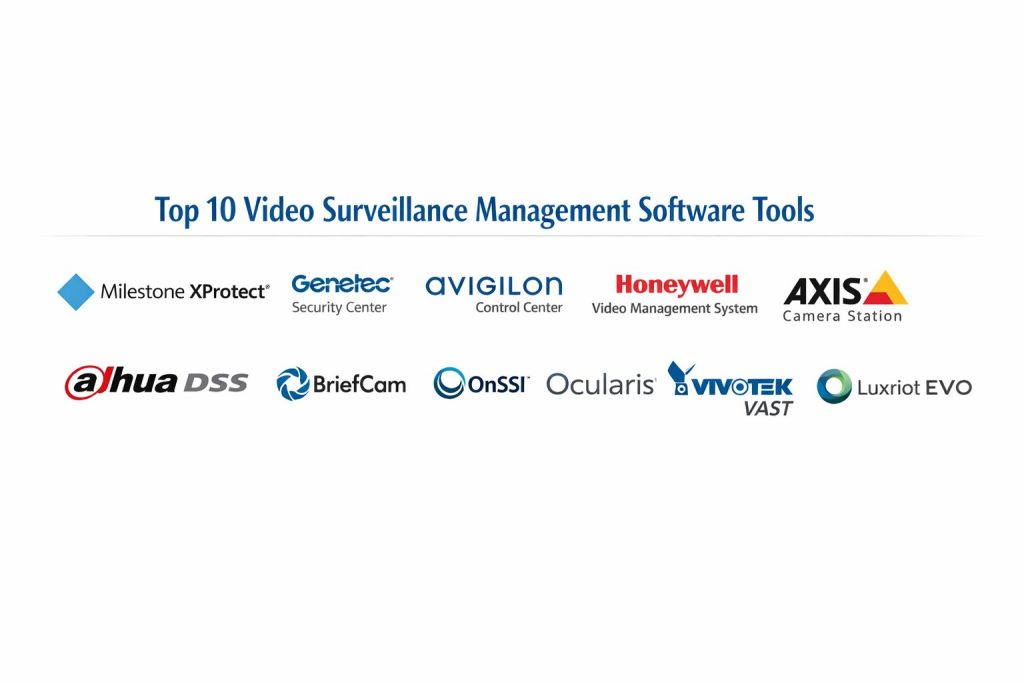
Top 10 Video Surveillance Management Software Tools
1 — Milestone XProtect
A scalable and flexible video surveillance platform offering complete control over security systems. Best for organizations that require reliable and expandable video management.
Key Features
- Supports hundreds of camera brands and devices
- Intuitive user interface with customizable views
- Advanced video analytics with AI capabilities
- Multi-site and multi-server management
- Open platform for integrations with other security systems
Pros
- Excellent scalability for both small businesses and large enterprises
- High compatibility with various camera manufacturers
- Advanced security and analytics features
Cons
- Can be complex for smaller setups
- Pricing may be high for small organizations
- Initial setup can take time
Platforms / Deployment
Windows, Self-hosted
Security and Compliance
Not publicly stated
Integrations and Ecosystem
- Integrates with access control, intrusion systems, and third-party analytics
- Large camera brand compatibility
- Open platform for further integration development
Support and Community
Strong vendor support with extensive community forums, webinars, and training materials.
2 — Genetec Security Center
A unified platform that combines video surveillance, access control, and license plate recognition. Best for organizations needing a comprehensive security management system.
Key Features
- Centralized platform for video, access, and LPR
- Scalable for small to large installations
- Advanced analytics for improved situational awareness
- Cloud and on-premises deployment options
- Highly secure and customizable
Pros
- Unified system that combines multiple security functions
- Flexible deployment options (cloud, hybrid, on-premises)
- Strong video analytics and AI-powered features
Cons
- Complex setup and configuration
- Higher cost for advanced features
- Requires a strong IT infrastructure for scalability
Platforms / Deployment
Windows, Cloud, Hybrid
Security and Compliance
Supports encryption and compliance with major standards such as GDPR
Integrations and Ecosystem
- Integrates with access control, alarm monitoring, and video analytics systems
- Open platform with a wide variety of compatible hardware
Support and Community
Comprehensive support including professional services, online training, and 24/7 technical assistance.
3 — Avigilon Control Center
A video surveillance software system that provides advanced monitoring, analytics, and security tools for mid-to-large scale operations.
Key Features
- AI-driven analytics for automatic event detection
- High-definition video streaming and recording
- Scalable from single-site to multi-location systems
- Integrated video search and playback tools
- Reliable alarm monitoring and reporting
Pros
- Powerful AI-based video analytics
- Good scalability for growing organizations
- Easy-to-use interface with advanced functionality
Cons
- High upfront cost for initial setup
- AI features can be complex to configure
- Limited integration with some third-party hardware
Platforms / Deployment
Windows, Self-hosted
Security and Compliance
Not publicly stated
Integrations and Ecosystem
- Integrates with third-party analytics, access control, and alarm systems
- Wide range of supported camera brands
Support and Community
Professional training and certification programs available, with 24/7 support.
4 — Honeywell Video Management System
A complete video surveillance solution tailored to industrial and enterprise needs, with strong emphasis on security and integration.
Key Features
- Real-time video surveillance and recording
- Scalable for enterprise-level deployments
- Integration with Honeywell’s broader security systems
- Intelligent analytics for event detection
- Customizable user interface
Pros
- Deep integration with Honeywell’s other security systems
- Strong enterprise-level support
- Customizable for unique security needs
Cons
- Can be costly for small-scale businesses
- May require additional Honeywell products for full functionality
- Complex setup for some environments
Platforms / Deployment
Windows, Self-hosted
Security and Compliance
Not publicly stated
Integrations and Ecosystem
- Seamless integration with Honeywell’s access control and alarm systems
- Wide support for third-party devices and analytics
Support and Community
Comprehensive training and customer support options, tailored for large organizations.
5 — Axis Camera Station
A simple and effective video surveillance management solution for small-to-medium-sized businesses. Best for straightforward security needs without complex configurations.
Key Features
- Easy-to-use interface for quick setup and management
- Support for Axis network cameras and devices
- Live view and playback functions with quick navigation
- Reliable video recording with storage options
- Built-in motion detection
Pros
- Simple setup and management for smaller operations
- Great integration with Axis cameras
- Reliable performance and low system resource usage
Cons
- Limited advanced analytics compared to other systems
- Restricted support for third-party cameras
- Not ideal for large-scale deployments
Platforms / Deployment
Windows, Self-hosted
Security and Compliance
Not publicly stated
Integrations and Ecosystem
- Full integration with Axis cameras and devices
- Limited support for third-party systems and analytics
Support and Community
Good support from Axis, with documentation and community forums.
6 — Dahua DSS
Dahua’s surveillance management software, designed for flexibility and scalability, offering a strong solution for video surveillance management across various industries.
Key Features
- Multi-site and multi-channel management
- Video and alarm integration
- AI-powered analytics and motion detection
- Comprehensive search tools for event and video retrieval
- Mobile app support for remote viewing
Pros
- Suitable for both small and large installations
- Scalable to suit growing surveillance needs
- Reliable with AI-powered features for enhanced security
Cons
- Can be complex for first-time users
- Limited third-party camera integration
- Requires dedicated hardware for high-end deployments
Platforms / Deployment
Windows, Self-hosted
Security and Compliance
Not publicly stated
Integrations and Ecosystem
- Integrates well within Dahua’s ecosystem
- Limited support for other hardware and third-party solutions
Support and Community
Technical support and training resources are available through Dahua’s channels.
7 — BriefCam
A video analytics platform that enables rapid video review, advanced object detection, and real-time alerting for security professionals.
Key Features
- Real-time video summarization
- Advanced object and behavior recognition
- Video indexing and search for quick retrieval
- AI-driven event detection
- Integration with third-party surveillance systems
Pros
- Fast video review and real-time monitoring capabilities
- Great for large-scale video surveillance installations
- Advanced analytics for better situational awareness
Cons
- Not a full video management platform—works best with existing surveillance setups
- Higher cost for advanced features
- Requires training to use analytics effectively
Platforms / Deployment
Windows, Self-hosted
Security and Compliance
Not publicly stated
Integrations and Ecosystem
- Integrates with a variety of third-party surveillance and alarm systems
- Extensible through APIs for custom integrations
Support and Community
Comprehensive support with training resources, especially for large-scale deployments.
8 — OnSSI Ocularis
A high-performance video surveillance management solution suitable for mid-market to large enterprise environments, focusing on video surveillance, access control, and alarm management.
Key Features
- Real-time video and alarm monitoring
- Centralized management with multi-server support
- Integration with access control systems
- Advanced video search and export tools
- Scalable to meet enterprise-level surveillance needs
Pros
- Strong video management features with centralized control
- Flexible deployment for large-scale systems
- Excellent integration capabilities with access control and alarm systems
Cons
- Can be overkill for smaller systems
- Higher cost for entry-level installations
- Setup can be complex for non-technical users
Platforms / Deployment
Windows, Self-hosted
Security and Compliance
Not publicly stated
Integrations and Ecosystem
- Full integration with OnSSI’s access control and alarm systems
- Wide compatibility with IP cameras, NVRs, and third-party devices
Support and Community
Robust support and customer service, with training materials and an active user community.
9 — Vivotek VAST
Vivotek’s surveillance management platform designed for mid-sized businesses needing reliable monitoring, recording, and video analysis.
Key Features
- Flexible video recording and playback options
- Multi-channel support for large camera setups
- User-friendly interface with quick search capabilities
- Integration with Vivotek IP cameras and devices
- Event-driven alerts and notifications
Pros
- Good value for mid-market surveillance setups
- Easy to install and use
- Reliable video playback and event handling
Cons
- Limited integration with third-party devices
- Lacks some advanced analytics seen in other solutions
- Scalability may be limited in very large environments
Platforms / Deployment
Windows, Self-hosted
Security and Compliance
Not publicly stated
Integrations and Ecosystem
- Full integration with Vivotek’s cameras and devices
- Limited compatibility with third-party products
Support and Community
Strong support from Vivotek, with documentation and community support channels.
10 — Luxriot EVO
A professional video surveillance platform offering intelligent video analysis, remote monitoring, and scalable video management solutions.
Key Features
- Video surveillance and recording with high-definition support
- Easy-to-use interface for quick access to cameras
- Integration with third-party cameras and analytics solutions
- Mobile access for remote monitoring
- Advanced motion detection and smart alerting
Pros
- Excellent for small to mid-sized businesses
- Cost-effective while offering enterprise features
- Flexible with third-party integrations
Cons
- Lacks advanced AI-driven analytics
- May require additional hardware for full scalability
- Limited support for high-end surveillance setups
Platforms / Deployment
Windows, Self-hosted
Security and Compliance
Not publicly stated
Integrations and Ecosystem
- Integrates with third-party devices and analytics systems
- Mobile support for remote access and monitoring
Support and Community
Available customer support with documentation and community forums.
Comparison Table
| Tool Name | Best For | Platform(s) Supported | Deployment | Standout Feature | Public Rating |
|---|---|---|---|---|---|
| Milestone XProtect | Enterprise surveillance systems | Windows, Self-hosted | Advanced analytics | N/A | |
| Genetec Security Center | Integrated security systems | Windows, Cloud | Unified security platform | N/A | |
| Avigilon Control Center | High-definition video surveillance | Windows, Self-hosted | AI-driven analytics | N/A | |
| Honeywell VMS | Large-scale deployments | Windows, Self-hosted | Integration with Honeywell systems | N/A | |
| Axis Camera Station | Small to medium businesses | Windows, Self-hosted | Easy setup and management | N/A | |
| Dahua DSS | Large installations | Windows, Self-hosted | AI-powered analytics | N/A | |
| BriefCam | Quick video analysis | Windows, Self-hosted | Video summarization | N/A | |
| OnSSI Ocularis | Mid-market to enterprise | Windows, Self-hosted | Video and access control integration | N/A | |
| Vivotek VAST | Mid-sized businesses | Windows, Self-hosted | Quick camera access | N/A | |
| Luxriot EVO | Small to mid-sized businesses | Windows, Self-hosted | Intelligent video analysis | N/A |
Evaluation and Scoring of Video Surveillance Management Software
Weights
Core features 25 percent
Ease of use 15 percent
Integrations and ecosystem 15 percent
Security and compliance 10 percent
Performance and reliability 10 percent
Support and community 10 percent
Price and value 15 percent
| Tool Name | Core | Ease | Integrations | Security | Performance | Support | Value | Weighted Total |
|---|---|---|---|---|---|---|---|---|
| Milestone XProtect | 9 | 8 | 9 | 7 | 8 | 8 | 7 | 8.2 |
| Genetec Security Center | 9 | 7 | 9 | 8 | 8 | 9 | 8 | 8.3 |
| Avigilon Control Center | 9 | 8 | 8 | 7 | 9 | 8 | 7 | 8.1 |
| Honeywell VMS | 8 | 7 | 8 | 7 | 8 | 8 | 6 | 7.6 |
| Axis Camera Station | 7 | 8 | 6 | 6 | 7 | 7 | 8 | 7.1 |
| Dahua DSS | 8 | 7 | 8 | 6 | 8 | 7 | 6 | 7.4 |
| BriefCam | 8 | 7 | 8 | 6 | 7 | 6 | 7 | 7.2 |
| OnSSI Ocularis | 9 | 7 | 8 | 6 | 8 | 8 | 7 | 7.7 |
| Vivotek VAST | 7 | 8 | 7 | 6 | 7 | 7 | 8 | 7.1 |
| Luxriot EVO | 7 | 8 | 7 | 6 | 7 | 7 | 7 | 7.1 |
How to interpret these scores:
These scores are designed to give you a comparative view of the tools based on critical evaluation criteria. Each tool is evaluated on how well it fits specific needs, and how it excels or falls short in different operational contexts. Use this to make a more informed choice based on your particular requirements.
Which Video Surveillance Management Software Tool Is Right for You
Solo / Freelancer
For small-scale operations, Axis Camera Station and Luxriot EVO offer simple setups, efficient management, and ease of use. For more control, Vivotek VAST or Honeywell VMS may work well if your needs grow.
SMB
Small businesses often need scalability and integrations—Dahua DSS and Vivotek VAST provide strong value for the cost, while Luxriot EVO and Axis Camera Station offer an ideal mix of features without overwhelming complexity.
Mid-Market
For mid-sized companies with more complex needs, Genetec Security Center and Milestone XProtect are best. They scale well and have the flexibility for multi-location management and integration with other systems like access control.
Enterprise
Enterprises require robust, secure, and scalable systems. Milestone XProtect, Genetec Security Center, and Avigilon Control Center are strong contenders with excellent integrations and comprehensive features. OnSSI Ocularis is another solid choice for large-scale deployments.
Budget vs Premium
- Budget-first: Axis Camera Station or Luxriot EVO provide good features at a lower cost.
- Premium-first: Milestone XProtect, Genetec Security Center, and Avigilon Control Center will be more suitable for large organizations needing scalability and integration.
Feature Depth vs Ease of Use
For deeper integration, Milestone XProtect and Genetec Security Center offer high-end features and flexibility. For easier-to-implement solutions, Axis Camera Station and Vivotek VAST might be better choices.
Integrations & Scalability
If scalability and integrations are critical, Genetec Security Center and Milestone XProtect are the best picks, offering enterprise-level management. Smaller systems or standalone setups may prefer Axis Camera Station and Luxriot EVO.
Security & Compliance Needs
For enterprise-level security, Genetec Security Center
and Milestone XProtect are typically the most secure, offering encryption, access control, and compliance with various standards.
Frequently Asked Questions
1. What’s the pricing model for these tools?
Most video surveillance software comes with subscription-based pricing, but some offer perpetual licenses for a one-time fee. You may also see additional costs for installation, hardware, and support.
2. Can these tools integrate with my existing security systems?
Yes, most tools in this list can integrate with third-party security systems like access control and alarm systems. Check for compatibility with your current infrastructure.
3. How do I choose the right tool for my business size?
For small businesses, ease of use and affordability are key, so tools like Axis Camera Station are ideal. For large-scale or enterprise setups, tools like Milestone XProtect or Genetec Security Center provide scalability and advanced features.
4. How do these tools handle security and data privacy?
Many of these tools offer robust security features such as encryption, secure access controls, and compliance with privacy regulations like GDPR.
5. Can I use these tools remotely?
Yes, most tools provide remote access via mobile apps or web portals for live viewing, alerts, and video playback.
6. Are cloud-based solutions better than on-premises setups?
Cloud solutions offer more flexibility and remote access, while on-premises setups provide more control over data security. The choice depends on your specific needs.
7. How can I ensure scalability as my surveillance needs grow?
Choose a tool that offers modular licensing, supports multiple locations, and allows easy integration with other security systems. Tools like Milestone XProtect and Genetec Security Center are ideal for scaling.
8. Do I need to install additional hardware?
Most video surveillance systems will require compatible cameras, NVRs, and storage solutions. Make sure the software you choose is compatible with your existing hardware.
9. What are the most common mistakes when selecting surveillance software?
The most common mistake is choosing a system that doesn’t scale with your business growth or fails to integrate well with other security systems.
10. How do I train my team to use these tools effectively?
Start with comprehensive training programs that cover basic features, video management, and emergency response scenarios. Many vendors offer training resources and certifications.
Conclusion
Choosing the right video surveillance management software depends on your organization’s size, complexity, and security needs. Milestone XProtect and Genetec Security Center are strong choices for large enterprises needing robust, scalable systems. For small businesses, Axis Camera Station and Luxriot EVO provide strong value with easier setup. Always ensure your tool of choice fits within your broader security and IT ecosystem and that it scales with your future growth needs. Consider running a pilot with 2–3 shortlisted tools to validate compatibility and performance.