Introduction
Work order management software helps teams create, assign, track, and complete service or maintenance tasks in a structured way. Instead of using paper slips, spreadsheets, calls, or scattered messages, teams get a single system to manage requests, approvals, priorities, technician updates, parts, and completion records. This is important for maintenance teams, facilities teams, field service teams, and operations leaders because delayed or poorly tracked work orders often lead to downtime, missed service levels, and higher costs.
Common use cases include preventive maintenance scheduling, breakdown repair tracking, facility service requests, inspection workflows, technician dispatch coordination, and asset-related maintenance history. When choosing a tool, buyers should review work order lifecycle depth, mobile usability, preventive maintenance automation, asset and parts tracking, reporting quality, integration options, user permissions, deployment flexibility, onboarding effort, and long-term value.
Best for: maintenance teams, facilities teams, field operations, manufacturing plants, healthcare facilities, warehouses, and service organizations of all sizes.
Not ideal for: teams that only manage a few tasks per month and can operate effectively with basic task tools or simple ticketing systems.
Key Trends in Work Order Management Software
- Mobile-first technician workflows are now expected, including offline-friendly task updates and photo attachments.
- Preventive maintenance automation is becoming a baseline feature instead of a premium add-on.
- AI-assisted insights are growing for failure analysis, task prioritization, and maintenance planning support.
- Asset history and work order data are being used more actively for reliability and cost decisions.
- Integration with ERP, inventory, sensors, and purchasing systems is becoming a major buying factor.
- Multi-site visibility is increasingly important for organizations managing distributed facilities.
- Approval workflows and audit trails are receiving more attention in regulated and quality-driven industries.
- User-friendly interfaces are becoming a competitive differentiator because technician adoption directly affects data quality.
- Buyers are comparing CMMS, EAM, and field service platforms more carefully based on process complexity.
- Reporting is shifting from static logs to dashboard-driven operational decision support.
How We Selected These Tools (Methodology)
- We selected tools with strong recognition in maintenance, facilities, and work order management discussions.
- We included a balanced mix of mid-market CMMS tools and enterprise asset management platforms.
- We prioritized products with clear work order lifecycle capability, not just generic ticket tracking.
- We considered mobile usability because technician adoption is critical in real-world operations.
- We evaluated ecosystem fit, including integrations with ERP, inventory, and related maintenance systems.
- We considered scalability from single-site teams to multi-site and enterprise operations.
- We looked at practical buyer fit, including ease of use, configurability, and support reputation signals.
- We avoided guessing public ratings or certifications and used N/A or Not publicly stated where needed.
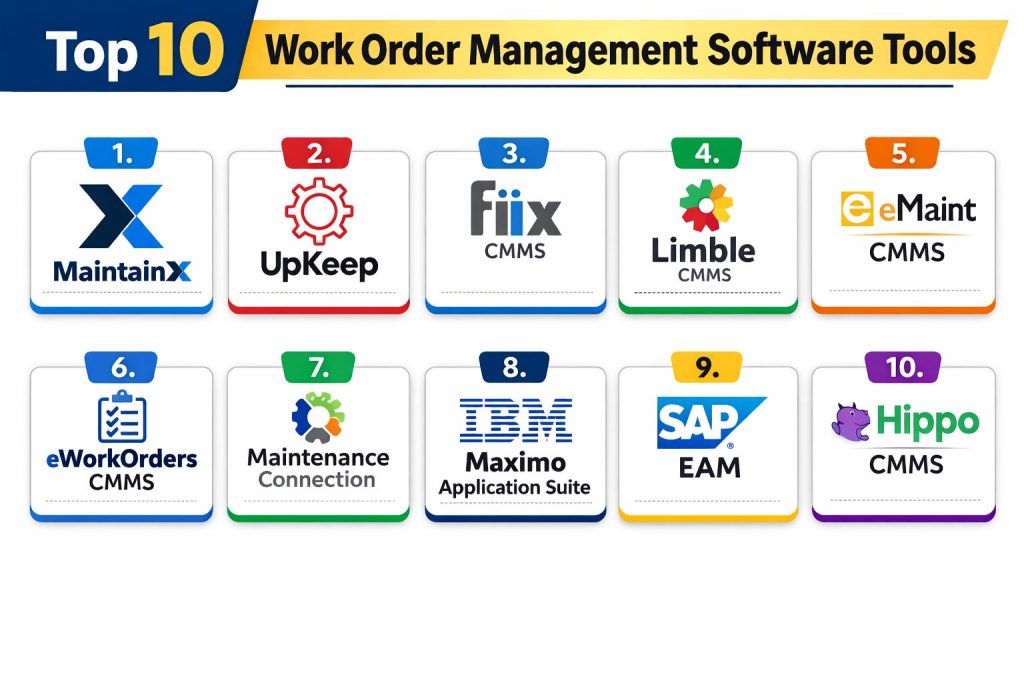
Top 10 Work Order Management Software Tools
1 — MaintainX
MaintainX is a modern maintenance and operations platform used for digital work orders, preventive maintenance, inspections, and frontline collaboration. It is often a strong fit for teams that want a mobile-friendly experience and quick technician adoption.
Key Features
- Digital work order creation, assignment, and tracking
- Preventive maintenance scheduling and recurring tasks
- Mobile workflows for technicians with updates and attachments
- Asset tracking and maintenance history
- Checklists, procedures, and inspection workflows
- Reporting and operational visibility tools
Pros
- Strong mobile usability for frontline teams
- Good fit for teams moving from paper or spreadsheets
- Practical workflow design for maintenance operations
Cons
- Advanced enterprise requirements may need deeper configuration review
- Pricing and feature depth can vary by plan
- Complex multi-system integration needs should be validated early
Platforms / Deployment
Web, iOS, Android, Cloud
Security and Compliance
Varies / Not publicly stated
Integrations and Ecosystem
MaintainX is commonly considered by teams that want work order execution plus daily operations workflows in one interface. It can fit well when technician adoption and mobile execution are the top priorities.
- API and integration options vary by plan
- Common maintenance workflow ecosystem fit
- Works well with process checklists and inspections
Support and Community
Strong product visibility and onboarding-oriented experience; support depth varies by subscription level.
2 — UpKeep
UpKeep is a maintenance platform focused on work orders, preventive maintenance, asset management, and technician productivity. It is widely considered by organizations that want a modern interface and fast rollout.
Key Features
- Work order creation, assignment, and status tracking
- Preventive maintenance automation
- Asset and location records
- Mobile app for technician task execution
- Parts and inventory support
- Dashboards and reporting capabilities
Pros
- Easy to understand workflow for many maintenance teams
- Good mobile-first experience for field technicians
- Strong fit for growing teams needing quick digitization
Cons
- Enterprise-level customization needs careful evaluation
- Some teams may need additional integrations for full process coverage
- Cost can rise as usage expands across sites and users
Platforms / Deployment
Web, iOS, Android, Cloud
Security and Compliance
Varies / Not publicly stated
Integrations and Ecosystem
UpKeep is often selected by teams that want a practical balance of usability and maintenance functionality without heavy implementation complexity.
- Integration capabilities vary by tier
- Common fit with maintenance and operations workflows
- API-based extensions may require technical setup
Support and Community
Known for broad adoption and accessible onboarding experience; support options vary by plan.
3 — Fiix CMMS
Fiix CMMS is a maintenance management platform used for work order management, preventive maintenance, asset tracking, and maintenance analytics. It is often considered by teams seeking a CMMS-focused approach with operational reporting.
Key Features
- Work request intake and work order lifecycle management
- Preventive maintenance planning and scheduling
- Asset hierarchy and maintenance records
- Parts and inventory support
- Reporting and maintenance analytics
- Mobile maintenance execution support
Pros
- Strong CMMS-centered work order functionality
- Good fit for maintenance teams focused on asset reliability
- Useful reporting for maintenance performance tracking
Cons
- Implementation quality depends on process setup discipline
- Integration requirements should be validated for enterprise environments
- Full value may require team training and standardization
Platforms / Deployment
Web, Mobile, Cloud
Security and Compliance
Varies / Not publicly stated
Integrations and Ecosystem
Fiix CMMS is often used where maintenance teams want structured work orders plus asset and maintenance intelligence in one platform. Vendor materials emphasize work order process simplification and analytics support.
- API and connector capabilities vary
- Fits CMMS-centered maintenance ecosystems
- Integration planning is important for ERP-linked environments
Support and Community
Established CMMS presence with documentation and vendor support; support experience varies by contract level.
4 — Limble CMMS
Limble CMMS is a maintenance platform known for usability, work order tracking, preventive maintenance, and asset management. It is frequently reviewed as a practical option for teams that want straightforward implementation and strong maintenance workflows.
Key Features
- Work order management and technician assignment
- Preventive maintenance scheduling
- Asset and equipment maintenance history
- Spare parts and inventory tracking
- Mobile access for field and facility teams
- Dashboards and maintenance reporting
Pros
- User-friendly interface for maintenance teams
- Good balance of features and usability
- Strong fit for organizations replacing manual systems
Cons
- Advanced enterprise process complexity may need deeper configuration checks
- Integration and custom workflow depth can vary
- Plan-based feature access should be reviewed carefully
Platforms / Deployment
Web, Mobile, Cloud
Security and Compliance
Varies / Not publicly stated
Integrations and Ecosystem
Limble CMMS is commonly positioned as a maintenance platform with strong work order, PM, and asset workflow coverage, with market commentary often highlighting ease of use and service quality.
- Common maintenance and asset workflow fit
- Integration options vary by environment
- API or connector requirements should be confirmed during evaluation
Support and Community
Generally viewed as support-oriented in market comparisons; actual support outcomes depend on plan and implementation scope.
5 — eMaint CMMS
eMaint CMMS is a long-standing maintenance management platform used for work orders, preventive maintenance, asset tracking, and reliability processes. It is often considered by organizations that need configurable maintenance workflows.
Key Features
- Work order and request management
- Preventive and scheduled maintenance workflows
- Asset management and service history
- Inventory and spare parts support
- Reporting and maintenance analytics
- Configurable maintenance process controls
Pros
- Established maintenance platform with broad capability
- Strong fit for teams needing configurable workflows
- Useful for multi-site maintenance operations
Cons
- Setup complexity can increase with customization
- Training may be needed for full feature adoption
- Implementation planning is important for long-term success
Platforms / Deployment
Web, Mobile, Cloud
Security and Compliance
Varies / Not publicly stated
Integrations and Ecosystem
eMaint CMMS is frequently evaluated in CMMS shortlists where maintenance process maturity and configurability matter more than lightweight simplicity.
- Integration approach depends on environment and plan
- Works in broader maintenance and asset ecosystems
- Best results come from clear process design during rollout
Support and Community
Mature market presence with vendor-led support and implementation options; support depth varies.
6 — eWorkOrders CMMS
eWorkOrders CMMS is a maintenance and facilities-oriented platform focused on digital work orders, preventive maintenance, asset tracking, and operational control. It is often considered by teams transitioning from manual maintenance processes.
Key Features
- Work order creation, assignment, and completion tracking
- Preventive maintenance scheduling
- Asset and equipment maintenance records
- Inventory and parts management support
- Reporting and compliance-oriented tracking workflows
- Multi-site maintenance visibility support
Pros
- Strong focus on work order and maintenance process digitization
- Suitable for facilities and maintenance teams needing centralization
- Helpful for organizations replacing spreadsheet-based workflows
Cons
- Interface and workflow preferences should be validated with end users
- Custom integration requirements may need technical review
- Feature depth may exceed the needs of very small teams
Platforms / Deployment
Web, Mobile, Cloud
Security and Compliance
Varies / Not publicly stated
Integrations and Ecosystem
Vendor and market materials emphasize centralized work orders, preventive maintenance, and asset tracking for facilities management use cases. (eworkorders.com)
- CMMS and facilities management workflow fit
- Integration requirements vary by customer environment
- Multi-site process consistency benefits from standardized configuration
Support and Community
Vendor-guided adoption and support options are common; support experience varies by contract and implementation scope.
7 — Maintenance Connection
Maintenance Connection is a CMMS platform used for work order management, preventive maintenance, asset tracking, and maintenance process control. It is often considered by organizations needing structured maintenance operations and broader CMMS capabilities.
Key Features
- Work order and maintenance request management
- Preventive maintenance scheduling and planning
- Asset and equipment history tracking
- Inventory and parts management support
- Reporting and maintenance performance visibility
- Multi-site operational support capabilities
Pros
- Strong CMMS orientation for maintenance-heavy environments
- Useful for organizations with structured maintenance processes
- Good fit for teams needing operational visibility and control
Cons
- Implementation effort may be higher than lightweight tools
- Usability perception can vary by team and workflow design
- Integration and configuration planning are important
Platforms / Deployment
Varies / N/A
Security and Compliance
Varies / Not publicly stated
Integrations and Ecosystem
Maintenance Connection is frequently included in work order software comparisons and CMMS shortlists focused on maintenance operations.
- CMMS ecosystem fit for maintenance teams
- Integration capabilities depend on deployment and scope
- Best evaluated through a workflow-based pilot
Support and Community
Established vendor presence with support and implementation services; community visibility is more niche than some newer tools.
8 — IBM Maximo Application Suite
IBM Maximo Application Suite is an enterprise asset management platform that includes robust work management capabilities for complex operations, maintenance, and asset-intensive organizations. It is typically considered by large enterprises with advanced asset and reliability needs.
Key Features
- Enterprise-grade work management and work order workflows
- Asset lifecycle and maintenance planning support
- Advanced role-based process control and governance
- Multi-site and enterprise operational visibility
- Integration potential with broader enterprise systems
- Analytics and reliability-oriented maintenance support
Pros
- Strong fit for complex enterprise asset environments
- Deep process control and scalability
- Suitable for organizations with mature maintenance operations
Cons
- Higher implementation complexity and cost
- Requires strong internal process ownership and technical planning
- May be excessive for small or simple maintenance teams
Platforms / Deployment
Cloud / Self-hosted / Hybrid (varies by deployment model)
Security and Compliance
Varies / Not publicly stated
Integrations and Ecosystem
IBM Maximo Application Suite is typically evaluated as part of a broader enterprise asset strategy where work orders connect to reliability, asset performance, and enterprise process governance.
- Enterprise integration potential is a key strength
- Works in large-scale asset-intensive ecosystems
- Deployment architecture should be validated early in the buying cycle
Support and Community
Enterprise support and partner ecosystem are important factors; strong vendor and partner involvement is common in large deployments.
9 — SAP EAM
SAP EAM supports enterprise maintenance and work management as part of broader asset and enterprise process environments. It is often chosen by organizations that want maintenance work orders closely aligned with ERP processes, procurement, and finance.
Key Features
- Enterprise work order and maintenance planning workflows
- Asset and equipment master data integration
- Preventive maintenance scheduling support
- Integration with purchasing, inventory, and finance processes
- Approval and governance controls for maintenance operations
- Multi-site and enterprise reporting capability
Pros
- Strong ERP-connected maintenance process alignment
- Suitable for large organizations with complex operational controls
- Good fit when enterprise integration is a top priority
Cons
- Can be complex to implement and optimize
- User experience may depend heavily on configuration and process design
- Usually not a lightweight option for smaller teams
Platforms / Deployment
Cloud / Self-hosted / Hybrid (varies by environment)
Security and Compliance
Varies / Not publicly stated
Integrations and Ecosystem
SAP EAM is generally strongest where work orders are part of wider enterprise planning, procurement, and asset governance workflows rather than a standalone maintenance tool purchase.
- Deep enterprise process integration potential
- Strong fit for SAP-centered environments
- Requires careful workflow and data model planning
Support and Community
Large enterprise ecosystem and partner network; support experience depends on implementation partner and internal capability.
10 — Hippo CMMS
Hippo CMMS is a maintenance management platform focused on work orders, preventive maintenance, asset tracking, and facilities maintenance workflows. It is commonly considered by teams seeking a CMMS-oriented solution with practical maintenance functionality.
Key Features
- Work order request and task tracking
- Preventive maintenance scheduling
- Asset and equipment record management
- Maintenance reporting and tracking visibility
- Facilities-oriented maintenance workflow support
- Technician task coordination features
Pros
- Practical fit for facilities and maintenance teams
- Focused work order and PM capabilities
- Can support organizations moving off manual maintenance tracking
Cons
- Advanced enterprise integration needs require validation
- Feature depth and usability should be tested against team workflows
- Best fit depends on maintenance complexity and scale
Platforms / Deployment
Varies / N/A
Security and Compliance
Varies / Not publicly stated
Integrations and Ecosystem
Hippo CMMS is usually evaluated by teams that need structured maintenance and facilities work order management without jumping directly to a large enterprise EAM program.
- CMMS-centered maintenance workflow fit
- Integration capabilities should be confirmed during demos
- Pilot testing is important for technician adoption
Support and Community
Vendor support and implementation guidance matter heavily for outcomes; community visibility varies by region and industry.
Comparison Table
| Tool Name | Best For | Platform(s) Supported | Deployment | Standout Feature | Public Rating |
|---|---|---|---|---|---|
| MaintainX | Mobile-first maintenance and frontline teams | Web, iOS, Android | Cloud | Technician-friendly mobile work orders | N/A |
| UpKeep | Fast rollout for maintenance teams | Web, iOS, Android | Cloud | Easy maintenance workflow digitization | N/A |
| Fiix CMMS | Asset-focused maintenance operations | Web, Mobile | Cloud | CMMS-centered work order analytics | N/A |
| Limble CMMS | Usability-focused maintenance teams | Web, Mobile | Cloud | Strong balance of ease and CMMS features | N/A |
| eMaint CMMS | Configurable maintenance workflows | Web, Mobile | Cloud | Flexible maintenance process configuration | N/A |
| eWorkOrders CMMS | Facilities and maintenance centralization | Web, Mobile | Cloud | Work order and PM centralization | N/A |
| Maintenance Connection | Structured CMMS operations | Varies / N/A | Varies / N/A | Broad CMMS workflow capability | N/A |
| IBM Maximo Application Suite | Enterprise asset-intensive operations | Varies / N/A | Cloud / Self-hosted / Hybrid | Enterprise-scale work management | N/A |
| SAP EAM | ERP-integrated enterprise maintenance | Varies / N/A | Cloud / Self-hosted / Hybrid | Deep enterprise process integration | N/A |
| Hippo CMMS | Practical facilities maintenance management | Varies / N/A | Varies / N/A | Straightforward CMMS work order workflows | N/A |
Evaluation and Scoring of Work Order Management Software
Weights
Core features 25 percent
Ease of use 15 percent
Integrations and ecosystem 15 percent
Security and compliance 10 percent
Performance and reliability 10 percent
Support and community 10 percent
Price and value 15 percent
| Tool Name | Core | Ease | Integrations | Security | Performance | Support | Value | Weighted Total |
|---|---|---|---|---|---|---|---|---|
| MaintainX | 8.5 | 9.0 | 7.5 | 6.5 | 8.0 | 8.0 | 8.5 | 8.20 |
| UpKeep | 8.5 | 8.5 | 7.5 | 6.5 | 8.0 | 8.0 | 8.0 | 8.00 |
| Fiix CMMS | 8.5 | 7.5 | 8.0 | 6.5 | 8.0 | 7.5 | 7.5 | 7.83 |
| Limble CMMS | 8.0 | 8.5 | 7.5 | 6.0 | 8.0 | 8.0 | 8.0 | 7.93 |
| eMaint CMMS | 8.5 | 7.0 | 8.0 | 6.5 | 8.0 | 7.5 | 7.0 | 7.68 |
| eWorkOrders CMMS | 8.0 | 7.5 | 7.5 | 6.5 | 7.5 | 7.5 | 7.5 | 7.58 |
| Maintenance Connection | 8.0 | 7.0 | 8.0 | 6.5 | 8.0 | 7.0 | 7.0 | 7.48 |
| IBM Maximo Application Suite | 9.5 | 6.0 | 9.0 | 7.5 | 8.5 | 8.0 | 5.5 | 7.83 |
| SAP EAM | 9.0 | 6.0 | 9.0 | 7.5 | 8.5 | 7.5 | 5.5 | 7.58 |
| Hippo CMMS | 7.5 | 7.5 | 7.0 | 6.0 | 7.5 | 7.0 | 7.5 | 7.25 |
These scores are comparative and are meant to help shortlist options, not declare one universal winner. A tool with a lower total may still be the right choice if it matches your process maturity, integration environment, and technician workflow. Enterprise tools often score higher in depth and integrations but lower in ease and value for smaller teams. Mid-market CMMS tools often win on adoption speed and practical rollout. Always validate these comparisons with a real pilot using your own assets, work order types, and approval flows.
Which Work Order Management Software Tool Is Right for You
Solo or Small Team
If you are replacing spreadsheets, chats, or paper and want quick adoption, MaintainX, UpKeep, or Limble CMMS are often easier starting points. These tools usually make it easier for technicians to update tasks from mobile devices and help managers get visibility quickly. For a small team, ease of use and rollout speed often matter more than deep enterprise process controls.
SMB
Small and growing businesses usually need a balance of work orders, preventive maintenance, reporting, and asset tracking without a long implementation project. UpKeep, Limble CMMS, Fiix CMMS, and eWorkOrders CMMS are commonly strong candidates. The best choice depends on whether you prioritize mobile simplicity, reporting depth, or maintenance process configuration.
Mid-Market
Mid-market organizations often need stronger standardization, more reporting, and better integration support across multiple sites. Fiix CMMS, eMaint CMMS, eWorkOrders CMMS, and Maintenance Connection are often worth evaluating closely. At this stage, it is important to test approval workflows, inventory linkage, and multi-site visibility before finalizing a purchase.
Enterprise
Large organizations with complex assets, governance needs, and ERP-connected workflows often evaluate IBM Maximo Application Suite and SAP EAM. These platforms can provide stronger process depth and enterprise integration, but they usually require more planning, implementation effort, and internal ownership. If work order management is part of a wider asset strategy, enterprise EAM tools may be the better long-term path.
Budget vs Premium
Budget-conscious teams should focus on adoption speed and the minimum features needed to control work orders, preventive tasks, and reporting. Premium tools may provide deeper analytics, governance, integration, and enterprise scale, but they only create value if your team has the process maturity to use them. Always compare total implementation effort, not just subscription price.
Feature Depth vs Ease of Use
Teams often make the mistake of buying the deepest product when they really need the easiest product that technicians will use consistently. If technician adoption is weak, data quality drops and reporting becomes unreliable. Choose depth when you have mature maintenance processes and a clear roadmap. Choose simplicity when speed, adoption, and consistency are the main goals.
Integrations and Scalability
If you expect to connect work orders to ERP, purchasing, inventory, or enterprise asset systems, integration should be a primary evaluation area. Ask vendors to show real workflows, not only API statements. Also test how the platform handles multi-site growth, user permissions, and reporting across locations. Scalability is not only about system size but also about operational complexity.
Security and Compliance Needs
Work order software often sits inside a wider operational ecosystem, so security decisions should include user access controls, audit trails, data permissions, mobile device management, and integration governance. If your industry is regulated, confirm approval flows, data retention expectations, and change tracking early. When public information is unclear, mark it as Not publicly stated and verify directly during procurement and security review.
Frequently Asked Questions
1. What is work order management software used for
It is used to create, assign, track, and complete maintenance or service tasks in a controlled system. It helps teams improve visibility, reduce delays, and maintain service history.
2. Is work order management software the same as CMMS
Not always. CMMS usually includes work order management plus preventive maintenance, assets, parts, and reporting. Some work order tools are lighter and focus mostly on task execution.
3. What is the difference between CMMS and EAM
CMMS usually focuses on maintenance operations, while EAM covers broader asset lifecycle processes, governance, and enterprise integration. EAM is often used by larger organizations with complex assets.
4. How long does implementation usually take
Implementation time varies by complexity, number of sites, integrations, and data cleanup needs. A simple rollout can move quickly, while enterprise deployments often require phased implementation.
5. What are common mistakes when choosing a tool
Common mistakes include choosing only on price, ignoring technician usability, skipping pilot testing, and not validating integration needs. Another mistake is poor asset and location data preparation before rollout.
6. Do these tools support preventive maintenance
Many leading tools do support preventive maintenance scheduling and recurring tasks. However, depth and flexibility vary, so you should test your real PM workflow during evaluation.
7. How important is mobile access for technicians
It is very important for many teams because work happens on the floor or in the field. Strong mobile adoption improves status updates, photo evidence, completion accuracy, and reporting quality.
8. Can work order software integrate with inventory and purchasing
Many platforms can, but the level of integration varies widely. Always ask for a demo of the exact workflow you need, such as parts usage, reorder triggers, and purchase approvals.
9. How should we compare vendors fairly
Use the same test scenarios, same work order types, and same success criteria for each vendor. Include technicians, supervisors, and operations leaders in the pilot so the evaluation reflects real usage.
10. What is the best next step after shortlisting tools
Shortlist two or three tools and run a controlled pilot using real assets, preventive tasks, and approval workflows. Measure adoption, speed, reporting quality, and integration fit before making a final decision.
Conclusion
The best work order management software depends on your team size, maintenance maturity, asset complexity, and integration needs. If your goal is fast technician adoption and quick digitization, mobile-friendly CMMS tools such as MaintainX, UpKeep, Limble CMMS, or Fiix CMMS may be strong starting points. If your organization needs deeper process control, multi-site governance, and enterprise integration, platforms like IBM Maximo Application Suite or SAP EAM may be better long-term choices. The smartest approach is to shortlist a few options, run a pilot with real work orders and preventive maintenance workflows, and choose the platform that your team will actually use consistently.