Introduction
In the digital landscape, data has become the most valuable—and vulnerable—asset an organization possesses. Secure Managed File Transfer (MFT) tools have evolved beyond simple FTP clients into sophisticated governance platforms that manage the secure, automated, and compliant movement of data between systems, partners, and the cloud. Unlike standard file-sharing apps, MFT solutions provide enterprise-grade security, centralized visibility, and rigorous audit trails necessary for protecting intellectual property and maintaining regulatory standing.
The importance of MFT today is driven by the sheer volume of “data in motion.” As organizations pivot to multi-cloud architectures and expand global supply chains, the risk of data breaches during transit has escalated. MFT tools mitigate these risks by replacing unsecured legacy methods with “hardened” transfer environments that support advanced encryption, multi-factor authentication, and automated error recovery.
Real-world use cases include:
- Financial Services: Automating the daily transfer of multi-terabyte transaction records between global banking branches and central clearinghouses.
- Healthcare Compliance: Securely moving Patient Health Information (PHI) between clinics and insurance providers while maintaining a HIPAA-compliant audit trail.
- Retail Supply Chain: Exchanging EDI (Electronic Data Interchange) files with thousands of vendors to manage inventory levels and order processing in real-time.
- Legal & Government: Distributing highly sensitive case files and classified documents using FIPS-validated encryption and tamper-evident logging.
- Manufacturing R&D: Sharing proprietary CAD designs with overseas production plants while ensuring data is encrypted at rest and in transit.
Buyers should evaluate these criteria:
- Security Protocols: Does the tool support SFTP, FTPS, AS2, HTTPS, and proprietary high-speed protocols?
- Compliance Certifications: Is the platform validated for HIPAA, GDPR, PCI DSS, SOX, and FIPS 140-3?
- Automation Logic: Can workflows be built with a visual drag-and-drop designer without manual scripting?
- Visibility & Reporting: Does it provide a “single pane of glass” view for all file transfers across the enterprise?
- DLP & Anti-Virus Integration: Can the tool scan files for malware or sensitive data leaks (DLP) inline before the transfer completes?
- Scalability: Can the system handle burst workloads and multi-million file daily volumes without performance degradation?
- Hybrid/Multi-Cloud Support: Does it natively connect on-premises data centers to AWS, Azure, and Google Cloud?
- Tamper-Evident Logging: Are the audit logs cryptographically secured to ensure they cannot be altered?
- Partner Onboarding: How quickly can new trading partners be added and configured for secure data exchange?
- High Availability: Does the tool support active-active clustering to ensure zero downtime for mission-critical transfers?
Best for: IT security teams, compliance officers, and data integration architects in highly regulated industries like finance, healthcare, and government.
Not ideal for: Simple person-to-person internal file sharing where basic cloud storage (like OneDrive or Dropbox) is sufficient and no formal audit trail is required.
Key Trends in Secure MFT Tools
- Threat-Aware MFT: Leading MFT platforms feature inline malware scanning and behavioral anomaly detection to block transfers that show suspicious patterns.
- Zero Trust Architecture: File transfers now require per-transfer authorization rather than just per-session, incorporating identity claims and destination risk scoring.
- AI-Powered Error Resolution: Neural networks analyze historical logs to predict transfer failures and automatically suggest or execute remediation steps.
- Post-Quantum Cryptography: Platforms are beginning to integrate quantum-safe encryption algorithms to protect data against future decryption threats.
- API-First Orchestration: Modern MFT is no longer a silo; it is integrated into CI/CD pipelines and enterprise job schedulers via robust REST and GraphQL APIs.
- Self-Service Partner Portals: Trading partners can now manage their own credentials and connection tests, reducing the administrative burden on IT teams.
- Consolidated Content Communication: A shift toward “Private Data Networks” where email, MFT, and web forms are managed through a single security policy engine.
- Edge-to-Cloud Acceleration: New protocols are optimizing file movement from IoT edge devices directly into cloud data lakes without traditional staging servers.
How we selected these tools (Methodology)
Our selection process for the MFT landscape involved a weighted analysis of several critical factors:
- Security Resilience: We prioritized tools with a proven track record of rapid response to vulnerabilities and a “security-by-design” philosophy.
- Automation Sophistication: We looked for solutions that offer no-code/low-code workflow builders to empower business users.
- Enterprise Scalability: Selection was weighted toward platforms capable of handling global, high-volume data movements without failure.
- Compliance Breadth: We included tools that provide pre-configured templates for major global regulations (GDPR, HIPAA, etc.).
- Deployment Flexibility: The list features tools that offer true hybrid-cloud parity, ensuring consistent security regardless of where the data resides.
- Observability: We assessed the depth of real-time monitoring and the detail provided in forensic audit logs.
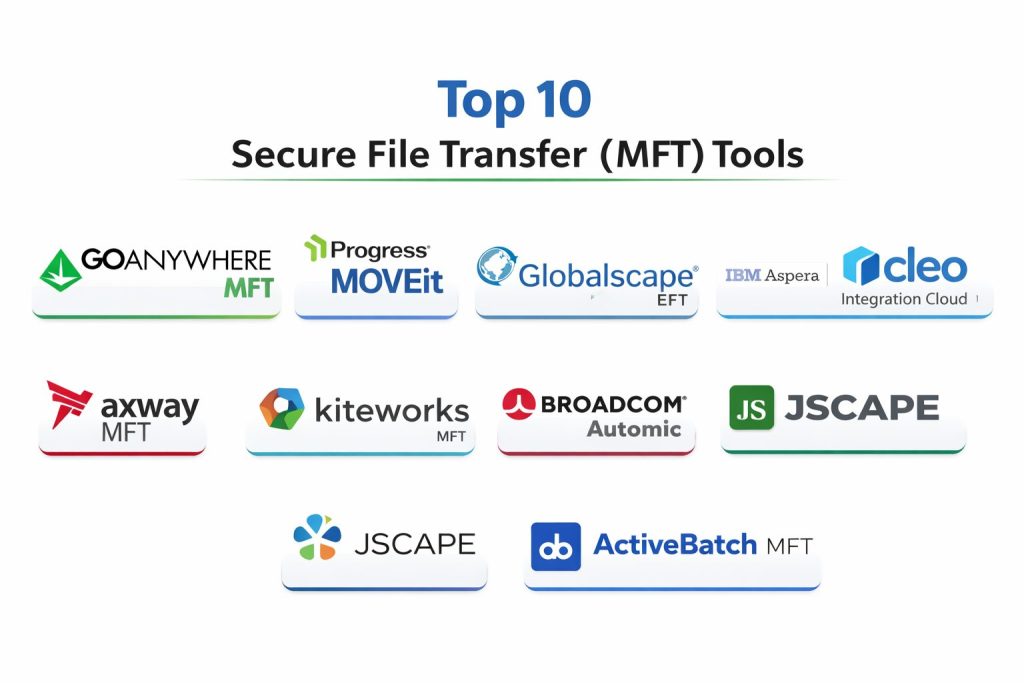
Top 10 Secure File Transfer (MFT) Tools
#1 — GoAnywhere MFT
GoAnywhere MFT by Fortra is a comprehensive solution that automates and secures file transfers using a centralized approach. It is widely recognized for its user-friendly interface that allows non-programmers to build complex workflows.
Key Features
- Project Designer: A drag-and-drop interface for creating multi-step workflows that can move, encrypt, and process files.
- Secure Forms: Allows end-users to submit files and data through custom web forms that feed directly into automated workflows.
- Cloud Connectors: Out-of-the-box integrations for popular SaaS tools like Salesforce, SharePoint, and Box.
- FIPS 140-2 Compliance: Includes certified algorithms for high-security environments.
- Advanced Reporting: Over 50 different PDF reports for auditing and compliance tracking.
- Active-Active Clustering: Ensures high availability and load balancing for enterprise-scale operations.
- GoDrive: A secure alternative to consumer file-sharing services for internal team collaboration.
Pros
- Ease of Use: One of the most intuitive administrative interfaces in the MFT market.
- Extreme Flexibility: Can be deployed on-premises, in the cloud, or as a managed service (SaaS).
Cons
- Module Pricing: The cost can scale quickly as you add specialized modules or extra connectors.
- Resource Usage: Can be heavy on system resources when running hundreds of concurrent complex workflows.
Platforms / Deployment
- Windows / Linux / macOS / AIX / IBM i
- Cloud / On-Premise / SaaS
Security & Compliance
- Encryption: AES-256, OpenPGP, SSH, TLS.
- Compliance: SOC 2, HIPAA, PCI DSS, GDPR, FIPS 140-2.
Integrations & Ecosystem
Integrates deeply with Fortra’s wider security portfolio, including DLP and threat intelligence. Supports standard protocols like SFTP, FTPS, AS2, and PeSIT.
Support & Community
Offers a robust customer portal, 24/7 global support, and the “GoAnywhere Insiders” community for knowledge sharing.
#2 — Progress MOVEit
Progress MOVEit is a “hardened” MFT solution favored by the finance and healthcare industries. It is known for its focus on multi-layered security and its tamper-evident logging database.
Key Features
- MOVEit Automation: A separate, powerful engine for creating script-free, logic-based file transfer tasks.
- Tamper-Evident Logs: Cryptographically secured logs that provide an absolute audit trail for compliance.
- Ipswitch Gateway: A DMZ proxy that ensures no data is ever stored in the “demilitarized zone” of your network.
- Secure Folder Sharing: Provides an easy-to-use, web-based interface for internal and external users to share files.
- Ad-Hoc Transfer: A plugin for Outlook and a web portal for secure person-to-person messaging.
- Mobile App: Allows administrators to monitor and manage transfers on the go.
- REST API: Enables deep integration with modern web applications and automated DevOps pipelines.
Pros
- Security Reputation: Long-standing history of meeting the strictest security requirements in regulated sectors.
- Compliance Ready: Built-in templates make preparing for audits significantly faster.
Cons
- Setup Complexity: Initial configuration of the Gateway and Automation modules can be time-consuming.
- User Interface: While functional, the UI can feel slightly dated compared to newer cloud-native competitors.
Platforms / Deployment
- Windows Server / Azure / AWS
- On-Premise / Cloud / SaaS
Security & Compliance
- Encryption: FIPS 140-2 validated cryptography.
- Compliance: HIPAA, PCI DSS, GDPR, GLBA, FFIEC.
Integrations & Ecosystem
Works seamlessly with the Progress portfolio. Strong support for traditional protocols and modern cloud storage integrations.
Support & Community
Extensive professional services are available for architecture design. Active user community and detailed technical documentation.
#3 — Globalscape EFT
Globalscape Enhanced File Transfer (EFT) is an enterprise-grade solution focused on performance and high-volume reliability. It is designed for organizations with complex, mission-critical data movement needs.
Key Features
- Event Rules Engine: A powerful system for triggering actions based on file arrival, time of day, or system events.
- High Availability Cluster: Support for multi-node clusters to ensure non-stop uptime for critical transfers.
- Secure ICAP Gateway: Automatically redacts sensitive information or blocks malware-infected files before they enter the network.
- Workspaces: A collaboration module that allows for secure, folder-based sharing with external partners.
- AS2/AS3 Support: Robust support for retail and supply chain EDI protocols.
- Advanced Authentication: Supports RSA SecurID, RADIUS, and SAML for multi-factor authentication.
- ARM (Audit Data Service): Centralized database for long-term storage of all transfer and administrative activities.
Pros
- Scalability: Capable of handling massive, high-concurrency workloads without performance drops.
- Granular Control: Provides highly detailed settings for user permissions and security policies.
Cons
- Premium Cost: Positioned as a high-end enterprise tool with a price point to match.
- Windows Reliance: The core server software is primarily Windows-based, which may not suit Linux-only shops.
Platforms / Deployment
- Windows / AWS / Azure
- On-Premise / Hybrid / SaaS
Security & Compliance
- Encryption: FIPS 140-3 support (in 2026), AES-256.
- Compliance: PCI DSS, FIPS, HIPAA, GDPR, SOX.
Integrations & Ecosystem
Integrates with Active Directory, SQL Server, and SharePoint. Part of the Fortra ecosystem for expanded security capabilities.
Support & Community
Excellent direct support and a comprehensive knowledge base with detailed “Hardening Guides.”
#4 — IBM Aspera
IBM Aspera is the gold standard for high-speed file transfer. Using its proprietary FASP protocol, it can move massive datasets up to 100x faster than traditional FTP, regardless of distance or network latency.
Key Features
- FASP Protocol: A patented protocol that overcomes the limitations of TCP to utilize 100% of available bandwidth.
- Aspera on Cloud: A SaaS platform for global collaboration and high-speed data movement across hybrid clouds.
- Aspera Orchestrator: A powerful workflow engine for complex, multi-stage data processing pipelines.
- FASPStream: Enables the high-quality, low-latency streaming of video and data over standard internet connections.
- Console: A centralized management application for monitoring all Aspera nodes and transfer activities.
- Encryption at Rest/Transit: End-to-end security using AES-256 without sacrificing transfer speed.
- Pause/Resume: Intelligent handling of network interruptions with automatic restart from the point of failure.
Pros
- Unmatched Speed: The best solution for moving 4K/8K video, genomic data, or massive database backups globally.
- Reliability: Performs exceptionally well on high-latency, poor-quality satellite or transcontinental links.
Cons
- High Barrier to Entry: The pricing and technical complexity are overkill for standard document transfers.
- Proprietary Protocol: Requires Aspera software at both ends to achieve the highest speeds.
Platforms / Deployment
- Windows / Linux / macOS / Mobile
- Hybrid / Multi-Cloud / SaaS
Security & Compliance
- Encryption: AES-256, SSH.
- Compliance: HIPAA, GDPR, ISO 27001.
Integrations & Ecosystem
Deeply integrated with the IBM Cloud ecosystem and major storage vendors (AWS S3, Azure Blob, Google Cloud Storage).
Support & Community
Enterprise-grade support from IBM’s global infrastructure. Widely used in the media and entertainment industry.
#5 — Cleo Integration Cloud (MFT)
Cleo focuses on “Ecosystem Integration,” combining MFT with EDI and API capabilities. It is the premier choice for companies looking to manage their entire supply chain visibility from a single platform.
Key Features
- Unified Integration: Handles MFT, EDI, and API-based data flows in one consolidated environment.
- 900+ Connectors: Pre-built business connectors for rapid onboarding of trading partners.
- End-to-End Visibility: Real-time dashboards that track a file’s journey from an internal system to the partner’s doorstep.
- Intelligent Error Resolution: AI-driven tools that identify why a transfer failed and how to fix it.
- Partner Self-Service: Allows vendors to test their own connections and view their transfer status.
- Any-to-Any Transformation: Built-in tools for translating file formats (e.g., CSV to EDI X12).
- High-Speed Protocol (AFTP): Cleo’s proprietary protocol for accelerating large file movements.
Pros
- Strategic Value: Moves beyond just “transferring files” to managing the entire business logic of the supply chain.
- Rapid Onboarding: Can reduce partner setup time from weeks to hours.
Cons
- Complexity: The broad feature set (EDI/API) might be too much for companies only needing pure MFT.
- Pricing Structure: Reflects its status as an “Integration Platform” rather than a simple utility.
Platforms / Deployment
- Windows / Linux
- Cloud-native / Hybrid / Private Cloud
Security & Compliance
- Encryption: AES-256, PGP, AS2.
- Compliance: HIPAA, PCI DSS, GDPR, SOC 2.
Integrations & Ecosystem
Extensive support for ERP systems like SAP, Oracle, and NetSuite. Wide range of logistics and retail integrations.
Support & Community
Highly rated for its “Managed Services” where Cleo experts handle the integration workflows for the customer.
#6 — Axway Managed File Transfer
Axway MFT is part of the Amplify platform, emphasizing an API-first approach to file transfer. It is designed for large enterprises that need to govern and scale data flows across complex, decentralized environments.
Key Features
- SecureTransport: A high-end MFT gateway designed to sit at the edge of the network and handle external connections.
- Transfer CFT: A multi-platform file transfer controller that ensures reliable movement between internal applications.
- Flow Manager: A central dashboard for designing, deploying, and managing data flows across the entire organization.
- Externalized Key Vault: Integration with enterprise security vaults for enhanced key and certificate management.
- Zero Downtime Updates: Support for rolling updates in clustered environments to maintain 100% availability.
- Self-Service Subscriptions: Business users can “subscribe” to data flows without involving IT for every change.
- Observability Workbench: Deep forensics and real-time health monitoring of all MFT nodes.
Pros
- Governance: Exceptional at managing thousands of unique data flows across different business units.
- Proven Heritage: Used by one-third of the global population indirectly through banking and logistics.
Cons
- Learning Curve: The enterprise-grade feature set requires specialized training for administrators.
- Implementation Time: Large-scale deployments can take significant planning and professional services.
Platforms / Deployment
- Windows / Linux / Mainframe
- Cloud-native / On-Premise / Managed Cloud
Security & Compliance
- Encryption: FIPS 140-2, Common Criteria.
- Compliance: GDPR, ISO 27001, HIPAA, PCI DSS.
Integrations & Ecosystem
Broad protocol support and native integration with the Axway Amplify API Management platform.
Support & Community
Comprehensive global support with a strong focus on professional services and strategic architecture.
#7 — Kiteworks MFT Suite
Kiteworks (formerly Accellion) focuses on the “Private Content Network.” Their MFT suite is unique because it hardens the entire server environment, not just the file transfer itself.
Key Features
- Hardened Virtual Appliance: The MFT server is delivered as a pre-configured, security-hardened Linux appliance.
- Vault-to-Vault Transfer: Ensures that data is always encrypted within a secure “vault” at both source and destination.
- Unified Logging: Centralizes logs from MFT, email, and web forms to give CISOs a complete view of data movement.
- Embedded WAF & Firewall: The appliance includes its own security layers to protect against web-based attacks.
- CISO Dashboard: Provides high-level risk scoring and compliance status across all content communication channels.
- Visual Flow Authoring: Low-code tools for setting up automated polling, scheduling, and event-based transfers.
- AV & DLP Integration: Scans every file for viruses and sensitive content patterns before allowing the transfer.
Pros
- Attack Surface Reduction: Significantly easier to secure because the OS and application are hardened together.
- Compliance Simplicity: The unified nature makes auditing content movement across different channels (email vs MFT) very simple.
Cons
- Appliance Model: Some IT teams may prefer more control over the underlying operating system.
- Specialized Use Case: Best suited for companies prioritizing “Security/Compliance” over “Massive Scale/High Speed.”
Platforms / Deployment
- Hardened Virtual Appliance (VMware, Hyper-V, Azure, AWS)
- Cloud / On-Premise / Hybrid
Security & Compliance
- Encryption: AES-256, FIPS 140-2.
- Compliance: FedRAMP, HIPAA, GDPR, SOC 2, ISO 27001.
Integrations & Ecosystem
Integrates with enterprise security stacks (SIEM, DLP, IdP) and document repositories like iManage and OpenText.
Support & Community
High-touch support for security-conscious organizations. Detailed documentation on hardening and risk management.
#8 — Broadcom (Automic) MFT
Broadcom’s Automic MFT integrates file transfer directly into the enterprise workload automation engine. It is ideal for organizations that want file transfers to be one “step” in a much larger business process.
Key Features
- Embedded Automation: MFT is built into the Automic Automation engine, eliminating the need for a separate scheduler.
- Parallel Processing: Handles thousands of concurrent transfers with automatic load balancing.
- Checkpoint Restart: Automatically resumes failed transfers from the last successful byte.
- Character Conversion: Native handling of EBCDIC to ASCII conversion for mainframe-to-PC transfers.
- Zero-Install Agents: Lightweight agents that can be deployed to remote servers without complex local configuration.
- Visual Job Library: Hundreds of pre-built “job steps” for common file operations and cloud integrations.
- Intelligent Auto-Scaling: Dynamically provisions transfer capacity based on current queue volumes.
Pros
- Workflow Synergy: Perfect for users already using Automic for job scheduling.
- Industrial Reliability: Built for the most demanding enterprise batch processing environments.
Cons
- Cost of Entry: Only makes sense for large enterprises with broad automation needs.
- Learning Curve: Requires knowledge of the broader Automic ecosystem to utilize effectively.
Platforms / Deployment
- Windows / Linux / UNIX / Mainframe
- Hybrid Cloud / On-Premise
Security & Compliance
- Encryption: AES-256, PGP.
- Compliance: SOX, GDPR, HIPAA.
Integrations & Ecosystem
Deep integration with SAP, Oracle, and high-end enterprise databases. Part of the Broadcom Software portfolio.
Support & Community
Global enterprise support from Broadcom. Extensive community of “automation engineers” in the enterprise space.
#9 — JSCAPE by Redwood
JSCAPE (now part of Redwood Software) is a highly versatile MFT server known for being “protocol agnostic.” It is designed for agility and easy integration into modern cloud-first architectures.
Key Features
- Any Protocol Support: Native support for SFTP, FTPS, AS2, OFTP2, AFTP, and even legacy protocols.
- Visual Workflow Designer: An intuitive tool for creating “Event Rules” without writing code.
- Rest API First: Every function of the server can be controlled via a robust REST API for DevOps automation.
- Cloud Storage Gateways: Directly map AWS S3 or Azure Blob storage as local directories for users.
- DMZ Streaming: Securely streams data through the proxy without writing to the DMZ disk, enhancing security.
- DLP & Antivirus: Built-in hooks for scanning files during the transfer process.
- High-Availability: Easy-to-configure active-active clustering for 24/7 operations.
Pros
- Flexibility: One of the most adaptable MFT servers on the market for varying technical requirements.
- Modern Interface: The UI is clean, responsive, and easier to learn than many legacy MFT tools.
Cons
- Documentation Depth: While good, it may not be as exhaustive as the legacy giants like IBM or Progress.
- Brand Awareness: Less “name recognition” in the C-suite compared to IBM or Axway.
Platforms / Deployment
- Windows / Linux / macOS / Solaris
- On-Premise / Cloud / Containerized (Docker/K8s)
Security & Compliance
- Encryption: AES-256, FIPS 140-2.
- Compliance: HIPAA, PCI DSS, GDPR, SOX.
Integrations & Ecosystem
Excellent support for all major cloud providers and standard enterprise identity systems.
Support & Community
Redwood Software provides professional enterprise support and a growing ecosystem of automated “Runbooks.”
#10 — ActiveBatch MFT
ActiveBatch by Redwood focuses on “Security-Driven Automation.” It is an orchestration-first MFT tool that allows IT teams to consolidate all their disparate file transfer scripts into a single, governed platform.
Key Features
- Integrated Jobs Library: Provides hundreds of pre-built “Job Steps” for file transfers, encryption, and cloud tasks.
- Smart Queue Management: Automatically prioritizes time-sensitive transfers over routine background tasks.
- Self-Healing Workflows: Can be configured to automatically retry or take alternative paths if a server is down.
- Super REST API: Allows any external application to trigger or monitor MFT jobs within ActiveBatch.
- Role-Based Security: Leverages the Windows Security Model and LDAP for granular access control.
- Business Logic Integration: Can trigger file transfers based on database changes or message queue events.
- Full Audit History: Maintains a permanent, searchable record of every job execution and user modification.
Pros
- Consolidation: Excellent for moving away from “spaghetti scripts” and manual cron jobs.
- Proactive Monitoring: Excellent alerting system (Email, SMS, Slack) for any transfer issues.
Cons
- Orchestration Focus: If you only need a simple SFTP server, ActiveBatch’s full orchestration suite is over-engineered.
- Initial Configuration: Mapping out complex cross-platform dependencies takes initial effort.
Platforms / Deployment
- Windows / Linux / UNIX
- Hybrid Cloud / On-Premise
Security & Compliance
- Encryption: OpenPGP, TLS/SSL, SSH.
- Compliance: HIPAA, SOX, GDPR, PCI DSS.
Integrations & Ecosystem
Supports integration with nearly any application via its API adapter. Strong native connectors for Azure and AWS.
Support & Community
Backed by Redwood Software’s enterprise support structure. Provides a wealth of whitepapers and training webinars.
Comparison Table (Top 10)
| Tool Name | Best For | Platform(s) Supported | Deployment | Standout Feature | Public Rating |
| GoAnywhere MFT | Automation / SMB-Enterprise | Win, Linux, IBM i | Hybrid | Visual Project Designer | 4.7/5 |
| Progress MOVEit | Compliance / Finance | Win, Azure, AWS | SaaS/Cloud | Tamper-Evident Logs | 4.4/5 |
| Globalscape EFT | High-Volume Scale | Windows, AWS, Azure | Hybrid | Secure ICAP Gateway | 4.5/5 |
| IBM Aspera | Big Data / High Speed | Win, Linux, Mac | SaaS/Hybrid | FASP Protocol (100x speed) | 4.8/5 |
| Cleo Integration Cloud | Supply Chain / EDI | Win, Linux, Cloud | Cloud-Native | 900+ Partner Connectors | 4.6/5 |
| Axway MFT | Global Governance | Win, Linux, Mainframe | Managed Cloud | Zero Downtime Updates | 4.4/5 |
| Kiteworks MFT | Hardened Security | Virtual Appliance | On-Prem/Cloud | Hardened Virtual Appliance | 4.7/5 |
| Broadcom Automic | Enterprise Automation | Win, Linux, Mainframe | On-Premise | Mainframe-to-Cloud Integration | 4.3/5 |
| JSCAPE | Agile / Protocol Depth | Win, Linux, Docker | Hybrid/K8s | Any-Protocol Support | 4.5/5 |
| ActiveBatch MFT | Workflow Orchestration | Win, Linux, UNIX | Hybrid | Self-Healing Workflows | 4.4/5 |
Evaluation & Scoring of Secure MFT Tools
The following scoring reflects the technical performance, security posture, and market relevance of these tools.
| Tool Name | Security (25%) | Automation (15%) | Scalability (15%) | Ease (10%) | Compliance (15%) | Cloud (10%) | Value (10%) | Weighted Total |
| GoAnywhere MFT | 9 | 10 | 8 | 9 | 9 | 8 | 8 | 8.75 |
| Progress MOVEit | 9 | 8 | 8 | 8 | 10 | 8 | 7 | 8.40 |
| Globalscape EFT | 9 | 9 | 10 | 7 | 9 | 8 | 6 | 8.45 |
| IBM Aspera | 10 | 8 | 10 | 6 | 8 | 10 | 6 | 8.50 |
| Cleo Integration Cloud | 8 | 9 | 9 | 8 | 9 | 10 | 7 | 8.65 |
| Axway MFT | 9 | 8 | 10 | 6 | 10 | 9 | 6 | 8.35 |
| Kiteworks MFT | 10 | 7 | 7 | 8 | 10 | 9 | 7 | 8.45 |
| Broadcom Automic | 8 | 10 | 10 | 5 | 8 | 8 | 6 | 8.05 |
| JSCAPE | 8 | 9 | 8 | 9 | 8 | 9 | 9 | 8.50 |
| ActiveBatch MFT | 8 | 10 | 8 | 7 | 8 | 9 | 8 | 8.25 |
Scoring Interpretation:
- 9.0+: Elite performance; industry-leading in the specific weighted category.
- 8.0–8.9: Robust enterprise-grade solution; high reliability and professional capability.
- Below 8.0: Specialist tools that are world-class in their niche (e.g., speed or automation) but might have higher costs or steeper learning curves.
Which Secure MFT Tool Is Right for You?
Small-to-Medium Enterprise (SME)
If you need a tool that “just works” and can be managed by a generalist IT team, GoAnywhere MFT or JSCAPE are the best options. They offer the fastest path from installation to secure, automated transfers without requiring a high-end specialist.
Global Financial or Healthcare Institution
For those where compliance is the single most important factor, Progress MOVEit or Kiteworks should be at the top of the list. Their focus on tamper-evident logging and hardened appliances reduces the risk of audit failures and data breaches.
Media, Scientific, or Data-Heavy Organizations
If you are moving petabytes of data across oceans (e.g., film dailies, satellite imagery, or database mirrors), IBM Aspera is the clear winner. No other tool can match its speed on high-latency networks.
Supply Chain & Retail Operations
If your business depends on thousands of external vendors and EDI files, Cleo Integration Cloud is the most strategic choice. It moves beyond “file transfer” into “ecosystem integration,” giving you visibility into the business transactions inside the files.
IT Orchestration & DevOps
If you want to eliminate siloed tools and manage file transfers as part of your broader application workflows, ActiveBatch or Broadcom Automic provide the best orchestration capabilities.
Frequently Asked Questions (FAQs)
What is the difference between MFT and standard FTP?
FTP is a basic protocol with no built-in security, automation, or audit trails. MFT is a management platform that uses secure protocols (like SFTP) but adds encryption, automated workflows, compliance reporting, and centralized visibility.
Is Managed File Transfer (MFT) more secure than cloud storage like Dropbox?
Yes. MFT is designed for “system-to-system” transfers with strict compliance and audit requirements. While cloud storage is great for “people-to-people” collaboration, it lacks the advanced automation, protocol support (AS2, PeSIT), and granular logging required by regulated industries.
Do I need an MFT tool if I already use SFTP?
While SFTP secures the data in transit, it doesn’t solve the problems of visibility, automation, or “data at rest” encryption. MFT provides a management layer on top of SFTP to ensure that jobs run on time, errors are caught, and auditors can see exactly who moved what.
How does MFT help with GDPR compliance?
MFT tools provide end-to-end encryption, ensuring that personal data is unreadable if intercepted. They also provide the detailed “access and movement” logs required to prove that data is being handled according to privacy policies.
Can MFT tools scan for viruses?
Yes. Many modern MFT tools (like Globalscape and Kiteworks) integrate with ICAP-compatible antivirus and DLP engines to scan every file for malware or sensitive data before the transfer is finalized.
What is a DMZ Gateway in the context of MFT?
A DMZ Gateway is a proxy that resides in your network’s DMZ. It allows external partners to connect and upload files without those files ever being stored in the DMZ or the partner ever gaining direct access to your internal network.
Does Aspera require special hardware to reach 100x speeds?
No. Aspera achieves its speed through its FASP protocol, which is software-based. However, to utilize those speeds, you do need a network connection with high bandwidth availability at both the source and destination.
Can I automate MFT without writing scripts?
Yes. In 2026, most top-tier MFT tools (GoAnywhere, MOVEit, Cleo) feature “no-code” visual designers where you can build logic (If/Then/Else) using drag-and-drop components.
What is AS2 protocol and why do I need it?
AS2 (Applicability Statement 2) is the standard protocol for Electronic Data Interchange (EDI) over the internet. If you are doing business with large retailers (like Walmart or Amazon), they often require AS2 for secure, non-repudiable document exchange.
What is “Non-Repudiation” in MFT?
Non-repudiation is the technical proof that a file was sent by a specific sender and received by a specific recipient, and that the file was not altered in between. This is typically achieved through digital signatures and receipts (MDN).
Conclusion
The selection of a Secure MFT tool in 2026 is a critical decision for any organization’s security posture. Whether you prioritize the high-speed acceleration of IBM Aspera, the supply-chain visibility of Cleo, or the hardened security of Kiteworks, the goal remains the same: ensuring that sensitive data moves reliably and compliantly across the global digital ecosystem.
As threat actors become more sophisticated, the shift toward “Threat-Aware” and “Zero-Trust” file transfer is no longer optional. The tools listed here represent the state-of-the-art in protecting data in motion.