Introduction
Process mining software is a category of enterprise technology designed to discover, monitor, and improve real-world business processes by extracting knowledge from event logs available in information systems. Unlike traditional business process management (BPM) which relies on manual interviews and workshops to map “how we think things work,” process mining provides an objective, data-driven “as-is” view. It acts like an X-ray for an organization, revealing exactly how data flows through ERP, CRM, and SCM systems, pinpointing where delays occur and where money is being lost.
The relevance of this technology has reached a tipping point. As organizations shift toward autonomous operations and agentic AI, they require a perfectly clear understanding of their current state before they can hand over control to automated agents. Process mining provides the “ground truth” data that these AI systems need to function safely and effectively. It has evolved from a simple diagnostic tool into a continuous “process intelligence” layer that monitors business health in real-time.
Real-world use cases include:
- Order-to-Cash Optimization: Identifying why certain sales orders take twice as long to fulfill as others.
- Procure-to-Pay Efficiency: Detecting “maverick buying” or duplicate payments that drain corporate budgets.
- Compliance & Auditing: Automatically checking if every financial transaction followed the mandatory four-eyes principle.
- IT Service Management (ITSM): Analyzing ticket lifecycles to reduce mean time to resolution (MTTR).
What buyers should evaluate:
- Data Ingestion Capabilities: Can it connect to your specific legacy systems and cloud apps?
- Object-Centric Mining (OCPM): Does it support complex, multi-object processes or just linear cases?
- Real-Time Monitoring: Does it offer live dashboards or just static periodic uploads?
- AI Integration: Does it provide prescriptive recommendations or just descriptive charts?
- Ease of Use: Can business analysts use it, or does it require a team of data scientists?
- Scalability: Can it handle billions of event logs without performance degradation?
- Automation Linkage: How easily can insights be turned into automated workflows?
- Security Framework: Does it offer the necessary governance for sensitive financial or medical data?
Best for: Large-scale enterprises with complex digital footprints, Centers of Excellence (CoE) focused on hyperautomation, and highly regulated industries like banking and healthcare.
Not ideal for: Very small businesses with manual, paper-based workflows or organizations that haven’t yet centralized their data into digital systems.
Key Trends in Process Mining Software
- Object-Centric Process Mining (OCPM): Moving beyond single “case IDs” to analyze the complex web of interactions between orders, items, and invoices simultaneously.
- Agentic AI Enablement: Process mining tools are now generating the “logic maps” used to train autonomous AI agents to handle business exceptions.
- Generative AI Chat Interfaces: Users can now query their process data using natural language, asking, “Where is the bottleneck in my EMEA supply chain?” instead of building complex queries.
- Continuous Process Intelligence: A shift from “one-off” consulting projects to 24/7 real-time monitoring with automated anomaly alerts.
- Task Mining Convergence: The blending of system-level logs with desktop-level user activity (clicks and keystrokes) for a 360-degree view of work.
- Sustainability & ESG Tracking: Using process data to calculate the carbon footprint of specific supply chain routes or manufacturing steps.
- Predictive Conformance Checking: Using machine learning to predict if a process is about to deviate from the standard before it actually happens.
- Zero-Code Data Transformation: Advanced ETL (Extract, Transform, Load) layers that allow non-technical users to clean and prep event logs.
How We Selected These Tools (Methodology)
To select the top 10 tools, we employed a multi-dimensional evaluation methodology:
- Market Adoption & Mindshare: We prioritized tools that are widely recognized as leaders in independent analyst reports and have a significant global customer base.
- Technical Innovation: Priority was given to platforms that have successfully integrated OCPM and Generative AI features.
- Platform Reliability: We evaluated the performance signals and uptime history of cloud-native and on-premise deployments.
- Integration Depth: We looked for tools with pre-built connectors for major ERPs like SAP, Oracle, and Microsoft Dynamics.
- Security & Governance: We assessed the presence of enterprise-grade security features like RBAC, SSO, and data masking.
- Customer Success Signals: We factored in user feedback regarding time-to-value and ease of implementation.
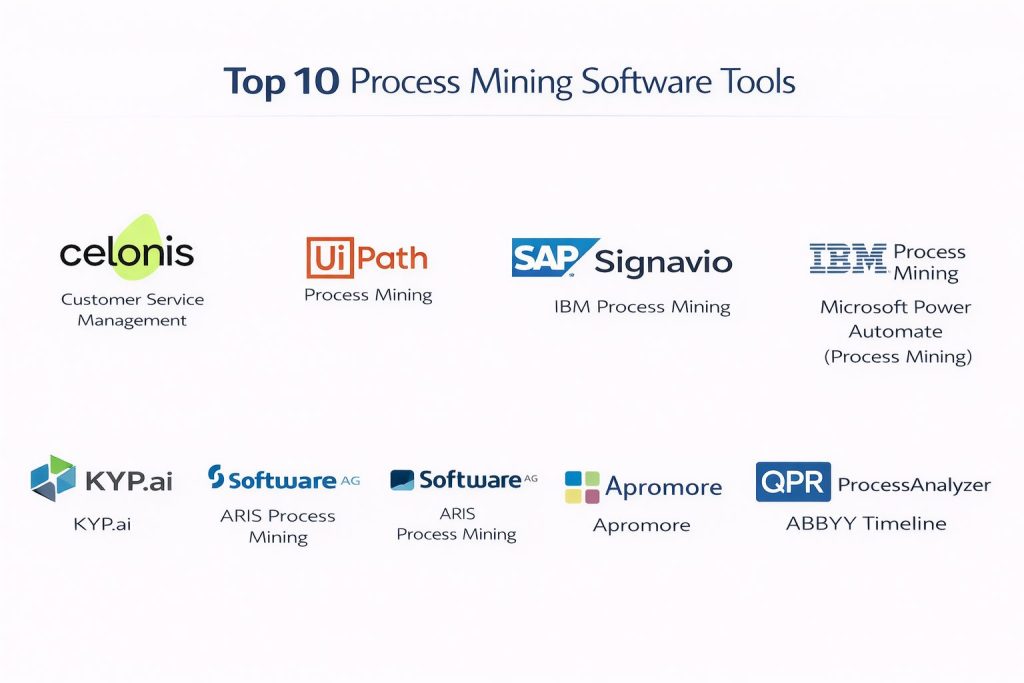
Top 10 Process Mining Software Tools
#1 — Celonis
The undisputed market leader in process mining. It provides an enterprise-scale “Process Intelligence Platform” designed for end-to-end business transformation.
Key Features
- Process Sphere: A revolutionary OCPM environment that visualizes business processes in 3D to show how different objects interact.
- Action Engine: A real-time automation layer that notifies employees when a process deviates or requires intervention.
- Transformation Center: A high-level dashboard for tracking the ROI and business value of process improvements.
- Celocore Engine: A highly optimized data processing engine designed for billions of records.
- LLM-Powered Assistant: Allows users to interact with their data using conversational English.
Pros
- Unmatched scalability and performance for global organizations.
- Largest ecosystem of pre-built “Apps” and “Connectors” for rapid deployment.
Cons
- High total cost of ownership (TOC), often making it inaccessible for smaller firms.
- Requires significant technical expertise to set up complex custom data models.
Platforms / Deployment
- Cloud / Hybrid
- Windows (Client) / Web
Security & Compliance
- SSO/SAML, MFA, Data Encryption at rest and in transit.
- SOC 2 Type II, ISO 27001, GDPR, HIPAA compliant.
Integrations & Ecosystem
Celonis boasts the most extensive integration marketplace in the category.
- SAP S/4HANA (Native)
- Oracle ERP Cloud
- Salesforce
- ServiceNow
- Microsoft Dynamics
Support & Community
Industry-leading support via the Celonis Academy and a massive global network of consulting partners.
#2 — UiPath Process Mining
Formerly ProcessGold, this tool is perfectly integrated into the UiPath Business Automation Platform, making it the best choice for automation-first teams.
Key Features
- Automation Hub Integration: Direct path from process discovery to RPA (Robotic Process Automation) bot development.
- Task Mining Integration: Combines high-level system logs with low-level desktop activity capture.
- Continuous Discovery: Real-time monitoring of process variants to identify new automation opportunities.
- ROI Tracking: Built-in calculators to measure the impact of bots on process speed and cost.
- Custom Visualizations: Highly flexible dashboarding tools for specialized business requirements.
Pros
- The most seamless transition from “insight” to “automation” in the industry.
- Familiar interface for existing UiPath users, reducing the learning curve.
Cons
- Best value is only realized if you are already using the broader UiPath stack.
- Data transformation layer can be less intuitive than Celonis for non-developers.
Platforms / Deployment
- Cloud / On-premise / Hybrid
- Windows / Web
Security & Compliance
- SSO, RBAC, Advanced Audit Logs.
- SOC 2, ISO 27001, GDPR.
Integrations & Ecosystem
Deeply connected to the automation world.
- UiPath Orchestrator
- SAP
- Salesforce
- Workday
- ServiceNow
Support & Community
Excellent resources through the UiPath Academy and a very active community forum of automation engineers.
#3 — SAP Signavio
A cloud-native process transformation suite that is essential for any organization operating within a heavy SAP environment.
Key Features
- Process Intelligence: Advanced mining specifically optimized for SAP S/4HANA data structures.
- Collaboration Hub: A shared space for business users and IT to design and approve process changes.
- Process Manager: High-end modeling tools using BPMN 2.0 standards.
- One Process Observer: Real-time monitoring of end-to-end processes across SAP and non-SAP systems.
- Benchmarking: Compare your process performance against industry standards within the SAP ecosystem.
Pros
- Deepest native integration with SAP systems, reducing data preparation time.
- Strong focus on “human-centric” process management and collaboration.
Cons
- Can feel limited or secondary for organizations that don’t primarily use SAP.
- Some features can be complex to configure without SAP-specific knowledge.
Platforms / Deployment
- Cloud only
- Web-based
Security & Compliance
- SSO, SAML 2.0, Multi-tenant isolation.
- ISO 27001, SOC 1/2, GDPR.
Integrations & Ecosystem
While it supports other systems, its gravity is centered around the SAP world.
- SAP S/4HANA
- SAP SuccessFactors
- SAP Ariba
- Salesforce
Support & Community
Robust support via SAP Enterprise Support and a large community of SAP consultants and architects.
#4 — IBM Process Mining
An enterprise-grade solution that focuses on building a “Digital Twin of the Organization” (DTO) using AI and advanced simulation.
Key Features
- AI-Powered Discovery: Automatically generates BPMN models from raw event logs.
- Rule Discovery: Identifies the hidden business rules that govern process decisions.
- Simulation Engine: Test “what-if” scenarios (e.g., “What happens if I remove this approval step?”) before implementing changes.
- Cost Analysis: Calculates the financial impact of every process bottleneck.
- Task Mining: Captures user interactions to fill the gaps in system logs.
Pros
- Strongest simulation capabilities for predicting the outcome of process changes.
- Excellent integration with IBM’s broader automation and AI (Watson) portfolio.
Cons
- The user interface can feel more technical and less “modern” than some competitors.
- Deployment can be complex for teams not familiar with IBM Cloud Paks.
Platforms / Deployment
- Cloud / On-premise (via IBM Cloud Pak for Business Automation)
- Web-based
Security & Compliance
- SSO/SAML, LDAP integration, RBAC.
- SOC 2, ISO 27001, HIPAA (supported environments).
Integrations & Ecosystem
Works best as part of the IBM automation stack.
- IBM BAW (Business Automation Workflow)
- SAP
- Salesforce
- Oracle
Support & Community
Premium support available through IBM’s global service network and extensive technical documentation.
#5 — Microsoft Power Automate (Process Mining)
Leveraging the acquisition of Minit, Microsoft has built a highly accessible process mining tool integrated into the Power Platform.
Key Features
- Templates: Pre-built templates for common processes like Financial Close and Supply Chain.
- Power BI Integration: Native visualization of process data using the world’s most popular BI tool.
- Copilot in Power Automate: Use AI to analyze process maps and suggest optimizations.
- Desktop Flow Integration: Directly trigger Power Automate “flows” based on mining insights.
- Root Cause Analysis: Visual breakdown of the primary drivers behind process delays.
Pros
- Highly affordable and accessible for organizations already using Microsoft 365.
- Very low barrier to entry for business analysts familiar with Power BI.
Cons
- Some advanced OCPM features are not as mature as those in Celonis.
- Primarily Windows/Microsoft-centric, which may limit some heterogeneous environments.
Platforms / Deployment
- Cloud / Windows
- Web-based
Security & Compliance
- Inherits Microsoft 365 security (SSO, MFA, Conditional Access).
- SOC 2, ISO 27001, GDPR, HIPAA.
Integrations & Ecosystem
Unbeatable integration with the Microsoft ecosystem.
- Microsoft Dynamics 365
- Azure Data Lake
- SharePoint
- Teams
Support & Community
Massive community support and extensive free training through Microsoft Learn.
#6 — KYP.ai
A modern “Productivity 360” platform that focuses on combining process, task, and people data for prescriptive AI insights.
Key Features
- Desktop Capture: Extremely lightweight “plug-and-play” capture of user activity across all apps.
- Prescriptive Insights: Uses LLMs to suggest specific actions, not just show charts.
- Agentic AI Enablement: Directly exports logic that can be used to build autonomous AI agents.
- ROI Simulator: Real-time calculation of potential savings from specific automation or training.
- Privacy by Design: Advanced data masking at the edge to protect employee privacy.
Pros
- Much faster “time-to-insight” than traditional log-based mining.
- Captures the “shadow IT” and manual work that ERP logs miss.
Cons
- Newer player with a smaller partner ecosystem compared to giants like SAP.
- Focus is more on “productivity” and “tasks” than deep ERP structural mining.
Platforms / Deployment
- Cloud
- Windows (Capture Client) / Web
Security & Compliance
- SSO, PII Masking, GDPR compliant by design.
- SOC 2 (In progress / Varies).
Integrations & Ecosystem
- UiPath
- Automation Anywhere
- SAP
- Microsoft Power Platform
Support & Community
Personalized professional support and a rapidly growing library of automation blueprints.
#7 — Software AG ARIS Process Mining
A long-standing leader in the BPM space, ARIS offers a highly governed approach to process mining and management.
Key Features
- BPMN Integration: Seamlessly syncs mined data with professional process models.
- Conformance Checking: Advanced tools to compare “reality” against “design” and flag violations.
- Risk & Compliance: Dedicated modules for managing GRC (Governance, Risk, and Compliance).
- Process Live: Real-time monitoring of process performance against predefined KPIs.
- Semantic Data Layer: Translates raw technical logs into business-friendly language.
Pros
- The best choice for organizations that need a strict link between mining and formal process governance.
- Very strong for large-scale enterprise modeling and repository management.
Cons
- The user interface can feel clunky and dated compared to newer “SaaS-first” tools.
- Learning curve is significant due to the breadth of the ARIS platform.
Platforms / Deployment
- Cloud / On-premise / Hybrid
- Web-based
Security & Compliance
- SSO, Advanced RBAC, Audit Trails.
- ISO 27001, SOC 2, GDPR.
Integrations & Ecosystem
- SAP
- Oracle
- ServiceNow
- Alfabet (Portfolio Management)
Support & Community
Decades of community knowledge and professional support services from Software AG.
#8 — Apromore
An enterprise-grade tool born from open-source roots, offering advanced academic-level algorithms with a commercial interface.
Key Features
- Automated Discovery: One of the fastest and most accurate discovery engines in the market.
- Predictive Analytics: Real-time monitoring that predicts the outcome of active cases.
- Social Network Analysis: Visualizes how different teams and individuals collaborate within a process.
- Comparison Mode: Side-by-side analysis of process variants (e.g., Region A vs. Region B).
- Edge-First Data Prep: Powerful tools for cleaning and filtering event logs locally.
Pros
- Offers high-end academic features (like complex concurrency detection) that others miss.
- Very transparent and flexible pricing models compared to enterprise giants.
Cons
- Smaller global support footprint than firms like IBM or SAP.
- Ecosystem of third-party “pre-built apps” is still growing.
Platforms / Deployment
- Cloud / On-premise
- Web-based
Security & Compliance
- SSO/SAML, Encryption.
- SOC 2, GDPR.
Integrations & Ecosystem
- SAP
- Oracle
- Salesforce
- Microsoft Dynamics
Support & Community
Excellent technical support and strong ties to the academic process mining community.
#9 — QPR ProcessAnalyzer
A powerful mining tool built on a “headless” engine, known for its extreme speed and native integration with BI platforms.
Key Features
- In-Memory Engine: Capable of analyzing millions of rows in seconds.
- Root Cause Analysis: Advanced automated detection of why certain process steps fail.
- Conformance Tracking: Real-time alerts when a process steps outside the allowed path.
- Snowflake Native: Can run directly on top of the Snowflake data cloud.
- KPI Dashboards: Highly customizable visuals for C-suite reporting.
Pros
- Exceptional performance on very large, complex datasets.
- Very flexible for developers who want to build custom process apps on top of the engine.
Cons
- Requires more technical setup than “plug-and-play” tools like Microsoft’s.
- Less focus on the “modeling” and “documentation” side of BPM.
Platforms / Deployment
- Cloud / On-premise
- Web-based
Security & Compliance
- SSO, MFA, Azure AD integration.
- ISO 27001, GDPR.
Integrations & Ecosystem
- Snowflake
- SAP
- Oracle
- Power BI
Support & Community
Strong professional support and a dedicated network of partners in Europe and North America.
#10 — ABBYY Timeline
A unique process intelligence tool that specializes in document-centric processes and “Timeline” based analysis.
Key Features
- Timeline Visualization: Shows every event for a specific case on a horizontal timeline, making patterns easy to see.
- Predictive Alerting: Uses neural networks to predict the future state of an ongoing process.
- Process Schema Mapping: Automatically discovers the overall logic of complex, unstructured work.
- OCR Integration: Can ingest data from scanned documents using ABBYY’s world-leading OCR.
- Protocol Analysis: Compares processes against specific legal or regulatory protocols.
Pros
- Best-in-class for processes that involve a lot of documents (like Insurance claims or Mortgages).
- The “Timeline” view is often more intuitive for business users than a standard process map.
Cons
- Not as focused on “Object-Centric” mining as Celonis.
- The focus on “unstructured” processes makes it less ideal for purely rigid ERP flows.
Platforms / Deployment
- Cloud only
- Web-based
Security & Compliance
- SSO, Encryption, SOC 2.
- GDPR, HIPAA (Business Associate agreements available).
Integrations & Ecosystem
- Blue Prism (Automation)
- UiPath
- Salesforce
- SAP
Support & Community
Solid professional support and a strong presence in the intelligent document processing (IDP) market.
Comparison Table (Top 10)
| Tool Name | Best For | Platform(s) Supported | Deployment | Standout Feature | Public Rating |
| Celonis | Enterprise Transformation | Win, Web | Hybrid | Object-Centric (OCPM) | 4.8/5 |
| UiPath Process Mining | Automation-First Teams | Win, Web | Hybrid | RPA Integration | 4.7/5 |
| SAP Signavio | SAP Ecosystem | Web | Cloud | Collaboration Hub | 4.6/5 |
| IBM Process Mining | Digital Twins & Simulation | Web | Hybrid | “What-if” Simulation | 4.5/5 |
| Microsoft Power Automate | MS Ecosystem / Low-Cost | Win, Web | Cloud | Power BI Integration | 4.4/5 |
| KYP.ai | Productivity & GenAI | Win, Web | Cloud | Prescriptive AI | 4.9/5 |
| ARIS Process Mining | Governance & GRC | Web | Hybrid | BPMN / GRC Linking | 4.3/5 |
| Apromore | Advanced Analytics | Web | Hybrid | Predictive Discovery | 4.6/5 |
| QPR ProcessAnalyzer | Data Cloud (Snowflake) | Web | Hybrid | Headless In-Memory | 4.4/5 |
| ABBYY Timeline | Document-Centric Work | Web | Cloud | Timeline Visualization | 4.5/5 |
Evaluation & Scoring of Process Mining Software
The following scoring model evaluates the tools across seven critical categories to help you identify the best fit for your technical and business environment.
| Tool Name | Core (25%) | Ease (15%) | Integrations (15%) | Security (10%) | Performance (10%) | Support (10%) | Value (15%) | Weighted Total |
| Celonis | 10 | 5 | 10 | 10 | 10 | 9 | 5 | 8.5 |
| KYP.ai | 8 | 9 | 8 | 9 | 9 | 8 | 9 | 8.4 |
| UiPath | 9 | 8 | 9 | 9 | 8 | 9 | 7 | 8.4 |
| MS Power Automate | 7 | 10 | 10 | 9 | 7 | 8 | 9 | 8.3 |
| SAP Signavio | 8 | 7 | 9 | 10 | 8 | 8 | 6 | 7.8 |
| IBM | 9 | 5 | 8 | 10 | 8 | 8 | 6 | 7.6 |
| Apromore | 8 | 7 | 7 | 8 | 8 | 7 | 8 | 7.6 |
| ARIS | 8 | 5 | 7 | 10 | 8 | 8 | 6 | 7.3 |
| QPR | 8 | 6 | 7 | 8 | 10 | 7 | 7 | 7.3 |
| ABBYY Timeline | 7 | 7 | 7 | 8 | 8 | 7 | 7 | 7.1 |
How to interpret these scores:
- 8.0 – 10.0: Market-leading solutions. These provide the most complete feature sets and are suitable for global enterprise deployments.
- 7.0 – 7.9: Strong specialized tools. Excellent for specific ecosystems (like SAP) or specific needs (like advanced simulation or document analysis).
- Comparative Note: Scoring is relative to the current 2026 market standards; a lower score in “Ease” often reflects a deeper, more technical feature set that requires specialist knowledge.
Which Process Mining Software Tool Is Right for You?
Solo / Freelancer
For a single consultant or a freelancer focused on process optimization, Microsoft Power Automate (Process Mining) or Blender (for visualization, though not mining) aren’t the answer—instead, look at the free tiers of Apromore or Celonis for Academics. These allow you to learn the craft without upfront costs. KYP.ai is also highly effective for solo productivity audits.
SMB
Small to medium businesses should prioritize Microsoft Power Automate. If you already pay for M365, the incremental cost is manageable, and the integration with Power BI means you don’t need to hire a specialized “Process Mining Engineer” to see your first results.
Mid-Market
For companies with 500-2000 employees, UiPath Process Mining or Apromore offer the best balance. They provide deep insights without the extreme price tag of the top-tier enterprise suites, and they offer a clear path to automating the inefficiencies they find.
Enterprise
At the Fortune 500 level, Celonis is the standard for a reason. Its ability to handle “Object-Centric” mining for complex global supply chains is currently unmatched. However, if your enterprise is 100% SAP-focused, SAP Signavio is a mandatory consideration due to its native data handling.
Budget vs Premium
- Budget: Microsoft Power Automate, Apromore (Community Edition), KYP.ai.
- Premium: Celonis, SAP Signavio, IBM Process Mining.
Feature Depth vs Ease of Use
If you need deep, mathematical simulation and “what-if” modeling, IBM is your best bet. If you want a tool that a Business Analyst can pick up in a week and start producing value, Microsoft or KYP.ai are superior.
Integrations & Scalability
Celonis and QPR lead in pure data scalability. For integration breadth, Microsoft (via the Power Platform connectors) and Celonis are the clear winners.
Security & Compliance Needs
Organizations in banking, defense, or healthcare should look toward ARIS or SAP Signavio. These platforms have decades of experience in formal governance and provide the most robust frameworks for managing strict regulatory compliance.
Frequently Asked Questions (FAQs)
1. What is the difference between Process Mining and Task Mining?
Process mining extracts data from back-end system logs (like SAP or Salesforce) to show the high-level flow of work. Task mining captures front-end user activity (mouse clicks, typing) to show the manual steps people take between system updates.
2. How much does process mining software cost?
Pricing models vary. Microsoft offers user-based pricing starting around $15-40/month, while enterprise suites like Celonis or SAP Signavio can cost hundreds of thousands of dollars per year based on data volume and the number of processes analyzed.
3. Do I need a data scientist to use these tools?
For basic discovery using pre-built templates, a business analyst can handle the work. However, for custom data transformations and complex object-centric modeling, you will likely need a data engineer or a specialized process mining consultant.
4. How long does it take to see results?
“Time-to-value” has dropped significantly. With modern cloud connectors, you can see a basic process map in hours. However, a full enterprise-wide optimization project usually takes 3 to 6 months to realize actual financial savings.
5. Is my data safe in the cloud?
Most enterprise providers offer SOC 2 and ISO 27001 compliance. They also use advanced data masking to ensure that sensitive information (like customer names or credit card numbers) is stripped out before the logs are uploaded for analysis.
6. Can process mining help with ESG and sustainability?
Yes. By analyzing supply chain and manufacturing processes, these tools can identify “carbon-heavy” routes, excessive waste in production, or energy-inefficient steps, helping companies meet their 2026 sustainability targets.
7. Which tool is best for SAP users?
SAP Signavio is the native choice, but Celonis was built on SAP data and remains a massive competitor. The choice depends on whether you want a native “inside-SAP” experience or a dedicated “best-of-breed” mining engine.
8. Does process mining replace BPM?
No, it enhances it. Traditional Business Process Management (BPM) is about designing the “should-be” state. Process mining shows you the “as-is” state. Together, they allow you to bridge the gap between theory and reality.
9. What is Object-Centric Process Mining (OCPM)?
Standard mining looks at one “case” at a time (e.g., an invoice). OCPM looks at how multiple objects relate (e.g., how one purchase order relates to five different items, three invoices, and two shipping notices) to show a more realistic, non-linear view.
10. Can I automate my processes directly from these tools?
Most modern tools (especially UiPath, Microsoft, and Celonis) have “action layers.” Once a bottleneck is found, you can trigger a script, an RPA bot, or an AI agent to handle the task automatically.
Conclusion
Process mining has transitioned from an experimental “nice-to-have” to the foundational layer of the modern digital enterprise. The ability to see through the “fog of data” and understand exactly how work is happening is the only way to drive meaningful efficiency.
Whether you choose the raw power of Celonis, the automation-first approach of UiPath, or the AI-driven prescriptive insights of KYP.ai, the “best” tool is the one that aligns with your existing technology stack and your team’s technical maturity. Your next step should be to identify one high-volume, high-friction process (like Accounts Payable or Customer Onboarding) and run a limited-scope pilot to prove the ROI.