Introduction
Case Management Platforms are specialized software solutions designed to manage complex, information-intensive processes that require a combination of human decision-making and automated workflows. Unlike standard project management tools that focus on linear tasks, case management handles “cases”—incidents, investigations, or service requests—that have unpredictable paths and require a centralized record of all related documents, communications, and actions.
Landscape, these platforms have evolved from simple digital filing cabinets into intelligent hubs. Organizations now face higher volumes of data and stricter regulatory requirements, making manual tracking a significant liability. By consolidating fragmented data into a single source of truth, these platforms ensure consistency, transparency, and faster resolution times.
Real-world use cases include:
- Legal and Claims: Managing litigation files, evidence, and insurance claim lifecycles.
- Healthcare: Coordinating patient care plans across multiple providers and tracking medical history.
- Human Resources: Handling employee grievances, onboarding complex roles, or internal investigations.
- Social Services: Tracking support services for individuals and families over long durations.
What buyers should evaluate:
- Workflow Flexibility: Can the tool adapt to non-linear processes?
- User Interface: Is it intuitive enough for non-technical staff to use daily?
- Data Security: Does it offer granular permissions and encryption?
- Reporting & Analytics: Can it generate real-time insights into case bottlenecks?
- Integration Capability: Does it connect with existing email, CRM, and ERP systems?
- Mobile Accessibility: Can field workers access and update cases on the go?
- Automation Level: Does it use AI to suggest next steps or categorize documents?
- Scalability: Can it handle an increase from hundreds to millions of cases?
Best for: Government agencies, law firms, healthcare providers, and enterprise HR or compliance departments handling high-stakes investigations.
Not ideal for: Small teams with simple, linear task lists or companies looking for a basic “to-do” app without the need for detailed record-keeping.
Key Trends in Case Management Platforms
- Generative AI Summarization: Platforms now use AI to instantly summarize thousands of pages of case notes and documents for quick briefing.
- Adaptive Case Management (ACM): A shift toward systems that allow users to change the workflow “on the fly” as new information emerges.
- Zero-Code Configuration: Modern tools allow business users to build complex case workflows using drag-and-drop interfaces without IT help.
- Predictive Analytics: Systems can now flag “high-risk” cases based on historical patterns before they become critical issues.
- Enhanced Privacy Controls: With global data laws tightening, platforms are building in automatic data masking and “right to be forgotten” tools.
- Omnichannel Intake: Cases can now be automatically initiated from social media, WhatsApp, email, or voice calls using natural language processing.
- Blockchain for Audit Trails: Some high-security platforms are utilizing distributed ledgers to ensure case history is immutable and tamper-proof.
- Hyper-Automation: The use of Robotic Process Automation (RPA) to handle repetitive data entry, leaving humans to focus on decision-making.
How We Selected These Tools (Methodology)
To select the top 10 platforms, we analyzed the market using a strict set of criteria focused on reliability and professional utility:
- Industry Reputation: We prioritized tools with a proven track record in legal, healthcare, and government sectors.
- Feature Depth: We looked for comprehensive audit logs, document management, and advanced search capabilities.
- Security Posture: Only tools with strong security signals, such as enterprise-grade encryption and access controls, were considered.
- User Feedback: We analyzed market sentiment regarding ease of use and long-term reliability.
- Integration Ecosystem: The ability to fit into a modern enterprise tech stack was a key factor.
- Innovation: We favored platforms that have successfully integrated AI and automation into their core workflows.
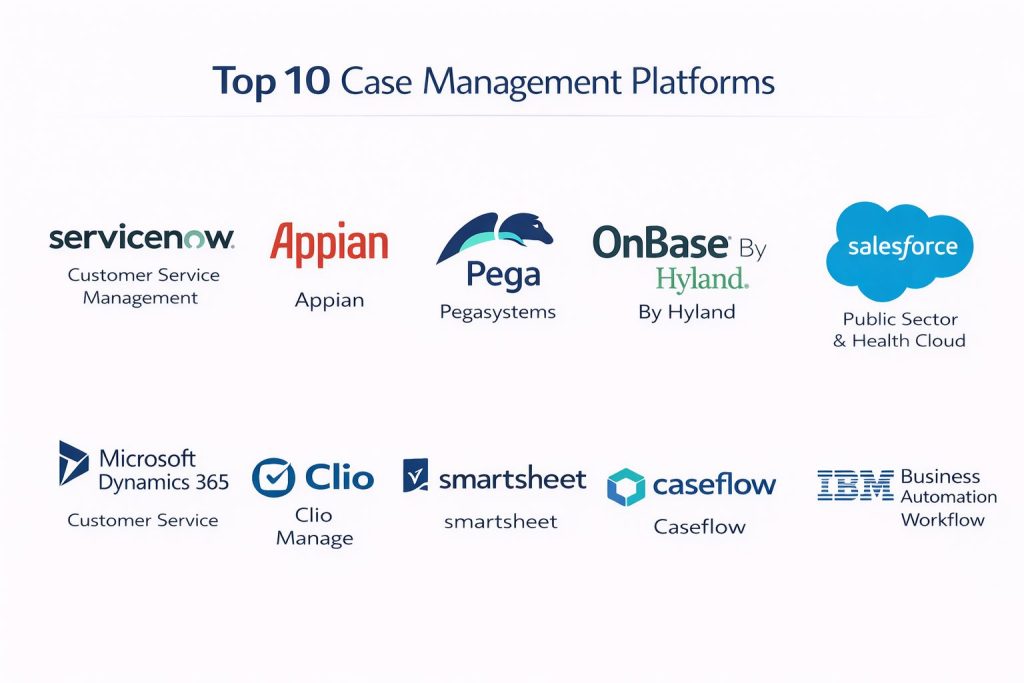
Top 10 Case Management Platforms
#1 — ServiceNow (Customer Service Management)
A titan in the enterprise space, ServiceNow provides a highly scalable platform that connects silos across large organizations to resolve complex cases.
Key Features
- Predictive Intelligence: Uses machine learning to automatically categorize and route cases to the right department.
- Visual Workflow Studio: A drag-and-drop environment for designing sophisticated case lifecycles.
- Omnichannel Engagement: Manages cases from any channel, including web, phone, and chat, in a unified view.
- Performance Analytics: Real-time dashboards that track key performance indicators (KPIs) and service levels.
- Knowledge Management: Automatically suggests relevant articles to agents to help solve cases faster.
Pros
- Unmatched scalability for global enterprises.
- Extremely deep integration with other IT and HR service modules.
Cons
- High cost of ownership and implementation.
- Can be overly complex for smaller organizations.
Platforms / Deployment
- Web / Windows / macOS / iOS / Android
- Cloud
Security & Compliance
- SSO, MFA, RBAC, Data Encryption
- SOC 2, ISO 27001, HIPAA, FedRAMP
Integrations & Ecosystem
ServiceNow is the center of many enterprise ecosystems, offering thousands of pre-built connectors.
- Microsoft 365
- Salesforce
- Slack
- Jira
- SAP
Support & Community
The “Now Community” is massive, providing extensive documentation, certified training paths, and a huge network of implementation partners.
#2 — Appian
A low-code leader that specializes in automating high-value, complex business processes and case management.
Key Features
- Low-Code Design: Build and deploy case management apps significantly faster than traditional development.
- Process Mining: Analyzes your actual workflows to find inefficiencies and suggest improvements.
- Data Fabric: Unifies data from multiple systems without moving the data itself.
- Intelligent Document Processing (IDP): Uses AI to extract data from forms and legal documents.
- Dynamic Case Management: Handles unpredictable processes that require human intuition and ad-hoc tasking.
Pros
- Excellent for rapid deployment of custom case workflows.
- Strong focus on governance and compliance for regulated industries.
Cons
- Licensing fees can increase quickly as you add more users.
- Requires some initial training to master the low-code logic.
Platforms / Deployment
- Web / iOS / Android
- Cloud / Self-hosted / Hybrid
Security & Compliance
- SSO/SAML, MFA, Audit Logs
- SOC 2 Type II, HIPAA, PCI DSS, GDPR
Integrations & Ecosystem
Appian’s data fabric allows it to connect seamlessly with legacy and modern systems.
- Oracle
- SQL Server
- Salesforce
- Google AI
- AWS
Support & Community
Appian provides a robust “Appian Community” portal with forums, a software marketplace, and comprehensive technical documentation.
#3 — Pega (Pegasystems)
An enterprise-grade platform known for its “Center-out” approach, focusing on business logic that works across all channels.
Key Features
- Case Lifecycle Management: A visual way to organize work by stages and steps.
- Decision Hub: An AI-powered engine that suggests the “Next-Best-Action” for any given case.
- Robotic Process Automation (RPA): Built-in bots to handle manual data entry across legacy systems.
- Voice AI: Analyzes live phone calls to provide agents with real-time case guidance.
- Situational Layer Cake: Allows different regions or departments to customize workflows while keeping core logic.
Pros
- Extremely powerful AI capabilities for decision support.
- Highly effective at managing very complex, multi-step global processes.
Cons
- The platform has a steep learning curve for administrators.
- Implementation usually requires specialized Pega-certified consultants.
Platforms / Deployment
- Web / Windows / macOS / iOS / Android
- Cloud (Pega Cloud) / Hybrid
Security & Compliance
- SSO/SAML, RBAC, Encryption at rest
- ISO 27001, SOC 2, HIPAA, FedRAMP
Integrations & Ecosystem
Pega is designed to integrate deeply with large-scale enterprise data sources.
- SAP
- Microsoft Dynamics
- Amazon Connect
- DocuSign
Support & Community
PegaWorld and the Pega Academy provide deep technical training, though the community is more “enterprise-exclusive” than open-source tools.
#4 — Hyland OnBase
A content-focused case management tool that excels in industries where documents are the primary driver of a case.
Key Features
- Content Management: Superior handling of large volumes of documents, images, and videos.
- Case 360 View: Provides a single screen with all documents, data, and notes related to a case.
- Workview: Allows for the creation of data-driven applications without custom coding.
- Automated Retention: Manages document lifecycles to ensure compliance with legal holding periods.
- Mobile Briefcase: Allows field workers to take case data offline and sync when they return to a network.
Pros
- Best-in-class for document-heavy industries like insurance and government.
- Very strong security and archival capabilities.
Cons
- The user interface can feel more “traditional” compared to modern SaaS tools.
- Updates can be complex for self-hosted installations.
Platforms / Deployment
- Web / Windows / iOS / Android
- Cloud / Self-hosted / Hybrid
Security & Compliance
- MFA, SSO, Granular permissions
- SOC 2, HIPAA, SEC 17a-4 compliance
Integrations & Ecosystem
OnBase is frequently used to add document power to existing core systems.
- Guidewire (Insurance)
- Epic (Healthcare)
- Esri (GIS)
- Microsoft Office
Support & Community
Hyland offers the “Hyland Community” and a professional support team that is highly regarded in the government and healthcare sectors.
#5 — Salesforce (Public Sector & Health Cloud)
While known as a CRM, Salesforce offers specialized “Clouds” that are built specifically for case management in government and health.
Key Features
- OmniStudio: A suite of tools for creating branded, industry-specific guided experiences.
- Flow Builder: A powerful automation engine for building complex case logic visually.
- Einstein AI: Provides predictions and automated summaries of case history.
- Service Console: A high-productivity workspace for case workers to manage multiple records.
- Experience Cloud: Allows for the creation of portals where clients can track their own cases.
Pros
- If you already use Salesforce, adding case management is seamless.
- Huge marketplace (AppExchange) for third-party case management plugins.
Cons
- Can become very expensive as you add users and specific industry clouds.
- Requires a skilled Salesforce Administrator to keep the system optimized.
Platforms / Deployment
- Web / iOS / Android
- Cloud
Security & Compliance
- SSO/SAML, MFA, Shield (Encryption & Event Monitoring)
- SOC 2, ISO 27001, HIPAA, FedRAMP High
Integrations & Ecosystem
Salesforce has the largest enterprise integration marketplace in the world.
- MuleSoft
- Slack
- Tableau
- DocuSign
Support & Community
The “Trailblazer” community is the largest of its kind, offering free training and a massive network of users and experts.
#6 — Microsoft Dynamics 365 (Customer Service)
A robust case management solution that integrates perfectly with the Microsoft Office and Azure ecosystem.
Key Features
- Unified Routing: Intelligently assigns cases based on agent skill set and availability.
- Copilot in Dynamics 365: An AI assistant that helps draft case responses and summarize transcripts.
- Timeline View: A chronological list of every interaction, note, and task within a case.
- SLA Management: Tracks service level agreements to ensure cases are resolved within legal timeframes.
- IoT Intelligence: Can automatically open cases based on signals from connected machines or devices.
Pros
- Familiar interface for users already comfortable with Microsoft 365.
- Powerful data visualization through native Power BI integration.
Cons
- Can be complex to set up without an experienced Microsoft partner.
- Licensing levels can be confusing.
Platforms / Deployment
- Web / Windows / iOS / Android
- Cloud (Azure) / Hybrid
Security & Compliance
- MFA, SSO, RBAC via Azure AD
- SOC 2, ISO 27001, HIPAA, FedRAMP
Integrations & Ecosystem
Native integration with the entire Microsoft stack.
- Microsoft Teams
- Outlook
- Power Automate
- Power BI
Support & Community
Extensive support through Microsoft’s global partner network and the vast “Microsoft Learn” documentation library.
#7 — Clio (Clio Manage)
A specialized case management platform built specifically for law firms and legal professionals.
Key Features
- Legal Calendaring: Tracks court dates and deadlines with automated reminders.
- Time Tracking: Built-in timers to record billable hours directly against a case.
- Secure Client Portal: Allows clients to upload documents and pay bills in a protected environment.
- Document Automation: Uses templates to generate legal forms and contracts instantly.
- Conflict Interest Checks: Automatically searches your database to prevent legal conflicts.
Pros
- Built from the ground up for the legal industry; no “customization” needed for law firms.
- Very easy to use compared to large enterprise platforms.
Cons
- Only suitable for the legal industry; not a general-purpose tool.
- Limited advanced AI features compared to Pega or Salesforce.
Platforms / Deployment
- Web / iOS / Android
- Cloud
Security & Compliance
- SSO, MFA, AES-256 Encryption
- SOC 2 Type II, HIPAA (Business Associate Agreement available)
Integrations & Ecosystem
Focused on the tools lawyers use most.
- Zoom
- Microsoft Outlook / Gmail
- QuickBooks
- Dropbox
Support & Community
Excellent customer support and a dedicated community for legal tech professionals, including the annual Clio Cloud Conference.
#8 — Smartsheet
A modern, flexible platform that uses a spreadsheet-like interface to manage cases, suitable for SMBs and project-driven case management.
Key Features
- Dynamic View: Control who sees what data without giving them access to the underlying sheet.
- WorkApps: Create simple, branded apps for case workers to use on mobile devices.
- Automated Alerts: Send notifications when a case reaches a certain stage or a deadline is missed.
- Data Shuttle: Automatically moves data between Smartsheet and other enterprise systems.
- Proofing: Allows teams to review and annotate images and documents directly within a case.
Pros
- Extremely easy to adopt; if you can use Excel, you can use Smartsheet.
- Very affordable entry point for smaller teams.
Cons
- Not as powerful for extremely complex, multi-year cases with thousands of variables.
- Lacks the deep industry-specific compliance features of Hyland or Clio.
Platforms / Deployment
- Web / iOS / Android
- Cloud
Security & Compliance
- SSO/SAML, MFA, Encryption
- ISO 27001, SOC 2, HIPAA, FedRAMP
Integrations & Ecosystem
- Microsoft Teams
- Slack
- Brandfolder
- Google Workspace
Support & Community
A very strong “Smartsheet Community” forum and extensive “Smartsheet University” training videos.
#9 — Caseflow
A dedicated case management platform often used by smaller agencies and non-profits to manage service delivery.
Key Features
- Custom Forms: Create intake forms that automatically populate new cases.
- Task Management: Assign sub-tasks to different team members within a single case.
- Secure Messaging: Internal communication threads that are locked to the specific case record.
- Reporting Engine: Generate simple reports on case volume and average resolution time.
- Resource Linking: Attach external resources (like local charities or clinics) to a case.
Pros
- Very clean, modern interface that requires almost zero training.
- Focused on “people” cases rather than “project” cases.
Cons
- Lacks the deep automation and AI of enterprise tools.
- Smaller integration marketplace than competitors.
Platforms / Deployment
- Web / iOS / Android
- Cloud
Security & Compliance
- MFA, SSO support
- GDPR Compliant
Integrations & Ecosystem
- Google Workspace
- Microsoft Outlook
- Zapier
Support & Community
Responsive email support and a growing library of documentation for new users.
#10 — IBM Business Automation Workflow
A heavy-duty enterprise platform that combines business process management and case management.
Key Features
- Unified Workflow: Combines human tasks and automated “straight-through” processing.
- Case History Tracking: Maintains an exhaustive record of every change for audit purposes.
- Content Navigator: A powerful tool for searching through millions of case files.
- Operational Intelligence: Uses IBM Watson to provide insights into process health.
- Low-Code Tooling: Allows business users to build dashboards and case views.
Pros
- Industrial-strength reliability for high-volume banking and government work.
- Massive scale; can handle tens of thousands of concurrent users.
Cons
- Interface can feel dated and overly complex.
- Requires significant IT resources to maintain and update.
Platforms / Deployment
- Web / Windows / macOS / Linux
- Cloud / Self-hosted / Hybrid
Security & Compliance
- SSO/SAML, RBAC, Encryption
- SOC 2, ISO 27001, HIPAA, FISMA
Integrations & Ecosystem
Integrates deeply with IBM’s broader automation and AI portfolio.
- IBM Watson
- FileNet P8
- SAP
- Microsoft Office
Support & Community
IBM provides world-class enterprise support and a vast global network of consultants and partners.
Comparison Table (Top 10)
| Tool Name | Best For | Platform(s) Supported | Deployment | Standout Feature | Public Rating |
| ServiceNow | Large Enterprises | Win, Mac, iOS, Android | Cloud | Predictive AI | 4.5/5 |
| Appian | Low-Code Automation | Web, iOS, Android | Hybrid | Data Fabric | 4.6/5 |
| Pega | High-Complexity AI | Win, Mac, iOS, Android | Hybrid | Decision Hub | 4.4/5 |
| Hyland OnBase | Document Heavy | Win, iOS, Android | Hybrid | Case 360 View | 4.5/5 |
| Salesforce | Public Sector/Health | Web, iOS, Android | Cloud | OmniStudio | 4.4/5 |
| Dynamics 365 | Microsoft Users | Win, iOS, Android | Hybrid | Copilot AI | 4.3/5 |
| Clio | Legal Firms | Web, iOS, Android | Cloud | Court Calendaring | 4.7/5 |
| Smartsheet | SMBs / Versatility | Web, iOS, Android | Cloud | WorkApps Builder | 4.5/5 |
| Caseflow | Non-Profits/Agencies | Web, iOS, Android | Cloud | Custom Intake Forms | 4.2/5 |
| IBM Workflow | Global Scale Banks | Win, Mac, Linux | Hybrid | Content Navigator | 4.0/5 |
Evaluation & Scoring of Case Management Platforms
| Tool Name | Core (25%) | Ease (15%) | Integrations (15%) | Security (10%) | Performance (10%) | Support (10%) | Value (15%) | Weighted Total |
| Appian | 10 | 8 | 9 | 10 | 9 | 8 | 7 | 8.8 |
| ServiceNow | 10 | 5 | 10 | 10 | 10 | 9 | 5 | 8.4 |
| Salesforce | 9 | 6 | 10 | 10 | 9 | 10 | 6 | 8.3 |
| Dynamics 365 | 8 | 7 | 10 | 10 | 9 | 8 | 7 | 8.1 |
| Pega | 10 | 4 | 8 | 10 | 10 | 8 | 6 | 7.9 |
| Clio | 7 | 10 | 7 | 8 | 9 | 9 | 8 | 7.8 |
| OnBase | 9 | 6 | 7 | 10 | 9 | 8 | 7 | 7.8 |
| Smartsheet | 6 | 10 | 8 | 8 | 8 | 9 | 9 | 7.7 |
| Caseflow | 5 | 9 | 6 | 7 | 8 | 8 | 9 | 6.7 |
| IBM Workflow | 9 | 3 | 7 | 10 | 9 | 7 | 5 | 6.6 |
How to interpret the scores:
- 8.0 – 10.0: Elite platforms with extensive enterprise security and deep AI features.
- 7.0 – 7.9: Excellent specialized or high-value tools for specific industries or mid-market needs.
- Below 7.0: Focused tools that might lack broad scalability but offer simplicity or value.
Which Case Management Platforms Tool Is Right for You?
Solo / Freelancer
If you are a solo practitioner, especially in the legal field, Clio is the clear winner. For general use, Smartsheet offers the best balance of structure and ease of use without a high price tag.
SMB
For medium-sized organizations, Smartsheet or Caseflow provide excellent visibility into cases without the need for a dedicated IT team. If your SMB is in a highly regulated field, OnBase is a strong, secure choice.
Mid-Market
Growing companies that need to automate complex internal processes should look at Appian. Its low-code nature allows your team to build and change case workflows quickly as you scale.
Enterprise
For the largest organizations, ServiceNow, Salesforce, or Pega are the standard. These tools offer the global security and massive data handling required for thousands of employees.
Budget vs Premium
- Budget: Smartsheet, Caseflow.
- Premium: ServiceNow, Pega, IBM Business Automation Workflow.
Feature Depth vs Ease of Use
If you need deep AI and “Next-Best-Action” logic, choose Pega. If you need your team to start managing cases tomorrow with no training, choose Smartsheet.
Integrations & Scalability
Salesforce and Dynamics 365 lead in ecosystem size. If your company lives in Outlook and Teams, Dynamics is the natural path. If you need a custom-built marketplace of apps, Salesforce is unmatched.
Security & Compliance Needs
For extreme compliance (Government, Finance, Health), ServiceNow and IBM provide the most documented security certifications and audit trail capabilities.
Frequently Asked Questions (FAQs)
1. What is the difference between Case Management and CRM?
A CRM is designed to manage customer relationships and sales pipelines. Case Management is designed to manage a complex issue from start to finish, tracking all evidence, documents, and non-linear tasks required to resolve it.
2. Can these platforms handle HIPAA-protected data?
Many of them can, including Salesforce, ServiceNow, and Hyland OnBase. However, you must ensure you have a Business Associate Agreement (BAA) in place and have configured the security settings correctly.
3. How long does it take to implement a case management platform?
A simple tool like Smartsheet can be ready in days. An enterprise-wide rollout of ServiceNow or Pega typically takes 6 to 12 months, including data migration and staff training.
4. Do I need coding skills to manage these platforms?
Modern platforms like Appian and Smartsheet are “low-code” or “no-code,” meaning you can build them with visual tools. However, enterprise platforms like IBM or Pega often require specialized technical administrators.
5. Can I use these for remote field investigations?
Yes, tools like Hyland OnBase and Salesforce offer specialized mobile apps that allow field workers to capture photos, record notes, and even work offline.
6. Are these platforms affordable for non-profits?
Yes, tools like Caseflow are built with smaller budgets in mind, and large providers like Salesforce and Microsoft often offer significant discounts for registered non-profit organizations.
7. What is “Predictive Case Management”?
It is a feature where the platform uses AI to look at past cases and predict how long a new case will take, or flag if it is likely to become high-risk or go over budget.
8. Can I migrate data from my old system?
Most platforms offer data import tools (CSV, Excel) or use APIs to pull data from legacy systems. For enterprise migrations, specialized services are usually recommended to ensure data integrity.
9. How do these tools help with audits?
Every action taken in a case management platform is typically logged. This creates a “gold standard” audit trail that shows exactly who did what and when, which is vital for legal and regulatory compliance.
10. Which software is best for government agencies?
ServiceNow and Hyland OnBase have specific versions (like FedRAMP-authorized clouds) built to meet the rigorous security requirements of government and military agencies.
Conclusion
The “best” Case Management Platform depends entirely on your industry and the complexity of your work. If you are a document-heavy law firm, a specialized tool like Clio is superior. If you are a global bank requiring high-speed automation, Pega or IBM are the standard-bearers.
As AI continues to integrate into these systems, the gap between manual work and automated resolution will only grow. Your next step should be to identify your 5 most common case types and run a demo with two or three of these providers to see which interface matches your team’s natural workflow.