Introduction
Workflow automation platforms are digital ecosystems that allow businesses to automate repetitive, manual tasks by connecting disparate applications and setting up “if-this-then-that” logic. In plain English, these tools act as the connective tissue between your software, ensuring that data flows automatically from one place to another without human intervention. Instead of manually copying lead data from a web form into a CRM, or sending a Slack message every time a task is completed, these platforms do the heavy lifting for you
Workflow automation has evolved from simple linear triggers into complex, agentic systems. With the integration of advanced AI, these platforms no longer just move data; they can now interpret context, make decisions, and even suggest optimizations to the workflows themselves. This shift is critical as organizations grapple with an explosion of SaaS tools—often managing over 200 separate applications—making central orchestration a necessity rather than a luxury.
Real-world use cases include:
- Revenue Operations: Automatically capturing leads from LinkedIn, enriching them with firmographic data, and routing them to the correct sales representative.
- IT Onboarding: Provisioning accounts across email, Slack, and project management tools the moment a new hire is added to the HR system.
- Customer Support: Categorizing incoming tickets using AI, drafting initial responses, and escalating high-priority issues to senior agents.
- Financial Reporting: Consolidating monthly data from multiple payment gateways into a single dashboard for real-time visibility.
What buyers should evaluate:
- Library of Connectors: Does it natively support all the apps your team currently uses?
- Logic Complexity: Can it handle multi-step branching and conditional loops?
- Ease of Use: Is the interface intuitive for “citizen developers” or does it require coding knowledge?
- AI Orchestration: Does it support AI agents that can handle unstructured data or decision-making?
- Data Residency: Can you control where your data is processed (Cloud vs. On-prem)?
- Scalability: How does the performance hold up when managing thousands of “runs” per hour?
- Governance & Security: Does it provide granular role-based access control and detailed audit logs?
- Pricing Model: Is it based on the number of users, the number of workflows, or the volume of tasks?
Best for: Operations managers, IT leads, digital transformation officers, and growth marketers who need to streamline cross-departmental processes and scale output without increasing headcount.
Not ideal for: Organizations using a single, all-in-one ERP that already handles all internal processes, or very small teams that only need to connect two simple apps occasionally.
Key Trends in Workflow Automation Platforms
- Autonomous AI Agents: The shift from “static triggers” to “intent-based” automation, where AI agents plan and execute multi-step tasks based on a simple text prompt.
- Natural Language Workflow Creation: Users can now describe a workflow in plain English (e.g., “Notify me when a high-value lead signs up and draft a personalized email”), and the platform builds the logic automatically.
- Continuous Compliance Auditing: Platforms now feature embedded monitors that automatically flag workflow actions that might violate GDPR, HIPAA, or internal security policies in real-time.
- Interoperability via MCP: The rise of the Model Context Protocol (MCP) allows different AI agents and automation tools to share context securely across different vendor ecosystems.
- Event-Driven Architecture (EDA): A move toward real-time responsiveness, where systems react to live data streams (like IoT sensor data) rather than waiting for scheduled checks.
- Self-Healing Workflows: AI monitors that detect broken integrations or API changes and automatically suggest fixes to prevent downtime.
- Edge Automation: Deploying small, efficient automation logic closer to the data source (on mobile or local devices) to reduce latency and improve privacy.
- Usage-Based Economic Models: A shift toward “pay-per-compute” or “token-based” pricing, allowing enterprises to scale costs directly with the value generated by the automation.
How We Selected These Tools (Methodology)
To select the top 10 workflow automation platforms, we followed a strict evaluation logic centered on enterprise readiness and technological longevity:
- Market Mindshare: We prioritized platforms that are recognized leaders by industry analysts and have high adoption in professional environments.
- Feature Maturity: We looked for a balance between ease-of-use (no-code) and the ability to handle complex, custom-coded logic.
- AI Integration Depth: We evaluated how natively each tool integrates with LLMs and its capability to host autonomous agents.
- Reliability & Performance: Preference was given to platforms with proven uptime SLAs and the ability to handle high-volume data throughput.
- Security Posture: We assessed the availability of enterprise-grade security features like SSO, encryption, and regional data residency.
- Ecosystem Connectivity: The size and quality of the pre-built connector library were heavily weighted.
- Governance Frameworks: We looked for tools that allow central IT to monitor and control “shadow IT” automations created by business users.
- Cross-Segment Fit: We ensured the list includes a mix of tools suitable for startups, mid-market companies, and global enterprises.
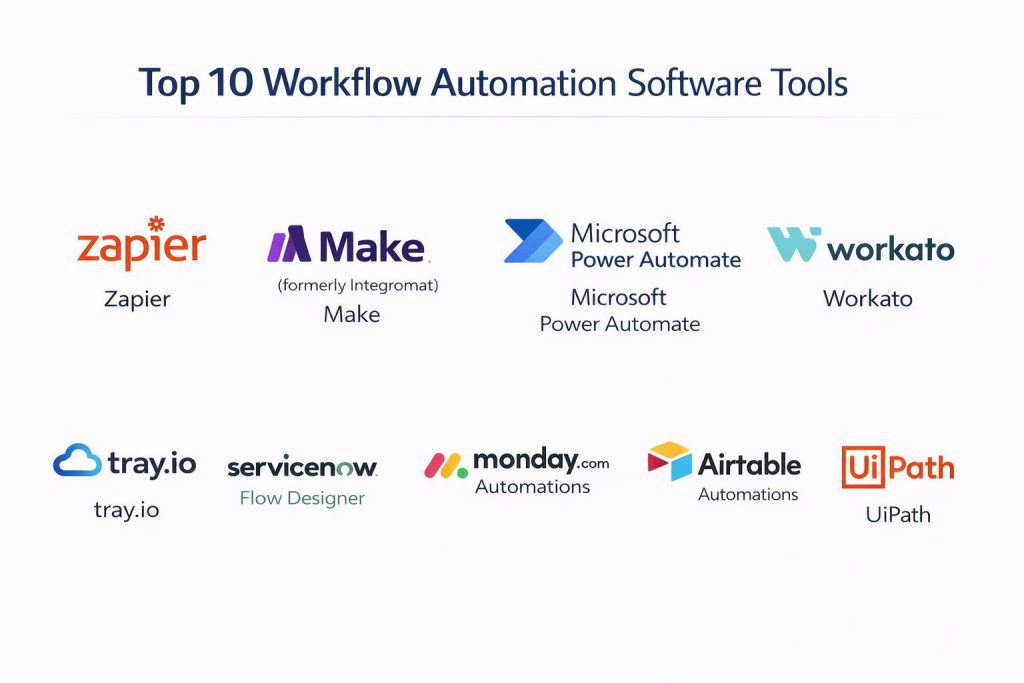
Top 10 Workflow Automation Software Tools
#1 — Zapier
The world’s most popular no-code automation platform. It is designed for business users to connect thousands of apps without writing a single line of code.
Key Features
- 8,000+ App Integrations: The largest library of connectors in the industry, supporting virtually every SaaS tool.
- Zapier Central: An AI-native workspace where you can teach AI agents to act across your apps.
- Multi-Step Zaps: Create complex workflows with branching logic and conditional paths.
- Tables & Interfaces: Built-in database and UI tools to create custom internal applications powered by automation.
- Canvas: A visual planning tool to map out complex automation pipelines before building them.
- Transfer: A feature for moving bulk data between apps on a schedule or on-demand.
Pros
- Incredible ease of use with a “plug-and-play” feel for beginners.
- Massive community and a template library for almost any use case.
Cons
- Costs can escalate quickly with high task volumes.
- Less granular control over data mapping compared to developer-focused tools.
Platforms / Deployment
- Web-based
- Cloud
Security & Compliance
- SSO/SAML (Team/Company plans), MFA, Data Encryption at rest and in transit.
- SOC 2 Type II, GDPR, CCPA.
Integrations & Ecosystem
Zapier is the hub for small-to-medium business automation. It connects nearly every popular digital tool on the market today.
- Slack
- Google Workspace
- Salesforce
- HubSpot
- Jira
Support & Community
Extensive help center, a very active community forum, and “Zapier Experts” for hire. Support varies from email to prioritized chat on higher tiers.
#2 — Make (formerly Integromat)
A highly visual automation platform that offers more technical flexibility than Zapier. It is ideal for operations teams that need complex logic.
Key Features
- Visual Scenario Builder: A drag-and-drop canvas that lets you see the exact flow of data between modules.
- Advanced Data Mapping: Precise control over how every piece of information is transformed between steps.
- Iterators & Aggregators: Specialized modules for handling lists, arrays, and complex data structures.
- Real-time Execution Monitoring: Watch your workflows run live and debug specific steps instantly.
- JSON/HTTP Modules: Built-in tools to connect to any API, even if a native connector doesn’t exist.
Pros
- Much more cost-effective for high-volume workflows compared to many competitors.
- High flexibility for building complex “if/then” and “loop” logic visually.
Cons
- Steeper learning curve than Zapier for non-technical users.
- The UI can become cluttered with extremely large, multi-step scenarios.
Platforms / Deployment
- Web-based
- Cloud / Managed Service
Security & Compliance
- MFA, SSO, Two-factor authentication.
- SOC 2, GDPR, HIPAA (on Enterprise plans).
Integrations & Ecosystem
Make has thousands of native integrations and is particularly strong with European SaaS ecosystems and developer tools.
- Airtable
- Discord
- OpenAI
- ClickUp
- Telegram
Support & Community
Strong documentation and a passionate community. Paid tiers include faster support responses and dedicated account management.
#3 — Microsoft Power Automate
A powerhouse for organizations already embedded in the Microsoft 365 ecosystem. It combines API-based automation with Robotic Process Automation (RPA).
Key Features
- Deep Office 365 Integration: Seamlessly automates flows between Teams, Excel, SharePoint, and Outlook.
- Desktop Flows (RPA): Automate legacy Windows applications that don’t have an API.
- Copilot Studio: Use AI to build and refine automations using natural language commands.
- Process Mining: AI tools that analyze your existing business processes to find automation opportunities.
- Data Loss Prevention (DLP): Advanced policies to prevent sensitive company data from being sent to external apps.
Pros
- Often included in existing Microsoft 365 Enterprise licenses, making it a “free” starting point.
- Industrial-strength security and governance for large-scale corporate deployments.
Cons
- Interface can feel corporate and complex compared to modern web-first tools.
- Mobile app capabilities for building workflows are limited.
Platforms / Deployment
- Web / Windows / macOS / iOS / Android
- Cloud / On-premise (via Gateway)
Security & Compliance
- SSO/SAML, Azure Active Directory integration, MFA.
- SOC 2, ISO 27001, HIPAA, FedRAMP, GDPR.
Integrations & Ecosystem
While strongest with Microsoft tools, it offers 400+ connectors for third-party apps.
- Dynamics 365
- Azure
- Salesforce
- ServiceNow
- Twitter (X)
Support & Community
Enterprise-grade support from Microsoft. Massive community through the Microsoft Power Platform forums and local user groups.
#4 — Workato
An enterprise-grade integration and automation platform (iPaaS) designed for high-scale, cross-departmental business processes.
Key Features
- Recipe-Based Automation: Uses a readable, natural-language format to describe automation steps.
- Enterprise Bot Framework: Build custom bots for Slack or Teams to interact with enterprise apps.
- Zero-Footprint Hybrid Integration: Connect cloud apps to on-premise systems securely without a VPN.
- Auto-scaling Infrastructure: Handles massive spikes in data volume without manual tuning.
- Role-Based Access Control (RBAC): Granular permissions to manage who can build or edit workflows.
Pros
- Extremely high reliability and uptime suitable for mission-critical operations.
- Excellent governance features for IT teams to manage “citizen development.”
Cons
- Very high entry price, making it unsuitable for startups or small teams.
- Requires a more technical mindset to utilize full platform capabilities.
Platforms / Deployment
- Web-based
- Cloud / Hybrid
Security & Compliance
- SSO, SAML 2.0, Multi-factor authentication.
- SOC 2 Type II, ISO 27001, HIPAA, PCI-DSS.
Integrations & Ecosystem
Focuses on “big tech” enterprise software with high-quality, deep connectors.
- SAP
- Oracle
- NetSuite
- ServiceNow
- Workday
Support & Community
Premium support models including 24/7 technical assistance and dedicated success managers. Extensive “Workato Academy” for certification.
#5 — n8n
A developer-friendly, fair-code automation tool that can be self-hosted. It is the top choice for privacy-conscious organizations.
Key Features
- Self-Hostable: Run the entire platform on your own servers to keep 100% control over your data.
- Node-Based Canvas: A visual interface that mirrors a developer’s mental model.
- Custom Code Nodes: Easily inject JavaScript or Python directly into your automation steps.
- Advanced Error Handling: Build complex “retry” and “error-catching” logic for mission-critical flows.
- Version Control: Supports Git-style versioning for workflows.
Pros
- High data privacy since data never has to leave your firewall.
- Very flexible for developers who find “no-code” tools too limiting.
Cons
- Requires technical knowledge to set up and maintain a self-hosted instance.
- Native connector library is smaller than Zapier or Make.
Platforms / Deployment
- Web / Docker / Desktop
- Cloud / Self-hosted
Security & Compliance
- SSO (Enterprise), Role-based access control.
- Varies (Depends on self-hosting environment / Cloud is GDPR compliant).
Integrations & Ecosystem
Strong in the developer and open-source ecosystem.
- GitHub
- GitLab
- PostgreSQL
- Webhooks
- Docker
Support & Community
Very active Discord and forum community. Enterprise tiers offer official support and training.
#6 — Tray.io
An AI-powered iPaaS that focuses on “low-code” automation for fast-moving revenue and marketing teams.
Key Features
- Tray AI: A generative AI assistant that can build entire workflows from a text prompt.
- Embedded Integration: Allows SaaS companies to offer native integrations to their customers using Tray’s tech.
- Flexible Scaling: Built on a serverless architecture that scales automatically.
- Shared Workspace: Collaborative environment for teams to build and test automations together.
Pros
- Extremely fast deployment for marketing and sales use cases.
- High-level AI capabilities that genuinely reduce the “wiring” time of workflows.
Cons
- Can be overkill for teams that only need simple task automation.
- Pricing is aimed at mid-market and enterprise levels.
Platforms / Deployment
- Web-based
- Cloud
Security & Compliance
- SSO/SAML, Data masking, encryption.
- SOC 2 Type II, HIPAA, GDPR.
Integrations & Ecosystem
- Salesforce
- Marketo
- Eloqua
- Zendesk
- AWS
Support & Community
Strong emphasis on “white-glove” onboarding and 24/7 technical support for higher tiers.
#7 — ServiceNow Flow Designer
The native automation engine for ServiceNow users, specializing in IT Service Management (ITSM) and employee workflows.
Key Features
- Natural Language Phrases: Build flows by selecting phrases that sound like human sentences.
- Spoke Architecture: Pre-packaged sets of actions for external apps (e.g., Jira Spoke, Slack Spoke).
- Flow Reporting: Real-time visibility into the status and health of every automated process.
- Integration Hub: A central place to manage all external connections and credentials.
Pros
- Best-in-class for automating complex IT and HR approval processes.
- Perfectly integrated with the existing ServiceNow data model.
Cons
- Only relevant if you are already a ServiceNow customer.
- Can be very complex to configure correctly for non-ITSM tasks.
Platforms / Deployment
- Web-based
- Cloud / Hybrid
Security & Compliance
- SSO, Multi-factor, High-level encryption.
- ISO 27001, FedRAMP, HIPAA, SOC 2.
Integrations & Ecosystem
- Jira
- GitHub
- Microsoft Teams
- Azure
- Workday
Support & Community
Massive enterprise support network and a global community of ServiceNow developers.
#8 — Monday.com Automations
Built-in automation rules for the Monday.com Work OS. It is designed to automate project management and team workflows.
Key Features
- Formula-Based Rules: Simple sentence-style automation (e.g., “When status changes to Done, notify Team Lead”).
- Board-to-Board Automations: Sync data across different project boards automatically.
- Custom Automation Builder: Create multi-trigger rules tailored to your specific project needs.
- Dependency Management: Automatically adjust timelines when a parent task changes.
Pros
- The most intuitive “one-sentence” automation builder in the market.
- Zero setup required if your team already uses Monday.com for project management.
Cons
- Limited for workflows that need to go deep into external software logic.
- Not a standalone iPaaS; it is tied to the Monday.com ecosystem.
Platforms / Deployment
- Web / iOS / Android
- Cloud
Security & Compliance
- SSO, SAML, SCIM provisioning.
- ISO 27001, SOC 2 Type II, GDPR, HIPAA.
Integrations & Ecosystem
- Slack
- Gmail
- Zoom
- Trello
- Shopify
Support & Community
24/7 support across all tiers. Active user community sharing project templates and automation “recipes.”
#9 — Airtable Automations
A database-first automation tool. It is perfect for teams that need their work data and automation to live in the same place.
Key Features
- Trigger-Action Logic: Powerful native triggers based on record updates or form submissions.
- Airtable AI: Use AI directly within a workflow to summarize data or generate content.
- Scripting Extension: Use JavaScript to build custom logic that isn’t available in the no-code builder.
- Conditional Groups: High-level branching logic based on the specific data inside a record.
Pros
- Extremely powerful for content pipelines, inventory management, and CRM workflows.
- Allows for “work + data + automation” in a single tool.
Cons
- Monthly automation run limits can be restrictive on lower-paid tiers.
- Not intended for complex system-to-system “syncing” (like Workato).
Platforms / Deployment
- Web / iOS / Android
- Cloud
Security & Compliance
- SSO/SAML, MFA, Enterprise-level permissions.
- SOC 2, ISO 27001, GDPR.
Integrations & Ecosystem
- Google Drive
- Salesforce
- Slack
- Stripe
- Box
Support & Community
Extensive help documentation and a thriving community of “Airtable Creators.”
#10 — UiPath
A leader in Robotic Process Automation (RPA), now expanded into “Agentic Orchestration.” It excels at automating legacy systems.
Key Features
- Autopilot: AI assistant that helps both developers and business users build automations.
- Document Understanding: AI-powered OCR to extract data from PDFs, invoices, and hand-written notes.
- Unattended Robots: Bots that run on a server without any human interaction.
- AI Center: A portal to manage and deploy your own machine learning models within workflows.
Pros
- The absolute best for “screen scraping” and legacy software that lacks an API.
- Massive scalability for industrial and financial back-office operations.
Cons
- High infrastructure and licensing costs.
- Requires significant technical training to master.
Platforms / Deployment
- Web / Windows
- Cloud / On-premise / Hybrid
Security & Compliance
- SSO, Credential Vault, Role-based security.
- ISO 27001, SOC 2 Type II, HIPAA.
Integrations & Ecosystem
- SAP
- Oracle
- Microsoft Dynamics
- Salesforce
Support & Community
Premium enterprise support and a huge “UiPath Academy” for professional certifications.
Comparison Table (Top 10)
| Tool Name | Best For | Platform(s) Supported | Deployment | Standout Feature | Public Rating |
| Zapier | Solo & SMB | Web | Cloud | 8,000+ Connectors | 4.5/5 |
| Make | Visual Operations | Web | Cloud | Visual Scenario Canvas | 4.6/5 |
| MS Power Automate | Microsoft Users | Web, Win | Hybrid | Deep O365 + RPA | 4.4/5 |
| Workato | Global Enterprise | Web | Hybrid | Enterprise Bot Framework | 4.7/5 |
| n8n | Developers | Web, Docker | Self-hosted | Data Privacy & JS Code | 4.8/5 |
| Tray.io | Revenue Ops | Web | Cloud | Tray AI Builder | 4.5/5 |
| ServiceNow | IT/HR Service | Web | Hybrid | Spoke Architecture | 4.3/5 |
| Monday.com | Project Tracking | Web, Mobile | Cloud | Sentence-style Logic | 4.7/5 |
| Airtable | Data-Heavy Ops | Web, Mobile | Cloud | Native Database + AI | 4.6/5 |
| UiPath | Legacy/RPA | Web, Win | Hybrid | Document Understanding | 4.5/5 |
Evaluation & Scoring of Workflow Automation Platforms
We have scored these platforms based on their current 2026 performance and enterprise utility.
| Tool Name | Core (25%) | Ease (15%) | Integrations (15%) | Security (10%) | Performance (10%) | Support (10%) | Value (15%) | Weighted Total |
| Workato | 10 | 6 | 10 | 10 | 10 | 9 | 5 | 8.4 |
| Zapier | 8 | 10 | 10 | 7 | 8 | 8 | 7 | 8.3 |
| Make | 9 | 7 | 9 | 7 | 8 | 8 | 9 | 8.2 |
| n8n | 8 | 5 | 7 | 9 | 9 | 7 | 10 | 7.7 |
| Airtable | 7 | 9 | 7 | 8 | 8 | 8 | 8 | 7.7 |
| Power Automate | 8 | 6 | 8 | 10 | 8 | 8 | 7 | 7.6 |
| Tray.io | 8 | 7 | 8 | 8 | 9 | 8 | 6 | 7.5 |
| Monday.com | 6 | 10 | 7 | 8 | 7 | 9 | 7 | 7.5 |
| UiPath | 10 | 3 | 7 | 9 | 10 | 8 | 4 | 7.1 |
| ServiceNow | 8 | 4 | 7 | 10 | 9 | 8 | 4 | 6.8 |
How to interpret these scores:
- 8.0+: Market leaders with a broad feature set and massive scalability.
- 7.0 – 7.9: Strong specialized tools or high-value options for specific niches (like developers or data managers).
- Below 7.0: Enterprise-specific tools that are extremely powerful but only within a limited ecosystem.
Which Workflow Automation Platform Tool Is Right for You?
Solo / Freelancer
If you are running a one-person business, Zapier is the logical choice. It is fast, easy, and connects to every app you likely use. If you are technically inclined and want to save on monthly costs, n8n (self-hosted) is an excellent alternative.
SMB
For small-to-medium teams, Make offers a great middle ground. It provides more visual control and logic than Zapier at a generally lower price point. If your team lives in their project management tool, Monday.com or Airtable might already have everything you need built-in.
Mid-Market
Companies that are scaling quickly and have a dedicated Operations team should evaluate Tray.io. Its AI features significantly speed up the creation of RevOps and marketing funnels without requiring a large IT project.
Enterprise
For global organizations with complex security needs, Workato or Microsoft Power Automate are the primary contenders. They provide the centralized oversight and security protocols that corporate IT departments demand.
Budget vs Premium
- Budget: n8n (self-hosted) and the free tiers of Make or Airtable.
- Premium: Workato and UiPath, which often require five-figure annual commitments.
Feature Depth vs Ease of Use
If you need absolute simplicity, Monday.com is the easiest. If you need to build complex, branching, and looping logic for high-data scenarios, Make or Workato are much better choices.
Integrations & Scalability
Workato and Zapier lead the pack here. Zapier has the quantity of apps, while Workato has the depth and reliability required for massive enterprise data loads.
Why Choose DevOpsSchool?
In the current landscape of rapid technological shifts, simply having a tool is not enough; your team needs the expertise to use it effectively. DevOpsSchool stands out as a premier partner for organizations looking to master these automation platforms. They provide hands-on, industry-aligned training that goes beyond the basics, focusing on how to build secure, scalable, and “self-healing” workflows.
Whether you are looking to certify your team in Microsoft Power Automate or dive deep into the developer-centric world of n8n, DevOpsSchool offers structured learning paths designed by practitioners. Their training ensures that your automation efforts are not just “quick wins” but sustainable strategic assets that drive long-term business resilience.
Frequently Asked Questions (FAQs)
1. Is workflow automation different from RPA?
Yes. Workflow automation primarily uses APIs (Application Programming Interfaces) to move data between cloud apps. RPA (Robotic Process Automation) “watches” a human user and mimics their actions on a screen, making it better for older software that doesn’t have an API.
2. Do I need to know how to code to use these platforms?
Most tools on this list are “no-code” or “low-code.” You can build complex automations using drag-and-drop interfaces. However, knowing basic logic (like “if/then”) and a little JavaScript or Python can help you do much more advanced tasks.
3. How much do these tools typically cost?
Small-business tools like Zapier or Make start with free plans and move to $20–$50 per month. Enterprise platforms like Workato or ServiceNow are significantly more expensive, often starting at $10,000 to $25,000 per year.
4. Is my data secure when using these platforms?
Enterprise-grade tools (Workato, Power Automate) use high-level encryption and follow strict compliance standards like SOC 2 and GDPR. If you have extreme privacy needs, a self-hosted tool like n8n keeps all data within your own servers.
5. Can I automate my personal life with these tools?
Absolutely. Many people use Zapier or Make to sync their personal calendars, save email attachments to cloud storage automatically, or even send automated reminders to their family via Slack or Telegram.
6. What happens if an API changes and breaks my workflow?
Most modern platforms provide error alerts via email or Slack. Some of the newer AI-powered tools even feature “self-healing” capabilities where they detect the change and suggest a fix to the workflow logic automatically.
7. Which tool is best for marketing automation?
Tray.io and Zapier are the leaders for marketing. They have the best connectors for tools like HubSpot, Marketo, and various social media ad platforms, allowing for seamless lead routing and reporting.
8. Can I use these tools for document processing?
Yes. Tools like UiPath and Microsoft Power Automate have built-in “Document AI” that can read PDFs or images of invoices and extract the data directly into your accounting software.
9. How long does it take to set up an automation?
A simple “lead to Slack” notification can be set up in 5 minutes. A complex enterprise-wide HR onboarding flow might take several weeks to plan, build, and test thoroughly.
10. Can I move my workflows from one tool to another?
Not easily. While the logic of your workflow remains the same, the actual “wiring” is specific to each platform. Switching tools usually requires rebuilding the workflows from scratch, though OpenUSD and similar standards are beginning to emerge.
Conclusion
The “best” workflow automation platform is the one that bridges the gap between your current technical debt and your future business goals. If you are starting small, the accessibility of Zapier or Make is unmatched. However, if you are looking to build a resilient, enterprise-wide “automation fabric,” platforms like Workato and Power Automate provide the necessary guardrails.
As we move toward a future defined by AI agents, the most successful organizations will be those that treat their automations as products—built with care, monitored for health, and continuously optimized. Your next step should be to identify your single most time-consuming manual task and run a pilot using one of the “Best For” recommendations above.