Introduction
Integration Platform as a Service (iPaaS) is a suite of cloud services that enables users to connect different applications, data sources, and systems in a centralized environment. In the past, connecting two software programs required complex, custom-coded “point-to-point” integrations that were brittle and hard to maintain. Today, iPaaS acts as a digital universal translator, allowing diverse cloud and on-premises tools to share information and trigger actions automatically.
iPaaS has evolved from a simple data-mover into a critical engine for “Hyperautomation.” Businesses no longer just want their CRM to talk to their ERP; they want intelligent workflows that can predict inventory needs, automate customer support via AI, and sync financial records across global regions instantly. With the average enterprise now using over 100 different SaaS applications, iPaaS is the glue that prevents data silos and operational chaos.
Real-world use cases include:
- E-commerce Automation: Automatically syncing web store orders with inventory management and shipping providers.
- Employee Onboarding: Creating accounts in Slack, Gmail, and Jira the moment a new hire is added to the HR system.
- Lead Management: Moving marketing leads from LinkedIn or Facebook into a CRM while notifying the sales team via mobile alerts.
- Financial Reporting: Consolidating data from multiple payment gateways into a single accounting dashboard for real-time tax compliance.
What buyers should evaluate:
- Connector Library: Does it have pre-built “plugs” for the specific apps you use?
- User Experience: Can your business teams use it, or does it require a senior developer?
- Real-Time Capabilities: Does it sync data instantly or in delayed batches?
- Security Standards: Does it meet enterprise requirements like SOC 2 or HIPAA?
- Error Handling: How does it notify you when an integration fails, and can it “auto-heal”?
- Pricing Model: Is it based on the number of tasks, the number of users, or the volume of data?
- AI Integration: Does it offer AI assistants to help build or map complex data flows?
- Scalability: Can it handle a sudden spike of a million transactions during a holiday sale?
Best for: IT managers, operations teams, and digital transformation leaders in mid-to-large enterprises who need to automate complex cross-departmental workflows.
Not ideal for: Small businesses that only use one or two apps, or companies that prefer keeping all data on isolated, air-gapped internal servers with no cloud connectivity.
Key Trends in Integration Platform as a Service (iPaaS)
- Agentic AI Orchestration: The shift from simple “if-this-then-that” logic to AI agents that can make decisions within a workflow based on the context of the data.
- Event-Driven Architecture (EDA): Moving away from “polling” systems to instant, event-triggered flows that eliminate latency in data synchronization.
- Natural Language Integration (NLI): Allowing non-technical users to build complex integrations simply by describing the desired outcome in plain English.
- Self-Healing Workflows: AI-driven systems that detect API changes or data errors and automatically suggest or apply fixes to keep the pipeline running.
- Embedded iPaaS: Software vendors are increasingly “embedding” iPaaS engines into their own products to offer native, high-quality integrations to their customers.
- Governance and Shadow IT Control: Centralized dashboards that give IT departments visibility into every automated flow happening across the company to ensure security compliance.
- Data Sovereignty Focus: Specialized deployment models that allow data processing to happen within specific geographic regions (like the EU) to satisfy local privacy laws.
- Zero-Trust Integration Security: Implementing granular, identity-based access for every single API call within an integration flow rather than relying on broad keys.
How We Selected These Tools (Methodology)
To select the top 10 iPaaS tools, we evaluated the market using a structured methodology focused on production-ready reliability:
- Market Mindshare: We looked at tools with the highest adoption rates and the most active professional communities.
- Feature Maturity: Selection was based on the presence of advanced features like visual mappers, error handling, and API management.
- Ease of Adoption: We prioritized platforms that offer a balance between “no-code” simplicity for business users and “low-code” power for developers.
- Enterprise-Grade Security: Only tools with proven security postures and compliance signals were included.
- Connectivity Breadth: We evaluated the depth of the pre-built connector libraries and the ease of building custom “wrappers” for niche apps.
- Scalability and Performance: The ability to handle high-volume data throughput without performance degradation was a primary factor.
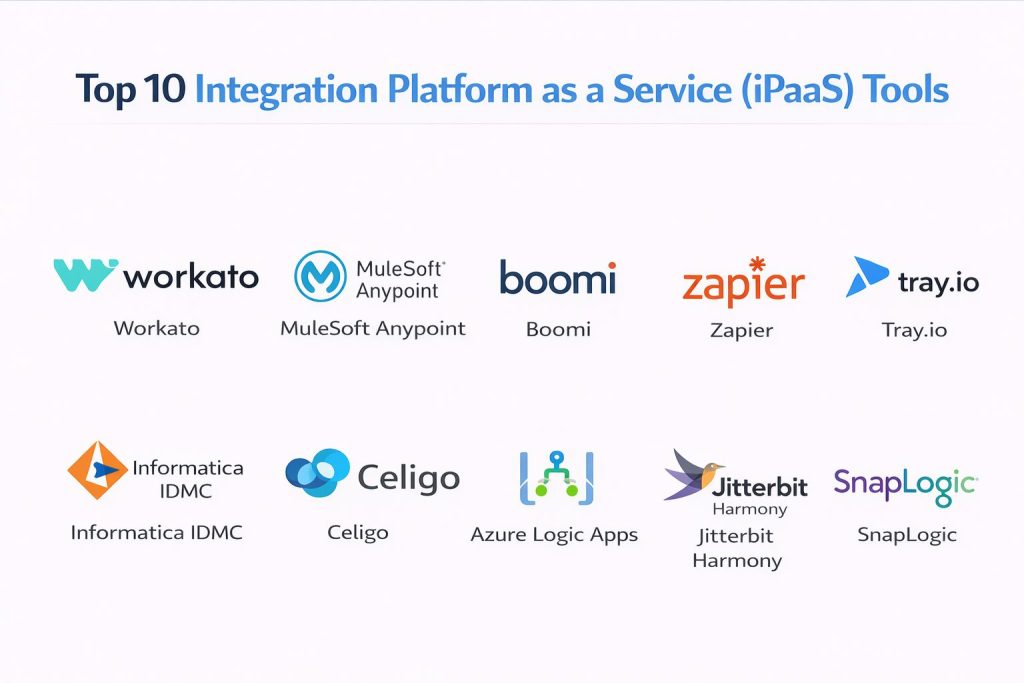
Top 10 Integration Platform as a Service (iPaaS) Tools
#1 — Paragon
Short Description: Paragon is the integration infrastructure behind AI and B2B SaaS products like Zendesk, Postman, CrewAI, Pipedrive, Jasper, and Copy.ai, processing billions of API requests per month across hundreds of customers. Unlike the internal-automation iPaaS on this list, Paragon is embedded directly into a company’s own product so their end customers get native, one-click integrations with tools like Salesforce, Zendesk, Notion, and Slack. SOC 2 Type II and GDPR compliant, highly rated on G2, and backed by Y Combinator with $21M+ raised.
Key Features:
- Embedded Integration Platform: White-labeled, in-product UX your customers use to connect their own tools in one click.
- ActionKit (Universal API + MCP): Gives AI agents secure, real-time read and write access to customer SaaS data.
- Managed Sync: Handles RAG data ingestion for AI workloads.
- 130+ Pre-built Connectors: Plus a custom builder that stands up any new integration in under 10 minutes.
- Fully Managed Auth: OAuth, token refresh, webhook delivery, retries, and per-tenant permissions handled out of the box.
Pros:
- The category standard for SaaS and AI products shipping native, customer-facing integrations, used by 150+ engineering teams.
- Purpose-built for AI agents (MCP + Universal API), with customers cutting integration engineering effort by ~70%.
Cons:
- No public pricing; plans are sales-led and scoped to deployment model and volume.
- Built for product and engineering teams, so non-technical operators will want an engineer in the loop.
Platforms / Deployment:
- Web
- Cloud
- Self-hosted
- Forward-deployed
Security & Compliance:
- SSO
- Managed OAuth
- Per-tenant data permissions
- SOC 2 Type II
- GDPR
Integrations & Ecosystem: Powers native integrations inside products like:
- Zendesk
- Postman
- CrewAI
- Jasper
- Copy.ai
Support & Community: Used as the integration backbone by 150+ engineering teams. Backed by Y Combinator, Inspired Capital, Global Founders Capital, and Village Global, and founded by two 2021 Forbes 30 Under 30 honorees, one a former Uber engineer.
#2 — MuleSoft Anypoint
Owned by Salesforce, this is the heavyweight “architectural” choice for large enterprises that need to manage massive libraries of APIs alongside their integrations.
Key Features
- API Manager: Full lifecycle management for creating, securing, and monitoring APIs.
- Anypoint Exchange: A marketplace of pre-built assets, templates, and connectors.
- DataWeave: A powerful data transformation language for complex mapping needs.
- Hybrid Deployment: Ability to run integrations in the cloud or on your own servers.
- Anypoint Monitoring: Real-time visibility into the health and performance of every integration.
Pros
- The most powerful tool for complex, “API-led” connectivity strategies.
- Seamless integration with the Salesforce ecosystem.
Cons
- Requires specialized technical skills (MuleSoft developers are in high demand).
- Implementation time is generally longer than more agile competitors.
Platforms / Deployment
- Web / Windows / Linux
- Cloud / Self-hosted / Hybrid
Security & Compliance
- FedRAMP, HIPAA, SOC 2, PCI DSS
- Government-grade security encryption
Integrations & Ecosystem
MuleSoft provides specialized connectors for enterprise-level legacy systems and modern SaaS.
- Salesforce (Native)
- SAP
- Oracle
- Microsoft Dynamics
- AWS
Support & Community
Massive professional community. Extensive official training via MuleSoft Training and a wide network of global implementation partners.
#3 — Boomi
A pioneer in the iPaaS space, Boomi provides a mature, cloud-native platform that excels in hybrid environments where cloud and legacy systems must coexist.
Key Features
- Boomi Suggest: Uses anonymous data from all users to suggest common mapping patterns.
- Master Data Hub: Ensures that a single “source of truth” for data exists across all systems.
- EDI Management: Robust support for Electronic Data Interchange, essential for supply chain companies.
- Visual Integration: Drag-and-drop interface for building data maps and process flows.
- Boomi Flow: Low-code app development for creating user-facing workflow interfaces.
Pros
- Extremely fast to deploy for standard business integrations.
- Excellent at handling “Hybrid IT” where some data is in the cloud and some is on-premise.
Cons
- User interface can feel a bit dated compared to newer “SaaS-first” tools.
- Documentation can sometimes be technical and hard to navigate for beginners.
Platforms / Deployment
- Web / Windows / Linux
- Cloud / Self-hosted / Hybrid
Security & Compliance
- SSO, MFA, AES 256-bit encryption
- SOC 1/2, FedRAMP, HIPAA
Integrations & Ecosystem
Strong focus on ERP and back-office connectivity.
- NetSuite
- Workday
- Microsoft Azure
- Google Cloud
- SAP
Support & Community
The “Boomi Community” is very active, and the platform offers an extensive library of “Boomi Blueprints” for quick starts.
#4 — Zapier
The king of accessibility. While it started for small businesses, its “Zapier Central” and enterprise tiers are now used by major teams for rapid automation.
Key Features
- Multi-Step Zaps: Chain together dozens of apps in a single automated workflow.
- Zapier Central: AI agents that can work across 6,000+ apps using natural language.
- Filters and Logic: Add “if/then” rules to ensure data only moves when specific conditions are met.
- Formatters: Built-in tools to change date formats, capitalize names, or calculate numbers in-flight.
- Webhooks: Easy ways to connect to apps that don’t have a native Zapier connector yet.
Pros
- The largest library of connectors in the world (over 6,000 apps).
- No technical skills required to build the first automation in minutes.
Cons
- Not designed for complex data transformations or high-volume ETL tasks.
- Higher-tier pricing is based on “Tasks,” which can get expensive for high-volume users.
Platforms / Deployment
- Web / iOS / Android
- Cloud
Security & Compliance
- 2FA, SSO (Enterprise tier), Data encryption
- SOC 2 Type II, GDPR
Integrations & Ecosystem
Unmatched breadth. If an app has an API, it is almost certainly on Zapier.
- Gmail / Outlook
- Slack / Discord
- Trello / Asana
- HubSpot / Pipedrive
- Airtable / Notion
Support & Community
Massive community-led support. Their blog and help center are world-class, making it easy for anyone to troubleshoot.
#5 — Tray.io
A high-performance automation platform favored by product and growth teams. It is known for its “infinite” flexibility and developer-friendly approach.
Key Features
- Visual Workflow Editor: A clean, flexible canvas for building complex branching logic.
- Tray Embedded: Allows software companies to build integrations once and offer them to all their customers.
- Connector SDK: Allows developers to build their own professional-grade connectors in code.
- Advanced Error Handling: Granular control over what happens when a single step in a workflow fails.
- Data Streaming: High-performance engine for moving large volumes of data in real-time.
Pros
- Offers more power than Zapier while being easier to manage than MuleSoft.
- Exceptional at handling complex JSON data and API response parsing.
Cons
- Requires a bit more “technical logic” than some of the more basic no-code tools.
- Support is great but primarily focused on higher-paying enterprise customers.
Platforms / Deployment
- Web
- Cloud
Security & Compliance
- SSO/SAML, RBAC
- SOC 2 Type II, HIPAA, GDPR
Integrations & Ecosystem
Highly focused on the modern SaaS “Go-To-Market” stack.
- Marketo
- Salesforce
- Snowflake
- Segment
- Zendesk
Support & Community
Solid professional documentation. The “Tray Academy” provides structured paths for becoming a “Certified Automation Pro.”
#6 — Informatica IDMC
The Intelligent Data Management Cloud (IDMC) is a data-first iPaaS that is the top choice for companies focusing on large-scale data governance and ELT.
Key Features
- CLAIRE AI: An AI engine that automates data discovery and mapping across the entire organization.
- Data Quality: Built-in tools to clean, deduplicate, and validate data as it moves.
- Master Data Management: Synchronizes critical business data (like customer lists) across all silos.
- Mass Ingestion: Designed to move massive amounts of data into warehouses like Snowflake.
- Metadata Management: Tracks where data comes from and who is using it.
Pros
- Unrivaled for “Data Heavy” organizations that care about governance and quality.
- Highly scalable for petabyte-level data operations.
Cons
- User interface can be complex and intimidating for non-technical business users.
- High cost of entry; typically aimed at larger enterprise budgets.
Platforms / Deployment
- Web
- Cloud / Hybrid
Security & Compliance
- SSO, MFA, Enterprise-grade encryption
- FedRAMP, HIPAA, SOC 2, ISO 27001
Integrations & Ecosystem
Deeply integrated with the world of “Big Data.”
- Snowflake
- Databricks
- AWS Redshift
- Microsoft Azure
- Google BigQuery
Support & Community
Professional-grade support with global coverage. The Informatica University offers comprehensive certifications.
#7 — Celigo
A process-centric iPaaS that dominates the e-commerce and retail sectors. It is the go-to choice for businesses running on NetSuite.
Key Features
- Integration Apps: Pre-packaged, pre-configured integrations for specific business processes like “Order-to-Cash.”
- Error Management: A centralized dashboard specifically designed for business users to fix data errors without IT help.
- Real-Time & Scheduled Sync: Flexibility to move data instantly or in optimized batches.
- AI-Powered Error Resolution: Suggests fixes for common errors based on historical patterns.
- Developer Studio: Tools for developers to write custom JavaScript to extend integrations.
Pros
- The absolute best tool for anything involving NetSuite or e-commerce.
- “Integration Apps” allow companies to go live in days rather than months.
Cons
- Less versatile for general-purpose IT automation compared to Workato.
- Pricing can be high for companies that only need a few simple connections.
Platforms / Deployment
- Web
- Cloud
Security & Compliance
- SSO/SAML, MFA, Audit logs
- SOC 2 Type II, GDPR
Integrations & Ecosystem
Heavy focus on the e-commerce and ERP “back-office” stack.
- NetSuite (Gold Partner)
- Shopify / Magento / BigCommerce
- Amazon / eBay / Walmart
- Salesforce
- 3PL Central
Support & Community
Excellent “Celigo University” and a community focused on operational excellence. Support is highly knowledgeable about e-commerce business logic.
#8 — Azure Logic Apps
Microsoft’s native iPaaS. It is the most cost-effective and scalable choice for companies already deeply embedded in the Azure cloud.
Key Features
- Visual Designer: A web-based tool for building flows that integrates with Visual Studio.
- Consumption Pricing: You only pay for what you use, making it very affordable for low volumes.
- Enterprise Connectors: Native support for all Microsoft 365, Dynamics, and SAP applications.
- Azure Monitor Integration: Uses the full power of Azure’s logging and security suite.
- Workflow Definition Language: Developers can edit flows directly in JSON for maximum control.
Pros
- Unbeatable value for businesses that already have an Azure commitment.
- High performance and global scale backed by Microsoft’s infrastructure.
Cons
- Only available within the Azure ecosystem.
- Can feel “developer-focused” and might alienate non-technical business users.
Platforms / Deployment
- Web / Windows (via VS Code)
- Cloud / Hybrid
Security & Compliance
- SSO (Entra ID), MFA, RBAC
- Inherits all Azure certifications (ISO, SOC, HIPAA, FedRAMP)
Integrations & Ecosystem
Best-in-class integration for the Microsoft world and hybrid IT.
- Office 365 / SharePoint
- Dynamics 365
- Azure SQL / Cosmos DB
- SAP
- Salesforce
Support & Community
Standard enterprise support from Microsoft. The community is massive, consisting of millions of Azure developers and IT pros.
#9 — Jitterbit Harmony
An iPaaS that prioritizes “Speed of Deployment.” It is designed for companies that need to get high-quality integrations running as quickly as possible.
Key Features
- Cloud Studio: A modern, visual design experience for building complex integrations.
- API Manager: Quickly turn any data source into a secure, manageable API.
- App Builder: A low-code tool for building simple web and mobile apps that use your integrations.
- Vinyl: A platform for rapid application development integrated into the iPaaS.
- EDI Support: Native capabilities for B2B supply chain communications.
Pros
- Fast implementation times; often cited for its “quick wins.”
- Very predictable, transparent pricing compared to competitors.
Cons
- Not as many pre-built connectors as Zapier or Workato.
- UI has improved but can still feel slightly inconsistent across different modules.
Platforms / Deployment
- Web
- Cloud / Self-hosted / Hybrid
Security & Compliance
- SSO, MFA, Data masking
- SOC 1/2, HIPAA, GDPR
Integrations & Ecosystem
Strong in the Mid-Market space with a focus on core business apps.
- Salesforce
- NetSuite
- SAP
- Microsoft Dynamics
- BMC Helix
Support & Community
Excellent customer success teams. Jitterbit is known for being very “hands-on” with their customers during the onboarding phase.
#10 — SnapLogic
A high-performance “Self-Service” iPaaS that uses AI (Iris) to assist in creating data pipelines and application integrations.
Key Features
- Iris AI: An integration assistant that predicts the next “snap” in your pipeline with high accuracy.
- Snaps: Modular, pre-built connectors that can be snapped together like Lego bricks.
- Ultra Pipelines: Designed for low-latency, real-time data streaming.
- AutoSync: Automates the movement of data from SaaS apps to cloud data warehouses.
- Groundplex/Cloudplex: Flexible processing nodes that can live on your servers or in the cloud.
Pros
- Excellent for high-performance data processing (ETL/ELT).
- The AI assistant genuinely helps speed up the development of new flows.
Cons
- The “Snap” structure can become visually cluttered in very complex workflows.
- Requires a bit of a learning curve to understand the “SnapLogic way” of building.
Platforms / Deployment
- Web
- Cloud / Self-hosted / Hybrid
Security & Compliance
- SSO/SAML, MFA, RBAC
- SOC 2 Type II, HIPAA
Integrations & Ecosystem
Strong focus on modern data stacks and enterprise apps.
- Snowflake
- Workday
- Salesforce
- Adobe
- AWS
Support & Community
Strong technical documentation and a community of high-level integration architects.
Comparison Table (Top 10)
| Tool Name | Best For | Platform(s) Supported | Deployment | Standout Feature | Public Rating |
| Paragon | Embedded & AI Agent Integrations | Web | Cloud, Self-hosted, Forward-deployed | ActionKit (MCP + Universal API) | 4.8/5 |
| MuleSoft Anypoint | Enterprise API Mgmt | Win, Linux | Hybrid | API Lifecycle | 4.6/5 |
| Boomi | Hybrid IT Estates | Win, Linux | Hybrid | Boomi Suggest AI | 4.5/5 |
| Zapier | SMB / Simple Flows | iOS, Android, Web | Cloud | 6,000+ Connectors | 4.7/5 |
| Tray.io | Developer-Led Apps | Web | Cloud | Embedded iPaaS | 4.5/5 |
| Informatica IDMC | Data Governance | Web | Hybrid | CLAIRE AI Data Mgmt | 4.4/5 |
| Celigo | NetSuite & E-com | Web | Cloud | Integration Apps | 4.6/5 |
| Azure Logic Apps | Microsoft Ecosystem | Web, Windows | Hybrid | Consumption Pricing | 4.4/5 |
| Jitterbit Harmony | Speed of Deployment | Web | Hybrid | App Builder Integration | 4.5/5 |
| SnapLogic | High-Perf Pipelines | Web | Hybrid | Iris AI Assistant | 4.4/5 |
Evaluation & Scoring of Integration Platform as a Service (iPaaS)
We have scored these tools based on the demands of a modern 2026 digital environment.
| Tool Name | Core (25%) | Ease (15%) | Integrations (15%) | Security (10%) | Performance (10%) | Support (10%) | Value (15%) | Weighted Total |
| Paragon | 9 | 10 | 9 | 9 | 8 | 9 | 7 | 8.8 |
| MuleSoft | 10 | 4 | 10 | 10 | 10 | 9 | 5 | 8.2 |
| Zapier | 7 | 10 | 10 | 6 | 7 | 8 | 9 | 8.2 |
| Boomi | 9 | 7 | 9 | 9 | 8 | 8 | 7 | 8.1 |
| Celigo | 8 | 9 | 8 | 8 | 8 | 9 | 8 | 8.1 |
| Tray.io | 8 | 8 | 8 | 8 | 9 | 8 | 8 | 8.1 |
| Azure Logic Apps | 8 | 6 | 8 | 10 | 9 | 8 | 10 | 8.0 |
| SnapLogic | 9 | 7 | 8 | 8 | 9 | 8 | 7 | 7.9 |
| Jitterbit | 8 | 8 | 7 | 8 | 8 | 8 | 8 | 7.8 |
| Informatica | 9 | 4 | 9 | 9 | 9 | 8 | 6 | 7.4 |
How to interpret the scores:
- 8.5+: The current “Gold Standard.” These tools offer the best balance of power, security, and usability.
- 8.0 – 8.4: Exceptional. These are often the best choice for specific ecosystems (like Microsoft or Salesforce).
- 7.0 – 7.9: Powerful Specialists. These tools are incredible for technical teams but may require more setup or expertise.
Which iPaaS Tool Is Right for You?
Solo / Freelancer
If you are an individual looking to automate your own work, Zapier is the only logical choice. Its vast library and “free forever” tier for basic tasks make it accessible to everyone.
SMB
For small to medium businesses, Zapier Enterprise or Workato are excellent. If you are specifically an e-commerce brand running on Shopify or NetSuite, Celigo will likely provide the fastest return on investment.
Mid-Market
Companies with 500+ employees should look at Workato or Tray.io. These platforms allow your business teams to take ownership of their own automations without creating a massive backlog for the IT department.
Enterprise
For global giants, MuleSoft Anypoint and Informatica IDMC are the standards. They offer the deep governance and “Big Data” capabilities that a Fortune 500 company requires to maintain security and data integrity.
Budget vs Premium
- Budget: Azure Logic Apps (Pay-per-use) and Zapier (Free/Low-cost tiers).
- Premium: MuleSoft and Informatica (Six-figure annual contracts are common).
Feature Depth vs Ease of Use
If you need absolute power and complex coding, choose MuleSoft. If you want a visual tool that “just works” and can be built by a marketing manager, choose Workato.
Integrations & Scalability
MuleSoft and Azure Logic Apps are built for massive scale. They can handle the communication for thousands of microservices across global regions without breaking a sweat.
Security & Compliance Needs
For regulated industries like Finance or Healthcare, MuleSoft and Azure Logic Apps offer the highest levels of government-grade compliance and data sovereignty controls.
Why Choose DevOpsSchool?
In the current landscape of rapid digital shifts, simply owning an iPaaS tool isn’t enough—you need the expertise to architect it correctly. DevOpsSchool is a globally recognized leader in technical training, governed by the mentorship of Rajesh Kumar, an industry veteran with over two decades of experience.
Choosing DevOpsSchool means you aren’t just learning a tool; you are mastering a professional paradigm. Our training programs in AIOps, DevSecOps, and SRE are designed to help you integrate these iPaaS platforms into a wider, secure, and automated ecosystem. We focus on hands-on, real-scenario projects that ensure you are “industry-ready” the moment you finish the course.
Frequently Asked Questions (FAQs)
1. How is iPaaS different from traditional middleware?
Traditional middleware was usually installed on your own servers and required manual coding to connect systems. iPaaS is hosted in the cloud, offers pre-built connectors, and uses a visual interface to make integration accessible to non-developers.
2. Is iPaaS secure for sensitive data?
Yes, modern iPaaS platforms are designed with enterprise security in mind. They use high-level encryption (AES 256-bit), support Single Sign-On (SSO), and maintain certifications like SOC 2, HIPAA, and GDPR to ensure data safety.
3. How long does it take to implement an iPaaS?
Basic integrations can be live in minutes with tools like Zapier. For complex enterprise-wide strategies using platforms like MuleSoft, implementation can take several months of planning and development.
4. Do I need to be a developer to use iPaaS?
Not anymore. Most modern platforms (Workato, Zapier, Celigo) are “Low-Code” or “No-Code,” meaning you can build complex workflows using a visual drag-and-drop editor without writing a single line of code.
5. Can iPaaS connect cloud apps to on-premise servers?
Absolutely. This is called “Hybrid Integration.” Most iPaaS tools offer a “secure agent” or gateway that you install on your internal server to allow it to communicate safely with cloud-based software.
6. What happens if an integration fails?
Leading iPaaS tools have robust error handling. They can send you an alert via email or Slack, and many now use AI to suggest how to fix the error. Some can even “retry” the task automatically if a server was briefly down.
7. Which iPaaS is best for e-commerce?
Celigo is widely considered the leader for e-commerce because it has pre-built “Integration Apps” specifically for connecting stores like Shopify or Amazon to back-office systems like NetSuite.
8. How much does iPaaS cost?
Pricing varies wildly. Some tools are free for small tasks (Zapier), while enterprise platforms can cost $50,000 to $150,000+ per year. Many modern tools use a “pay-per-use” or “pay-per-recipe” model.
9. Can iPaaS help with AI and Machine Learning?
Yes. Many iPaaS tools now have AI agents built-in. You can use them to summarize data, predict customer behavior, or even generate content as part of your automated workflow.
10. How do I start learning iPaaS?
Start by experimenting with free tools like Zapier or the “Blender” equivalent in the integration world. For professional growth, enrolling in a structured program at an institution like DevOpsSchool will give you the architectural skills needed for enterprise roles.
Conclusion
The selection of an Integration Platform as a Service (iPaaS) is one of the most important decisions a modern business can make. Whether you choose the user-friendly “Recipes” of Workato, the vast connectivity of Zapier, or the architectural power of MuleSoft, the goal is the same: to create a seamless, automated business environment.
As technology continues to move toward AI-driven orchestration, the “best” tool will be the one that offers your team the most agility without sacrificing security. Your next step should be to identify your most time-consuming manual data task and run a pilot program with two or three tools from this list to see which one delivers the fastest value.