Introduction
Webhook management tools are specialized platforms designed to handle, route, and monitor real-time data transfers between different software applications. In simple terms, a webhook is a “push” notification from one system to another, triggered by a specific event—like a successful payment or a new code commit. While webhooks are powerful, they are notoriously difficult to manage at scale. These management tools act as a reliable middleman, ensuring that every notification is delivered correctly, retried if it fails, and logged for security.
In the current tech landscape, where everything is connected via APIs, webhooks have become the nervous system of modern software. As we move into an era of instant data processing, relying on simple, unmanaged scripts is no longer enough. Businesses need visibility into their data flow to prevent missed orders, broken integrations, or security breaches. Webhook management tools provide the infrastructure needed to turn a fragile connection into a robust, enterprise-grade integration.
Real-world use cases include:
- Payment Processing: Ensuring that an e-commerce site updates an order status immediately after a customer pays via Stripe or PayPal.
- CI/CD Pipelines: Triggering automated software tests and deployments the moment a developer pushes new code to GitHub.
- Communication: Automatically sending a Slack or Microsoft Teams notification when a new lead fills out a website form.
- IoT Monitoring: Receiving instant alerts from smart sensors when temperature or security thresholds are crossed.
What buyers should evaluate:
- Reliability & Retries: Does the tool automatically try to send the data again if the receiving server is down?
- Scalability: Can it handle thousands of events per second during peak traffic?
- Security: Does it support signature verification and end-to-end encryption?
- Ease of Use: Is the dashboard intuitive for developers and non-technical staff?
- Analytics: Does it provide clear logs and error reports to help you fix broken connections?
- Integration: How easily does it connect with your existing tech stack?
- Latency: Does it process the data instantly, or is there a noticeable delay?
- Cost: Is the pricing based on the number of events or a flat monthly fee?
Best for: DevOps engineers, backend developers, SaaS founders, and enterprise IT managers who need to automate data flow between apps.
Not ideal for: Simple, one-off hobby projects that only send a few notifications per month and don’t require high reliability.
Key Trends in Webhook Management Tools
- Serverless Architecture: Tools are increasingly moving toward serverless models, allowing users to handle spikes in data without managing their own servers.
- AI-Powered Error Correction: Modern platforms use AI to analyze failed deliveries and suggest fixes or automatically adjust retry timings.
- Security-First Design: With rising cyber threats, there is a massive push for advanced verification methods like HMAC and rotating secrets.
- Low-Code/No-Code Routing: More tools now offer visual drag-and-drop interfaces to route webhooks without writing a single line of code.
- Edge Computing Integration: To reduce lag, webhook gateways are being deployed closer to the user via edge networks.
- Enhanced Compliance: Platforms are building in features specifically for GDPR and SOC 2, ensuring that sensitive data isn’t exposed during transit.
- Unified Monitoring: A shift toward “single-pane-of-glass” views where you can see every webhook from every app in one dashboard.
- Automated Documentation: Tools are now generating API documentation for your webhooks automatically to help internal teams collaborate.
How We Selected These Tools (Methodology)
To find the top 10 webhook management tools, we applied a strict evaluation logic:
- Market Reliability: We looked for platforms with a proven track record of uptime and stability.
- Developer Experience: Priority was given to tools that are easy to set up and offer great documentation.
- Feature Depth: We evaluated the quality of retry logic, logging, and inspection tools.
- Security Standards: We only included tools that offer robust authentication and data protection.
- Ecosystem Connectivity: The ability to work with popular APIs like Stripe, GitHub, and Slack was essential.
- Customer Feedback: We analyzed user signals regarding performance under heavy loads.
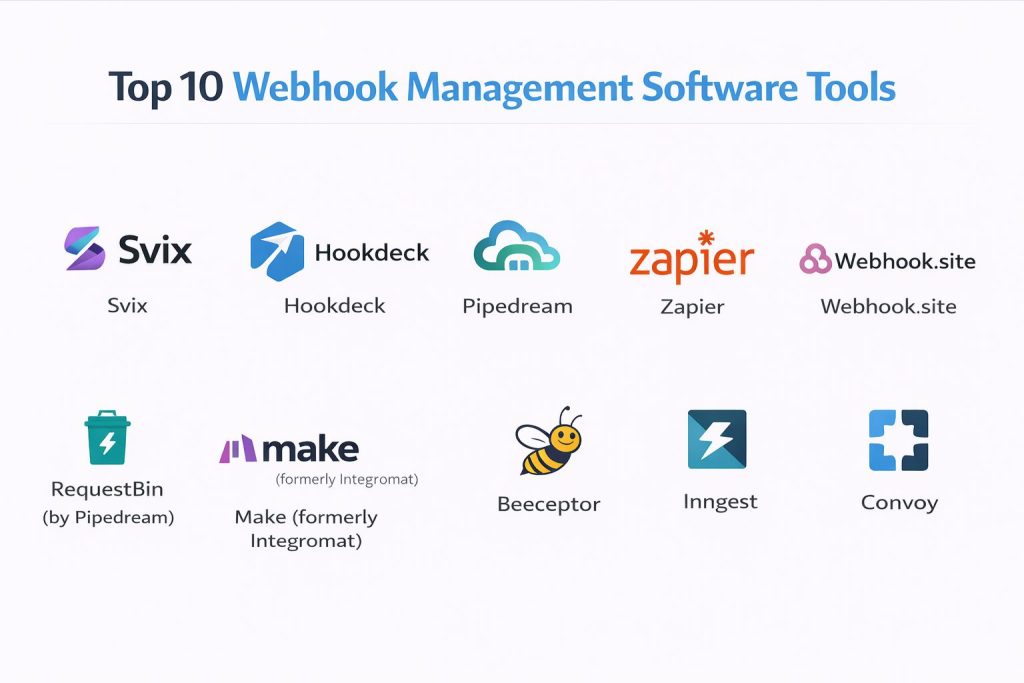
Top 10 Webhook Management Software Tools
#1 — Svix
A specialized “webhooks as a service” platform. It’s designed for companies that want to send webhooks to their customers with zero infrastructure headache.
Key Features
- Automated Retries: Uses exponential backoff to ensure high delivery rates.
- Security signatures: Supports HMAC signatures for verifying sender identity.
- User Dashboard: Provides a white-label portal where your customers can view their own logs.
- Event Catalog: A structured way to document all your webhook events for users.
- Operational Monitoring: Real-time alerts if your delivery rates drop.
Pros
- Focuses specifically on the “sending” side, making it perfect for SaaS builders.
- Highly polished user interface for both developers and their end-users.
Cons
- Can become expensive as your volume of events grows.
- Niche focus means it’s less of a general-purpose automation tool.
Platforms / Deployment
- Web / Cloud
- Cloud
Security & Compliance
- SOC 2, HIPAA, GDPR
- SSO/SAML, Encryption at rest
Integrations & Ecosystem
Svix integrates deeply into backend systems to bridge the gap between your app and your users.
- Node.js
- Python
- Go
- Ruby
Support & Community
Excellent technical documentation and a responsive support team. The community is largely professional software engineers and SaaS founders.
#2 — Hookdeck
A robust webhook infrastructure platform that helps developers ingest, monitor, and route webhooks reliably.
Key Features
- Reliable Ingestion: Guarantees that you never miss a webhook, even during traffic spikes.
- Visual Debugger: A powerful tool to inspect headers and payloads for every request.
- Custom Routing: Route webhooks to different environments based on their content.
- Transformation Logic: Change the shape of the data before it reaches your server.
- Bulk Retries: Re-send thousands of failed webhooks with a single click.
Pros
- Incredibly easy to set up for local development or production.
- Gives total visibility into every single event that passes through the system.
Cons
- The pricing structure can be confusing for very high-volume users.
- Some advanced transformation features require knowledge of JavaScript.
Platforms / Deployment
- Web / Windows / macOS / Linux (via CLI)
- Cloud
Security & Compliance
- SOC 2 Type II
- Encryption, API Key management
Integrations & Ecosystem
Designed to be the gateway for all your incoming data.
- Stripe
- GitHub
- Shopify
- AWS Lambda
Support & Community
Strong community presence on Discord and detailed guides for almost every major webhook provider.
#3 — Pipedream
A low-code platform for developers to connect APIs. It excels at receiving webhooks and running custom code instantly.
Key Features
- Workflow Builder: Connect webhooks to over 1,000 apps using a visual interface.
- Native Code Steps: Run Node.js, Python, or Go code directly in the cloud.
- Managed Auth: Handles OAuth for you so you don’t have to manage secrets manually.
- Event History: Detailed logs of every event and the code execution results.
- Stateful Store: Save data across different webhook events easily.
Pros
- Extremely flexible—you can build almost anything with the custom code steps.
- The free tier is generous for small projects and developers.
Cons
- Can be overkill if you just need simple logging.
- Requires some coding knowledge to unlock the full potential.
Platforms / Deployment
- Web
- Cloud
Security & Compliance
- SOC 2
- RBAC, MFA
Integrations & Ecosystem
One of the largest libraries of pre-built integrations in the industry.
- Slack
- Discord
- Google Sheets
- PostgreSQL
Support & Community
A very active community forum and extensive public libraries of shared workflows.
#4 — Zapier
The most popular automation tool for non-developers. It makes managing webhooks as simple as filling out a form.
Key Features
- Webhooks by Zapier: A dedicated tool to catch and send data without code.
- Visual Automation: Create “If This, Then That” rules easily.
- Formatter: Clean up and change text or dates before they are sent.
- Filtering: Only process webhooks that meet specific criteria.
- Multi-Step Zaps: Send one webhook event to five different apps at once.
Pros
- The easiest tool for non-technical users to manage data flow.
- Connects to virtually every business app on the planet.
Cons
- Very expensive compared to developer-focused tools.
- Limited debugging and logging features for complex technical issues.
Platforms / Deployment
- Web / iOS / Android
- Cloud
Security & Compliance
- SOC 2, SOC 3, GDPR
- SSO (Company tier), Encryption
Integrations & Ecosystem
Works with over 6,000 apps, the largest in the market.
- Salesforce
- HubSpot
- Mailchimp
- Excel
Support & Community
Huge community, official university for learning, and 24/7 support for premium tiers.
#5 — Webhook.site
A simple yet powerful tool for testing and debugging webhooks in real-time.
Key Features
- Instant URL: Get a unique URL immediately to send your webhooks to.
- Real-Time Dashboard: Watch data appear on your screen as it is sent.
- Custom Actions: Set up simple rules to redirect or modify the data.
- Scripting: Write simple scripts to handle incoming requests.
- API Access: Access your captured webhooks via their own API.
Pros
- The fastest way to test if a webhook is working correctly.
- No account is needed for basic testing.
Cons
- Not intended for long-term, high-volume production use.
- Limited security features for the free version.
Platforms / Deployment
- Web
- Cloud / Self-hosted
Security & Compliance
- Not publicly stated
Integrations & Ecosystem
Used primarily as a testing endpoint rather than a permanent hub.
- CURL
- Postman
- Any system that sends webhooks
Support & Community
Minimal community support, but the tool is so simple that documentation is usually enough.
#6 — RequestBin (by Pipedream)
A developer-favorite tool for inspecting webhook payloads and headers.
Key Features
- Payload Inspection: See exactly what data is being sent by a provider.
- Header Analysis: Check for correct authentication and content types.
- Private Bins: Keep your test data secure with private URLs.
- Pipedream Integration: Easily turn a test bin into a full workflow.
- Human-Readable UI: Clear, clean interface for reading JSON data.
Pros
- Clean, focused, and does exactly what it says on the tin.
- Great for quick troubleshooting during development.
Cons
- Bins are temporary and will eventually expire.
- Not a tool for building permanent business logic.
Platforms / Deployment
- Web
- Cloud
Security & Compliance
- Varies / N/A
Integrations & Ecosystem
- Standard HTTP webhooks
- Pipedream platform
Support & Community
Inherits support from the broader Pipedream community.
#7 — Make (formerly Integromat)
A visual automation platform that offers more power and complexity than Zapier at a lower price.
Key Features
- Visual Flowchart: Build your webhook logic on a literal map of icons.
- Complex Iterators: Handle lists of data inside a single webhook easily.
- Detailed Execution History: Watch the data move through the bubbles in real-time.
- Advanced Scheduling: Decide exactly when your webhook data should be processed.
- Error Handling: Build specific paths for what to do if a step fails.
Pros
- Better value for money than Zapier for high-volume users.
- Allows for much more complex logic and data manipulation.
Cons
- The interface has a higher learning curve than Zapier.
- Can become messy if you have a massive number of steps.
Platforms / Deployment
- Web
- Cloud
Security & Compliance
- SOC 2, GDPR
- Two-factor authentication
Integrations & Ecosystem
Strong library of integrations with a focus on European and Global apps.
- Trello
- Airtable
- Twilio
- Dropbox
Support & Community
Great library of templates and an active user group that shares complex builds.
#8 — Beeceptor
An API mocking and webhook interception tool used to build and test integrations without a backend.
Key Features
- Endpoint Mocking: Create a fake API that responds to webhooks.
- Traffic Interceptor: Catch and inspect data in real-time.
- CORS Support: Test webhooks directly from a browser.
- Custom Rules: Set specific responses (e.g., 200 OK or 500 Error) to test your sender’s behavior.
- Local Tunneling: Route webhooks from the internet to your local computer.
Pros
- Fantastic for simulating “what if” scenarios (like server errors).
- Zero setup time.
Cons
- Limited features for permanent data storage.
- UI is strictly functional and not very modern.
Platforms / Deployment
- Web
- Cloud
Security & Compliance
- Not publicly stated
Integrations & Ecosystem
- Standard Webhooks
- Localhost development
Support & Community
Mainly used by developers for quick tasks; support is via online documentation.
#9 — Inngest
An event-driven platform that turns webhooks into reliable, durable functions.
Key Features
- Durable Execution: If a function fails mid-way, it picks up right where it left off.
- Delayed Actions: Receive a webhook now, but act on it 3 days later.
- Fan-out: Trigger multiple different functions from a single event.
- No Infrastructure: Run complex workflows without managing servers or queues.
- TypeScript Support: Strong typing for your webhook payloads.
Pros
- Superior for long-running processes (like onboarding flows).
- Eliminates the need for separate message queues like RabbitMQ.
Cons
- Requires more advanced programming knowledge.
- Relatively new compared to veterans like Zapier.
Platforms / Deployment
- Web / SDK
- Cloud
Security & Compliance
- SOC 2
- Encryption at rest and in transit
Integrations & Ecosystem
Works directly within your existing codebase.
- Next.js
- Vercel
- Supabase
- Netlify
Support & Community
Growing community of “indie hackers” and modern web developers.
#10 — Convoy
An open-source webhook gateway for both sending and receiving events.
Key Features
- Ingress & Egress: Handle webhooks coming in and going out in one place.
- Static IPs: Send webhooks from fixed addresses so your clients can whitelist them.
- Circuit Breaking: Stop sending data to a broken endpoint to prevent wasted resources.
- Signature Provisioning: Automatically handle security for your clients.
- Customer Portal: A dashboard for your users to see their own webhook logs.
Pros
- Open-source version allows for full control and self-hosting.
- Very high performance, built for enterprise scale.
Cons
- The self-hosted version requires DevOps knowledge to manage.
- Documentation can be very technical.
Platforms / Deployment
- Web / Windows / Linux
- Cloud / Self-hosted
Security & Compliance
- SOC 2
- RBAC, Signature verification
Integrations & Ecosystem
- Ruby on Rails
- Django
- Laravel
- Node.js
Support & Community
Active GitHub repository and Slack channel for technical support.
Comparison Table (Top 10)
| Tool Name | Best For | Platform(s) Supported | Deployment | Standout Feature | Public Rating |
| Svix | SaaS Platforms | Web | Cloud | User Logging Portal | 4.8/5 |
| Hookdeck | Reliability/Monitoring | Web, CLI | Cloud | Bulk Retries | 4.9/5 |
| Pipedream | Developer Workflows | Web | Cloud | Custom Code Steps | 4.7/5 |
| Zapier | Non-Developers | Web, Mobile | Cloud | 6,000+ Integrations | 4.5/5 |
| Webhook.site | Quick Testing | Web | Cloud/Self | Instant Unique URL | N/A |
| RequestBin | Payload Inspection | Web | Cloud | Clean JSON Viewer | N/A |
| Make | Complex Low-Code | Web | Cloud | Visual Flowchart | 4.6/5 |
| Beeceptor | Mocking APIs | Web | Cloud | Mock Responses | 4.4/5 |
| Inngest | Delayed Workflows | SDK, Web | Cloud | Durable Execution | 4.7/5 |
| Convoy | Enterprise/Open-Source | Web, Linux | Cloud/Self | Ingress & Egress | 4.6/5 |
Evaluation & Scoring of Webhook Management Software
| Tool Name | Core (25%) | Ease (15%) | Integrations (15%) | Security (10%) | Performance (10%) | Support (10%) | Value (15%) | Weighted Total |
| Svix | 9 | 8 | 8 | 10 | 9 | 9 | 7 | 8.5 |
| Hookdeck | 10 | 8 | 9 | 9 | 10 | 8 | 8 | 8.9 |
| Pipedream | 9 | 7 | 10 | 8 | 9 | 8 | 9 | 8.6 |
| Zapier | 7 | 10 | 10 | 9 | 7 | 9 | 5 | 7.9 |
| Make | 8 | 7 | 9 | 8 | 8 | 8 | 9 | 8.1 |
| Convoy | 9 | 6 | 7 | 10 | 10 | 7 | 8 | 8.0 |
| Inngest | 9 | 6 | 8 | 8 | 9 | 7 | 8 | 7.8 |
| Beeceptor | 6 | 9 | 6 | 5 | 8 | 6 | 8 | 6.8 |
| Webhook.site | 5 | 10 | 5 | 4 | 7 | 5 | 9 | 6.4 |
| RequestBin | 5 | 10 | 5 | 5 | 7 | 5 | 8 | 6.4 |
How to interpret the scores:
- 8.5 – 10.0: Top-tier infrastructure tools for production environments.
- 7.5 – 8.4: Great general-purpose automation and business tools.
- Below 7.5: Specialized tools best used for testing and development.
Why Choose DevOpsSchool?
Choosing the right training partner is just as important as choosing the right software. DevOpsSchool is a globally recognized platform that specializes in transforming beginners into high-level IT professionals. We don’t just teach you how to use a tool; we teach you the engineering principles behind it.
Our curriculum is designed for the modern world, focusing on practical, hands-on labs that mirror real-world production issues. Whether you want to master webhook management, CI/CD, or cloud security, we provide the environment and mentorship needed to excel.
Professional Testimonials
“The way the sessions are handled is incredibly practical. I went from knowing nothing about webhooks to building a reliable notification system in weeks.” — Arjun
“The support team is always there to help. They don’t just give you the answer; they help you understand the problem.” — Priya
Which Webhook Management Tool Is Right for You?
Solo / Freelancer
If you are a solo developer, Pipedream or the free tier of Hookdeck are your best friends. They offer the power of professional tools without the high cost, allowing you to build robust integrations for your clients easily.
SMB
For small businesses looking to automate their sales or marketing without hiring a developer, Zapier is the way to go. If you have a bit of technical knowledge, Make offers better value and more control.
Mid-Market
Companies that are building their own SaaS products should look at Svix. It saves your engineers months of work by providing a ready-made webhook delivery system for your customers.
Enterprise
For large-scale operations requiring absolute security and massive throughput, Convoy or Hookdeck are the industry leaders. They offer the administrative controls and reliability signals that big businesses require.
Budget vs Premium
- Budget: Webhook.site, RequestBin, and Blender (Free tiers).
- Premium: Zapier and Svix (High volume costs).
Feature Depth vs Ease of Use
If you want deep, technical control and durability, Inngest or Houdini-level logic is found in Convoy. If you want ease of use, stick with Zapier.
Frequently Asked Questions (FAQs)
1. What is the difference between a webhook and an API?
An API is like calling a restaurant to ask if your food is ready (polling). A webhook is the restaurant calling you to tell you the food is at your door (push). Webhooks are much more efficient for real-time data.
2. Why do I need a management tool instead of just a script?
A script can’t easily handle “retries” if your server crashes. Management tools provide a safety net, making sure no data is lost and giving you a dashboard to see what went wrong.
3. Are webhooks secure?
By default, they are just data sent over the internet. However, management tools add security by using signatures (HMAC) and secret keys so you can prove the data came from a trusted source.
4. Can I test webhooks locally?
Yes! Tools like Beeceptor or the Hookdeck CLI allow you to tunnel webhooks from the internet directly to your laptop for testing.
5. How much data can these tools handle?
Production-grade tools like Hookdeck or Convoy can handle millions of requests per day with zero lag.
6. What happens if my server is down when a webhook arrives?
A good management tool will see the error and “queue” the message. It will then try to send it again every few minutes until your server is back online.
7. Is there a free way to manage webhooks?
Yes, Blender is to 3D what Webhook.site and RequestBin are to webhooks—great free entry points for testing. For production, many tools have generous free tiers for low volume.
8. Do I need to know how to code to use these?
No. Tools like Zapier and Make are designed specifically for people who don’t want to write code.
9. What is “Signature Verification”?
It’s a digital fingerprint. The sender signs the data with a secret key, and the receiver uses the same key to check that the data hasn’t been tampered with.
10. Can I use webhooks for big files?
Webhooks are best for small “pings” or notifications. If you need to send a 1GB file, use the webhook to tell the other system that the file is ready to be downloaded via a standard API.
Conclusion
Managing webhooks is the difference between a “hacky” integration and a professional one. Whether you are using Svix to empower your users or Hookdeck to monitor your internal data, these tools are essential for the modern developer.
As we move toward a more connected world, the ability to handle real-time data with confidence will be a major competitive advantage. Your next step should be to pick a tool like Hookdeck or Pipedream, set up a test bin, and see how much visibility you’ve been missing.