Introduction
iOS app builders are specialized software platforms that allow individuals and businesses to create applications for Apple devices without writing complex code from scratch. These tools use visual interfaces, often featuring drag-and-drop components, to assemble the logic and design of an app. By abstracting the intricacies of Swift or Objective-C, these builders democratize the app development process, making it possible for anyone with a solid idea to launch a product on the App Store.
In the current digital landscape, having a mobile presence on iOS is no longer a luxury—it is a requirement for brand credibility. As the mobile ecosystem matures, these builders have evolved to offer high-performance outputs that are almost indistinguishable from traditionally coded apps. They provide a streamlined path from concept to deployment, significantly reducing both the time and financial investment typically associated with mobile development.
Real-world use cases include:
- E-commerce: Small retail businesses creating custom shopping apps to sell products directly to iPhone users.
- Internal Business Tools: Companies building private apps for employee scheduling, task management, or inventory tracking.
- Content Creators: Influencers and educators launching subscription-based platforms for exclusive video content or courses.
- Event Management: Creating temporary, high-utility apps for conferences, weddings, or local festivals.
What buyers should evaluate:
- App Store Compliance: Does the tool help you meet Apple’s strict Human Interface Guidelines?
- Ease of Use: Is the drag-and-drop interface truly intuitive for non-technical users?
- Feature Depth: Does it support advanced needs like Push Notifications, GPS, or In-App Purchases?
- Performance: Will the final app feel smooth and responsive on an iPhone?
- Customization: Can you change the design enough so it doesn’t look like a generic template?
- Offline Capability: Can the app function without a constant internet connection?
- Pricing Model: Are there hidden fees for high user counts or data storage?
- Scalability: Can the app handle a sudden influx of thousands of users?
Best for: Small business owners, startup founders, marketing professionals, and non-technical entrepreneurs who need an iOS presence quickly.
Not ideal for: High-complexity gaming apps with advanced physics engines or massive enterprise systems requiring deep system-level hardware integration.
Key Trends in iOS App Builders
- AI-Generated Layouts: Builders now allow users to describe their app in plain text, with AI automatically generating the initial UI and navigation structure.
- No-Code Backend Logic: Complex database operations that once required a server expert are now handled via visual logic blocks.
- Native Performance Optimization: Modern builders produce “native” code rather than “web-wrappers,” ensuring the app runs fast on Apple’s silicon.
- SwiftUI Integration: Platforms are increasingly adopting Apple’s latest UI framework to ensure long-term compatibility with new iOS versions.
- Collaborative Design: Real-time multi-user editing, similar to Google Docs, allows teams to build apps together from different locations.
- Automatic App Store Submission: Advanced tools now handle the entire Apple Developer Portal headache, from certificates to final submission.
- Augmented Reality (AR) Blocks: Simple drag-and-drop components for ARKit features are becoming standard in premium builders.
- Enhanced Security Protocols: Standardized encryption and biometrics (FaceID/TouchID) are now built-in features rather than manual integrations.
How We Selected These Tools (Methodology)
To find the best iOS app builders available today, we looked at several key factors that determine success for the average user:
- Market Adoption: We chose tools that have a proven track record of successful App Store live deployments.
- Feature Completeness: Only tools that offer essential iOS features like push notifications and local storage were considered.
- User Interface (UI) Quality: We prioritized platforms that produce aesthetically pleasing apps that align with Apple’s design philosophy.
- Ease of Deployment: The complexity of getting an app from the builder to the actual App Store was a major ranking factor.
- Customer Feedback: We analyzed user reviews to ensure the platforms are reliable and the support is helpful.
- Value for Money: We weighed the features provided against the monthly or annual cost for both individuals and teams.
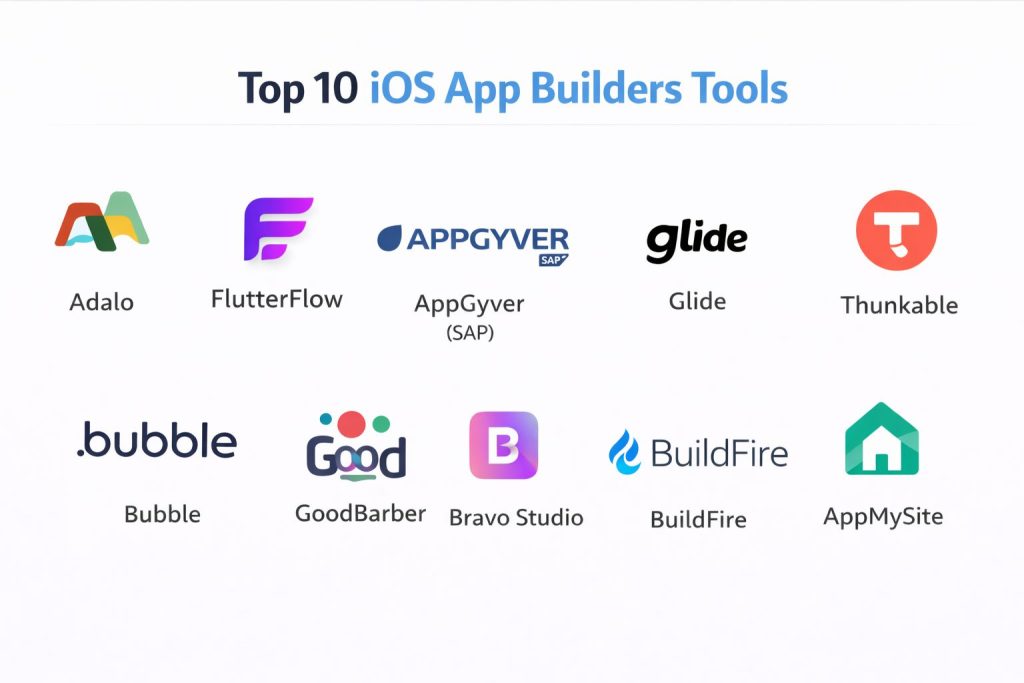
Top 10 iOS App Builders Tools
#1 — Adalo
A powerful no-code builder that focuses on creating visually stunning apps with a focus on database-driven functionality.
Key Features
- Drag-and-Drop Interface: Highly intuitive canvas for placing buttons, lists, and forms.
- Database Management: Built-in spreadsheets to manage user data and content effortlessly.
- Conditional Logic: Set rules for what users see based on their actions or profile data.
- Marketplace Components: Access to a library of community-made features like maps or charts.
- Native Publishing: Directly publish your creation to the Apple App Store.
Pros
- Very easy to learn for absolute beginners.
- The apps look modern and “premium” right out of the box.
Cons
- Performance can lag if the app becomes extremely large or data-heavy.
- Customizing components outside of the standard blocks can be difficult.
Platforms / Deployment
- Web / Windows / macOS
- Cloud
Security & Compliance
- SSO/SAML, Encryption
- Not publicly stated
Integrations & Ecosystem
Adalo offers a wide range of external connections to keep your data flowing.
- Zapier
- Stripe (for payments)
- Mixpanel
- External APIs via collections
Support & Community
Strong community forum and “Adalo App Academy” which provides free video tutorials for every feature.
#2 — FlutterFlow
A high-end builder based on Google’s Flutter framework, allowing for extreme customization and high performance.
Key Features
- Custom Code Export: Unlike many builders, you can download the actual code of your app at any time.
- Visual Action Builder: Create complex logic sequences without writing a single line of script.
- Firebase Integration: Native support for Google’s powerful database and authentication system.
- API Support: Easily connect to any third-party service that has an open API.
- Push Notifications: Built-in tools to send alerts to your iOS users instantly.
Pros
- Produces incredibly fast, native-feeling apps.
- Almost unlimited design freedom compared to other drag-and-drop tools.
Cons
- Has a higher learning curve than simpler builders like Adalo.
- Requires some understanding of how databases and logic work.
Platforms / Deployment
- Web / macOS / Windows
- Cloud
Security & Compliance
- MFA, Firebase Security Rules
- SOC 2, GDPR (via Firebase)
Integrations & Ecosystem
Deeply integrated with the Google Cloud ecosystem and developer tools.
- GitHub
- Algolia (search)
- Google Maps
- RevenueCat (subscriptions)
Support & Community
Excellent documentation and a very active YouTube presence where the developers show off new features weekly.
#3 — AppGyver (SAP)
A professional-grade no-code platform that is completely free for individuals and small businesses.
Key Features
- Composer Pro: A visual development environment that handles complex logic and data.
- 500+ UI Components: A massive library of pre-built elements to assemble your app.
- Logic Canvas: A visual “map” where you can connect different app functions.
- Native Performance: Optimized for iOS to ensure smooth animations.
- Formula Functions: Excel-like formulas to calculate data within the app.
Pros
- Completely free for businesses with less than $10 million in revenue.
- Highly flexible and powerful enough for enterprise-use cases.
Cons
- The interface can be overwhelming for a casual hobbyist.
- The community is more focused on business apps than consumer apps.
Platforms / Deployment
- Web / macOS
- Cloud / Hybrid
Security & Compliance
- Enterprise-grade security (SAP standards)
- ISO 27001, SOC 2
Integrations & Ecosystem
Part of the SAP ecosystem, making it a favorite for corporate environments.
- SAP S/4HANA
- OData
- REST APIs
Support & Community
Solid documentation and a professional forum, though it lacks the “creative” community feel of other tools.
#4 — Glide
A tool that turns Google Sheets or Excel files into a functioning iOS app in minutes.
Key Features
- Sheet-to-App: Your spreadsheet acts as the brain of the application.
- Pre-built Templates: Dozens of designs for directories, trackers, and stores.
- Real-time Sync: Changes in the spreadsheet show up in the app immediately.
- Computed Columns: Perform calculations on your data directly inside the builder.
- User Profiles: Easy management of private vs. public data.
Pros
- The fastest way to go from “data” to a “usable app.”
- Very difficult to break; the templates ensure the app always looks good.
Cons
- Design is limited to specific “layouts” provided by Glide.
- Not ideal for apps that need unique, high-concept branding.
Platforms / Deployment
- Web (Progressive Web App focus)
- Cloud
Security & Compliance
- MFA, Google Auth
- Not publicly stated
Integrations & Ecosystem
Focused on office and productivity software integration.
- Google Sheets
- Microsoft Excel
- Slack
- Airtable
Support & Community
Very active community and great documentation, specifically focused on non-technical business users.
#5 — Thunkable
A “cross-platform” builder that uses a block-based coding system similar to Scratch.
Key Features
- Block-Based Logic: Drag and drop “puzzle pieces” to create app functions.
- Device Feature Access: Easy access to the camera, accelerometer, and Bluetooth.
- Design Canvas: A flexible layout tool that works for both iPhone and iPad.
- Direct Publishing: Built-in wizard to help you submit to the App Store.
- Animation Support: Integration with Lottie for high-quality animations.
Pros
- Excellent for learning the logic of app building.
- Can build for both iOS and Android simultaneously with one design.
Cons
- The visual style can sometimes feel a bit “childish” without careful design work.
- Performance for very high-end apps is lower than FlutterFlow.
Platforms / Deployment
- Web
- Cloud
Security & Compliance
- Encryption, MFA
- Not publicly stated
Integrations & Ecosystem
- Firebase
- Airtable
- Webhooks
Support & Community
A long history in the education space, meaning there are thousands of guides and teachers using this tool.
#6 — Bubble
The powerhouse of no-code web apps, now offering robust ways to wrap and deploy to iOS.
Key Features
- Total Design Freedom: Every pixel can be moved and customized.
- Workflow API: Create complex “if/then” chains for any action.
- Database Scaling: Handles millions of data rows without breaking a sweat.
- Reusable Elements: Create a button once and use it across the entire app.
- Versioning: Go back to previous versions of your app with one click.
Pros
- The most powerful database and logic engine in the no-code world.
- Huge marketplace of templates and plugins.
Cons
- Requires a third-party “wrapper” (like BDK or Canvas) to officially submit to the App Store.
- The learning curve is significantly steeper than Glide or Adalo.
Platforms / Deployment
- Web
- Cloud
Security & Compliance
- SOC 2, GDPR
- MFA, Audit Logs
Integrations & Ecosystem
If a service has an API, Bubble can connect to it.
- Stripe
- Facebook/Google Login
- Algolia
- SendGrid
Support & Community
Massive. There are hundreds of professional Bubble “agencies” and thousands of forum posts for every possible problem.
#7 — GoodBarber
A polished European app builder that focuses on design elegance and ease of use.
Key Features
- Beautiful Themes: Focuses on clean, modern design for magazines and stores.
- Push Notification Manager: Segment your users and send targeted alerts.
- In-App Purchases: Native support for Apple’s subscription and payment system.
- Content Management: A built-in CMS for articles and videos.
- Developer Access: Allows for custom code snippets if you need them.
Pros
- The apps produced are consistently beautiful and professional.
- The support team is highly rated for helping with App Store rejections.
Cons
- Less “logical” freedom than tools like Bubble or FlutterFlow.
- Pricing can be higher than competitors for full native iOS features.
Platforms / Deployment
- Web / Windows / macOS
- Cloud
Security & Compliance
- Not publicly stated
Integrations & Ecosystem
- Shopify
- WordPress
- YouTube
- Vimeo
Support & Community
Excellent one-on-one support and very detailed written guides in multiple languages.
#8 — Bravo Studio
A tool that turns Figma designs directly into native iOS apps without any rebuild.
Key Features
- Figma-to-App: Your design file is the actual source of the app.
- Bravo Tags: Use specific naming conventions in Figma to add logic (like a scroll list).
- Native Components: Uses real iOS components for maps and videos.
- API Connector: Connect your design to any data source.
- Real Device Preview: See changes instantly on your iPhone as you edit in Figma.
Pros
- If you can design it in Figma, you can build it in Bravo.
- Total creative control over the UI.
Cons
- Requires you to be proficient in Figma.
- Setting up the database connections can be tricky for beginners.
Platforms / Deployment
- macOS / Web
- Cloud
Security & Compliance
- SSO, Encryption
- Not publicly stated
Integrations & Ecosystem
- Airtable
- Webflow
- Xano (Backend)
- Stripe
Support & Community
Growing community of designers-turned-developers. Very helpful “Bravo Academy” tutorials.
#9 — BuildFire
A high-end, scalable app builder aimed at businesses and enterprise clients.
Key Features
- Smart Control Panel: Manage users and content from a centralized dashboard.
- Plugin Architecture: Add features like “loyalty cards” or “events” with one click.
- Developer SDK: Allows professionals to write custom plugins to extend the platform.
- White Labeling: Use your own branding across every part of the experience.
- Analytics Dashboard: Built-in tracking for user behavior.
Pros
- Extremely reliable and designed for high traffic.
- “Done-for-you” services are available if you get stuck.
Cons
- One of the most expensive options on the list.
- Might be overkill for a simple personal project.
Platforms / Deployment
- Web
- Cloud
Security & Compliance
- SSO, MFA
- Varies / N/A
Integrations & Ecosystem
- Shopify
- Segment
- Mailchimp
Support & Community
Professional-grade support with dedicated account managers for higher tiers.
#10 — AppMySite
A specialized builder that converts your existing WordPress website into a native iOS app.
Key Features
- Automated Conversion: Syncs your website posts and pages automatically.
- Real-time Preview: See your app change as you adjust colors and logos.
- WooCommerce Support: Converts your online store into a mobile shopping app.
- Menu Builder: Create a custom navigation experience specifically for mobile users.
- Image Optimization: Automatically resizes your site images for fast mobile loading.
Pros
- The easiest way for WordPress users to get an app.
- Low maintenance; your app updates whenever your website does.
Cons
- Limited to the content and structure of your website.
- Not suitable for building an app from a “blank slate.”
Platforms / Deployment
- Web
- Cloud
Security & Compliance
- Varies / N/A
Integrations & Ecosystem
- WordPress
- WooCommerce
- Google Analytics
Support & Community
Good support for website-specific issues and a helpful blog for marketing your new app.
Comparison Table (Top 10)
| Tool Name | Best For | Platform(s) Supported | Deployment | Standout Feature | Public Rating |
| Adalo | Rapid Prototyping | Web, Windows, Mac | Cloud | Simple Database | 4.5/5 |
| FlutterFlow | High-Performance | Web, Windows, Mac | Cloud | Code Export | 4.8/5 |
| AppGyver | Free Enterprise | Web, Mac | Hybrid | Professional Logic | 4.6/5 |
| Glide | Internal Business | Web | Cloud | Sheet-to-App | 4.7/5 |
| Thunkable | Education/Cross-Platform | Web | Cloud | Block Coding | 4.4/5 |
| Bubble | Complex Logic | Web | Cloud | Workflow Engine | 4.8/5 |
| GoodBarber | Polished Design | Web, Windows, Mac | Cloud | Visual Elegance | 4.3/5 |
| Bravo Studio | Designers (Figma) | Web, Mac | Cloud | Figma-to-App | 4.5/5 |
| BuildFire | Large Scale Business | Web | Cloud | Plugin SDK | 4.2/5 |
| AppMySite | WordPress Users | Web | Cloud | Website Conversion | 4.1/5 |
Evaluation & Scoring of iOS App Builders
| Tool Name | Core (25%) | Ease (15%) | Integrations (15%) | Security (10%) | Performance (10%) | Support (10%) | Value (15%) | Weighted Total |
| FlutterFlow | 10 | 6 | 9 | 8 | 10 | 9 | 8 | 8.7 |
| Bubble | 10 | 5 | 10 | 8 | 8 | 9 | 8 | 8.4 |
| Adalo | 8 | 10 | 7 | 6 | 7 | 8 | 9 | 7.8 |
| AppGyver | 8 | 6 | 8 | 9 | 8 | 7 | 10 | 7.7 |
| Glide | 6 | 10 | 8 | 7 | 8 | 8 | 8 | 7.6 |
| Bravo Studio | 7 | 7 | 8 | 6 | 9 | 7 | 8 | 7.4 |
| GoodBarber | 7 | 8 | 7 | 6 | 8 | 9 | 6 | 7.2 |
| BuildFire | 8 | 7 | 8 | 8 | 8 | 8 | 4 | 7.1 |
| Thunkable | 7 | 8 | 7 | 5 | 7 | 8 | 7 | 7.1 |
| AppMySite | 5 | 9 | 7 | 5 | 7 | 7 | 8 | 6.7 |
How to interpret these scores:
- 8.5 – 10.0: Top-tier tools capable of professional, scalable production.
- 7.0 – 8.4: Great for specific use cases like design-led apps or internal tools.
- Below 7.0: Niche solutions that excel in one specific area but lack broad flexibility.
Which iOS App Builder Tool Is Right for You?
Solo / Freelancer
For a solo creator, Adalo offers the best mix of speed and beauty. You can launch a fully functional app in a weekend. If you have some technical curiosity, Blender (for 3D assets) combined with Thunkable can create a very unique experience.
SMB
Glide is a game-changer for small businesses. Since most small businesses already keep their data in spreadsheets, Glide turns that existing work into an app without a second of design time. It’s perfect for inventory or client tracking.
Mid-Market
For companies that need a unique brand identity and solid performance, GoodBarber or Bravo Studio are excellent. They provide professional-looking results that feel custom-made by an agency.
Enterprise
BuildFire or AppGyver (SAP) are the clear winners here. They provide the security certifications, administrative controls, and custom SDKs that large IT departments require.
Budget vs Premium
- Budget: AppGyver (Free tier) and Glide (Free tier) are the most generous.
- Premium: BuildFire and high-tier Bubble plans are significant investments but offer massive power.
Feature Depth vs Ease of Use
If you need complex logic, choose Bubble. If you want a simple interface that works immediately, choose AppMySite.
Integrations & Scalability
FlutterFlow and Bubble are the most scalable. They allow you to start small and grow into an app used by millions without needing to switch platforms later.
Security & Compliance Needs
For apps handling sensitive health or financial data, AppGyver or BuildFire provide the most established security frameworks.
Why Choose DevOpsSchool?
When you are diving into the world of app building, the tool is only half the battle; knowing how to use it is the other half. DevOpsSchool has established itself as a premier destination for mastering modern development workflows. They provide deep, expert-led training that goes beyond just “clicking buttons” to help you understand the architectural principles behind your apps.
Whether you are looking to master No-Code platforms, Flutter, or Cloud Architectures, their curriculum is designed for real-world application. With a focus on hands-on labs and project-based learning, they ensure that you don’t just finish a course—you finish a project. Their reputation for excellence makes them a trusted partner for both individual career growth and corporate team training.
Frequently Asked Questions (FAQs)
1. Do I need an Apple Developer account to use these builders?
You can build and test your app for free within most of these tools. However, to actually publish your app on the App Store for others to download, you must pay Apple for an Official Developer Account, which costs $99 per year.
2. Are no-code iOS apps as good as coded ones?
For 90% of business and personal use cases, yes. Modern builders like FlutterFlow produce high-quality code that runs natively. Unless you are building a complex 3D game or an app requiring deep system-level access, no-code is more than sufficient.
3. Can I switch from one builder to another later?
Usually, no. Most builders are “closed systems,” meaning you cannot easily move an Adalo app into Bubble. The exception is FlutterFlow, which allows you to export your code and host it elsewhere if you choose.
4. How long does it take to get an app on the App Store?
Building the app can take anywhere from a day to a few months. Once submitted, Apple typically takes 24 to 48 hours to review your app. If they find issues, you will need to fix them and resubmit.
5. Can I make money with my iOS app?
Absolutely. Most of these tools support In-App Purchases and Stripe integrations, allowing you to sell subscriptions, physical products, or digital goods directly through your app.
6. What happens if I stop paying for the builder?
In most cases, if you stop your subscription, your app will stop functioning or will be removed from the store. This is because the builder usually hosts the “brain” of your app on their servers.
7. Do these builders work for both iPhone and iPad?
Yes. Most modern builders use “responsive design,” which means the layout will automatically adjust to fit the screen size of the device the user is holding.
8. Can I add a custom domain or branding?
Yes, all professional tiers of these tools allow you to use your own icons, splash screens, and branding. Your users will never know you used a builder unless you tell them.
9. How do I handle app updates?
For most builders, small changes like text or colors update instantly inside the app. For major changes to the app’s structure, you may need to submit a new version to the App Store for review.
10. Is my data safe on these platforms?
Most major builders use industry-standard encryption and are hosted on secure servers like AWS or Google Cloud. However, always check the “Security & Compliance” section of a tool if you are handling very sensitive information.
Conclusion
The era of needing a $50,000 budget to launch an iOS app is over. Whether you choose the design-centric approach of Bravo Studio, the data-heavy power of Bubble, or the sheer speed of Glide, the tools are now in your hands.
The “best” tool is the one that aligns with your current skills and long-term goals. Your next step should be to choose the top three tools that match your scenario and try their free versions. Start by building a simple “Hello World” version of your idea to see which interface feels most natural to you.