Introduction
No-code app builders are innovative platforms that allow anyone to create fully functional software applications without writing a single line of code. Instead of using complex programming languages, these tools utilize intuitive drag-and-drop interfaces, pre-built templates, and visual logic builders. This shift effectively democratizes software development, moving it from the hands of a technical few to anyone with a creative idea or a business problem to solve.
In the current landscape, speed is the most valuable currency. Businesses can no longer afford to wait six months for a traditional development cycle to build a simple internal tool or a customer-facing app. No-code platforms bridge this gap, allowing for rapid prototyping and deployment. Whether you are a founder looking to build a Minimum Viable Product (MVP) or an HR manager needing a custom portal, these tools empower you to build solutions in days rather than months.
Real-world use cases include:
- Internal Business Tools: Creating custom CRM systems, employee onboarding portals, or inventory trackers.
- Customer-Facing Mobile Apps: Developing e-commerce storefronts, community platforms, or booking systems.
- MVP Development: Quickly testing a startup idea with real users without high initial development costs.
- Process Automation: Building apps that connect different software services to automate repetitive data entry tasks.
What buyers should evaluate:
- Ease of Use: Is the drag-and-drop interface truly intuitive for non-developers?
- Scalability: Can the app handle an increasing number of users and data over time?
- Customization Depth: Are you limited by templates, or can you build unique designs?
- Security Standards: Does the platform offer enterprise-grade data protection and user permissions?
- Integration Options: Can it connect to your existing tools like Google Sheets, Slack, or Salesforce?
- Offline Functionality: Does the app work without an internet connection?
- Export Options: Can you “own” the code or export the app to different app stores?
- Pricing Model: Does the cost scale reasonably as your user base grows?
Best for: Small business owners, startup founders, project managers, and enterprise “citizen developers” looking for rapid solution deployment.
Not ideal for: High-frequency trading platforms, complex 3D gaming engines, or apps requiring deeply specialized, low-level hardware access.
Key Trends in No-Code App Builders
- AI-Driven Generation: Modern builders now allow users to describe an app in plain English, and the AI generates the initial layout and logic.
- Enterprise Adoption: Large corporations are increasingly using no-code to let non-IT staff solve departmental problems, reducing the “shadow IT” risk.
- Mobile-First Development: A major shift toward responsive design ensures that apps built on desktop work perfectly on all mobile devices automatically.
- Advanced Logic Building: Visual “if-this-then-that” builders are becoming powerful enough to handle complex calculations and multi-step workflows.
- Security-First Focus: There is a heightened focus on ensuring no-code apps meet strict global data privacy regulations like GDPR and CCPA.
- Hybrid-Code Options: Many platforms now allow “low-code” escapes, where developers can add custom snippets to extend the no-code base.
- Standardized Integrations: The rise of native connectors means you no longer need middle-ware to link your app to hundreds of other services.
- Collaborative Building: Teams can now work on the same app builder interface simultaneously, much like editing a shared document.
How We Selected These Tools (Methodology)
To bring you the best tools in the market, we evaluated them based on a strict set of professional requirements:
- Market Adoption: We chose tools that are widely recognized and used by both individuals and large corporations.
- Feature Set: Each tool must provide a complete environment for building, hosting, and managing an app.
- User Interface: We prioritized platforms that actually deliver on the “no-code” promise with a clean, visual interface.
- Integration Maturity: The ability to communicate with the wider software ecosystem was a top priority.
- Stability: We looked for platforms with high uptime and reliable performance records.
- Cost-to-Value: We evaluated whether the pricing justifies the features provided for different user segments.
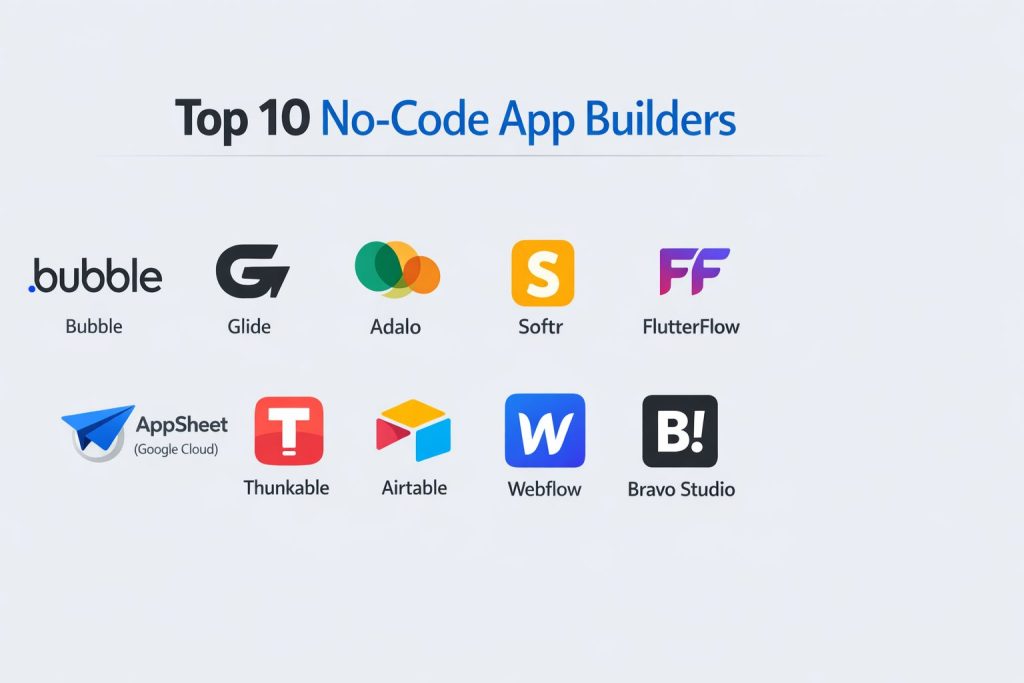
Top 10 No-Code App Builders
#1 — Bubble
A powerful visual programming tool that allows you to build complex web applications with full database control.
Key Features
- Visual Workflow Editor: Define exactly what happens when a user clicks a button or triggers an event.
- Fully Customizable Database: Build complex data structures without knowing SQL.
- Responsive Design: Drag-and-drop elements that resize automatically for mobile and tablet views.
- API Connector: Connect to any service that has an API with a few clicks.
- Version Control: Easily revert your app to a previous state if something goes wrong.
Pros
- Unmatched flexibility in logic; you can build almost anything.
- Huge marketplace for pre-built templates and plugins.
Cons
- Higher learning curve than simpler “drag-and-drop” builders.
- Performance can lag on extremely high-traffic apps if not optimized.
Platforms / Deployment
- Web / Windows / macOS / Linux
- Cloud (Hosted on Bubble’s infrastructure)
Security & Compliance
- SSO, MFA, and automated backups
- SOC 2 Type II compliant
Integrations & Ecosystem
Bubble has one of the largest plugin ecosystems in the no-code world.
- Stripe
- Google Analytics
- SendGrid
- Facebook/Google Login
Support & Community
Extremely active forums and a wealth of “Bubble Academies” and independent bootcamps are available for all skill levels.
#2 — Glide
A tool that turns your spreadsheets into beautiful, easy-to-use apps in minutes.
Key Features
- Data-Sync: Uses Google Sheets, Excel, or Airtable as the primary database.
- Pre-made Components: Over 40 visual components like maps, charts, and lists.
- AI Integration: Built-in AI features for text analysis and image recognition.
- Instant Deployment: Share your app via a simple URL or QR code.
- Desktop & Mobile: Automatically generates a version for both screen types.
Pros
- The fastest way to go from a spreadsheet to a working app.
- Beautiful default designs that require zero graphic design skill.
Cons
- Limited customization for very specific or unique UI layouts.
- Restricted by the limitations of spreadsheet-based data structures.
Platforms / Deployment
- Web (Progressive Web Apps)
- Cloud
Security & Compliance
- Private sign-in options and user-specific data roles
- GDPR compliant
Integrations & Ecosystem
Focuses on data and communication tools.
- Slack
- Microsoft Teams
- Zapier
- Intercom
Support & Community
Great official documentation and a friendly community forum that is very responsive to beginner questions.
#3 — Adalo
Specialized in building native-feeling mobile apps with an emphasis on visual design and user experience.
Key Features
- True Drag-and-Drop: Move any element anywhere on the screen without grid restrictions.
- Native App Store Publishing: Tools to help you submit your app directly to Apple and Google stores.
- Dynamic Actions: Links screens and triggers notifications based on user behavior.
- Database Collections: Simple, visual way to manage your app’s content.
- Component Marketplace: Buy or add community-made visual elements.
Pros
- Excellent for apps that need to look high-end and “consumer-ready.”
- Simple logic building that is very easy for non-technical users to grasp.
Cons
- Can become slow as the database grows very large.
- Limited complex “if-then” logic compared to Bubble.
Platforms / Deployment
- iOS / Android / Web
- Cloud
Security & Compliance
- Not publicly stated
Integrations & Ecosystem
- Stripe (for payments)
- Mixpanel (for analytics)
- Zapier (for 1000+ other apps)
Support & Community
Strong YouTube presence with many step-by-step tutorials and a dedicated “Adalo App Academy.”
#4 — Softr
A builder that turns your Airtable or Google Sheets data into professional web apps, portals, and internal tools.
Key Features
- Building Blocks: Over 100 pre-made blocks for lists, forms, and galleries.
- User Permissions: Define exactly who can see or edit specific pieces of data.
- SEO Friendly: Built-in tools to help your web app rank on search engines.
- Free Subdomain: Every app gets a free softr.app link, or you can use your own.
- Responsive Blocks: Everything you build is mobile-ready by default.
Pros
- Incredible speed for building client portals and internal directories.
- Very generous free tier for getting started.
Cons
- You are heavily reliant on blocks, which limits total design freedom.
- Only works with specific data sources like Airtable and Google Sheets.
Platforms / Deployment
- Web / Mobile Web
- Cloud
Security & Compliance
- Secure data syncing with Airtable
- MFA and restricted user access levels
Integrations & Ecosystem
- Mailchimp
- Hotjar
- Google Tag Manager
Support & Community
Known for excellent customer support and a very clear, visual help center.
#5 — FlutterFlow
A high-end visual builder for developing professional, native mobile apps that can also export clean code.
Key Features
- Visual Action Builder: Create complex logic paths using a visual flow chart.
- Firebase Integration: Native connection to Google’s Firebase for databases and authentication.
- Push Notifications: Easily set up and manage alerts for your users.
- Custom Code: Allows you to add your own Dart code if you ever need to go beyond no-code.
- Multi-Language Support: Built-in tools for translating your app for global audiences.
Pros
- Generates real Flutter code, so you are never “locked-in” to the platform.
- The most professional-grade performance for mobile apps on this list.
Cons
- Steeper learning curve than Glide or Adalo.
- Requires some understanding of how databases and “state” work.
Platforms / Deployment
- iOS / Android / Web / Desktop
- Cloud / Self-hosted (via code export)
Security & Compliance
- Inherits Google Firebase’s enterprise security features
- HIPAA/GDPR ready (depending on your setup)
Integrations & Ecosystem
- GitHub
- Algolia (for search)
- RevenueCat (for subscriptions)
Support & Community
Rapidly growing community of professional developers and a very detailed documentation library.
#6 — AppSheet (Google Cloud)
Google’s enterprise-grade no-code platform for building powerful business applications from data.
Key Features
- AI & Machine Learning: Automatically suggests app structures based on your data.
- Offline Support: Apps work without internet and sync once you are back online.
- Automation Bot: Create automated email or chat alerts based on data changes.
- Barcode & NFC: Native support for scanning, making it great for inventory.
- Google Workspace Integration: Deeply connected to Drive, Docs, and Sheets.
Pros
- Zero cost for Google Workspace users on certain plans.
- Extremely robust for data-heavy, “un-sexy” business operations.
Cons
- Very rigid UI; you cannot make “beautiful” consumer apps here.
- Can feel more like a “form builder” than a true app builder.
Platforms / Deployment
- iOS / Android / Web
- Cloud
Security & Compliance
- Enterprise-grade security via Google Cloud
- HIPAA and SOC 2 compliant
Integrations & Ecosystem
- All Google Workspace tools
- Salesforce
- Smartsheet
Support & Community
Backed by Google’s massive support ecosystem and professional training modules.
#7 — Thunkable
A blocks-based builder that is perfect for beginners and educators to build mobile apps.
Key Features
- Blocks Logic: Uses a puzzle-piece logic system (similar to Scratch).
- Cross-Platform: Build once and deploy to both iOS and Android simultaneously.
- Native Device Access: Easy access to the camera, Bluetooth, and sensors.
- Direct Store Publishing: Simplified process for getting onto app stores.
- Live Testing: See changes on your phone instantly as you build.
Pros
- Very fun and visual; great for learning the logic of apps.
- Strong for apps that need to interact with phone hardware (like sensors).
Cons
- The blocks interface can get messy for very large, complex apps.
- Limited for purely web-based application needs.
Platforms / Deployment
- iOS / Android / Mobile Web
- Cloud
Security & Compliance
- Not publicly stated
Integrations & Ecosystem
- Airtable
- Firebase
- Cloudinary
Support & Community
Very popular in schools and among solo makers, leading to a very helpful, beginner-friendly community.
#8 — Airtable
While often seen as a database, its “Interface Designer” makes it a top-tier internal app builder.
Key Features
- Interface Designer: Drag-and-drop elements to turn data into a custom dashboard.
- Relational Database: The most intuitive way to link complex data together.
- Automations: Built-in logic to trigger emails, updates, and Slack messages.
- Views: Switch between Grid, Calendar, Kanban, and Gallery instantly.
- Form Builder: Create public or private forms that feed directly into your app.
Pros
- If you know how to use a spreadsheet, you can build an app here.
- Incredible for project management and internal operations.
Cons
- Not suitable for building public-facing mobile apps for the App Store.
- Pricing can become very high for large teams.
Platforms / Deployment
- Web / iOS / Android
- Cloud
Security & Compliance
- SSO, SAML, and granular sharing permissions
- SOC 2 and ISO 27001 compliant
Integrations & Ecosystem
One of the most connected tools in the world.
- Google Workspace
- Salesforce
- Jira
- GitHub
Support & Community
Huge community of “Airtable Wizards” and consultants who share templates for every industry.
#9 — Webflow
Primarily a website builder, but its Logic and CMS features allow for powerful web-based apps.
Key Features
- Visual Canvas: Total control over every pixel and animation.
- Powerful CMS: Manage thousands of data items with custom fields.
- Logic (Beta): Visual workflow builder to automate site actions.
- E-commerce: Built-in tools for selling physical or digital products.
- Memberships: Create gated content and user accounts for your app.
Pros
- The best-looking designs of any tool on this list.
- Perfect for apps where the “brand” and “feel” are the top priority.
Cons
- Getting the “app” logic to work takes more effort than in Bubble or Softr.
- Can be overwhelming for someone with zero design background.
Platforms / Deployment
- Web / Mobile Web
- Cloud (Highly optimized hosting)
Security & Compliance
- Tier 1 CDN and enterprise-grade hosting security
- ISO 27001 and SOC 2 compliant
Integrations & Ecosystem
- Memberstack (for advanced users)
- Shopify
- Zapier
Support & Community
“Webflow University” is the gold standard for software training—funny, clear, and very deep.
#10 — Bravo Studio
Converts your Figma or Adobe XD designs directly into a real, native mobile app.
Key Features
- Design-First: Use your actual design files as the app’s front end.
- Bravo Tags: Use simple tags in Figma to tell the app which parts are buttons or lists.
- API Integration: Connect your design to any backend database via API.
- Native Performance: Apps feel fast and smooth because they are native.
- Firebase Auth: Easy user login and data security setup.
Pros
- If you can design it in Figma, you can build it in Bravo.
- Total creative freedom; no “no-code templates” to get in your way.
Cons
- Requires you to be proficient in professional design tools like Figma.
- Setting up the API connections can be technical for absolute beginners.
Platforms / Deployment
- iOS / Android
- Cloud
Security & Compliance
- Not publicly stated
Integrations & Ecosystem
- Airtable
- Webflow CMS
- Xano (for backend)
Support & Community
A smaller, passionate community of designers and “design-preneurs” who share creative hacks.
Comparison Table (Top 10)
| Tool Name | Best For | Platform(s) Supported | Deployment | Standout Feature | Public Rating |
| Bubble | Complex Web Apps | Web | Cloud | Deep Logic Builder | 4.6/5 |
| Glide | Simple Data Apps | Web, Mobile Web | Cloud | Spreadsheet Sync | 4.8/5 |
| Adalo | Native Mobile Apps | iOS, Android, Web | Cloud | Drag-and-Drop UX | 4.5/5 |
| Softr | Internal Portals | Web, Mobile Web | Cloud | Building Blocks | 4.7/5 |
| FlutterFlow | High-Perf Mobile | iOS, Android, Web | Hybrid | Code Export (Dart) | 4.7/5 |
| AppSheet | Business Operations | iOS, Android, Web | Cloud | Offline Functionality | 4.4/5 |
| Thunkable | Beginners/Sensing | iOS, Android, Web | Cloud | Blocks-based Logic | 4.3/5 |
| Airtable | Internal Ops | Web, iOS, Android | Cloud | Relational Database | 4.9/5 |
| Webflow | Designer Web Apps | Web, Mobile Web | Cloud | Pixel-Perfect CMS | 4.8/5 |
| Bravo Studio | Figma-to-App | iOS, Android | Cloud | Design-to-Native | 4.2/5 |
Evaluation & Scoring of No-Code App Builders
| Tool Name | Core (25%) | Ease (15%) | Integrations (15%) | Security (10%) | Performance (10%) | Support (10%) | Value (15%) | Weighted Total |
| Bubble | 10 | 4 | 9 | 8 | 7 | 9 | 8 | 8.1 |
| Airtable | 8 | 9 | 10 | 9 | 9 | 8 | 6 | 8.0 |
| Webflow | 8 | 7 | 8 | 9 | 10 | 10 | 7 | 8.0 |
| Glide | 6 | 10 | 8 | 7 | 8 | 9 | 9 | 7.8 |
| Softr | 7 | 9 | 8 | 7 | 8 | 8 | 9 | 7.7 |
| FlutterFlow | 9 | 5 | 8 | 8 | 9 | 7 | 8 | 7.6 |
| AppSheet | 7 | 7 | 9 | 10 | 7 | 8 | 7 | 7.5 |
| Adalo | 7 | 8 | 7 | 5 | 6 | 8 | 7 | 6.7 |
| Thunkable | 6 | 8 | 6 | 5 | 7 | 7 | 8 | 6.6 |
| Bravo Studio | 5 | 6 | 7 | 5 | 8 | 7 | 7 | 6.3 |
How to interpret these scores:
- 8.0 and above: Industry-leading tools that can handle professional and enterprise-scale needs.
- 7.0 – 7.9: Excellent specialized tools for specific use cases like data-syncing or design-first apps.
- Below 7.0: Great for learning, prototyping, or very specific design-centric projects.
Why Choose DevOpsSchool?
At DevOpsSchool, we understand that the future of technology is not just about writing code—it’s about delivering value. Our training programs are designed to bridge the gap between traditional engineering and the modern “no-code” revolution. We don’t just teach you how to use a tool; we teach you the architectural thinking and the SRE principles that make your apps reliable, scalable, and secure.
With mentors who bring decades of real-world industry experience, we provide a hands-on learning environment where you can build real products. Whether you are looking to master automated pipelines or want to empower your team with citizen development skills, DevOpsSchool is your partner in digital transformation. We focus on the “why” just as much as the “how,” ensuring you stay ahead in an ever-changing tech landscape.
Which No-Code App Builder Tool Is Right for You?
Solo / Freelancer
If you are building your own brand or a simple side project, Glide or Softr are your best friends. They allow you to launch a professional-looking app in a single weekend without getting bogged down in technical settings.
SMB
For small businesses looking to automate their daily work, Airtable or AppSheet are the winners. They provide the most value for data management and internal operations where “looking pretty” is secondary to “working perfectly.”
Mid-Market
Growing companies that need custom client portals or specialized web apps should look at Softr or Webflow. These tools scale well and offer the professional design and security that a growing brand requires.
Enterprise
For large-scale “citizen development” initiatives, AppSheet (via Google Cloud) or Bubble (for high-customization) are the industry standards. They provide the administrative controls and compliance certifications that big IT departments demand.
Budget vs Premium
- Budget: Blender (for 3D context, though here Glide and Softr have the best free tiers).
- Premium: Bubble and FlutterFlow often require higher monthly spends as they handle more “heavy lifting.”
Feature Depth vs Ease of Use
If you want total control and are willing to study, go with Bubble. If you want an app today and don’t care about having “custom everything,” go with Glide.
Integrations & Scalability
Airtable and Bubble win on integrations. They act as “software glue,” connecting easily to almost any other digital service you already use.
Security & Compliance Needs
For apps handling sensitive data or medical records, AppSheet and Airtable offer the most robust enterprise security features and compliance certifications out of the box.
Frequently Asked Questions (FAQs)
1. Can I really build a professional app without knowing how to code?
Yes, absolutely. The platforms on this list have matured to the point where they can handle complex data, user authentication, and professional design. Many high-growth startups are currently running their entire business on these “no-code” foundations.
2. Who owns the app and the data once it is built?
In most cases, you own your data and the intellectual property of your app design. However, most no-code tools “host” the app for you, meaning you cannot easily move it to a different provider without rebuilding it.
3. Are no-code apps secure?
Yes, most reputable platforms use the same enterprise-grade security as traditional software providers. However, the security of your specific app also depends on how you set up your user permissions and “privacy rules” within the tool.
4. Can no-code apps handle thousands of users?
Many can! Platforms like Bubble and FlutterFlow are designed for scale. However, because you are sharing resources on their servers, you may need to upgrade your plan as your traffic grows to maintain high performance.
5. What is the difference between no-code and low-code?
No-code is designed for people who have never touched a line of code. Low-code is designed for developers to work faster by providing a visual base but allowing for custom coding to handle complex, unique requirements.
6. Can I put my no-code app on the Apple App Store?
Yes, tools like Adalo, Thunkable, and FlutterFlow have built-in systems to help you package your app and submit it to the official Apple and Google app stores.
7. How much does it cost to build a no-code app?
While many tools have free tiers, a professional app usually costs between $25 and $150 per month for hosting and premium features. This is still significantly cheaper than hiring a developer for thousands of dollars.
8. How long does it take to learn these tools?
You can build your first simple app in a tool like Glide in about 30 minutes. To master a complex tool like Bubble, you should expect to spend a few weeks of consistent practice.
9. Can I connect my no-code app to my existing website?
Yes, most builders allow you to use a custom domain or embed your app into an existing site as a “portal” or a specific page.
10. What happens if the no-code platform goes out of business?
This is a common concern called “platform risk.” To mitigate this, look for tools that allow you to export your data easily, or tools like FlutterFlow that let you export the actual source code.
Conclusion
The no-code movement has permanently changed the way we think about software. It is no longer about who can write the best syntax, but who can solve the best problems. Whether you choose Bubble for its power, Glide for its speed, or Airtable for its data organization, the most important step is simply to start building.
As AI continues to integrate with these builders, the process will only get faster. Your next step should be to choose one of the “Best For” scenarios above that matches your current goal, sign up for a free trial, and attempt to build a “single-page” version of your idea. You will be surprised at how much you can achieve in just a few hours.