Introduction
Marketing automation platforms are specialized software suites designed to handle repetitive marketing tasks across multiple channels—such as email, social media, and websites—without manual intervention. These tools act as a central brain for a business’s growth engine, allowing teams to set up complex “if-then” logic that triggers personalized messages based on specific customer behaviors. In the current era, these platforms have evolved from simple email schedulers into sophisticated AI-driven systems that can predict when a customer is ready to buy before they even know it themselves.
Marketing automation is no longer an optional luxury; it is a fundamental survival tool. With the explosion of digital touchpoints, human teams simply cannot keep up with the demand for 1:1 personalization at scale. Modern platforms now focus on “autonomous marketing,” where AI agents handle the heavy lifting of segmenting audiences and optimizing send times, allowing human marketers to focus on high-level strategy and creative storytelling. Whether you are a small startup or a global enterprise, the right automation stack ensures that no lead falls through the cracks.
Real-world use cases include:
- Lead Nurturing: Automatically sending a series of helpful educational emails to a prospect who just downloaded a whitepaper.
- Cart Abandonment: Triggering a personalized SMS or email with a discount code when a user leaves an item in their online shopping bag.
- Customer Onboarding: Guiding new software users through a step-by-step setup process based on which features they haven’t tried yet.
- Predictive Re-engagement: Identifying “at-risk” customers who haven’t logged in recently and offering them a tailored incentive to return.
What buyers should evaluate:
- AI Orchestration: Does the platform include native AI agents for content creation and predictive scoring?
- Ease of Use: Can your marketing team build workflows without needing a computer science degree?
- Data Unification: Does it provide a “Single Source of Truth” (SSOT) by syncing perfectly with your CRM?
- Multi-Channel Support: Can it handle Email, SMS, WhatsApp, and Social Media from one dashboard?
- Deliverability Rates: Does the provider have a strong reputation for keeping emails out of the spam folder?
- Security & Compliance: Is it fully compliant with global standards like GDPR, CCPA, and SOC 2?
- Scalability: Will the platform remain affordable and performant as your contact list grows from 1,000 to 1,000,000?
- Technical Support: Is there 24/7 human support available for when a critical workflow breaks?
Best for: Growth-focused marketing teams, e-commerce brands, B2B organizations with long sales cycles, and agencies managing multiple client accounts.
Not ideal for: Ultra-small brick-and-mortar businesses that only interact with customers in person or very early-stage solo founders with zero marketing budget.
Key Trends in Marketing Automation Platforms
- AI Copilots & Agents: Platforms are shifting from “tools you use” to “agents that work for you,” capable of generating entire campaign flows from a single text prompt.
- Predictive Lead Scoring: Instead of static point systems, machine learning now calculates a lead’s “propensity to buy” in real-time based on millions of data points.
- Hyper-Personalization at Scale: Content blocks within emails and websites now change dynamically for every individual user, reflecting their specific interests and past behavior.
- Zero-Party Data Focus: With the death of third-party cookies, automation tools are prioritizing the collection of data directly from customers through interactive quizzes and surveys.
- Privacy-by-Design: Automated governance tools now ensure that every message sent is compliant with the latest local privacy laws without human oversight.
- Real-Time Revenue Attribution: Advanced reporting now shows exactly which automated touchpoint—an SMS, an email, or a LinkedIn ad—actually closed the deal.
- Voice and Conversational AI: Integration with smart assistants and AI chatbots allows marketing journeys to continue through voice and chat interfaces seamlessly.
- Low-Code/No-Code Flexibility: Visual drag-and-drop builders have become so powerful that even complex logic can be built by non-technical staff.
How We Selected These Tools (Methodology)
To select the top 10 platforms, we analyzed the current market landscape using a multi-dimensional scoring model:
- Feature Depth: We looked for platforms that go beyond email to include SMS, social, and web personalization.
- User Experience (UX): We prioritized tools with intuitive interfaces and high scores for “ease of implementation.”
- Enterprise Readiness: We evaluated security protocols, uptime guarantees, and administrative controls for large teams.
- AI Integration: Priority was given to platforms that have deeply integrated AI (not just superficial wrappers).
- Ecosystem and API: We checked the quality of native integrations with popular CRMs like Salesforce, HubSpot, and Microsoft Dynamics.
- Customer Value: We assessed whether the feature set justifies the price across various business sizes.
- Market Momentum: We considered which tools are currently leading in user satisfaction ratings on major peer-review platforms.
- Reliability: We looked at historical data regarding platform stability and delivery performance.
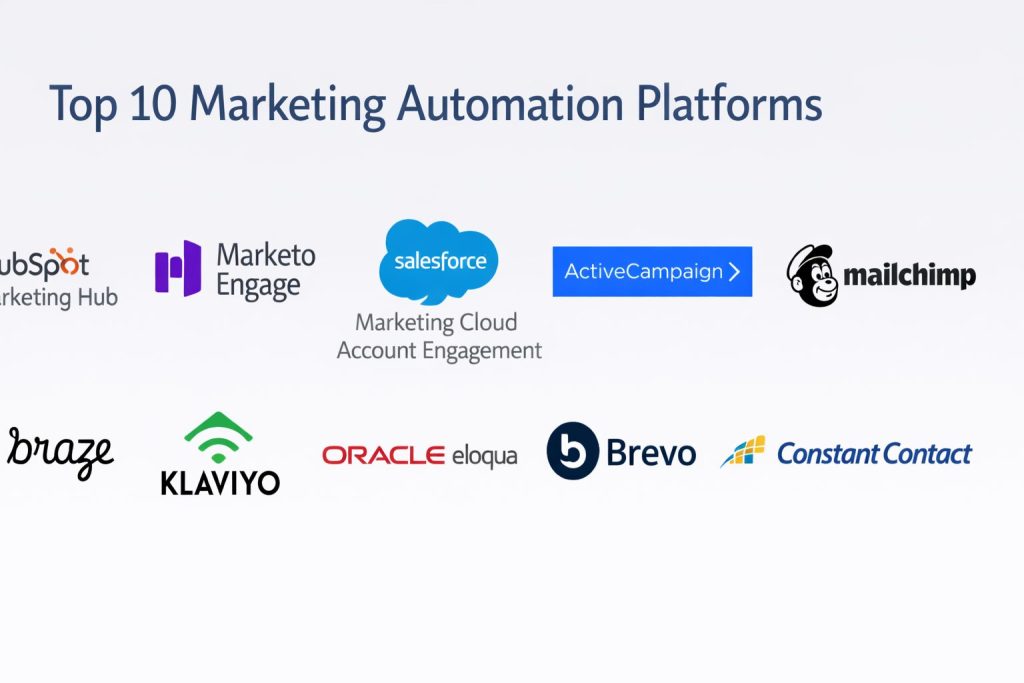
Top 10 Marketing Automation Software Tools
#1 — HubSpot Marketing Hub
A powerful, all-in-one marketing platform that connects seamlessly with a built-in CRM. It is the gold standard for inbound marketing.
Key Features
- Breeze AI: An integrated AI assistant that helps generate emails, social posts, and landing pages in seconds.
- Visual Workflow Builder: An industry-leading drag-and-drop tool for creating complex multi-stage automation.
- Smart Content: Allows you to change the text and images on your website or emails based on who is viewing them.
- Multi-Touch Attribution: Shows exactly which marketing efforts are driving revenue and deals.
- Data Sync: Native, two-way synchronization with hundreds of other apps to keep data clean.
- Marketing Events: Specialized tools for managing and automating webinars and live events.
Pros
- Extremely user-friendly interface that requires very little technical training.
- Having your CRM, Sales, and Marketing data in one place creates a “Single Source of Truth.”
Cons
- The price increases significantly as you move from the “Starter” to “Professional” tiers.
- Some advanced customization options are locked behind the most expensive “Enterprise” plan.
Platforms / Deployment
- Web / iOS / Android
- Cloud-hosted
Security & Compliance
- SSO/SAML, MFA, and Audit Logs
- SOC 2 Type II, ISO 27001, GDPR, and HIPAA compliant
Integrations & Ecosystem
HubSpot boasts one of the largest app marketplaces in the software world.
- Salesforce
- Shopify
- Slack
- Google Ads
- Zoom
Support & Community
Excellent 24/7 phone and chat support for paid tiers. The HubSpot Academy provides thousands of hours of free certification courses that are highly respected in the industry.
#2 — Adobe Marketo Engage
A high-end, specialized B2B marketing automation tool designed for complex lead management and large-scale demand generation.
Key Features
- Account-Based Marketing (ABM): Advanced tools for targeting specific high-value companies rather than just individual leads.
- Lead Scoring & Lifecycle: Highly granular rules for moving prospects through the sales funnel.
- Predictive Content: Uses AI to suggest the best content to show a user on your website.
- Revenue Explorer: Deep analytical tools focused specifically on ROI and pipeline growth.
- Event Marketing: Robust features for managing large-scale global events and roadshows.
Pros
- Extremely powerful for B2B companies with long, complex sales cycles.
- Offers deep technical flexibility for specialized marketing operations teams.
Cons
- Notorious for a steep learning curve and a somewhat dated user interface.
- Requires a dedicated “Marketo Admin” or specialist to get the most out of the system.
Platforms / Deployment
- Web / Windows / macOS
- Cloud-hosted
Security & Compliance
- SSO, MFA, RBAC
- SOC 2, ISO 27001, GDPR, and HIPAA compliant
Integrations & Ecosystem
Deeply integrated with the Adobe Creative Cloud and the broader enterprise tech stack.
- Salesforce (Native integration)
- Microsoft Dynamics 365
- Adobe Analytics
- SAP
Support & Community
Professional enterprise-grade support. The “Adobe Experience League” offers a vast community for troubleshooting and advanced learning.
#3 — Salesforce Marketing Cloud Account Engagement
Formerly known as Pardot, this is Salesforce’s premier B2B marketing automation solution, built to live inside the Salesforce CRM.
Key Features
- Engagement Studio: A visual journey builder that allows for complex branching logic based on lead activity.
- Einstein AI: Provides predictive lead scoring and behavior-based insights directly in your CRM.
- Salesforce Integration: The tightest integration possible for companies already using Salesforce for sales.
- B2B Marketing Analytics: Advanced dashboards powered by Tableau for deep data visualization.
- Dynamic Content: Personalizes the experience across emails and landing pages automatically.
Pros
- Unmatched for sales and marketing alignment; reps can see marketing activity directly on lead records.
- Very strong security and administrative controls for global organizations.
Cons
- Can feel clunky or fragmented if you are not using the full Salesforce ecosystem.
- Setup and implementation usually require an external consultant or a certified partner.
Platforms / Deployment
- Web / iOS / Android (via Salesforce App)
- Cloud-hosted
Security & Compliance
- SSO/SAML, MFA
- SOC 2 Type II, ISO 27001, GDPR, and HIPAA compliant
Integrations & Ecosystem
Leverages the massive Salesforce AppExchange for nearly infinite extensibility.
- Slack
- Google Analytics 360
- Webinar tools (Webex, GoToWebinar)
- LinkedIn Sales Navigator
Support & Community
Support is managed through the Salesforce “Trailhead” platform, which offers a massive library of gamified learning and a huge global community of professionals.
#4 — ActiveCampaign
A “Customer Experience Automation” (CXA) platform that combines email marketing, automation, and a lightweight CRM at an accessible price point.
Key Features
- Automation Recipes: Hundreds of pre-built templates for common marketing workflows.
- Site Tracking: Sees exactly what users do on your website to trigger hyper-relevant emails.
- Predictive Sending: Uses machine learning to send emails at the exact moment a specific person is most likely to open them.
- CXA Engine: Focuses on the entire customer lifecycle, not just the initial lead capture.
- SMS Marketing: Fully integrated text messaging to complement email campaigns.
Pros
- Offers enterprise-level automation logic at a fraction of the cost of Marketo or Salesforce.
- The visual automation builder is one of the most intuitive and easy to use on the market.
Cons
- The built-in CRM is basic and may not be enough for large sales teams.
- Can experience occasional lag when managing very large contact databases.
Platforms / Deployment
- Web / iOS / Android
- Cloud-hosted
Security & Compliance
- SSO, MFA
- SOC 2 Type II, GDPR, and HIPAA compliant
Integrations & Ecosystem
- Shopify / WooCommerce
- Zapier (Thousands of connections)
- Facebook Custom Audiences
- Typeform
Support & Community
Responsive chat and email support. They have a very active community forum and a “Study Hall” for group training.
#5 — Mailchimp
Once a simple email tool, Mailchimp is now a comprehensive marketing platform for small businesses that prioritizes ease of use and creative design.
Key Features
- Customer Journey Builder: A simplified visual tool for creating automated “if-then” paths.
- Creative Assistant: AI that automatically creates on-brand designs for your marketing assets.
- Predictive Demographics: Guesses the age and gender of your audience to help with targeting.
- Content Optimizer: Gives specific suggestions on how to improve your email copy and layout.
- All-in-one Dashboard: Manage your website, social ads, and emails in one place.
Pros
- The most accessible starting point for beginners with a generous free tier.
- Very strong creative tools that help non-designers create professional-looking emails.
Cons
- Automation logic is not as powerful or flexible as tools like HubSpot or ActiveCampaign.
- Pricing scales rapidly based on the number of contacts, which can become expensive as you grow.
Platforms / Deployment
- Web / iOS / Android
- Cloud-hosted
Security & Compliance
- MFA, Encryption at rest
- GDPR compliant; SOC 2 (Standard Intuit protocols)
Integrations & Ecosystem
- Canva
- Shopify
- WordPress
- QuickBooks
Support & Community
Standard support is via chat and email. They have an extensive “Help Center” and “Mailchimp Academy” for self-paced learning.
#6 — Braze
A modern, high-performance customer engagement platform that focuses on real-time, multi-channel messaging for mobile-first brands.
Key Features
- Canvas Flow: A high-speed journey builder designed for real-time mobile and web interactions.
- Predictive Suites: AI that predicts churn risk and optimal engagement times.
- Cross-Channel Messaging: Seamlessly moves conversations between App Push, SMS, Email, and Content Cards.
- Data Streaming: High-velocity data pipes for real-time synchronization with your internal data warehouse.
- Liquid Templating: Advanced personalization language for dynamic content blocks.
Pros
- The best choice for companies with popular mobile apps that need to engage users instantly.
- Extremely reliable for sending millions of messages at once without delay.
Cons
- Very expensive and generally reserved for high-growth or enterprise-level companies.
- Requires more technical expertise to implement correctly compared to “out-of-the-box” tools.
Platforms / Deployment
- Web / iOS / Android
- Cloud-hosted
Security & Compliance
- SSO, MFA, RBAC
- SOC 2 Type II, ISO 27001, GDPR, and HIPAA compliant
Integrations & Ecosystem
- Snowflake / BigQuery
- Segment / mParticle (CDPs)
- Branch / AppsFlyer
- Amplitude
Support & Community
High-touch customer success model for enterprise clients. “Braze Learning (LAB)” provides deep technical training.
#7 — Klaviyo
The leading marketing automation platform for e-commerce, known for its deep data integration that drives measurable revenue.
Key Features
- E-commerce Revenue Attribution: Shows exactly how many dollars each email or SMS generated.
- Deep Data Integration: Syncs with every single transaction and browsing action on your store.
- Predictive Analytics: Calculates expected date of next order and customer lifetime value (CLV).
- Pre-built E-commerce Flows: Ready-to-use automations for “Abandoned Cart,” “Winback,” and “Post-Purchase.”
- Advanced Segmentation: Allows for highly specific targeting based on what people bought and how much they spent.
Pros
- The “gold standard” for Shopify and BigCommerce users.
- The reporting is highly focused on money and sales, making ROI clear.
Cons
- Focused almost entirely on e-commerce; not a great fit for B2B or service businesses.
- SMS costs can add up quickly if not monitored closely.
Platforms / Deployment
- Web / iOS / Android
- Cloud-hosted
Security & Compliance
- MFA, SSO
- GDPR and CCPA compliant
Integrations & Ecosystem
- Shopify (Native)
- BigCommerce / Magento
- Recharge (Subscriptions)
- Smile.io (Loyalty)
Support & Community
Very strong e-commerce focused community. Support is efficient and deeply understands the needs of online store owners.
#8 — Oracle Eloqua
A heavyweight, enterprise-grade B2B marketing automation platform designed for global organizations with complex data requirements.
Key Features
- Campaign Canvas: A highly scalable visual workflow tool for global multi-channel journeys.
- Lead Routing: Complex rules for getting the right lead to the right salesperson in the right region.
- Strict Data Governance: Advanced tools for managing data privacy and compliance across different countries.
- Web Profiling: Deep tracking of visitor behavior across multiple web properties.
- Oracle Unity Integration: Connects with Oracle’s Customer Data Platform (CDP) for a unified view.
Pros
- Built for the “Enterprise Scale,” capable of handling thousands of users and millions of contacts.
- Offers the most robust security and compliance features in the category.
Cons
- Has a reputation for being complex and “heavy” to use.
- Implementation can take months and usually requires a professional services team.
Platforms / Deployment
- Web / Windows / macOS
- Cloud-hosted
Security & Compliance
- Enterprise SSO, MFA, RBAC
- SOC 2, ISO 27001, HIPAA, and GDPR compliant
Integrations & Ecosystem
- Oracle CX Suite
- Salesforce
- Microsoft Dynamics
- SAP
Support & Community
Managed via Oracle Support. They offer “Oracle University” for formal certifications and a network of global agency partners.
#9 — Brevo
An affordable, all-in-one marketing suite (formerly Sendinblue) that excels at transactional emails and simple automation.
Key Features
- Transactional Email API: One of the most reliable and affordable engines for sending invoices and alerts.
- Sales Platform: Includes a built-in CRM and meeting scheduler.
- WhatsApp Campaigns: Native support for sending automated marketing messages via WhatsApp.
- Shared Inbox: Centralizes all customer communication from Email, Chat, and WhatsApp.
- Heatmap Tools: Visualizes where users are clicking on your landing pages and emails.
Pros
- Exceptional value; pricing is based on email volume, not the number of contacts.
- Very strong for international businesses needing multi-language support and GDPR compliance.
Cons
- The marketing automation logic is not as deep as HubSpot or ActiveCampaign.
- The CRM features are basic compared to full-featured sales platforms.
Platforms / Deployment
- Web / iOS / Android
- Cloud-hosted
Security & Compliance
- MFA, SSO
- GDPR compliant; ISO 27001 certified data centers
Integrations & Ecosystem
- WordPress
- WooCommerce
- Zapier
- PrestaShop
Support & Community
24/7 live chat support is highly rated. They offer a large library of marketing webinars and a straightforward knowledge base.
#10 — Constant Contact
A simple, reliable marketing tool focused on small businesses and nonprofits that need to get results quickly.
Key Features
- Event Management: Specialized tools for promoting, managing, and automating local events.
- Social Posting & Ads: Integrated tools for managing Facebook, Instagram, and LinkedIn from one place.
- SMS Marketing: Built-in tools for building a text list and sending automated updates.
- List Cleaning: Automated tools to help keep your contact list healthy and deliverable.
- Canva Integration: Allows you to design graphics in Canva without leaving the email editor.
Pros
- Excellent for small teams that need a “no-fuss” tool that just works.
- Known for having some of the best phone-based customer support in the industry.
Cons
- Lacks the advanced “if-then” automation branching found in higher-end tools.
- Reporting and analytics are basic and may not satisfy data-hungry marketers.
Platforms / Deployment
- Web / iOS / Android
- Cloud-hosted
Security & Compliance
- MFA, Encryption
- GDPR compliant
Integrations & Ecosystem
- QuickBooks
- Shopify
- Salesforce
- WordPress
Support & Community
High-quality phone support and local “Small Business” training events. Their community is focused on small business growth and local networking.
Comparison Table (Top 10)
| Tool Name | Best For | Platform(s) Supported | Deployment | Standout Feature | Public Rating |
| HubSpot | All-in-one Growth | Web, iOS, Android | Cloud | Breeze AI Agent | 4.6/5 |
| Adobe Marketo | B2B Enterprise | Web, Win, Mac | Cloud | Revenue Attribution | 4.4/5 |
| SFDC Account Engagement | Salesforce Users | Web, iOS, Android | Cloud | Native SFDC Sync | 4.3/5 |
| ActiveCampaign | Mid-market Value | Web, iOS, Android | Cloud | Automation Recipes | 4.5/5 |
| Mailchimp | Small Businesses | Web, iOS, Android | Cloud | Creative Assistant | 4.4/5 |
| Braze | Mobile Engagement | Web, iOS, Android | Cloud | Real-time Canvas | 4.6/5 |
| Klaviyo | E-commerce | Web, iOS, Android | Cloud | Revenue Analytics | 4.7/5 |
| Oracle Eloqua | Global Enterprise | Web, Win, Mac | Cloud | Granular Governance | 4.1/5 |
| Brevo | Budget/Transactional | Web, iOS, Android | Cloud | WhatsApp/SMS Mix | 4.5/5 |
| Constant Contact | Local Business/Nonprofit | Web, iOS, Android | Cloud | Event Management | 4.2/5 |
Evaluation & Scoring of Marketing Automation Platforms
The following scores represent a comparative analysis of each platform’s current market position and technical capabilities.
| Tool Name | Core (25%) | Ease (15%) | Integrations (15%) | Security (10%) | Performance (10%) | Support (10%) | Value (15%) | Weighted Total |
| HubSpot | 9 | 10 | 10 | 9 | 9 | 9 | 7 | 8.8 |
| Klaviyo | 9 | 8 | 9 | 8 | 10 | 8 | 8 | 8.6 |
| ActiveCampaign | 9 | 9 | 8 | 8 | 8 | 8 | 10 | 8.6 |
| Braze | 10 | 6 | 9 | 9 | 10 | 9 | 6 | 8.2 |
| Marketo | 10 | 4 | 9 | 10 | 9 | 8 | 5 | 7.8 |
| SFDC Account | 8 | 5 | 10 | 10 | 8 | 8 | 5 | 7.6 |
| Brevo | 7 | 8 | 7 | 8 | 8 | 8 | 10 | 7.6 |
| Mailchimp | 7 | 9 | 8 | 8 | 8 | 7 | 7 | 7.5 |
| Eloqua | 9 | 3 | 8 | 10 | 9 | 8 | 5 | 7.3 |
| Constant Contact | 6 | 10 | 7 | 7 | 7 | 9 | 8 | 7.3 |
How to interpret these scores:
- 8.5 – 10.0: Elite performers. These tools lead the market in innovation, usability, and integration.
- 7.5 – 8.4: Highly competitive. Excellent for specific business models (like mobile-first or high-volume transactional).
- 7.0 – 7.4: Targeted solutions. These tools are often specialized for a particular scale or niche.
Which Marketing Automation Platform Tool Is Right for You?
Solo / Freelancer
For the solo entrepreneur, Mailchimp or Brevo are your best bets. They offer the most generous free plans and are simple enough to set up in a single afternoon. If you are starting an e-commerce store on Shopify, Klaviyo is worth the investment from day one.
SMB
Small to medium businesses looking for the best “bang for buck” should choose ActiveCampaign. It provides high-level automation logic that usually costs thousands of dollars for a very reasonable price. If you want a platform that can grow with you until you are a large company, start with HubSpot.
Mid-Market
Companies with multiple marketing team members and a sales team should prioritize HubSpot. The unified view of the customer across departments will save you more money in efficiency than the software costs in subscription fees.
Enterprise
Global enterprises with complex B2B needs should look at Adobe Marketo or Oracle Eloqua. If your entire company already runs on Salesforce, then Salesforce Marketing Cloud Account Engagement is the most logical choice to avoid data silos.
Budget vs Premium
- Budget: Brevo and ActiveCampaign offer the most features per dollar spent.
- Premium: HubSpot and Salesforce are premium investments. You are paying for the massive ecosystem and the guarantee that your data is safe and synced.
Feature Depth vs Ease of Use
If you want the deepest technical control, choose Marketo. If you want a tool that your team will actually enjoy using every day without complaining, choose HubSpot or Klaviyo.
Integrations & Scalability
HubSpot and Salesforce lead the market in integrations. Their app marketplaces ensure that if you buy a new tool next year, it will almost certainly connect to your automation hub.
Security & Compliance Needs
For organizations in highly regulated industries (Finance, Healthcare, Government), Oracle Eloqua and Adobe Marketo offer the most granular administrative controls and long-term stability records.
Frequently Asked Questions (FAQs)
1. What is the difference between email marketing and marketing automation?
Email marketing is about sending messages to a group of people at once. Marketing automation is about creating a system that sends messages to individuals at the exact right time based on their unique actions and behavior.
2. Is marketing automation only for big companies?
No. In 2026, automation is affordable for everyone. Even a solo blogger can use free tools to automate a welcome sequence, which saves hours of manual work and provides a better experience for the subscriber.
3. How long does it take to set up a new platform?
Simple tools like Mailchimp or Brevo can be set up in a few hours. Enterprise tools like Marketo or Eloqua often require 3–6 months for full implementation, data migration, and team training.
4. Does marketing automation make my brand sound like a robot?
Only if you let it. Modern platforms emphasize “humanized automation.” By using dynamic tags and behavioral triggers, you can actually sound more personal and relevant than a generic manual email ever could.
5. What is “Lead Scoring”?
Lead scoring is a system that assigns points to prospects based on their actions (e.g., +10 points for a demo request, +2 points for opening an email). Once a lead reaches a certain score, the software alerts a salesperson that the lead is “hot.”
6. Can I automate social media with these tools?
Most platforms on this list allow you to schedule posts and track engagement. Higher-end tools can even trigger an email to a customer specifically because they interacted with one of your Instagram posts.
7. Do I need a CRM to use marketing automation?
While many automation tools have a built-in “mini-CRM,” professional teams usually connect their automation platform to a dedicated CRM like Salesforce or HubSpot to keep sales and marketing data aligned.
8. What is the biggest mistake people make with automation?
The “Set it and Forget it” mentality. Automation needs regular auditing. If your messaging or links become outdated, the software will keep sending them until you tell it otherwise.
9. Is my data safe in the cloud?
Yes, provided you choose a reputable vendor. Look for SOC 2 Type II or ISO 27001 certifications. These indicate that the company has passed rigorous third-party audits of their security practices.
10. How do I measure the success of my automation?
Focus on “Conversion Rate” and “Revenue Attribution” rather than just “Open Rates.” The goal of automation is to move people through the funnel and generate sales, not just get them to look at an email.
Conclusion
Choosing a marketing automation platform is one of the most significant decisions a growth team will make. The “best” tool is the one that your team will actually use and that fits into your existing technology stack without causing friction.
In the modern landscape, the winner is usually the platform that provides the cleanest data and the best AI assistance. Your next step should be to choose two or three tools from this list for a free trial or a live demo. Focus on building one single “Welcome Workflow” in each to see which interface feels most natural for your team’s unique style.