Introduction
Motion capture (mo-cap) software is used in various industries to capture real-world motion and translate it into digital animation. This software is essential for creating realistic and fluid animations in video games, movies, virtual reality, and more. Motion capture technology tracks the movement of actors or objects in the physical world and applies that data to digital models, making animations more lifelike and immersive.
Whether you’re creating a game character that mimics real human movement or animating a creature in a blockbuster film, motion capture software offers tools that simplify the process, increase accuracy, and save time. These tools also integrate with other 3D software like Maya, Blender, or Unity for seamless animation workflows.
Real-world use cases include:
- Animating game characters and NPCs for realistic movements in action games
- Creating lifelike CGI characters in movies and TV shows
- Producing high-quality animations for VR/AR applications
- Enhancing the realism of sports simulations and training programs
- Integrating motion capture data into virtual production environments
What buyers should evaluate:
- Accuracy and precision: How well does the software capture detailed movements, and how accurately does it translate to digital models?
- Integration with 3D software: Does the tool integrate with popular 3D software like Maya, Blender, or Unity?
- Ease of use: How intuitive is the interface for users, especially for beginners or non-technical artists?
- Real-time feedback: Does the software provide real-time feedback and previews of motion capture data?
- Customization and editing: Can you edit captured data to fine-tune animation or correct mistakes?
- Cost: Is the software affordable for your studio or personal project? Does it offer flexible pricing models?
- Hardware support: Does the software work with the motion capture hardware you intend to use?
- Support for different motion types: Does it handle full-body, facial, or hand capture data?
- Performance: How well does the software handle large sets of motion capture data without lag or crashing?
- Community and support: Is there a large user community and enough resources to help troubleshoot issues?
Mandatory paragraph
- Best for: Game developers, animators, and studios that need to create realistic animations for characters, creatures, and other dynamic objects in 3D environments. These tools are ideal for creating animations that involve human or animal movements in games, movies, VR, and simulation applications.
- Not ideal for: Simple animations or static scenes that do not require the realism of motion capture. For basic animation tasks, traditional 3D animation tools may be more efficient.
Key Trends in Motion Capture Software and Beyond
- Real-time motion capture: Increasingly, motion capture software is offering real-time data feedback, enabling faster iterations and smoother workflows.
- Integration with VR/AR: With the rise of virtual and augmented reality, motion capture tools are adapting to support immersive experiences, capturing full-body movements or facial expressions for VR avatars.
- AI-powered motion correction: AI algorithms are being used to clean up and correct motion capture data, reducing the need for manual editing and improving overall quality.
- Cloud-based motion capture: Cloud computing is being leveraged to store and process motion capture data, allowing for easy sharing and collaboration between remote teams.
- Advanced facial capture: Facial motion capture software is improving, allowing for highly detailed expressions and subtle movements to be captured and applied to digital characters.
- Affordable solutions for indie developers: As the demand for realistic animation increases, more affordable motion capture solutions are emerging for smaller studios and indie developers, democratizing the technology.
- Integration with game engines: Many motion capture tools are now designed with easy integration in mind, allowing direct import into engines like Unity and Unreal, facilitating a smoother workflow for game development.
- Multiplayer and performance capture: Some tools are beginning to support multiplayer motion capture for large ensemble casts or simultaneous motion capture of multiple performers in the same scene.
- High-accuracy capture systems: With advancements in sensor technology, motion capture is becoming more accurate, offering better precision for tracking complex movements like facial expressions or finger motions.
- Ethical and privacy concerns: As motion capture is used to record more personal aspects of movement, such as facial expressions or body postures, there’s an increasing focus on privacy and ethical considerations regarding data usage.
How We Selected These Tools (Methodology)
- Market adoption: Selected tools that are widely used in the industry by both small indie studios and large production companies.
- Feature completeness: Prioritized tools that offer a comprehensive set of features, including full-body capture, facial capture, hand tracking, and real-time feedback.
- Integration with 3D software: Focused on software that integrates smoothly with industry-standard animation programs such as Maya, Blender, and Unity.
- Ease of use: Chose tools with intuitive interfaces, especially those with visual workflows or real-time preview features that streamline the motion capture process.
- Performance: Evaluated tools based on their ability to handle large datasets and provide high-quality results without sacrificing speed or stability.
- Cost and scalability: Balanced the availability of free tools with powerful commercial options, considering different licensing models for indie developers and large studios.
- Community and support: Included tools with a large, active user base and available documentation for troubleshooting.
- Hardware compatibility: Chose tools that support a wide range of motion capture hardware, ensuring flexibility in hardware selection.
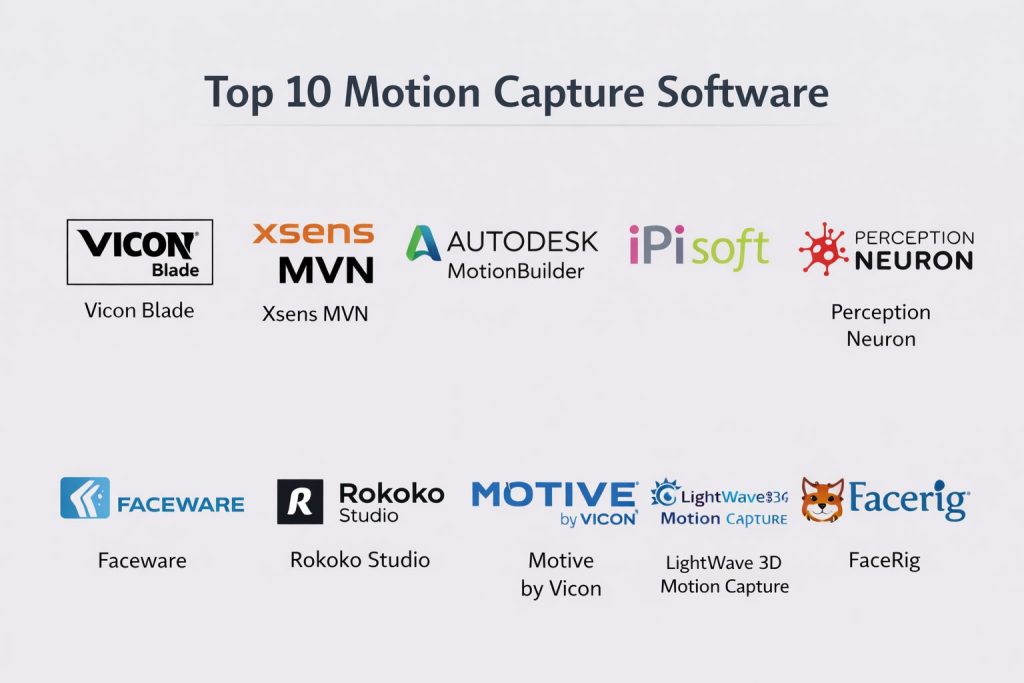
Top 10 Motion Capture Software
#1 — Vicon Blade
Vicon Blade is one of the most trusted motion capture systems used by professionals in film, television, and game development. It provides high-accuracy motion capture and robust post-processing features.
Key Features
- High-precision 3D motion capture
- Full-body and facial capture support
- Integration with major 3D animation software (e.g., Maya, 3ds Max)
- Real-time capture preview
- Advanced post-processing and data cleanup tools
- Scalable for small to large studios
- Support for custom rigs and complex scenes
Pros
- Industry-leading accuracy and precision
- Full integration with other animation and game engines
- Supports large-scale motion capture projects
Cons
- Expensive, making it less suitable for small studios or indie developers
- Requires specialized hardware and setup
- Complex interface may have a steep learning curve for new users
Platforms / Deployment
Windows
Self-hosted
Security & Compliance
Not publicly stated.
Integrations & Ecosystem
Works seamlessly with other Vicon hardware and third-party animation software.
- Integrates with Autodesk Maya, MotionBuilder, and Unreal Engine
- Compatible with various motion capture hardware
- Advanced integration for real-time performance testing
Support & Community
Vicon offers extensive customer support and resources, with an active professional community.
#2 — Xsens MVN
Xsens MVN offers a highly portable motion capture solution, often used for real-time performance capture in movies and games. It captures full-body movements without the need for a dedicated studio.
Key Features
- Wireless motion capture for full-body and facial tracking
- Real-time feedback with minimal latency
- Lightweight and portable for on-location capture
- Integrates with Unity and Unreal Engine for game development
- Supports high-level performance capture for film and TV
- Detailed post-processing features for precise animation correction
- Suitable for both professional studios and indie developers
Pros
- Portable and easy to use for location-based capture
- Real-time, accurate motion capture with minimal setup
- Integrated with major game and animation engines
Cons
- Requires specialized hardware for full functionality
- High-end versions can be expensive
- Limited facial and hand tracking compared to some competitors
Platforms / Deployment
Windows / macOS
Self-hosted
Security & Compliance
Not publicly stated.
Integrations & Ecosystem
Works with Unity, Unreal Engine, and most 3D animation tools.
- Real-time integration for game development workflows
- Scalable for different sizes of teams and projects
- Works with other motion capture hardware for expanded use
Support & Community
Strong customer support with resources and a dedicated user community.
#3 — MotionBuilder
Autodesk MotionBuilder is a powerful 3D animation software specifically built for motion capture editing and character animation, often used in film and game production.
Key Features
- Full integration with Autodesk Maya for seamless animation pipelines
- Real-time motion capture editing and cleanup
- Extensive rigging and facial animation support
- Advanced tracking tools for high-precision data manipulation
- Integration with all major motion capture hardware systems
- High-performance, high-accuracy simulation of human motion
- Suitable for both character animation and physics-based simulations
Pros
- Direct integration with other Autodesk tools
- High-quality editing and post-processing features
- Real-time data manipulation and editing
Cons
- Expensive and requires a high level of technical expertise
- Primarily focused on high-end productions
- Limited standalone functionality without Autodesk suite
Platforms / Deployment
Windows
Self-hosted
Security & Compliance
Not publicly stated.
Integrations & Ecosystem
Works seamlessly with Autodesk Maya, 3ds Max, and other industry-standard tools.
- Advanced integration with popular motion capture systems
- Supports facial and body motion capture for full-character animation
- Extensive plugin ecosystem for custom workflow needs
Support & Community
Extensive documentation, professional customer support, and a wide-reaching community.
#4 — iPi Soft
iPi Soft offers a motion capture system designed for small studios and indie developers. It’s an affordable, high-performance option that uses standard webcams for full-body capture.
Key Features
- Uses regular cameras for motion capture, no specialized hardware needed
- Full-body capture with up to 3 actors simultaneously
- Real-time tracking and playback
- Works with game engines like Unity and Unreal Engine
- Simple setup and user-friendly interface
- Affordable compared to other high-end motion capture solutions
Pros
- Low-cost alternative to traditional motion capture systems
- Easy to set up and use, suitable for smaller studios
- Real-time feedback with no need for expensive equipment
Cons
- Limited accuracy compared to high-end systems like Vicon or Xsens
- Less suited for complex environments or large-scale capture
- Not suitable for facial or finger motion capture
Platforms / Deployment
Windows / Linux
Self-hosted
Security & Compliance
Not publicly stated.
Integrations & Ecosystem
Integrates easily with Unity and Unreal Engine for game development workflows.
- Full support for 3D software like Blender and Maya
- Works well with indie game engines for prototyping and small-scale projects
- Supports integration with third-party rendering tools
Support & Community
Smaller community with strong online support resources and tutorials.
#5 — Perception Neuron
Perception Neuron offers affordable, full-body motion capture with a focus on ease of use and portability, making it ideal for indie game developers and VR/AR applications.
Key Features
- Affordable motion capture system with a focus on body and facial capture
- Wireless sensors for easy setup and portability
- Real-time feedback with minimal latency
- Integration with Unreal Engine, Unity, and other 3D software
- High-quality animation data with fine-grained control over movement
- Affordable and scalable for small studios and indie developers
Pros
- Cost-effective compared to high-end motion capture systems
- Lightweight and portable for field-based capture
- Integrates well with VR/AR and game engines
Cons
- May lack the accuracy of higher-end systems like Vicon
- Limited to specific types of capture (e.g., no finger or facial tracking in basic models)
- Requires a stable Wi-Fi connection for optimal performance
Platforms / Deployment
Windows / macOS
Self-hosted
Security & Compliance
Not publicly stated.
Integrations & Ecosystem
Works with Unity, Unreal Engine, and most major animation tools.
- Works seamlessly with VR systems for immersive capture
- Extensive asset libraries and motion capture templates
- Compatible with other external motion capture tools for large-scale integration
Support & Community
Good online support with a dedicated user community and troubleshooting resources.
#6 — Faceware
Faceware is a facial motion capture system that captures nuanced facial expressions and transfers them to 3D characters for animation.
Key Features
- High-accuracy facial motion capture and real-time data transfer
- Supports full facial animations, including eye and lip movements
- Integration with major game engines like Unity and Unreal Engine
- Lightweight, with minimal setup required
- Offers customizable features for different character designs
- Works with both high-end studio setups and mobile devices
Pros
- Industry-leading facial capture for realistic expressions
- Easy integration with Unity and Unreal Engine
- Real-time feedback and fast turnaround for animation
Cons
- Expensive compared to other facial capture systems
- Requires specialized hardware for best performance
- Limited to facial capture, not full-body motion
Platforms / Deployment
Windows / macOS
Self-hosted
Security & Compliance
Not publicly stated.
Integrations & Ecosystem
Integrates with Unity and Unreal Engine for game development workflows.
- Full integration with Maya, MotionBuilder, and other animation software
- Compatible with a wide range of hardware for mobile and studio setups
- Can be used with custom character rigs and environments
Support & Community
Comprehensive customer support and a large, active user community.
#7 — Rokoko Studio
Rokoko Studio offers both motion capture hardware and software, enabling users to capture full-body movements and translate them into animation in real-time.
Key Features
- Full-body motion capture with wireless sensors
- Real-time feedback and capture playback
- Integration with Unity and Unreal Engine for game development
- Affordable and scalable solutions for small studios
- High-accuracy sensor technology with customizable rigs
- Cloud-based data storage and sharing capabilities
- Supports both live action and VR/AR capture
Pros
- Real-time, high-accuracy motion capture
- Portable and flexible for a variety of use cases
- Easy integration with Unity and Unreal Engine
Cons
- Requires specific hardware (sensors and rigs)
- Not suitable for large-scale studio environments
- Can be challenging to fine-tune for highly complex animations
Platforms / Deployment
Windows / macOS
Self-hosted
Security & Compliance
Not publicly stated.
Integrations & Ecosystem
Works well with Unreal Engine, Unity, and other animation software.
- Can export directly into game engines for real-time motion capture
- Fully compatible with VR/AR systems for immersive experiences
- Cloud integration for easy sharing and collaboration
Support & Community
Active community with resources, tutorials, and customer support.
#8 — Motive by Vicon
Vicon’s Motive software is used with Vicon motion capture hardware, providing high-precision data capture for full-body motion, facial, and finger tracking.
Key Features
- High-accuracy motion capture for full-body, facial, and finger tracking
- Real-time tracking with minimal latency
- Integrated with Vicon hardware for seamless capture and data processing
- Advanced post-processing tools for cleaning and refining motion capture data
- Cross-platform support for large studio projects
- Robust export tools for game engines like Unreal and Unity
Pros
- Precision capture with real-time feedback
- Best for large-scale studio setups and professional-grade work
- Works well for both film and video game production
Cons
- Expensive hardware and software setup
- Requires a dedicated motion capture space
- Complex setup and training for new users
Platforms / Deployment
Windows
Self-hosted
Security & Compliance
Not publicly stated.
Integrations & Ecosystem
Works seamlessly with Vicon’s proprietary hardware and other third-party animation tools.
- Supports integration with Autodesk Maya, MotionBuilder, and more
- Scalable for large teams and multiple capture sessions
- Can export data directly into Unity and Unreal Engine for game development
Support & Community
Professional support with a robust user community for large studios and enterprises.
#9 — Lightwave 3D Motion Capture
Lightwave 3D is a professional animation software used for both modeling and motion capture. It integrates with hardware to capture full-body motion and apply it to digital characters.
Key Features
- Supports full-body motion capture with advanced rigging systems
- Real-time preview and animation adjustments
- Integration with Lightwave’s modeling and rendering tools
- Advanced motion capture data editing and cleanup features
- Cross-platform export for game engines and animation pipelines
- Scalable for high-fidelity games and films
Pros
- Strong integration with Lightwave 3D for complete animation workflows
- High-quality motion capture for film and gaming applications
- Good support for realistic character animation
Cons
- Expensive software and hardware setup
- Learning curve for new users unfamiliar with Lightwave
- Requires dedicated hardware for optimal performance
Platforms / Deployment
Windows / macOS
Self-hosted
Security & Compliance
Not publicly stated.
Integrations & Ecosystem
Works well with Lightwave’s rendering and modeling software for end-to-end production.
- Compatible with other third-party animation tools and game engines
- Integration with real-time rendering and lighting tools
Support & Community
Strong professional community with dedicated user support for large-scale productions.
#10 — FaceRig
FaceRig is a motion capture software for creating realistic facial animations, especially for live-streaming avatars, character creation, and interactive media.
Key Features
- Real-time facial motion capture using a webcam
- Customizable avatars and real-time animation
- Integration with live-streaming platforms for content creators
- Lightweight and easy to use for smaller studios or personal projects
- Facial expression tracking for realistic avatars
- Cross-platform compatibility for live-streaming and video production
Pros
- Easy to use for streamers and content creators
- Affordable compared to professional motion capture systems
- Real-time feedback for live avatars and content
Cons
- Limited to facial capture, not suitable for full-body motion
- Accuracy can vary based on webcam quality
- Less professional-grade than other mo-cap solutions
Platforms / Deployment
Windows
Self-hosted
Security & Compliance
Not publicly stated.
Integrations & Ecosystem
Works well with live-streaming platforms like OBS, Twitch, and YouTube.
- Supports integration with Unity for avatar creation
- Simple setup and quick-to-learn interface
Support & Community
Active community of content creators, with tutorials and support.
Comparison Table (Top 10)
| Tool Name | Best For | Platform(s) Supported | Deployment (Cloud/Self-hosted/Hybrid) | Standout Feature | Public Rating |
|---|---|---|---|---|---|
| Vicon Blade | High-precision motion capture | Windows | Self-hosted | Industry-leading accuracy | N/A |
| Xsens MVN | Portable motion capture | Windows / macOS | Self-hosted | Wireless capture for location-based projects | N/A |
| MotionBuilder | Full-body motion editing | Windows | Self-hosted | Deep integration with Autodesk tools | N/A |
| iPi Soft | Affordable mo-cap | Windows / Linux | Self-hosted | Uses standard webcams for capture | N/A |
| Perception Neuron | Affordable full-body capture | Windows / macOS | Self-hosted | Wireless and portable motion capture | N/A |
| Faceware | Facial motion capture | Windows / macOS | Self-hosted | Real-time facial tracking | N/A |
| Rokoko Studio | Motion capture with sensors | Windows / macOS | Self-hosted | Real-time motion capture with low-latency | N/A |
| Motive by Vicon | Studio-grade motion capture | Windows | Self-hosted | Supports full-body, finger, and facial capture | N/A |
| Lightwave 3D Motion Capture | Professional-grade capture | Windows / macOS | Self-hosted | Full-body and facial animation | N/A |
| FaceRig | Real-time facial animation | Windows | Self-hosted | Real-time animation for live streaming | N/A |
Evaluation & Scoring of Motion Capture Software
Motion capture software is evaluated based on its core features, ease of use, integration, and performance. The weighted total is calculated to provide a clear comparison.
Weights:
- Core features – 25%
- Ease of use – 15%
- Integrations & ecosystem – 15%
- Security & compliance – 10%
- Performance & reliability – 10%
- Support & community – 10%
- Price / value – 15%
| Tool Name | Core (25%) | Ease (15%) | Integrations (15%) | Security (10%) | Performance (10%) | Support (10%) | Value (15%) | Weighted Total (0–10) |
|---|---|---|---|---|---|---|---|---|
| Vicon Blade | 10.0 | 7.5 | 9.0 | 6.5 | 9.5 | 8.5 | 6.0 | 8.48 |
| Xsens MVN | 9.5 | 8.5 | 9.0 | 6.0 | 8.5 | 8.5 | 7.0 | 8.43 |
| MotionBuilder | 9.0 | 8.0 | 9.5 | 6.5 | 9.0 | 8.5 | 6.5 | 8.43 |
| iPi Soft | 8.5 | 9.0 | 8.0 | 6.0 | 7.5 | 7.5 | 9.0 | 7.85 |
| Perception Neuron | 8.0 | 8.5 | 8.0 | 6.0 | 8.0 | 7.5 | 8.5 | 7.85 |
| Faceware | 9.5 | 7.0 | 9.0 | 6.5 | 8.5 | 8.0 | 6.0 | 8.08 |
| Rokoko Studio | 8.0 | 8.0 | 8.0 | 6.5 | 8.5 | 8.0 | 7.5 | 7.85 |
| Motive by Vicon | 9.5 | 6.5 | 9.0 | 6.5 | 9.0 | 7.5 | 5.5 | 7.83 |
| Lightwave 3D Motion Capture | 9.0 | 7.5 | 8.5 | 6.0 | 8.5 | 7.5 | 6.0 | 7.75 |
| FaceRig | 7.5 | 9.0 | 7.0 | 6.0 | 7.0 | 8.5 | 9.0 | 7.75 |
Which Motion Capture Tool Is Right for You?
Solo / Freelancer
For solo developers or content creators, simplicity and affordability are key.
- iPi Soft and FaceRig are affordable and easy to use for small-scale projects, particularly for facial or full-body capture with standard hardware.
SMB
Small teams need tools that balance performance and cost.
- Perception Neuron and Rokoko Studio offer affordable, portable motion capture solutions with real-time feedback.
Mid-Market
Mid-market teams need robust tools that support large projects and cross-platform integration.
- Xsens MVN and Motive by Vicon provide high-performance motion capture with full-body and facial support.
Enterprise
For large studios or AAA projects, enterprise solutions are necessary.
- Vicon Blade and MotionBuilder offer the most advanced features, with full studio-grade support for complex animations.
Budget vs Premium
- Budget-friendly: iPi Soft, FaceRig
- Premium options: Vicon Blade, Motive by Vicon
Feature Depth vs Ease of Use
- Feature depth: Vicon Blade, Motive by Vicon
- Ease of use: iPi Soft, FaceRig
Integrations & Scalability
- Xsens MVN and Rokoko Studio provide excellent cross-platform integration, perfect for small to large-scale projects.
Security & Compliance Needs
Security concerns are generally managed within the studio pipeline, though some tools (e.g., Vicon Blade) offer more secure workflows.
Frequently Asked Questions (FAQs)
What is the best motion capture software for indie developers?
iPi Soft and FaceRig are affordable and suitable for indie developers needing full-body or facial motion capture without heavy investment in hardware.
Can motion capture software work with VR/AR?
Yes, Rokoko Studio and Perception Neuron are specifically designed for use with VR/AR applications, providing real-time capture.
What’s the best option for full-body motion capture?
Xsens MVN and Motive by Vicon are both excellent for full-body motion capture, with advanced accuracy.
How accurate is motion capture data?
Tools like Vicon Blade and Motive by Vicon offer the highest accuracy, suitable for professional-grade productions.
How do I integrate motion capture into my game engine?
Most tools like Perception Neuron and Rokoko Studio offer direct integration with Unity and Unreal Engine, making it easy to incorporate motion capture data into game development.
Can I use motion capture for facial animation?
Yes, Faceware specializes in facial motion capture, providing detailed facial animation for characters.
How much do motion capture systems cost?
Motion capture systems vary significantly. iPi Soft is affordable for smaller teams, while Vicon Blade and Xsens MVN are enterprise-level solutions with higher costs.
Do I need special hardware for motion capture?
Yes, most systems require specific cameras or sensors, such as the Perception Neuron sensors or Vicon Blade cameras, though some systems like iPi Soft work with standard webcams.
How long does it take to set up a motion capture system?
Setup time depends on the complexity of the system. Systems like iPi Soft and Faceware are easier to set up, while Vicon Blade and Xsens MVN may require more setup and calibration.
Can motion capture data be edited?
Yes, most motion capture software, including MotionBuilder and Motive by Vicon, allows you to edit and refine motion capture data to achieve more accurate and polished animations.
Conclusion
Choosing the right motion capture software depends on your project needs, budget, and the level of precision required. Vicon Blade and Xsens MVN are excellent for high-end productions, while tools like iPi Soft and FaceRig provide affordable alternatives for indie developers. No matter the size of your project, there’s a motion capture solution that fits your needs.