Introduction
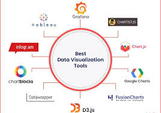
AI Data Visualization Tools have revolutionized how businesses, researchers, and analysts interpret vast amounts of data. As data continues to grow in volume and complexity, AI-driven visualization tools are helping users create intuitive, interactive, and insightful graphics, making data easier to understand and act upon. In 2026, the landscape of data visualization continues to evolve, with AI providing enhanced capabilities for automation, pattern recognition, and predictive insights. Choosing the right tool involves evaluating factors such as ease of use, customization options, integration with other platforms, and advanced AI features that support data exploration.
This guide explores the top 10 AI Data Visualization tools in 2026, comparing features, pros, cons, and helping you make an informed decision based on your business needs.
Top 10 AI Data Visualization Tools in 2026
1. Tableau
Short Description: Tableau is one of the leading platforms for data visualization, offering powerful AI-driven features for analytics. It allows users to create interactive dashboards and visualize data in real time.
Key Features:
- Easy drag-and-drop interface for building visualizations
- AI-powered predictive analytics and insights
- Integration with multiple data sources
- Customizable templates and dashboards
- Real-time collaboration and sharing capabilities
Pros:
- Highly intuitive interface
- Extensive library of visualizations
- Strong community support
Cons:
- Expensive for small businesses
- Steeper learning curve for beginners
2. Power BI
Short Description: Power BI, a Microsoft product, integrates seamlessly with other Microsoft services. It provides AI-powered analytics for data visualization with an easy-to-use interface, ideal for businesses of all sizes.
Key Features:
- Natural language query support
- AI insights and anomaly detection
- Integration with Excel, Azure, and third-party apps
- Customizable reporting and dashboards
- Embedded analytics in websites and applications
Pros:
- Affordable pricing tiers
- Great for Microsoft ecosystem users
- Excellent data refresh options
Cons:
- Limited customization in free version
- Can be slow with large datasets
3. Qlik Sense
Short Description: Qlik Sense is a self-service data analytics tool that uses AI to provide smart, interactive data visualizations. It’s known for its associative data engine that connects various data sources for comprehensive insights.
Key Features:
- Associative data indexing for deeper insights
- AI-powered augmented analytics
- Advanced data integration capabilities
- Smart visualizations and dashboards
- Data storytelling features
Pros:
- Flexible and powerful data engine
- AI-driven recommendations for visualization types
- Strong mobile capabilities
Cons:
- High learning curve
- Expensive for small businesses
4. Looker (Google Cloud)
Short Description: Looker is an AI-based data visualization tool designed for businesses to analyze and visualize data across their organizations. It integrates deeply with Google Cloud, allowing users to get meaningful insights from their data quickly.
Key Features:
- Data exploration and reporting in real-time
- Advanced AI insights and predictive analytics
- Customizable dashboards and reports
- Integration with Google BigQuery and other databases
- Scalability for large enterprises
Pros:
- Seamless integration with Google Cloud services
- Advanced data modeling and exploration
- Strong security features
Cons:
- Complex pricing structure
- Limited built-in visualizations
5. Sisense
Short Description: Sisense is an AI-powered business intelligence tool that enables users to visualize complex data and extract insights through customizable dashboards. It focuses on simplifying large data sets and presenting them in interactive formats.
Key Features:
- In-chip analytics for faster data processing
- AI-driven predictive insights
- Customizable visualizations and reports
- Embedded analytics for websites and applications
- Strong integration options
Pros:
- Handles big data seamlessly
- Highly customizable dashboards
- Scalable for various industries
Cons:
- Requires technical expertise to fully utilize
- Expensive pricing for small teams
6. Zoho Analytics
Short Description: Zoho Analytics is a business intelligence and data analytics platform that uses AI and machine learning to help users build powerful visualizations and analyze data with ease.
Key Features:
- AI-driven data cleaning and preparation
- Built-in templates for easy visualization
- Natural language queries for faster insights
- Custom dashboards and reports
- Integration with over 250 data sources
Pros:
- Affordable pricing plans
- Seamless integration with Zoho suite
- Strong AI and ML capabilities
Cons:
- Limited features in lower-tier plans
- User interface can be overwhelming
7. Domo
Short Description: Domo is a cloud-based AI data visualization platform designed to streamline data integration, visualization, and analysis. It’s ideal for businesses looking for end-to-end analytics solutions.
Key Features:
- AI-powered data analysis and forecasting
- Real-time data updates
- Customizable reporting and dashboards
- Data integration with over 1,000 apps
- Collaborative data sharing features
Pros:
- Easy-to-use interface
- Robust cloud data integration
- Great customer support
Cons:
- High cost for smaller organizations
- Limited data transformation features
8. TIBCO Spotfire
Short Description: TIBCO Spotfire is a comprehensive analytics and visualization tool that uses AI to generate real-time data insights and advanced analytics, aimed at businesses needing robust data exploration.
Key Features:
- AI-based data insights and anomaly detection
- Real-time streaming analytics
- Customizable dashboards and reporting
- Predictive analytics capabilities
- Integration with Hadoop, SQL, and cloud services
Pros:
- Powerful data processing and analysis features
- Strong AI-powered anomaly detection
- Highly customizable visualizations
Cons:
- Steep learning curve
- Expensive for small businesses
9. Chartio (Acquired by Atlassian)
Short Description: Chartio is a user-friendly data visualization tool that focuses on simplifying complex data sets. It uses AI to automate insights and helps businesses create detailed, interactive dashboards.
Key Features:
- AI-powered insights for data analysis
- Drag-and-drop interface for building charts
- Easy integration with popular data sources
- Customizable visualizations and dashboards
- Data collaboration and sharing capabilities
Pros:
- Easy to use for non-technical users
- Affordable pricing for small businesses
- Great for quick data visualization tasks
Cons:
- Limited advanced analytics features
- Limited support for large data sets
10. IBM Cognos Analytics
Short Description: IBM Cognos is an AI-driven analytics platform that offers powerful reporting and data visualization features. It enables businesses to perform AI-based insights, helping in decision-making.
Key Features:
- AI-powered data exploration and reporting
- Automated data visualizations and reports
- Integrates with cloud and on-premise data sources
- Customizable dashboards
- Predictive analytics features
Pros:
- Advanced AI-powered analytics
- Strong reporting capabilities
- Scalable for large enterprises
Cons:
- Expensive for smaller businesses
- Complex interface for beginners
Comparison Table
| Tool Name | Best For | Platform(s) Supported | Standout Feature | Pricing | Rating |
|---|---|---|---|---|---|
| Tableau | Large Enterprises | Windows, Mac, Web | Interactive Dashboards | Starts at $70/user/month | 4.5/5 |
| Power BI | Small to Mid-sized | Windows, Web, Mobile | Natural Language Query Support | Free / Starts at $9.99 | 4.6/5 |
| Qlik Sense | Advanced Users | Windows, Web, Mobile | Associative Data Engine | Custom | 4.4/5 |
| Looker | Google Cloud Users | Web, Cloud | Deep Google Cloud Integration | Custom | 4.5/5 |
| Sisense | Data-heavy Industries | Windows, Web | In-chip Analytics | Custom | 4.3/5 |
| Zoho Analytics | Small to Medium Biz | Web, Mobile | AI-driven Data Cleaning | Free / Starts at $25 | 4.2/5 |
| Domo | Enterprises | Cloud-based | Real-time Data Collaboration | Custom | 4.5/5 |
| TIBCO Spotfire | Data Scientists | Windows, Web | Predictive Analytics | Custom | 4.4/5 |
| Chartio | Small to Mid-sized | Web, Cloud | Drag-and-drop Interface | Starts at $40/user/month | 4.3/5 |
| IBM Cognos | Enterprises | Windows, Web, Mobile | Predictive Analytics | Custom | 4.2/5 |
Which AI Data Visualization Tool is Right for You?
Choosing the best AI Data Visualization Tool depends on your business size, industry, and specific needs. Here’s a breakdown of which tools may be best for your scenario:
- Small Businesses: Tools like Zoho Analytics, Power BI, and Chartio are affordable and easy to use for small businesses looking to get insights from their data without a large investment.
- Medium Enterprises: Domo, Sisense, and Qlik Sense offer more robust features and can handle larger datasets, making them ideal for growing businesses.
- Large Enterprises: Tableau, IBM Cognos, and Looker are suited for large enterprises needing enterprise-grade features, scalability, and advanced data integration capabilities.
Conclusion
AI Data Visualization tools are rapidly changing how businesses understand and utilize data. With advanced features like predictive analytics, real-time insights, and automation, these tools empower organizations to make informed, data-driven decisions. As we move further into 2026, AI tools will continue to innovate, bringing more powerful and accessible solutions to users.
Explore demos, try free versions, and invest time in selecting the tool that aligns with your business needs to make the most of the future of data visualization.
FAQs
- What is AI Data Visualization?
AI Data Visualization uses artificial intelligence to automate data interpretation and create visual representations such as charts and graphs for better insights. - Why should I choose AI Data Visualization Tools?
These tools help businesses interpret large data sets efficiently, providing actionable insights through automated data analysis and predictive analytics. - Are these tools suitable for small businesses?
Yes, many tools like Power BI, Zoho Analytics, and Chartio offer scalable pricing and features suitable for small businesses. - How do AI Data Visualization Tools improve decision-making?
By offering predictive insights, anomaly detection, and automated reporting, AI tools enable faster and more accurate decision-making based on real-time data. - Are free versions available for these tools?
Many tools, including Power BI and Zoho Analytics, offer free versions with limited features, allowing businesses to try before committing to a paid plan.
This article delivers an exceptionally comprehensive, analytics-focused overview of AI data visualization tools in 2025, effectively positioning them as transformative infrastructure for enterprises, SMBs, data analysts, business intelligence teams, researchers, marketers, and non-technical users seeking to convert raw data into interactive dashboards, automated charts, predictive insights, and actionable intelligence through natural language queries, generative AI assistants, automated pattern detection, and real-time collaboration while maintaining enterprise security and seamless integration with 500+ data sources including SQL databases, cloud platforms, CRMs, ERPs, and marketing tools, comparing leading platforms including ThoughtSpot (AI-powered search and analytics with Spotter AI Analyst providing conversational natural language queries, AI-augmented Liveboards for real-time interactive dashboards, automated insights surfacing patterns/anomalies/correlations, instant drill-down and pivot capabilities, embedded analytics for applications, enterprise-grade security, ideal for organizations wanting self-service data exploration and live data action, custom pricing, 4.6/5 Gartner rating), Tableau (enterprise-grade visualization leader with Einstein AI for automated recommendations and predictive analytics, extensive advanced visualization library with deep customization, drag-and-drop interface, LLM-powered natural language interaction, embedded dashboards/reports, AI pattern detection, Salesforce integration, best for complex enterprise dashboards requiring sophisticated visuals, starts at $15/user/month for Creator up to $75 for Enterprise Creator, 4.6-4.7/5 rating), Power BI (Microsoft-native BI platform with seamless Azure/Office 365 integration, AI-powered forecasting/clustering/pattern detection, drag-and-drop report builder, Q&A natural language queries, custom visuals SDK, sentiment analysis/key phrase extraction/language detection/image tagging AI features, dataflows and datamarts, embedded analytics, ideal for Microsoft ecosystem users needing scalable reports with built-in AI, starts at $10/user/month for Pro up to $24 for Premium Per User, 4.5/5 rating), Zoho Analytics (self-service BI for SMBs with Zia AI assistant for natural language queries and automated analysis, 500+ data source connectors, drag-and-drop dashboard builder, AI-generated insights and auto analysis for patterns/trends/anomalies, predictive insights and forecasting, data stories and embedded analytics, customizable visuals with low-code approach, affordable and quick implementation, starts at affordable pricing, 4.4/5 Gartner rating), Julius AI (chat-based visualization for researchers and non-technical users with conversational interface for AI-powered instant insights, smart automated visualizations highlighting trends, trend detection for correlations/anomalies/key drivers, easy data manipulation with calculations/filters/transformations, code-free collaboration, perfect for quick insights without technical skills, pricing varies, highly rated for intuitive use), Domo (low-code analytics for SMBs with AI-generated dashboards and auto-chart generation, data preparation tools for cleaning/transforming multi-source data, augmented analytics revealing hidden trends/anomalies, real-time syncing for automatic dashboard updates, drag-and-drop interface simplifying creation, extensive data connectors, AI model management deploying OpenAI/Hugging Face models, best for small-to-medium organizations seeking accessible analytics, custom pricing, 4.5/5 Gartner rating), Explo (developer-friendly embedded analytics with AI-powered interactive visualizations, AI report builder using natural language, custom visualizations with extensive charts/maps library for branded dashboards, data modeling with reusable SQL datasets, embedded analytics via iframes/web components for seamless app integration, ideal for teams wanting visualizations without heavy coding, custom pricing), Amazon QuickSight (AWS-native BI with ML-powered anomaly detection and forecasting, Q natural language interface, scalable cloud integration with S3/Redshift/AWS services, interactive dashboards with real-time updates, serverless architecture, cost-effective pay-per-session pricing, best for AWS users needing scalable cloud analytics, usage-based pricing starting low, 4.4/5 rating), Qlik Sense (associative analytics engine with AI-powered Insight Advisor generating automated insights, augmented analytics suggesting visualizations/narratives, drag-and-drop interface, natural language interaction, data integration hub, embedded analytics, strong governance and security, ideal for enterprise self-service analytics with governed data models, custom pricing, 4.5/5 rating), and Looker (Google Cloud-native with LookML semantic layer for consistent metrics, embedded analytics platform, AI-powered data exploration, SQL-based modeling, real-time dashboards, strong API for custom integrations, best for technical teams wanting code-based control with Google Cloud infrastructure, custom pricing, 4.5/5 rating), plus additional platforms like Flourish (no-code interactive storytelling for media/education/marketing with beautiful templates, animated data stories, easy embedding), Sisense (embedded analytics with AI-driven insights and extensive customization for product teams), and PowerDrill AI (automated multi-agent AI visualizations with one-click PowerPoint export and collaborative card-based workspace) —with the detailed comparison table segmenting solutions by target user (large enterprises: ThoughtSpot, Tableau, Qlik Sense for advanced self-service and governance; Microsoft users: Power BI for Azure/Office ecosystem; SMBs: Zoho Analytics, Domo for affordable quick implementation; researchers/non-technical users: Julius AI, Flourish for code-free insights and storytelling; AWS users: QuickSight for cloud-native scalability; developers/product teams: Explo, Looker, Sisense for embedded analytics and code-based control; media/marketers: Flourish for visual storytelling; collaborative teams: PowerDrill AI for multi-agent insights and presentation export), platforms (web, cloud, mobile, embedded, desktop), standout features (conversational AI analyst, natural language queries, automated insight generation, real-time Liveboards, extensive visualization libraries, AI-powered forecasting/clustering, 500+ data connectors, Zia AI assistant, chat-based visualizations, auto-chart generation, ML anomaly detection, associative analytics engine, LookML semantic layer, one-click PowerPoint export, interactive data stories), pricing (free to $75/user/month with custom enterprise and usage-based options), and ratings (4.4-4.7/5 across Gartner/G2/Capterra)—making it straightforward for organizations and individuals to shortlist solutions based on primary objectives (self-service analytics, enterprise dashboards, embedded analytics, predictive insights, collaborative exploration, quick ad-hoc analysis, visual storytelling, real-time monitoring), technical skill level (non-technical users vs. SQL/code-savvy analysts), ecosystem preferences (Microsoft, AWS, Google Cloud, Salesforce, multi-platform), deployment needs (cloud, on-premise, embedded in applications), budget constraints, and whether they prioritize conversational AI exploration with ThoughtSpot, enterprise visualization depth with Tableau, Microsoft integration with Power BI, affordable SMB analytics with Zoho/Domo, instant chat-based insights with Julius AI, AWS cloud scalability with QuickSight, developer-friendly embedding with Explo/Looker, governed self-service with Qlik Sense, or no-code storytelling with Flourish for enhanced data-driven decision-making, operational intelligence, predictive planning, and business transformation across industries.