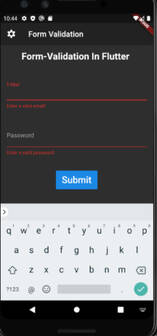
Every application needs to have form validation. There are other ways to validate forms in the flutter application, for as by utilising a TextEditingController. However, managing text controllers for each input can get complicated in large applications. As a result, Form offers us a practical method for verifying user inputs.
Although the condition is applied in each TextFormField with a widget name validator as shown in the example below, the input is validated in your submit function (the method that is executed once the user has provided all of the details).
The Validator widget accepts a function with a single input value as a parameter, and it then checks the condition specified in the Validator function. Use of the key
Example:
Output: